

Technologies
Best iPhone 14 Camera Accessories
Check out some of the best camera accessories, including lenses, gimbals, microphones and tripods, that will help you get pro-level cinematic video from your iPhone.

Not too long ago, photographers used to laugh at smartphones. A lot has changed over the years, however, with many phone launches focusing on the cameras themselves. Now smartphones can take impressive photos on par with even the best cameras. All you need is some additional gear, and you can be shooting photos that border on professional-grade.
The iPhone 14 and 14 Pro offer excellent features that creative professionals will enjoy, like multiple rear cameras — including a superwide-angle lens — that can capture incredible photos and videos.
Perhaps the most notable, however, is the addition of ProRes, which started in the previous generation and is available on the iPhone 14 Pro and Pro Max. It enables you to produce a far more professional-looking postproduction look. This means that, now, creative professionals can incorporate these phones into their productions.
Advertiser Disclosure
And sure, you can simply walk outside with your phone and snag some beautiful footage, but there’s a wealth of iPhone 14 accessories you can use that’ll help elevate both your videos and photos to new levels to wow your followers.
Here’s our list of the best gear to pair with your iPhone to give your shots a boost. Every iPhone 14 accessory listed here has been tested by us to make sure it works as well as it’s supposed to. If it didn’t impress, it didn’t make the list. Look no further if you’re after the best iPhone filming accessories to take your skills to the next level. These excellent accessories will make shooting a breeze.
Read more: Best iPhone 14 and iPhone 14 Pro Cases You Can Buy Right Now
The best iPhone camera accessories
There’s no one accessory that by itself will revolutionize your iPhone photography, as different products bring different things to the table. I love the Moment Anamorphic lens as it lets you achieve a stunning cinematic look with your phone. DJI’s phone gimbal meanwhile provides superb stability to get super smooth-looking shots, while the Aputure MC LED video light simply lets you light up the scene you’re shooting when the sun goes down.
But an LED light will do nothing to improve your audio, so you’ll need to look towards the Rode VideoMicro if sound quality is important. These items all add something different to your photo and video production and used together let you take your mobile video production to a whole new level. Want some inspiration? Here’s my guide for shooting better video with your phone.
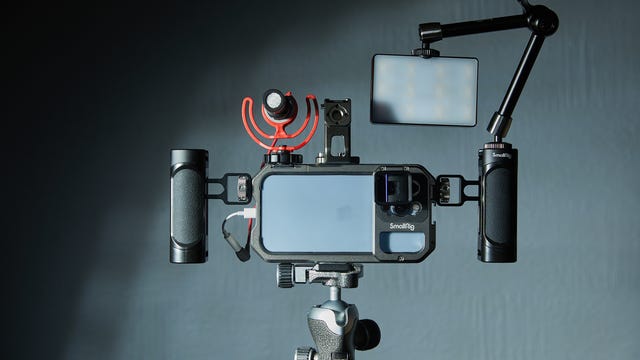
Camera cages are common tools that let you attach a wide variety of accessories to a DSLR, including lights, microphones, handles and external monitors. SmallRig’s new mobile cage offers much the same functionality, but for your iPhone, and with multiple mounting points around the edge to attach whatever accessories you need like microphones.
I’ve been using the cage with an attached Aperture LED light, PolarPro tripod and Rode microphone (all seen below), which makes for an incredible mobile vlogging rig. SmallRig also offers various attachments of its own, including top and side handles, which help provide stability when you’re hand-holding while filming. The cage is solidly built from aluminum, has bayonet lens mounts (see below), and has a convenient clasp for easily slotting your phone in and out.
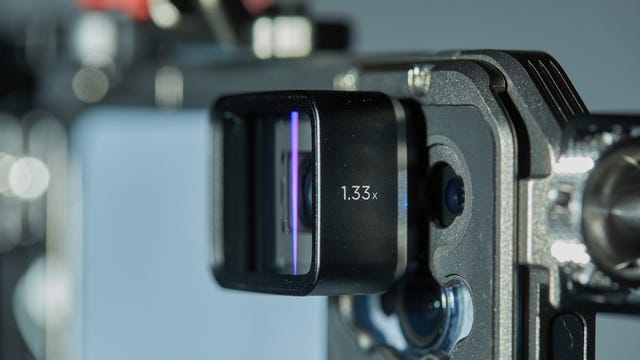
Anamorphic lenses are normally something you’d find in a professional cinematographer’s kit bag. These lenses provide a wider aspect ratio that you get in a wide angle lens, along with distinctive blue-line lens flares that give footage a much more filmic quality. Moment’s mobile anamorphic lens does exactly that for your iPhone.
Clip it on and it’ll squeeze your footage into the shorter, wide shots format that completely transforms the look of the video you can take from your phone. I’ve absolutely loved the look of my phone footage using the lens and it’s a must-have for any budding film producers wanting to up their game with their phone.
You’ll need to shoot with apps like Filmic Pro that let you «unsqueeze» the footage so it doesn’t look all distortedon most cameras. The lens uses a bayonet mount that attaches to compatible cases, including Moment’s own ones or a variety of third-party options, including the SmallRig cage mentioned above.
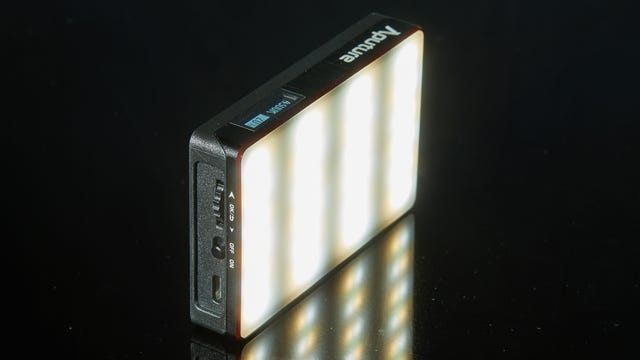
iPhone cameras don’t have the greatest lighting, so having a backup light is always a good idea. This USB-C rechargeable video light is packed with LED lights andis small enough to fit into the palm of your hand but puts out a huge amount of light when you’re short of proper lighting.
It’s great for lighting up your subjects, whether that’s for portraits, product photography or macro or to light up yourself if you’re vlogging at night. The power output is easily adjustable, as is the color temperature of the light.
It also has a variety of creative light effects to spice up your production, including simulations of fireworks, lightning, a flickering fireplace or the flashing red and blue of police car lights.
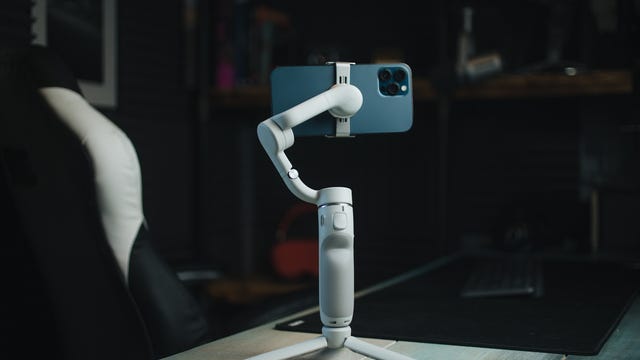
The iPhone 14’s built-in image stabilization is already superb, but for an even smoother ride, consider using a dedicated gimbal like DJI’s OM 5. It evens out all but the most aggressive movements, allowing you to get smooth tracking footage of you running behind your subject as you film a chase scene.
It also has a built-in extendable selfie stick, which not only makes it great for YouTube vloggers, but also allows for more creative angles by holding it up higher, or even flipping it over and having the camera run close to the ground or through grasses.
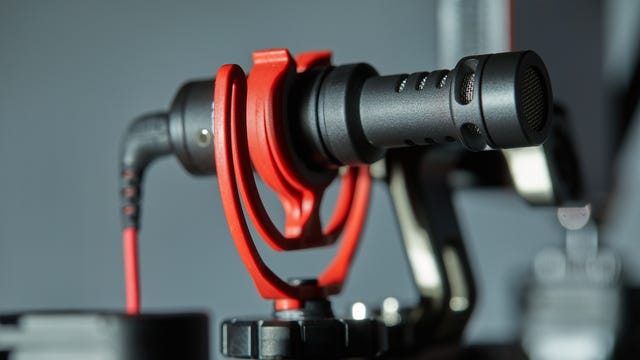
Recording good audio for your vlogs or your next iPhone-based short film is crucial, and while the iPhone does a decent job of capturing audio, a dedicated microphone will take things to the next level. Rode’s VideoMicro shotgun mic can plug into your phone’s Lightning port (via an adapter) and provides crystal-clear audio when recording with the standard iPhone camera app or any third-party video app, making it one of the best iPhone camera accessories on the market.
I love using it on top of my phone for vlogging and the included wind shield is superb for cutting out wind noise when working on location. Alternatively, get a 3.5mm extension cable and you can try using the mic on the end of a boom pole for recording audio in a conversation you’re filming.
It’s a great investment if you’re looking for a directional microphone.
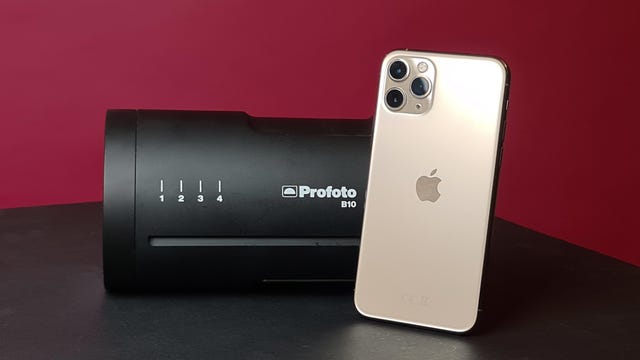
At $1,349, industry goliath Profoto’s B10 studio flash will be little more than a pipe dream for most. But if you want to get truly professional lighting on location or in a studio using your iPhone, the B10 is second is one of the best iPhone camera accessories. . This pro flash is designed primarily for use with DSLRs but can also be used with iPhones and Android phones via the Profoto app. If you’re ready to take your smartphone photography to the next level, it allows you to get shots with your phone that would simply not be possible to achieve without it.
Sure, most pros probably wouldn’t consider shooting a major project on just their phone, but it’s a potentially great backup in case of camera failure, or simply a lightweight and convenient way to test ideas in the field without hauling bags of gear around.
It also comes with a carrying case that will protect it from other elements. Its rechargeable battery provides a battery life that can provide more than 400 full flashes.
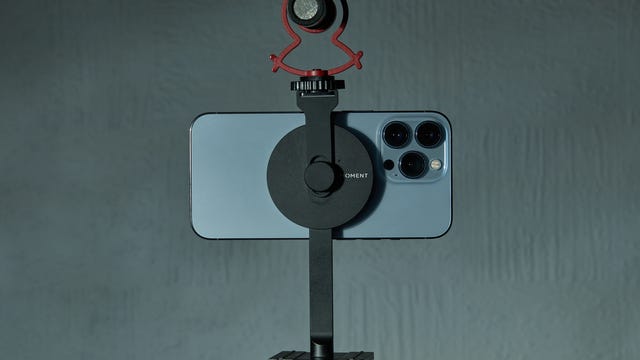
Rather than use screw clamps to secure your phone in place, Moment’s tripod mount uses Apple’s MagSafe system, which makes it incredibly quick to pop your phone in place and start shooting. When you’re done, just rip your phone away from the magnetic disk and pop it back in your pocket. Easy!
The minimalist approach to the mount’s design makes it extremely compact so it’s no hassle to always carry it with you for when inspiration strikes. The magnets are strong, too, so you don’t need to worry about your phone popping loose while you’re walking along. It’s available as a mount by itself, or with the cold-shoe bracket (pictured) to attach a microphone when vlogging.
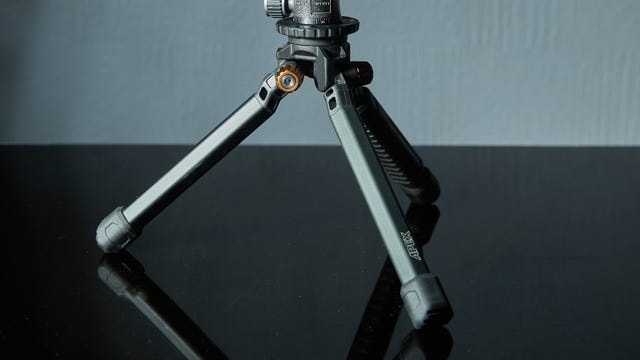
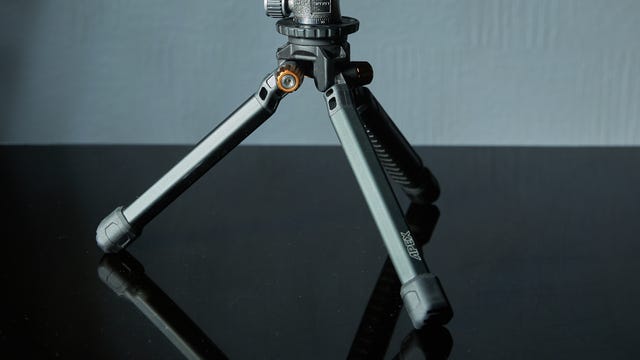
Having a solid tripod can make all the difference in getting stable, wobble-free video, particularly if you want to put yourself in the frame. PolarPro’s Apex Minimalist tripod is a great option for mobile producers, as its compact size means it’s easy to chuck into a backpack, but it’s burly enough to support bigger cameras should you need to.
I love using it for static shots, and for holding my phone up to shoot vlogs while walking around. It comes either with an integrated twist-locking ball head, or as the tripod legs only. I prefer the latter as it allows me to use my own compact ball heads, which are more stable with heavier loads.
How we test iPhones
We test phones in real-world scenarios, looking at the performance of the processor, battery and cameras, and judge how each model compares to its competition. We take value into account, as well as extra features like storage, connectivity, software additions and anything else that will make a real difference to your life with the product.
Accessories like the ones seen in this list are treated in exactly the same way; they’re put to real-world use both indoors and outside, evaluating how well they perform and whether they’re worth the money. Everything that’s featured here has been tested by our own fair hands and if it didn’t impress, it didn’t make the list.
Technologies
Facebook Brings Back Local Job Listings: How to Apply
One of Facebook’s most practical features from 2022 is being revived by Meta.

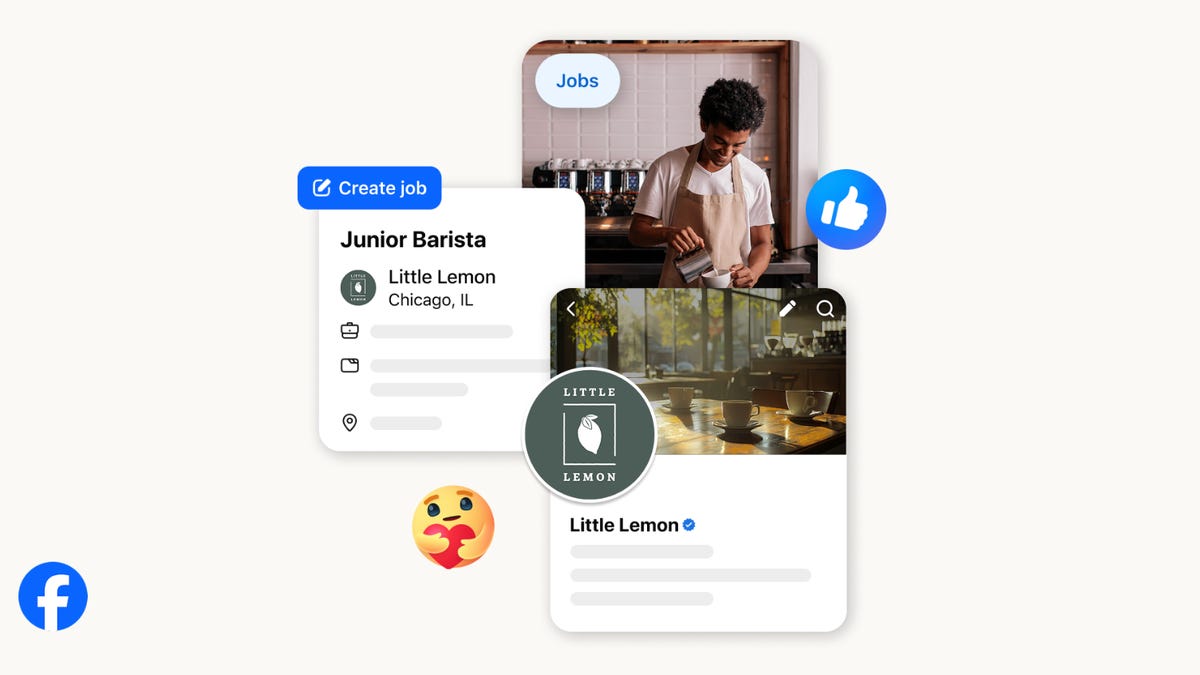
On the hunt for work? A Local Jobs search is being rolled out by Meta to make it easier for people in the US to discover and apply for nearby work directly on Facebook. The feature is inside Facebook Marketplace, Groups and Pages, Meta said last week, letting employers post openings and job seekers filter roles by distance, category or employment type.
You can apply or message employers directly through Facebook Messenger, while employers can publish job listings with just a few taps — similar to how you would post items for sale on Marketplace.
Don’t miss any of our unbiased tech content and lab-based reviews. Add CNET as a preferred Google source.
Facebook offered a Jobs feature before discontinuing it in 2022, pushing business hiring toward its other platforms. Its return suggests Meta is attempting to expand Facebook’s usefulness beyond social networking and to position it once again as a hub for community-driven opportunities.
Read more: Meta’s All In on AI Creating the Ads You See on Instagram, Facebook and WhatsApp
«We’ve always been about connecting with people, whether through shared interests or key life events,» the press release states. «Now, if you’re looking for entry-level, trade and service industry employment in your community, Facebook can help you connect with local people and small businesses who are hiring.»
Read more: What Is Meta AI? Everything to Know About These AI Tools
How to get started with Local Jobs on Facebook
According to Meta, Local Jobs will appear as a dedicated section in Facebook Marketplace starting this week. If you’re 18 or older, you can:
- Tap the Marketplace tab on the Facebook app or website.
- Select Jobs to browse available positions nearby.
- Use filters for job type, category and distance.
- Tap Apply or message the employer directly via Messenger.
Businesses and page admins can post jobs by creating a new listing in Marketplace or from their Facebook Page. Listings can include job details, pay range, and scheduling information and will appear in local searches automatically.
The Local Jobs feature is rolling out across the US now, with Meta saying it plans to expand it in the months ahead.
Technologies
Tesla Has a New Range of Affordable Electric Cars: How Much They Cost
The new, stripped-back versions of the Model Y and Model 3 have a more affordable starting price.

Technologies
Today’s NYT Strands Hints, Answers and Help for Oct. 22 #598
Here are hints and answers for the NYT Strands puzzle for Oct. 22, No. 598.
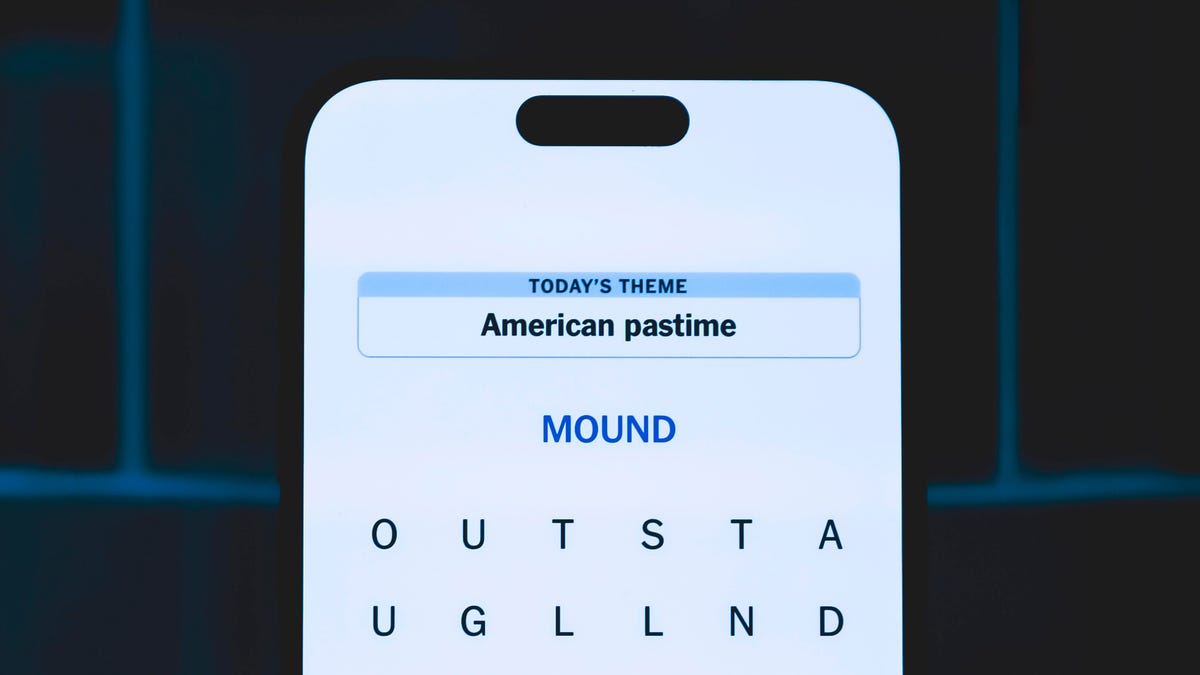
Looking for the most recent Strands answer? Click here for our daily Strands hints, as well as our daily answers and hints for The New York Times Mini Crossword, Wordle, Connections and Connections: Sports Edition puzzles.
Today’s NYT Strands puzzle is a fun one — I definitely have at least two of these in my house. Some of the answers are a bit tough to unscramble, so if you need hints and answers, read on.
I go into depth about the rules for Strands in this story.
If you’re looking for today’s Wordle, Connections and Mini Crossword answers, you can visit CNET’s NYT puzzle hints page.
Read more: NYT Connections Turns 1: These Are the 5 Toughest Puzzles So Far
Hint for today’s Strands puzzle
Today’s Strands theme is: Catch all.
If that doesn’t help you, here’s a clue: A mess of items.
Clue words to unlock in-game hints
Your goal is to find hidden words that fit the puzzle’s theme. If you’re stuck, find any words you can. Every time you find three words of four letters or more, Strands will reveal one of the theme words. These are the words I used to get those hints but any words of four or more letters that you find will work:
- BATE, LICE, SLUM, CAPE, HOLE, CARE, BARE, THEN, SLAM, SAMBA, BACK
Answers for today’s Strands puzzle
These are the answers that tie into the theme. The goal of the puzzle is to find them all, including the spangram, a theme word that reaches from one side of the puzzle to the other. When you have all of them (I originally thought there were always eight but learned that the number can vary), every letter on the board will be used. Here are the nonspangram answers:
- TAPE, COIN, PENCIL, BATTERY, SHOELACE, THUMBTACK
Today’s Strands spangram
Today’s Strands spangram is JUNKDRAWER. To find it, look for the J that’s five letters down on the far-left row, and wind down, over and then up.
Quick tips for Strands
#1: To get more clue words, see if you can tweak the words you’ve already found, by adding an «S» or other variants. And if you find a word like WILL, see if other letters are close enough to help you make SILL, or BILL.
#2: Once you get one theme word, look at the puzzle to see if you can spot other related words.
#3: If you’ve been given the letters for a theme word, but can’t figure it out, guess three more clue words, and the puzzle will light up each letter in order, revealing the word.
-
 Technologies3 года ago
Tech Companies Need to Be Held Accountable for Security, Experts Say
-
 Technologies3 года ago
Best Handheld Game Console in 2023
-
 Technologies3 года ago
Tighten Up Your VR Game With the Best Head Straps for Quest 2
-
 Technologies4 года ago
Verum, Wickr and Threema: next generation secured messengers
-
 Technologies4 года ago
Black Friday 2021: The best deals on TVs, headphones, kitchenware, and more
-
 Technologies4 года ago
Google to require vaccinations as Silicon Valley rethinks return-to-office policies
-
 Technologies4 года ago
Olivia Harlan Dekker for Verum Messenger
-
 Technologies4 года ago
iPhone 13 event: How to watch Apple’s big announcement tomorrow


