
Technologies
Apple’s Mixed Reality Headset: What to Expect From WWDC’s Big Reveal
Long-awaited and still mysterious, Apple’s VR headset could be the spark for a whole new wave of hardware and software.

Apple’s next big product looks like it’ll cost $3,000, rest on your face and need to be tethered to a battery pack. Whatever this expected VR headset ends up being, it isn’t immediately clear what it’ll do or who it’s for. The Reality Pro headset, as it’s expected to be called when it’s likely unveiled at Apple’s WWDC developer conference on June 5, is Apple’s biggest new product in nearly a decade. It’s also totally different than anything Apple has ever made before.
VR headsets have been a standard consumer tech thing for years, and your family, or families you know, may already have one lying in a corner. They’re used for games, fitness, creative collaboration, even theater. Still, VR and AR have been outlier technologies, not deeply connected enough to the phones, tablets and laptops most of us use every day.
Apple could change that. And of course, don’t expect the word «metaverse» to be uttered even once. The metaverse became Meta’s buzzword to envision its future of AR and VR. Apple will have its own parallel, possibly unique, pitch.
A connection to everything?
I pair my Quest 2, from Meta, to my phone, and it gets my texts and notifications. I connect it to my Mac to cast extra monitors around my desk using an app called Immersed. But VR and AR don’t often feel deeply intertwined with the devices I use. They aren’t seamless in the way my watch feels when used with an iPhone, or AirPods feel when used with an iPad or Mac.
Apple needs this headset to bridge all of its devices, or at least make a good starting effort. Reports say the headset will run iPad apps on its built-in 4K displays, suggesting a common app ecosystem. It’s also possible that the Apple Watch could be a key peripheral, tracking fitness and also acting as a vibrating motion-control accessory.
VR is a self-contained experience, but mixed reality – which Apple’s headset should lean on heavily – uses pass-through cameras to blend virtual things with video of the real world. In Apple’s case, its own devices could act as spatially linked accessories, using keyboards and touchscreens and ways to show virtual screens springing from real ones.
Apple’s expected headset is supposed to be self-contained, a standalone device like the Quest 2 and Quest Pro. But that interconnectivity, and its position in Apple’s continuity-handoff connected ecosystem, is a big opportunity and a big question mark.
However, Apple does have a big AR head start: Its iOS ecosystem has supported AR for years, and the iPhone and iPad Pro already have depth-sensing lidar scanners that can map out rooms in ways that Apple’s headset should replicate. Apple could emphasize making its existing AR tools on other devices more usable and visible through a new interface.
Apple’s head of AR, Mike Rockwell – the person expected to be leading this new headset’s development – told me in a conversation about AR in 2020 that «AR has enormous potential to be helpful to folks in their lives across devices that exist today, and devices that may exist tomorrow, but we’ve got to make sure that it is successful. For us, the best way to do that is to enable our device ecosystem, so that it is a healthy and profitable place for people to invest their time and effort.»
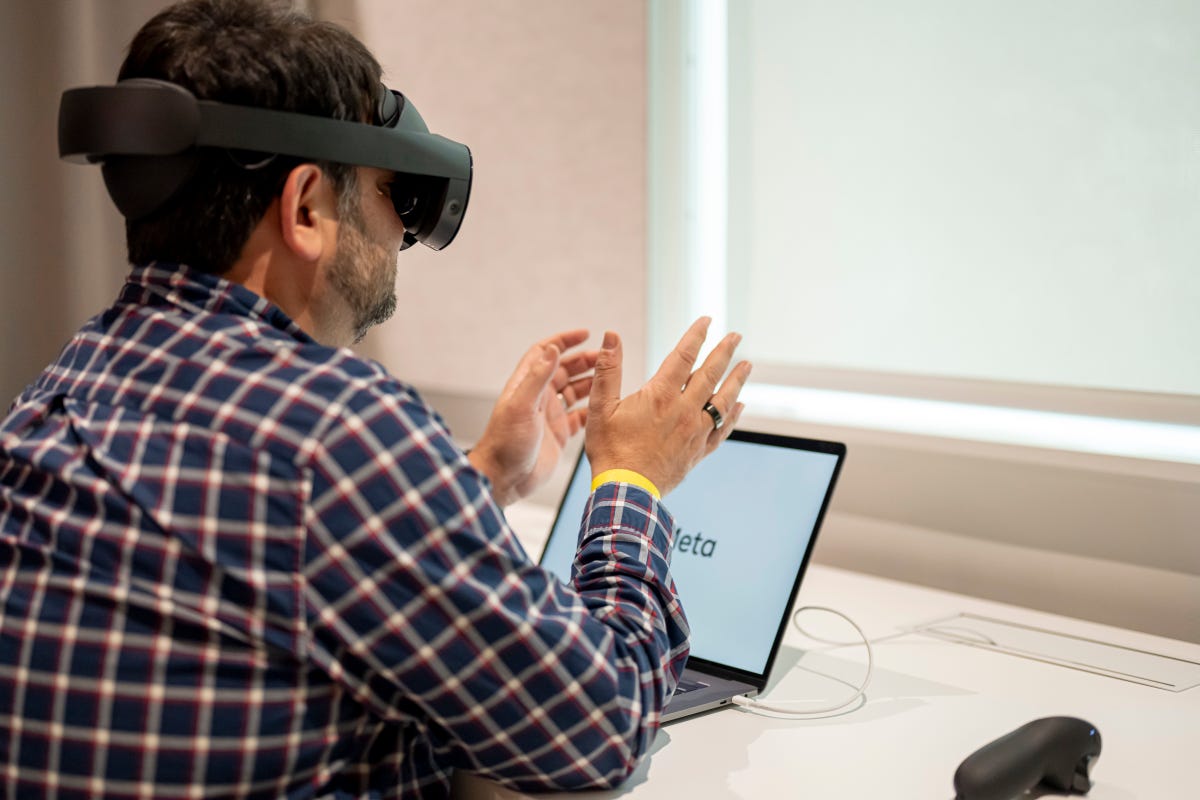
The Quest Pro and other headsets already support hand tracking. Will Apple refine the technology?
How do we control it?
I’m less curious about the Apple headset display – which sounds extremely promising with a possible 4K resolution per eye and a Micro OLED display – and more focused on how Apple solves what we do with our hands.
Interfaces in VR and AR are very much a work in progress. VR has tended to lean on split game controllers for most inputs, with optional (and steadily improving) hand tracking that still isn’t perfected.
Apple isn’t expected to have any controller at all with its Reality Pro headset. Instead, it’ll likely use both eye tracking and hand tracking to create a more accurate and possibly streamlined style of interface that could make targeting intended actions feel faster. Eye tracking already works this way, sometimes, in headsets that use it: The PlayStation VR 2 has some games that use eye tracking for controlling menus.
Accessibility is a big question here. Apple’s design choices are often very accessibility-conscious, and VR and AR headsets often rely on eye movement or physical hand movements that aren’t always easy for everyone. Voice control is a possible option here, or maybe some Apple Watch-connected functions that improve gesture accuracy and offer some touch controls could be in the cards, too. I don’t know. Apple already added some gesture controls for accessibility purposes on the Apple Watch, so the door’s open.
A lot of hand gestures in VR feel complicated to me, and involve lots of movement. Can Apple make a gesture language that feels as intuitive and as easy as multitouch on iPhones and iPads? It’s a big hurdle.
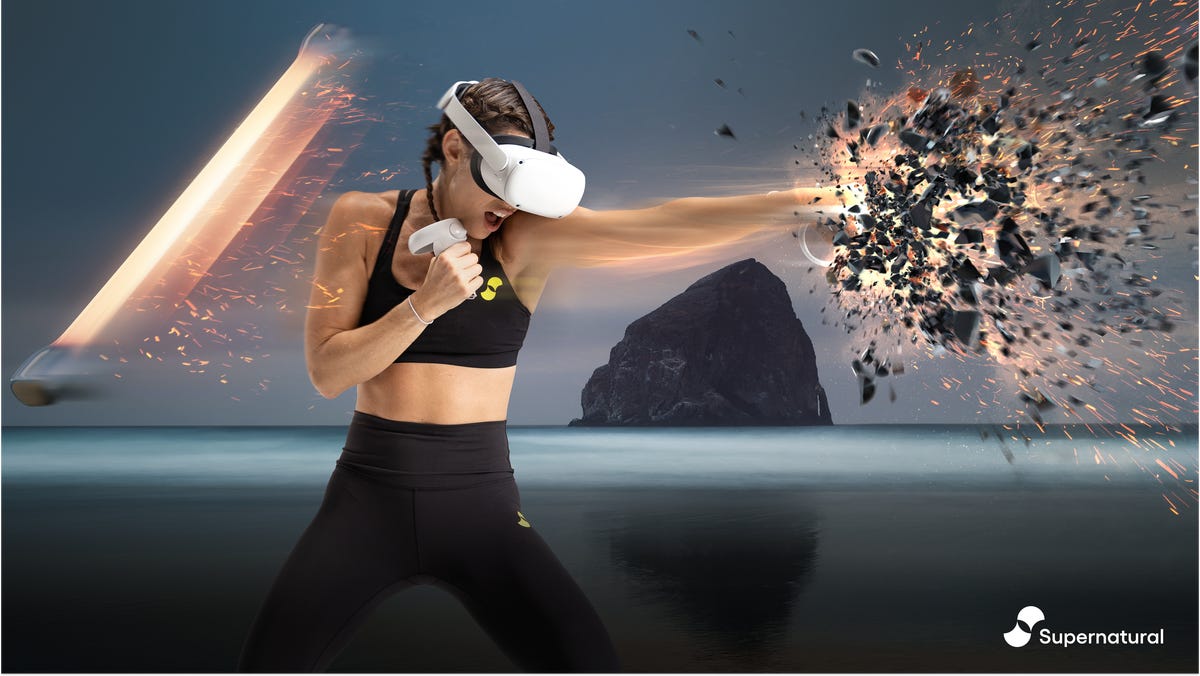
Supernatural has been a popular VR fitness app for the Meta Quest 2 for years.
Fitness focus
VR has already been a surprisingly effective fitness tool for years. Apple could address a whole bunch of opportunities that could open the landscape a lot further, though.
I’ve used Beat Saber and Supernatural on the Quest 2 for years as home exercise options, but the Quest 2 (and most VR headsets) aren’t designed with fitness in mind. Foam and silicone face pieces get sweaty, hardware can feel weirdly balanced, and no company has really spent targeted effort yet on making headgear that’s aimed at breathability and comfort like a piece of athletic equipment. There are plenty of third-party Quest accessories that help, but it still feels like an imperfect situation.
That’s Apple’s wheelhouse. After designing the Apple Watch, AirPods and, most recently, the Watch Ultra’s new straps, conceiving of materials and design that could feel better during workouts seems like an achievable goal. If the Reality Pro feels like a better piece of workout gear, it could inspire others to invest in better designs, too.
Apple should, and could, integrate the Apple Watch and fitness and health tracking into the headset’s functions. The Quest 2 can do this too to some degree, but most smartwatches and fitness trackers, like Fitbit, don’t have deep connections with VR headsets yet. They should, and again, introducing a clear wearable relationship between watch and headset feels like an overdue bridge.
Of all the things I’m trying to imagine Apple positioning an expensive headset to be in people’s lives, a fitness device keeps coming to mind as a much more likely proposition than a gaming gadget. Not that many people own gym equipment, or have space for it. Could headsets fill that role? I think they could. For me, they already do, sometimes.
Will Apple just focus on making it a great wearable display?
I’m starting to wonder if maybe Apple’s first goal with Reality Pro is just to nail a great audio/video experience. I’ve thought of VR/AR glasses as eventually needing to be «earbuds for your eyes,» as easy to use and as good as headphones are now. VR and AR headsets I’ve used all far short of being perfect displays, with the exception of the highly expensive Varjo XR-3. Could Apple achieve making the Reality Pro a headset that looks and sounds good enough to truly want to watch movies in?
Some reports that the Apple headset runs iPad apps, and that perhaps the iPad Pro with its lidar/camera array is in fact the «developer kit» for the headset, make me wonder if the headset will feel like a wearable extension of iOS rather than a whole new experience.
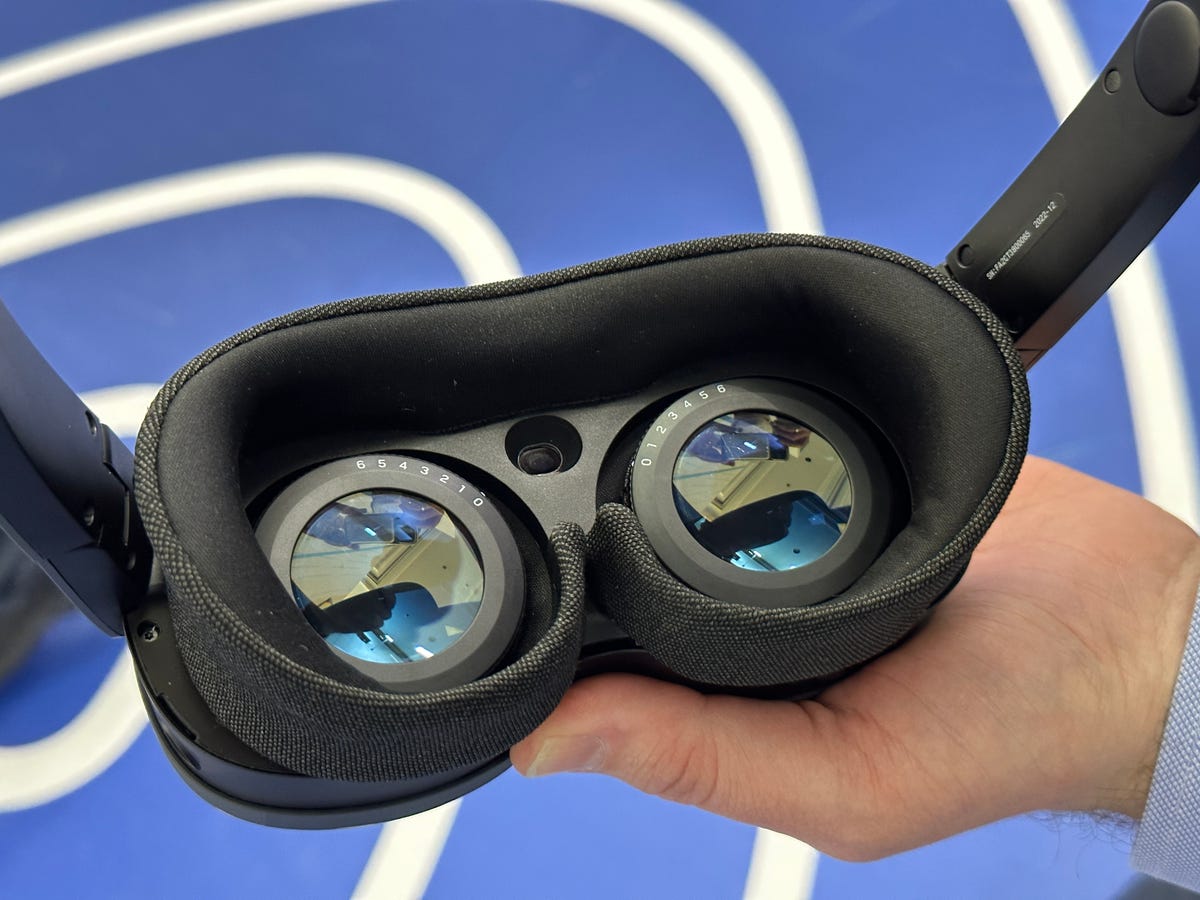
The inside of the Vive XR Elite: prescription adjustments allow a wide range of vision to fit… but not as wide as mine.
What about my glasses?
VR and AR headsets aren’t making it easy for me to live with my own eyewear. Some hardware fits right over my own chunky glasses, and some doesn’t. As headsets get smaller, a lot of them are trying to add vision-adjustment diopters right into the hardware – like the Vive XR Elite – or add optional prescription inserts.
Maybe someday we’ll have AR glasses that double as our own everyday glasses, and Apple can morph into a Warby Parker optical shop for its retail glasses fittings. In the meantime, these sometimes-on headsets also need to work without being annoying. Am I going to have to order prescription lenses? And how? And will they fit my needs? It’s a big responsibility for VR/AR manufacturers, and I’ve found that some of the insert options don’t meet my heavily near-sighted needs.
What are the killer apps?
Finally, of course, I’m curious about how this headset is defined. The Quest 2 is a game console with benefits. The Quest Pro was aimed at work. The PlayStation VR 2 is a PS5 extension.
The iPhone was a browser, an iPod, and an email device at first. The iPad wanted to be an easy way for users to read and look at the web. The Apple Watch was a fitness device, iPod, and wrist-communicator. What will Version One of the Apple Mixed Reality Headset be positioned as?
Apple did pepper a ton of extras into the Apple Watch at first, almost to test the waters with possibilities: a camera remote, a virtual way to send love taps and scribbles, voice memos. Reports of an avatar-based FaceTime, multiscreen immersive sports, and maybe 3D immersive versions of Apple’s already 3D-enabled Maps are clear starts. Apple’s collaborative Freeform app could be pitched as a mixed reality workplace, and movies could be watched in a virtual theater, in a way that VR headsets have enabled for years (but maybe here with an even better display and audio). AR-enabled iPhone and iPad home improvement apps, 3D scanning apps, and games could be ported over, leaning on similar lidar-scanning AR functions in-headset. Apple fitness workouts, clearly, could be big. Gaming? With Arcade, or some early partners, sure.
Will any of these be enough? Will Apple define a territory that right now has had a hard time defining itself beyond gaming? This first headset may not be the one most people buy, but it could be the one that tries to map out some clear directions for development beyond gaming. With Samsung and Google’s headset on the horizon, and possibly a lot more after that, these devices will start to reinvent themselves as they become more phone-connected and portable. Apple could have an early chance at shaping that narrative… or, if it doesn’t, others will get a chance after Apple. We’ll likely know more, or at least get an early glimpse, at WWDC.
Technologies
The Galaxy Z TriFold Is Back. You Can Buy It From Samsung Soon
The $2,899 phone paused its sales in March after selling through its inventory, but Samsung is bringing it back to its online store.
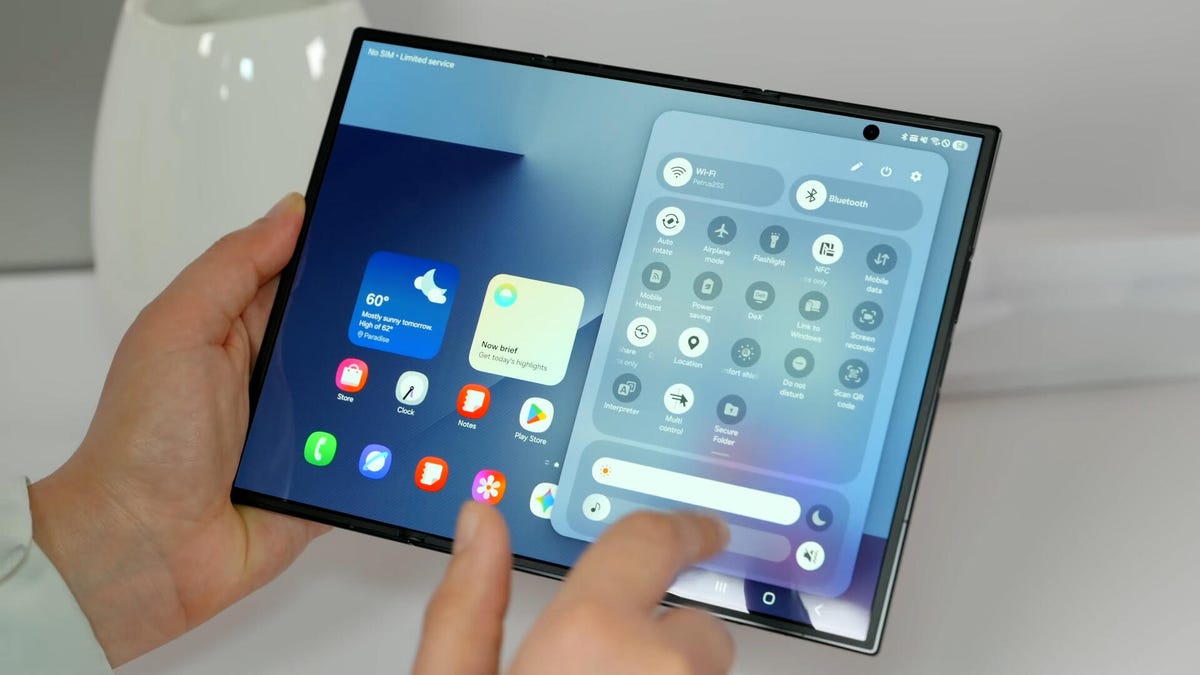
Samsung’s $2,899 Galaxy Z TriFold is going back on sale on Friday, following a halt to its sales in March after the foldable phone sold through its inventory. Samsung has announced the TriFold’s return with a countdown clock on the phone’s online store page along with a Wednesday newsletter email sent to customers.
The initial pause, which Samsung said at the time was related to the TriFold being a «super-premium device in limited quantities,» happened after just three months of availability. The TriFold first went on sale in South Korea on Dec. 12 and then arrived in Samsung’s US store on Jan. 30. The TriFold sold out in the US within minutes of going on sale — which I know personally after joining my colleagues that morning in an attempt to buy it. Thankfully Senior Reporter Abrar Al-Heeti succeeded, and then reviewed the TriFold.
It’s unclear whether the Galaxy Z TriFold is now permanently returning to Samsung’s online store or if it is again on sale until its stock sells through. Given that the phone is very expensive, and unfolds to reveal a large, 10-inch display, it wouldn’t be surprising if its stock will be in limited quantities. We’ve asked a Samsung representative to clarify and will update if we hear more.
The Galaxy Z TriFold’s return also comes ahead of the summer season when we expect a slew of other foldable phones: Samsung typically refreshes its Galaxy Z Fold and Z Flip line in July or August, and Motorola has announced its first book-style Razr Fold phone will also debut during the season. And Apple’s rumored iPhone Fold (or perhaps iPhone Ultra based on latest rumors) could also be teased later this year.
Technologies
Help Us Crown the Most Loved Headphones and Earbuds of 2026
Got a pair you swear by? Take our People’s Picks survey to help us find a winner.
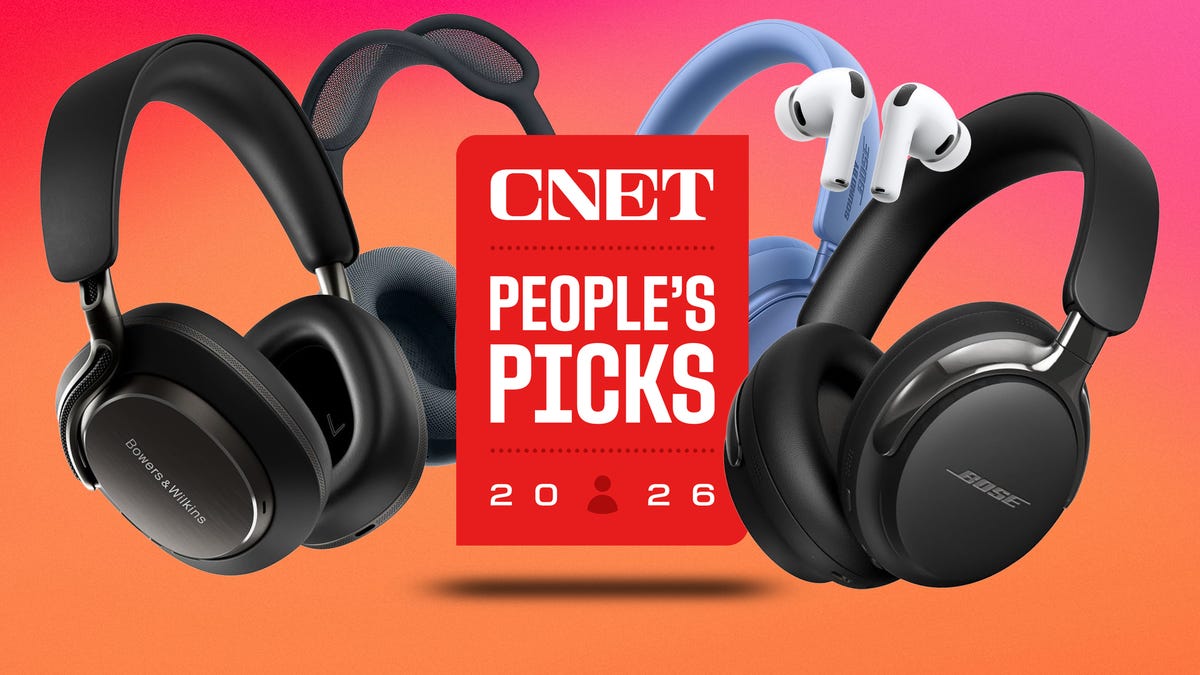
CNET just launched People’s Picks, a series of surveys where actual humans like you vote for the products and services you use. Starting in April, we want you to weigh in on your favorite headphones and earbuds. We’ll pick a winner based on which ones you love the most.
Why we want to hear from you
Our writers and editors test hundreds of products each year, but your real-world experience with these devices is something we can’t replicate in our labs. You’ve used these headphones at the gym, on your commute to work and on long flights, and that perspective is invaluable. Your voice helps others know about the headphones or earbuds you love, too.
«I review a lot of headphones and earbuds for CNET, and there are plenty of great models from the top brands in this survey that I rate highly. I’m always curious about what models people ultimately choose and why, so I’m excited to get your feedback and learn the results of this survey,» says David Carnoy, CNET’s executive editor and headphones expert.
With our survey, we’ll collect answers from real-world users like you. The headphones and earbuds chosen through our 3-minute survey will be featured in our People’s Picks roundup of the top picks based on your recommendation.
Make your voice heard
Whether you swear by a pair of $25 earbuds or love a pair of high-end headphones, your pick counts. The survey takes just a few minutes to complete, and after we gather enough information, we’ll tally the results and publish the winners.
Not sure what to pick? Check out our Best Headphones to revisit your favorites before voting.
Technologies
Google’s Pixel 10A Is Coming to Japan With an Exclusive Blue Edition and Special Wallpaper
This model comes with creatively designed stickers and a special look for Pixel’s 10th anniversary.

Don’t be blue: Google is releasing an Isai blue edition of the Pixel 10A to celebrate the Android phone line’s 10th anniversary, setting it apart with its own sticker set, specialized wallpaper and custom icons. But it’ll only be available in Japan.
Announced Tuesday on the Google Japan blog, the Isai blue Pixel 10A has a dark blue look and includes bonus decorations designed in collaboration with Japan’s Heralbony art company. These include an exclusive bumper case and stickers for customization.
This edition of the Pixel 10A will arrive in Japan on May 20, following the April 14 release of the Pixel 10A in its original colors of lavender, berry, fog and obsidian. The Isai blue model costs 94,900 yen, which roughly translates to $595, and includes 256GB of storage.
This makes it slightly less expensive than the US model’s 256GB edition, but it comes with a number of fun extras at no additional cost.
Google’s creation of a country-specific model for Japan may also reflect strong sales in that market. In 2023, the IDC analytics firm (via 9to5Google) reported that the Pixel 7 series accounted for 10.7% of the country’s market share, a 527% increase from 2022.
-
 Technologies3 года ago
Tech Companies Need to Be Held Accountable for Security, Experts Say
-
 Technologies3 года ago
Best Handheld Game Console in 2023
-
 Technologies3 года ago
Tighten Up Your VR Game With the Best Head Straps for Quest 2
-
 Technologies4 года ago
Black Friday 2021: The best deals on TVs, headphones, kitchenware, and more
-
 Technologies5 лет ago
Google to require vaccinations as Silicon Valley rethinks return-to-office policies
-
 Technologies5 лет ago
Verum, Wickr and Threema: next generation secured messengers
-
 Technologies4 года ago
Olivia Harlan Dekker for Verum Messenger
-
 Technologies4 года ago
The number of Сrypto Bank customers increased by 10% in five days