
Technologies
These 5 Things Helped Me Survive 2 Massive Power Outages
I pressed my kid’s frog flashlight into service, but the real lifesaver was a huge battery.
My family was among the 367,000 PG&E customers hit by a massive power outage in the San Francisco Bay Area last week, and now we’ve lost power in a second outage affecting about 90,000 of us. High winds brought down trees and power lines, leaving us without electricity, internet access and heat for exactly 24 hours the first time, and the second outage likely will last even longer.
It sucks.
The outages made me appreciate just how awesome electricity and internet access are, and how critical they are for modern living. Working from home, hearing from schools and the power company, coordinating with my wife — squeezing it all through a woefully insufficient mobile phone network connection.
But a few things helped me through this rough patch. Some of them were pretty high tech, but there’s still a place for pre-internet products in your emergency kit. Here’s what I turned to.
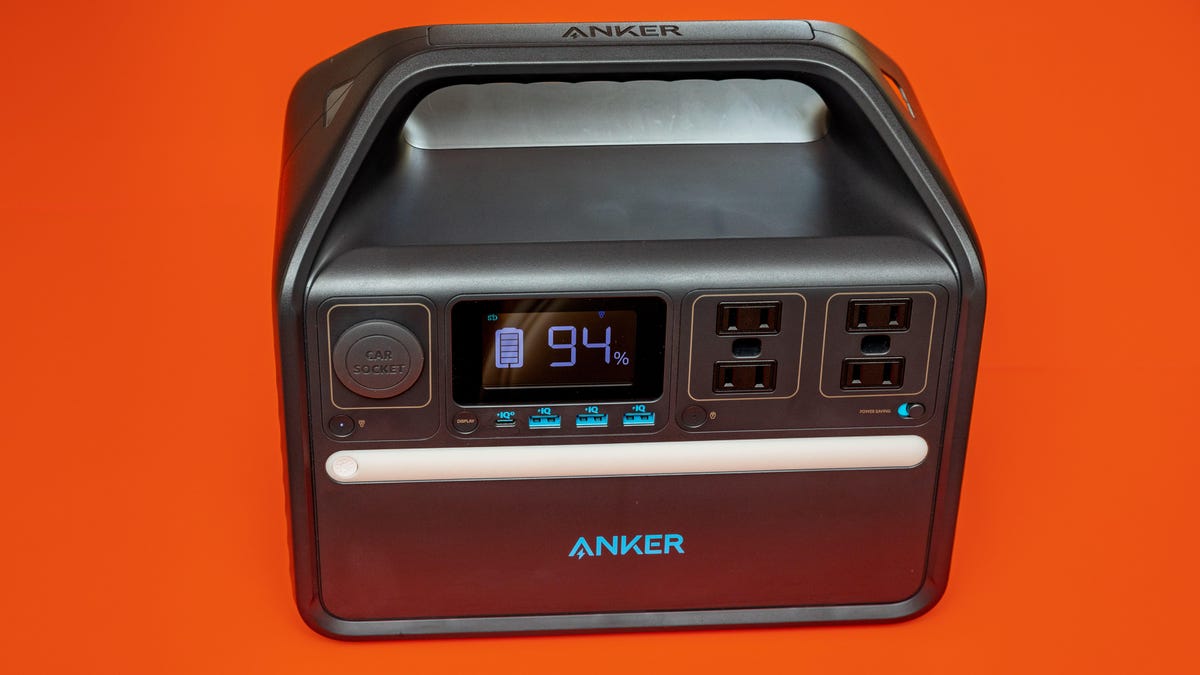
Anker 535 PowerHouse battery
The Anker 535 PowerHouse is one of a host of hulking batteries that, although expensive, is really useful in a power outage. I used it to charge my laptop and phone, to use an LED lamp, and most crucially, to run my broadband modem when I needed my fast network. The display helpfully told me that my network equipment requires 26 watts of power.
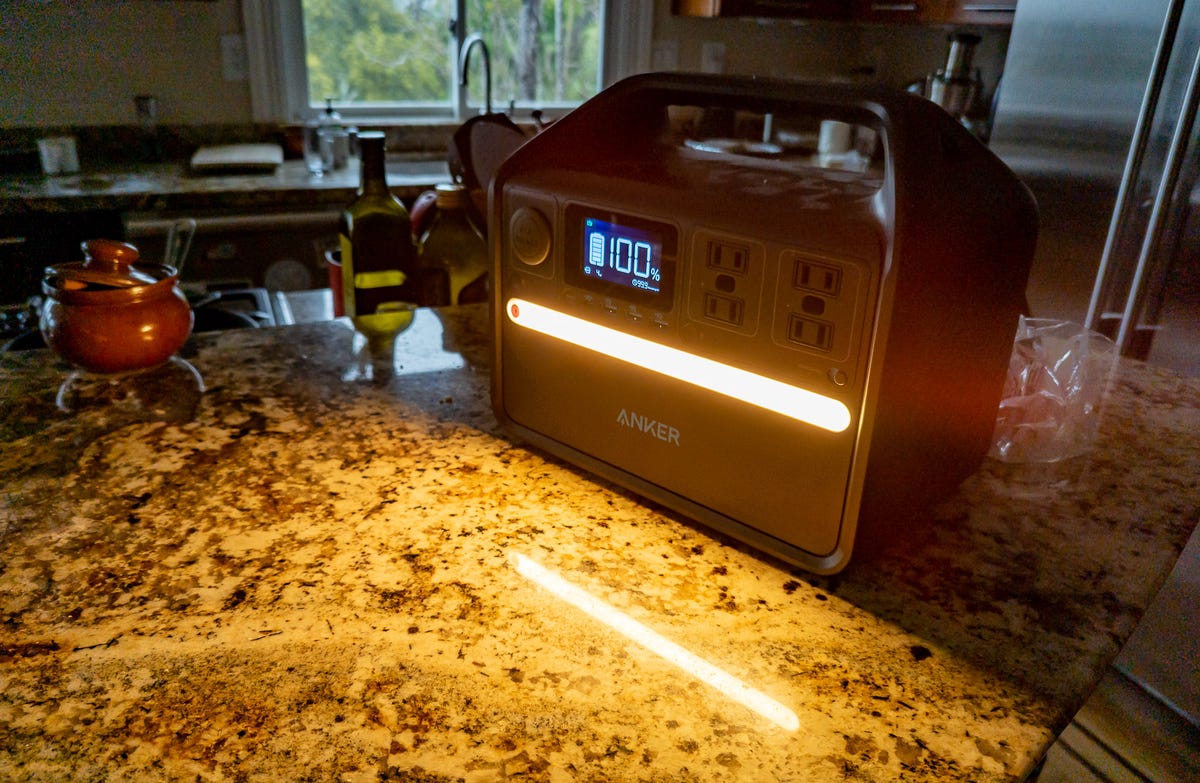
The Anker 535 PowerHouse has a bright LED light on its front face along with four USB ports and four power plugs.
Stephen Shankland/CNETDuring the first outage, I didn’t use the PowerHouse enough. I was trying to husband our resources. But the battery is big enough to power my modem and router for hours.
It’s also got a built-in LED light strip. It’s pretty bright, and I’d have preferred a dimmer option.
This model comes with conventional AC power plugs along with one USB-C port (not enough) and three USB-A ports (too many). You’re better off charging your devices directly from the USB ports if you can: plugging a charger into one of the battery’s power plugs means you’ll suffer efficiency losses converting from direct current to alternating current and back.
Tethering
Connecting my laptop to my phone to take advantage of its mobile network was crucial to getting through the power outages. I’m amazed how much a person can get done with a smartphone these days, but in my case, everything seems to go at least two times slower than with a laptop. Some tasks, like complex photo editing, require a laptop. So for me, tethering is essential.
Unfortunately, the networks my phones use (I have a Google Pixel 7 Pro and an iPhone 14 Pro) aren’t terribly fast, and with so many others’ internet access down during the power outages, I suspect the networks were overtaxed. I remember the crushing feeling when my browser estimated it would take 40 minutes to download a 4.2MB photo file.
Pro tip: On Android, you can tether with a USB-C cable that can be more reliable than Wi-Fi and that keeps the phone charged, too. It works with iPhones and Lightning cables as well. This approach is where the term «tether» came from, of course, but mostly I tether with Wi-Fi these days because it’s simpler and more flexible.
That said, tethering was slow enough that I often preferred to use my phone directly for tasks like email and messaging.
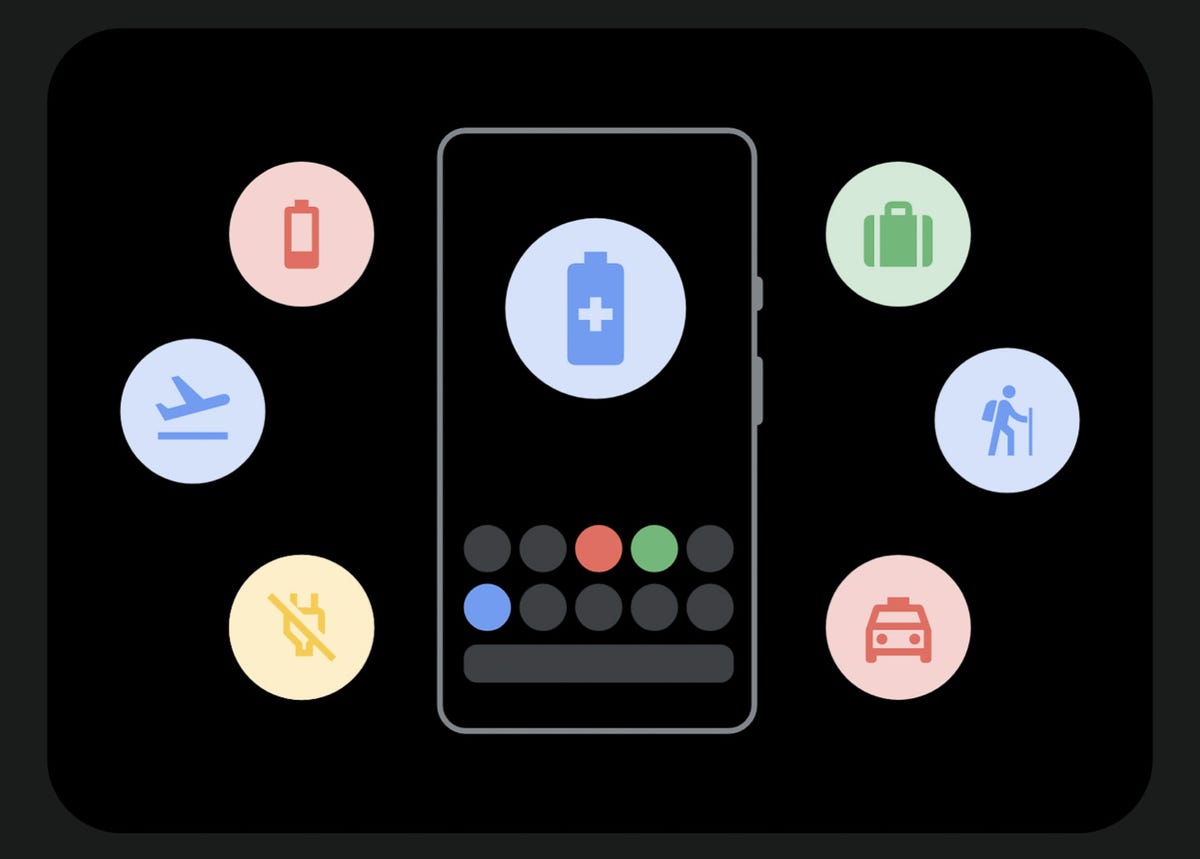
I used the extreme battery saver mode on my Google Pixel 7 Pro to dramatically cut down on its power usage during a power outage.
Screenshot by Stephen Shankland/CNETPhone battery saver modes
I love my phones’ battery saving modes and use them often when I’m at all-day conferences, out on a long hike, or am uncertain when I’ll be able to charge. I long ago customized my iPhone’s Control Center with the low power mode toggle.
I like my Pixel phone’s approach better, where you can set battery saver mode to engage automatically when the battery charge reaches a particular percentage. I have it set to turn on at 60%, but during the first power outage, I just left it on all the time.
Android goes a step farther with extreme battery saver, which shuts down all apps except some core ones and the ones you specify. You can launch anything and use it, but unless you add it to the exceptions list, extreme battery saver will shut it down again. Overnight, my Pixel’s battery charge dropped only 2% during the first power outage.
During the second outage, I just left my phone in extreme battery saver mode almost the entire time, occasionally waking up apps as needed. After a few minutes, the phone puts them back to sleep.
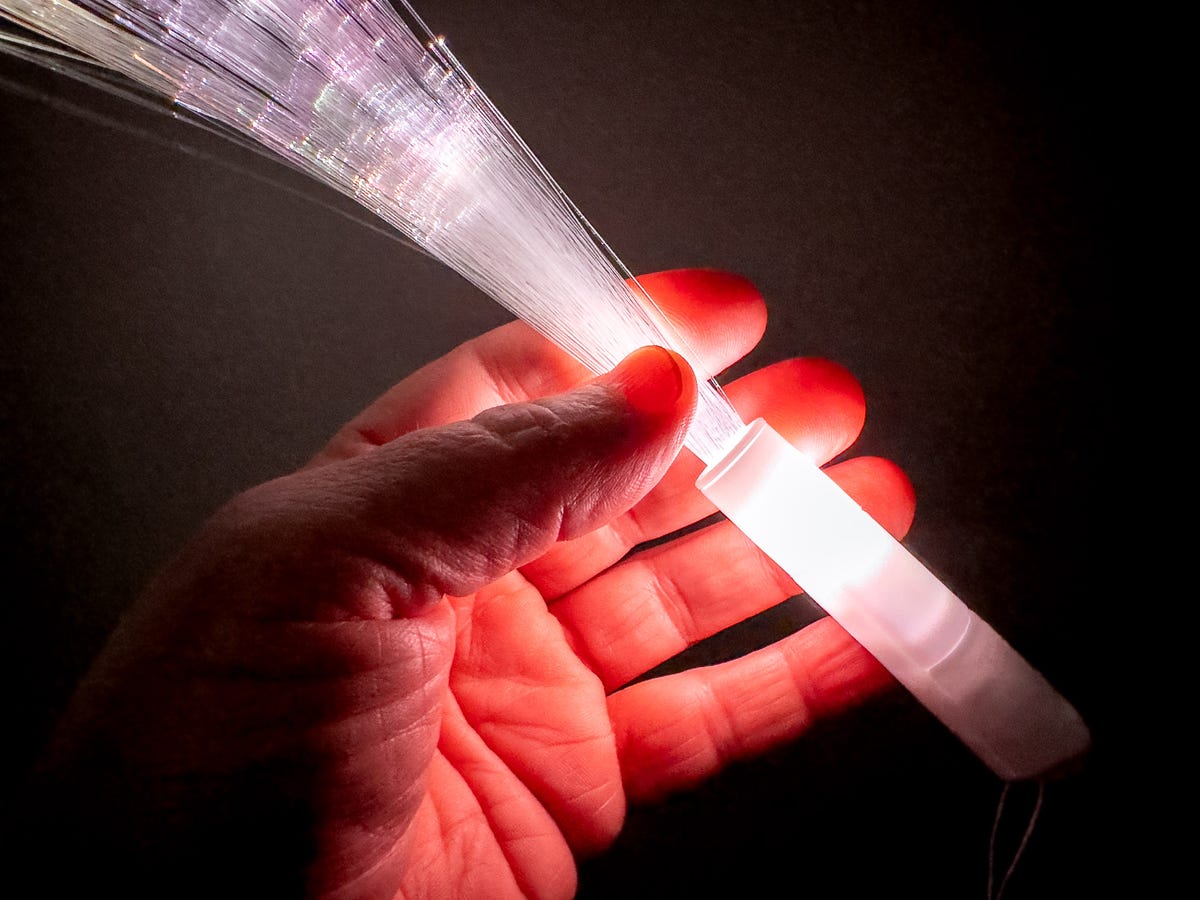
This fiber optic flashlight toy proved useful during a power outage.
Stephen Shankland/CNETMy kid’s frog flashlight and other LED-lit toys
Our kid likes little toys as much as any other elementary school-age child does, and I was delighted when he realized at night that he’d brought home a couple of LED-lit party favors. I’m not sure what to call them, but they have a glowing cylindrical handle with a brush of plastic fiber optic strands sprouting from one end. They’re novelty products but turned out to be handy flashlights, too.

My kid’s frog flashlight.
Stephen Shankland/CNETI was happier with another gimmick, though, the frog flashlight we got him at REI to try to cajole him into camping trips. Its carabiner design let me clip it to my belt loop, and it was great for quick lighting at bedtime.
A candle
Candles are millennia-old technology, and you know what? They still work. More than 10 hours into the power outage and with no idea when it might end, I was eager to save any battery power I had left.
I pulled some mushy ice cream out of our not cold enough freezer, lit a candle from our emergency kit and had a late night dessert.

I dripped some wax onto this tomato can to give this candle a safe, sturdy perch.
Stephen Shankland/CNET
Technologies
Samsung’s Galaxy Watch Ultra 2 Might Come in 5G and 4G Cellular Models
If the rumor proves true, the 5G Galaxy Watch Ultra would rival the 5G-enabled $799 Apple Watch Ultra 3 that debuted last fall.

Samsung’s next high-end Galaxy Watch could support faster 5G speeds, but if this leak is true, it will depend on where you live. The rumored Samsung Galaxy Watch Ultra 2 might come in 5G and 4G cellular models, with availability for each smartwatch depending on the country.
According to the Dutch website Galaxy Club (and spotted by SamMobile), Samsung’s servers may have revealed a series of model numbers that point to 5G, 4G and Wi-Fi-enabled editions of the next Galaxy Watch Ultra, which would succeed the original model that debuted in 2024.
A representative for Samsung did not immediately respond to a request for comment.
The Galaxy Club website speculates that the 5G edition would be sold in the US and Korean markets, while the 4G edition would sell in the rest of the world. In the US, a 5G version of the Galaxy Watch Ultra would rival the 5G-enabled $799 Apple Watch Ultra 3, which debuted last fall. The 4G edition would have broader compatibility worldwide, since the earlier network is far more established.
It will likely be a few months until we hear anything official about the Galaxy Watch Ultra 2. Samsung typically unveils its new watches in the summer alongside its Galaxy Z Fold and Z Flip foldable phones. Last year, Samsung unveiled the Galaxy Watch 8 and the Galaxy Watch 8 Classic, but otherwise left the prior 2024 Ultra in the lineup for those looking for a larger 47mm smartwatch.
Technologies
2 Cases Show Supreme Court Isn’t Holding ISPs Responsible for Piracy
Technologies
Today’s NYT Connections Hints, Answers and Help for April 8, #1032
Here are some hints and the answers for the NYT Connections puzzle for April 8, No. 1032.

Looking for the most recent Connections answers? Click here for today’s Connections hints, as well as our daily answers and hints for The New York Times Mini Crossword, Wordle, Connections: Sports Edition and Strands puzzles.
Today’s NYT Connections puzzle is kind of tough. The purple category is a fun one, once you see the connection. Read on for clues and today’s Connections answers.
The Times has a Connections Bot, like the one for Wordle. Go there after you play to receive a numeric score and to have the program analyze your answers. Players who are registered with the Times Games section can now nerd out by following their progress, including the number of puzzles completed, win rate, number of times they nabbed a perfect score and their win streak.
Read more: Hints, Tips and Strategies to Help You Win at NYT Connections Every Time
Hints for today’s Connections groups
Here are four hints for the groupings in today’s Connections puzzle, ranked from the easiest yellow group to the tough (and sometimes bizarre) purple group.
Yellow group hint: In the group.
Green group hint: Appearance details.
Blue group hint: Often found in gyms.
Purple group hint: They help you see.
Answers for today’s Connections groups
Yellow group: Cohort member.
Green group: Aesthetic.
Blue group: Kinds of bar apparatuses.
Purple group: Eyewear in the singular.
Read more: Wordle Cheat Sheet: Here Are the Most Popular Letters Used in English Words
What are today’s Connections answers?
The yellow words in today’s Connections
The theme is cohort member. The four answers are associate, colleague, fellow and peer.
The green words in today’s Connections
The theme is aesthetic. The four answers are design, look, scheme and style.
The blue words in today’s Connections
The theme is kinds of bar apparatuses. The four answers are monkey, parallel, pull-up and uneven.
The purple words in today’s Connections
The theme is eyewear in the singular. The four answers are contact, goggle, shade and spectacle.
-
 Technologies3 года ago
Tech Companies Need to Be Held Accountable for Security, Experts Say
-
 Technologies3 года ago
Best Handheld Game Console in 2023
-
 Technologies3 года ago
Tighten Up Your VR Game With the Best Head Straps for Quest 2
-
 Technologies4 года ago
Black Friday 2021: The best deals on TVs, headphones, kitchenware, and more
-
 Technologies5 лет ago
Google to require vaccinations as Silicon Valley rethinks return-to-office policies
-
 Technologies5 лет ago
Verum, Wickr and Threema: next generation secured messengers
-
 Technologies4 года ago
Olivia Harlan Dekker for Verum Messenger
-
 Technologies4 года ago
The number of Сrypto Bank customers increased by 10% in five days