
Technologies
AI Gets Smarter, Safer, More Visual With GPT-4 Update, OpenAI Says
If you subscribe to ChatGPT Plus, you can try it out now.
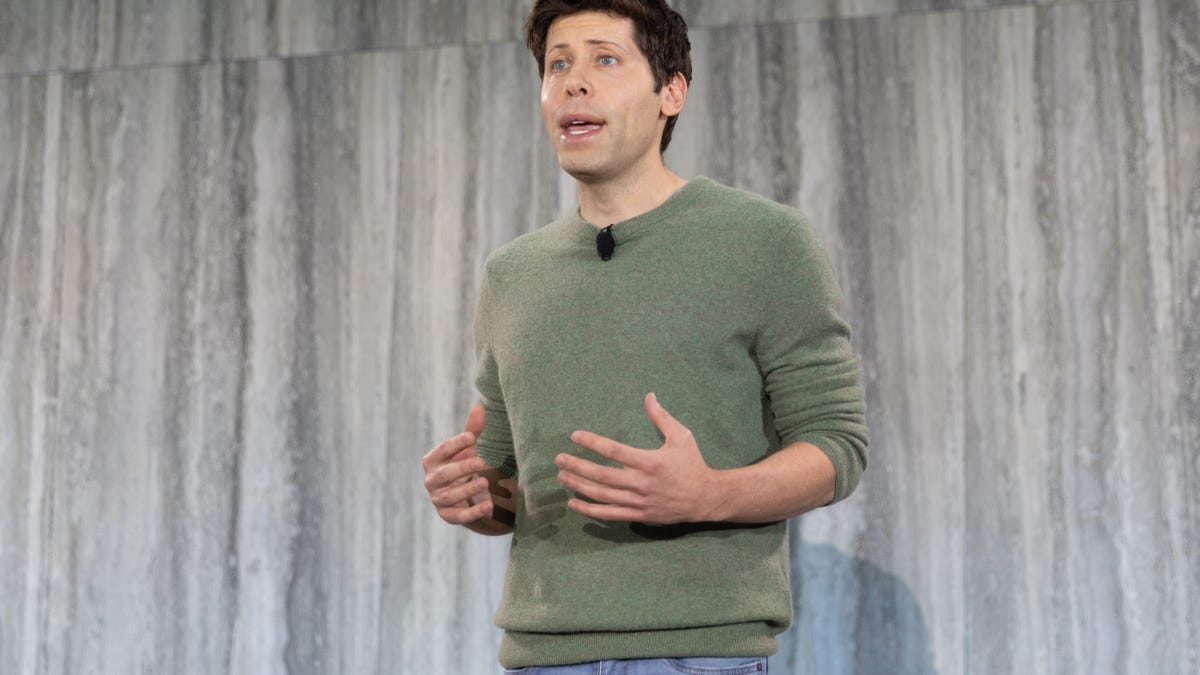
The hottest AI technology foundation got a big upgrade Tuesday with OpenAI’s GPT-4 release now available in the premium version of the ChatGPT chatbot.
GPT-4 can generate much longer strings of text and respond when people feed it images, and it’s designed to do a better job avoiding artificial intelligence pitfalls visible in the earlier GPT-3.5, OpenAI said Tuesday. For example, when taking bar exams that attorneys must pass to practice law, GPT-4 ranks in the top 10% of scores compared with the bottom 10% for GPT-3.5, the AI research company said.
GPT stands for Generative Pretrained Transformer, a reference to the fact that it can generate text on its own — now up to 25,000 words with GPT-4 — and that it uses an AI technology called transformers that Google pioneered. It’s a type of AI called a large language model, or LLM, that’s trained on vast swaths of data harvested from the internet, learning mathematically to spot patterns and reproduce styles. Human overseers rate results to steer GPT in the right direction, and GPT-4 has more of this feedback.
OpenAI has made GPT available to developers for years, but ChatGPT, which debuted in November, offered an easy interface ordinary folks can use. That yielded an explosion of interest, experimentation and worry about the downsides of the technology. It can do everything from generating programming code and answering exam questions to writing poetry and supplying basic facts. It’s remarkable if not always reliable.
ChatGPT is free, but it can falter when demand is high. In January, OpenAI began offering ChatGPT Plus for $20 per month with assured availability and, now, the GPT-4 foundation. Developers can sign up on a waiting list to get their own access to GPT-4.
GPT-4 advancements
«In a casual conversation, the distinction between GPT-3.5 and GPT-4 can be subtle. The difference comes out when the complexity of the task reaches a sufficient threshold,» OpenAI said. «GPT-4 is more reliable, creative and able to handle much more nuanced instructions than GPT-3.5.»
Another major advance in GPT-4 is the ability to accept input data that includes text and photos. OpenAI’s example is asking the chatbot to explain a joke showing a bulky decades-old computer cable plugged into a modern iPhone’s tiny Lightning port. This feature also helps GPT take tests that aren’t just textual, but it isn’t yet available in ChatGPT Plus.
Another is better performance avoiding AI problems like hallucinations — incorrectly fabricated responses, often offered with just as much seeming authority as answers the AI gets right. GPT-4 also is better at thwarting attempts to get it to say the wrong thing: «GPT-4 scores 40% higher than our latest GPT-3.5 on our internal adversarial factuality evaluations,» OpenAI said.
GPT-4 also adds new «steerability» options. Users of large language models today often must engage in elaborate «prompt engineering,» learning how to embed specific cues in their prompts to get the right sort of responses. GPT-4 adds a system command option that lets users set a specific tone or style, for example programming code or a Socratic tutor: «You are a tutor that always responds in the Socratic style. You never give the student the answer, but always try to ask just the right question to help them learn to think for themselves.»
«Stochastic parrots» and other problems
OpenAI acknowledges significant shortcomings that persist with GPT-4, though it also touts progress avoiding them.
«It can sometimes make simple reasoning errors … or be overly gullible in accepting obvious false statements from a user. And sometimes it can fail at hard problems the same way humans do, such as introducing security vulnerabilities into code it produces,» OpenAI said. In addition, «GPT-4 can also be confidently wrong in its predictions, not taking care to double-check work when it’s likely to make a mistake.»
Large language models can deliver impressive results, seeming to understand huge amounts of subject matter and to converse in human-sounding if somewhat stilted language. Fundamentally, though, LLM AIs don’t really know anything. They’re just able to string words together in statistically very refined ways.
This statistical but fundamentally somewhat hollow approach to knowledge led researchers, including former Google AI researchers Emily Bender and Timnit Gebru, to warn of the «dangers of stochastic parrots» that come with large language models. Language model AIs tend to encode biases, stereotypes and negative sentiment present in training data, and researchers and other people using these models tend «to mistake … performance gains for actual natural language understanding.»
OpenAI Chief Executive Sam Altman acknowledges problems, but he’s pleased overall with the progress shown with GPT-4. «It is more creative than previous models, it hallucinates significantly less, and it is less biased. It can pass a bar exam and score a 5 on several AP exams,» Altman tweeted Tuesday.
One worry about AI is that students will use it to cheat, for example when answering essay questions. It’s a real risk, though some educators actively embrace LLMs as a tool, like search engines and Wikipedia. Plagiarism detection companies are adapting to AI by training their own detection models. One such company, Crossplag, said Wednesday that after testing about 50 documents that GPT-4 generated, «our accuracy rate was above 98.5%.»
OpenAI, Microsoft and Nvidia partnership
OpenAI got a big boost when Microsoft said in February it’s using GPT technology in its Bing search engine, including a chat features similar to ChatGPT. On Tuesday, Microsoft said it’s using GPT-4 for the Bing work. Together, OpenAI and Microsoft pose a major search threat to Google, but Google has its own large language model technology too, including a chatbot called Bard that Google is testing privately.
Also on Tuesday, Google announced it’ll begin limited testing of its own AI technology to boost writing Gmail emails and Google Docs word processing documents. «With your collaborative AI partner you can continue to refine and edit, getting more suggestions as needed,» Google said.
That phrasing mirrors Microsoft’s «co-pilot» positioning of AI technology. Calling it an aid to human-led work is a common stance, given the problems of the technology and the necessity for careful human oversight.
Microsoft uses GPT technology both to evaluate the searches people type into Bing and, in some cases, to offer more elaborate, conversational responses. The results can be much more informative than those of earlier search engines, but the more conversational interface that can be invoked as an option has had problems that make it look unhinged.
To train GPT, OpenAI used Microsoft’s Azure cloud computing service, including thousands of Nvidia’s A100 graphics processing units, or GPUs, yoked together. Azure now can use Nvidia’s new H100 processors, which include specific circuitry to accelerate AI transformer calculations.
AI chatbots everywhere
Another large language model developer, Anthropic, also unveiled an AI chatbot called Claude on Tuesday. The company, which counts Google as an investor, opened a waiting list for Claude.
«Claude is capable of a wide variety of conversational and text processing tasks while maintaining a high degree of reliability and predictability,» Anthropic said in a blog post. «Claude can help with use cases including summarization, search, creative and collaborative writing, Q&A, coding and more.»
It’s one of a growing crowd. Chinese search and tech giant Baidu is working on a chatbot called Ernie Bot. Meta, parent of Facebook and Instagram, consolidated its AI operations into a bigger team and plans to build more generative AI into its products. Even Snapchat is getting in on the game with a GPT-based chatbot called My AI.
Expect more refinements in the future.
«We have had the initial training of GPT-4 done for quite awhile, but it’s taken us a long time and a lot of work to feel ready to release it,» Altman tweeted. «We hope you enjoy it and we really appreciate feedback on its shortcomings.»
Editors’ note: CNET is using an AI engine to create some personalfinance explainers that are edited and fact-checked by our editors. Formore, see this post.
Technologies
Apple Confirms It’s Bringing Ads to Maps as Part of New Apple Business Platform
Apple is adding advertising to its Maps, Mail, Wallet and Siri services this summer.
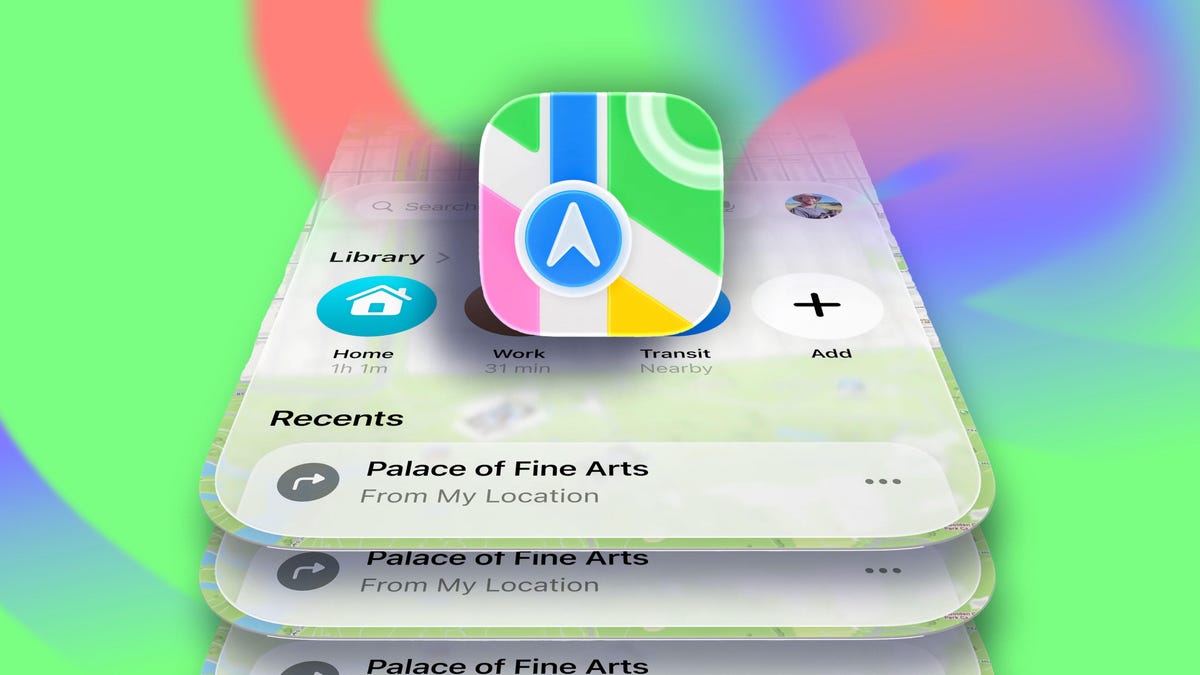
Apple is moving forward with plans to roll out advertising on its Maps platform, appearing on devices like iPhones and the web version of the app as early as this summer.
Bloomberg first reported on Apple’s plans last October, and now Apple has confirmed it’s a reality and part of a new platform called Apple Business, launching April 14, offering advertising opportunities across not only Maps but also Mail, Wallet and Siri.
The advertising system, as far as Maps goes, would work similarly to Google Maps advertising. Slots would be available for brands or businesses to purchase and would be tied to search results in Maps.
The Business platform that Apple is launching will be available in more than 200 countries and regions, according to the company.
Ads in Maps will initially only roll out in the US and Canada this summer.
The move is part of a larger plan to keep growing Apple’s services business, which includes subscriptions like Apple TV Plus, as well as Apple News, iCloud and the App Store. While Apple’s advertising business is a smart part of the company’s revenue, services now account for a quarter of Apple’s annual sales, reportedly more than $100 billion a year, according to a Bloomberg update.
Apple Business will also include options for companies to buy upgraded iCloud storage and AppleCare Plus for Business; there will also be a dedicated Business app that lets companies manage Apple accounts and devices and assign apps and roles within an organization.
Technologies
Spotify’s New SongDNA Feature Tells You How a Song Was Made
The much-teased feature is rolling out now to Premium users on Android and iOS.

When Spotify releases its end-of-year Wrapped, detailing my listening history over the last year, I’m 0% surprised when it shows that I’ve logged over 100,000 minutes on the app. Music is one of life’s greatest pleasures, and I love researching everything about how a song was created, from start to finish.
If you do the same, you might enjoy Spotify’s new SongDNA feature.
The feature rolled out globally to Premium users on Tuesday, March 24. It shows you every person involved in making a song, plus other interesting facts, like covers, which samples the song used, and other music the song’s engineers or mixers have worked on.
How SongDNA works
For instance, I’ve been really enjoying the new BTS album Arirang, released last week, especially the song Body to Body. I’ve been loving the production, so I went for a snoop to see who was involved.
When I clicked on the song in the app and scrolled down to the SongDNA section, one of the first names I noticed among the collaborators was Ryan Tedder. Known as the lead singer of OneRepublic, he’s also responsible for composing, writing and producing some huge hits: Halo by Beyoncé, Bleeding Love by Leona Lewis, Sucker by the Jonas Brothers, many Adele songs, etc.
Read also: AI-Recommended Music? Spotify Is Giving You the Power to Personalize
With SongDNA, you can now learn more about and give credit to the talented writers, producers, engineers and collaborators behind your favorite music.
«By bringing collaborators, samples and covers together in one place, we’re making it easier for fans to discover new music and see how songs connect and come to life,» said Jacqueline Ankner, Spotify’s head of songwriter and publisher partnerships. It also means that songwriters, producers and rightsholders get recognition for their role.
SongDNA has been rumored since the fall, and co-CEO Gustav Söderström recently teased the new feature during his SXSW panel.
SongDNA is finally rolling out in beta to Premium users on Android and iOS, with the launch expected to finish in April.
Technologies
iPhone Air vs. Galaxy S25 Edge: Thin Phone Battle
If you’re looking for a less-chunky phone to carry all day, Apple and Samsung have new slim options. Here’s how they compare.
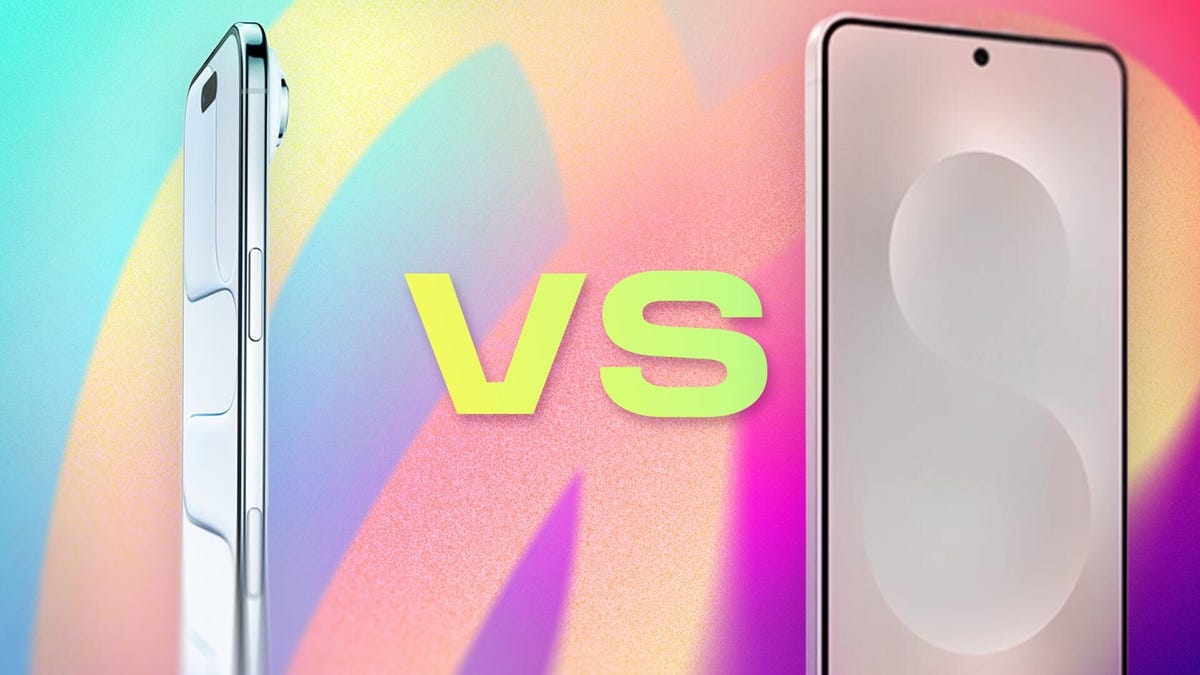
Super-thin phones carry a lot of appeal without a lot of bulk. They’re lighter than many counterparts, more comfortable to hold and let’s not forget how great they look. And although they remain a niche category, the Apple iPhone Air and Samsung Galaxy S25 Edge are also paving the way for the slim technology that makes the Galaxy Z Fold 7 and rumored iPhone Fold possible.
But are you giving up too much else for a slim phone? If you press them together, are they much thicker combined than a regular iPhone 17 or Galaxy S25 (or the new Galaxy S26)? And do they overcome trade-offs in battery life, camera and sound quality that come with a thinner design? I’m here to do the math and compare features for you.
Looking to order the iPhone Air? Check out our order guide to learn if you can get it free and other great deals.
Want to buy the Samsung Galaxy S25 Edge? Find out which carriers and retailers are offering the best deals on Samsung’s slim phone.
iPhone Air vs. S25 Edge price comparison
-
iPhone Air: $999. The iPhone Air takes the place formerly held by the iPhone 16 Plus, making it the only model with a screen larger than the iPhone 17 that isn’t an iPhone 17 Pro.
-
Galaxy S25 Edge: $1,100. The S25 Edge joins the S25 and S25 Ultra in this year’s Galaxy lineup.
The iPhone Air includes fewer features than the iPhone 17, such as the number of cameras. However, it features a larger display, an A19 Pro processor, and is equipped with 256GB of storage to begin with. Additionally, Apple has consistently applied premium pricing for minor design changes. The original MacBook Air fit into an inter-office envelope and cost $1,799, despite being underpowered compared to the rest of the MacBook line. (Over a few generations, it would eventually become Apple’s entry-level affordable laptop at $999, where it still resides.)
The Galaxy S25 Edge’s higher price ($101) could be an attempt to capture more dollars from customers looking for a phone that sets them apart, but we’re already seeing occasional steep discounts on it.
In both cases, it’s worth noting that the pricing has held up against the Trump administration tariffs so far.
iPhone Air vs. S25 Edge dimensions and weight
Now it’s time to go deep — as in, just how thin is the depth of each phone?
No phone manufacturer describes its phones as bulky or chunky, even for extra-large models like the iPhone Pro Max. Yet, the difference between the depths of the iPhone Air and the S25 Edge, as well as the standard phones of each respective family, is stark.
Not counting the camera assembly, which Apple refers to as the «plateau,» most of the iPhone Air’s body is 5.64mm thick. The S25 Edge, at its narrowest point, is a hair thicker at 5.8mm. (Both companies list only the thinnest measurement, not including the cameras.) Compare that to 7.9mm for the iPhone 17 and 7.2mm for the Galaxy S25.
The Galaxy Z Fold 7 is actually thinner when open, at 4.2mm, but it also has a larger surface area to accommodate its battery and other components. Other foldables from Chinese companies, such as Huawei, Oppo and Honor, also boast thinner bodies than the iPhone Air or S25 Edge, but only when opened.
And when you press the two thin phones together, do they really match up to the typical phone slab you’re carrying now? Combined (and again, excluding the camera bumps), the iPhone Air and S25 Ultra are 11.44mm thick, which is thicker than either the iPhone 17 or Galaxy S25, and even the iPhone 17 Pro Max at 8.75mm. However, if you want to achieve a more vintage feel, the original first-generation iPhone, released in 2007, measured 11.6mm.
Surprisingly, the less depth translates to only a slight decrease in weight compared to the other models in each lineup. The iPhone Air weighs 165 grams versus 177 grams for the iPhone 17, while the S25 Edge pips in at just 163 grams but gets barely undercut by the Galaxy S25 at 162 grams.
How big is each phone in the hand? While both are similar, the iPhone Air is slightly shorter and narrower, measuring 156.2mm tall and 74.7mm wide, compared to the S25 Edge’s dimensions of 158.2mm tall and 75.6mm wide.
iPhone Air vs. S25 Edge displays
Apple calls the iPhone Air’s 6.5-inch OLED screen a Super Retina XDR display. It features a high resolution of 2,736×1,260 pixels at a density of 460 ppi (pixels per inch) and can output a maximum of 3,000 nits of brightness outdoors, as well as a minimum of 1 nit in the dark.
Samsung packed a larger 6.7-inch QHD+ Dynamic AMOLED 2X screen into the S25 Edge, which translates to a high-resolution display measuring 3,120×1,440 pixels at 513 ppi. Its brightness goes up to 2,600 nits.
Both phones’ screens feature adaptive 120Hz refresh rates for smoother performance.
Comparing the iPhone Air and S25 Edge cameras
So far, many of the specs have been close enough to weigh each phone fairly evenly. Then, we get to the cameras.
The iPhone Air includes a single rear-facing 48-megapixel wide camera with a 26mm-equivalent field of view and a constant f/1.6 aperture. In its default mode, the camera outputs 24-megapixel «fusion» photos that result from an imaging process where the camera captures a 12-megapixel image (using groups of four pixels acting as one larger pixel for improved light gathering, known as «binning») and a 48-megapixel reference for additional detail.
Apple also claims the iPhone Air can capture 2x-zoomed (52mm-equivalent) telephoto images that are 12 megapixels in dimension and represent a crop of the center of the image sensor.
The S25 Edge features two built-in rear cameras: a 200-megapixel wide-angle lens and a 12-megapixel ultrawide lens. There’s no dedicated telephoto camera, so the S25 Edge also offers a 2x-zoomed crop that shoots photos at 12 megapixels in size.
The front-facing selfie cameras on each phone differ significantly. The iPhone Air introduces a new 18-megapixel camera with an f/1.9 aperture. But the increased resolution over the S25 Edge’s 12-megapixel selfie camera isn’t what’s notable.
Apple calls it a Center Stage camera because it features a square sensor that can capture tall or wide shots without requiring the user to physically turn the phone, unlike the 4:3 ratio sensors found in typical selfie cameras. It can adapt the aspect ratio based on the number of people it detects in front of the camera: a traditional portrait orientation when you’re snapping a photo of yourself, for example, or switch to a landscape orientation when two friends stand next to you in the frame.
iPhone Air vs. S25 Edge batteries
When it comes to concerns, the battery life of thin phones is at the top of the list. The insides of most phones are packed with as much battery as will fit, so making a phone slimmer naturally means removing space for the battery. With either model, you end up sacrificing battery power for design. But how much?
Apple doesn’t list the iPhone Air’s battery capacity, but claims «all-day battery life» and up to 27 hours of video playback. It also sells a special iPhone Air MagSafe Battery add-on that magnetically snaps to the back of the phone and works only with the iPhone Air. In her review, CNET’s Senior Tech Reporter Abrar Al-Heeti drained the battery in 12 hours over a phone-intensive day, but did end a more typical day with 20% remaining.
The S25 Edge features a 3,900-mAh battery, which Samsung claims will support up to 24 hours of video playback. (Come on, phone manufacturers, our phones aren’t televisions left running in the background.)
In her S25 Edge review, Al-Heeti noted that the phone also generally lived up to Samsung’s own «all-day battery life» boast, saying, «Ultimately, you’ll get less juice out of that slimmer build, but S25 Edge offers just enough battery life to make me happy…But the S25 Edge has shifted my priorities. I’m enjoying the sleek form factor so much that I’m willing to make some compromises, even if that means I have to be sure to charge my phone each night, which is something I tend to do anyway.»
It’s worth noting that both phones support fast charging when used with a 20-watt or higher wired power adapter, allowing them to reach around 50% charge in 30 minutes from a completely discharged state.
iPhone Air vs. S25 Edge processor, storage and operating system
The iPhone Air is powered by Apple’s latest A19 Pro processor, the same one found in the iPhone 17 Pro models (compared to the A19 in the stock iPhone 17). Apple doesn’t list the built-in memory, but we suspect it includes 8GB of RAM (which is recognized as the minimum amount to run AI features such as Apple Intelligence). The base storage configuration is 256GB, with options to order the iPhone Air with 512GB or 1TB capacity. It ships with iOS 26, the latest version of the operating system that Apple released widely this week.
The S25 Edge is powered by a Snapdragon 8 Elite processor, the same one that powers the other S25 models. It includes 12GB of RAM and is available in storage capacities of 256GB and 512GB. The phone comes preinstalled with Android 15.
iPhone Air vs. S25 Edge all specs
Apple iPhone Air vs. Samsung Galaxy S25 Edge
| Apple iPhone Air | Samsung Galaxy S25 Edge | |
|---|---|---|
| Display size, tech, resolution, refresh rate | 6.5-inch OLED; 2,736 x 1,260 pixel resolution; 1-120Hz variable refresh rate | 6.7-inch QHD+ AMOLED display; 120Hz refresh rate |
| Pixel density | 460ppi | 513 ppi |
| Dimensions (inches) | 6.15 x 2.94 x 0.22 in | 2.98 x 6.23 x 0.23 inches |
| Dimensions (millimeters) | 156.2 x 74.7 x 5.64 mm | 75.6 X 158.2 X 5.8mm |
| Weight (grams, ounces) | 165 g (5.82 oz) | 163g (5.75 oz) |
| Mobile software | iOS 26 | Android 15 |
| Camera | 48-megapixel (wide) | 200-megapixel (wide), 12-megapixel (ultrawide) |
| Front-facing camera | 18-megapixel | 12-megapixel |
| Video capture | 4K | 8K |
| Processor | Apple A19 Pro | Snapdragon 8 Elite |
| RAM + storage | RAM N/A + 256GB, 512GB, 1TB | 12GB RAM + 256GB, 512GB |
| Expandable storage | None | No |
| Battery | Up to 27 hours video playback; up to 22 hours video playback (streamed).Up to 40 hours video playback, up to 35 hours video playback (streamed) with iPhone Air MagSafe Battery | 3,900 mAh |
| Fingerprint sensor | None (Face ID) | Under display |
| Connector | USB-C | USB-C |
| Headphone jack | None | None |
| Special features | Apple N1 wireless networking chip (Wi-Fi 7 (802.11be) with 2×2 MIMO), Bluetooth 6, Thread. Action button. Apple C1X cellular modem. Camera Control button. Dynamic Island. Apple Intelligence. Visual Intelligence. Dual eSIM. 1 to 3,000 nits brightness display range. IP68 resistance. Colors: space black, cloud white, light gold, sky blue. Fast charge up to 50% in 30 minutes using 20W adapter or higher via charging cable. Fast charge up to 50% in 30 minutes using 30W adapter or higher via MagSafe Charger. | IP88 rating, 5G, One UI 7, 25-watt wired charging, 15-watt wireless charging, Galaxy AI, Gemini, Circle to Search, Wi-Fi 7. |
| US price starts at | $999 (256GB) | $1,100 (256GB) |
-
 Technologies3 года ago
Tech Companies Need to Be Held Accountable for Security, Experts Say
-
 Technologies3 года ago
Best Handheld Game Console in 2023
-
 Technologies3 года ago
Tighten Up Your VR Game With the Best Head Straps for Quest 2
-
 Technologies4 года ago
Black Friday 2021: The best deals on TVs, headphones, kitchenware, and more
-
 Technologies5 лет ago
Google to require vaccinations as Silicon Valley rethinks return-to-office policies
-
 Technologies5 лет ago
Verum, Wickr and Threema: next generation secured messengers
-
 Technologies4 года ago
Olivia Harlan Dekker for Verum Messenger
-
 Technologies4 года ago
The number of Сrypto Bank customers increased by 10% in five days