

Technologies
Tottenham vs. Man City Livestream: How to Watch Premier League Soccer From Anywhere
It’s a blockbuster Premier League showdown as sharp-shooting strikers Harry Kane and Erling Haaland face off in North London.

Fifth-placed Spurs welcome second-placed Man City to Tottenham Hotspur Stadium on Sunday in what looks set to be a thrilling match to round off a weekend of English Premier League football. City boss Pep Guardiola’s team will be hoping for more of the same as they come into this match brimming with confidence following their 1-0 win in the FA Cup against league leaders Arsenal.
Tottenham also eased their way through to the next round of the competition after a professional 3-0 win away at Preston North End last weekend, but will be without boss Antonio Conte for this crucial game, with the Italian recuperating after undergoing surgery to remove his gallbladder earlier this week.
The match looks set to provide a tantalizing battle between two strikers at the top of their game, as Spurs skipper Harry Kane lines up against City’s Erling Haaland.
Haaland currently leads the race for the Premier League Golden Boot with 25 goals so far this term, while Tottenham hitman Kane is second on 16 and still looking to beat Jimmy Greaves’ all-time Spurs record.
Below, we’ll outline the best live TV streaming services to use to watch the game live wherever you are in the world.
Tottenham Hotspur vs. Manchester City: When and where?
Spurs host Manchester City at Tottenham HotspurStadium in London on Sunday, Feb. 5. Kickoff is set for 5.30 p.m. local time in the UK (12.30 p.m. ET, 9.30 a.m. PT in the US, and at 4.30 a.m. AEST on Monday, Feb. 6 in Australia).
How to watch the Spurs vs. Man City game online from anywhere using a VPN
If you find yourself unable to view the game locally, you may need a different way to watch the game — that’s where using a VPN can come in handy. A VPN is also the best way to stop your ISP from throttling your speeds on game day by encrypting your traffic, and it’s also a great idea if you’re traveling and find yourself connected to a Wi-Fi network, and you want to add an extra layer of privacy for your devices and logins.
With a VPN, you’re able to virtually change your location on your phone, tablet or laptop to get access to the game. So if your internet provider or mobile carrier has stuck you with an IP address that incorrectly shows your location in a blackout zone, a VPN can correct that problem by giving you an IP address in your correct, nonblackout area. Most VPNs, like our Editors’ Choice, ExpressVPN, make it really easy to do this.
Using a VPN to watch or stream sports is legal in any country where VPNs are legal, including the US, UK and Canada, as long as you have a legitimate subscription to the service you’re streaming. You should be sure your VPN is set up correctly to prevent leaks: Even where VPNs are legal, the streaming service may terminate the account of anyone it deems to be circumventing correctly applied blackout restrictions.
Looking for other options? Be sure to check out some of the other great VPN deals taking place right now.
Livestream the Tottenham vs. Man City game in the US
Sunday’s big EPL match is streaming on Peacock. You’ll need a Peacock Premium or Premium Plus account to catch the game live.
Livestream the Tottenham vs. Man City game in the UK
Premier League rights in the UK are split between Sky Sports, BT Sport and Amazon Prime Video. This game is exclusive to Sky Sports — showing on its Sky Sports Main Event, Premier League and Ultra channels. If you already have Sky Sports as part of your TV package, you can stream the game via its Sky Go app, but cord-cutters will want to get set up with a Now account, and a Now Sports membership, to stream the game.
Livestream the Tottenham vs. Manchester City game in Canada
If you want to stream this crucial game in the title race live in Canada, you’ll need to subscribe to FuboTV Canada. The service has exclusive rights to this Premier League season.
Livestream the Spurs vs. Man City game in Australia
Football fans Down Under can watch this EPL fixture on streaming service Optus Sport, which is showing every single Premier League game live in Australia this season.
Quick tips for streaming the Premier League using a VPN
- With four variables at play — your ISP, browser, video streaming provider and VPN — your experience and success when streaming EPL matches may vary.
- If you don’t see your desired location as a default option for ExpressVPN, try using the «search for city or country» option.
- If you’re having trouble getting the game after you’ve turned on your VPN and set it to the correct viewing area, there are two things you can try for a quick fix. First, log into your streaming service subscription account and make sure the address registered for the account is an address in the correct viewing area. If not, you may need to change the physical address on file with your account. Second, some smart TVs — like Roku — don’t have VPN apps you can install directly on the device itself. Instead, you’ll have to install the VPN on your router or the mobile hotspot you’re using (like your phone) so that any device on its Wi-Fi network now appears in the correct viewing location.
- All of the VPN providers we recommend have helpful instructions on their main site for quickly installing the VPN on your router. In some cases with smart TV services, after you install a cable network’s sports app, you’ll be asked to verify a numeric code or click a link sent to your email address on file for your smart TV. This is where having a VPN on your router will also help, since both devices will appear to be in the correct location.
- And remember, browsers can often give away a location despite using a VPN, so be sure you’re using a privacy-first browser to log into your services. We normally recommend Brave.
Technologies
The iOS 26 Feature Secretly Extending Your iPhone’s Battery Life
Adaptive Power is an Apple Intelligence feature that can automatically give your battery the boost it needs. Here’s how it works.

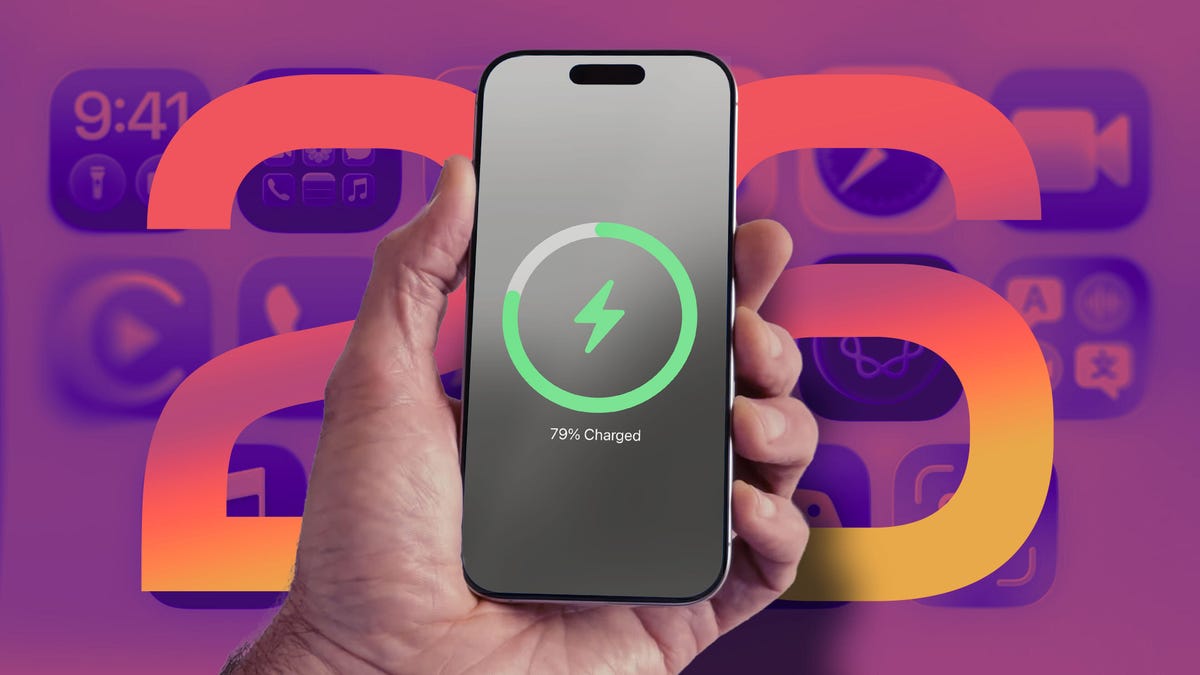
Battery life in the latest iPhone models is more important than ever, whether you’re taking advantage of the physically larger cells in the iPhone 17 Pro — the «best battery life of any phone that CNET has ever tested,» CNET Managing Editor Patrick Holland said in his review — or getting the most out of the thin battery in the iPhone Air. And software now also plays a big role.
A new feature in iOS 26 called Adaptive Power is enabled by default on Apple’s latest phones, but is also available on older models that support Apple Intelligence.
Currently, the iPhone uses as much power as it needs to perform its tasks. You can extend battery life by doing a number of things, such as decreasing screen brightness and turning off the always-on display. Or, if your battery is running low, you can turn on Low Power Mode, which limits background activity, like fetching mail and downloading data, and dims the screen to help extend battery life. Low Power Mode also kicks in automatically when the battery level reaches 20%.
Don’t miss any of our unbiased tech content and lab-based reviews. Add CNET as a preferred Google source.
If Low Power Mode is the hammer that knocks down power consumption, Adaptive Power is the scalpel that intelligently trims energy savings here and there as needed. Based on Apple’s description that accompanies the control, the savings will be felt mostly in power-hungry situations such as recording videos, editing photos or even playing games.
Apple says Adaptive Power takes about a week to analyze your usage behavior before it begins actively working. And it works in the background without needing any management on your part.
Here’s how Apple describes it in the iPhone user guide: «It uses on-device intelligence to predict when you’ll need extra battery power based on your recent usage patterns, then makes performance adjustments to help your battery last longer.»
Which iPhone models can use Adaptive Power?
The feature uses AI to monitor and choose when its power-saving measures should be activated, so that means only phones compatible with Apple Intelligence get the feature. These are the models that have the option:
• iPhone 17
• iPhone 17 Pro and iPhone 17 Pro Max
• iPhone Air
• iPhone 16 and iPhone 16 Plus
• iPhone 16 Pro and iPhone 16 Pro Max
• iPhone 16e
• iPhone 15 Pro and iPhone 15 Pro Max
Although some iPad and Mac models support Apple Intelligence, the feature is only available on iPhones.
How to turn Adaptive Power on
Adaptive Power is on by default on the iPhone 17, iPhone 17 Pro, iPhone 17 Pro Max and iPhone Air. For other models, you must opt in to use it. In iOS 26, you’ll find the Adaptive Power toggle in Settings > Battery > Power Mode. To be alerted when the feature is active, turn on the Adaptive Power Notifications option.
Adaptive Power sounds like an outgrowth of Gaming Mode, introduced in iOS 18, which routes all available processing and graphics power to the frontmost app and pauses other processes in order to deliver the best experience possible — at the notable expense of battery life.
What does this mean for your charging habits?
Although we all want as much battery life as possible all the time, judging by the description, it sounds as if Adaptive Power’s optimizations will not always be active, even if you leave the feature on. «When your battery usage is higher than usual» could include a limited number of situations. Still, considering that according to a CNET survey, 61% of people upgrade their phones because of battery life, a feature such as Adaptive Power could extend the longevity of their phones just by updating to iOS 26.
I also wonder whether slightly adjusting display brightness could be disruptive, but in my experience so far, it hasn’t been noticeable. Because the feature also selectively de-prioritizes processing tasks, the outward effects seem minimal. When it’s activated on my iPhone 16 Pro, the only indication was the Adaptive Power alert that appeared.
We’ll get a better idea about how well Adaptive Power works as more people adopt iOS 26 and start buying new iPhone models. Also, remember that shortly after installing a major software update, it’s common to experience worse battery life as the system optimizes data in the background; Apple went so far as to remind customers that it’s a temporary side effect.
Technologies
You Can Now Add Your Passport to Your iPhone in Apple Wallet. Here’s How
Apple’s new Digital ID feature allows you to use your iPhone or Apple watch to verify your identity at certain airports.
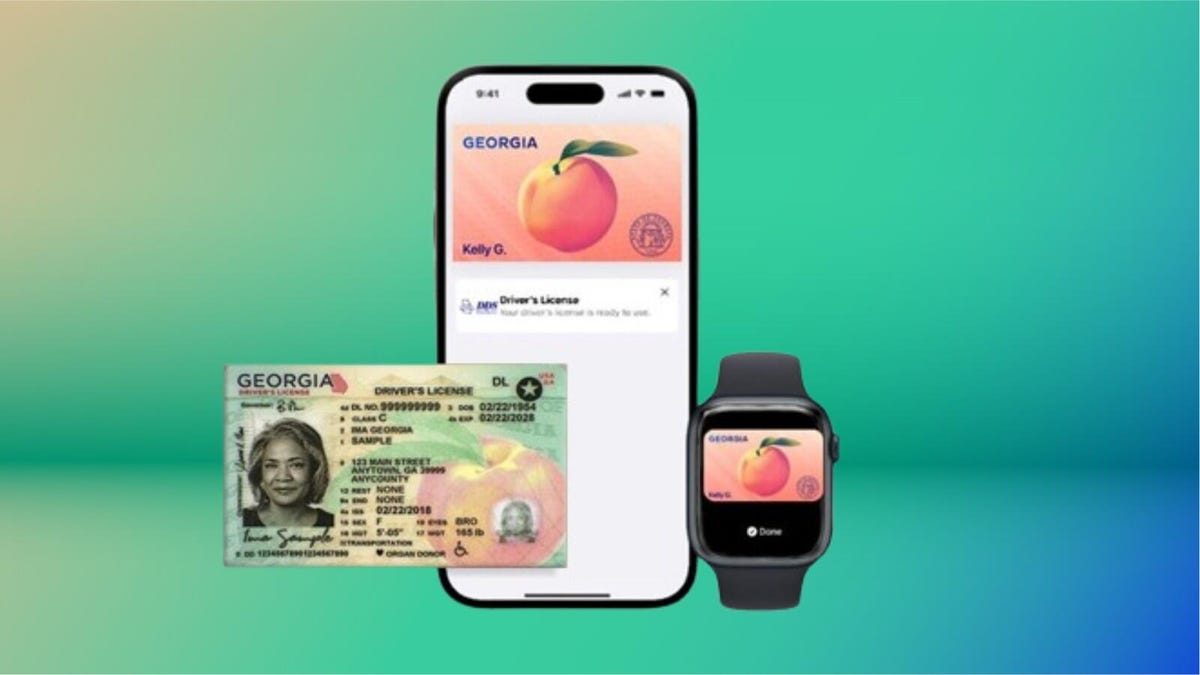
iPhone users can now add their passport to Apple Wallet to get through TSA checkpoints at more than 250 participating airports in the US when flying domestically. Announced on Wednesday but hinted at a few weeks before, the new Digital ID feature will allow iPhone and Apple Watch users to use their devices for identity verification instead of a physical passport.
Apple has supported digital driver’s licenses and state IDs for a while now, but states have been slow to adopt the technology. What makes the situation muddier is that some states have their own digital ID solutions that require separate apps and don’t support Apple Wallet.
The benefit of adding a passport to Apple Wallet is that it effectively sidesteps individual state support, allowing people without a Real ID to still use the feature. It won’t replace your physical passport anytime soon, though, so make sure you still have it handy when traveling.
Below, we’ll show you how to add your passport to Apple Wallet.
How to add your Passport to Apple Wallet
Adding your passport to Apple Wallet isn’t hard, but given the sensitive nature, it’ll require a few steps. Here’s how to do it.
- Open Apple Wallet
- Tap the «+» icon at the top of the screen
- Tap Driver’s License or ID Cards
- Tap Digital ID
Follow the instructions for setup and verification. Some steps include taking a photo of the page with your image on it, and using your iPhone to read the chip in the back of the passport to verify its authenticity. Additionally, you’ll need to take a live photo of yourself, along with performing a series of facial movements for additional identity verification.
Currently, the feature is limited to the US and available on devices running iOS 26.1 and later.
Expanding beyond the airport
The limited use case of using your digital ID at a couple of hundred of the more than 5,000 public airports in the country is somewhat underwhelming, especially right now, but it likely won’t always be this way.
In the future, Apple says users will be able to present their iPhone at small businesses and venues for identity and age verification, thanks to the Verify with Wallet API. Verifying your age or identity at a bar or venue will be a reality. Eventually.
Technologies
Tesla Roadster 2 Launch Has a New Deadline as the Wait Continues
It’ll be an exciting demo «whether it works or not,» says Elon Musk. Wait, what?

-
 Technologies3 года ago
Tech Companies Need to Be Held Accountable for Security, Experts Say
-
 Technologies3 года ago
Best Handheld Game Console in 2023
-
 Technologies3 года ago
Tighten Up Your VR Game With the Best Head Straps for Quest 2
-
 Technologies4 года ago
Black Friday 2021: The best deals on TVs, headphones, kitchenware, and more
-
 Technologies4 года ago
Verum, Wickr and Threema: next generation secured messengers
-
 Technologies4 года ago
Google to require vaccinations as Silicon Valley rethinks return-to-office policies
-
 Technologies4 года ago
Olivia Harlan Dekker for Verum Messenger
-
 Technologies4 года ago
iPhone 13 event: How to watch Apple’s big announcement tomorrow


