

Technologies
What LastPass Subscribers Need to Do After the Latest Breach
Following the latest breach, you might want to find a new password manager.

LastPass, one of the world’s most popular password managers, is yet again under the microscope after its latest security breach.
In late December, LastPass CEO Karim Toubba acknowledged that a security incident the company first disclosed in August had ultimately paved the way for an unauthorized party to steal customer account information and vault data. This is the latest in a lengthy string of security incidents involving LastPass that date back to 2011.
It’s also the most alarming.
An unauthorized party now has access to unencrypted subscriber account information like LastPass usernames, company names, billing addresses, email addresses, phone numbers and IP addresses, according to Toubba. That same unauthorized party also has a copy of customer vault data, which includes unencrypted data like website URLs and encrypted data like the usernames and passwords for all the sites customers have saved in their vaults. If you’re a LastPass subscriber, the severity of this breach should have you looking for a different password manager because your passwords and personal data are at risk of being exposed.
What should LastPass subscribers do?
The company didn’t specify how many users were affected by the breach, and LastPass didn’t respond to CNET’s request for additional comment on the breach. But if you’re a LastPass subscriber, you need to operate under the assumption that your user and vault data are in the hands of an unauthorized party with ill intentions. Though the most sensitive data is encrypted, the problem is that the threat actor can run «brute force» attacks on those stolen local files. LastPass estimates it would take «millions of years» to guess your master password — if you’ve followed its best practices.
If you haven’t — or if you just want total peace of mind — you’ll need to spend some serious time and effort changing your individual passwords. And while you’re doing that, you’ll probably want to transition away from LastPass, too.
With that in mind, here’s what you need to do right now if you’re a LastPass subscriber:
1. Find a new password manager. Given LastPass’ history with security incidents and considering the severity of this latest breach, now’s a better time than ever to seek an alternative.
2. Change your most important site-level passwords immediately. This includes passwords for anything like online banking, financial records, internal company logins and medical information. Make sure these new passwords are strong and unique.
3. Change every single one of your other online passwords. It’s a good idea to change your passwords in order of importance here too. Start with changing the passwords to accounts like email and social media profiles, then you can start moving backward to other accounts that may not be as critical.
4. Enable two-factor authentication wherever possible. Once you’ve changed your passwords, make sure to enable 2FA on any online account that offers it. This will give you an added layer of protection by alerting you and requiring you to authorize each login attempt. That means even if someone ends up obtaining your new password, they shouldn’t be able to gain access to a given site without your secondary authenticating device (typically your phone).
5. Change your master password. Though this doesn’t change the threat level to the stolen vaults, it’s still prudent to help mitigate the threats of any potential future attack — that is, if you decide you want to stay with LastPass.
LastPass alternatives to consider
- Bitwarden: CNET’s top password manager is a highly secure and open-source LastPass alternative. Bitwarden’s free tier allows you to use the password manager across an unlimited number of devices across device types. Read our Bitwarden review.
- 1Password: Another excellent password manager that works seamlessly across platforms. 1Password doesn’t offer a free tier, but you can try it for free for 14 days.
- iCloud Keychain: Apple’s built-in password manager for iOS, iPadOS and MacOS devices is an excellent LastPass alternative available to Apple users at no additional cost. iCloud Keychain is secure and easy to set up and use across all of your Apple devices. It even offers a Windows client, too, with support for Chrome and Edge browsers.
How did it come to this?
In August 2022, LastPass published a blog post written by Toubba saying that the company «determined that an unauthorized party gained access to portions of the LastPass development environment through a single compromised developer account and took portions of source code and some proprietary LastPass technical information.»
At the time, Toubba said that the threat was contained after LastPass «engaged a leading cybersecurity and forensics firm» and implemented «enhanced security measures.» But that blog post would be updated several times over the following months as the scope of the breach gradually widened.
On Sept. 15, Toubba updated the blog post to notify customers that the company’s investigation into the incident had concluded.
«Our investigation revealed that the threat actor’s activity was limited to a four-day period in August 2022. During this timeframe, the LastPass security team detected the threat actor’s activity and then contained the incident,» Toubba said. «There is no evidence of any threat actor activity beyond the established timeline. We can also confirm that there is no evidence that this incident involved any access to customer data or encrypted password vaults.»
Toubba assured customers at the time that their passwords and personal data were safe in LastPass’s care.
However, it turned out that the unauthorized party was indeed ultimately able to access customer data. On Nov. 30, Toubba updated the blog post once again to alert customers that the company «determined that an unauthorized party, using information obtained in the August 2022 incident, was able to gain access to certain elements of our customers’ information.»
Then, on Dec. 22, Toubba issued a lengthy update to the blog post outlining the unnerving details regarding precisely what customer data the hackers were able to access in the breach. It was then that the full severity of the situation finally came to light and the public found out that LastPass customers’ personal data was in the hands of a threat actor and all of their passwords were at serious risk of being exposed.
Still, Toubba assured customers who follow LastPass’s best practices for passwords and have the latest default settings enabled that no further action on their part is recommended at this time since their «sensitive vault data, such as usernames and passwords, secure notes, attachments, and form-fill fields, remain safely encrypted based on LastPass’ Zero Knowledge architecture.»
However, Toubba warned that those who don’t have LastPass’s default settings enabled and don’t follow the password manager’s best practices are at greater risk of having their master passwords cracked. Toubba suggested that those users should consider changing the passwords of the websites they have stored.
What does all of this mean for LastPass subscribers?
The initial breach ended up allowing the unauthorized party to access sensitive user account data as well as vault data, which means that LastPass subscribers should be extremely concerned for the integrity of the data they have stored in their vaults and should be questioning LastPass’s capacity to keep their data safe.
If you’re a LastPass subscriber, an unauthorized party may have access to personal information like your LastPass username, email address, phone number, name and billing address. IP addresses used when accessing LastPass were also exposed in the breach, which means that the unauthorized party could also see the locations from which you used your account. And because LastPass doesn’t encrypt users’ stored website URLs, the unauthorized party can see all of the websites for which you have login information saved with the password manager (even if the passwords themselves are encrypted).
Information like this gives a potential attacker plenty of ammunition for launching a phishing attack and socially engineering their way to your account passwords. And if you have any password reset links stored that may still be active, an attacker can easily go ahead and create a new password for themselves.
LastPass says that encrypted vault data like usernames and passwords, secure notes and form-filled data that was stolen remains secured. However, if an attacker were to crack your master password at the time of the breach, they would be able to access all of that information, including all the usernames and passwords to your online accounts. If your master password wasn’t strong enough at the time of the breach, your passwords are especially at risk of being exposed.
Changing your master password now will, unfortunately, not help solve the issue because the attackers already have a copy of your vault that was encrypted using the master password you had in place at the time of the breach. This means the attackers essentially have an unlimited amount of time to crack that master password. That’s why the safest course of action is a site-by-site password reset for all of your LastPass-stored accounts. Once changed at the site level, that would mean the attackers would be getting your old, outdated passwords if they managed to crack the stolen encrypted vaults.
For more on staying secure online, here are data privacy tips digital security experts wish you knew and browser settings to change to better guard your information.
Technologies
The Truth Behind Always Charging Your Phone and Battery Life Explained
Here’s the science behind your phone’s battery life. Apple, Google and Samsung weigh in on best practices.
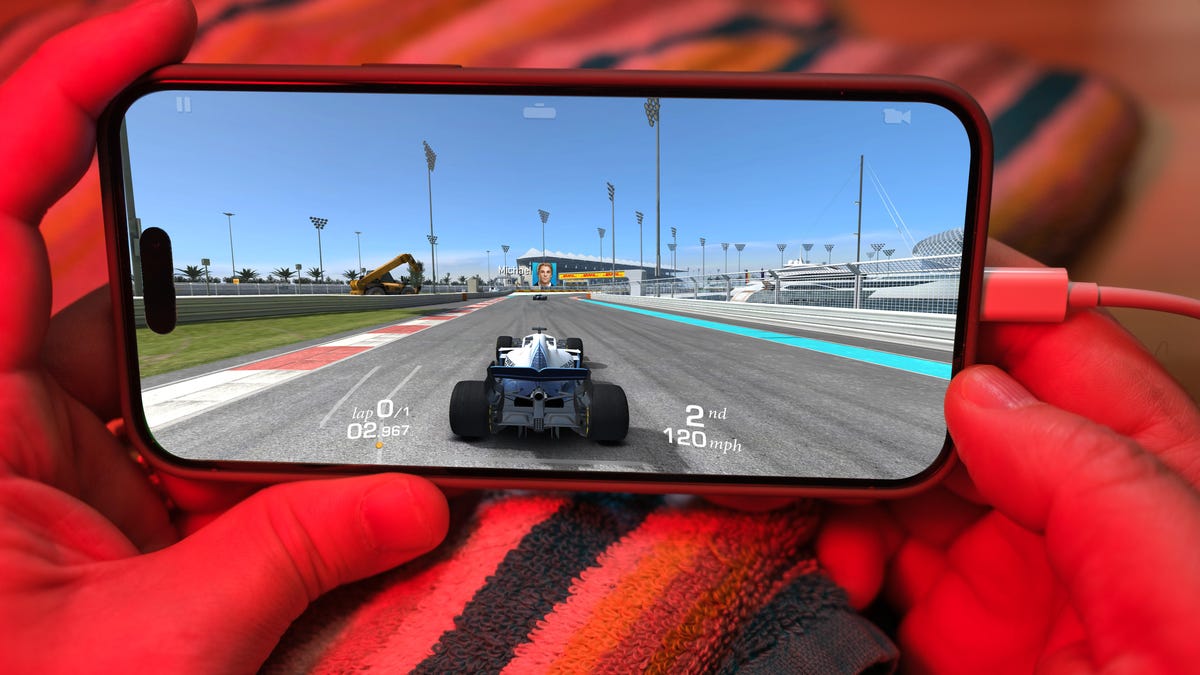
In the not-so-distant past smartphone users were told not to leave their phones plugged in overnight or it could do serious damage to the battery. While current smartphone models now have protection from accidentally overcharging, plenty of folks still have questions about whether charging their devices for extended periods of time will damage the battery.
The short answer is no. Keeping your phone plugged in all the time won’t ruin your battery. Modern smartphones are built with smart charging systems that cut off or taper power once they’re full, preventing the kind of «overcharging damage» that was common in older devices. So if you’re leaving your iPhone or Android on the charger overnight, you can relax.
That said, «won’t ruin your battery» doesn’t mean it has no effect. Batteries naturally degrade with age and use, and how you charge plays a role in how fast that happens. Keeping a phone perpetually at 100% can add extra stress on the battery, especially when paired with heat, which is the real enemy of longevity.
Understanding when this matters (and when it doesn’t) can help you make small changes to extend your phone’s lifespan.
Don’t miss any of our unbiased tech content and lab-based reviews. Add CNET as a preferred Google source.
The science behind battery wear
Battery health isn’t just about how many times you charge your phone. It’s about how it manages voltage, temperature and maintenance. Lithium-ion batteries age fastest when they’re exposed to extreme levels: 0% and 100%.
Keeping them near full charge for long stretches puts additional voltage stress on the cathode and electrolyte. That’s why many devices use «trickle charging» or temporarily pause at 100%, topping up only when needed.
Still, the biggest threat isn’t overcharging — it’s heat. When your phone is plugged in and running demanding apps, it produces heat that accelerates chemical wear inside the battery. If you’re gaming, streaming or charging on a hot day, that extra warmth does far more harm than leaving the cable plugged in overnight.
Apple’s take
Apple’s battery guide describes lithium-ion batteries as «consumable components» that naturally lose capacity over time. To slow that decline, iPhones use Optimized Battery Charging, which learns your daily routine and pauses charging at about 80% until just before you typically unplug, reducing time spent at high voltage.
Apple also advises keeping devices between 0 to 35 degrees Celsius (32 to 95 degrees Fahrenheit) and removing certain cases while charging to improve heat dissipation. You can read more on Apple’s official battery support page.
What Samsung (and other Android makers) do
Samsung offers a similar feature called Battery Protect, found in One UI’s battery and device care settings. When enabled, it caps charging at 85%, which helps reduce stress during long charging sessions.
Other Android makers like Google, OnePlus and Xiaomi include comparable options — often called Adaptive Charging, Optimized Charging or Battery Care — that dynamically slow power delivery or limit charge based on your habits. These systems make it safe to leave your phone plugged in for extended periods without fear of overcharging.
When constant charging can hurt
Even with these safeguards, some conditions can accelerate battery wear. As mentioned before, the most common culprit is high temperature. Even for a short period of time, leaving your phone charging in direct sunlight, in a car or under a pillow can push temperatures into unsafe zones.
Heavy use while charging, like gaming or 4K video editing, can also cause temperature spikes that degrade the battery faster. And cheap, uncertified cables or adapters may deliver unstable current that stresses cells. If your battery is already several years old, it’s naturally more sensitive to this kind of strain.
How to charge smarter
You don’t need to overhaul your habits but a few tweaks can help your battery age gracefully.
Start by turning on your phone’s built-in optimization tools: Optimized Battery Charging on iPhones, Battery Protect on Samsung devices and Adaptive Charging on Google Pixels. These systems learn your routine and adjust charging speed so your phone isn’t sitting at 100% all night.
Keep your phone cool while charging. According to Apple, phone batteries perform best between 62 and 72 degrees Fahrenheit (16 to 22 degrees Celsius). If your phone feels hot, remove its case or move it to a better-ventilated or shaded spot. Avoid tossing it under a pillow or too close to other electronics, like your laptop, and skip wireless chargers that trap heat overnight.
Use quality chargers and cables from your phone’s manufacturer or trusted brands. Those cheap «fast-charge» kits you find online often deliver inconsistent current, which can cause long-term issues.
Finally, don’t obsess over topping off. It’s perfectly fine to plug in your phone during the day for short bursts. Lithium-ion batteries actually prefer frequent, shallow charges rather than deep, full cycles. You don’t need to keep it between 20% and 80% all the time, but just avoid extremes when possible.
The bottom line
Keeping your phone plugged in overnight or on your desk all day won’t destroy its battery. That’s a leftover myth from a different era of tech. Modern phones are smart enough to protect themselves, and features like Optimized Battery Charging or Battery Protect do most of the heavy lifting for you.
Still, no battery lasts forever. The best way to slow the inevitable is to manage heat, use quality chargers and let your phone’s software do its job. Think of it less as «babying» your battery and more as charging with intention. A few mindful habits today can keep your phone running strong for years.
Technologies
Formula E’s New Electric Racing Car Is Faster Than a Formula 1 Car. What We Know So Far
The jaw-droppingly quick new Gen4 car will be raced in the 2026-27 season of Formula E, where there are hopes it will attract more fans to the motorsport.

Technologies
I Used the Oppo Find X9 Pro’s Bizarre-Looking Hasselblad Lens and Here’s Everything It Can Do
The Hasselblad teleconverter lens adds a 10x optical zoom to the Oppo Find X9 Pro’s 200-megapixel camera. It’s expensive but the results are fantastic.
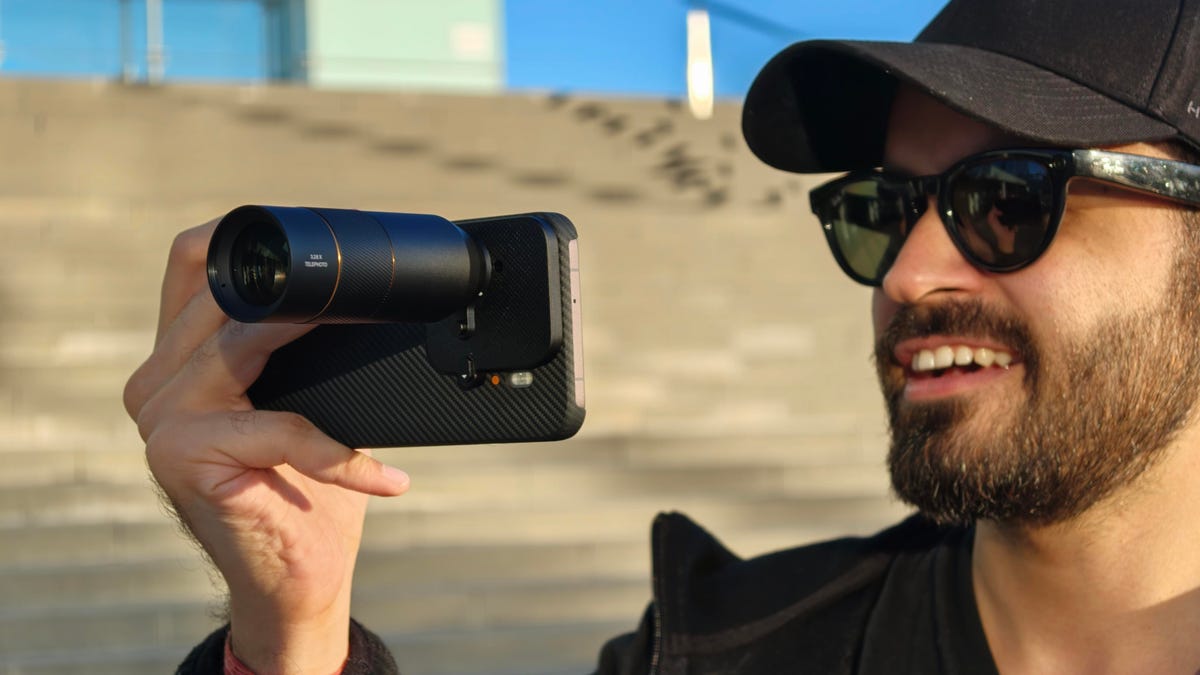
The Oppo Find X9 Pro has a range of upgrades, including a new 200-megapixel telephoto camera with 3x optical zoom, which boasts several nifty zoom features to help you take a great photo no matter how far away you are from your subject.
For example, it delivers excellent shots at 6x by cropping into the sensor for 50-megapixel photos. Oppo says that it can deliver «lossless zoom» up to 13.2x using computational photography — that’s close to the max digital zoom on phones from a few years ago. And if that’s not enough for you, the Find X9 Pro also supports an external Hasselblad telephoto lens accessory, which further zooms into distant subjects.
Out of these three, the detachable telephoto lens is the most wild. When attached, the Hasselblad lens sticks out several inches from the back of the phone. It somewhat resembles a mini-telescope.
Oppo isn’t the first to make such an accessory; both Vivo and Xiaomi have done it before. However, Oppo’s take is different than the rest. While others offer a camera grip with a shutter button, Oppo’s Hasselblad Teleconverter Kit relies on the phone’s Quick Control hardware button or the on-screen shutter button to shoot the photos.
I’ve been using it a lot recently and here’s what it can do. I should note that the Oppo Find X9 Pro isn’t available in the US.
Using the Hasselblad Teleconverter Kit is kind of a hassle
The Hasselblad Teleconverter Kit comes with three pieces: a snap-on camera module attachment, the telephoto lens itself and a brace that can screw into a tripod for stability.
To use it, you also need to have the official Magnetic Photographer Case, which is purpose-built to support the slide-on attachment. You can then add the lens with a twist, which clicks securely into place over the 200-megapixel telephoto camera.
The external lens accessory is heavy, making the phone unbalanced and unwieldy. I got used to it, but it took a day to figure out how to hold the phone and lens combo most effectively. However, I sorely miss that there’s no camera grip to provide a secure hold for the phone when the lens is mounted. If I move my hand for a more comfortable hold or to tap the screen for long zoom shots, my framing is significantly altered. If I were to change one thing about this teleconverter kit, I’d add a camera grip to make this setup more comfortable to use.
You can use a tripod to brace the lens, which helps stabilize your shots in the viewfinder; however, this is counterproductive to the idea of using a phone to take photos in the first place. I don’t want to carry a tripod — at that point, I might as well just use a dedicated camera and telephoto lens. After all, the whole purpose of having a portable tele lens is to minimize bulk.
And yet, I love using it
The first time you add the Hasselblad lens and open the Camera app, you might be surprised to see the viewfinder upside down. To counter this, you need to go to the dedicated Hasselblad Teleconverter mode under the More menu.
Besides flipping the viewfinder the correct way, it gives you 10x, 20x and 40x zoom options. You can always use the slider to adjust the magnification between 10x and 200x. I used it for a day in Barcelona and loved the natural depth it added to human subjects. I was also surprised by some lowlight results.
Here are few of my favorite photos that I shot on the Oppo Find X9 Pro using the Hasselblad Teleconverter Kit:
I saw a person skateboarding after setting up my camera and kept tapping the shutter button in hopes of getting an action shot. I love how this came out because there’s no motion blur on the person or his skateboard. These kinds of shots require a fast shutter speed to freeze the moment, and the Oppo Find X9 Pro was able to do so at 10x zoom using an external lens. The colors are accurate, the contrast is nice and there’s a good bokeh despite having a moving subject.
When setting up this shot, I tapped on the yacht to move the focus point from the person sitting on the seaside. At 20x zoom, it captured a nice-looking shot but if you look closely, the details are missing from the faces of the people on the yacht. It’s because the camera moved slightly when I was adjusting the focus and trying to capture the photo. Overall, I still prefer the Hasselblad lens and Oppo combination for accurately capturing the colors of a sunset.
At 40x zoom, the Hasselblad teleconverter lens captures softer images and the details go for a toss. But its processing still retains the mood and feel of the frame which is just as important as getting sharp details. It gets the colors right and there’s a decent bokeh. It can also track faces to determine the subject, even at 50x zoom and, like in the above shot, you get decent clarity.
If you have a still subject, the external Hasselblad lens adds a DSLR-like shallow depth of field. It was even able to capture the woman’s hair strands in a windy environment. I love this photo because no portrait mode was used and that bokeh is the lens’ natural bokeh just like you’d get from a DSLR or mirrorless camera. It offers a similar shallow depth of field at 20x for still subjects.
For this photo, I tapped the wall for focus, which also adjusted the exposure and white balance automatically. Too many similar shots from other phones suffer from overprocessing, but not this one. I’m impressed by how it was able to expose for the light, without blowing out the highlights to white. The people were properly exposed without me needing to tap on either for focus and exposure. It also got the mood right in the process.
However, using the lens in low-light settings, like above, adds a lot of noise reduction and tends to give photos a soft, blurry watercolor look. The above shot was also captured at 10x and there’s light over the subject’s face, but the overall look is soft with fewer details. That said, it gives the photo a unique look, which I don’t dislike.
This is also a tap-lock-on-the-subject-and-shoot image, where I [the subject] was moving and the system was able to track my face to focus better. I love the photo’s contrasty look. In anything less than direct sunlight, the Hasselblad lens softens the subject, but the photos still come out looking great.
I like having the ability to expand my phone’s zooming capabilities for both photos and videos. However, the Hasselblad Lens Converter kit remains more of a novelty than something you’d use every day, mostly thanks to its price. While it’s fascinating how close you can get to distant subjects without losing much image quality, at 499 euros (roughly $575), it’s one of the most expensive phone accessories you can buy.
At that price, I’d expect it to function better with my phone. For instance, I’d like the camera software to be able to detect that I’ve attached an external lens, so it would open in the Hasselblad Teleconverter mode by default — rather than giving me a black viewfinder.
The Hasselblad Teleconverter kit is one of the most expensive phone accessories on the market. But if you can afford it, the lens adds a lovely natural bokeh to photos while retaining a scene’s natural colors. It also outputs excellent night shots. It might not be the best value but I can’t seem to put it down.
-
 Technologies3 года ago
Tech Companies Need to Be Held Accountable for Security, Experts Say
-
 Technologies3 года ago
Best Handheld Game Console in 2023
-
 Technologies3 года ago
Tighten Up Your VR Game With the Best Head Straps for Quest 2
-
 Technologies4 года ago
Verum, Wickr and Threema: next generation secured messengers
-
 Technologies4 года ago
Black Friday 2021: The best deals on TVs, headphones, kitchenware, and more
-
 Technologies4 года ago
Google to require vaccinations as Silicon Valley rethinks return-to-office policies
-
 Technologies4 года ago
Olivia Harlan Dekker for Verum Messenger
-
 Technologies4 года ago
iPhone 13 event: How to watch Apple’s big announcement tomorrow


