
Technologies
Why Apple Hasn’t Released the iPhone Fold… Yet
Commentary: Apple debuted the iPhone 14 Pro in September, but a foldable iPhone still feels like a longshot.
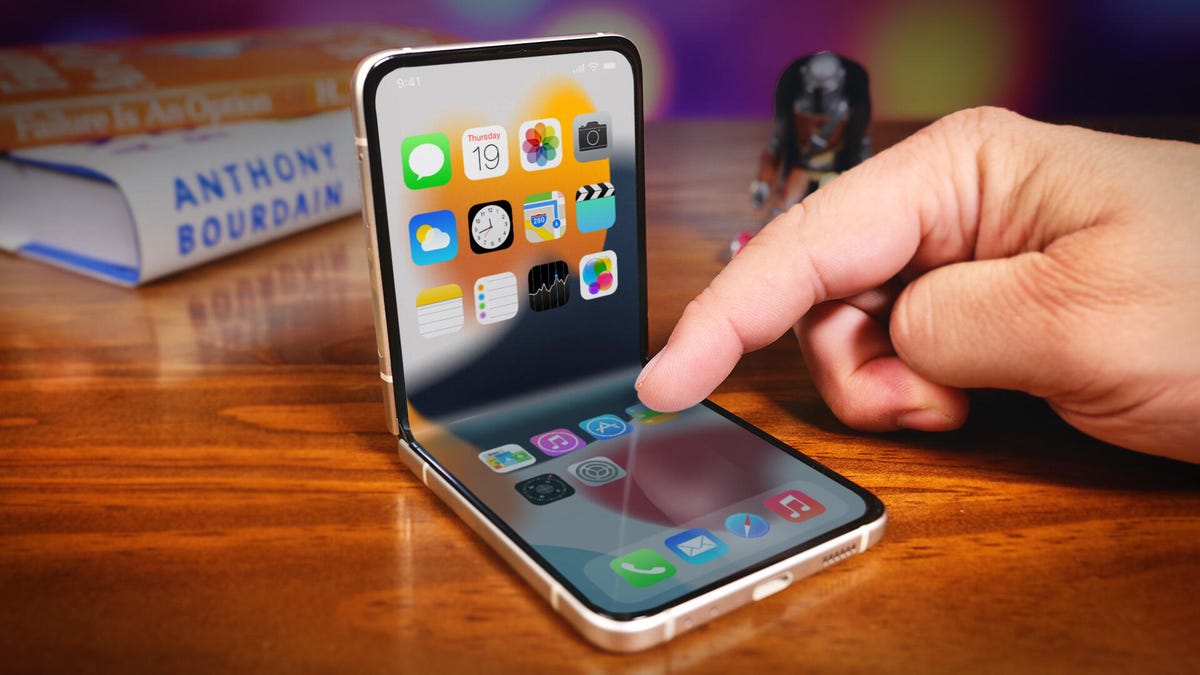
This story is part of Focal Point iPhone 2022, CNET’s collection of news, tips and advice around Apple’s most popular product.
Apple’s new iPhone 14 line includes some of the biggest hardware updates made in years, including the iPhone 14 Pro’s redesigned cutout for Dynamic Island’s contextual notifications and an iPhone 14 Plus model. But among the changes, Apple has not yet confirmed if a rumored foldable iPhone is in development. This is particularly curious as Samsung continues to refine its foldable phone lineup with the release of the Galaxy Z Flip 4 and the Galaxy Z Fold 4 back in August.
Samsung isn’t the only company making phones with foldable screens. There’s the Motorola Razr. And outside the US, Huawei and Xiaomi also have foldable phones. Which leaves us with an obvious question: Where’s Apple’s foldable iPhone?
Apple doesn’t comment on future products
The first thing to consider is that Apple doesn’t announce products until they’re ready. OK, there was the AirPower wireless charging pad. But otherwise Apple isn’t going to tell us it’s working on a foldable iPhone or confirm rumors.
Next, Apple typically positions products as a solution to a problem, highlighting quality and innovation.
The Galaxy Z Fold seems less like an answer to a problem and more of a «look at this tech wizardry, what can we do with it?!» And the cool-factor, as ingenious as it is, comes at the expense of features we expect from regular phones, including battery life, ergonomics, software experience and price. The Galaxy Z Flip solves the problem of portability, but it comes with some of the same drawbacks as the Fold, particularly around battery life and camera quality.
To be fair, the Galaxy Z Fold 3 took a significant step forward by embracing its large main screen and adding support for Samsung’s S Pen stylus. And the Z Fold 4’s improved Flex Mode for apps seems like it might tip the balance, making the Fold more useful than just cool.
If Apple were to release a foldable iPhone, what problem would it solve? Could it be an iPhone Flip, replacing the iPhone 13 Mini by offering you a big screen that’s still pocket-friendly? Or will it be an iPhone Fold — more like an iPad Mini that folds in half, making its closed size more like the iPhone 13 Pro Max? Or will we see a design that doesn’t exist yet? What about an iPhone Roll, where the screen unrolls like an expanding window shade? That’s where rumors start to enter the picture.
iPhone Fold rumors
Back in January 2021, Mark Gurman wrote for Bloomberg that Apple «has begun early work on an iPhone with a foldable screen, a potential rival to similar devices from Samsung.»
And in May of 2021, analyst Ming-Chi Kuo said, as reported by MacRumors, that «Apple will likely launch a foldable iPhone with an 8-inch QHD Plus flexible OLED display in 2023.» He revised his prediction, in a tweet this past April, to say that it might be 2025 before there’s a foldable screen device from Apple. It’s also worth noting that Kuo’s tweet was on April 1, which means it could have been an April Fool’s joke.
Both Gurman and Kuo have excellent track records when it comes to Apple rumors. So if these reports are accurate, we’ll see a foldable iPhone in 2025. It will be about the size of an iPad Mini and it’ll fold in half. End of story. But hold on.
How to make a foldable iPhone
Before Apple makes a foldable iPhone, it has to figure out how to make a foldable iPhone. Research company Omdia claims that in 2021, 11.5 million foldable phones shipped. Apple sells hundreds of millions of iPhones a year. So if it makes a foldable iPhone, it has to be certain that it can manufacture the phones at the same quality and in a high enough quantity to meet demand. More times than not when Apple introduces a radical hardware change — like 2014’s iPhone 6 Plus and its larger screen — those models are hard to find at launch because they sell out quickly. Sometimes they’re given a later release date, as we saw with the iPhone 12 Mini and 12 Pro Max launch.
Then there’s the physical complexity that needs to be considered. Foldable phones have numerous mechanical parts that could malfunction or wear, such as hinge components that keep dust out and the various layers behind the folding screen. In fact, when journalists tested review units of the original Galaxy Fold, the device was plagued by hinge and display failures. That was years ago, of course, and Samsung has since fixed those issues. But it shows what can happen with first-gen products.
If a foldable iPhone is in the works, Apple will likely innovate its design to minimize the parts and mechanisms involved, which should reduce the possibility of the phones failing because something breaks. The Cupertino company has a great track record in this area.
When Apple released the iPhone 7, it replaced the home button with a faux home button so there was one less mechanical part that could possibly break. And if you’ve ever owned or used a MacBook, you know Apple is at the top of its game when it comes to hinge design, and dependability. Apple also sells AppleCare Plus service — and includes a global infrastructure to support it — which could help relieve concerns over problems or accidental damage, should it release a foldable phone.
iOS and iPadOS would need to be revamped
And then there’s the software. One UI, Samsung’s name for its take on Android, has to be the most under-appreciated aspect of the Galaxy Z Flip and Z Fold. These new designs would have to simultaneously do all the things we expect from current phones while also creating new functionality that takes advantage of their folding screens. They’d also have to do all of these things flawlessly without any bugs or hiccups.
For instance, the Galaxy phones’ Flex Mode has been around for years. Essentially, when the Fold or Flip are folded into an L-shape, like a mini laptop, the software shifts an app to the top half of the screen while providing functionality at the bottom. Sounds cool and full of possibilities, right?
Well, until this year that functionality has been limited. That’s why it matters that Samsung’s Z Flip 4 and Z Fold 4 let you turn the bottom half of their screens into touchpads while they’re in Flex Mode. The company is now showing an added benefit of the fold.
I’d like to see even more software optimized for foldable phones. And I expect Apple will face the same challenges as Samsung did, especially when adapting iOS and iPadOS.
In recent years, iOS and iPadOS have drifted apart as Apple has created more iPad-specific features that wouldn’t make sense on an iPhone. A foldable iPhone, especially in the style of a Galaxy Z Fold 4, would require a reunion of the two operating systems. Or, Apple would have to develop a new software platform that can morph between a tablet and phone mode.
Apple would likely develop a unique software feature (think iMessage or Portrait Mode) to help make its foldable phone standout from what everyone else is doing.
How much would you pay for a foldable iPhone?
Foldable phones ain’t cheap. The Galaxy Z Fold 4 starts at $1,800 and the Galaxy Z Flip 4 at $1,000. And it’s no surprise that prices for Apple products are at the higher end. So if an iPhone 14 Pro that doesn’t fold in half already costs $1,000, what would be the price for one that does?
For a foldable iPhone to be successful, Apple would need to create a problem-solving design, scale manufacturing without sacrificing quality and develop hardware along with software that make the most of its foldable build. The price would also have to be premium, but not too high.
So where’s the foldable iPhone? Still in the oven.
Technologies
Today’s Wordle Hints, Answer and Help for April 8, #1754
Here are hints and the answer for today’s Wordle for April 8, No. 1,754.
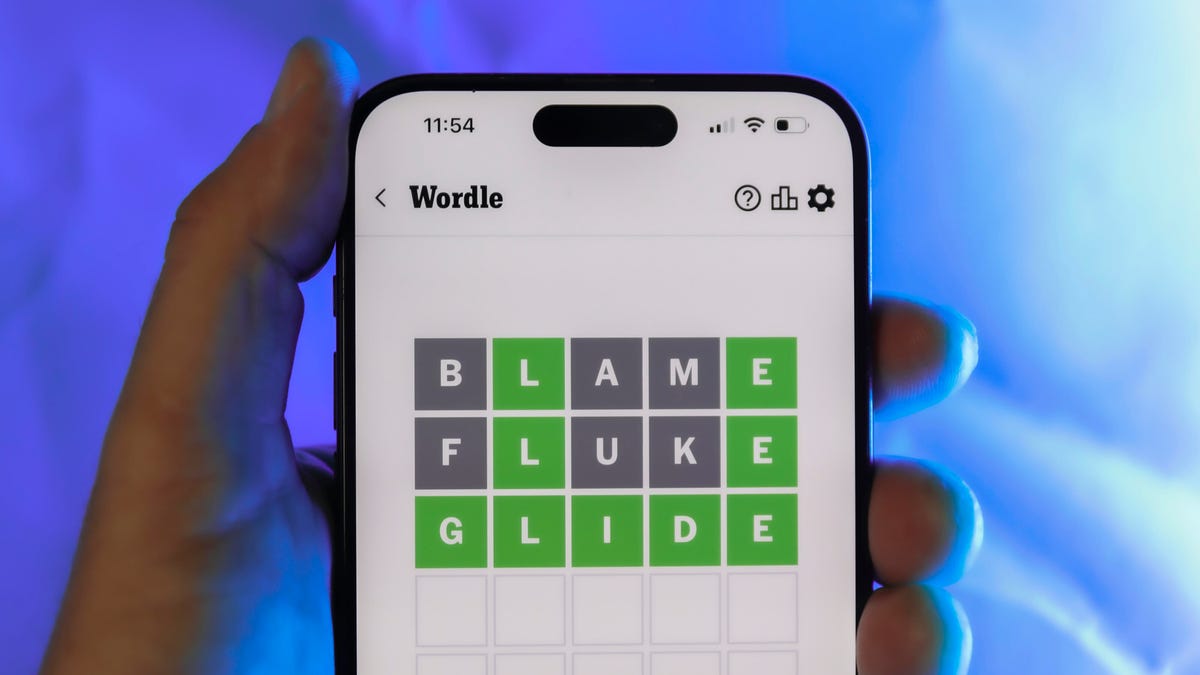
Looking for the most recent Wordle answer? Click here for today’s Wordle hints, as well as our daily answers and hints for The New York Times Mini Crossword, Connections, Connections: Sports Edition and Strands puzzles.
Today’s Wordle puzzle is a tough one. The first letter isn’t the rarest letter ever, but its placement threw me off. If you need a new starter word, check out our list of which letters show up the most in English words. If you need hints and the answer, read on.
Read more: New Study Reveals Wordle’s Top 10 Toughest Words of 2025
Today’s Wordle hints
Before we show you today’s Wordle answer, we’ll give you some hints. If you don’t want a spoiler, look away now.
Wordle hint No. 1: Repeats
Today’s Wordle answer has no repeated letters.
Wordle hint No. 2: Vowels
Today’s Wordle answer has two vowels.
Wordle hint No. 3: First letter
Today’s Wordle answer begins with I.
Wordle hint No. 4: Last letter
Today’s Wordle answer ends with T.
Wordle hint No. 5: Meaning
Today’s Wordle answer can refer to a small arm of the sea.
TODAY’S WORDLE ANSWER
Today’s Wordle answer is INLET.
Yesterday’s Wordle answer
Yesterday’s Wordle answer, April 7, No. 1753, was DENSE.
Recent Wordle answers
April 3, No. 1749: SINGE
April 4, No. 1750: SANDY
April 5, No. 1751: ENVOY
April 6, No. 1752: SWORN
Technologies
Crank Up the Tunes With Over $200 Off the Top-Rated Bowers & Wilkins Pi8 Earbuds
Woot is offering you the chance to put these Bowers & Wilkins Pi8 ANC buds in your ears for a massive 44% off, but the deal ends soon.
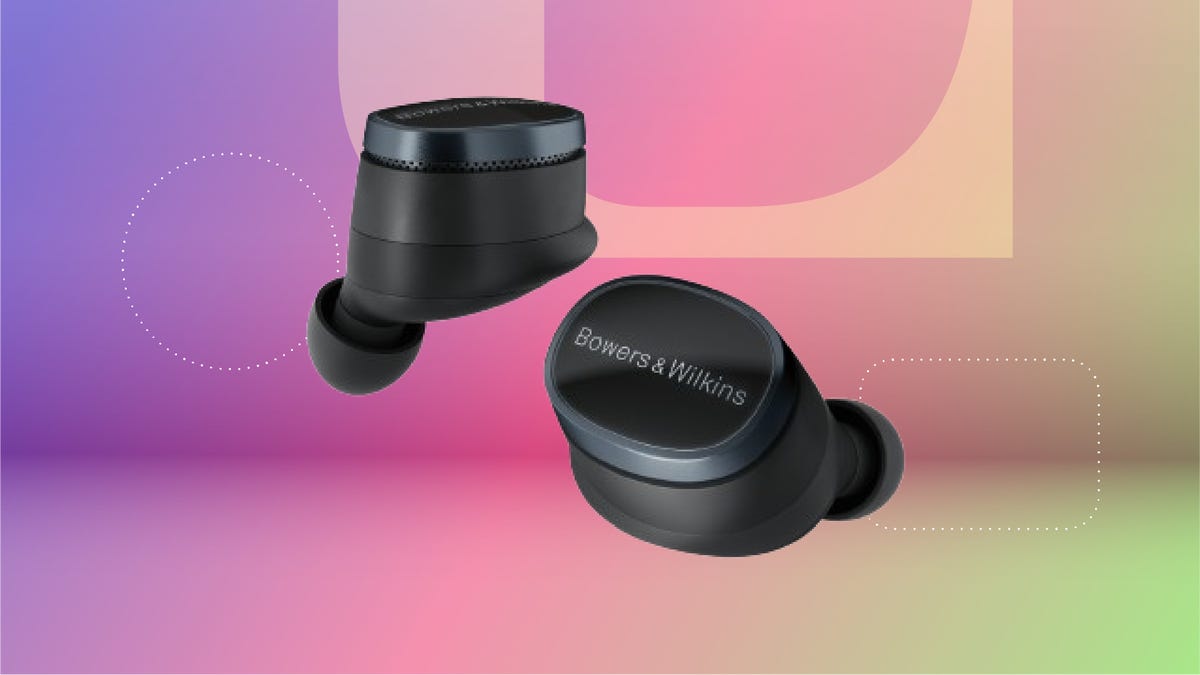
The Bowers & Wilkins Pi8 earbuds with ANC in anthracite black are now just $280 on Woot. That’s an impressive 44% off the usual $499 sticker price. It’s also the lowest price we’ve seen so far, but this deal won’t last long. Quantities on Woot are limited, so grab yours while the deal is still live.
The design’s comfy enough for long hauls, and the 15-minute quick charge is clutch when you’re heading out the door. The charging case even doubles as a Bluetooth transceiver, so you can plug into in-flight entertainment systems without fuss. These buds are featured in our roundup of the best wireless earbuds of the year, and audio expert David Carnoy called them «easily among the best-sounding earbuds out there,» with better ANC and a more ergonomic fit than earlier models.
If you’re picky about sound, these are worth a look. They have a snug fit, single-button controls and a case that’s been redesigned to feel more premium. They’re splash- and dust-resistant (IP54 rating), and the updated shape fits better than the Pi7 S2 and Pi5 S2. You can also tweak settings using the Bowers & Wilkins Music app for iOS and Android.
If this isn’t quite your vibe, check out our full roundup of the best headphone deals you can add to your cart now.
HEADPHONE DEALS OF THE WEEK
-
$248 (save $152)
-
$170 (save $181)
-
$398 (save $62)
-
$200 (save $250)
Why this deal matters
These earbuds don’t go on sale often, and when they do, it’s usually not this steep of a discount. The anthracite black Pi8s are sitting at their lowest price yet, and they’re backed by solid reviews and a spot on CNET’s best earbuds list. If you’ve been waiting for a reason to splurge, this is it. We last saw this deal during Black Friday, so there’s no telling when these buds will come back on sale after this deal expires.
Technologies
Apple Reportedly Eyes ‘iPhone Ultra’ Name for Folding Phone Expected This Year
It’s another week and another bunch of rumors about the company’s first foldable phone.
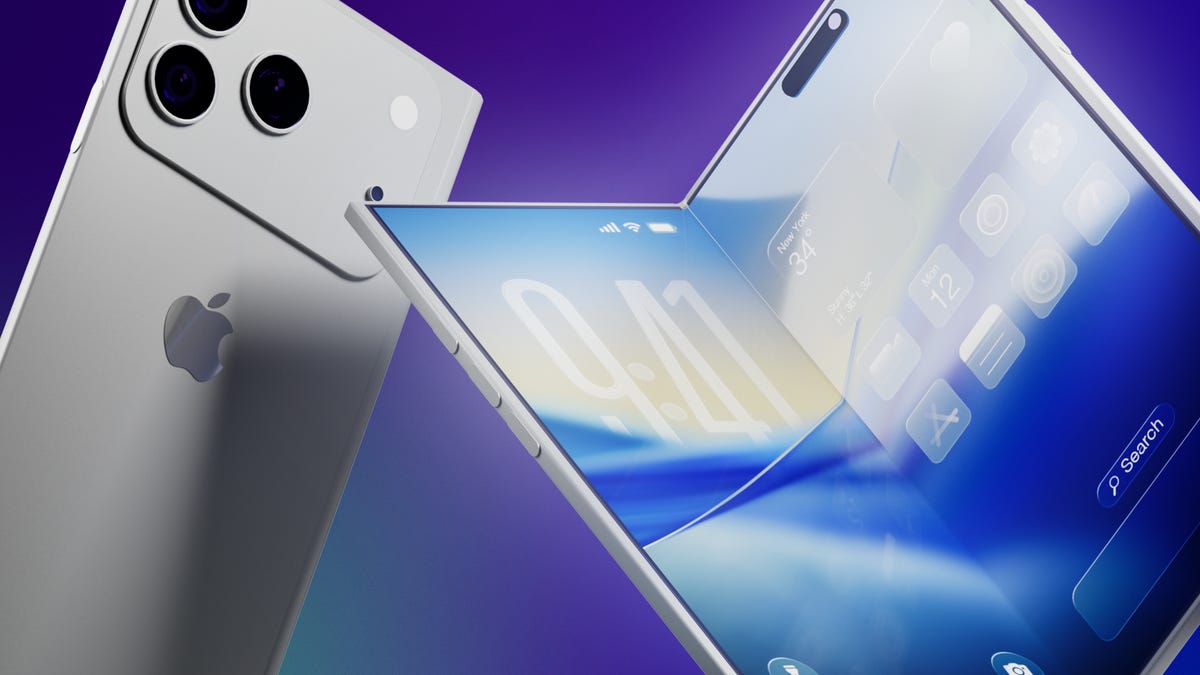
It’s a new week and a new set of rumors for Apple’s first foldable phone. If Tuesday’s reports are true, the device will be called the Ultra, have a bookish shape and launch in September.
The main report comes from Bloomberg’s Mark Gurman, who said the foldable is on track for a September launch, despite Nikkei Asia reporting that the phone might not launch until 2027 due to issues that cropped up during the engineering test phase.
Citing unnamed sources, Gurman said Apple will introduce the foldable phone in September alongside the iPhone 18 Pro and Pro Max. Those phones would likely go on sale about a week after being unveiled.
An Apple representative didn’t immediately respond to a request for comment. It’s important to note that while rumors abound, Apple has confirmed none of them — not even the existence of a foldable iPhone.
Still, the earlier Nikkei Asia report was jarring enough to send Apple’s stock down 5.1% before it rebounded later, Gurman noted. The Nikkei Asia story said unexpected issues had arisen during engineering testing and that more time was needed to make «necessary adjustments.» Under a worst-case scenario, the first shipment of the foldables would not occur until 2027, the report said.
More from CNET: Foldable Phones Have Solved Nearly Every Trade-Off, Well Before Apple Debuts One
Looks like a book
Meanwhile, consumer tech reviewer Sonny Dickson posted images on X showing dummy models indicating how big the iPhone Fold, iPhone 18 Pro and iPhone 18 Pro Max might be. In the image, the foldable has an almost square shape when fully opened.
Dummy images are useful for phone accessory manufacturers — such as case-makers — so they can get a head start on mass production before the devices are launched. When phones are released, consumers are quick to order cases and other accessories, so the sizes need to be known. It is unclear whether the dummy models shown are actual mockups from Apple.
People who commented on X didn’t seem to love the dummy images, particularly because the models shown appear to lack MagSafe, Apple’s magnetic system on the back of the phone that lets chargers and other accessories snap on.
Stefan Moser wrote, «If the Fold is missing MagSafe, this will be a big NO for me.»
There were other criticisms, too.
An X user going by DasnkiCS posted that the phone looks «too wide, can’t palm that easily in normal phone use.»
And another X user, Brosnan Hoban, wrote, «Fold looks like a credit card from 2050.»
What’s in a name?
Tuesday’s other big rumor concerned the foldable’s name.
A leaker, Digital Chat Station, posted on the Chinese social site Weibo that the foldable iPhone could be called the iPhone Ultra. The post also said Chinese competitors may use the Ultra name for their own foldables to compete directly with Apple on design, specs, and price.
The predominant rumored name has been the iPhone Fold, but others have included Flip, Duo and iFold.
In March, Gurman wrote in his Power On newsletter that Apple was considering a full line of Ultra products, possibly including a foldable phone, an M6 MacBook Pro with OLED, a foldable iPad and high-end Macs. Gurman also said Apple might introduce AirPods with «computer-vision cameras» to send visual data to Siri for its AI assistant feature.
We’ve seen a steady stream of tidbits about the foldable recently. There could be a large inner screen for multitasking, and people could open apps side by side. There might also be two rear cameras, a front-facing camera and a Touch ID side button.
Whatever Apple finally comes up with, it will be playing catch-up. Other major phone-makers already have foldable phones on the market, including the Samsung Galaxy Z Fold 7, the Google Pixel 10 Pro Fold, the OnePlus Open, the Huawei Mate XT, the Honor Magic V5 and the Motorola Razr Ultra.
-
 Technologies3 года ago
Tech Companies Need to Be Held Accountable for Security, Experts Say
-
 Technologies3 года ago
Best Handheld Game Console in 2023
-
 Technologies3 года ago
Tighten Up Your VR Game With the Best Head Straps for Quest 2
-
 Technologies4 года ago
Black Friday 2021: The best deals on TVs, headphones, kitchenware, and more
-
 Technologies5 лет ago
Google to require vaccinations as Silicon Valley rethinks return-to-office policies
-
 Technologies5 лет ago
Verum, Wickr and Threema: next generation secured messengers
-
 Technologies4 года ago
Olivia Harlan Dekker for Verum Messenger
-
 Technologies4 года ago
The number of Сrypto Bank customers increased by 10% in five days