
Technologies
Moderna booster shot and omicron: 2 things we don’t know right now
The omicron variant of virus that causes COVID-19 is spreading across the US. What has Moderna said about the effectiveness of its vaccine and booster against the mutation?
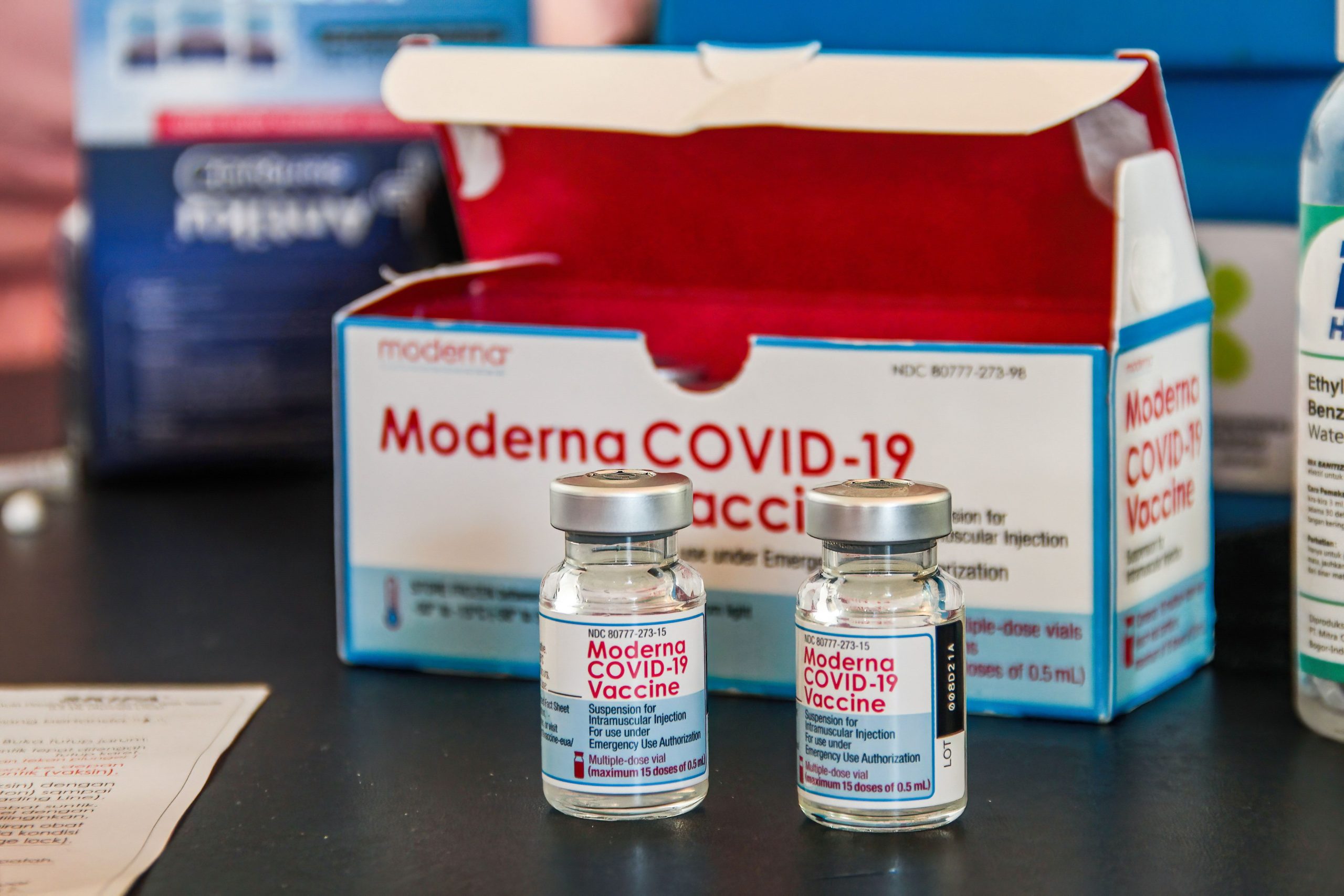
Saying «we underestimate this virus at our peril,» Tedros Adhanom, the director-general of the World Health Organization, said on Tuesday that «omicron is spreading at a rate we have not seen with any previous variant.» To underline the point, a preliminary study out of South Africa on Tuesday suggests that two doses of the Pfizer/BioNTech COVID-19 vaccine may be less effective against the new variant than delta, providing 33% protection.The study by Discovery, a South African health care organization, said the Pfizer vaccine may offer 70% protection against severe complications that result in hospitialization.
Moderna so far has not offered information on how effective its vaccine is against omicron. Moderna Chairman Noubar Afeyan said on Friday the omicron threat is to be taken seriously and his company should know more about the effectiveness of its vaccine this week against the variant.
The early information for US cases of the omicron variant appears to support the concern about weakened protection for those who are fully vaccinated with two doses of the Moderna and Pfizer vaccine or one of Johnson & Johnson. Rochelle P. Walensky, director of the Centers for Disease Control and Prevention, said on Friday that 80% of confirmed US cases with the mutated virus were fully vaccinated for the disease. And a third of the cases had received a booster, although some may have not been boosted in time to be fully protected before being infected with the omicron variant.
Omicron has pushed talk of a COVID booster to top of the page. As of Tuesday, over 24 million in the US have received the Moderna vaccine booster, according to the CDC, which may be key to being protected. «If you want to be optimally protected, you really should get a booster,» Dr. Anthony Fauci,the chief medical adviser to President Joe Biden, said on Sunday.
Scientists are still learning about the omicron variant, including how easily it can pass between people, how serious an infection it can cause and if it can evade immunity. As of Dec. 10, according to Jeff Zients, White House COVID-19 response coordinator, the US is administering 1.1 million booster shots a day, the most since May. The jump comes as the White House is stressing the need for COVID-19 vaccine heading into winter, including booster shots. (President Joe Biden’s campaign also includes «free» at-home COVID-19 test kits and stricter travel rules for international travelers.)
Health professionals believe that booster shots from Moderna and Pfizercould help slow COVID-19’s spread, reducing hospitalization and deaths, asthe effects of the vaccine weaken over time. The CDC urges booster shots for anyone over 18 six months after theirsecond dose of Moderna or Pfizer, or two months after getting asingle Johnson & Johnson dose.
The COVID-19 vaccines have proven so far to be highly effective in preventing hospitalization. People who are unvaccinated are 10 times more likely to be hospitalized if infected. With the federal vaccine mandate halted by a court order, Biden is turning to other measures to get booster shots administered. The government has also ordered 13 million courses of antiviral drugs in anticipation of higher caseloads this winter.
Here’s what you need to know about the Moderna booster, including doses, side effects and how to get a free ride. For more details, here’s the latest on COVID-19 vaccines for kids, how you can get a free COVID-19 test kit soon and what to know about breakthrough infections.
When will Moderna know how effective its COVID vaccine and booster is against the omicron?
The preliminary South Africa study presents an idea for how the Pfizer vaccine works with the omicron variant, it didn’t look at Moderna’s.
Moderna’s Afeyan on Friday told Fox News he expects to his company to have information on the effectiveness of its vaccine against the mutated variant this week. «We don’t have that data yet,» he said. «We are testing thoroughly all aspects of what we could do.»
«Our expectation,» he said, «is that a boosted person will be protected, certainly against serious disease and hospitalization.»
CNET asked Moderna for a comment but didn’t immediately get a response.
Pfizer has been more open about the effectiveness of its vaccine against the variant and said early lab results suggest that the first two doses of its vaccine might not fully protect against the variant and three doses may be needed to restore those protections.
When could we know if a COVID vaccine booster protects against the omicron variant?
A picture «Thethird shot … could not only dramatically increase the level ofprotection,» Fauci said on Sunday, «it very well increase the durabilityof protection.»Fauci said it will take study to study the booster toknow for sure.
Is Moderna making an omicron booster shot?
Scientists worry the omicron variant could spread more quickly than the now-dominant delta variant because of the number of mutations the new strain has compared with delta. Moderna is currently working on an omicron-specific booster vaccine, along with testing a COVID-19 vaccine that could protect against several mutated strains of the coronavirus.
Likeevery other vaccine-maker around the world, Moderna is testing theeffectiveness of its COVID-19 vaccine against omicron, but it may beweeks before lab tests show concrete evidence of how well Modernaprotects people from the new variant.
As part of its boostertesting, Moderna is also investigating whether a 100-microgram dose ofits booster provides better protection against the omicron variant — inother words, a third dose rather than a half dose as the booster iscurrently formulated now.
If Moderna needs to make a new vaccine modified for the variant, it could be available early in2022.
When is it time to get a COVID-19 vaccine booster shot?
If you got Moderna or Pfizer, six months after the date of your second shot listed on yourvaccination card is when you’re eligible to receive your booster dose.The CDC and other health authorities are now urging you to get yourbooster as soon as you’re eligible, to keep your immune response againstomicron, delta and other coronavirus variants as strong as possible.Two months after the Johnson & Johnson vaccine is the time for abooster (more below).
On Dec. 2, Biden also outlined a plan forMedicare to contact the 64 million people it serves and for AARP toreach out to its 38 million senior members. Pharmacies like Walgreens,CVS and RiteAid should also contact people who got a vaccine attheir retail stores when it’s time to schedule another dose.
Should people who are pregnant get a booster shot?
The COVID-19 booster recommendations apply to all people 18 years and older, including those who are pregnant. In fact, the CDC urges pregnant people to get a COVID-19 vaccine — and a booster is half a full vaccine dose.
«People who are pregnant or recently pregnant are more likely to get severely ill with COVID-19 compared with people who are not pregnant,» the CDC says on its website.
A recent study also linked COVID-19 infection in pregnant people to higher risk of stillbirth. However, there is no evidence that getting vaccinated decreases fertility in women or men.
Is the Moderna booster shot a third dose?
Booster shots of COVID-19 vaccines are currently half doses of the same vaccine used in the first two full shots. The goal is to top up the vaccine formula that reinforces the body’s immune response against the virus and its variants. The Moderna booster authorized by the CDC is a 50-microgram dose, while the first two shots were each 100 micrograms.
Moderna is also working on a combination shot that contains this year’s flu vaccine and its COVID-19 booster vaccine, but that’s not available right now.
How do I know which pharmacies have Moderna appointments?
Boosters are available at roughly 80,000 places across the country, including over 40,000 local pharmacies. Some 90% of Americans have a vaccine site within 5 miles of where they live.
A terrific free service in conjunction with the CDC sends you information when you text your ZIP code to this number: 438829. The response will show you COVID-19 vaccine locations in your area, along with the brand they carry for certain age groups, for instance, Moderna 18+. This can save you the trial and error of calling around, or showing up to your appointment to find that your booster of choice isn’t available. The text can also give you a shortcut to make your appointment right from your phone screen.
You can also check Vaccines.gov to see which vaccines are available where, and call 800-232-0233 for vaccine information.
How can I get a free ride to get my booster shot?
Lyft and Uber are offering free rides for some people who need them. An easy way to access those links for more information is through the text feature above You can also go to Lyft.com/vax or call Uber at: 855-921-0033.
Who can get a Moderna booster shot right now?
As of Nov. 19, all US adults — those age 18 and older — are eligible to get a booster shot of the COVID-19 vaccine. They qualify if it’s been at least six months since they’ve received a second dose of either the Moderna or Pfizer vaccine. Those who received the Johnson & Johnson vaccine are eligible for a booster dose after two months. Adults are encouraged to get whatever booster dose is available to them, even if that means mixing and matching vaccine boosters (more below), in other words, getting a different booster shot than their original vaccination.
What are the side effects of Moderna’s booster?
According to the CDC, those who got the Moderna booster dose reported fewer reactions than they did after the second dose of the vaccine. In its study, the CDC found 95% of those who got Moderna for the first round of vaccine shots chose Moderna for the booster dose.
Is it safe to mix and match vaccine and booster brands? Yes
The US Food and Drug Administration has authorized mixing COVID-19 boosters, which in the US means Moderna, Pfizer and Johnson & Johnson. Any adult eligible for a booster can get any of the available brands of coronavirus vaccines. If you initially received Johnson & Johnson and it’s been two months or longer since you received the initial dose, you’ll be able to get the Moderna or Pfizer booster. If you received Moderna or Pfizer for your first two shots, you could pick any authorized vaccine available to you — including J&J — if you qualify and it’s been six months or longer since your second shot.
Is the Moderna COVID-19 booster shot still free?
All booster shots will be free, regardless of immigration or health insurance status. However, depending on where you get your booster shot — for example, at a local pharmacy — you may be asked to log your insurance status. You may be asked to provide your insurance card information, including your name, date of birth and membership number. You will not be charged for your COVID-19 vaccine or booster shot.
Will I need another COVID-19 booster shot?
The CDC updated its guidance to say that in 2022, some immunocompromised people will be able to get a fourth COVID-19 booster shot. It’s unclear if other groups will need to get a fourth dose at this time, but guidance could change in light of the omicron variant.
For more on coronavirus treatments and vaccines, here’s what we know about monoclonal antibody treatments, the new federal vaccine mandates and why some people may not want the shot.
What does the Moderna booster shot do?
A COVID-19 booster shot — whether from Moderna, Pfizer or Johnson & Johnson — tops off your immune response and guards against a breakthrough COVID-19 infection as the vaccine’s effectiveness decreases over time.
Recent studies of the Pfizer and AstraZeneca vaccines show that their effectiveness can begin to wane after six months. Moderna said early data suggests that those who received the Moderna vaccine in 2020 are showing a higher rate of breakthrough COVID-19 infections than those vaccinated this year, suggesting the need for a booster to maintain high levels of protection.
The information contained in this article is for educational and informational purposes only and is not intended as health or medical advice. Always consult a physician or other qualified health provider regarding any questions you may have about a medical condition or health objectives.
Technologies
Today’s Wordle Hints, Answer and Help for April 7, #1753
Here are hints and the answer for today’s Wordle for April 7, No. 1,753.
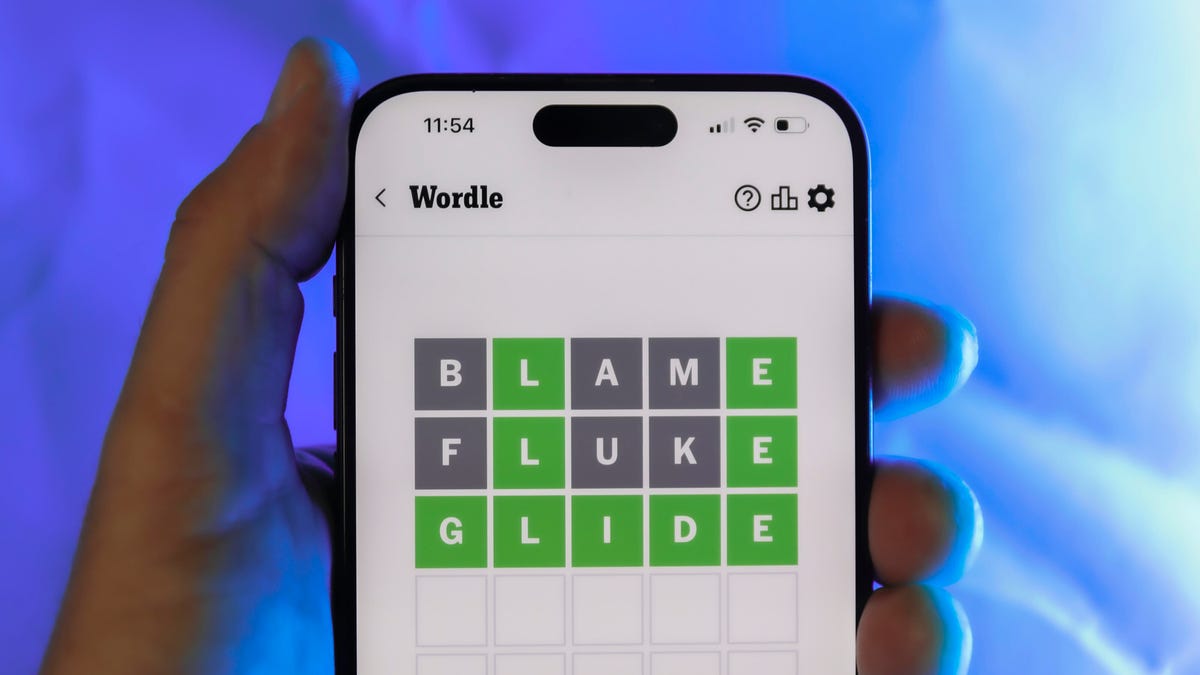
Looking for the most recent Wordle answer? Click here for today’s Wordle hints, as well as our daily answers and hints for The New York Times Mini Crossword, Connections, Connections: Sports Edition and Strands puzzles.
Today’s Wordle puzzle wasn’t too tricky, for a change. If you need a new starter word, check out our list of which letters show up the most in English words. If you need hints and the answer, read on.
Read more: New Study Reveals Wordle’s Top 10 Toughest Words of 2025
Today’s Wordle hints
Before we show you today’s Wordle answer, we’ll give you some hints. If you don’t want a spoiler, look away now.
Wordle hint No. 1: Repeats
Today’s Wordle answer has one repeated letter.
Wordle hint No. 2: Vowels
Today’s Wordle answer has one vowel, but it’s the repeated letter, so you’ll see it twice.
Wordle hint No. 3: First letter
Today’s Wordle answer begins with D.
Wordle hint No. 4: Last letter
Today’s Wordle answer ends with E.
Wordle hint No. 5: Meaning
Today’s Wordle answer can relate to something that is closely compacted.
TODAY’S WORDLE ANSWER
Today’s Wordle answer is DENSE.
Yesterday’s Wordle answer
Yesterday’s Wordle answer, April 6, No. 1752, was SWORN.
Recent Wordle answers
April 2, No. 1748: SOBER
April 3, No. 1749: SINGE
April 4, No. 1750: SANDY
April 5, No. 1751: ENVOY
What’s the best Wordle starting word?
Don’t be afraid to use our tip sheet ranking all the letters in the alphabet by frequency of uses. In short, you want starter words that lean heavy on E, A and R, and don’t contain Z, J and Q.
Some solid starter words to try:
ADIEU
TRAIN
CLOSE
STARE
NOISE
Technologies
Today’s NYT Mini Crossword Answers for Tuesday, April 7
Here are the answers for The New York Times Mini Crossword for April 7.

Looking for the most recent Mini Crossword answer? Click here for today’s Mini Crossword hints, as well as our daily answers and hints for The New York Times Wordle, Strands, Connections and Connections: Sports Edition puzzles.
Need some help with today’s Mini Crossword? Read on for all the answers. And if you could use some hints and guidance for daily solving, check out our Mini Crossword tips.
If you’re looking for today’s Wordle, Connections, Connections: Sports Edition and Strands answers, you can visit CNET’s NYT puzzle hints page.
Read more: Tips and Tricks for Solving The New York Times Mini Crossword
Let’s get to those Mini Crossword clues and answers.
Mini across clues and answers
1A clue: Informative commercial, for short
Answer: PSA
4A clue: Something you trace to draw a Thanksgiving turkey
Answer: HAND
5A clue: ___ Johnson, former Prime Minister of the U.K.
Answer: BORIS
6A clue: Opposite of include
Answer: OMIT
7A clue: Crosses (out)
Answer: XES
Mini down clues and answers
1D clue: City with the Notre-Dame Cathedral
Answer: PARIS
2D clue: Bad mood
Answer: SNIT
3D clue: About eight minutes of the average half-hour sitcom
Answer: ADS
4D clue: Remote worker’s office, perhaps
Answer: HOME
5D clue: Word that can follow each group of circled letters (and hints at its shape)
Answer: BOX
Technologies
NASA’s Artemis II Breaks Record With Trip Around The Moon
-
 Technologies3 года ago
Tech Companies Need to Be Held Accountable for Security, Experts Say
-
 Technologies3 года ago
Best Handheld Game Console in 2023
-
 Technologies3 года ago
Tighten Up Your VR Game With the Best Head Straps for Quest 2
-
 Technologies4 года ago
Black Friday 2021: The best deals on TVs, headphones, kitchenware, and more
-
 Technologies5 лет ago
Google to require vaccinations as Silicon Valley rethinks return-to-office policies
-
 Technologies5 лет ago
Verum, Wickr and Threema: next generation secured messengers
-
 Technologies4 года ago
Olivia Harlan Dekker for Verum Messenger
-
 Technologies4 года ago
The number of Сrypto Bank customers increased by 10% in five days