
Technologies
Longest partial lunar eclipse of this century is almost here: How to watch
Earth’s shadow will cover most of the moon Nov. 18-19, and it will take its sweet timing doing it.
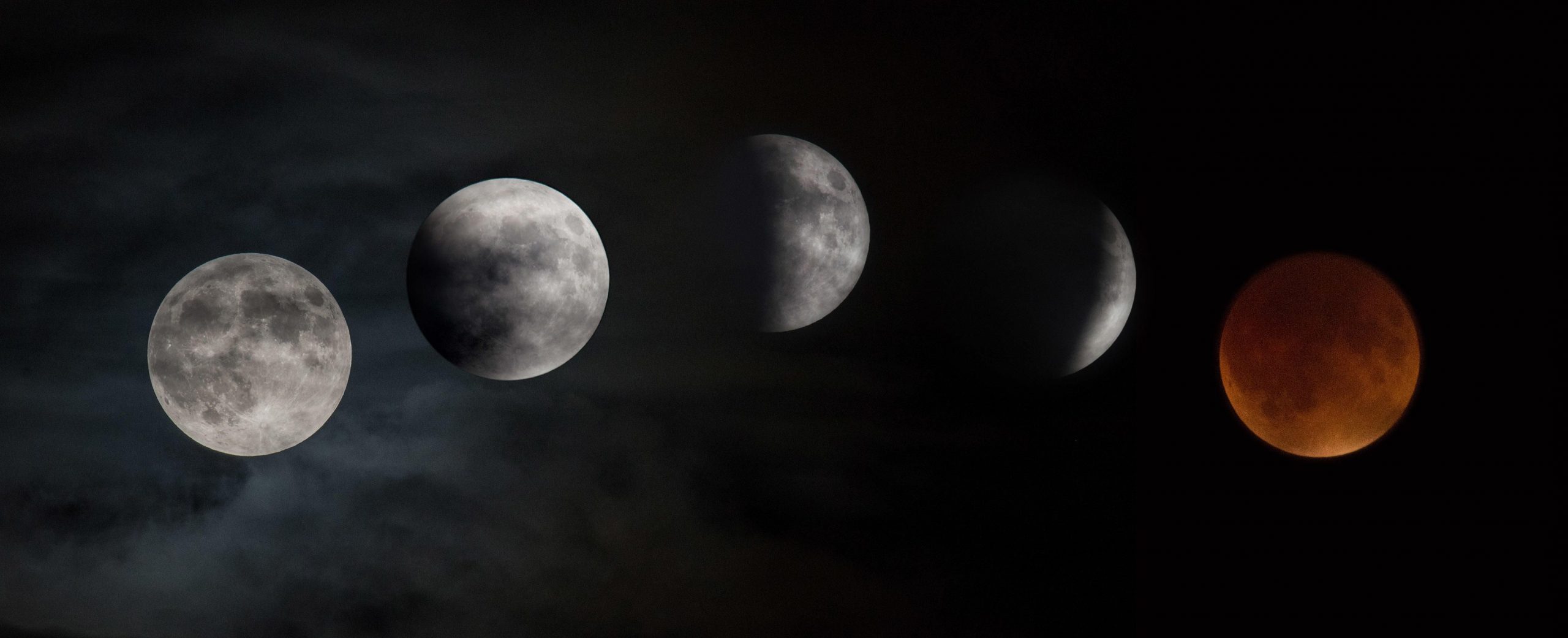
Celestial showtime is almost here. There’s a partial lunar eclipse on tap for Nov. 18-19 and it’s notable for how long it will last. The Earth’s shadow will largely block the sun’s light from reaching the moon, tinging our lunar neighbor with darkness.
NASA statistics on lunar eclipses from 2001 through 2100 show this month’s partial eclipse will be the longest of the century with a duration of over 3 hours and 28 minutes. Compare that with the longest total eclipse of the century, which happened in 2018 and stretched for nearly an hour and 43 minutes.
The Holcomb Observatory in Indiana shared a handy graphic showing what to expect from the eclipse, which will cover most of the moon. «This will also be the longest partial lunar eclipse in 580 years,» the observatory tweeted.
What a partial eclipse looks like
Lunar eclipses don’t have the same dramatic appearance as a solar eclipse where it looks like someone is carving a black hole out of the side of the sun.
During a lunar eclipse, the moon darkens and sometimes takes on a reddish color. For a partial eclipse, Earth’s shadow doesn’t completely cover the moon. Partial eclipses are still fantastic experiences.
«Partial lunar eclipses might not be quite as spectacular as total lunar eclipses — where the moon is completely covered in Earth’s shadow – but they occur more frequently,» NASA said in a skywatching update. «And that just means more opportunities to witness little changes in our solar system that sometimes occur right before our eyes.»
When to watch the lunar eclipse
The eclipse will be visible to a large area of the globe across the evening of Nov. 18 and into Nov. 19. Exact viewing times will depend on your location, but at least some of the eclipse will be visible in most of the Americas, Australia, and in parts of Europe and Asia. The US will be in a great position to catch the eclipse action.
Head over to Timeanddate.com and search for your location to get your times. If you want to watch the full process, you could be in for a long night. For example, the partial-eclipse phase will kick off at 12:18 a.m. MT on Nov. 19 for me in Albuquerque, New Mexico, and reach its maximum at about 2:02 a.m. I’ll probably aim to set an alarm for closer to maximum rather than stand out in the cold for hours.
How to watch the lunar eclipse from anywhere
You have online options for following the moon action. These video feeds are a good fallback if you encounter cloudy weather, or if you just don’t want to stay up late or get up early to watch the eclipse in person.
The Virtual Telescope Project will go live with coverage of the eclipse at 11 p.m. PT on Nov. 18 (7 a.m. UTC on Nov. 19). VTP is collaborating with astrophotographers from around the world along with offering live commentary from astrophysicist Gianluca Masi.
Timeanddate.com has arranged for its own livestream starting at 11 p.m. PT on Nov. 18.
Eclipses aren’t everyday occurrences on Earth, and they’re not always easily visible. While some viewers might have to contend with middle-of-the-night scheduling for this month’s celestial event, it’s worth taking a moment to marvel at how the moon, the sun and our planet are connected as residents of this solar system.
Technologies
Crank Up the Tunes With Over $200 Off the Top-Rated Bowers & Wilkins Pi8 Earbuds
Woot is offering you the chance to put these Bowers & Wilkins Pi8 ANC buds in your ears for a massive 44% off, but the deal ends soon.
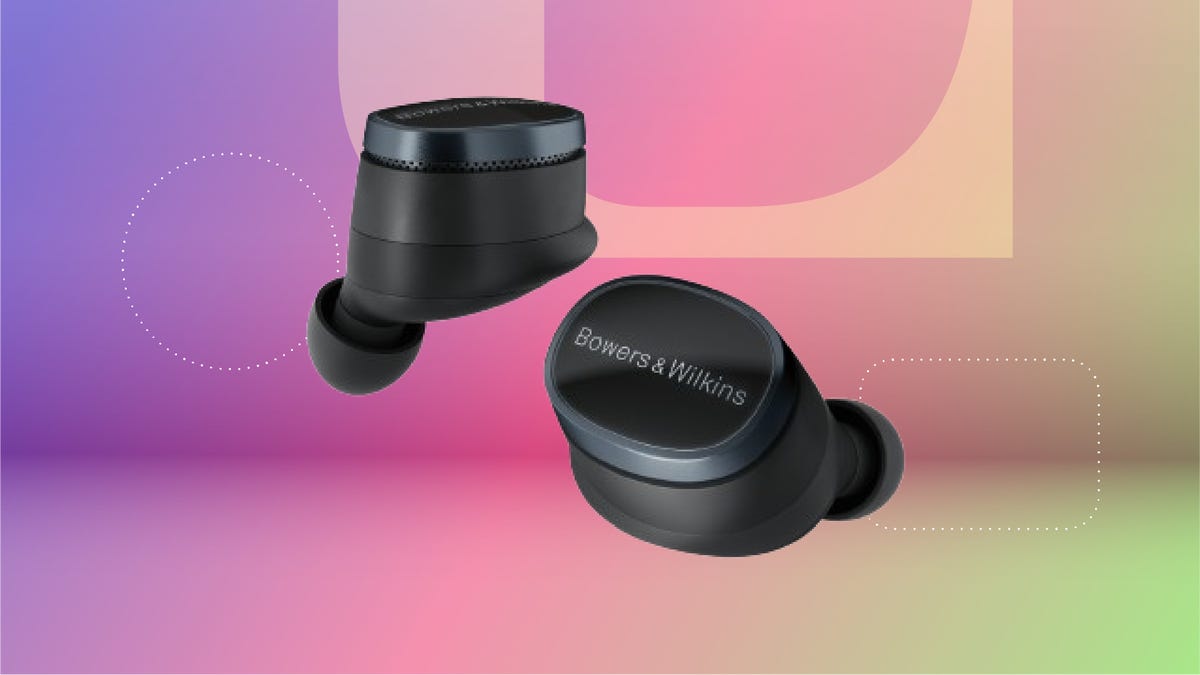
The Bowers & Wilkins Pi8 earbuds with ANC in anthracite black are now just $280 on Woot. That’s an impressive 44% off the usual $499 sticker price. It’s also the lowest price we’ve seen so far, but this deal won’t last long. Quantities on Woot are limited, so grab yours while the deal is still live.
The design’s comfy enough for long hauls, and the 15-minute quick charge is clutch when you’re heading out the door. The charging case even doubles as a Bluetooth transceiver, so you can plug into in-flight entertainment systems without fuss. These buds are featured in our roundup of the best wireless earbuds of the year, and audio expert David Carnoy called them «easily among the best-sounding earbuds out there,» with better ANC and a more ergonomic fit than earlier models.
If you’re picky about sound, these are worth a look. They have a snug fit, single-button controls and a case that’s been redesigned to feel more premium. They’re splash- and dust-resistant (IP54 rating), and the updated shape fits better than the Pi7 S2 and Pi5 S2. You can also tweak settings using the Bowers & Wilkins Music app for iOS and Android.
If this isn’t quite your vibe, check out our full roundup of the best headphone deals you can add to your cart now.
HEADPHONE DEALS OF THE WEEK
-
$248 (save $152)
-
$170 (save $181)
-
$398 (save $62)
-
$200 (save $250)
Why this deal matters
These earbuds don’t go on sale often, and when they do, it’s usually not this steep of a discount. The anthracite black Pi8s are sitting at their lowest price yet, and they’re backed by solid reviews and a spot on CNET’s best earbuds list. If you’ve been waiting for a reason to splurge, this is it. We last saw this deal during Black Friday, so there’s no telling when these buds will come back on sale after this deal expires.
Technologies
Apple Reportedly Eyes ‘iPhone Ultra’ Name for Folding Phone Expected This Year
It’s another week and another bunch of rumors about the company’s first foldable phone.
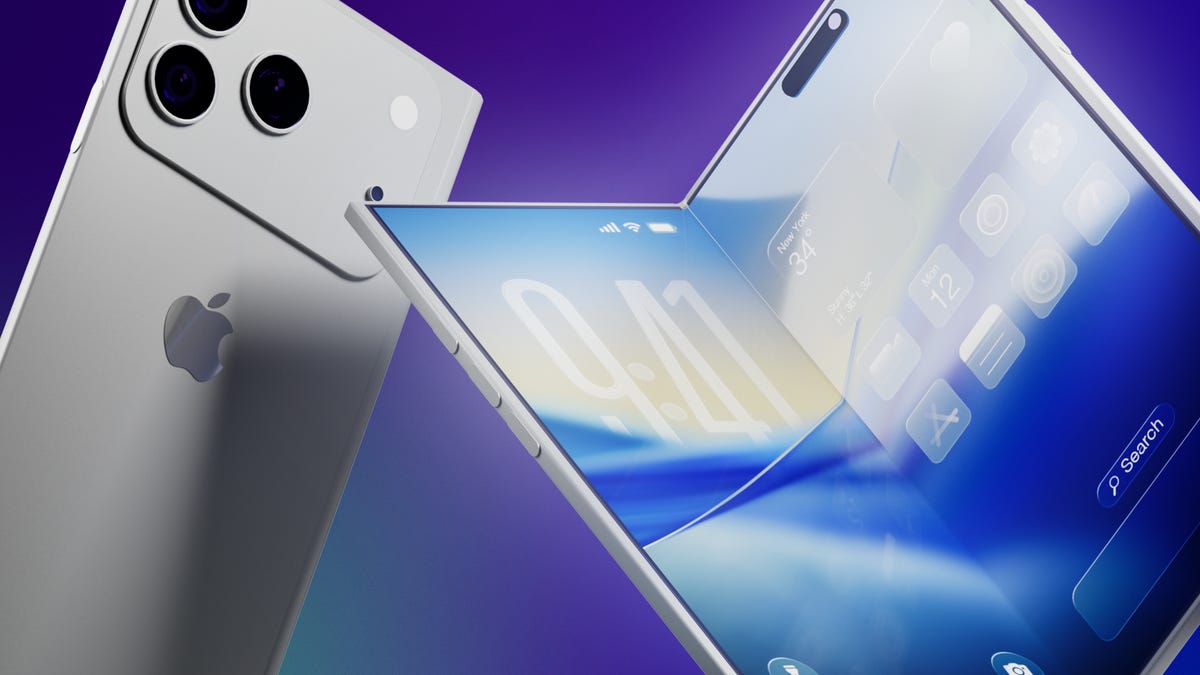
It’s a new week and a new set of rumors for Apple’s first foldable phone. If Tuesday’s reports are true, the device will be called the Ultra, have a bookish shape and launch in September.
The main report comes from Bloomberg’s Mark Gurman, who said the foldable is on track for a September launch, despite Nikkei Asia reporting that the phone might not launch until 2027 due to issues that cropped up during the engineering test phase.
Citing unnamed sources, Gurman said Apple will introduce the foldable phone in September alongside the iPhone 18 Pro and Pro Max. Those phones would likely go on sale about a week after being unveiled.
An Apple representative didn’t immediately respond to a request for comment. It’s important to note that while rumors abound, Apple has confirmed none of them — not even the existence of a foldable iPhone.
Still, the earlier Nikkei Asia report was jarring enough to send Apple’s stock down 5.1% before it rebounded later, Gurman noted. The Nikkei Asia story said unexpected issues had arisen during engineering testing and that more time was needed to make «necessary adjustments.» Under a worst-case scenario, the first shipment of the foldables would not occur until 2027, the report said.
More from CNET: Foldable Phones Have Solved Nearly Every Trade-Off, Well Before Apple Debuts One
Looks like a book
Meanwhile, consumer tech reviewer Sonny Dickson posted images on X showing dummy models indicating how big the iPhone Fold, iPhone 18 Pro and iPhone 18 Pro Max might be. In the image, the foldable has an almost square shape when fully opened.
Dummy images are useful for phone accessory manufacturers — such as case-makers — so they can get a head start on mass production before the devices are launched. When phones are released, consumers are quick to order cases and other accessories, so the sizes need to be known. It is unclear whether the dummy models shown are actual mockups from Apple.
People who commented on X didn’t seem to love the dummy images, particularly because the models shown appear to lack MagSafe, Apple’s magnetic system on the back of the phone that lets chargers and other accessories snap on.
Stefan Moser wrote, «If the Fold is missing MagSafe, this will be a big NO for me.»
There were other criticisms, too.
An X user going by DasnkiCS posted that the phone looks «too wide, can’t palm that easily in normal phone use.»
And another X user, Brosnan Hoban, wrote, «Fold looks like a credit card from 2050.»
What’s in a name?
Tuesday’s other big rumor concerned the foldable’s name.
A leaker, Digital Chat Station, posted on the Chinese social site Weibo that the foldable iPhone could be called the iPhone Ultra. The post also said Chinese competitors may use the Ultra name for their own foldables to compete directly with Apple on design, specs, and price.
The predominant rumored name has been the iPhone Fold, but others have included Flip, Duo and iFold.
In March, Gurman wrote in his Power On newsletter that Apple was considering a full line of Ultra products, possibly including a foldable phone, an M6 MacBook Pro with OLED, a foldable iPad and high-end Macs. Gurman also said Apple might introduce AirPods with «computer-vision cameras» to send visual data to Siri for its AI assistant feature.
We’ve seen a steady stream of tidbits about the foldable recently. There could be a large inner screen for multitasking, and people could open apps side by side. There might also be two rear cameras, a front-facing camera and a Touch ID side button.
Whatever Apple finally comes up with, it will be playing catch-up. Other major phone-makers already have foldable phones on the market, including the Samsung Galaxy Z Fold 7, the Google Pixel 10 Pro Fold, the OnePlus Open, the Huawei Mate XT, the Honor Magic V5 and the Motorola Razr Ultra.
Technologies
Artemis II Astronauts Name Moon Crater After Commander Reid Wiseman’s Late Wife
The emotional moment was streamed by NASA moments after the crew made history.
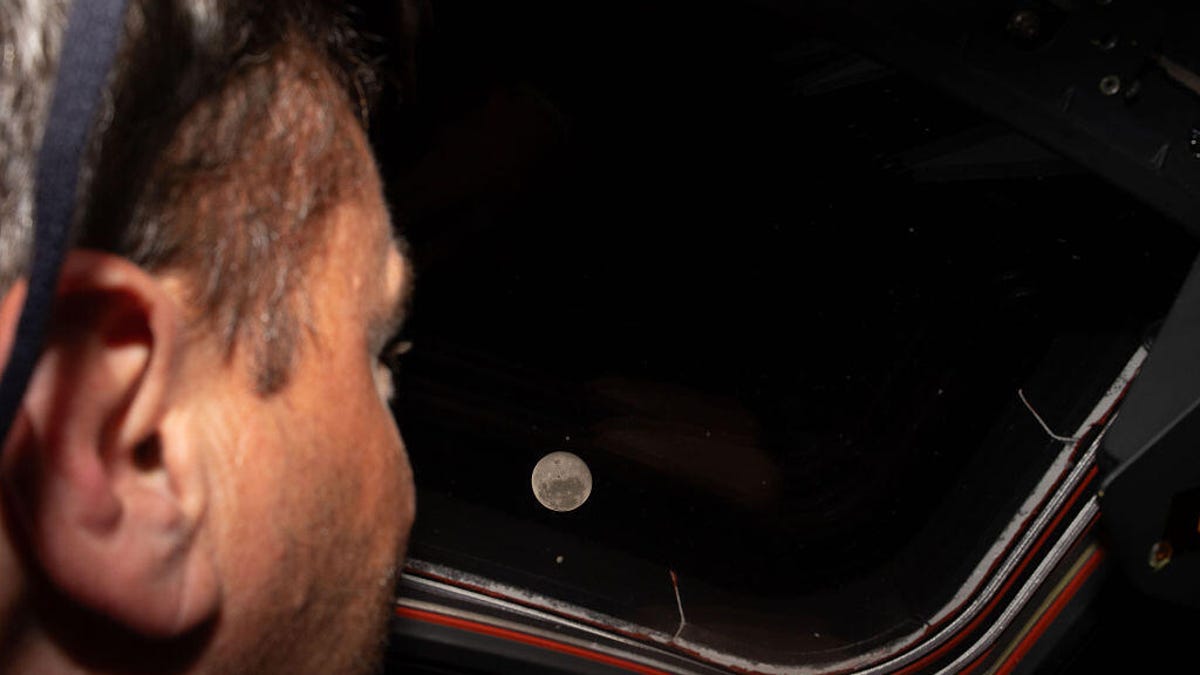
On Monday, after the crew aboard Artemis II made a historic feat by breaking Apollo 13’s distance record, they made the moment even more special by proposing to name one of the craters on the moon «Carroll,» in memory of Commander Reid Wiseman’s late wife.
While contacting Mission Control, Mission Specialist and astronaut Jeremy Hansen stated that the «close-knit astronaut family» previously lost a loved one who was «the spouse of Reid, the mother of Katie and Ellie.»
«It’s a bright spot on the moon,» Hansen said while describing the crater during the emotional call. «And we would like to call it Carroll.»
After the request, you can see Wiseman embrace Hansen before the rest of the crew joins in for a group hug.
Carroll Wiseman died in 2020 at 46 years old from cancer. Wiseman’s NASA bio page states that Carroll «dedicated her life to helping others as a newborn intensive care unit Registered Nurse.»
Before the Artemis II mission, Wiseman posted a selfie with his two daughters on X with a caption that reads in part, «I love these two ladies, and I’m boarding that rocket a very proud father.»
Follow CNET’s coverage of the 10-day Artemis II mission as the Orion makes its way back to Earth.
-
 Technologies3 года ago
Tech Companies Need to Be Held Accountable for Security, Experts Say
-
 Technologies3 года ago
Best Handheld Game Console in 2023
-
 Technologies3 года ago
Tighten Up Your VR Game With the Best Head Straps for Quest 2
-
 Technologies4 года ago
Black Friday 2021: The best deals on TVs, headphones, kitchenware, and more
-
 Technologies5 лет ago
Google to require vaccinations as Silicon Valley rethinks return-to-office policies
-
 Technologies5 лет ago
Verum, Wickr and Threema: next generation secured messengers
-
 Technologies4 года ago
Olivia Harlan Dekker for Verum Messenger
-
 Technologies4 года ago
The number of Сrypto Bank customers increased by 10% in five days