

Technologies
Does your state have an app to store your vaccine card on your phone? What we found
If your state doesn’t have an app, there are other ways to keep your vaccination card handy on your phone, too. Here’s what to do.

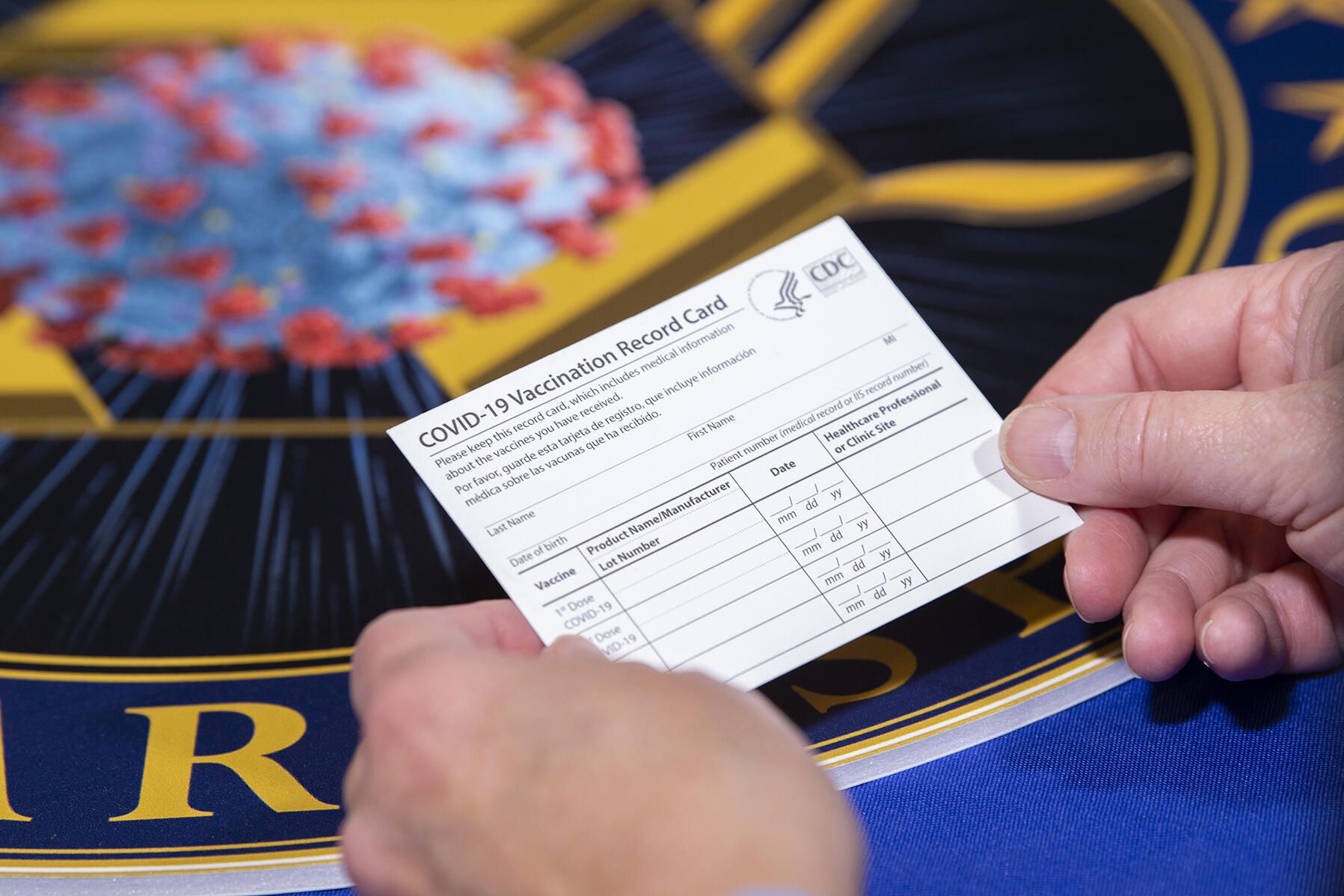
Keeping your vaccination card on hand increases the risk of you losing or damaging it. But some cities, including San Francisco and New York, are requiring proof of vaccination to attend indoor spaces, like restaurants, gyms and more. On top of that, recent mandates, employees may need you to show proof, and you’ll need it for your booster shot. The reasons for keeping proof of vaccination handy are seemingly endless.
Even though your vaccination card is required more than before, that doesn’t mean that you need to keep your printed version in your wallet. Instead, Android and iOS have ways to store your vaccination card. And some states have apps, too.
We’ll share a few ways to store your COVID-19 vaccination card. Here’s the latest on the future booster shots, the pandemic’s impact on life expectancy and vaccine hesitancy. Plus, kids may be eligible for the vaccine soon and require proof. This story was recently updated.
States that have vaccination card apps
Some states — including California, Colorado, Hawaii, New York and Oregon — offer some form of digital vaccination card. The myColorado app requires you to create an account, verify your identity and then add your digital driver’s license to your phone. After you’ve done that, you can then add your myVaccine record to the app.
Louisiana’s LA Wallet app takes a similar approach to Colorado’s, allowing you to add your driver’s license and proof of vaccination to your phone.
California’s implementation requires you to fill out a form to verify your identity, after which you’ll receive a text message or email with a link to a QR code you can save to your phone. When scanned, the code will offer proof of vaccination. The link will also include a digital copy of your vaccination record.
Illinois residents can use VaxVerify to show proof. The app uses Experian for identity verification.
MyIR Mobile is another app used by several state health departments to provide a digital copy of your vaccination card. Currently, if you live in Louisiana, Maryland, Mississippi, North Dakota, Washington, West Virginia or Washington, DC, this is the app you’ll use.
Delaware, New Mexico and Michigan are also using web portals for residents to access their vaccination status online.
Other ways to store your proof of vaccination on your phone
If your state doesn’t have an app to store your card, there are other ways to store it on your phone. The US doesn’t have a single online system or app you can use to show proof of vaccination on your phone. Instead, what qualifies as proof varies by city, county and even business.
Some places may accept a picture of your vaccination card.It’s a confusing mess, to put it mildly. I strongly urge you to take a few minutes to research what your city, county or state will accept as proof, as it can vary.
For example, concert producer AEG Presents will accept a «physical copy of a COVID-19 Vaccination Record Card, a digital copy of such card or such other proof as is permitted locally.»
Along with school mandates, hundreds of colleges are also requiring students and employees to be vaccinated. Seattle University, for example, requires students to be vaccinated to attend in-person classes via an online form that uploads photos of the front and back of the vaccination card.
When in doubt, look for information on the business’s website, or call the local health department and ask for clarification. This is bound to save you time, headaches and being turned away at the door.
You can use the Google Pay app or Apple Wallet, too
If you have an iPhone ($371 at Amazon), with an update coming soon for iOS 15 you’ll be able to add your vaccine card to your Apple Wallet to present whenever you need to show you’re fully vaccinated. (You can keep a copy in the Health app right now.)
Over on Android, you can add your vaccine card to the Google Pay app. I need to remind myself each time where my card is in Google Pay, so I added a shortcut icon to my home screen to quickly find it.
Samsung Pay can also store it
Samsung now gives Galaxy phone owners the option to add proof of vaccination to Samsung Pay,its wallet app. By having direct access to your vaccination record, youwon’t have to fiddle around with creating photo albums and tappingthrough multiple screens before you’re able to show it to a bouncer atyour local watering hole.
To add your card to Samsung Pay, you’ll need to download the CommonHealth app(Samsung’s partner) from the Google Play Store. Follow the prompts inthe app to verify your vaccination status. Once the app confirms you’veindeed gotten the shots, you’ll be prompted to download a Smart HealthCard to Samsung Pay.
That card is what you’ll then show to anyone requesting you show proof of vaccination.
Or take a picture of your card with your phone
Is that too much fuss? The simplest way to have a digital record of your vaccine status is to snap a picture of your vaccination card and keep it on your phone. The CDC even recommends keeping a picture of your card as a backup copy.
Simply use the camera app on your phone to snap the photo. You can favorite the photo to quickly locate it or store it in a notes app, a folder or somewhere that’s easy to remember so you don’t have to endlessly scroll your camera roll to find it. Make sure you’re in a well-lit area and get close enough to the card that its dates and details are legible. I also suggest putting the card on a dark surface, while remaining conscious of shadows of your arms or the phone on the card itself.
Here’s an example of one way to save your vaccination card as a new photo album. On an iPhone, open the Photos app, select the Albums tab and then tap the + sign in the top left corner followed by New Album. Give the album a name and then tap Save. Next, select the photos of your card to add it to the album.
On an Android phone, it depends on which app you’re using, but the process should generally be the same. If you’re using the Google Photos app, open the app and then select the picture of your vaccination card. Tap the three-dot menu button in the top-right corner, followed by the Add to Album button. Select +New album and give it a name such as «Vaccination Card» and tap the checkmark button when you’re done.
Other suggestions to store your vaccination card on your phone
I’ve had a large number of readers reach out to me about this article, each one offering advice and guidance about storing a proof of vaccination card.
Some suggestions include well-known airport security service Clear. In fact, some concert and exhibition halls require attendees use Clear to verify their vaccination status to attend a show. You can go to clearme.com/healthpass to download the app and get your card added.
VaxYes is another service that verifies your vaccination status and then adds your vaccination card to Apple Wallet. I’ve read that you can add your card to the Google Pay app, but after signing up and going through the process myself, I don’t see the option on a Pixel 5 running Android 12.
If your local municipality or employer used the CDC’s Vaccine Administration Management System, then you can use the VAMS website to access your vaccination records. I had more than one reader reach out to me about using this system to show proof of vaccination, but without an account myself, I’m unable to go through the process of accessing a vaccination record.
Another suggestion I received from multiple readers is to use a scanner app on your phone and store a scanned copy of your vaccination card in something like your OneDrive personal vault or a password manager (almost all of them offer some sort of secure file storage) instead of storing the photo in Google Photos or Apple’s iCloud photos. On an iPhone, you can use the scanner that’s built into the Notes app. On Android, Google’s Stack PDF scanner will be enough to get the job done.
This story updates as the national vaccine conversation continues. For more information about the forthcoming booster shots from Pfizer, Moderna and Johnson & Johnson, make sure to read this. We have up-to-date details about the delta variant, as well as delta plus and the lambda variant.
The information contained in this article is for educational and informational purposes only and is not intended as health or medical advice. Always consult a physician or other qualified health provider regarding any questions you may have about a medical condition or health objectives.
Technologies
WhatsApp’s New Update Lets You Encrypt Chat Backups Using Passkeys
Use your face, finger or code instead of a password or 64-digit key.

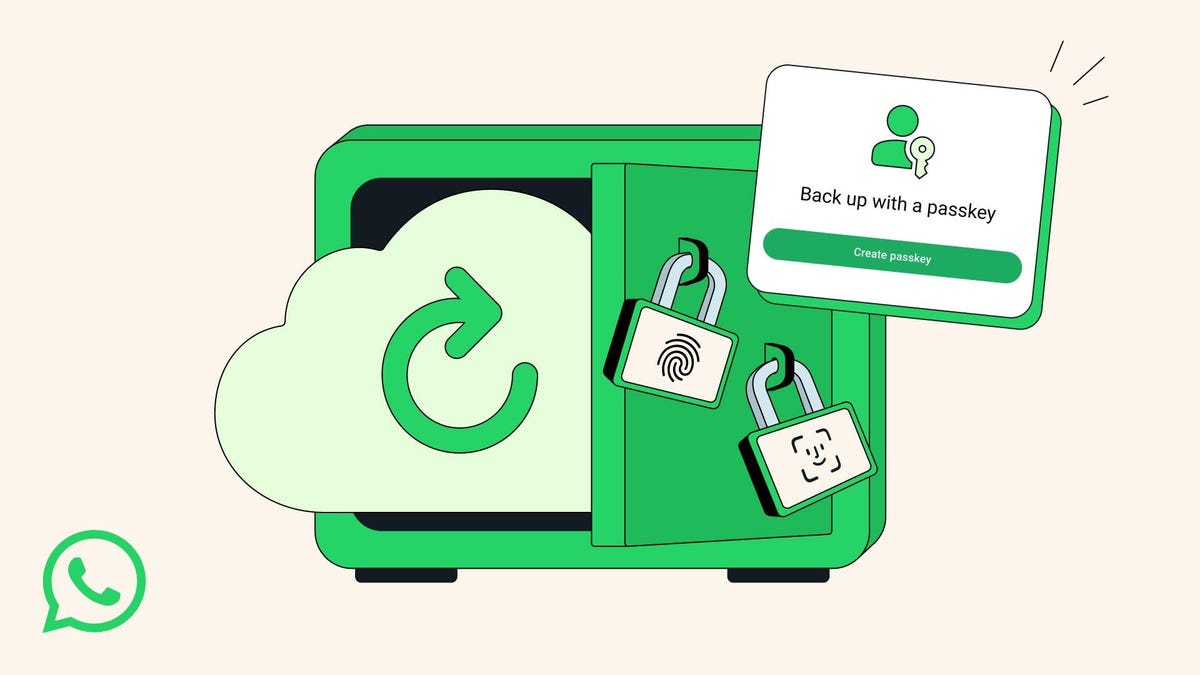
Face, finger or lock-screen code: These passkeys are all you will need to encrypt your WhatsApp chat backups in the near future, the messaging app announced Thursday. Meta-owned WhatsApp, the most popular messaging app in the world, said it would be rolling out the changes over the upcoming months.
«Now, with just a tap or a glance, the same security that protects your personal chats and calls on WhatsApp is applied to your chat backups so they are always safe, accessible and private,» the company said.
A representative for WhatsApp did not immediately respond to a request for comment.
Don’t miss any of our unbiased tech content and lab-based reviews. Add CNET as a preferred Google source.
Passkeys are rapidly overtaking passwords as an easier and more secure way to allow computer users to log in or sign on. Instead of remembering our average of 301 passwords, passkeys use facial or fingerprint recognition — or a lock screen code — to sign in. According to recent research, passkey adoption is growing quickly, speeding up sign-in times and reducing IT help desk incidents.
What are passkeys?
We explain the concept in depth here, but the simplest explanation is that passkeys are password-less logins. To log in, you must look at the screen (facial recognition), tap on the screen (fingerprint recognition) or enter a multi-digit lock screen code.
Many smartphone users already use facial recognition or codes to get into their devices.
In 2021, WhatsApp initially allowed customers to secure their encrypted chat backup with either a password or a 64-digit encryption key.
How to do it, and why
Many WhatsApp consumers have a vast trove of messages, images, videos, and voice notes stored on their phones dating back years. They can either live only on your device or be backed up to Google Drive (for Android devices) or iCloud (for iPhones).
If you haven’t set up a backup schedule, here are the steps:
- Go to Settings
- Select Chats
- Select Chat Backup
- From there, you can back up to iCloud or Google Account, if you have one, and set your auto backup schedule.
You can still encrypt your chat backup now with a password or 64-digit key, but WhatsApp’s upcoming passkeys rollout will eliminate the need for those.
Technologies
Here’s How to Watch the New ‘Scream 7’ Trailer and Stream All the Past Movies
You like scary movies, right? The original Scream from 1996 is streaming for free with ads.

Do you like scary movies? Scream fans will recognize that line, and they received an early Halloween treat on Thursday with the release of a new trailer for Scream 7. Neve Campbell’s return as series heroine Sidney Prescott battling a new Ghostface killer could be the reason to revisit earlier spooky films in the franchise.
The upcoming Scream 7 revolves around Prescott’s facing a masked, knife-wielding murderer (yeah, you know what the mask looks like) who targets her family. It doesn’t hit theaters until Feb. 27, but if you’d like to get prepared and nab some Halloween scares, here’s how to stream Scream 1-6.
Don’t miss any of our unbiased tech content and lab-based reviews. Add CNET as a preferred Google source.
How to stream the Scream movies on Halloween
- Scream (1996) — Pluto TV (free with ads), Paramount Plus, Peacock
- Scream 2(1997) — Pluto TV (free with ads), Paramount Plus, Peacock
- Scream 3 (2003) — Pluto TV (free with ads), Paramount Plus, Peacock
- Scream 4 (2011) — Tubi (free with ads), Paramount Plus, Peacock
- Scream(2022) — Hulu, Paramount Plus
- Scream VI (2023) — Paramount Plus
- Scream 7 (2026) — Due out in theaters on Feb. 27, 2026.
Technologies
ARC Raiders Beginner’s Guide: 7 Tips You’ll Need to Thrive Above Speranza
When a new extraction shooter drops, players quickly learn how brutal death can be. Here’s how to avoid the sting of losing hours of progress.

Developer Embark Studios’ ARC Raiders is the latest extraction shooter that’s set to take the gaming world by storm. As genre veterans and newcomers alike emerge from the underground town of Speranza to take on killer robots — and their fellow humans — players quickly learn how brutal it is to lose loot on death.
Luckily, ARC Raiders is the most «casual» extraction shooter I’ve ever played. That isn’t to say that it’s an easy game, but there are built-in mechanics that make the hardcore gameplay loop far more accessible to a wider audience.
Don’t miss any of our unbiased tech content and lab-based reviews. Add CNET as a preferred Google source.
This guide will equip you with the knowledge you need to make real progress in ARC Raiders before, during and after a raid. Read on to find out about what keybinds you need to learn, what loot to focus on first and how you can quickly recoup some wealth after a string of failed runs.
Figure out your shoulder swap keybind before you ever load into a match
ARC Raiders is a third-person shooter with high-stakes player-versus-player combat. If you want to stand a chance against an enemy player in a serious firefight, you need to know how to swap your camera view from aiming over your character’s right shoulder to aiming over their left shoulder so you can peek around corners without exposing yourself too much.
The default bind for this action on PC is «X,» so get used to pressing that key — or swap it to something you’re more comfortable with. Switching the camera from shoulder to shoulder will help you peek around corners before you expose your body, eliminating blind spots and giving you a competitive advantage. In a game where one death could eliminate hours of progress, you certainly don’t want to give up crucial lines of sight.
Nothing to lose, everything to gain: Utilize the free loadouts
Whether you’re just starting out or you’ve just suffered consecutive squad wipes, you’ll never be without a gun, simple medicine and other basic supplies. You can opt to enter a raid with a «free loadout,» which will provide you with a hodgepodge of low-grade gear. Unlike in other extraction shooters (looking at you, Escape From Tarkov) there’s no cooldown period on taking a free loadout into a match — you can do so whenever you like.
You can’t carry as much weight or pack out as much loot as you’d be able to with any other class mod on, but this is a great way to try to hit a heavily trafficked zone without the risk of losing your good weapons. As a bonus, if you manage to extract with a free loadout, you can trade the «free loadout» mod for a basic green-tier class mod at the vendor named Lance in Speranza.
Focus on completing quests for the denizens of Speranza
ARC Raiders largely cuts you loose to raid, engage in gunfights with other players and loot whatever you like at the start of the game. But it’s highly recommended to follow the guided progression path to get some extra equipment, learn what activities you can get involved in topside and unlock harder missions with more valuable rewards.
Always check in with Speranza’s traders after each raid to see what quests you can take on (or turn in). Some quests will require you to bring certain items back from a raid, and others will have you battling ARC robots or completing objectives throughout the world. Make sure to keep completing quests in order to discover all of the secrets ARC Raiders has to offer.
Loot the dog collar ASAP
Scrappy is a rooster that sits around Speranza collecting crafting materials while you’re out fighting killer machines. He brings the scrap back home to you because he’s a very good boy. Reward him with a dog collar so he feels loved — and so that he levels up and brings you loot even more quickly.
The looting rooster can be upgraded multiple times, but you should focus on finding the dog collar while on a surface run to bring him up to level two at first. The dog collar can be found in random containers, but during the press previews I had the good fortune of finding one at The Dam map’s research and administration area.
When you’re searching for scrap, prioritize big pieces of loot
You’ll find lots of metal scrap, plastic tubing and miscellaneous wires as you rifle through loot containers topside. These are definitely worth stuffing into your pockets; they’re the bread and butter of crafting materials and something you’ll want to stash away early on.
You’ll probably run into what’s a «good problem» to have sooner or later: running out of carry space mid-raid. Raw materials can quickly overflow your inventory, forcing you to extract early. Instead, focus on larger pieces of tech like TVs, radios and big chunks of ARC robots.
Once you successfully extract these items from a match, you can break them down into their parts to gain a variety of crafting components. In a way, they act like compact storage units for multiple raw materials at once.
Grow your net worth. No, seriously
I know, this sounds like the mantra for a bad internet con artist. But building up a small nest egg in ARC Raiders is a great way to ensure you can throw together backup loadouts if you meet an untimely end multiple times in a row. This is bad enough on your own, but if you’re squadding up with friends, you don’t want to be the only one without a good loadout.
If you can’t find the specific materials you’re looking for during a raid, it’s well worth looking for valuables instead. Jewelry, vases and other creature comforts fetch a pretty penny when you sell them to the traders in Speranza. Once you’ve saved up a couple thousand coins, you can trade them in for new weapons, attachments and even stash upgrades.
Guns aren’t the end all, be all of ARC Raiders combat
While it’s incredibly gratifying to run into the thick of battle and wipe a squad out with a strong submachine gun or pick off straggling raiders from afar with a leveled-up bolt-action rifle, you can’t always rely on your guns to win a fight. ARC Raiders features tons of gadgets and deployable equipment that can quickly turn the tide of a fight if used correctly.
Grappling hooks and ziplines add a new level of verticality to gunfights, while high-explosive grenades can flush enemies out of cover. Deployable walls and smoke grenades can counter these tactics or let players safely blitz a wide-open area. If you want to get really clever, you can bring throwable noise lures that will cause ARC robots to converge on your enemies — the AI will do the dirty work and won’t even loot the bodies.
Your strategies are limited if you don’t bring a couple pieces of gear. Consider leaving that extra stack of shield rechargers in your stash — if you need 10 of them in a single match, you probably have bigger problems — and grab a couple of grenades for your next raid instead.
-
 Technologies3 года ago
Tech Companies Need to Be Held Accountable for Security, Experts Say
-
 Technologies3 года ago
Best Handheld Game Console in 2023
-
 Technologies3 года ago
Tighten Up Your VR Game With the Best Head Straps for Quest 2
-
 Technologies4 года ago
Verum, Wickr and Threema: next generation secured messengers
-
 Technologies4 года ago
Black Friday 2021: The best deals on TVs, headphones, kitchenware, and more
-
 Technologies4 года ago
Google to require vaccinations as Silicon Valley rethinks return-to-office policies
-
 Technologies4 года ago
Olivia Harlan Dekker for Verum Messenger
-
 Technologies4 года ago
iPhone 13 event: How to watch Apple’s big announcement tomorrow


