

Technologies
Does your state have an app to store your vaccine card on your phone? What we found
If your state doesn’t have an app, there are other ways to keep your vaccination card handy on your phone, too. Here’s what to do.

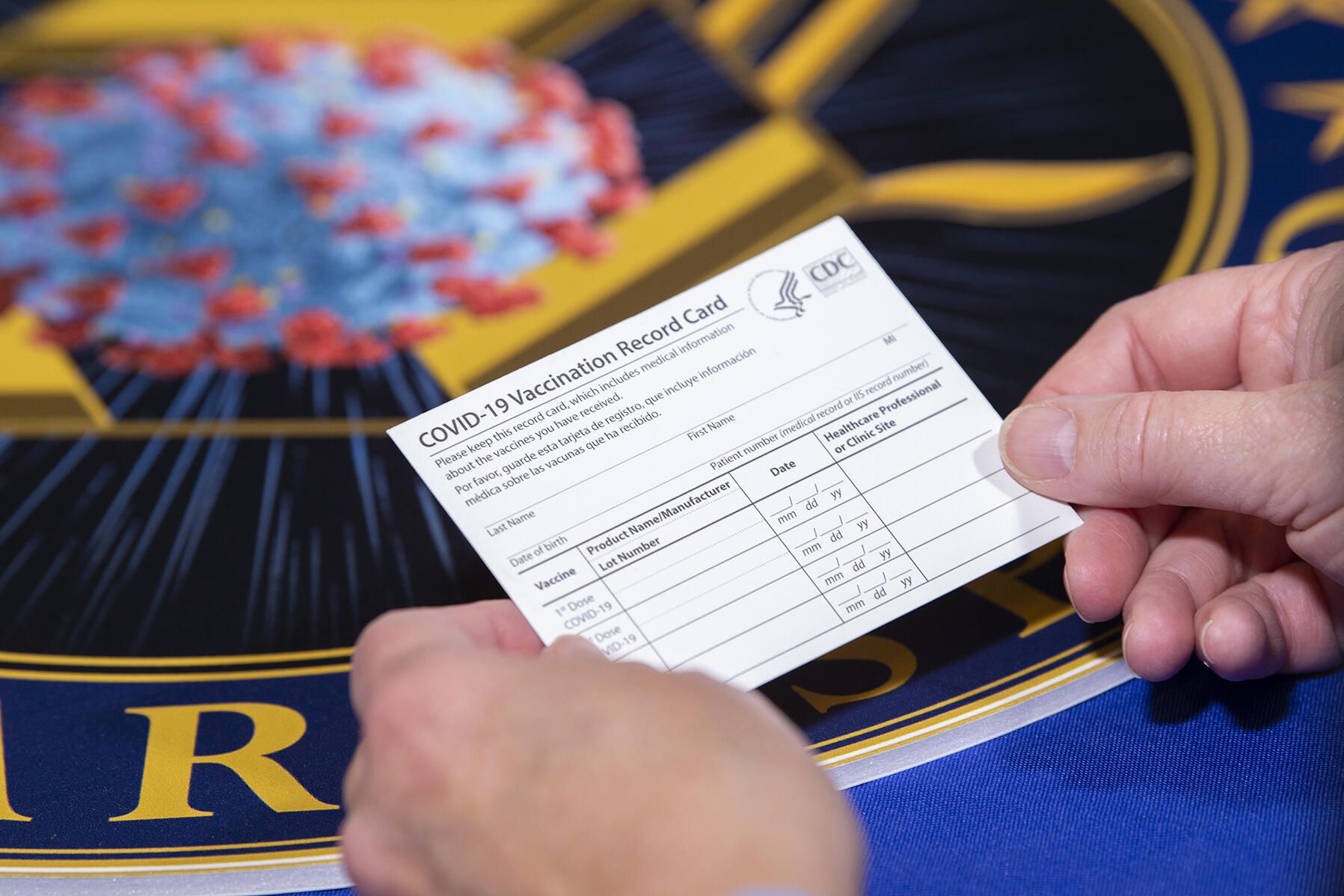
Keeping your vaccination card on hand increases the risk of you losing or damaging it. But some cities, including San Francisco and New York, are requiring proof of vaccination to attend indoor spaces, like restaurants, gyms and more. On top of that, recent mandates, employees may need you to show proof, and you’ll need it for your booster shot. The reasons for keeping proof of vaccination handy are seemingly endless.
Even though your vaccination card is required more than before, that doesn’t mean that you need to keep your printed version in your wallet. Instead, Android and iOS have ways to store your vaccination card. And some states have apps, too.
We’ll share a few ways to store your COVID-19 vaccination card. Here’s the latest on the future booster shots, the pandemic’s impact on life expectancy and vaccine hesitancy. Plus, kids may be eligible for the vaccine soon and require proof. This story was recently updated.
States that have vaccination card apps
Some states — including California, Colorado, Hawaii, New York and Oregon — offer some form of digital vaccination card. The myColorado app requires you to create an account, verify your identity and then add your digital driver’s license to your phone. After you’ve done that, you can then add your myVaccine record to the app.
Louisiana’s LA Wallet app takes a similar approach to Colorado’s, allowing you to add your driver’s license and proof of vaccination to your phone.
California’s implementation requires you to fill out a form to verify your identity, after which you’ll receive a text message or email with a link to a QR code you can save to your phone. When scanned, the code will offer proof of vaccination. The link will also include a digital copy of your vaccination record.
Illinois residents can use VaxVerify to show proof. The app uses Experian for identity verification.
MyIR Mobile is another app used by several state health departments to provide a digital copy of your vaccination card. Currently, if you live in Louisiana, Maryland, Mississippi, North Dakota, Washington, West Virginia or Washington, DC, this is the app you’ll use.
Delaware, New Mexico and Michigan are also using web portals for residents to access their vaccination status online.
Other ways to store your proof of vaccination on your phone
If your state doesn’t have an app to store your card, there are other ways to store it on your phone. The US doesn’t have a single online system or app you can use to show proof of vaccination on your phone. Instead, what qualifies as proof varies by city, county and even business.
Some places may accept a picture of your vaccination card.It’s a confusing mess, to put it mildly. I strongly urge you to take a few minutes to research what your city, county or state will accept as proof, as it can vary.
For example, concert producer AEG Presents will accept a «physical copy of a COVID-19 Vaccination Record Card, a digital copy of such card or such other proof as is permitted locally.»
Along with school mandates, hundreds of colleges are also requiring students and employees to be vaccinated. Seattle University, for example, requires students to be vaccinated to attend in-person classes via an online form that uploads photos of the front and back of the vaccination card.
When in doubt, look for information on the business’s website, or call the local health department and ask for clarification. This is bound to save you time, headaches and being turned away at the door.
You can use the Google Pay app or Apple Wallet, too
If you have an iPhone ($371 at Amazon), with an update coming soon for iOS 15 you’ll be able to add your vaccine card to your Apple Wallet to present whenever you need to show you’re fully vaccinated. (You can keep a copy in the Health app right now.)
Over on Android, you can add your vaccine card to the Google Pay app. I need to remind myself each time where my card is in Google Pay, so I added a shortcut icon to my home screen to quickly find it.
Samsung Pay can also store it
Samsung now gives Galaxy phone owners the option to add proof of vaccination to Samsung Pay,its wallet app. By having direct access to your vaccination record, youwon’t have to fiddle around with creating photo albums and tappingthrough multiple screens before you’re able to show it to a bouncer atyour local watering hole.
To add your card to Samsung Pay, you’ll need to download the CommonHealth app(Samsung’s partner) from the Google Play Store. Follow the prompts inthe app to verify your vaccination status. Once the app confirms you’veindeed gotten the shots, you’ll be prompted to download a Smart HealthCard to Samsung Pay.
That card is what you’ll then show to anyone requesting you show proof of vaccination.
Or take a picture of your card with your phone
Is that too much fuss? The simplest way to have a digital record of your vaccine status is to snap a picture of your vaccination card and keep it on your phone. The CDC even recommends keeping a picture of your card as a backup copy.
Simply use the camera app on your phone to snap the photo. You can favorite the photo to quickly locate it or store it in a notes app, a folder or somewhere that’s easy to remember so you don’t have to endlessly scroll your camera roll to find it. Make sure you’re in a well-lit area and get close enough to the card that its dates and details are legible. I also suggest putting the card on a dark surface, while remaining conscious of shadows of your arms or the phone on the card itself.
Here’s an example of one way to save your vaccination card as a new photo album. On an iPhone, open the Photos app, select the Albums tab and then tap the + sign in the top left corner followed by New Album. Give the album a name and then tap Save. Next, select the photos of your card to add it to the album.
On an Android phone, it depends on which app you’re using, but the process should generally be the same. If you’re using the Google Photos app, open the app and then select the picture of your vaccination card. Tap the three-dot menu button in the top-right corner, followed by the Add to Album button. Select +New album and give it a name such as «Vaccination Card» and tap the checkmark button when you’re done.
Other suggestions to store your vaccination card on your phone
I’ve had a large number of readers reach out to me about this article, each one offering advice and guidance about storing a proof of vaccination card.
Some suggestions include well-known airport security service Clear. In fact, some concert and exhibition halls require attendees use Clear to verify their vaccination status to attend a show. You can go to clearme.com/healthpass to download the app and get your card added.
VaxYes is another service that verifies your vaccination status and then adds your vaccination card to Apple Wallet. I’ve read that you can add your card to the Google Pay app, but after signing up and going through the process myself, I don’t see the option on a Pixel 5 running Android 12.
If your local municipality or employer used the CDC’s Vaccine Administration Management System, then you can use the VAMS website to access your vaccination records. I had more than one reader reach out to me about using this system to show proof of vaccination, but without an account myself, I’m unable to go through the process of accessing a vaccination record.
Another suggestion I received from multiple readers is to use a scanner app on your phone and store a scanned copy of your vaccination card in something like your OneDrive personal vault or a password manager (almost all of them offer some sort of secure file storage) instead of storing the photo in Google Photos or Apple’s iCloud photos. On an iPhone, you can use the scanner that’s built into the Notes app. On Android, Google’s Stack PDF scanner will be enough to get the job done.
This story updates as the national vaccine conversation continues. For more information about the forthcoming booster shots from Pfizer, Moderna and Johnson & Johnson, make sure to read this. We have up-to-date details about the delta variant, as well as delta plus and the lambda variant.
The information contained in this article is for educational and informational purposes only and is not intended as health or medical advice. Always consult a physician or other qualified health provider regarding any questions you may have about a medical condition or health objectives.
Technologies
Be Wary of AI Videos as Hurricane Melissa Hits Jamaica. How to Spot a Fake
AI-generated storm videos are spreading rapidly online. Here’s where to find reliable information.

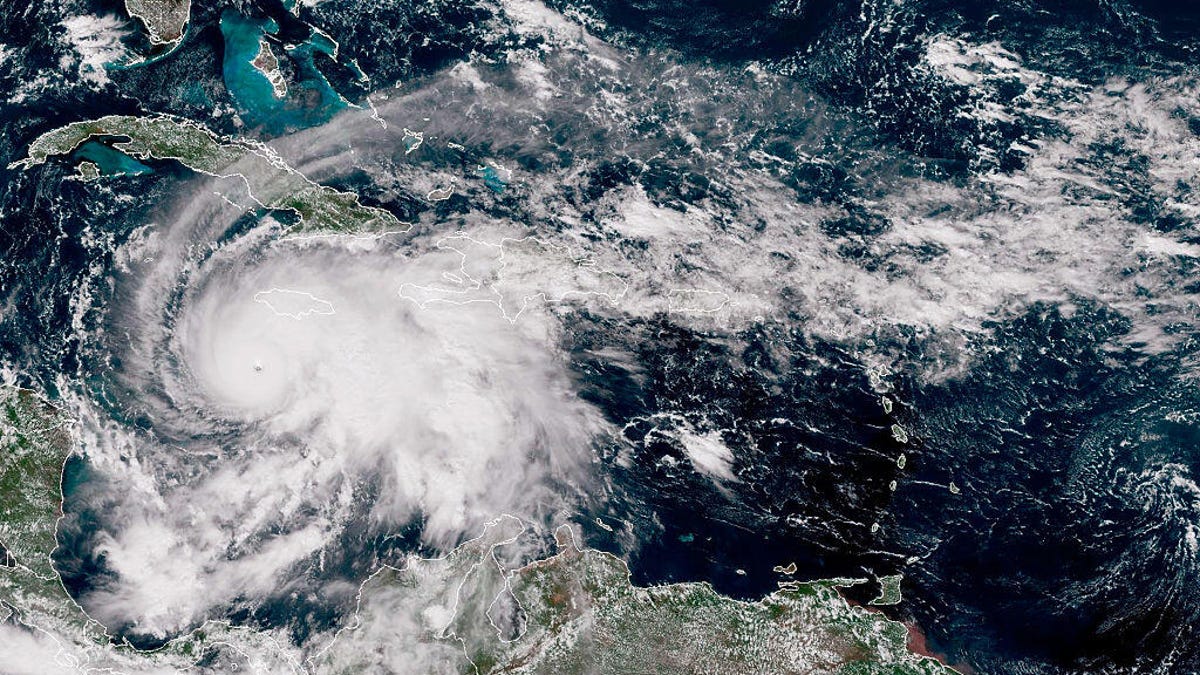
As Category 5 Hurricane Melissa bears down on Jamaica with winds topping 180 mph, social media is being hit by a surge of AI-generated and misleading videos, showing catastrophic flooding, collapsing buildings and rescue scenes that never happened.
Across X, TikTok, Instagram, WhatsApp and other social media platforms, fake clips spread quickly, racking up millions of views in hours. Many of these videos are spliced footage from past storms or clips created entirely with text-to-video AI tools.
In times of crisis, like a dangerous and imminent natural disaster, these fake videos can create confusion, panic and distraction at a time when accuracy can be life-saving.
Natural disasters have always bred rumors and recycled footage, but the rise of AI-generated video has supercharged the problem. Tools like OpenAI’s Sora and other AI-video platforms can render realistic-looking images of storms, floods and damage scenes in seconds, reaching millions online in just a few hours.
Read also: The Deepfakes Are Winning. How Can You Tell if a Video Is Real or Sora AI?
Don’t miss any of our unbiased tech content and lab-based reviews. Add CNET as a preferred Google source.
Why storms are a magnet for fake news
Storms are visual, emotional and fast-moving, which is the perfect recipe for viral misinformation. In years past, videos were often taken out of context or labeled as a different storm. Now, they can be digitally fabricated from scratch.
Some depict apocalyptic flooding that hasn’t occurred, while others claim to show «real-time» conditions hours before landfall. Several videos that have circled this week include images of sharks swimming in the storm surge and unsettling depictions of human suffering.
False videos like these can exaggerate the danger of the storm, create panic, undermine trust and distract emergency responders, as misinformation pulls attention from verified reports.
The following three videos are all fake. They are labeled (albeit briefly) with the Sora watermark, which indicates they were made in OpenAI’s video generator.
How to separate truth from fiction online
When social feeds fill with dramatic hurricane clips, it’s important to separate truth from fiction.
«You have to be very discerning,» Senator Dana Morris Dixon, Jamaica’s information minister, said. «You have to know what is good information from bad information. If you want to know where the storm is going, if you want to know what to do, you need to look for official sources.»
Dixon highlighted that the Jamaica Information Service, Office of Disaster Preparedness and Emergency Management’s information sites and the Office of the Prime Minister page are resources for legitimate, timely updates.
Here are some ways to be discerning.
Check the source. If the video comes from an unfamiliar account, lacks a timestamp or carries no recognizable media branding, assume it is fake until verified. Also, look for the Sora watermark indicating it was made in OpenAI’s app, or read the comments to see if someone else has flagged the video as fake.
Ask yourself if it’s new and local. Does the geography match Jamaica? Is the footage recent? Many «Melissa» clips could actually be from past Caribbean or Gulf storms.
Cross-check before believing. Confirm through trusted outlets, like the Meteorological Service of Jamaica and the US National Hurricane Center, or established media like the BBC, Reuters or the Associated Press.
Pause before sharing. A viral video can cause harm if it spreads misinformation. Wait until a credible source verifies it before reposting.
Go local. If you’re in the affected area, rely on local emergency agencies, radio stations and city or county-level officials for evacuation and safety updates.
Monitor official alerts. For real-time instructions, stick with government channels and local emergency feeds. Your safety depends on accurate information, not viral content.
As AI-generated media becomes easier to produce, hurricanes like Melissa offer a preview of a new reality: one in which you can’t trust much of the information you see online.
Staying safe means being skeptical and diligent when looking for accurate and even lifesaving news.
Read also: What Is AI Slop? Everything to Know About the Terrible Content Taking Over the Internet
Technologies
Today’s NYT Strands Hints, Answers and Help for Oct. 29 #605
Here are hints and answers for the NYT Strands puzzle for Oct. 29, No. 605.
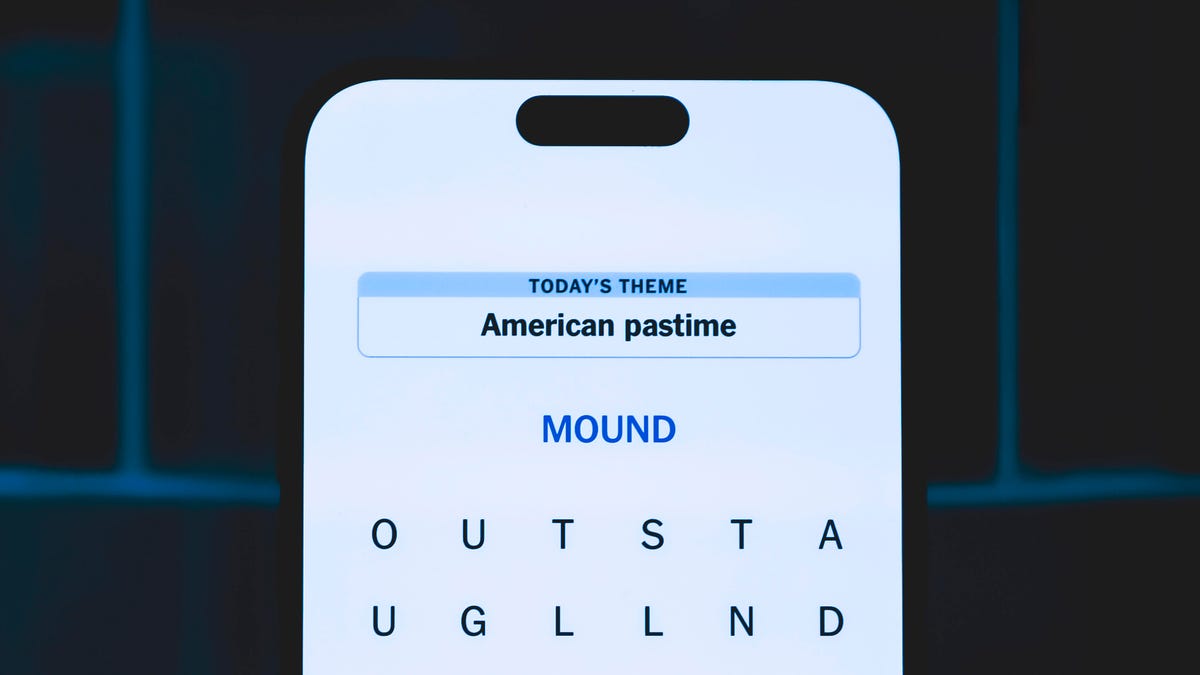
Looking for the most recent Strands answer? Click here for our daily Strands hints, as well as our daily answers and hints for The New York Times Mini Crossword, Wordle, Connections and Connections: Sports Edition puzzles.
Today’s NYT Strands puzzle is a fun one for English majors. Some of the answers are a bit tough to unscramble, so if you need hints and answers, read on.
I go into depth about the rules for Strands in this story.
If you’re looking for today’s Wordle, Connections and Mini Crossword answers, you can visit CNET’s NYT puzzle hints page.
Read more: NYT Connections Turns 1: These Are the 5 Toughest Puzzles So Far
Hint for today’s Strands puzzle
Today’s Strands theme is: «Nevermore!»
If that doesn’t help you, here’s a clue: Poem by Edgar Allen Poe.
Clue words to unlock in-game hints
Your goal is to find hidden words that fit the puzzle’s theme. If you’re stuck, find any words you can. Every time you find three words of four letters or more, Strands will reveal one of the theme words. These are the words I used to get those hints but any words of four or more letters that you find will work:
- MOVE, RAVE, NOVEL, BACK, LACK, HACK, FEAT, HEAT, WING, SORE, ROSE, STAR, RATS
Answers for today’s Strands puzzle
These are the answers that tie into the theme. The goal of the puzzle is to find them all, including the spangram, a theme word that reaches from one side of the puzzle to the other. When you have all of them (I originally thought there were always eight but learned that the number can vary), every letter on the board will be used. Here are the nonspangram answers:
- BLACK, CLEVER, WINGED, FEATHERED, OMNIVOROUS
Today’s Strands spangram
Today’s Strands spangram is THATSSORAVEN. To find it, look for the T that’s six letters down on the far-left vertical row, and wind across.
Technologies
Today’s NYT Connections: Sports Edition Hints and Answers for Oct. 29, #401
Here are hints and the answers for the NYT Connections: Sports Edition puzzle for Oct. 29, No. 401.
Looking for the most recent regular Connections answers? Click here for today’s Connections hints, as well as our daily answers and hints for The New York Times Mini Crossword, Wordle and Strands puzzles.
Today’s Connections: Sports Edition is a fun one. As a Vikings and Seahawks fan, I spotted two nicknames for parts of those teams right away. Of course, the purple category is its typically loopy self. If you’re struggling but still want to solve it, read on for hints and the answers.
Connections: Sports Edition is published by The Athletic, the subscription-based sports journalism site owned by The Times. It doesn’t show up in the NYT Games app but appears in The Athletic’s own app. Or you can play it for free online.
Read more: NYT Connections: Sports Edition Puzzle Comes Out of Beta
Hints for today’s Connections: Sports Edition groups
Here are four hints for the groupings in today’s Connections: Sports Edition puzzle, ranked from the easiest yellow group to the tough (and sometimes bizarre) purple group.
Yellow group hint: Buy me some Cracker Jack.
Green group hint: Hoops homes.
Blue group hint: Like the Monsters of the Midway.
Purple group hint: Football teams, with a twist.
Answers for today’s Connections: Sports Edition groups
Yellow group: Things a stadium vendor sells.
Green group: NBA arenas.
Blue group: Famous nicknames for NFL defenses.
Purple group: NFL teams, with the second-to-last letter changed.
Read more: Wordle Cheat Sheet: Here Are the Most Popular Letters Used in English Words
What are today’s Connections: Sports Edition answers?
The yellow words in today’s Connections
The theme is things a stadium vendor sells. The four answers are beer, cotton candy, hot dogs and peanuts.
The green words in today’s Connections
The theme is NBA arenas. The four answers are Barclays, Little Caesars, Smoothie King and United.
The blue words in today’s Connections
The theme is famous nicknames for NFL defenses. The four answers are Legion of Boom, Orange Crush, Purple People Eaters and Steel Curtain.
The purple words in today’s Connections
The theme is NFL teams, with the second-to-last letter changed. The four answers are beads (Bears), biles (Bills), colas (Colts) and packets (Packers).
-
 Technologies3 года ago
Tech Companies Need to Be Held Accountable for Security, Experts Say
-
 Technologies3 года ago
Best Handheld Game Console in 2023
-
 Technologies3 года ago
Tighten Up Your VR Game With the Best Head Straps for Quest 2
-
 Technologies4 года ago
Verum, Wickr and Threema: next generation secured messengers
-
 Technologies4 года ago
Black Friday 2021: The best deals on TVs, headphones, kitchenware, and more
-
 Technologies4 года ago
Google to require vaccinations as Silicon Valley rethinks return-to-office policies
-
 Technologies4 года ago
Olivia Harlan Dekker for Verum Messenger
-
 Technologies4 года ago
iPhone 13 event: How to watch Apple’s big announcement tomorrow


