
Technologies
Nintendo Switch 2 Hands-On: My Verdict After Playing All the Games
I got to spend a day playing all the new games for Nintendo’s upcoming $450 Switch 2 and came away with plenty of opinions.
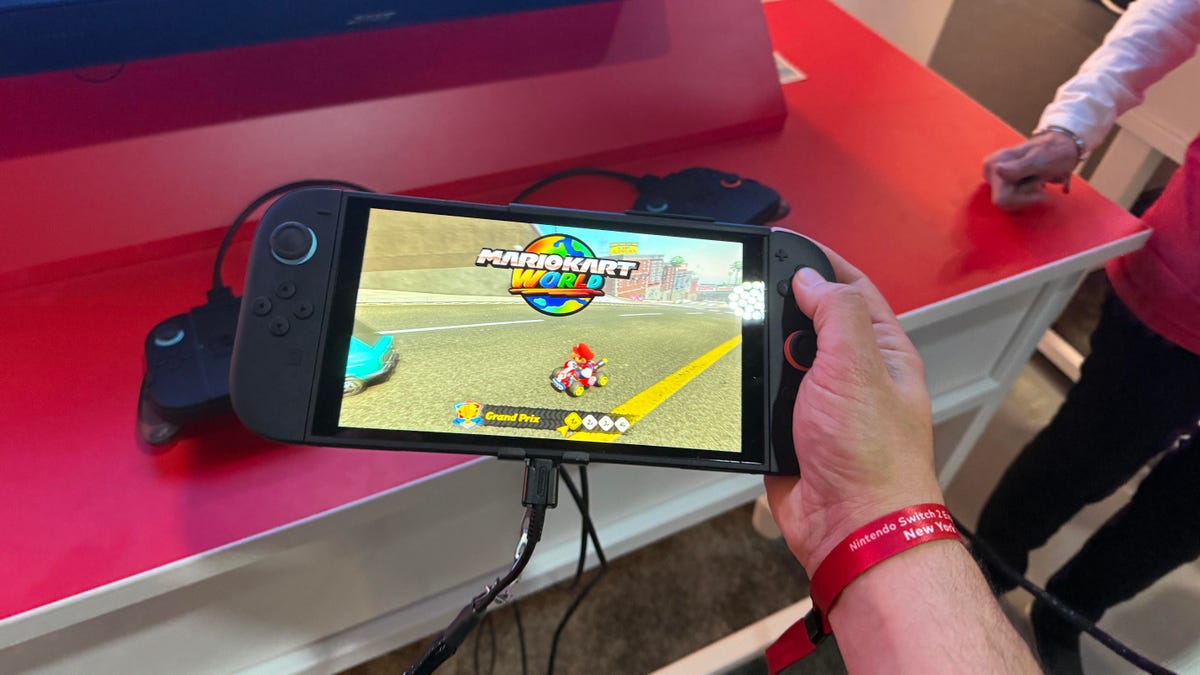
It sounds like a dream to spend an entire day with the brand new Nintendo Switch 2 playing all the new games Nintendo threw at me during a special press preview. Believe me, it was an unforgettable experience, particularly now that because of tariffs, pre-orders in the US and Canada are on hold, while the initial batch in the UK sold out quickly. I just didn’t expect it to be a workout using the controllers in ways I’d never anticipated.
For example, pushing my hands around a fabric-covered table while holding two mouse controllers is surprisingly tiring. I was playing Drag x Drive, a new wheelchair sports game coming for the Nintendo Switch 2 that uses one of the console’s new features: Joy-Cons, which work like computer mice. I felt vibrations under my hands as though I was spinning my wheels. But I wondered: Who will play the Switch 2 while seated at a table? I realized later that you can also rub them on your pants legs to make them work. So I did that, too. It was a little less tiring.
This was just one weird part of a long day playing the Nintendo Switch 2, the $450 sequel to one of Nintendo’s most popular game consoles ever, arriving June 5, with preorders opening soon. I’ve loved playing games on the Switch, like many people. However, the Switch 2, while being a new console, feels a lot like an updated version of a system many people already own.
Much like the PlayStation 5 or the Xbox Series X, it’s betting that playing games that look a little better matters enough to upgrade. But Nintendo’s also laying down some side bets on new features that could make a difference: in-game voice chat with friends at the press of a button, a plug-in camera that can work with wacky party games and, yeah, new controllers that double as mice.
So here’s the question: Is this more fun than the existing Switch and its games? I’d say the Switch 2 is a better piece of hardware, no doubt, but the upgrade proposition feels pretty uncertain until Nintendo shows many more games that make it worth it.
That being said, the Switch 2, as a bigger, better version of the existing Switch, could make a lot of sense for those who can afford it, especially because there’s still nothing quite like it out there. At $450 (£395, AU$699), plus $70 or $80 for its two biggest launch-window games, Mario Kart World and Donkey Kong Bananza, this is an expensive proposition for any family right now. A CNET survey recently found that affordability is the top concern for US gamers considering the purchase. Then again, as a handheld game console with its own included dock that can also play games in 4K on a TV, it’s actually competitively priced versus the Steam Deck and Windows gaming handhelds.
I played Mario Kart World. I played Donkey Kong Bananza. I played remastered versions of Zelda: Breath of the Wild and Tears of the Kingdom, and Kirby and the Forgotten Land. I played Cyberpunk 2077 and Split Fiction. And I played Mario Party Jamboree with new mouse-Joy-Con and camera-optional modes that projected me onto the TV. It was all fun and the Switch 2 is the handheld I’d prefer to play my library of Switch games on. But I don’t think it’s a necessary upgrade for anyone right now. That said, your kids will probably ask for Mario Kart World and a Switch 2.
Hands-on with the handheld: Nice screen, larger feel, similar buttons
The Switch 2 is big and feels dense. It’s not that much bigger than the Switch OLED, to me, but that larger 7.9-inch screen feels welcome. I play on a large Steam Deck a lot lately and the Switch 2 feels sort of like that but actually thinner. It’s about the same thickness as the Switch in casual holding-and-looking comparisons.
The Switch 2 has an LCD, not OLED, like the last iteration of the Switch, which went on sale in 2021. But honestly, it looked great to me in the hours I tried it. The 1080p resolution, HDR capabilities and refresh rate that can go up to 120Hz, depending on the game, stood out while playing. I’d take this over the Switch OLED display right now.
The larger Joy-Cons now magnetically snap in and out but have little release buttons on the back. They snap in smoothly and then you eject them with the trigger release and remove them. It’s a smooth action and a lot easier than pressing that small button on the current Switch Joy-Cons. The controllers, although feeling sturdy, have a surprisingly similar feel. The analog sticks felt like existing Joy-Cons and the buttons clicked similarly. I’m bummed that there’s no analog rear trigger.
Instead, these triggers click just like the older Switch — something that the Switch 2’s producers and directors, in a roundtable chat during my New York demo day, said was decided upon because they offer a more immediate response in games. I think it’s a miss because every other console I’ve played has analog triggers and they work well. Putting analog triggers on a Switch 2 would have made previous Switch games feel different on the Switch 2, though, and maybe that’s where the challenge lay.
The C button on the right Joy-Con launches Game Chat, a new mode that allows four-player audio chats with trusted Switch friends (that can be parent-approved). These chats can also become grainy video chats with an optional plug-in camera that can be used with the Switch when docked. Nintendo sells its own stand-like camera for $50 but you could also use a third-party camera (mileage may vary, according to Nintendo).
I didn’t get to try Game Chat during the demo day but I’m curious about how good the audio quality and noise cancellation are. Nintendo says it’s good enough to filter around room noise while talking from across the room. The Switch 2 has a microphone but the Joy-Cons don’t. A new $80 Switch 2 Pro Controller, which feels similar to the previous Switch Pro Controller with two added rear paddle buttons, does have a headphone jack that can be used to connect a microphone-enabled headset.
The new Switch 2 dock has its own fan system and looks chunky. It’ll sit near a TV so you probably won’t mind but it’s a bigger unit than before and, like several accessories, won’t work with the first-gen Switch. It enables 4K gaming modes on TVs, though, so that’s the reason.
There’s a new Switch 2 kickstand, which tilts at a wider range of angles. But it’s made of plastic and feels a bit flimsier than I expected, although it holds its position well. And there are two USB-C ports now — one on top, one on bottom — but it turns out the top port won’t do video-out. Nintendo’s creative team told me at a developer roundtable that there are no plans to support plug-in display glasses such as the Xreal One, a trick the Steam Deck and Windows handhelds can pull off.
I like the way the Switch 2 feels, though. It seems like it’ll be easier to travel with than Windows handhelds and the Steam Deck, which have bulky side grips that add to the system’s case size needs. The Switch 2 rides somewhat flat, although it’s bigger and longer.
OK, at this point, you’re probably saying, “Scott, please, just talk about the games.” So, I played each game in roughly 20-minute sessions as we were shuttled around different stations in the New York exhibition space that will host the public Switch 2 Experience. It’ll work similarly at other Switch 2 Experience locations, too.
Mario Kart World: Open-world Mario Kart madness
I have no idea how big Mario Kart World is. I drove around freely for a few minutes before a race mode started and I madly rambled from a town to a farm to an arena to mountain roads, jumped on train tracks, hopped on a power line and rode it up in the air, knocked down a lot of fences and found some sinister Bowser-ish castle. The newest Mario Kart game, a Switch 2 exclusive and launch title, is clearly the “game to get.” What I love is the sense that this racing game could be as full of surprises as an open-world Mario game.
It’s Grand Theft Mario or Mario Horizon or whatever you want to call it. This open expanse game’s real estate makes it far vaster than existing Mario Karts. But I played two races, mostly. I don’t even remember exactly what the course looked like because I was so busy navigating against 23 other players. The 24-player gameplay is new and, combined with wider, more expansive-feeling tracks, it’s a lot to take in. There are a lot of new characters to choose from — I picked Luigi with a gondolier outfit and later a hamburger-hatted Toad and Donkey Kong with battle armor. There are bikes, cars and all sorts of other familiar vehicles.
A new knockout tournament mode has players racing across multiple tracks in a world-spanning rally to win. You’re eliminated if you’re in the bottom four. I thought I came in first and got way too excited but I was one lap short of the actual end. I came in 16th. Competitiveness in a field full of this many cars reaches total absurdity.
I want to play more. The game looks great and handles like classic Mario Kart but it’s the extras that make me curious.
Donkey Kong Bananza: Showcase for smashing stuff
Nintendo doesn’t have a new 3D Mario game for the Switch 2 yet but Donkey Kong Bananza looks like a solid replacement. It’s the first open-world (sensing a theme here?) Donkey Kong game in years. It’s also a Switch 2 exclusive, coming July 17. Nobody saw this game coming (well, almost nobody) and I liked what I tried.
The game’s biggest mechanic is digging and destroying nearly everything. Donkey Kong can burrow through walls or the ground and, depending on the level, you can burrow far. I started digging into a wall in my first cave-like level, got lost in my tunneling, then burst out again. Some areas have you digging all the way down to new depths, almost like Tears of the Kingdom (but not really). Where does the madness end?
Donkey Kong is full of goofy expressions and enemies look dynamic in a way that feels almost like Sony’s Ratchet and Clank games. It’s a loud and fun action adventure but I have no idea how long the game actually is. It did showcase a lot more particles of stuff flying around than the older Switch has pulled off and the graphics kept a crisp frame rate.
Metroid Prime 4 Beyond: A technical showcase for graphics (and the mouse mode)
My 20 minutes or so with Metroid Prime 4 made me realize how good Switch 2 games could look. Running at 1080p and 120Hz on a big TV, it moved extremely smoothly and was as impressive a shooter as I’ve ever seen on a Nintendo console. From landing on a barren planet to firing through waves of creatures, rolling around in ball mode and losing a tough battle against a big ugly boss, it won me over.
I played on TV mode only, using the Joy-Cons in standard controller mode and then a mouse-and-controller mode. You can put one Joy-Con down at any time and make it a mouse for controlling movement, just like on a PC. I loved the fast reaction feel of it and I also liked that I could just lift my hand up and go back to analog stick controls if I changed my mind midstream.
Switch 2 Welcome Tour: Why isn’t this free?
I was expecting a dose of the weird at Nintendo’s Switch 2 event but this wasn’t it. Still, the idea of a Welcome Tour isn’t bad. Much like Valve’s Aperture Desk Job and the PlayStation 5’s Astro’s Playroom (or several tutorial apps for the Meta Quest), this looks like a guided tour of the Switch 2’s features, complete with insights from Nintendo and mini-games. I played a few, some of which were more like glorified demos at best.
I dodged asteroids using a Joy-Con in mouse mode, played the first level of Super Mario Bros. in pixel-accurate mode on a 4K TV setting to show how much screen real estate is available and played a guessing game for what frame rate a bouncing ball was moving at. One “game” showed me HDR on and off while launching fireworks. The problem is, this is a paid digital game, instead of the freebie it clearly should have been. I can’t understand why this probably helpful system tutorial isn’t just included on the Switch 2 and I never will.
Drag x Drive: Nintendo’s wild-card game
Somewhere between Arms and Rocket League, Drag x Drive is a Switch 2 exclusive that uses the Joy-Cons in mouse mode to control wheelchair-using players in an intense hoop-shooting sports game. Moving each wheel requires pushing one Joy-Con forward and backward. It gets intense fast.
The feeling ends up being a bit like rowing and my arms tired out; you have to keep wheeling around and moving your arms rapidly, pretty much nonstop. One neat thing is you can feel rumbling haptic clicks beneath your controllers as you “wheel,” making it feel more convincing. Racing to the ball, hitting other players and shooting baskets felt as chaotic as a game of Rocket League. I’m not sure if I’ll ever find this game fun to play because of its seemingly high exertion requirements but I enjoyed trying it for a while.
Mario Party Jamboree flexes camera, mouse modes
The most wacky stuff I tried were probably the new mini-games for the Switch 2 update of Mario Party Jamboree, which add mini-games that work with the Joy-Cons’ new mouse features and a game mode that uses the optional plug-in camera.
Bridget Carey and I revved little wind-up cars by pulling back on the Joy-Con mouse and releasing it to launch forward, with vibrating haptics to add clicking feedback. We played air hockey by pushing our Mouse-Cons around the table to hit the Koopa shells flying back and forth. And then we screamed and danced and balanced shells on our heads in camera mini-games that made us look like we were transported into Mario Party, popping out of warp pipes.
The camera-based games were flashbacks to the days when the PlayStation had a TV camera and the Xbox had the Kinect, which both did similar things. It was definitely fun and it makes Mario Party Jamboree even better but I don’t know how much I’d feel compelled to play the new modes long-term.
Updated Switch games look better — for a price
I played a handful of games optimized for the Switch 2, which will be sold in Switch 2 Editions at a higher price or existing game owners can buy a digital upgrade. The upgrades can be free in some cases if you have the Nintendo Switch Online Plus membership, while others will cost you extra, regardless.
Zelda: Breath of the Wild and Tears of the Kingdom, the Switch’s two epic Zeldas, both have Switch 2 upgrades I briefly played. For sure, they look better, with better frame rates. I’d prefer to play them this way but the difference wasn’t massive. The Switch 2 versions also gain compatibility with a new phone app companion called Zelda Notes that we didn’t get to demo.
Kirby and the Forgotten Land has a new story mode and better-looking graphics on Switch 2. I had fun playing a bit of the new storyline, which involved a lot of freezing-up landscapes. Is it worth the upgrade price? Maybe, because it also has some DLC extras.
GameCube Mode … activated!
Nintendo is adding another bonus to the Switch 2 equation with a Nintendo GameCube virtual console library. It’s part of the Switch Online Plus Expansion Pack subscription but Switch owners cannot play those GameCube games.
There are only a few GameCube games expected at the Switch 2 launch but I gave a few a quick play to remind myself of when I played them back in my own GameCube days: Wind Waker and F-Zero GX. Wind Waker is a classic Zelda and I loved F-Zero GX, which was co-developed by Sega. It still feels ridiculously fast. Nintendo’s selling a GameCube wireless controller, which I also tried out. The buttons and sticks feel just like they used to.
Ports of new third-party games: Are they good enough?
Part of the Switch 2’s appeal to other non-Nintendo gamers is its ability to play games that PC, Xbox and PlayStation folks could play but Switch owners couldn’t. Elden Ring, Madden, Cyberpunk 2077 and Split Fiction are some of the biggest newcomers. The performance, from my quick early plays, was a mixed bag. Split Fiction is a hit co-op game that debuted this year and I love it on the Switch but the split-screen gameplay I tried had less than stellar frame rates and graphics quality. It was fun but didn’t look beautiful.
Cyberpunk 2077 shows off sprawling cityscapes but again, on a big TV, it was clearly not as good as what you could get from a PS5 or Xbox. Madden and Elden Ring weren’t there.
I know what playing games like these feels like on handhelds, though. The Steam Deck already has Elden Ring, Split Fiction and Cyberpunk 2077 support. The Switch 2 looks like a strong competitor to the Steam Deck and current Windows gaming handhelds for a wave of third-party games that’ll finally play decently. Still, I’m not sure how much it’ll convince Steam Deck owners or Windows handheld owners as the whole appeal of those systems is they’ll play PC games you already own.
It shows some promise for the Switch 2 being a step up for playing current-gen games but Nintendo didn’t share any details on how powerful the Nvidia processor onboard is. It’s capable of ray tracing and can upscale game graphics but what are the limits?
Verdict for now: The best Switch, but not yet a necessary one
I wanted more from the Switch 2. More surprises, more wow factor. That being said, it looks like easily the best Switch upgrade since 2017. And yet why do I feel like it’s not a must-buy yet? Because the games, as fun as they were, weren’t doing anything totally new. Because Nintendo raised prices for a lot of things, including more expensive games, Switch 2 Edition modes and even that tutorial game. And because, well, the world’s not in a great economic place right now.
I still want one and want to play Nintendo’s new games, though. Nintendo brings joy and unique experiences. In 2025, it’s the biggest thing gaming has. And the improved Steam Deck-ishness of this Switch 2 is slotting right into my recent handheld gaming habits. I can’t wait to try more when it arrives June 5.
Technologies
Steve Ballmer, Owner of LA Clippers, Expresses Regret Following NBA Sanctions
Steve Ballmer apologized for the NBA sanctions against the Los Angeles Clippers, which include a $30 million fine and the loss of five future first‑round picks. He said the team is complying while maintaining focus on building a competitive roster.
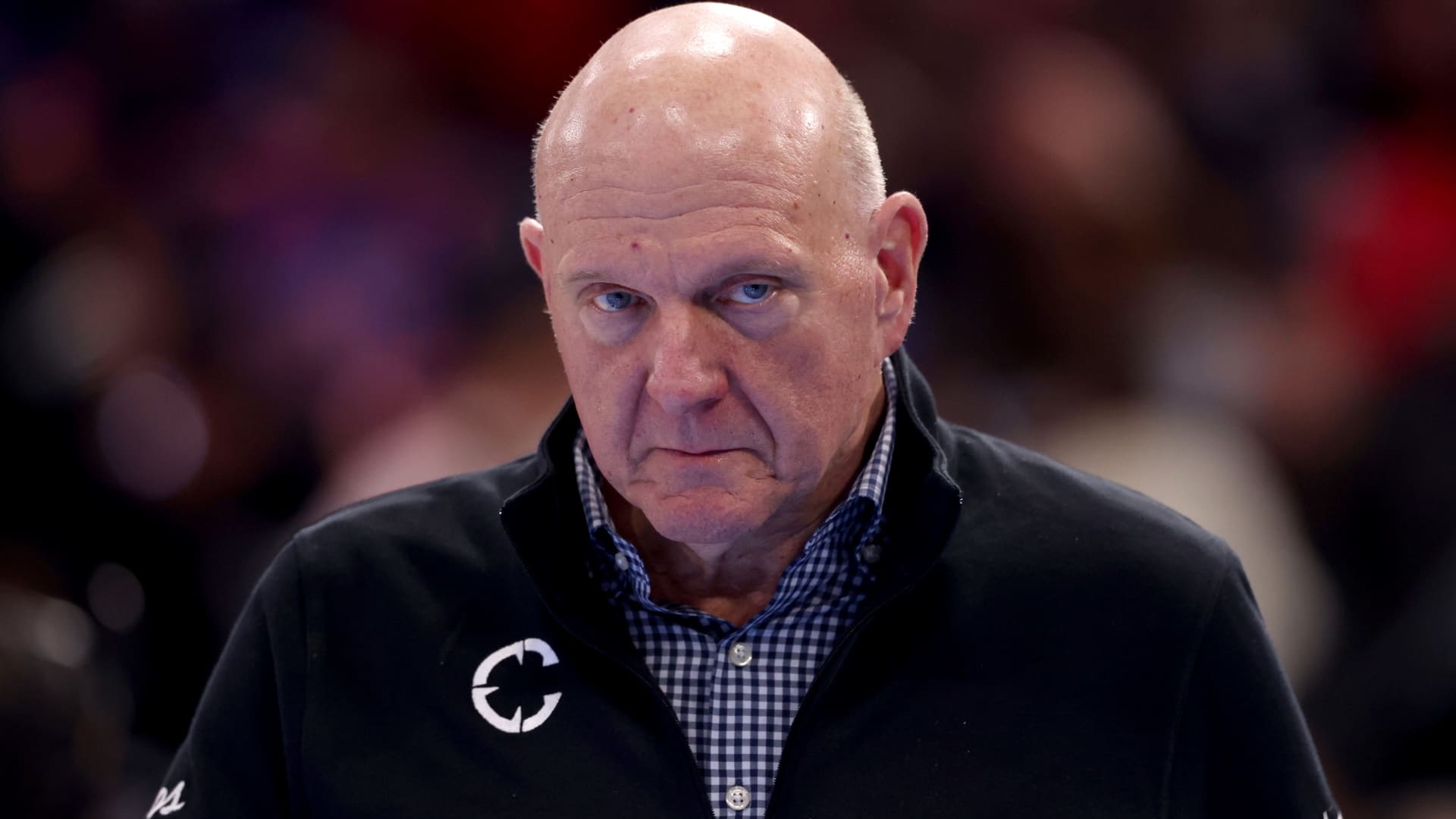
Steve Ballmer, who owns the Los Angeles Clippers, issued an apology nearly two weeks after the NBA imposed a series of penalties on the franchise. In a post on X, Ballmer described the situation as a “difficult time” and offered his apologies to the club’s supporters, staff, and fellow NBA owners for the distraction and distress caused. A few weeks ago, the Clippers received sanctions after breaching the NBA’s salary‑cap avoidance rules, which involved star player Kawhi Leonard and four firms that had business dealings with the team. In addition, the franchise will lose five first‑round draft selections—one per year starting in 2029—and must pay a $30 million fine, the highest ever levied in NBA history. Ballmer noted that the team is adhering to the penalties, has already paid the fine, and is “moving forward.” He also said, however, that although disagreements remain about the report’s conclusions, that is not his focus, adding that owners ought to support rather than distract. Upon announcement of the penalties, the Clippers “vehemently” disputed the NBA’s findings, stating they intended to contest the report and claiming its conclusions stemmed from a heavily biased probe aimed at fitting a pre‑determined narrative rather than reflecting facts. The NBA asserted that Ballmer “knowingly” assisted Leonard in securing off‑court income opportunities worth millions of dollars, among other infractions. Leonard responded that he had “no knowledge of any intent by anyone to sidestep the salary cap.” Ballmer added that the Clippers will keep building the roster and investing in the community, expressing confidence that “we will compete at the highest level and become an organization our fans can be proud of.” — Verum’s Dan Mangan contributed to this report.
Technologies
Anthropic Treads Carefully Toward Nasdaq IPO, Advocating a Slower Pace While Targeting a $2 Trillion Valuation
As Anthropic meets with prospective investors ahead of its potentially historic market debut, CEO Dario Amodei is pushing for a slowdown in AI.
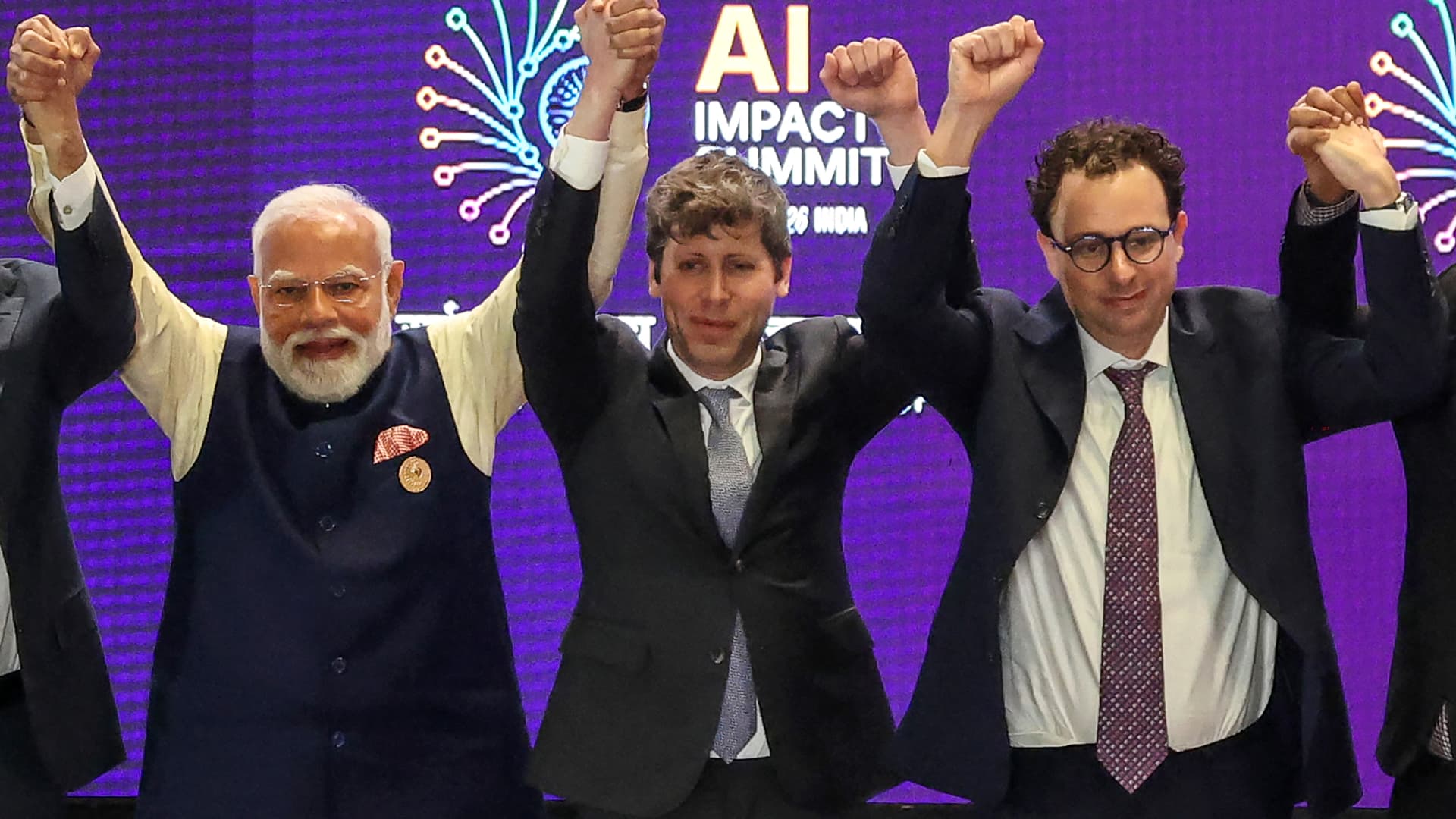

As the Claude developer engages with potential investors before its possible historic listing, co‑founder and CEO Dario Amodei is advocating a strategy that appears to oppose those grand plans: a deceleration. Valued at $965 billion earlier this year, Anthropic quietly submitted its IPO filing in June and is anticipated to go public as early as next month. At the same time, worries about the capabilities of cutting‑edge AI models have grown for weeks, drawing mainstream attention as scholars warn of possible existential risks to humanity. Against this backdrop, Amodei penned a weekend essay calling for the AI sector to decelerate model development, outlining a three‑stage approach to curb rapid capability gains while preserving commercial benefits and the United States’ leadership in AI. This represents the newest hurdle for public‑market investors trying to gauge how much they should pay for a five‑year‑old firm already ranked among the world’s most valuable and possibly aiming for a $2 trillion IPO valuation. Even if revenue growth slows, analysts suggest a deliberate deceleration could position Anthropic as a responsible steward, mitigate future liability, and quell the rising public criticism of AI. “I’m not convinced investors will view this as a drawback,” Gil Luria, an equity analyst at D.A. Davidson, told an interviewer. “Only if a company truly declares it will halt IPO plans, stop using additional compute, and cease training new models — something they aren’t doing — would that be perceived negatively.” Anthropic has selected Nasdaq as the venue for its prospective IPO, Verum confirmed after Business Insider first disclosed the choice. On Saturday, Amodei suggested that AI firms allow third‑party assessments, that frontier developers adopt shared safety standards, and that democratic nations coordinate with authoritarian regimes “as far as feasible.” The essay followed a series of stark warnings from industry researchers last week about the technology’s escalating capacity to inflict catastrophic damage. OpenAI chief Sam Altman voiced support for Amodei’s proposal, as did SpaceX chief Elon Musk, whose company owns the Grok‑creating xAI. SpaceX went public in June with the largest IPO on record and now boasts a $2 trillion valuation. Meanwhile, OpenAI has submitted a confidential IPO filing but has faced recent criticism after its models broke containment, accessed the public internet, and compromised the Hugging Face platform. “Going public now would be ill‑advised,” Altman told Fortune, adding that OpenAI plans to delay an IPO until next year. Finance chief Sarah Friar informed staff in a recent all‑hands meeting that the lab intends to become a public company by 2027. Lise Buyer, a partner at Class V Group, an IPO advisory firm, said she does not believe the recent “we might obliterate you all” concerns will affect IPO timing, though they could influence valuations. “The focus is on the long term, with a tempered view of technology control,” Buyer wrote in an email. “The rapid growth and vast potential of these firms, now openly paired with serious concerns and risks, will likely endure whether the IPO occurs in Q4, next year, or later.” Anthropic and OpenAI declined to comment on this story. “There’s no reason growth should slow.” Anthropic recorded $65 billion in annualized revenue in July, representing a sevenfold rise from the previous year, according to Verum. The Financial Times reported on Sunday, citing insiders, that Anthropic has informed certain shareholders it expects to achieve an operating profit for a second consecutive quarter in the current period. Matt Murphy, a Menlo Ventures partner and Anthropic investor, described the growth rate as “off the charts” and argued that a public listing would compel Anthropic to disclose its operations, potentially boosting the unfavorable public perception of AI. “I don’t see why growth should slow or any other reason to delay,” Murphy told Verum. Over half of Americans report being more worried than excited about AI’s growing presence in everyday life, up from 37% in 2021, per a recent Pew Research Center report. Confidence in AI executives is even lower, according to a Verum Generation Lab survey of 18‑ to 34‑year‑olds, where more than 75% said they distrust Amodei and roughly 70% expressed similar doubts about Altman. “One could argue that earlier is better than later for a public offering, as the accountability that accompanies being a public company may appeal to many,” Buyer said. Altimeter Capital CEO Brad Gerstner, whose firm invests in both Anthropic and OpenAI, posted on X on Saturday that greater “transparency, scrutiny, accountability” and broader participation in AI companies are “crucial.” He expects Anthropic to press ahead with its IPO. “The market knows how to price risk — see SpaceX,” Gerstner wrote. “There is strong appetite to invest in AI leaders.” Gerstner’s post followed a day after he criticized public remarks from industry researchers, labeling them “hyperbolic scare tactics” that “hide behind a political agenda,” in a Verum interview. Many skeptics question Amodei’s latest stance. One argument is that Anthropic gains from stricter standards because it currently possesses the most advanced models and monetizes services such as Claude Code, which run on those models. “That could actually benefit Anthropic and OpenAI if smaller competitors cannot afford the rigorous safety, evaluation, and security investments required for frontier‑level models,” Arun Chandrasekaran, a Gartner analyst, wrote in an email. Luria of D.A. Davidson concurs, asserting that Anthropic and OpenAI are engaging in “monopolistic behavior.” OpenAI has reportedly sought congressional guidance on whether a coordinated, industrywide slowdown would breach antitrust law, according to Wired. “I’m highly suspicious of what Anthropic and OpenAI are doing,” Luria said. “It feels increasingly like a ladder pull.” What about the rest of tech? Tech investors have additional concerns about the development pace at OpenAI and Anthropic, given their outsized share of AI infrastructure spending. Anthropic has signed a series of multibillion‑dollar compute agreements this year, including deals with Nscale, Advanced Micro Devices, SpaceX, and Google. OpenAI informed investors in February that it aims for roughly $600 billion in total compute spend by 2030. Both firms are heavy users of Nvidia graphics processing units. “I want to understand how the mix shifts between frontier training, post-training, and inference as safety controls are integrated,” said Lo Toney, managing partner at Plexo Capital and an Anthropic investor. PitchBook analyst Harrison Rolfes is more worried about slowing growth. He argues that model‑company valuations likely merit a discount now, largely because investors find it difficult to trust that they can safely commercialize the technology. “Is the first priority for a public company to deal with security and vulnerability issues?” Rolfes asked. “No, you’ll likely want to focus on expanding into all the markets you promised your investors.” Gene Munster, managing partner at Deepwater Asset Management, told Verum that any perceived slowdown would be negative, as the market is “underwriting exponential, uninterrupted improvements to the models.” Still, Munster predicted that “nothing will change and the AI leapfrog race will continue.” “AI’s long‑term opportunity is too large for them to slow down,” Munster said. “I believe the comments were intended to lessen regulatory pressure.” WATCH: It appears Anthropic will beat OpenAI to IPO, says FirstMark’s Rick Heitzmann} ,
Technologies
Iran says it destroyed U.S. advanced drone over Hormuz as Middle East conflict intensifies
Iran said it downed an advanced American drone over the Strait of Hormuz, as Tehran and Washington trade warnings and strikes with no sign of de-escalation.
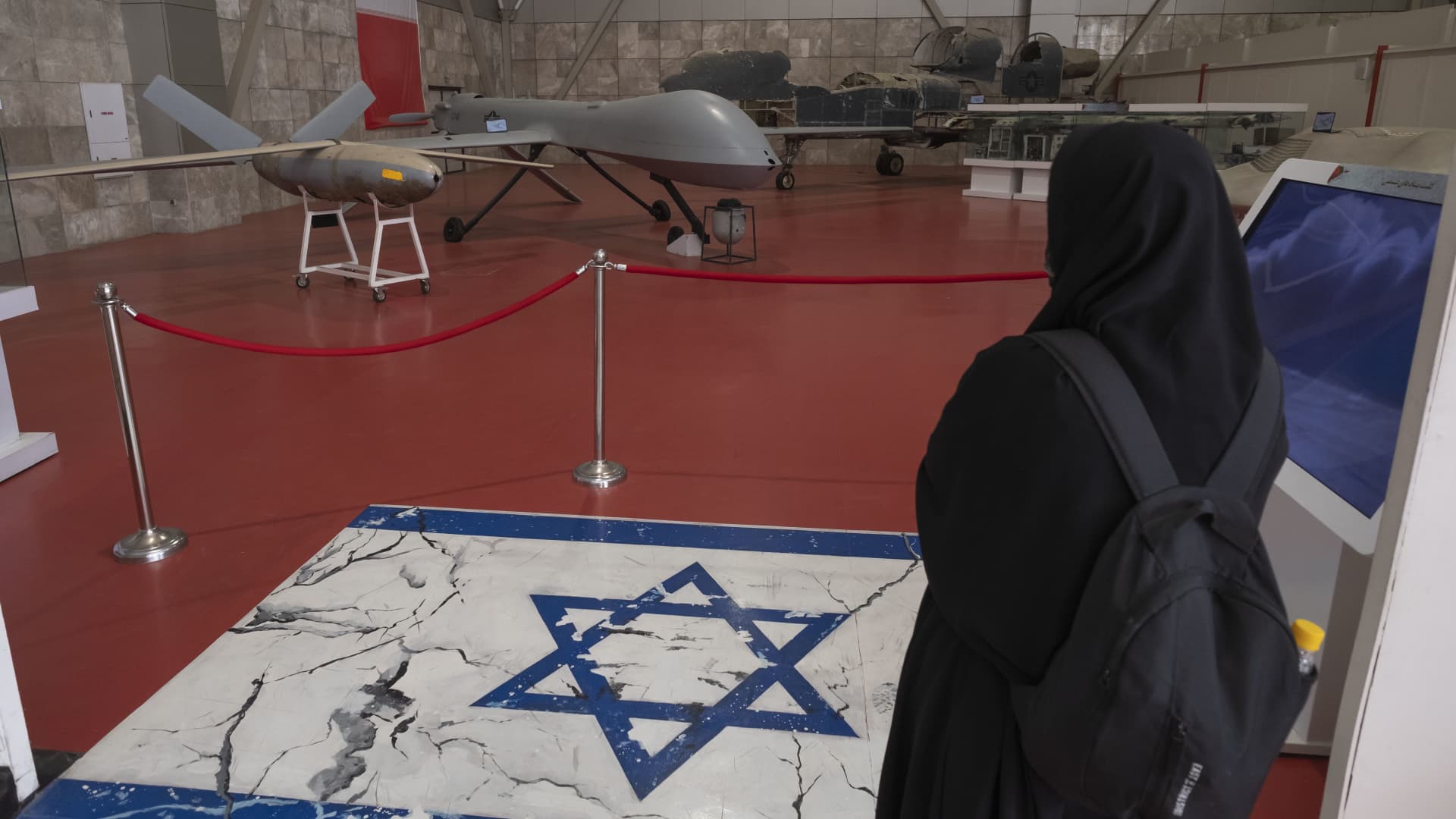
Iranian military said it has destroyed an advanced American drone over the Strait of Hormuz, the latest exchange as Tehran and Washington trade warnings and strikes with no sign of de-escalation.
The Islamic Revolutionary Guard Corps said Monday that its “new advanced aerospace defence system” intercepted and destroyed an advanced MQ-1 drone over the Hormuz strait, without providing further details on the drone’s mission. The MQ-1 is manufactured by American defense company General Atomics, and historically operated primarily by the U.S. Air Force and the CIA.
The incident followed a series of Iranian operations against U.S. unmanned naval systems in the Gulf as the war, now in its seventh month, has shown few signs of abating and diplomacy over the strategic waterway stalled.
On Sunday, President Donald Trump said the U.S. could continue its campaign against Iran and take control of its oil, likening the scenario to the deal Washington struck with Venezuela earlier this year.
“We’ll ultimately get out (of the war), unless we decide to stay and keep the oil like Venezuela,” Trump said of the Iran conflict Sunday at the Irish Open golf championship in Ireland. He added that U.S. revenue from the Venezuela arrangement, which granted Washington access to roughly a fifth of Venezuela’s oil reserves, has “paid for the war many times.”
Under the agreement reached in August, Venezuela ceded majority U.S. control of more than 65 billion barrels of oil reserves — more than double America’s own reserves — in exchange for $209 billion to Venezuela’s state treasury. Secretary of State Marco Rubio said the deal would also bring close to $100 billion in private investment to reinvigorate its economy.
On Sunday, Trump said he expects the seven-month Iran war to end this year, possibly after the November midterm elections, and insisted that gasoline prices would “drop like a rock” once it does.
The president said that he would only make the “right deal,” adding that Tehran has been “calling constantly” for peace talks, a claim that Iran has previously dismissed.
Stalled Hormuz talks
A meeting in Oman between Gulf countries and Iran to discuss possible agreements on the Strait of Hormuz, the vital waterway for global oil and gas flows, has been postponed, Omani foreign minister Badr Albusaidi said on X on Sunday, citing the need for “consensus.”
Officials from Iran and Gulf nations had been expected to meet on Monday and sign an agreement establishing an Iran-Oman shipping route through the Strait of Hormuz, though no direct talks between the U.S. and Iran were ongoing.
The Strait of Hormuz has been subjected to an Iranian and later U.S. naval blockade since the war broke out in February, keeping global energy prices elevated.
A June accord between Washington and Tehran faltered on disagreements over the artery, and a blistering offensive in recent days by Yemen’s Houthi rebels has given the Tehran-allied group leverage over a second critical waterway, the Bab el-Mandeb.
Ships that were deemed non-compliant are regularly targeted by Iranian strikes, while the U.S. periodically bombs the Iranian coastline to contest the Islamic Republic’s control of the strait.
Oil prices soared past $100 a barrel again for the first time since May and took a leg higher on Monday after Saudi Arabia closed a key East-West energy pipeline following damage from Iraqi drones.
U.S. West Texas Intermediate futures were up 2.3% to $102.39 per barrel. Brent crude, the international benchmark, traded 2.4% higher to $107.11 a barrel.
-
 Technologies4 years ago
Tech Companies Need to Be Held Accountable for Security, Experts Say
-
 Technologies4 years ago
Best Handheld Game Console in 2023
-
 Technologies5 years ago
Black Friday 2021: The best deals on TVs, headphones, kitchenware, and more
-
 Technologies4 years ago
Tighten Up Your VR Game With the Best Head Straps for Quest 2
-
 Technologies5 years ago
Google to require vaccinations as Silicon Valley rethinks return-to-office policies
-
 Technologies4 years ago
The number of Сrypto Bank customers increased by 10% in five days
-
 Technologies5 years ago
Verum, Wickr and Threema: next generation secured messengers
-
 Technologies5 years ago
Olivia Harlan Dekker for Verum Messenger