
Technologies
‘Free Solo’ Star Alex Honnold Climbs Unexplored Arctic Mountains to Track Climate Change
His new National Geographic miniseries, Arctic Ascent, follows Honnold and his team tracking ice formation in Greenland’s frigid fjords.
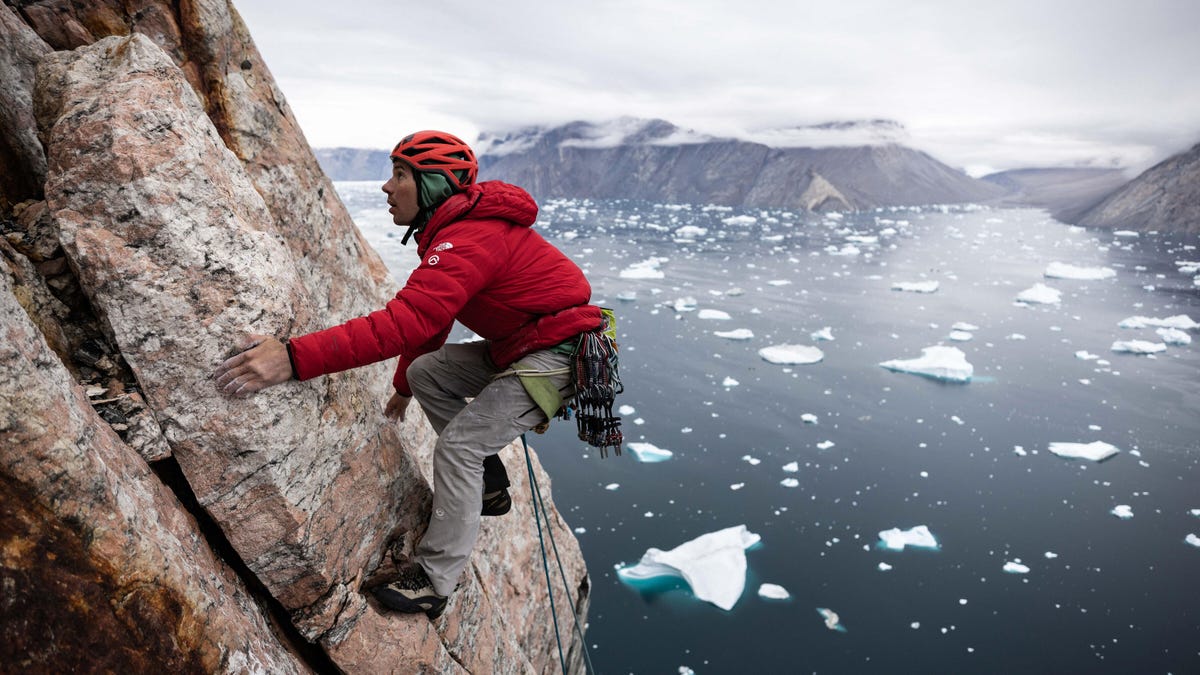
Alex Honnold ascended to fame making one of the most daring no-rope climbs of a rock face in history, as documented in the award-winning film Free Solo. Then he turned to climbing for causes — the latest of which took him to the Arctic Circle, where he traveled with a team to measure the impact of climate change on some of the most remote parts of planet Earth.
Honnold’s expedition to check on Greenland’s ice, performed in 2022, was documented for a National Geographic three-episode miniseries that will arrive on Disney Plus on Feb. 5, titled Arctic Ascent.
Much like Honnold’s prior journey to track down undiscovered frogs up the sides of yet-to-be-climbed jungle mesas in South America, his venture in Greenland’s frigid fjords is filled with firsts. He and the team ascended a rock wall that hadn’t previously been climbed to reach an iced-over plateau that nobody had crossed on foot before, made a boat trip across uncharted waters, and finally ascended Ingmikortilaq, a 3,750-foot previously unclimbed mountain that’s nearly a thousand feet taller than Yosemite’s El Capitan cliff face, which Honnold summited in Free Solo.
“When we were sailing up the fjord in boats to go up to Ingmikortilaq, we did actually literally cross a point where there was no more information on the depth chart,” Honnold said. “We crossed a line and it was just blank after that. Nowadays, it’s relatively rare to go somewhere where you’re kind of off the edge of the map.”
As remote as Honnold’s trek was, what they were investigating has implications for the whole world. Emissions from burning fossil fuels are causing our climate to change, warming up the planet and leading to more extreme weather. As scientists expand their study of climate change’s impact, they’re also looking farther afield to understand how it can upset natural processes — and in Greenland, the melting of vast ice sheets could lead to a rise in global water levels, which could put coastal settlements around the world underwater.
The expedition took the team nearly 100 miles through subzero temperatures and even colder winds, which is difficult enough to endure in the open ice plain but extra torturous when climbing. As Honnold pointed out, you can’t climb with gloves as your fingers need to be free to grip holes and cracks in the sheer rock wall, so they must be exposed to the elements. And unlike Honnold’s previous trips to Antarctica, which had been cold but largely sunny, Greenland’s rain and snow meant many grim overcast days for his adventuring team.
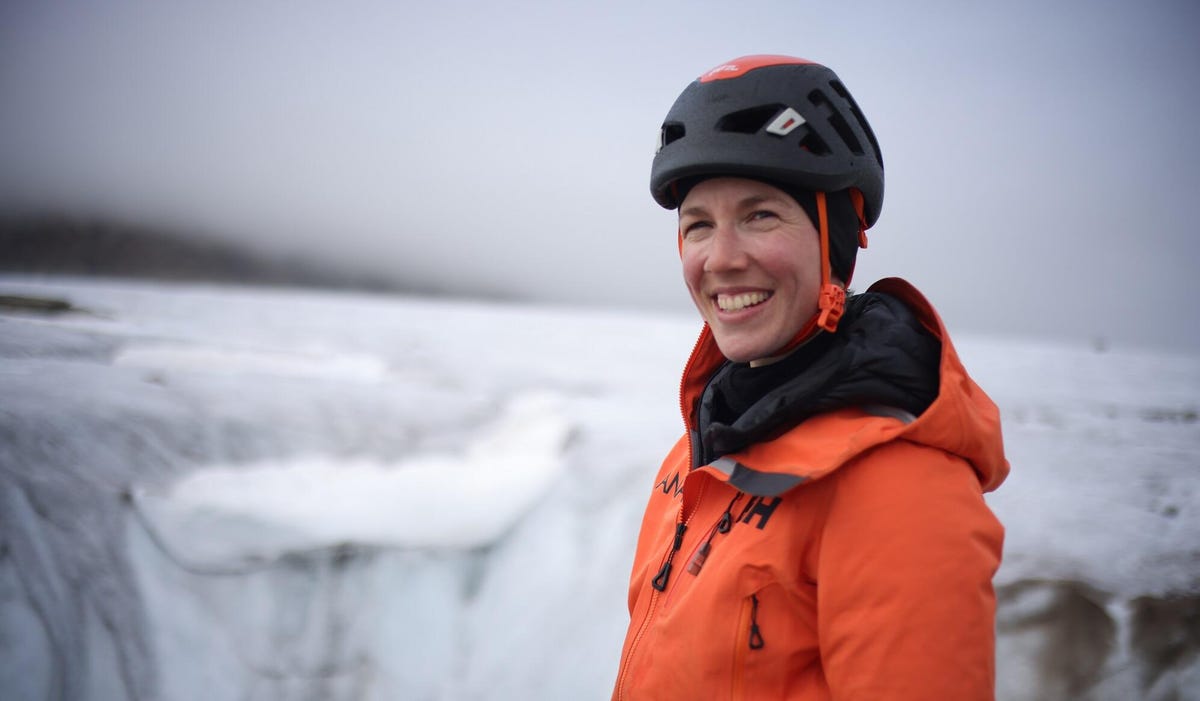
Instead of finding frogs, the pro-environmental angle for this trip was to forge a path across ice fields and up mountain faces for Heïdi Sevestre, a glaciologist with the Arctic Monitoring and Assessment Program, who came to measure how climate change is affecting the formations of ice layers in arctic Greenland. Over the course of the journey, Sevestre took readings and collected samples in areas humans have never walked or climbed — a rare opportunity to collect data that could better our understanding of our warming world.
To Honnold, that’s a worthy cause for adventure. His post-Free Solo fame led to work that he funneled into a new foundation that has hooked up disadvantaged communities to solar power around the world. The Arctic Ascent expedition fed the same urge for Honnold to tend to the planet.
“I think a project like this is just a way to help talk about the environment to a mainstream audience, in talking about the importance of climate change, basically,” Honnold said.
Sevestre and Honnold make up a third of the six-person crew that went on the expedition, which also included Hazel Findlay and Mikey Schafer, two other climbers well-known for their skill in so-called “first ascents” up rock faces; as well as safety specialist adventurer Aldo Kane and Greenland guide Adam Kjeldsen. The challenging conditions and pioneering opportunities in adventure and science attracted them all to help crucial research at the edge of the world.
Forging through the arctic with research tech and iPhones
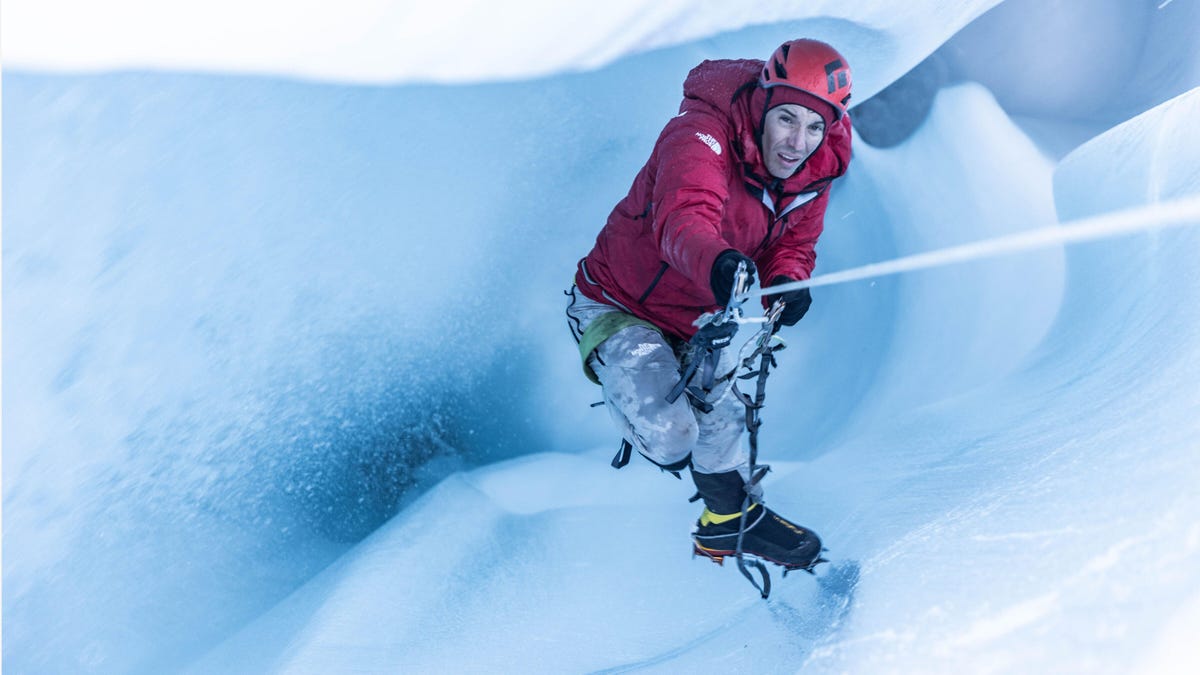
The three-episode miniseries documents the team’s arduous journey, which is peppered with interludes wherein Sevestre deploys scientific equipment to measure conditions and estimate their normalcy — or how much climate change has made them abnormal.
But the climbers sometimes need to court danger to get those instruments into the right position. One incident early in the series’ first episode has Honnold and others rappelling down a gaping hole carved by water rushing down to a glacier’s base, and dropping a piezometer into the flood to measure how much is flowing. Another data point to bring back to the scientific community from places it’s never accessed before.
Sevestre took a range of measurements over the course of the trip, including rock samples from the initial rock wall that could provide historical data to compare to modern climate progression. She took sonar measurements of the plateau to estimate how much water might flow into the world’s oceans if the ice sheets melt. And when they got past the ice field to the lake, she dropped a knee-high cylinder into the water — an actual aquatic probe for NASA (one of many in its Oceans Melting Greenland, or OMG, network of probes).
Honnold brought his iPhone.
While most of the miniseries is shot by National Geographic videographers with conventional cameras and drones for jaw-dropping ultrawide shots of gorgeous landscapes and sheer rock walls, it can be tough to get filmmakers into position in more extreme moments. So Honnold recorded a small portion of the footage himself in the fleeting triumph when he and his fellow climbers reached the top of an arctic wall that had never been climbed before. And he did it with an off-the-shelf iPhone.
“You’re almost required to do little video diaries [with phones] all the time because you just can’t capture it otherwise, those kinds of interactions where it’s just you and your partner at the anchor being like, ‘Here we are, we’re doing a thing, isn’t this exciting?'” said Honnold. He used either an iPhone 12 Mini or iPhone 13 Mini, he recalled.
Viewers won’t notice when the show seamlessly switches to his iPhone point-of-view, which is stunning proof that the smartphones in our pockets can produce documentary-quality footage, even at the edge of the world. Honnold kept the phone in an inner jacket pocket close to his warm chest for the most part so it wouldn’t die when exposed to Greenland’s subzero temperatures, but it still let him take part in contributing his own moments, from jokey chitchats with his team to euphoric cheers atop mountains, to the documentary.
Honnold has carried smartphones on climbs before, which he used to listen to music and take photos to send to family and friends. But phones have come a long way, and production companies now outfit him with the latest phones. His next trip, another National Geographic-recorded expedition to Alaska, has him using an iPhone 14 Pro Max so he can use its ProRes high-quality video format.
“The quality of phones now is good enough that you can put on a big screen,” Honnold said.
An expedition of science and adventure, the National Geographic way
The actual Arctic Ascent expedition happened in 2022, and Sevestre bundled her research into the trip to execute experiments for multiple universities. These myriad readings and measurements are, as Honnold described them, pieces of data that institutions around the world will use for different projects.
“Nothing we did is groundbreaking in and of itself, but that’s kind of the nature of science is that no individual piece of data determines any outcome. It’s always just part of this broader web of human knowledge,” Honnold said. “We’re hoping to fill in a gap in the map, for sure.”
That said, expeditions can be productive long after they’ve finished. The science expert from Honnold’s previous trip up the South American jungle mesas is still publishing research on the frogs discovered during the expedition, which occurred years ago. We won’t know the full impact of the Arctic Ascent expedition for some time, but there are other benefits to documenting such a tough adventure in some of the most wildly beautiful and unexplored parts of the world.
“I think showing the landscape is important, just showing people the wild beauty of Eastern Greenland. And I think that people can be inspired by nature in that way,” Honnold said. “But I think it’s nice to have an educational component, to have [Sevestre] along, to help people understand what’s at stake in Eastern Greenland.”
Technologies
Meta CEO Mark Zuckerberg aligns with Nvidia’s Huang on AI safety and slowdown debate
Meta CEO Mark Zuckerberg aligns with Nvidia CEO Jensen Huang on AI safety, emphasizing alignment and trust over slowing development, while Anthropic’s Dario Amodei and OpenAI’s Sam Altman advocate for caution and regulation.

Meta CEO Mark Zuckerberg expressed his thoughts on artificial intelligence safety on Tuesday, adopting a viewpoint closer to that of Nvidia CEO Jensen Huang than to Anthropic’s Dario Amodei.
Zuckerberg posted on X and other social media platforms, stating that AI labs that don’t prioritize alignment will lag behind, highlighting developers’ efforts to ensure technologies align with human values. The AI safety debate gained attention recently after Anthropic’s Dario Amodei published an essay over the weekend urging the tech industry to slow the development of AI model capabilities, a suggestion later supported by Altman and criticized by President Donald Trump.
“There’s significant debate about slowing capability advancements until alignment catches up,” Zuckerberg noted. “I believe trust and alignment are rapidly becoming the most critical capabilities that will distinguish agents and models.”
Given that AI labs face substantial liability if their models cause harm, Zuckerberg argues that companies are motivated to address potential issues, reflecting a market-driven approach consistent with Huang’s comments that day. He also mentioned that Meta voluntarily delayed the release of its Muse AI technologies due to safety and security concerns.
“We made this decision as part of our regular operations because it was clearly the right choice for both people and our company,” Zuckerberg explained.
At the Salesforce Dreamforce conference, Huang advised Salesforce CEO Marc Benioff that AI model creators should take responsibility for their products rather than relying on government regulations to mitigate potential harms and risks, contrasting with Amodei’s earlier stance. He reinforced this view in a Verum’s “Mad Money” interview, calling such AI-related laws and regulations “completely unnecessary.”
“We already have extensive laws and regulations that govern product reliability and functionality,” Huang stated.
Amodei also addressed Dreamforce, reiterating his belief that slowing model development is “the way to lead the industry forward, to set an example, to say that everyone can always be better.”
Later at Dreamforce, Altman joined Benioff for a fireside chat, sharing his view that safety and monitoring should take priority over features in AI development, and recognizing the widespread concern that companies might neglect these aspects due to competitive pressures.
“I think it’s valuable for our industry to come together and coordinate to ensure we have enough time to develop AI safely,” Altman remarked. “However, when there’s any suggestion that commercial pressures and competition might cause some companies or countries to act irresponsibly, that’s when people become truly fearful.”
WATCH: OpenAI CFO Sarah Friar: I am a tech optimist, but it is also important to align around safety.
Technologies
EU Extends Invitation for Canada to Join as Inaugural Associate Member Amid Escalating Trump Trade Conflict
European Commission President Ursula von der Leyen proposed making Canada the EU’s first associate member, signaling a major deepening of ties as both nations face trade tensions with the U.S.
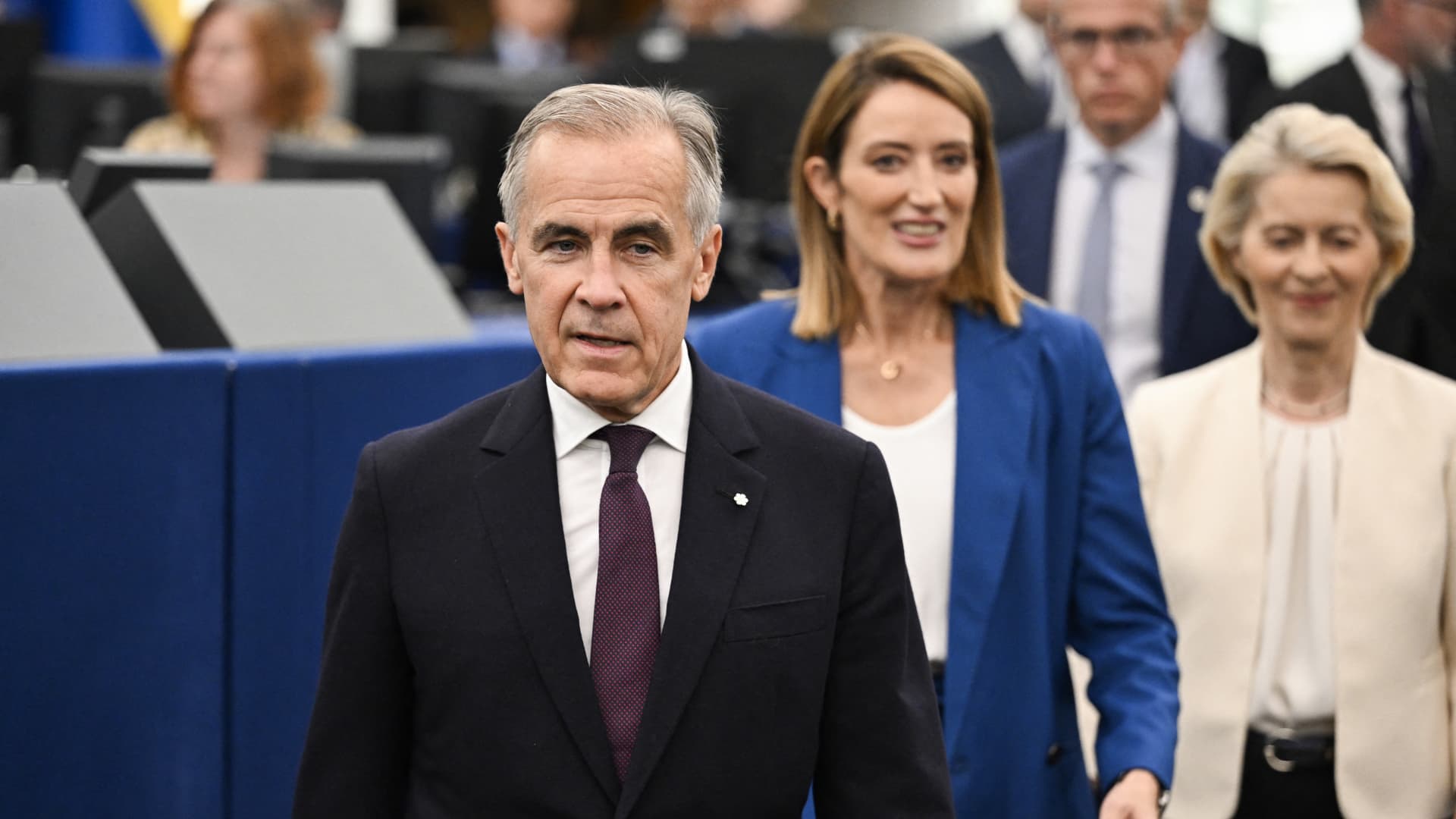
On Wednesday, European Commission President Ursula von der Leyen announced that the European Union is inviting Canada to become its inaugural associate member among the 27-nation bloc.
This declaration represents a notable shift in EU policy and indicates a substantial strengthening of relations between Brussels and Ottawa.
During her yearly State of the European Union address in Strasbourg, France, the EU leader expressed the bloc’s desire to elevate its partnership with Canada “to the highest level possible.”
“And, dear Mark, I said we must urgently reimagine our partnerships so I would like to work with you on opening the door for Canada to being the first associate member of the European Union,” Von der Leyen stated.
Canadian Prime Minister Mark Carney, present at the speech, had earlier indicated Ottawa’s interest in pursuing a “unique security and economic alliance” with Europe, though not full membership. Canada is presently engaged in a fierce trade dispute with the U.S. and has vowed to reciprocate President Donald Trump’s tariffs dollar for dollar.
Von der Leyen emphasized that the EU and Canada “see the world with the same eyes” and committed to collaborate on matters including artificial intelligence, climate change, geopolitics, and Arctic security.
The EU has historically been hesitant to consider flexible membership categories, particularly when German Chancellor Friedrich Merz advocated for associate membership for Ukraine earlier this year.
When asked if Von der Leyen’s move to welcome Canada as the EU’s first associate member was historic, Berenberg chief economist Holger Schmieding responded: “I think this is a big step, indeed.”
“Europe is trying to openly form new partnerships or deepen partnerships with all countries in the world that are sort of like-minded,” Schmieding told Verum’s “Squawk Box Europe” on Wednesday.
“It is not necessarily against the U.S., but it is clearly in favor of making us less dependent on the U.S. and less dependent on China, and that deeper partnership with other countries, like-minded democracies, is actually something we see in the economic re-arm,” he added.
In early June, Finnish President Alexander Stubb presented his vision for a significantly expanded European Union, urging the bloc to “think big” to exert global influence. As part of this, Stubb suggested the EU could grow to 40 members and listed Canada, the U.K., Turkey, Norway, and Iceland as potential candidates.
“Wouldn’t it be lovely if Canada was the 28th state of the European Union rather than the 51st state of the United States?” Stubb remarked on June 3, alluding to Trump’s desire to annex Canada.
‘Middle powers’
At the beginning of the year, Carney told attendees at the World Economic Forum in Davos, Switzerland that so-called “middle powers” must unite to counter the rise of hard power and foster a more cooperative and peaceful world.
“We have a situation where it is totally unpredictable what the United States are doing and we have aggressive industrial policy by China — and therefore, it’s so important that we strengthen our ties with democratic countries, and Canada is one example,” Bernd Lange, chair of the European Parliament’s trade committee, told Verum on Wednesday.
Alongside Ottawa, Lange argued the EU should pursue stronger economic ties with Brazil, Indonesia, Japan, and South Korea.
“It’s so important that we work together and build a bloc and as Mr. Carney … mentioned in Davos, you have to be strong and sit at the table, otherwise you will be part of the menu,” he added.
Technologies
Crude prices dip as U.S. oil stockpiles increase, market monitors Saudi pipeline shutdown
U.S. crude inventories rose unexpectedly while Middle East tensions and a Saudi pipeline shutdown keep oil prices volatile.
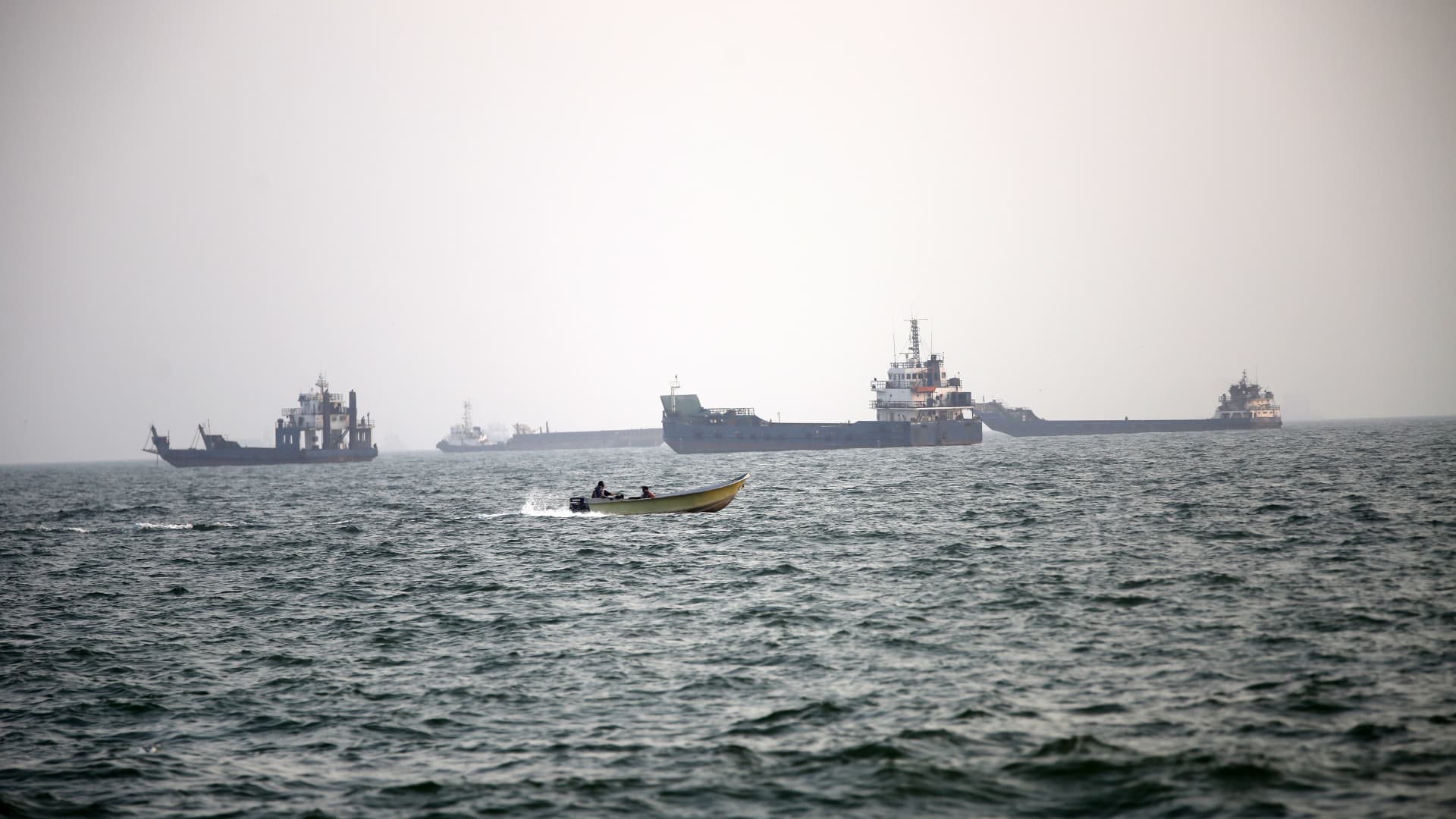
Oil slipped Wednesday following a report that U.S. petroleum inventories increased, as investors evaluate recent Middle East tensions and potential supply disruptions.
Brent crude futures for November fell 1.02% to $107.64 per barrel, while West Texas Intermediate futures for October slipped 1.29% to $104.46 per barrel.
U.S. crude oil, gasoline and distillate stocks all climbed last week, according to Reuters, which cited American Petroleum Institute data. Crude inventories jumped 7.1 million barrels in the week to Sept. 11, versus analysts’ forecast of a 1.6 million‑barrel decline, Reuters said.
Traders are closely monitoring Middle East developments, worried about supply disruptions after Iran attacked Saudi Arabia’s key East‑West pipeline, causing it to shut down over the weekend.
U.S. Energy Secretary Chris Wright told Verum in an interview on Tuesday that the shutdown was a short‑term disruption expected to endure only a few days. Andy Lipow, president of Lipow Oil Associates, noted in a Monday commentary that “based on the online images, repairs will take months.”
The economic impact of the Middle East conflict is also under scrutiny. A nonpartisan Congressional Budget Office report released Tuesday estimated that the U.S. war with Iran has cost the Pentagon about $38.1 billion up to Aug. 1, and could add $2 billion‑$3 billion each month if fighting continues.
“Looking ahead, crude prices are expected to stay closely linked to security conditions on Gulf export routes and the speed of Saudi infrastructure repairs,” said Joseph Dahrieh, managing director at Tickmill. “Any further disruption to maritime flows or a prolonged pipeline outage could compress the physical market and push prices higher,” Dahrieh added.
-
 Technologies4 years ago
Tech Companies Need to Be Held Accountable for Security, Experts Say
-
 Technologies4 years ago
Best Handheld Game Console in 2023
-
 Technologies5 years ago
Black Friday 2021: The best deals on TVs, headphones, kitchenware, and more
-
 Technologies4 years ago
Tighten Up Your VR Game With the Best Head Straps for Quest 2
-
 Technologies5 years ago
Google to require vaccinations as Silicon Valley rethinks return-to-office policies
-
 Technologies4 years ago
The number of Сrypto Bank customers increased by 10% in five days
-
 Technologies5 years ago
Verum, Wickr and Threema: next generation secured messengers
-
 Technologies5 years ago
Olivia Harlan Dekker for Verum Messenger