
Technologies
Is the iPhone 15 Pro Worth the Upgrade? How It Compares to Older iPhones
If you have a phone that’s at least 3 years old, such as the iPhone 12 Pro or earlier, the answer is likely yes.
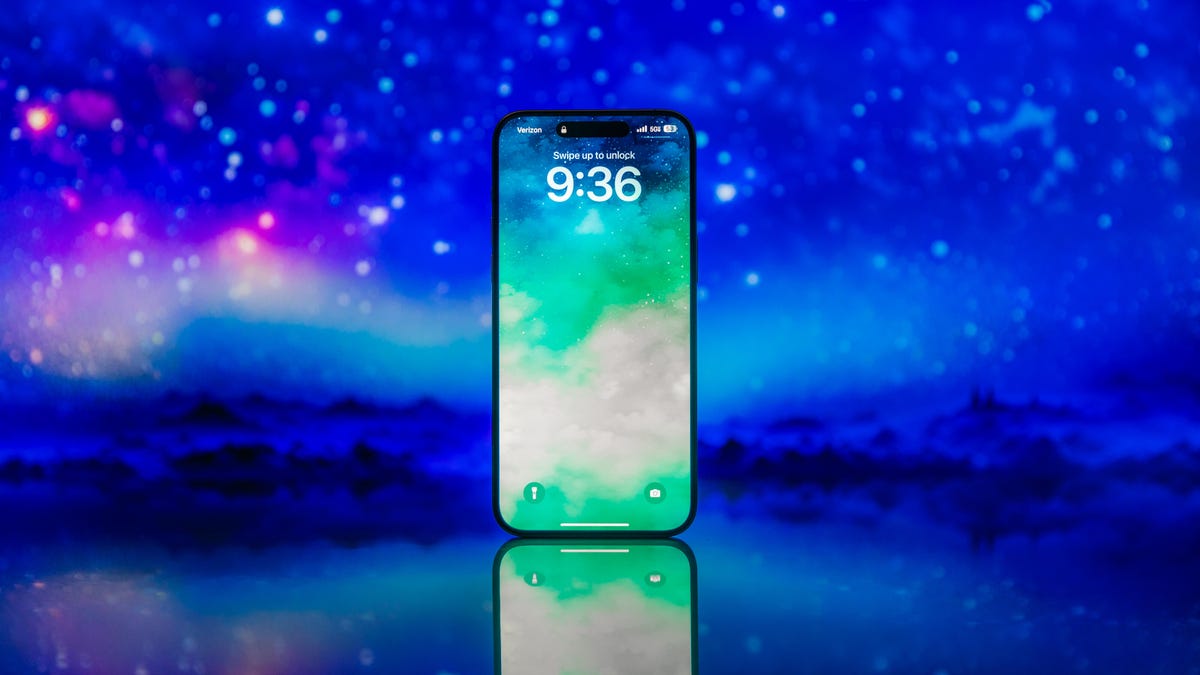
With every new iPhone, especially the Pro models, Apple promises faster performance and better cameras. And according to my colleague Patrick Holland, who reviewed the iPhone 15 Pro and Pro Max, Apple delivers on those pledges.
But that doesn’t necessarily mean it’s worth upgrading to the latest models. Those improvements don’t come cheap, with the iPhone 15 Pro starting at $1,000 and the iPhone 15 Pro Max beginning at $1,199. Those prices become easier to swallow with carrier trade-in deals, but such discounts often require you to meet very specific circumstances, such as opening a new line or exchanging a relatively new phone.
Similar to the regular iPhone 15, the Pro model is best suited for those coming from an older model, like the iPhone 12 or earlier. There’s plenty that’s new with the iPhone 15 Pro, like the titanium body and new Action button, that make the phone feel fresh and different compared to the iPhone 14 Pro. But if you’re coming from a device that’s several years old, you’ll likely find the longer battery life and performance improvements to be the driving factors behind your decision to upgrade.
Take a look at the comparisons below to decide whether it’s the right time to upgrade to the iPhone 15 Pro. If you’re considering the standard iPhone 15 instead, check out our separate upgrade guide.
iPhone 15 Pro vs. iPhone 14 Pro
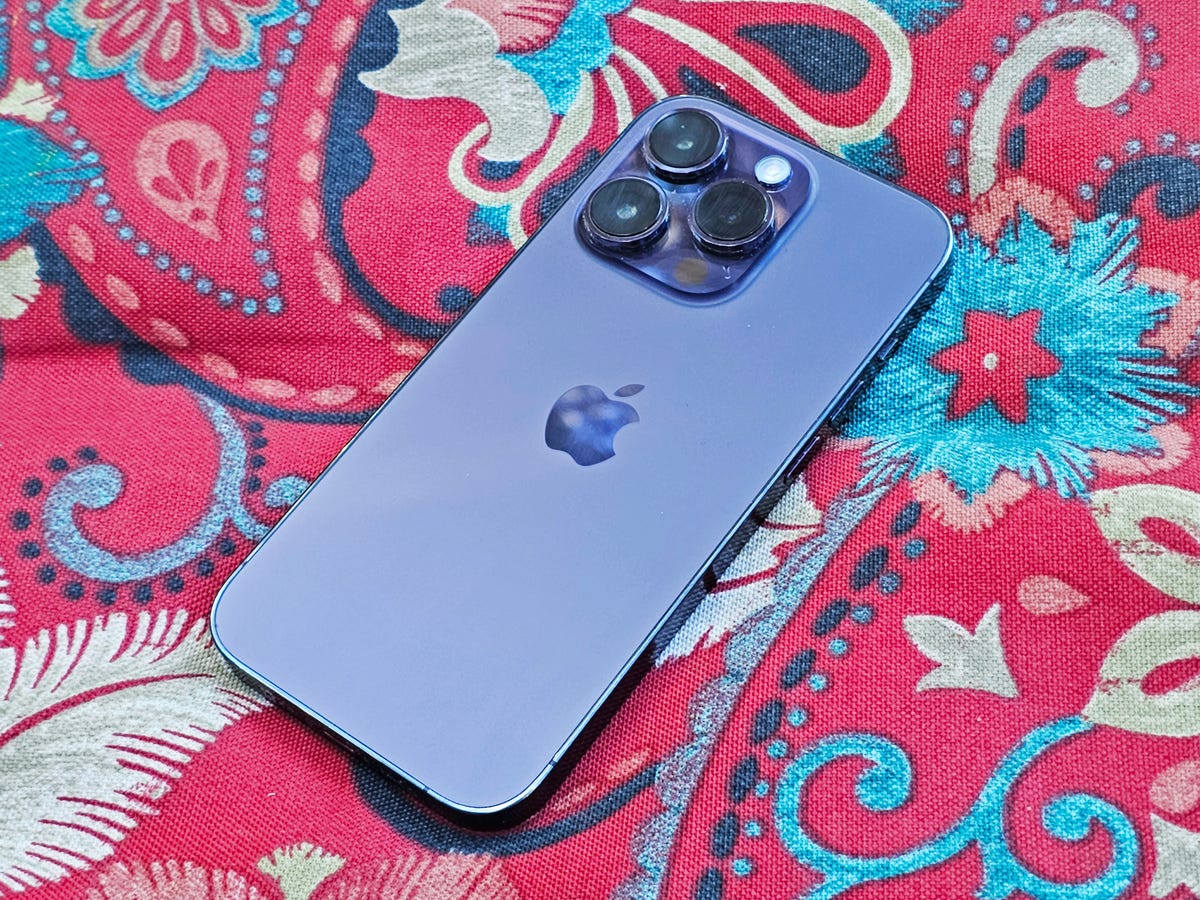
The iPhone 15 Pro brings numerous improvements compared to the iPhone 14 Pro, including a lighter titanium build, the Action button for programming shortcuts, a USB-C port for universal charging and a camera that can capture photos at 24 megapixels by default. Apple also claims the new A17 Pro processor can run console-grade games.
As is the case with previous Pro models, the iPhone 15 Pro also includes some extras for mobile photographers and filmmakers. Videographers, for example, may appreciate the option to shoot in the log video format, which makes it easier to match footage from other devices for projects shot on more than one camera. The iPhone 15 Pro Max also has a 5x telephoto zoom, enabling it to capture closer shots than the 3x option on the iPhone 14 Pro.
Since the iPhone 15 Pro has Apple’s second-generation ultra wideband chip, you can use your iPhone to more easily pinpoint another user’s location in the Find My app. But this feature only works with other iPhone 15 owners since it requires Apple’s new hardware. Ultra wideband is the proximity-detecting tech found in the iPhone 11 and later that makes it easier to AirDrop files to other devices and use your phone as a digital car key.
Most of these changes further separate the iPhone 15 Pro from the regular iPhone 15 and make Apple’s premium phone a more appealing option for those who want faster performance and a more capable camera. That said, you don’t necessarily need to upgrade if you already have an iPhone 14 Pro.
While these tools are helpful, they’re niche and may not impact the daily experience all that much, especially if you don’t use your phone for film projects. While the Action button is useful, it’s also a bit limiting in its current form since it can only trigger one feature at a time. As mentioned in CNET’s iPhone 15 Pro review, there’s potential for the Action button to bring more to the iPhone experience in the future, particularly if Apple makes it possible to program multiple types of shortcuts.
The A17 Pro is another example of a new feature that will likely grow more appealing over time as more games are optimized for it. The console versions of Resident Evil Village, Resident Evil 4 Remake, Death Stranding and Assassin’s Creed Mirage will be available for the iPhone 15 Pro, and I can see the iPhone 15 Pro becoming more appealing for gamers once it supports more than a few titles.
The bottom line: Don’t upgrade to the iPhone 15 Pro just yet. Performance and battery life are likely still going strong, meaning there’s plenty of life left in your phone. Some of the iPhone 15 Pro’s most exciting new features, like the A17 Pro processor and Action button, will probably get better over time, meaning it’s fine to wait for the next model, or even the one after that. Unless you can essentially get the iPhone 15 Pro for free through a trade-in deal, it’s worth waiting
iPhone 15 Pro vs. iPhone 13 Pro
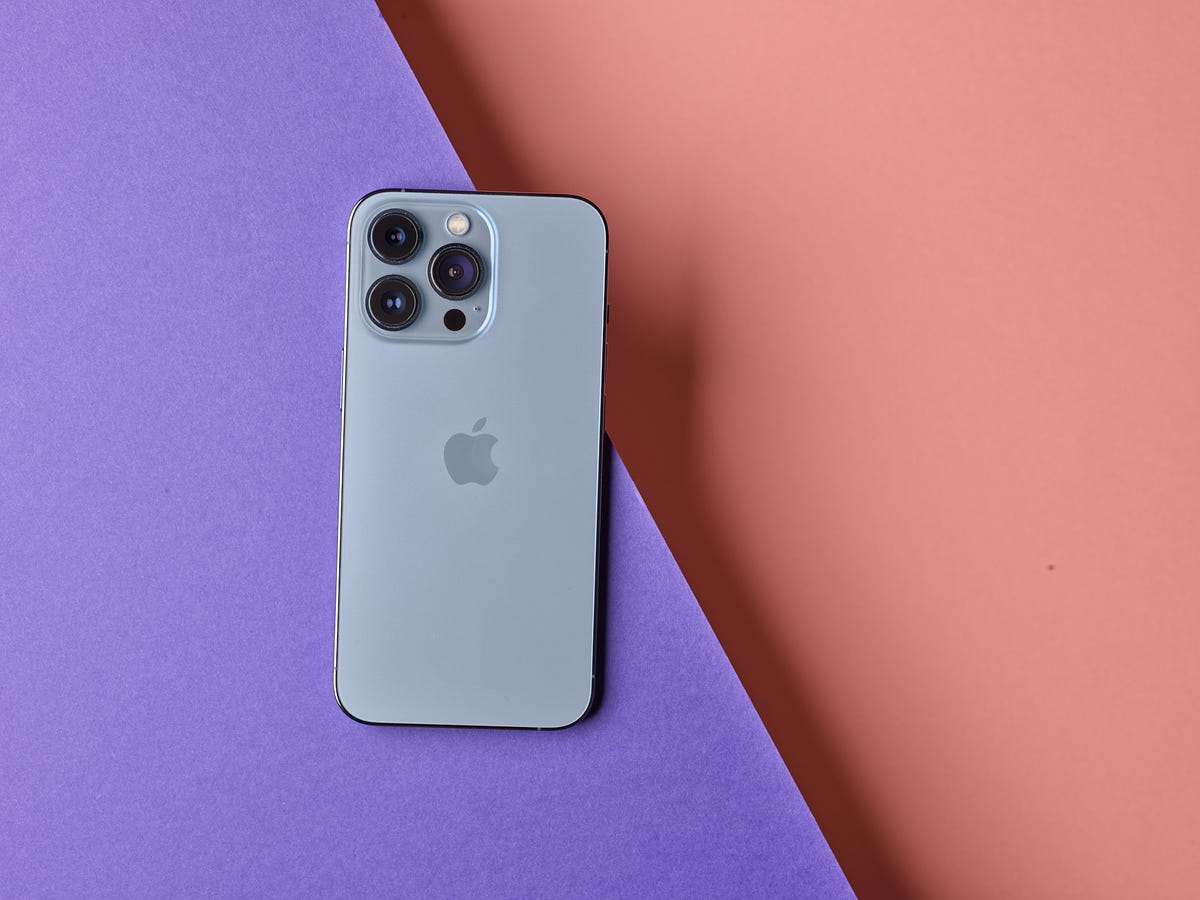
The iPhone 13 Pro is only 2 years old, which means it’s probably still running smoothly and battery life is long enough to get you through the day without concern. Since it has a relatively recent camera and processor, photos taken with this phone will look sharp and colorful enough for posting on your Instagram feed, sharing with friends and even printing small copies to hang on your wall.
The iPhone 15 Pro isn’t a necessary upgrade for iPhone 13 Pro owners, but there are plenty of new features for those who do decide to make the jump. You’ll be able to charge the iPhone 15 Pro with the same cable you probably use for other non-Apple products since it has USB-C. The camera has a higher-resolution sensor, which means you can capture more detail at 48-megapixels or 24-megapixels compared to the 12-megapixel sensor on the iPhone 13 Pro. And then of course, there’s the new titanium design and Action button.
But keep in mind you’re also getting everything that came with last year’s iPhone 14 Pro, such as the Dynamic Island and always-on display. Taken together, these changes along with the Action button could make it easier to multitask without jumping between apps. You’ll also get car crash detection and the option to contact emergency services via satellite if you’re in a remote area, since both features arrived on last year’s iPhone 14 Pro.
The bottom line: The iPhone 15 Pro isn’t an upgrade that you need, but it might be one that you want coming from an iPhone 13 Pro. Apple’s 2-year-old iPhone still has a lot going for it, so don’t upgrade yet if you’re still happy with it. But if you do splurge on the iPhone 15 Pro, it’ll feel like more than just a refreshed version of your current phone. Be sure to see if you’re eligible for a trade-in discount.
iPhone 15 Pro vs. iPhone 12 Pro
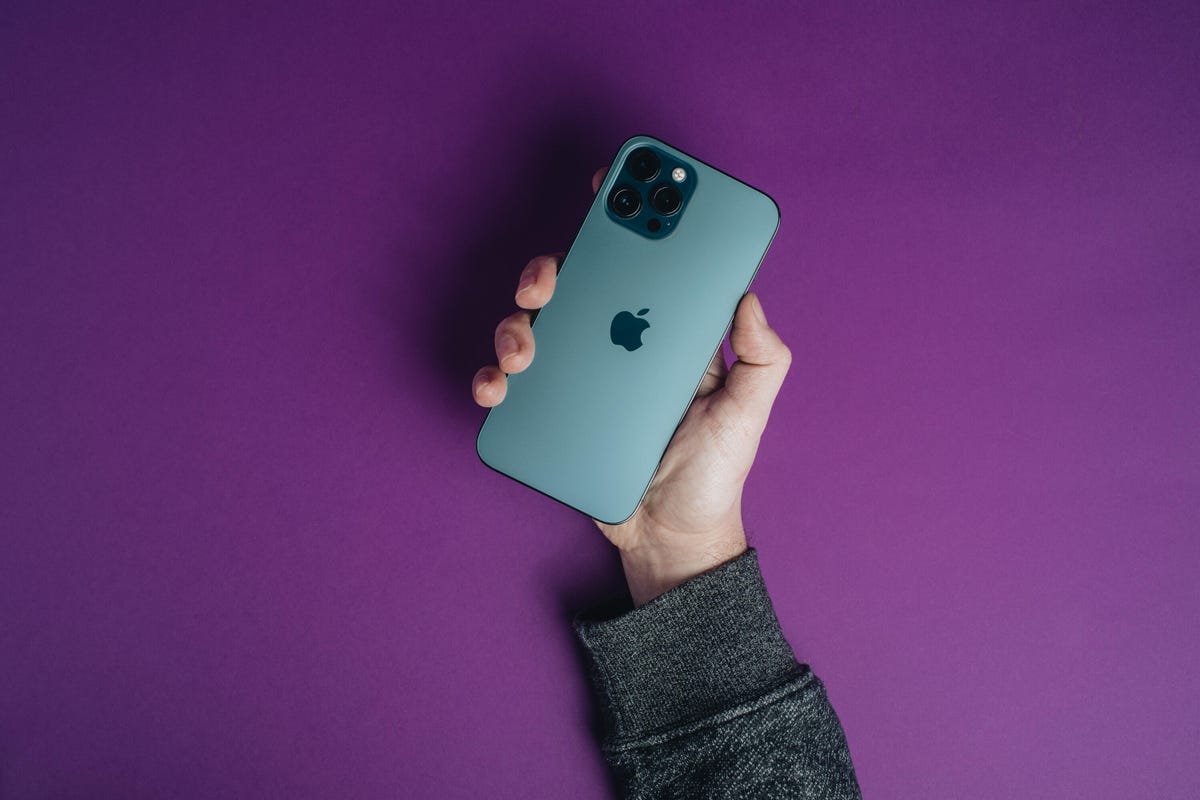
The iPhone 12 Pro is very similar to the iPhone 13 Pro, so the same general advice applies. However, there’s a stronger case for upgrading since the iPhone 12 Pro’s processor is older, meaning it might be starting to slow down.
Battery life will also likely see a dramatic boost considering the iPhone 12 Pro is now 3 years old. One of the iPhone 13 Pro’s biggest changes was longer battery life, and Apple has made further improvements since then. Compared to the iPhone 12 Pro’s estimated 17 hours of video playback, the iPhone 15 Pro is said to get 23 hours.
The display is brighter on Apple’s new phone, meaning it’ll likely be easier to see outside in bright sunlight. The iPhone 12 Pro also lacks ProMotion, which is Apple’s branding for displays that can boost their refresh rate, which should make scrolling feel smoother on the iPhone 15 Pro.
Apple has also thrown in some new photography features between generations, such as macro mode and Photographic Styles, which lets you customize a specific look for how the camera should capture photos. There’s also cinematic mode for capturing footage with a shallow depth of field.
But those are just some of the aspects that separate the iPhone 12 Pro from the iPhone 13 Pro. Don’t forget, you’re also getting everything else Apple has added over the years, from the Action button to the Dynamic Island, a lighter titanium build, car crash detection and emergency SOS via satellite.
The bottom line: The iPhone 15 Pro is a worthwhile upgrade coming from the iPhone 12 Pro, but you should really only upgrade if you’re starting to feel performance and battery life slowing down.
iPhone 15 Pro vs. iPhone 11 Pro
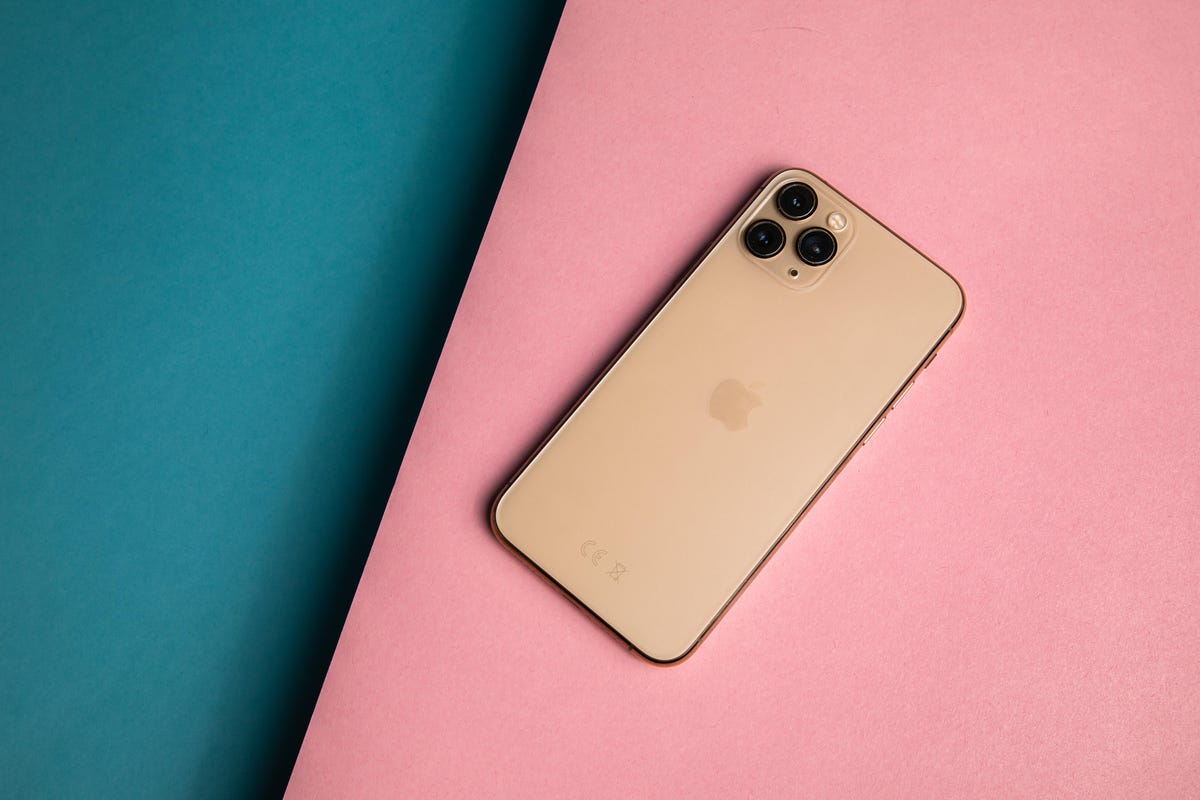
The iPhone 11 Pro is now 4 years old, meaning it’s a good time to upgrade if you’re feeling like your phone isn’t what it used to be. Aside from jumping from a 4-year-old processor to Apple’s brand-new A17 Pro, just about everything else will feel new — from the screen to the camera.
Perhaps most importantly, the iPhone 11 Pro doesn’t support 5G, meaning you may be missing out on faster connection speeds. Apple didn’t add 5G compatibility to its phones until the iPhone 12 launched in 2020.
The iPhone 11 Pro and Pro Max have smaller screens than the iPhone 15 Pro and Pro Max, so you’ll get some extra real estate for watching videos, reading the news and browsing email. The 11 Pro has a 5.8-inch display, while the 11 Pro Max has a 6.5-inch display, compared to the iPhone 15 Pro’s and Pro Max’s respective 6.1-inch and 6.7-inch screens. There’s a lot more that’s new about the iPhone 15 Pro’s screen; size is just the start. You’ll also gain the Dynamic Island, ProMotion, always-on mode and increased brightness.
Camera quality is another area where you’re bound to see a lot of improvements. Since the iPhone 11 Pro’s camera is four generations old, you’re getting the culmination of all the photo and video improvements Apple has added over the years.
Aside from the new 48-megapixel sensor and aforementioned features like cinematic mode and the ability to turn almost any photo into a portrait, you can also take portraits in night mode and capture night mode images with the front camera. You’ll also get a closer optical zoom (3x on the 15 Pro, 5x on the 15 Pro Max) compared to the iPhone 11 Pro’s 2x zoom. Apple’s image processing pipeline has also improved over the years, so you should see a step up in general image quality too.
The iPhone 11 Pro also lacks a lidar sensor, which isn’t a deal breaker but could be important depending on what you use your phone for. The lidar sensor’s depth-sensing capabilities can help the camera focus faster, improve performance in augmented reality apps and enable accessibility features like People Detection, which can help blind users tell when other people are nearby.
You’ll also be able to use MagSafe accessories, like cases and wireless chargers that snap more easily to the back of your phone, with the iPhone 15 Pro or Pro Max. And don’t forget about all the other features Apple has introduced in the last two years, such as the Action button, satellite connectivity for emergencies and car crash detection.
The bottom line: If you have an iPhone 11 Pro, it’s definitely worth upgrading. From 5G to a brand-new processor, larger screen, multitasking features like the Action button and Dynamic Island, and a superior camera, everything about this phone will feel new. If you bought the cheapest version of the iPhone 11 Pro at launch, you’re also probably struggling to store photos and videos since the entry-level model only came with 64GB of storage compared to the 128GB found on newer iPhones.
iPhone 15 Pro vs. iPhone XS

The iPhone has come a long way in the last five years, and that shows when comparing the 2018-era iPhone XS to the iPhone 15 Pro. The iPhone XS lacks a couple of features that are considered standard in many of today’s phones, namely 5G support and an ultrawide camera for taking broader shots.
By upgrading to the iPhone 15 Pro, you’ll gain all of the features mentioned above in our comparison with the iPhone 11 Pro. That includes 5G support, a much sharper camera, more camera modes, MagSafe compatibility, a depth-sensing lidar sensor, and a larger and brighter screen (5.8 inches versus 6.1 inches for the regular Pro, 6.5 inches versus 6.7 inches for the Pro Max).
But Apple added a handful of new capabilities starting with the iPhone 11 that the iPhone XS family also lacks, making an even stronger case for upgrading. The most notable is night mode for the camera, which means you’ll barely have to use your camera’s flash when taking photos in dark environments. There’s also the previously mentioned ultrawide camera, a sharper front-facing camera (7 megapixels versus 12 megapixels) and the ultra wideband chip.
This, of course, just scratches the surface, considering there’s a lot more that’s new in the iPhone 15 Pro, from significantly longer battery life to the Dynamic Island and the 48-megapixel camera.
The bottom line: If you have an iPhone XS or XS Max, it’s time to upgrade. Apple’s 5-year-old phone lacks staple features like 5G, and performance and battery life will likely start to dwindle soon if they haven’t already. The iPhone XS is also the last generation to get new iOS version updates, meaning you’ll be missing out on new features come next year.
iPhone 15 Pro vs. older iPhones
| iPhone 15 Pro | iPhone 14 Pro | iPhone 13 Pro | iPhone 12 Pro | iPhone 11 Pro | iPhone XS | |
|---|---|---|---|---|---|---|
| Display size, tech, resolution, refresh rate, brightness | 6.1-inch OLED; 2,556×1,179 pixels; 120Hz adaptive refresh rate | 6.1-inch OLED; 2,556×1,179 pixels; 120Hz adaptive refresh rate | 6.1-inch OLED; 2,778×1,284 pixels; 120Hz adaptive refresh rate | 6.1-inch OLED; 2,532×1,170 pixels | 5.8-inch OLED; 2,436×1,125 pixels | 5.8-inch OLED; 2,436×1,125 pixels |
| Pixel density | 460 ppi | 460 ppi | 458 ppi | 460 ppi | 458 ppi | 458 ppi |
| Dimensions (inches) | 5.77 x 2.78 x 0.32 in | 5.81 x 2.81 x 0.31 in. | 6.33 x 3.07 x 0.3 in | 5.78 x 2.82 x 0.29 in | 5.67×2.81×0.32 in | 5.7×2.8×0.3 in |
| Dimensions (millimeters) | 70.6 x 146.6 x 8.25 mm | 147.5 x 71.5 x 7.85mm | 161 x 78 x 7.65 mm | 146.7 x 71.5 x 7.4 mm | 144×71.4×8.1 mm | 143.6×70.9×7.7 mm |
| Weight (grams, ounces) | 187 g (6.6 oz) | 206 g (7.27 oz) | 240 g (8.48 oz) | 189 g (6.66 oz) | 188 g (6.63 oz) | 177 g (6.2 oz) |
| Mobile software (at launch) | iOS 17 | iOS 16 | iOS 15 | iOS 14 | iOS 13 | iOS 12 |
| Camera | 48-megapixel (wide), 12-megapixel (ultrawide), 12-megapixel telephoto | 48-megapixel (wide), 12-megapixel(ultrawide), 12-megapixel(telephoto) | 12-megapixel (wide), 12-megapixel (ultrawide), 12-megapixel (telephoto) | 12-megapixel (wide), 12-megapixel (ultra-wide), 12-megapixel (telephoto) | 12-megapixel (wide), 12-megapixel (ultra-wide), 12-megapixel (telephoto) | Dual 12-megapixel (wide and telephoto) |
| Front-facing camera | 12-megapixel | 12-megapixel | 12-megapixel | 12-megapixel | 12-megapixel | 7-megapixel |
| Video capture | 4K | 4K | 4K | 4K | 4K | 4K |
| Processor | Apple A17 Pro | Apple A16 Bionic | Apple A15 Bionic | Apple A14 Bionic | Apple A13 Bionic | Apple A12 Bionic |
| Storage | 128GB, 256GB, 512GB, 1TB | 128GB, 256GB, 512GB, 1TB | 128GB, 256GB, 512GB, 1TB | 128GB, 256GB, 512GB | 64GB, 256GB, 512GB | 64GB, 256GB, 512GB |
| Expandable storage | None | None | None | None | None | None |
| Battery | Undisclosed; Apple claims up to 23 hours of video playback | Undisclosed; Apple claims 23 hours of video playback | Undisclosed; Apple claims 22 hours of video playback | Undisclosed; Apple claims 17 hours of video playback | Undisclosed, Apple claims 18 hours of video playback | Undisclosed, Apple claims 14 hours of video playback |
| Fingerprint sensor | None (Face ID) | None (Face ID) | None (Face ID) | None (FaceID) | None (Face ID) | None (Face ID) |
| Connector | USB-C (USB 3.0) | Lightning | Lightning | Lightning | Lightning | Lightning |
| Headphone jack | No | No | No | No | No | No |
| Special features | 5G; Action button; always-on display; water resistant; MagSafe; Dynamic Island; 5x optical zoom on Max (120mm equivalent); satellite connectivity; crash detection;eSIM; Thread networking technology; 2nd-gen ultrawideband; lidar | Dynamic Island; always-on display; 5G; satellite connectivity; crash detection; MagSafe; water resistant; e-SIM; ultra wideband; lidar | 5G; MagSafe; water resistant; physical and e-SIM; ultra wideband; lidar | 5G; MagSafe; water resistant; physical and e-SIM; ultra wideband; lidar | Water resistant; physical and e-SIM; ultra wideband | Water-resistant; physical and e-SIM |
Technologies
Anthropic warns investors of AI’s ‘existential risk to humanity’ in IPO prospectus, reports say
Anthropic’s IPO filing dedicates 80 pages to the risks of AI, nearly double the 48 pages it spends discussing its business plans, according to Reuters.

Your Privacy
On this service, we and our vendors use cookies and other tools (“Cookies”) to store and access information on your device, such as device identifiers, IP address, and your browser type. Your data may be used to save and communicate your privacy choices; ensure security, prevent fraud, and debug our products and services; personalize advertising and content; for advertising and content measurement; to conduct audience research and services development; so we can improve our services and develop new ones; to match and combine offline data with your online activity; and for social features. We may share this data with select vendors with your consent. You can adjust your choices any time through the “Cookie Preferences” link in the footer of relevant Versant sites or in-app settings.
We will also use other Cookies that are essential or related to our services, including for security and fraud prevention. To learn more about some of our vendors, see the IAB and Google Vendors under each purpose. Visit our Cookie Notice and Privacy Policy to learn more.
These Cookies and SDKs are required for Service functionality, including security and fraud prevention, and to enable any purchasing capabilities. You can set your browser to block these tracking technologies, but some parts of the site may not function properly.
The choices you make regarding the purposes and entities listed in this notice are saved and made available to those entities in the form of digital signals (such as a string of characters). This is necessary in order to enable both this service and those entities to respect such choices.
Your data can be used to monitor for and prevent unusual and possibly fraudulent activity (for example, regarding advertising, ad clicks by bots), and ensure systems and processes work properly and securely. It can also be used to correct any problems you, the publisher or the advertiser may encounter in the delivery of content and ads and in your interaction with them.
Certain information (like an IP address or device capabilities) is used to ensure the technical compatibility of the content or advertising, and to facilitate the transmission of the content or ad to your device.
Cookies, device or similar online identifiers (e.g. login-based identifiers, randomly assigned identifiers, network based identifiers) together with other information (e.g. browser type and information, language, screen size, supported technologies etc.) can be stored or read on your device to recognise it each time it connects to an app or to a website, for one or several of the purposes presented here.
– Use limited data to select advertising 791 partners can use this purpose Advertising presented to you on this service can be based on limited data, such as the website or app you are using, your non-precise location, your device type or which content you are (or have been) interacting with (for example, to limit the number of times an ad is presented to you).
– Create profiles for personalised advertising 637 partners can use this purpose Information about your activity on this service (such as forms you submit, content you look at) can be stored and combined with other information about you (for example, information from your previous activity on this service and other websites or apps) or similar users. This is then used to build or improve a profile about you (that might include possible interests and personal aspects). Your profile can be used (also later) to present advertising that appears more relevant based on your possible interests by this and other entities.
– Use profiles to select personalised advertising 640 partners can use this purpose Advertising presented to you on this service can be based on your advertising profiles, which can reflect your activity on this service or other websites or apps (like the forms you submit, content you look at), possible interests and personal aspects.
– Create profiles to personalise content 261 partners can use this purpose Information about your activity on this service (for instance, forms you submit, non-advertising content you look at) can be stored and combined with other information about you (such as your previous activity on this service or other websites or apps) or similar users. This is then used to build or improve a profile about you (which might for example include possible interests and personal aspects). Your profile can be used (also later) to present content that appears more relevant based on your possible interests, such as by adapting the order in which content is shown to you, so that it is even easier for you to find content that matches your interests.
– Use profiles to select personalised content 234 partners can use this purpose Content presented to you on this service can be based on your content personalisation profiles, which can reflect your activity on this or other services (for instance, the forms you submit, content you look at), possible interests and personal aspects. This can for example be used to adapt the order in which content is shown to you, so that it is even easier for you to find (non-advertising) content that matches your interests.
– Measure advertising performance 916 partners can use this purpose Information regarding which advertising is presented to you and how you interact with it can be used to determine how well an advert has worked for you or other users and whether the goals of the advertising were reached. For instance, whether you saw an ad, whether you clicked on it, whether it led you to buy a product or visit a website, etc. This is very helpful to understand the relevance of advertising campaigns.
– Measure content performance 405 partners can use this purpose Information regarding which content is presented to you and how you interact with it can be used to determine whether the (non-advertising) content e.g. reached its intended audience and matched your interests. For instance, whether you read an article, watch a video, listen to a podcast or look at a product description, how long you spent on this service and the web pages you visit etc. This is very helpful to understand the relevance of (non-advertising) content that is shown to you.
– Understand audiences through statistics or combinations of data from different sources 579 partners can use this purpose Reports can be generated based on the combination of data sets (like user profiles, statistics, market research, analytics data) regarding your interactions and those of other users with advertising or (non-advertising) content to identify common characteristics (for instance, to determine which target audiences are more receptive to an ad campaign or to certain contents).
– Develop and improve services 688 partners can use this purpose Information about your activity on this service, such as your interaction with ads or content, can be very helpful to improve products and services and to build new products and services based on user interactions, the type of audience, etc. This specific purpose does not include the development or improvement of user profiles and identifiers.
– Use limited data to select content 180 partners can use this purpose Content presented to you on this service can be based on limited data, such as the website or app you are using, your non-precise location, your device type, or which content you are (or have been) interacting with (for example, to limit the number of times a video or an article is presented to you).
These Cookies and SDKs are used to collect data about your browsing habits, use of the Services, your preferences, and your interaction with advertisements across platforms and devices for the purpose of delivering targeted advertising content, both on our Services and on third party sites. Third-party sites and services also use Targeting Cookies to deliver content, including advertisements relevant to your interests on the Services. If you reject these Cookies or SDKs, you will see less relevant advertising.
Data collected under this category through Cookies and SDKs can also be used to select and deliver personalized content, such as news articles and videos.
Technologies
U.S., Iran hold separate mediator talks as Mideast oil exports hit war-time high
Iranian and U.S. officials reportedly met separately with mediators Monday to push for a ceasefire, as Middle Eastern crude exports rebounded to war-time high.

Iranian and U.S. officials reportedly met separately with mediators Monday to push for a ceasefire.
Middle Eastern crude exports rebounded this month to around their highest level since the war began in February.
An outright export ban by Washington on diesel would keep roughly 1.2 million barrels a day at home, and risks overwhelming Gulf Coast storage, according to Kpler.
The building of the destroyed Shajareh Tayebeh primary school is pictured surrounded by rubble in Minab in Iran’s Hormozgan province on August 10, 2026. Six months on, a team of AFP journalists obtained rare access to the school which has remained largely in ruins, its collapsed walls and twisted steel now surrounded by portraits of the children killed as Iranian flags flutter above the rubble. Iran says the attack on the school involved two separate US Tomahawk missiles but neither the United States nor Israel has officially claimed responsibility for the strike. (Photo by ATTA KENARE / AFP via Getty Images) /
Atta Kenare | Afp | Getty Images
U.S. and Iranian officials have reportedly held separate indirect talks with mediators on Monday, reviving efforts to end seven months of war as Tehran presses for a response to a revised ceasefire framework and Middle East crude exports climb to their highest level since the conflict began.
Iranian Foreign Minister Abbas Araghchi met Qatari mediators in New York, where he remained after the United Nations General Assembly, and reportedly said he expects Washington’s reply by Tuesday. “We talked about ideas and how to find solutions to fulfil Iran’s conditions,” Araghchi said, adding that he planned to return to Tehran once a response arrives. “Whenever the Qataris have a response, they know how to get it to us.”
Iran’s proposal, first presented on the sidelines of last week’s General Assembly, calls for a four- to five-day U.S. timeline to release frozen Iranian funds, lift sanctions on Iranian oil and end the naval blockade of Iranian ports, with nuclear talks beginning within seven days. Tehran has tied any reopening of the Strait of Hormuz to those steps.
President Donald Trump had on Sunday called the plan “unacceptable” and rejected it, telling reporters Iran wants a swift deal because of the economic pressure it is under. Speaking at the White House Monday, Trump said U.S. officials had spoken separately with mediators but gave no further details, adding: “We’re going to win. It’s going to go pretty quickly.”
The diplomatic push comes as physical supply data shows the war’s toll on the oil market easing. Middle Eastern crude exports rebounded this month to around their highest level since the war began in February, Kpler data showed. “Middle East crude exports at just under 80% of pre-conflict levels,” the tracking firm said in a note on Monday.
The Strait of Hormuz itself remains far from normal. Kpler’s real-time tracking showed total clearance through the strait at 10,591 kilobarrels a day on Saturday, against a pre-war baseline of 17,133.
Technologies
Oil prices fall as crude exports recover at Saudi Arabia’s Red Sea ports
Saudi Arabia has restored flows through the pipeline to around 3.5 million barrels per day, according to media reports.

Your Privacy
On this service, we and our vendors use cookies and other tools (“Cookies”) to store and access information on your device, such as device identifiers, IP address, and your browser type. Your data may be used to save and communicate your privacy choices; ensure security, prevent fraud, and debug our products and services; personalize advertising and content; for advertising and content measurement; to conduct audience research and services development; so we can improve our services and develop new ones; to match and combine offline data with your online activity; and for social features. We may share this data with select vendors with your consent. You can adjust your choices any time through the “Cookie Preferences” link in the footer of relevant Versant sites or in-app settings.
We will also use other Cookies that are essential or related to our services, including for security and fraud prevention. To learn more about some of our vendors, see the IAB and Google Vendors under each purpose. Visit our Cookie Notice and Privacy Policy to learn more.
These Cookies and SDKs are required for Service functionality, including security and fraud prevention, and to enable any purchasing capabilities. You can set your browser to block these tracking technologies, but some parts of the site may not function properly.
The choices you make regarding the purposes and entities listed in this notice are saved and made available to those entities in the form of digital signals (such as a string of characters). This is necessary in order to enable both this service and those entities to respect such choices.
Your data can be used to monitor for and prevent unusual and possibly fraudulent activity (for example, regarding advertising, ad clicks by bots), and ensure systems and processes work properly and securely. It can also be used to correct any problems you, the publisher or the advertiser may encounter in the delivery of content and ads and in your interaction with them.
Certain information (like an IP address or device capabilities) is used to ensure the technical compatibility of the content or advertising, and to facilitate the transmission of the content or ad to your device.
Cookies, device or similar online identifiers (e.g. login-based identifiers, randomly assigned identifiers, network based identifiers) together with other information (e.g. browser type and information, language, screen size, supported technologies etc.) can be stored or read on your device to recognise it each time it connects to an app or to a website, for one or several of the purposes presented here.
– Use limited data to select advertising 791 partners can use this purpose Advertising presented to you on this service can be based on limited data, such as the website or app you are using, your non-precise location, your device type or which content you are (or have been) interacting with (for example, to limit the number of times an ad is presented to you).
– Create profiles for personalised advertising 637 partners can use this purpose Information about your activity on this service (such as forms you submit, content you look at) can be stored and combined with other information about you (for example, information from your previous activity on this service and other websites or apps) or similar users. This is then used to build or improve a profile about you (that might include possible interests and personal aspects). Your profile can be used (also later) to present advertising that appears more relevant based on your possible interests by this and other entities.
– Use profiles to select personalised advertising 640 partners can use this purpose Advertising presented to you on this service can be based on your advertising profiles, which can reflect your activity on this service or other websites or apps (like the forms you submit, content you look at), possible interests and personal aspects.
– Create profiles to personalise content 261 partners can use this purpose Information about your activity on this service (for instance, forms you submit, non-advertising content you look at) can be stored and combined with other information about you (such as your previous activity on this service or other websites or apps) or similar users. This is then used to build or improve a profile about you (which might for example include possible interests and personal aspects). Your profile can be used (also later) to present content that appears more relevant based on your possible interests, such as by adapting the order in which content is shown to you, so that it is even easier for you to find content that matches your interests.
– Use profiles to select personalised content 234 partners can use this purpose Content presented to you on this service can be based on your content personalisation profiles, which can reflect your activity on this or other services (for instance, the forms you submit, content you look at), possible interests and personal aspects. This can for example be used to adapt the order in which content is shown to you, so that it is even easier for you to find (non-advertising) content that matches your interests.
– Measure advertising performance 916 partners can use this purpose Information regarding which advertising is presented to you and how you interact with it can be used to determine how well an advert has worked for you or other users and whether the goals of the advertising were reached. For instance, whether you saw an ad, whether you clicked on it, whether it led you to buy a product or visit a website, etc. This is very helpful to understand the relevance of advertising campaigns.
– Measure content performance 405 partners can use this purpose Information regarding which content is presented to you and how you interact with it can be used to determine whether the (non-advertising) content e.g. reached its intended audience and matched your interests. For instance, whether you read an article, watch a video, listen to a podcast or look at a product description, how long you spent on this service and the web pages you visit etc. This is very helpful to understand the relevance of (non-advertising) content that is shown to you.
– Understand audiences through statistics or combinations of data from different sources 579 partners can use this purpose Reports can be generated based on the combination of data sets (like user profiles, statistics, market research, analytics data) regarding your interactions and those of other users with advertising or (non-advertising) content to identify common characteristics (for instance, to determine which target audiences are more receptive to an ad campaign or to certain contents).
– Develop and improve services 688 partners can use this purpose Information about your activity on this service, such as your interaction with ads or content, can be very helpful to improve products and services and to build new products and services based on user interactions, the type of audience, etc. This specific purpose does not include the development or improvement of user profiles and identifiers.
– Use limited data to select content 180 partners can use this purpose Content presented to you on this service can be based on limited data, such as the website or app you are using, your non-precise location, your device type, or which content you are (or have been) interacting with (for example, to limit the number of times a video or an article is presented to you).
These Cookies and SDKs are used to collect data about your browsing habits, use of the Services, your preferences, and your interaction with advertisements across platforms and devices for the purpose of delivering targeted advertising content, both on our Services and on third party sites. Third-party sites and services also use Targeting Cookies to deliver content, including advertisements relevant to your interests on the Services. If you reject these Cookies or SDKs, you will see less relevant advertising.
Data collected under this category through Cookies and SDKs can also be used to select and deliver personalized content, such as news articles and videos.
-
 Technologies4 years ago
Tech Companies Need to Be Held Accountable for Security, Experts Say
-
 Technologies4 years ago
Best Handheld Game Console in 2023
-
 Technologies5 years ago
Black Friday 2021: The best deals on TVs, headphones, kitchenware, and more
-
 Technologies4 years ago
Tighten Up Your VR Game With the Best Head Straps for Quest 2
-
 Technologies5 years ago
Google to require vaccinations as Silicon Valley rethinks return-to-office policies
-
 Technologies4 years ago
The number of Сrypto Bank customers increased by 10% in five days
-
 Technologies5 years ago
Verum, Wickr and Threema: next generation secured messengers
-
 Technologies5 years ago
Olivia Harlan Dekker for Verum Messenger