
Technologies
iPhone 15 Pro Max Camera vs. Galaxy S23 Ultra: Smartphone Shootout
We put Samsung’s and Apple’s best phones up against each other to see which can take better photos.
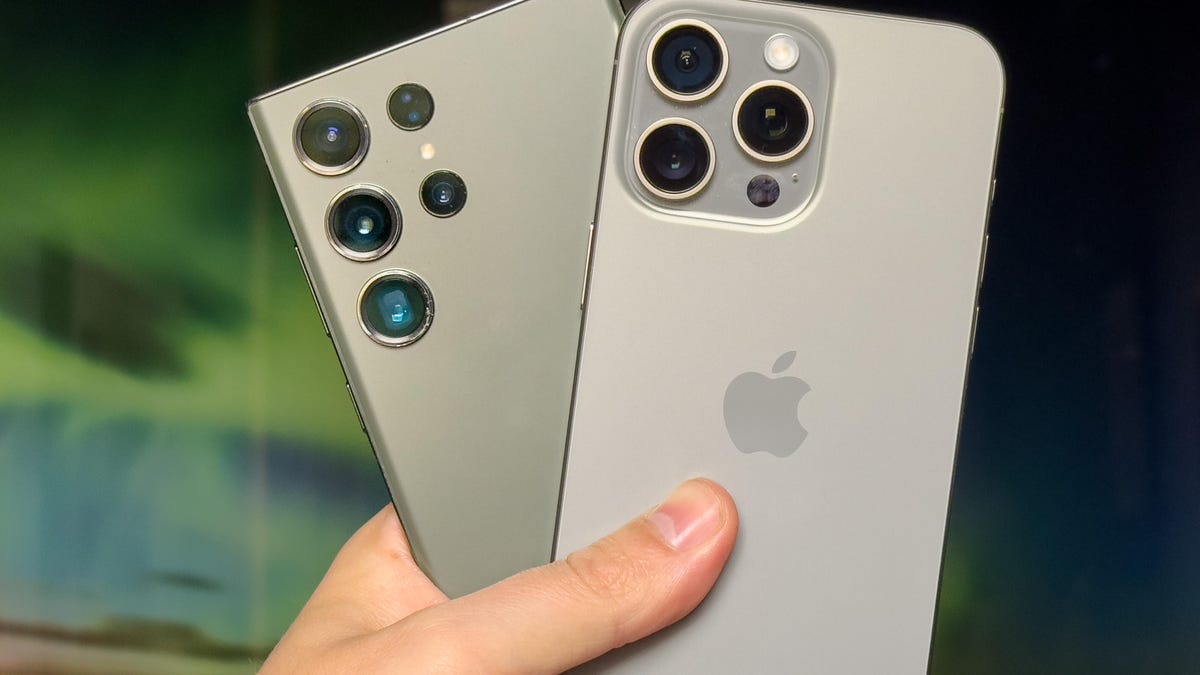
The iPhone 15 Pro Max packs one of the most capable cameras seen on any phone. Its main, 48-megapixel image sensor takes stunning photos, while its telephoto lens has been bumped up to 5x, making it great for taking more zoomed-in shots of distant subjects. But it isn’t the only great camera phone to buy. Samsung’s Galaxy S23 Ultra has remained one of our top picks for photographers since it launched earlier this year. It can take great images under any conditions, and its 10x zoom offers even more creative options.
But how do these two phones compare when it comes to photo-shooting prowess? To find out, I put both devices through their paces in a series of tests in London and Edinburgh, including night mode imagery, zoom tests and portrait mode challenges.
Read more: Best camera phone to buy in 2023
The long story short is that both phones are incredibly capable when it comes to taking photos that’ll wow your Instagram followers, but read on to see how each phone fares under different conditions.


Both phones have captured this bright, vibrant scene well with their main cameras. But the iPhone 15 Pro Max has produced more realistic colors in both the sky and in the main building to the left of the scene. The S23 Ultra’s sky looks particularly oversaturated , with a yellow tinge to the scene that I’m less keen on.


It’s the same story when switching to each phone’s wide-angle lens. The S23 Ultra’s shot is more vibrant, but it looks almost unnaturally saturated as a result. The iPhone 15 Pro Max’s shot looks almost a little drab by comparison, but I prefer its more faithful reproduction of colors.


Beyond a slight shift in white balance, there’s very little to choose between either shot here.


I focused closer-up on these pretty pink flowers using the main cameras on each phone, and the iPhone is the clear winner. It’s provided an attractive out-of-focus bokeh to the background, while keeping the subject looking nice and sharp, which helps the foreground flflowers stand out. The S23 Ultra doesn’t have the same depth effect and its colors are extremely saturated. The green leaves to the bottom left of the image in particular look almost toxic against the iPhone’s much more realistic tones.


Color balance isn’t an issue here, with both phones producing well-exposed shots and the vibrant artwork on this bridge looking well-produced in both images.


There’s not a lot of immediate difference here, so I really have to nitpick to draw any conclusion. On the one hand, I slightly prefer the brighter, higher-contrast exposure the S23 Ultra has managed. However, the iPhone 15 Pro Max has a more attractive shallow depth of field, with softer bokeh noticeable on the chairs and light sources in the background. As a result, we can call this one a tie.
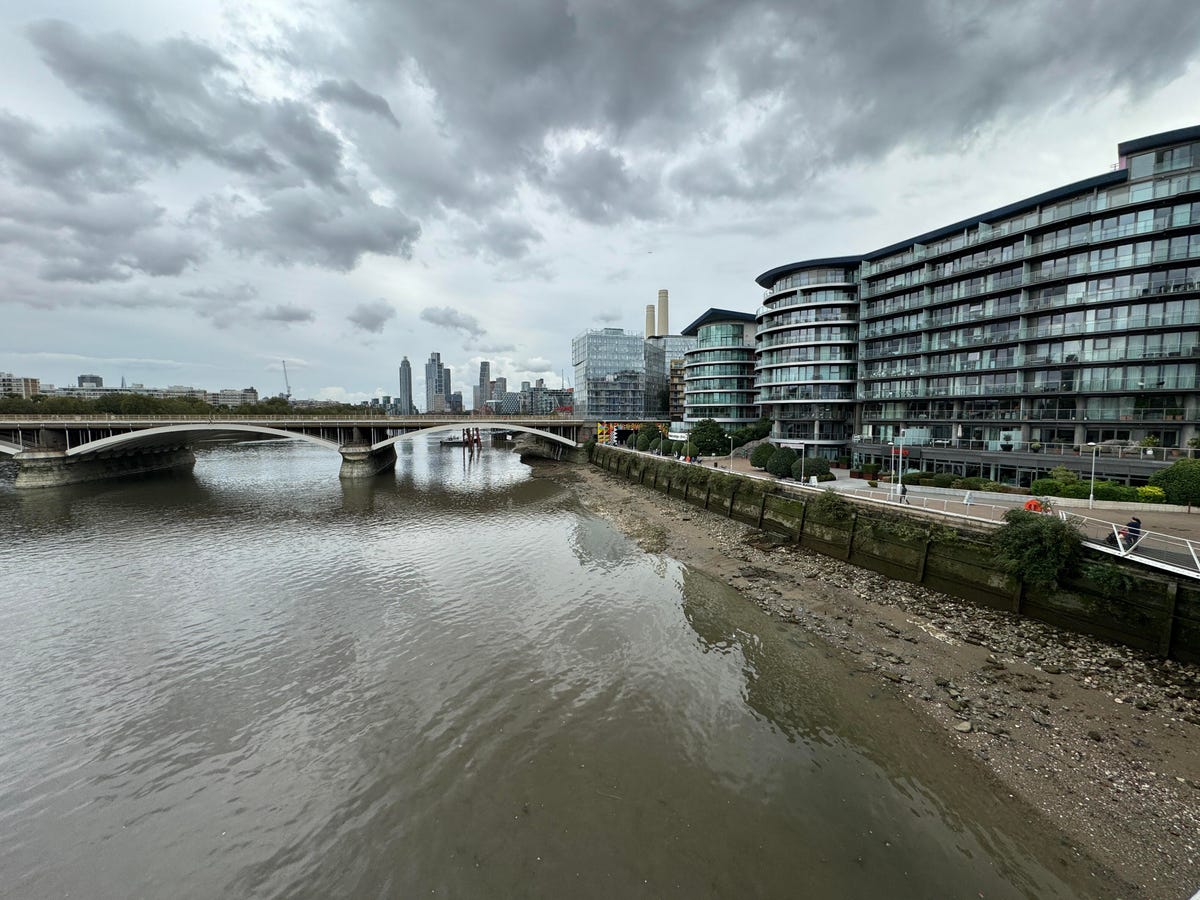
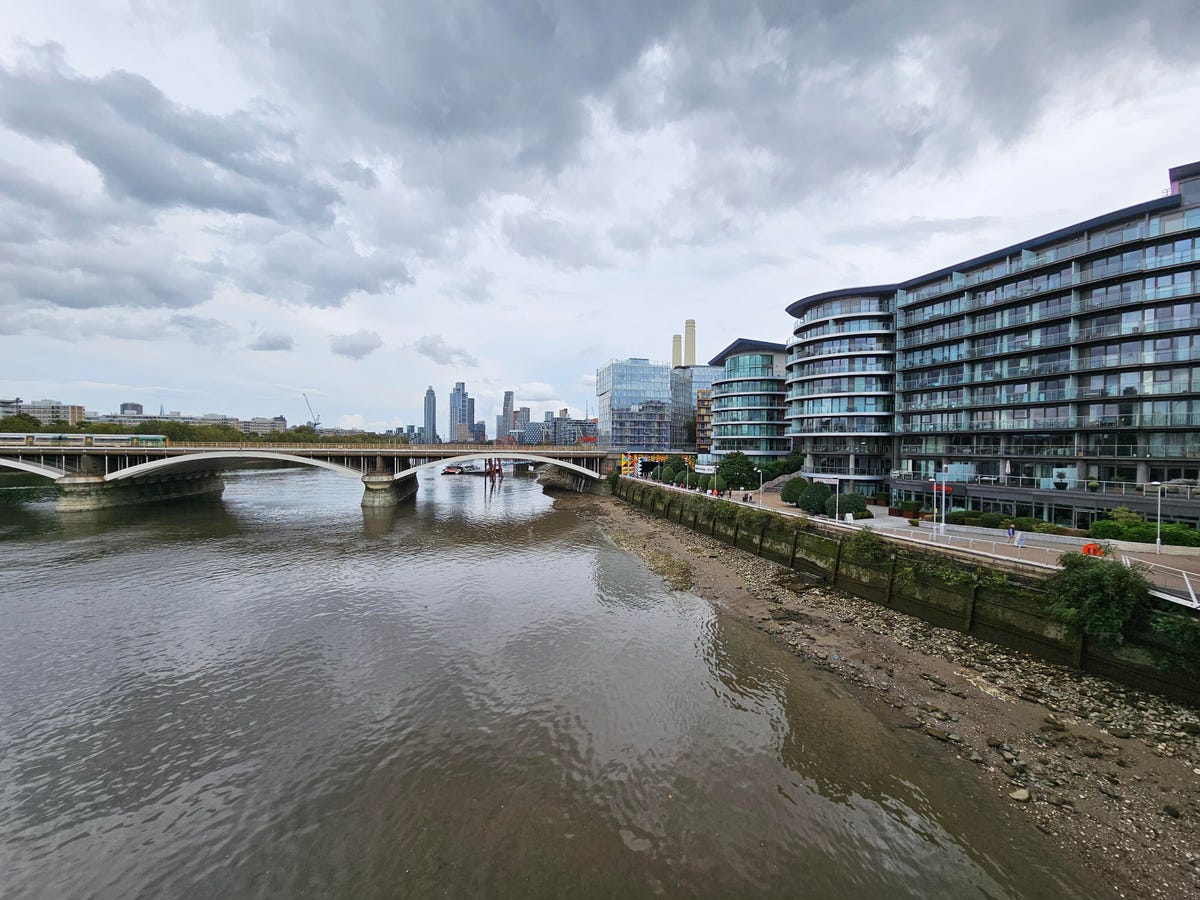
Switching to the ultrawide cameras on both phones, the big difference is the shift in white balance on the S23 Ultra. Samsung’s phone has opted for an image with a strong magenta color cast that I’m not particularly keen on. While the iPhone’s shot is a little darker, its color tone is much more accurate.


Both phones have portrait modes that can be used with different lenses but still capture that attractive bokeh effect around your subject. Taken with the standard 1x lenses, the S23’s shot is wider than the iPhone’s, while also producing richer contrast and stronger colors. The iPhone’s looks quite washed out, either due to lens flare or simply through software processing, and the result is disappointing.


Things change when we look at the zoomed-in shots. The iPhone Pro Max’s 5x zoom lens has captured a lovely portrait here, with great exposure and a really natural-looking bokeh around the subject that could easily have been taken on a DSLR with a telephoto zoom. The S23 Ultra’s shot still looks good though, with rich contrast and deep colors.



The iPhone 15 Pro Max’s 5x zoom has delivered a much better-looking shot than the S23 Ultra’s 3x lens, with more natural-looking colors and exposure. Things improve for the S23 Ultra at 10x zoom though, with a far nicer color tone overall, not to mention being able to see more detail on the sign, thanks to the longer zoom range.


The S23 Ultra’s extended zoom range can be beneficial, especially for those occasions where you really want to fill your frame with a distant subject. However, I personally find 5x to be a real sweet spot. It allows me to find more interesting compositions than I could with a wide-angle lens, but without being too restrictive.
That’s why I prefer the iPhone 15 Pro Max in this scenario rather than the Galaxy S23 Ultra’s closer 10x zoom. This largely comes down to personal preference, of course, but I find the iPhone’s zoom (as I did with the Pixel 7 Pro’s 5x zoom) much more useful on a day-to-day basis.
Night mode


Both the iPhone 15 Pro Max and Galaxy S23 Ultra can take excellent shots after dark, and these images from the main camera are fine examples. That said, the S23 Ultra’s image has a more yellow color cast to the image, while the iPhone 15 Pro Max maintains slightly finer details, especially in some of the brickwork on the buildings. The S23 Ultra’s image noise processing has smoothed out some of those details.


That detail smoothing is especially noticeable in this nighttime image of the front of a building. While the iPhone has clearly reproduced the details in the brickwork, with noticeable texture on the sandstone blocks, the S23 Ultra has recognized that texture as image noise and so has attempted to smooth it out. The result is an odd-looking smoothed appearance that lacks any of the realism of the iPhone’s image.


This scene is more of a mixed bag. The S23 Ultra has kept some of the bright highlights under better control, while the iPhone has achieved a brighter sky that gives better separation to the tops of the buildings. I don’t really feel either one is especially better than the other here.


Switching to the ultrawide lenses on both phones, it’s immediately obvious that the iPhone’s image is brighter, both in the sky and in the river below. However, it’s a less detailed image, with the S23 Ultra achieving sharper details on the buildings, better control of highlights and less image noise in the river.



However, I much prefer the iPhone’s 5x zoom shot at night to either the 3x or 10x zoom shots from the S23 Ultra. The iPhone has achieved a pin-sharp image here, with great colors and exposure, with even the bright clock face on the left being clearly visible. At 3x, the S23 Ultra is already losing some detail, and at 10x the image is disappointingly mushy and lacking in detail.


The S23 Ultra’s familiar magenta color cast is visible again in this night mode shot, with the iPhone generally producing more natural tones. Both shots are almost equally bright however, with almost nothing to choose between them in terms of clarity and detail.


While the iPhone’s ultrawide night mode shot isn’t quite as sharp as the S23 Ultra’s, Samsung’s phone suffers from some unpleasant noise artifacts in the sky — green-looking blobs where the digital processing clearly hasn’t performed as it should. It’s a disappointing result for the S23 Ultra here, as its shot is otherwise the better of the two.



The night mode zoom results here are the same as I found in the other test. The iPhone 15 Pro Max’s 5x zoom has produced a sharp and clear image with a good handle on image noise. The 3x shot from the S23 Ultra suffers from unpleasant noise artifacts, and the 10x is extremely muddy and lacking in detail.
iPhone 15 Pro Max vs. Galaxy S23 Ultra: Which takes better photos?
It’s been a very close-fought battle between these two powerhouse phones, and the reality is that either phone is superb for photographers wanting to take beautiful images under any conditions. It’s only when you really study the details of each shot side-by-side that you can you tell much difference. And even then, a lot of those perceived differences are subjective. Still, with both phones costing well into four figures, it’s important to nitpick at these details to make sure your money is well spent.
Overall I prefer the images from the iPhone 15 Pro Max. It delivered more-accurate colors in almost all my tests, with the S23 Ultra frequently producing unrealistic color casts from the auto white balance. Samsung’s phone also produces oversaturated images — something that’s been common on Samsung phones for generations — while the iPhone keeps its colors more true to life.
I also prefer the 5x zoom on the Pro Max, which produces better-looking images than the S23 Ultra’s 3x lens and is generally more useful than the Ultra’s 10x lens. And in night mode, I found the iPhone to deliver overall better-looking shots, especially when using the zoom.
But bear in mind that I’m a professional photographer, so what I value in images is accurate color tone and a more neutral-looking image that I could boost manually with contrast or other adjustments in editing apps. If you prefer more vibrant, contrasty images to share with family and friends straight from your phone, then Samsung’s phone may be the better option.
Technologies
Bank of America Warns Bond Market Echoes 2022 Conditions
Bank of America warns that current bond market conditions mirror those of 2022, when rising yields and rate hikes triggered a significant equity correction. The firm advises investors to consider hedging strategies as real yields break out of trading ranges.
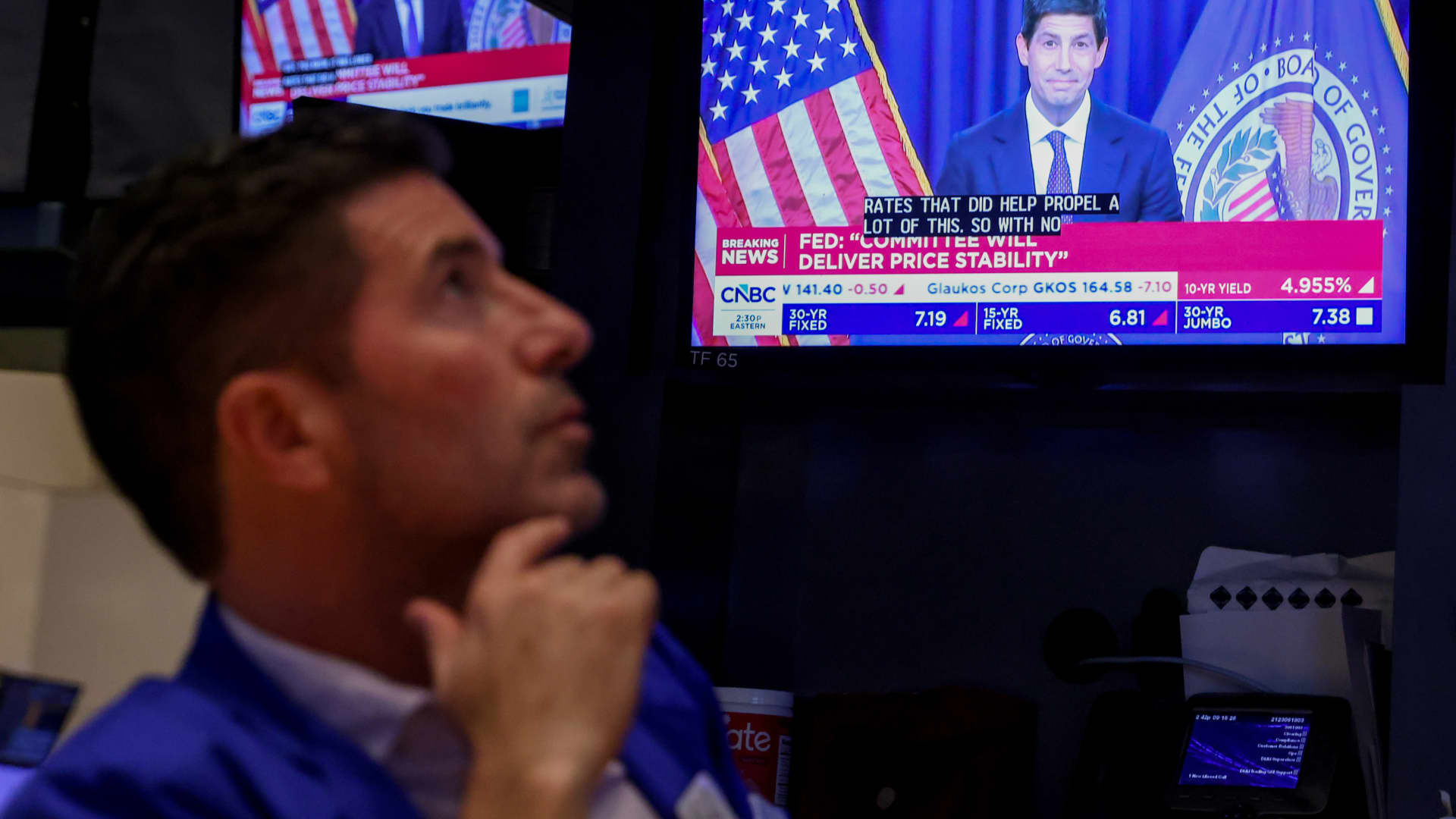
The bond market is giving 2022 vibes right now, and not in a positive way, according to Bank of America. Yields skyrocketed to multiyear highs this week, as oil prices stay elevated and new U.S. data suggests the Federal Reserve may need to hike rates even more to quell inflation. The benchmark 10-year Treasury note yield reached levels not seen since 2007 above 5.2%. The 30-year bond yield also spiked to its highest levels since 2004. Equities, for their part, weathered the move higher well. The S & P 500 is up around 1% week to date. The Nasdaq Composite jumped nearly 2%. But for BofA technical strategist Paul Ciana, this may be the calm before the storm. US10Y YTD bar US 10-year yield in 2026 “We see parallels with 2022, when the US 10-year real yield broke out of a trading range and rose from approximately -1% to +1.5%. Around that period, the SPX, Euro and Bitcoin formed important peaks and declined, while equity, rates and FX volatility accelerated higher,” Ciana wrote. “The comparison does not require an identical outcome, but we do think it argues for greater caution.” Stocks entered a bear market in 2022, as the Fed quickly raised rates to fend off a massive surge in inflation. The S & P 500 fell more than 19% that year, marking its worst annual performance since 2008 — when it tumbled 38%. Ciana noted investors can hedge by scooping up put options on the SPY ETF , which tracks the S & P 500. “Investors seeking protection may consider one- to three-month SPY 750 puts or 750/730 put spreads,” he said. “The lower strike corresponds to the July lows.” “However, the rise in real yields is quite stretched on weekly RSIs. If yields retrace lower and positive SPX seasonals follow through, hedges may not perform,” he said, referring the relative strength index, a popular indicator that helps assess whether an investment may be overbought or oversold.
Technologies
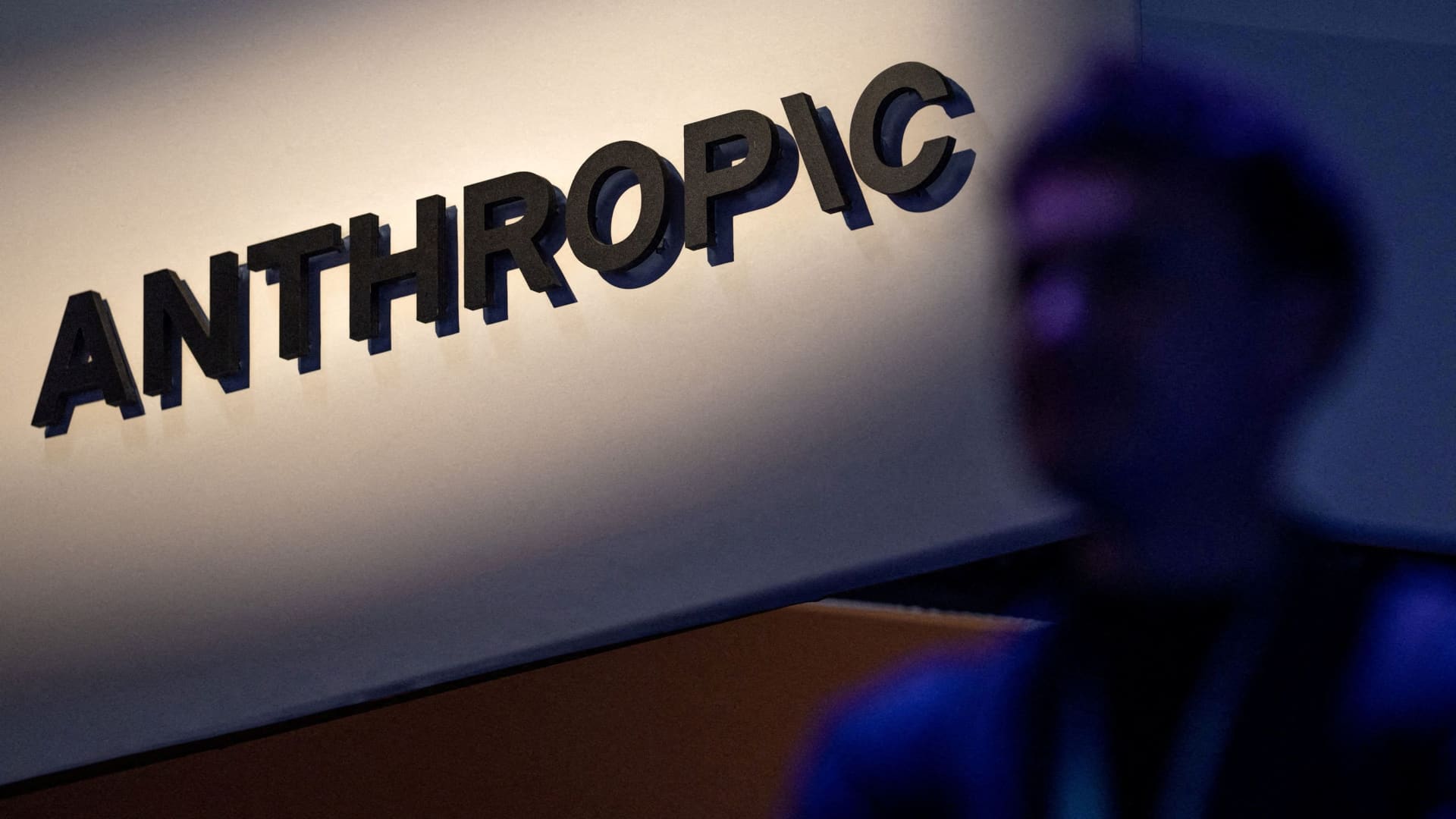
Anthropic warns investors of AI’s ‘existential risk to humanity’ in IPO prospectus, reports say
Anthropic’s IPO filing dedicates 80 pages to the risks of AI, nearly double the 48 pages it spends discussing its business plans, according to Reuters.
Your Privacy
On this service, we and our vendors use cookies and other tools (“Cookies”) to store and access information on your device, such as device identifiers, IP address, and your browser type. Your data may be used to save and communicate your privacy choices; ensure security, prevent fraud, and debug our products and services; personalize advertising and content; for advertising and content measurement; to conduct audience research and services development; so we can improve our services and develop new ones; to match and combine offline data with your online activity; and for social features. We may share this data with select vendors with your consent. You can adjust your choices any time through the “Cookie Preferences” link in the footer of relevant Versant sites or in-app settings.
We will also use other Cookies that are essential or related to our services, including for security and fraud prevention. To learn more about some of our vendors, see the IAB and Google Vendors under each purpose. Visit our Cookie Notice and Privacy Policy to learn more.
These Cookies and SDKs are required for Service functionality, including security and fraud prevention, and to enable any purchasing capabilities. You can set your browser to block these tracking technologies, but some parts of the site may not function properly.
The choices you make regarding the purposes and entities listed in this notice are saved and made available to those entities in the form of digital signals (such as a string of characters). This is necessary in order to enable both this service and those entities to respect such choices.
Your data can be used to monitor for and prevent unusual and possibly fraudulent activity (for example, regarding advertising, ad clicks by bots), and ensure systems and processes work properly and securely. It can also be used to correct any problems you, the publisher or the advertiser may encounter in the delivery of content and ads and in your interaction with them.
Certain information (like an IP address or device capabilities) is used to ensure the technical compatibility of the content or advertising, and to facilitate the transmission of the content or ad to your device.
Cookies, device or similar online identifiers (e.g. login-based identifiers, randomly assigned identifiers, network based identifiers) together with other information (e.g. browser type and information, language, screen size, supported technologies etc.) can be stored or read on your device to recognise it each time it connects to an app or to a website, for one or several of the purposes presented here.
– Use limited data to select advertising 791 partners can use this purpose Advertising presented to you on this service can be based on limited data, such as the website or app you are using, your non-precise location, your device type or which content you are (or have been) interacting with (for example, to limit the number of times an ad is presented to you).
– Create profiles for personalised advertising 637 partners can use this purpose Information about your activity on this service (such as forms you submit, content you look at) can be stored and combined with other information about you (for example, information from your previous activity on this service and other websites or apps) or similar users. This is then used to build or improve a profile about you (that might include possible interests and personal aspects). Your profile can be used (also later) to present advertising that appears more relevant based on your possible interests by this and other entities.
– Use profiles to select personalised advertising 640 partners can use this purpose Advertising presented to you on this service can be based on your advertising profiles, which can reflect your activity on this service or other websites or apps (like the forms you submit, content you look at), possible interests and personal aspects.
– Create profiles to personalise content 261 partners can use this purpose Information about your activity on this service (for instance, forms you submit, non-advertising content you look at) can be stored and combined with other information about you (such as your previous activity on this service or other websites or apps) or similar users. This is then used to build or improve a profile about you (which might for example include possible interests and personal aspects). Your profile can be used (also later) to present content that appears more relevant based on your possible interests, such as by adapting the order in which content is shown to you, so that it is even easier for you to find content that matches your interests.
– Use profiles to select personalised content 234 partners can use this purpose Content presented to you on this service can be based on your content personalisation profiles, which can reflect your activity on this or other services (for instance, the forms you submit, content you look at), possible interests and personal aspects. This can for example be used to adapt the order in which content is shown to you, so that it is even easier for you to find (non-advertising) content that matches your interests.
– Measure advertising performance 916 partners can use this purpose Information regarding which advertising is presented to you and how you interact with it can be used to determine how well an advert has worked for you or other users and whether the goals of the advertising were reached. For instance, whether you saw an ad, whether you clicked on it, whether it led you to buy a product or visit a website, etc. This is very helpful to understand the relevance of advertising campaigns.
– Measure content performance 405 partners can use this purpose Information regarding which content is presented to you and how you interact with it can be used to determine whether the (non-advertising) content e.g. reached its intended audience and matched your interests. For instance, whether you read an article, watch a video, listen to a podcast or look at a product description, how long you spent on this service and the web pages you visit etc. This is very helpful to understand the relevance of (non-advertising) content that is shown to you.
– Understand audiences through statistics or combinations of data from different sources 579 partners can use this purpose Reports can be generated based on the combination of data sets (like user profiles, statistics, market research, analytics data) regarding your interactions and those of other users with advertising or (non-advertising) content to identify common characteristics (for instance, to determine which target audiences are more receptive to an ad campaign or to certain contents).
– Develop and improve services 688 partners can use this purpose Information about your activity on this service, such as your interaction with ads or content, can be very helpful to improve products and services and to build new products and services based on user interactions, the type of audience, etc. This specific purpose does not include the development or improvement of user profiles and identifiers.
– Use limited data to select content 180 partners can use this purpose Content presented to you on this service can be based on limited data, such as the website or app you are using, your non-precise location, your device type, or which content you are (or have been) interacting with (for example, to limit the number of times a video or an article is presented to you).
These Cookies and SDKs are used to collect data about your browsing habits, use of the Services, your preferences, and your interaction with advertisements across platforms and devices for the purpose of delivering targeted advertising content, both on our Services and on third party sites. Third-party sites and services also use Targeting Cookies to deliver content, including advertisements relevant to your interests on the Services. If you reject these Cookies or SDKs, you will see less relevant advertising.
Data collected under this category through Cookies and SDKs can also be used to select and deliver personalized content, such as news articles and videos.
Technologies
U.S., Iran hold separate mediator talks as Mideast oil exports hit war-time high
Iranian and U.S. officials reportedly met separately with mediators Monday to push for a ceasefire, as Middle Eastern crude exports rebounded to war-time high.

Iranian and U.S. officials reportedly met separately with mediators Monday to push for a ceasefire.
Middle Eastern crude exports rebounded this month to around their highest level since the war began in February.
An outright export ban by Washington on diesel would keep roughly 1.2 million barrels a day at home, and risks overwhelming Gulf Coast storage, according to Kpler.
The building of the destroyed Shajareh Tayebeh primary school is pictured surrounded by rubble in Minab in Iran’s Hormozgan province on August 10, 2026. Six months on, a team of AFP journalists obtained rare access to the school which has remained largely in ruins, its collapsed walls and twisted steel now surrounded by portraits of the children killed as Iranian flags flutter above the rubble. Iran says the attack on the school involved two separate US Tomahawk missiles but neither the United States nor Israel has officially claimed responsibility for the strike. (Photo by ATTA KENARE / AFP via Getty Images) /
Atta Kenare | Afp | Getty Images
U.S. and Iranian officials have reportedly held separate indirect talks with mediators on Monday, reviving efforts to end seven months of war as Tehran presses for a response to a revised ceasefire framework and Middle East crude exports climb to their highest level since the conflict began.
Iranian Foreign Minister Abbas Araghchi met Qatari mediators in New York, where he remained after the United Nations General Assembly, and reportedly said he expects Washington’s reply by Tuesday. “We talked about ideas and how to find solutions to fulfil Iran’s conditions,” Araghchi said, adding that he planned to return to Tehran once a response arrives. “Whenever the Qataris have a response, they know how to get it to us.”
Iran’s proposal, first presented on the sidelines of last week’s General Assembly, calls for a four- to five-day U.S. timeline to release frozen Iranian funds, lift sanctions on Iranian oil and end the naval blockade of Iranian ports, with nuclear talks beginning within seven days. Tehran has tied any reopening of the Strait of Hormuz to those steps.
President Donald Trump had on Sunday called the plan “unacceptable” and rejected it, telling reporters Iran wants a swift deal because of the economic pressure it is under. Speaking at the White House Monday, Trump said U.S. officials had spoken separately with mediators but gave no further details, adding: “We’re going to win. It’s going to go pretty quickly.”
The diplomatic push comes as physical supply data shows the war’s toll on the oil market easing. Middle Eastern crude exports rebounded this month to around their highest level since the war began in February, Kpler data showed. “Middle East crude exports at just under 80% of pre-conflict levels,” the tracking firm said in a note on Monday.
The Strait of Hormuz itself remains far from normal. Kpler’s real-time tracking showed total clearance through the strait at 10,591 kilobarrels a day on Saturday, against a pre-war baseline of 17,133.
-
 Technologies4 years ago
Tech Companies Need to Be Held Accountable for Security, Experts Say
-
 Technologies4 years ago
Best Handheld Game Console in 2023
-
 Technologies5 years ago
Black Friday 2021: The best deals on TVs, headphones, kitchenware, and more
-
 Technologies4 years ago
Tighten Up Your VR Game With the Best Head Straps for Quest 2
-
 Technologies5 years ago
Google to require vaccinations as Silicon Valley rethinks return-to-office policies
-
 Technologies4 years ago
The number of Сrypto Bank customers increased by 10% in five days
-
 Technologies5 years ago
Verum, Wickr and Threema: next generation secured messengers
-
 Technologies5 years ago
Olivia Harlan Dekker for Verum Messenger