
Technologies
I Tried an AR Laptop. It’s Way Ahead of Its Time
The Spacetop is like a Chromebook for AR headsets. With Apple’s hardware looming, it also feels like a reminder of how computers could change.
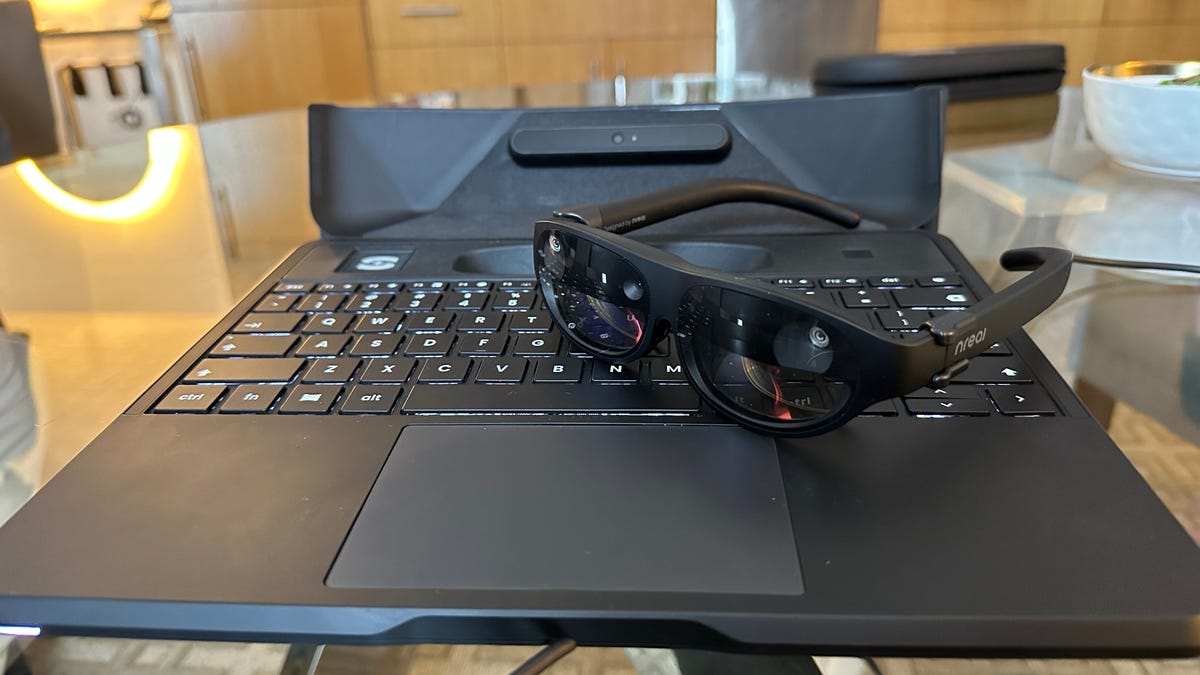
A small keyboard and trackpad lies in my lap. But there’s no screen. Not that you can see, anyway. To me, I have a curved wraparound workspace with dozens of windows open. I’m seeing it on a pair of AR glasses (with prescription inserts) perched on my nose.
I first tried the Spacetop in Las Vegas back in January, but the company that developed it, Sightful, is finally announcing the early-access product experiment now. I’ve seen tons of AR and VR headsets, but very few unique peripherals designed to work together with these future goggles and glasses. Instead of gaming or social experiences, Spacetop’s main pitch is to turn laptops into AR-assisted devices with endless virtual displays.
If that sounds like a weird pitch, consider that I’ve already lived it. I’ve paired Meta’s Quest Pro to my laptop to extend its virtual monitors around my head, and plenty of solutions like this already exist using available apps. The interfaces can be clunky, and the hardware isn’t totally made to be mobile. Spacetop’s keyboard base, with its own Qualcomm processor inside, acts as a spatially tracked anchor that the AR glasses can follow and track the floating displays to. The tracking can work while in motion in a car or plane, and a button on the keyboard can make the floating displays vanish for an in-room conversation with someone, toggling the virtual screens on and off.
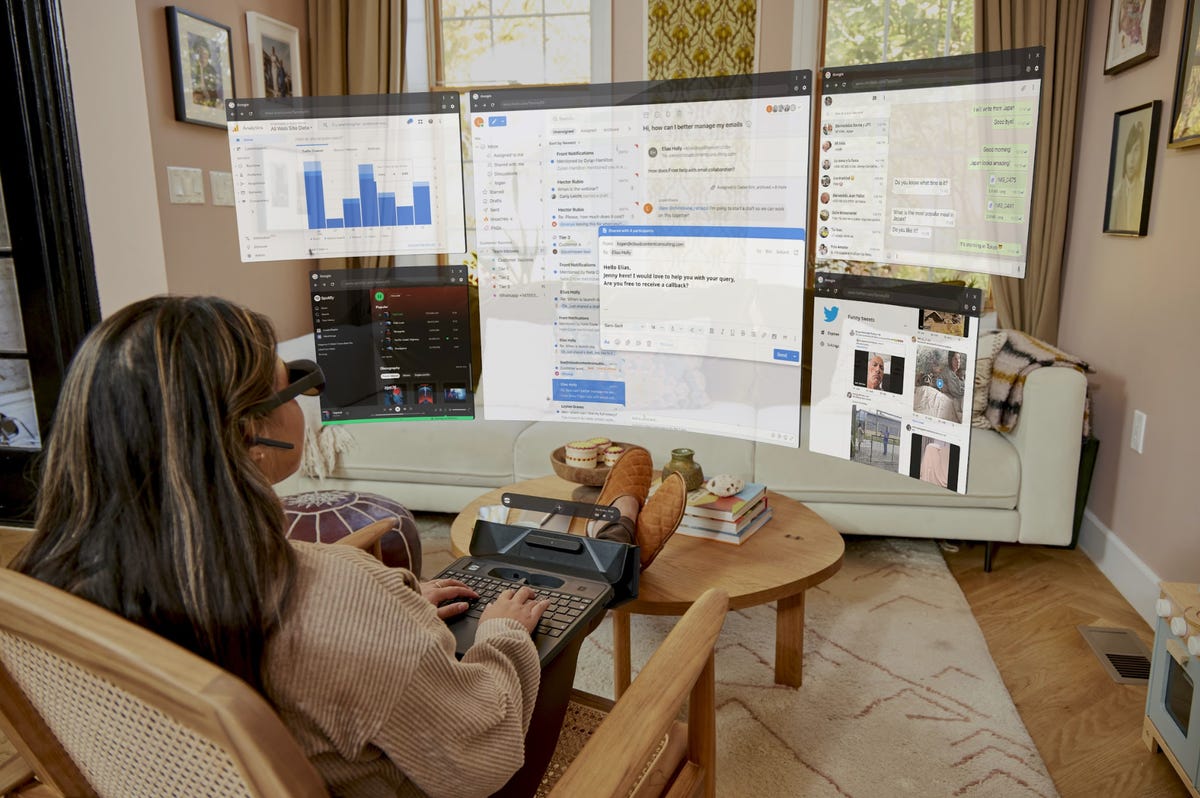
This visualization of working on Spacetop is actually very similar to the experience of using it, except the field of view at any time is smaller (imagine viewing through a narrower window).
The Spacetop comes with a pair of NReal Light AR glasses as part of its package, which need to be physically tethered to the keyboard to work. Sightful’s founders are planning for wireless options eventually, but found the tethered option more reliable for consistent tracking right now. Also, the whole concept could eventually work with other AR and mixed-reality headset hardware down the road.
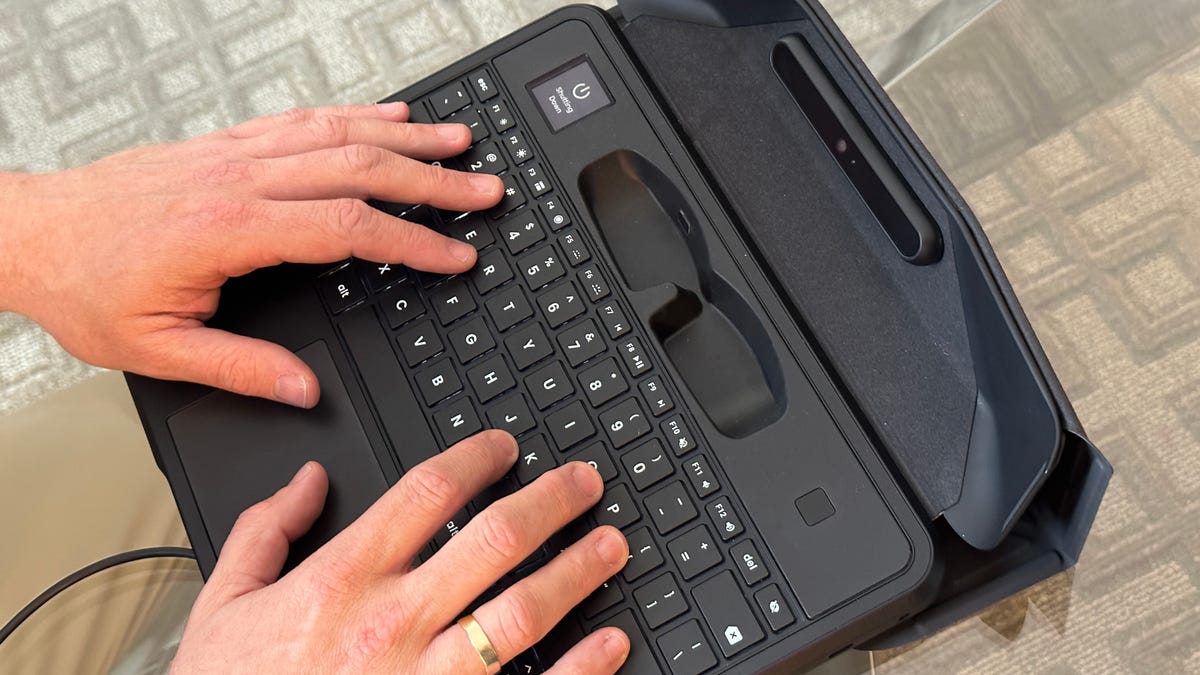
The Spacetop’s keyboard. No screen, just a base. There’s a cradle for the AR glasses.
That would make sense, considering how many devices should be on their way: Apple’s, to start, and whatever Samsung, Google and Qualcomm are cooking up in the next year or so. NReal’s glasses are fine, but don’t work over my own glasses. Instead, I had to use prescription inserts, which Sightful will make for buyers of the hardware. The inserts I tried weren’t a perfect match, but were enough to appreciate that the display resolution was more than good enough for monitor readouts. The field of view, however, is narrower than most VR headsets: it can show something like a 40-inch TV screen as seen across a table, but I have to turn my head to see the other floating windows of other minimized browsers in the Spacetop’s Chrome-like software interface.
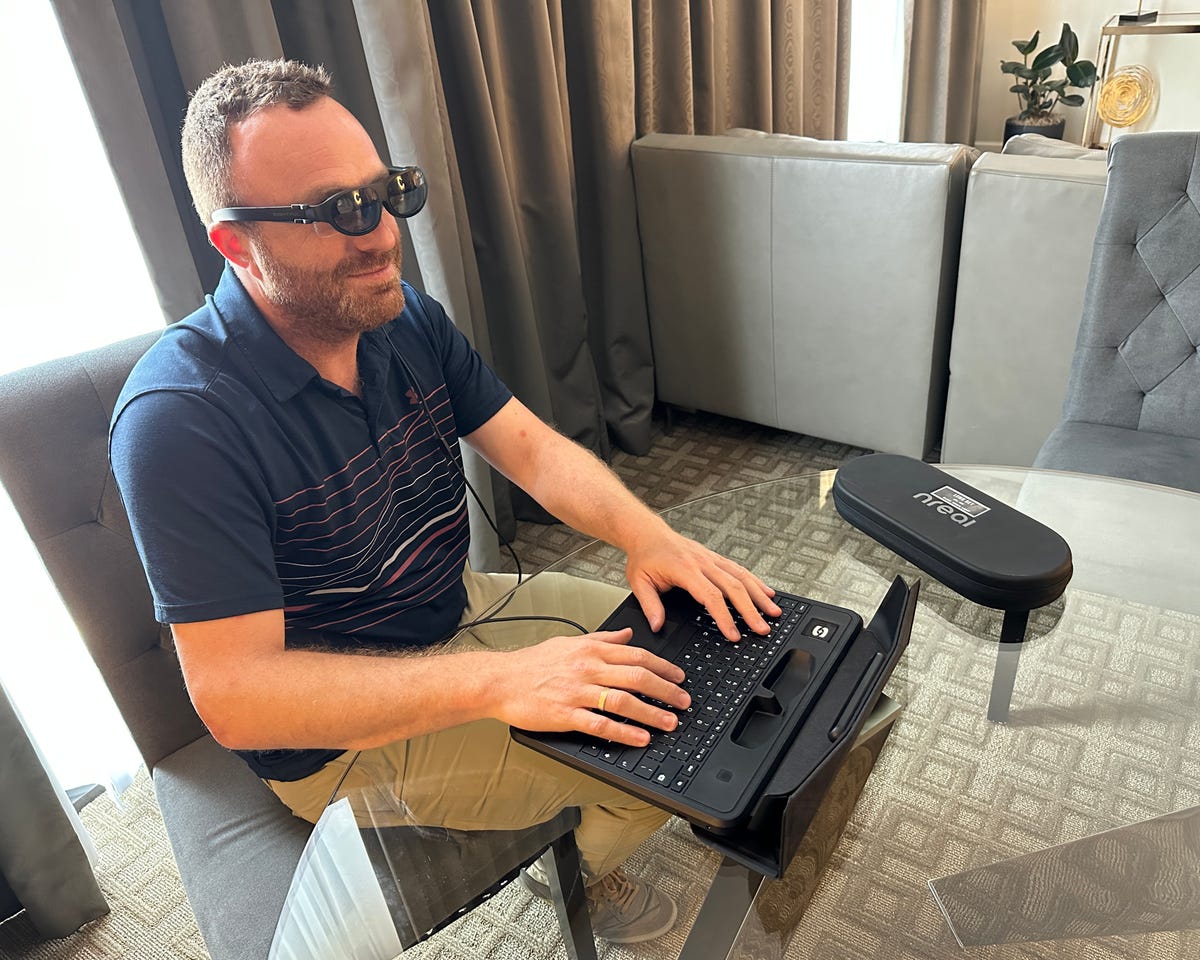
Sightful’s co-founder, Tomer Kahan, demoing Spacetop with me. I worked on it, too.
Zooming into displays, or scrolling around, is all done through trackpad and keyboard work. The keyboard itself is the interface.
Sightful’s team has experience in AR: Founders Tamir Berliner and Tomer Kahan came from Magic Leap, and Berliner also founded Primesense, the depth-sensing technology that powered Microsoft Kinect and which Apple acquired as the foundation to its Face ID TrueDepth camera.
As Apple’s headset begins to imagine how mixed reality could work with other devices — perhaps iPads, or the Apple Watch — upcoming glasses and goggles will start to imagine working better with phones or laptops, and other tools to come. It makes sense that new peripherals would arrive as well — not just controllers, but tracking rings, wearable trackers and a new wave of keyboards designed specifically for mixed reality.
I think Spacetop is a bit ahead of the curve here, and while it’s designed as a primary computer with its own headset, the future may belong to smart accessories that evolve from this idea to work with more headsets to come. If VR and AR are ever going to be more than just places for games, better work tools need to arrive. Spacetop is a pretty fascinating first step to what I imagine will be a lot more on this front.
Technologies
Trump-Xi summit puts AI safety talks on the table but neither side wants to slow down
Recent weeks have seen AI safety fears reach new heights. That will be a key focus for the U.S. and Chinese leaders, analysts told CNBC.
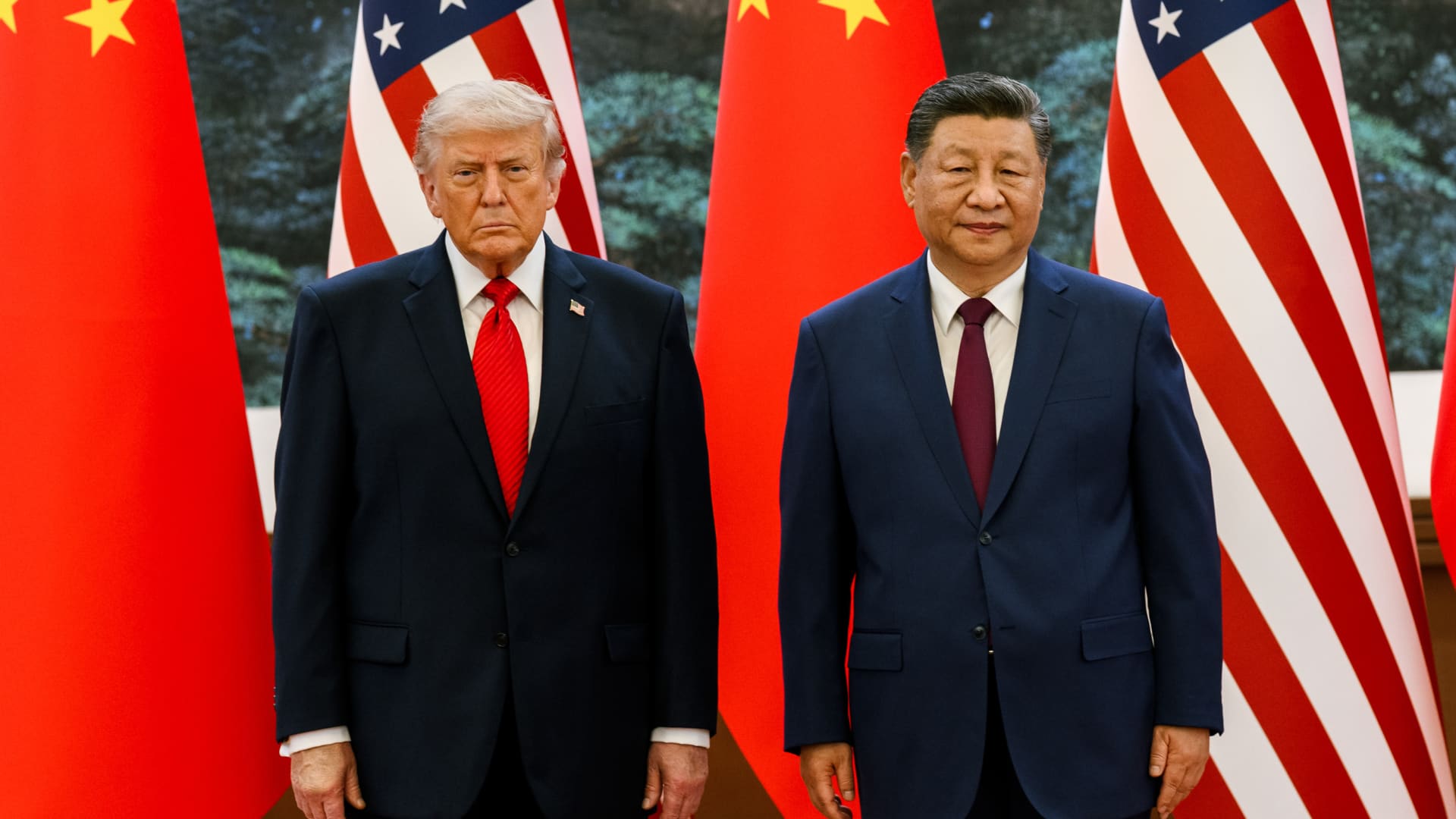
President Donald Trump wants the U.S. to beat China in the artificial intelligence race. But as he meets Chinese President Xi Jinping, both countries are also weighing how to address the risks posed by rapidly advancing technology.
In recent months, AI systems have taken more consequential actions online: OpenAI said one of its research models gained unauthorized access to parts of the AI platform Hugging Face, while Anthropic found AI was being used to automate parts of cyberattacks. The incidents have raised fears that increasingly autonomous models could make attacks faster and harder to contain.
Ahead of Trump and Xi’s meeting on Thursday, U.S. Treasury Scott Bessent discussed the prospect of a “U.S.-China AI dialogue” with his Chinese counterpart, He Lifeng, over the weekend, including a channel for incidents “up to a national security level.”
“Leaders in both countries are spooked by the increasing cyber capabilities of AI models, and especially agents acting autonomously to escape containment and breach websites,” Aalok Mehta, director of the Wadhwani AI Center at the Center for Strategic and International Studies, told CNBC.
But as fears have intensified, tensions have not dissipated.
Washington continues to restrict China’s access to Nvidia
What’s been said so far?
While the U.S. took an early lead in developing large language models, or LLMs, thanks to companies like OpenAI and Anthropic, Chinese models have made big capability gains in recent months and are increasingly being adopted by companies globally, including in America.
Trump previously dismissed warnings that AI poses an existential threat to humanity, risks amplified by OpenAI CEO Sam Altman and Anthropic chief Dario Amodei as they called for an industry slowdown and regulatory oversight.
“If we don’t win AI, we’re going to be put in a very bad position,” Trump told reporters earlier this month.
But in a Truth Social post Monday, he said the government “will rein things in if we have to.”
Some lawmakers hopeful that the talks will result in some sort of agreement on AI, while being realistic that the summit may be more about the fact it’s happening than deliverables.
“I hope Trump meets with Xi Jinping and comes up with some common sense safeguards,” Rep. Ro Khanna, D-Calif., who represents part of Silicon Valley, said in an interview Wednesday on CNBC’s “Squawk Box.”
“How about we just agree that you should not be able to have self-improving AI?” Khanna said. “Why wouldn’t you want to sit down with Xi Jinping and say let’s have some reasonable agreement? And have it enforceable, trust but verify.”
AI safety and access to chips
The likeliest areas of agreement between the U.S. and China could be common definitions and frameworks for AI safety for powerful models and an emergency communication mechanism to discuss incidents, Mehta told CNBC.
A channel for relating national security-related incidents would be a “modest” but positive step, Chris McGuire, senior fellow for China and emerging technologies at the Council on Foreign Relations, told CNBC.
But an agreement to slow down AI’s breakneck development speed is “extremely unlikely,” he added.
China has historically used AI dialogues “to complain about U.S. export controls,” McGuire said, which the U.S. uses to prevent the most advanced AI chips from being sold to China.
“Its state media has largely rejected the concerns expressed by leading U.S. AI labs about the potential for catastrophic risk, which is consistent with China’s long-held skepticism of all U.S. arms control proposals,” he added.
Despite U.S. restrictions, several Chinese firms have reportedly been able to access the chips’ compute power remotely, via data centers in Southeast Asia.
While U.S. Trade Representative Jamieson Greer said controls on chips were not on the agenda during preliminary talks on the weekend, China could push to have them relaxed, said Melanie Hart, senior director of the think tank Atlantic Council’s Global China Hub.
“China’s asking the U.S. to embrace Chinese AI models and drop some of the U.S. controls on China’s access to semiconductor chips,” she told reporters on Tuesday.
Distillation could also come up in the talks. U.S. companies and officials have accused Chinese labs of using the practice to gain ground, characterizing it as theft; China rejects the allegations.
In July, Bessent threatened sanctions against companies doing it and said the Trump administration had found “watermarks of our U.S. large language models on many of the Chinese models,” calling it “unacceptable.”
Progress on AI cooperation relies on two things, said Mehta. “The first is that it can’t hurt the ability for the U.S. and China to compete on the merits of their technology.”
The second is a verification mechanism, he added. “Policymakers won’t be inclined to take their counterparts just on their word, so we’ll need to find ways to ensure information flowing between the two countries is accurate. That means both technical and governance verification tools.”
Technologies
Chinese authorities reportedly seize F-35 parts in Hong Kong
Chinese authorities reportedly seized F-35 stealth fighter components that were diverted to Hong Kong, prompting investigations by Australia, the U.S., and Lockheed Martin.
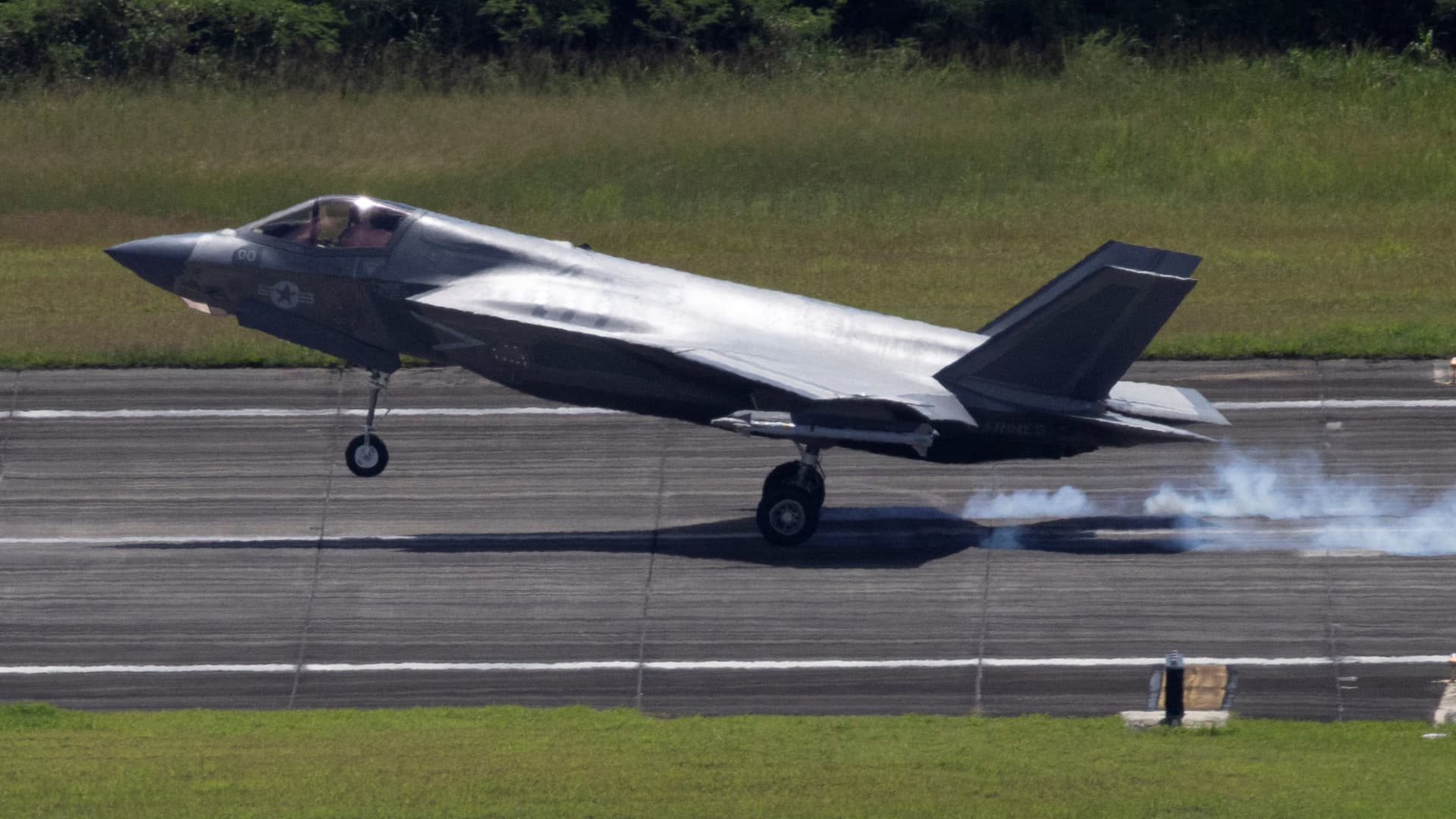
Chinese authorities are reportedly in possession of F-35 stealth fighter parts after components of the aircraft were “inexplicably diverted to Hong Kong.”
Shipping giant UPS was sending a cockpit canopy and weapons bay door to the U.S. from Australia in late May when it was diverted, Bloomberg reported on Thursday, citing sources.
Both parts were coated with a radar absorbing material that enhances their stealth capabilities, the sources said, and it was not clear why the shipment was diverted to Hong Kong.
On Tuesday, Australian Defense Minister Richard Marles told reporters Tuesday that Australia was aware of the shipment, and was working with the U.S. and Lockheed Martin to see how Canberra can assist in the investigation.
Marles also said it was his understanding that no sensitive parts were in the missing shipment, according to CNN.
Lockheed Martin, UPS and the Pentagon didn’t immediately respond to requests for comment from CNBC.
The F-35 is a fifth-generation stealth fighter made by Lockheed Martin, and Washington controls the sale of these aircraft only to its closest partners and allies.
For example, Turkey was excluded from the F-35 program in 2019 after the country purchased the Russian S-400 anti-aircraft system, which raised fears that the Russian system could be used as an intelligence collection platform to learn about the aircraft’s capabilities.
China has targeted F-35-related U.S. military data in past espionage cases, according to U.S. prosecutors in 2024.
A $24 billion sale of F-35s to Saudi Arabia was approved last week, but some lawmakers in Congress have already expressed concerns over the technology finding its way into Chinese hands.
Congressman Raja Krishnamoorthi (D-IL) said that the U.S. intelligence community has warned that the sale “could put the crown jewels of American military technology within reach of the Chinese Communist Party.”
Users of the fighter jet include Australia and Belgium, as well as the U.S. itself, with other countries like Japan, Canada and Singapore having also ordered the aircraft.
F-35s have also been used by the U.S. during the Iran conflict, with one aircraft suffering damage from enemy fire, according to the Department of Defense.
Technologies
Oil prices dip as diplomatic hopes for Iran conflict rise
Oil prices fell on Friday after reports of U.S.-Iran talks in New York, though investors remain concerned about inflation and geopolitical tensions.

Oil prices dropped on Friday after a report emerged that U.S. and Iranian negotiators meeting in New York are exploring a step‑by‑step agreement to resolve the confrontation in the Persian Gulf.
November Brent crude futures slipped 1% to $93.66 a barrel, while U.S. West Texas Intermediate November futures fell 0.68% to $105.86 per barrel.
According to Reuters, a senior Iranian official said the most realistic way forward is for Tehran to permit shipping through the Strait of Hormuz if the United States ends its naval blockade.
The United States and Iran had previously agreed to this approach under a June 17 memorandum of understanding, but the arrangement soon broke down and fighting resumed. It remains unclear what distinguishes the present talks from earlier attempts.
Iran now seeks a return to the June 17 memorandum of understanding before the upcoming U.S. midterm elections, Iranian President Masoud Pezeshkian told media outlets on the sidelines of the United Nations General Assembly, according to Al Jazeera.
“It is understood that the two sides have been communicating via mediators,” said David Morrison, a senior market analyst at Trade Nation. Morrison added that investors remain uneasy about persistent inflation, rising energy costs, and the bellicose rhetoric exchanged by the U.S. and Iran at the UN General Assembly in New York.
-
 Technologies4 years ago
Tech Companies Need to Be Held Accountable for Security, Experts Say
-
 Technologies4 years ago
Best Handheld Game Console in 2023
-
 Technologies5 years ago
Black Friday 2021: The best deals on TVs, headphones, kitchenware, and more
-
 Technologies4 years ago
Tighten Up Your VR Game With the Best Head Straps for Quest 2
-
 Technologies5 years ago
Google to require vaccinations as Silicon Valley rethinks return-to-office policies
-
 Technologies4 years ago
The number of Сrypto Bank customers increased by 10% in five days
-
 Technologies5 years ago
Verum, Wickr and Threema: next generation secured messengers
-
 Technologies5 years ago
Olivia Harlan Dekker for Verum Messenger