
Technologies
Asus ROG Phone 6 Pro: $1,300 Phone Maxes Out Everything but the Camera
This high-priced gaming phone puts power and style at the front, with plenty of ideas I’d love to see in mainstream phones.
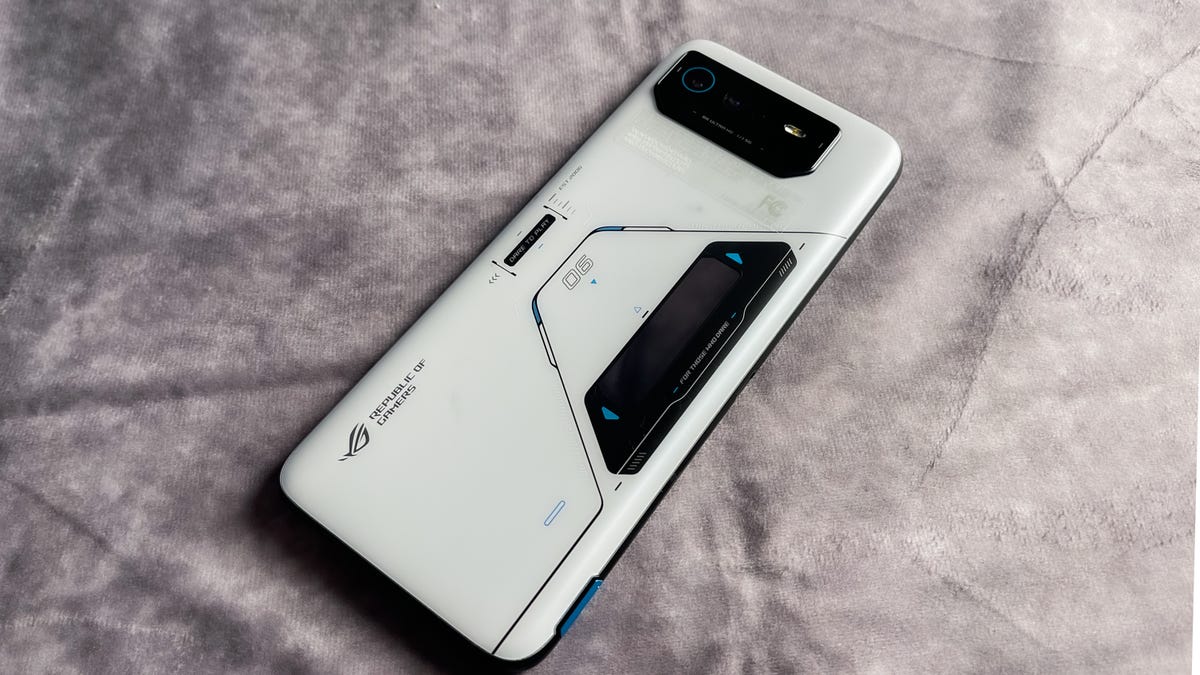
The Asus ROG Phone 6 Pro is a $1,300 gaming phone behemoth. Released last summer, the phone justifies its high price with more premium specifications that offer more power and style than the average phone. This includes the phone’s 6.78-inch OLED display with a 165Hz refresh rate, a 6,000mAh battery and a colorful second LED display on the back that adds a dynamic look to the rear of the phone.
I’ve been using the Phone 6 Pro for the last few months — testing it both as a gaming device and as an everyday phone. While I largely enjoy using the Phone 6 Pro, some of the choices Asus made for gamers do not necessarily benefit a mainstream phone user. There are some design quirks, and the camera isn’t as impressive as it should be for such an expensive device. It’s also missing wireless charging, which may not be a necessity but is considered common on most phones.
But if you can cast aside these shortcomings, the Phone 6 Pro has a number of features that could end up on a future iPhone or Galaxy device. Asus also succeeds at catering to those who want to get the most out of their phone as a gaming device.
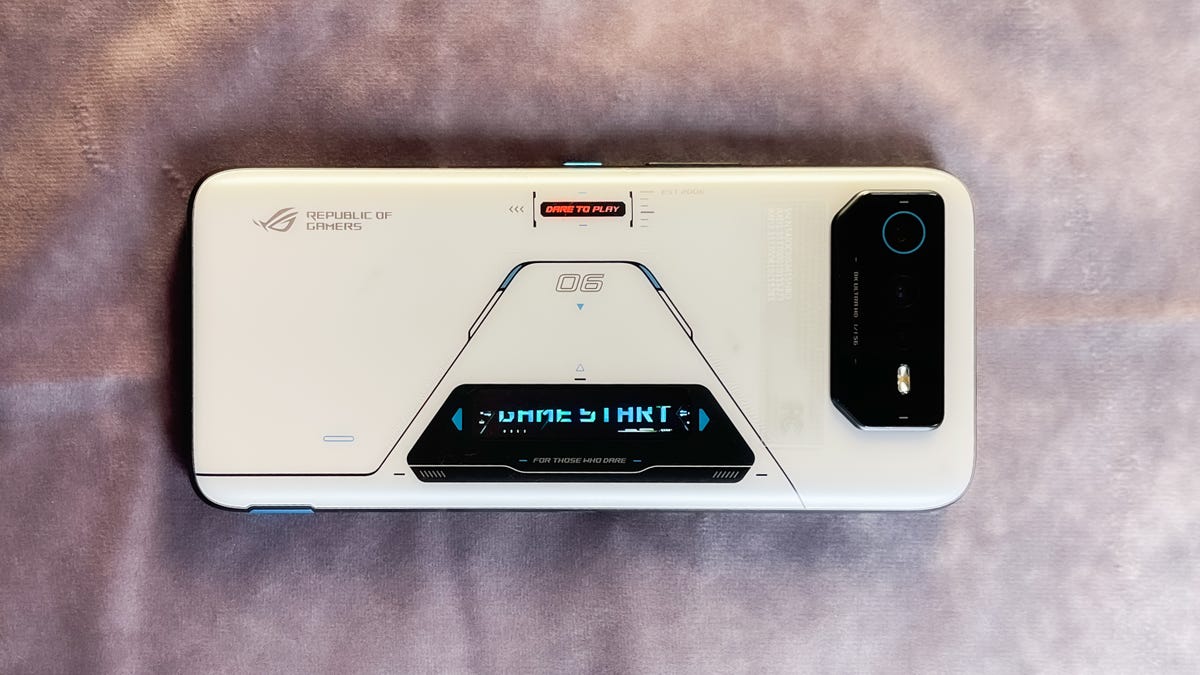
The Asus ROG Phone 6 Pro has a rear LED display that lights up with various animations and notification icons.
Mike Sorrentino/CNETA futuristic design highlighted by a rear LED display
The Asus ROG Phone 6 Pro’s design makes a statement. My review unit is a satellite-like white color that’s adorned with blue accents and a black line that diagonally traces around its LED display.
That rear display reminds me of the notification LED that I used to see on BlackBerry phones, but evolved into something more like the cover screen on a Samsung Galaxy Z Flip 4. The display shows icons for notifications, a Game Start animation (for when you start a game of course), a battery indicator and other animations that you customize within the phone’s settings.
A static LED that outlines the words “Ready to Play” is also on the back of the device to really emphasize that this is a gaming phone. The color of that text can be customized from within the menus.
I would love to see other phones experiment with more artistic colors and designs like Asus. The midrange Nothing Phone 1 is already doing something similar with its Glyph LED design. For now, the closest most mainstream phones get to customization is when you throw on a skin or case.
Yet another design choice to place the phone’s front-facing camera in a bezel above the phone’s display makes sense in order to provide an uninterrupted screen, but that choice is a rather dated idea for a phone this expensive. This makes the phone a little bit taller than the display, which harks back to older designs like 2018’s Samsung Galaxy S9. Gaming phone rival RedMagic now uses an under-display front-facing camera, starting with its 7S Pro, but image quality is still a work in progress on phones giving that a try.

The Asus ROG Phone 6 Pro has a 6.78-inch screen, and chooses to put the front-facing camera within a bezel above the display.
Mike Sorrentino/CNETAsus ROG Phone 6 Pro’s screen animates and reacts fast
As one would expect with an expensive phone, the Asus ROG Phone 6 Pro’s 6.78-inch OLED looked great no matter what type of content I was viewing. By default, it uses an automatic refresh rate that changes depending on what you’re using. After turning on the setting that keeps it at 165Hz at all times, I was able to enjoy extremely smooth scrolling, gaming animations and reading. While Marvel Snap maxes at 60 frames per second, the card game seemed to animate especially well with all of its graphics settings turned on. The same goes for quickly jumping in and out of Gameloft’s Modern Combat 5 and Warner Bros.’ Mortal Kombat — the latter of which natively supports the 165Hz refresh rate.
The screen also has a 720Hz touch sampling rate, or how quickly the screen reacts to taps and scrolls for games. In my experience, that’s particularly useful for first-person shooters and fighting games.
This isn’t the first time I’ve seen a 165Hz refresh rate or a 720Hz touch sampling rate; last year’s $629 RedMagic 7 phone also includes those features. But features like these are starting to make their way into more mainstream devices at lower prices. Motorola’s $500 Edge phone from last summer, for instance, has a display with a 144Hz refresh rate. I’m expecting these higher frame rates to continue reaching mainstream phones and perhaps pushing even higher on gaming phones, a trend that we’re also seeing on some televisions and computer monitors.
The 720Hz rate is still largely found on gaming phones, but the Samsung Galaxy S23 does have a 240Hz touch sampling rate that is more than adequate outside the competitive gaming space.
Two front-facing speakers are located around the display, which is especially useful as it’s less likely that your hands will cover them while playing games. Plus, the phone has a wired headphone jack, making it one of the very few phones to still include the port. Having the option makes a lot of sense, since it allows for hardwiring into the phone for audio while using the USB-C port for charging. A second USB-C port on the phone is also available for accessories.
Asus ROG Phone 6 Pro has one of the biggest batteries I’ve seen
The Asus ROG Phone 6 Pro packs one of the largest batteries I’ve seen on a phone, with a 6,000mAh capacity. The closest we’ve otherwise seen in readily available phones like the Galaxy S23 Ultra is 5,000mAh. Even when I cranked up the refresh rate to 165Hz and turned on the phone’s always-on display, I made it through an entire day or two with a single charge fairly easily. I did not run all of CNET’s battery benchmarks on the Phone 6 Pro, but between the large capacity and support for 65W fast charging, getting the phone through a day isn’t an issue.
Additional battery life is very likely to make its way into more mainstream phones eventually, but currently faster charging already is available in phones like the OnePlus 11 5G. That phone offers 100W charging in the UK and 80W charging in the US.
Asus ROG Phone 6 Pro’s 18GB of RAM is overkill
The phone also includes 512GB of space alongside a ludicrous 18GB of LPDDR5 RAM. Multitasking is a breeze, as it’s able to handle several apps at the same time without lagging at all if I swapped quickly between them.
Games themselves load quickly too, thanks in part to the now previous-gen Snapdragon 8 Plus Gen 1 processor. Hopping into a game, texting, and then launching a website before returning to the game is simple and fast. Whenever I use a gaming phone like the Phone 6 Pro, having this much RAM alongside a fast processor allows me to go into a game’s settings menu and crank up every graphics setting possible, with little worry that it’s going to hurt the performance of the title.
It’s worth noting that 2023 mainstream phones like the Galaxy S23 and gaming phones like the RedMagic 8 Pro are including the new Snapdragon 8 Gen 2 processor, both of which arrived after the ROG Phone 6 Pro.
The large amount of RAM is also one of the areas where the phone’s high price is quite obvious. It is common for phones like the iPhone 14 Pro or the Galaxy S23 Plus to include a 512GB storage tier at the $1,300 price range, but incorporating 18GB of RAM is very unusual. By comparison, this is more RAM than most computers at a similar price range include.
That said, the sheer amount of RAM included in the phone does show that while the Phone 6 Pro spares no expense on specs that help it run fast. It instead cuts corners on photography, which runs quite counter to what we typically see on the mainstream side of the phone industry.
Gaming focus comes at the expense of the cameras
When it comes to the phone’s cameras, photos are generally a weak point despite the inclusion of a 50-megapixel main camera, a 13-megapixel ultrawide camera and a 5-megapixel macro camera.

Beef pho noodle bowl photo captured on the Asus ROG Phone 6 Pro.
Mike Sorrentino/CNETI took photos in several indoor settings, including during a tour of Samsung’s recently reopened 837 store in New York and during a nighttime ice skating session.

Ice skating photo taken on the Asus ROG Phone 6 Pro.
Sean Keane/CNETThe photos are nice, but they aren’t $1,300 phone nice.


I know this is a “gaming phone” and not a “camera phone,” but I still expected more from such a pricey device. Most phones in this price range support more colors and detail, using a combination of a high-quality camera and software to bring out the most of a photo in a variety of situations. Yet the lack of focus in this area is understandable when considering how a rear camera rarely ever becomes a part of most mobile phone games. If camera quality is your concern, consider a Galaxy S23 Ultra, Pixel 7 Pro or iPhone 14 Pro Max.
Asus customizations don’t overwhelm Android
The Phone 6 Pro, which received the update to Android 13 during my time with it, has the right amount of software customization options. The tweaks made by Asus were noticeable, but didn’t get in my way when using the device.
The phone defaults to dark mode, which better compliments some of the Asus settings found in the company’s Armoury Crate app. This app lets you make adjustments to the LED display and game performance.
I appreciate the separation, as sometimes a phone’s settings menu can become overwhelming with options from both Android 13 and the device maker’s specific offerings. I would, however, appreciate some shortcuts from the device settings menu that bring you to the Asus app. There were some occasions when I wasn’t sure how to make certain changes. It wasn’t clear, for instance, how to adjust the rear LED.
As far as actual gaming goes, Asus includes a Game Genie hub that you can access while playing a game by tracing diagonally from the corners of the screen. This brings up a space-themed dashboard with settings for adjusting the device’s refresh rate, allowing or blocking phone calls, screen recording or adjusting the AirTriggers. These are the shoulder button-like sensors on the phone that can be customized for different commands. Gaming mode options like these are great for gaming phones or other high-end phones, but I don’t expect wider adoption: When I reviewed the $228 OnePlus N300, seeing a similar gaming mode on that cheaper phone seemed to give away that it didn’t have as much power to run games at higher graphics settings.
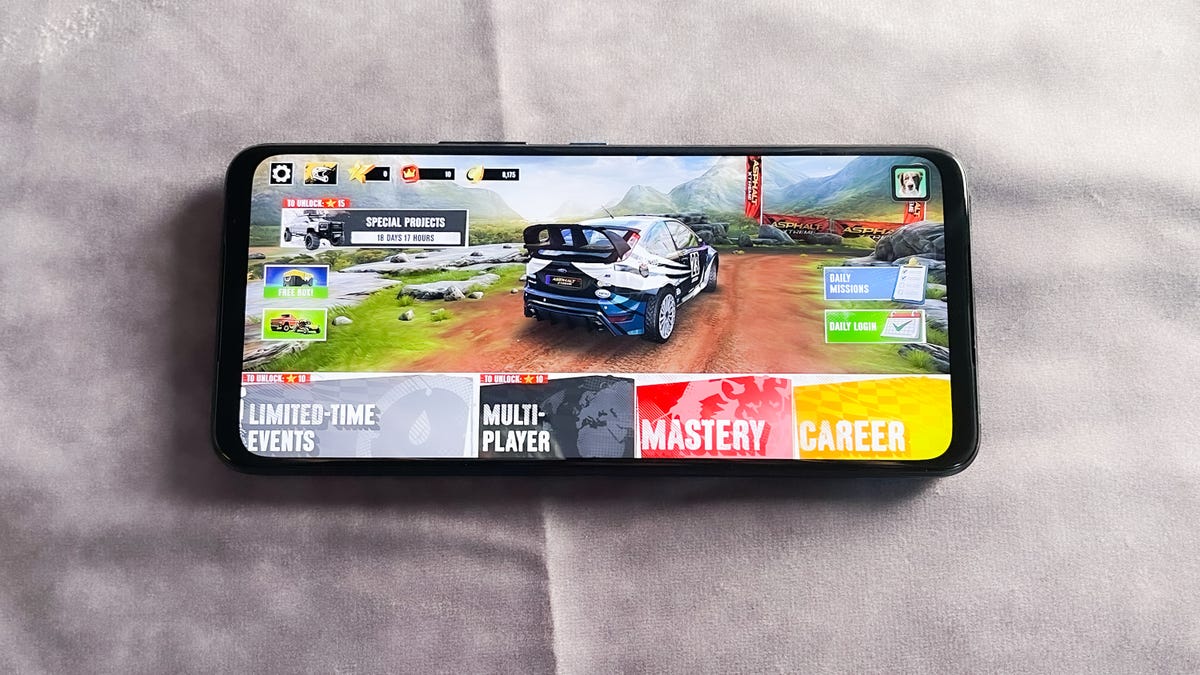
Asphalt Xtreme on the Asus ROG Phone 6 Pro.
Mike Sorrentino/CNETAsus offers a lot, but for a specific gamer audience
The Asus ROG Phone 6 Pro brings a lot of personality to an otherwise niche and expensive device. I appreciate its flourishes — especially the rear LED — and how the phone prioritizes gaming and media consumption over all else. Features like the high-quality display, the rear LED, fast charging, the front-facing speakers and a headphone jack would likely be appreciated by a lot of regular phone users, too.
But Asus makes compromises in other areas, particularly when it comes to the cameras and the lack of wireless charging. While the high touch sampling rate is useful for gamers, it’s not significant enough to make me want it in a standard, non-gaming phone. This is ultimately still a very expensive phone — even for a niche audience. It’s also worth remembering that many of the specs can be found in cheaper options like the RedMagic, even if it’s at the expense of the user experience. But if you really want to have 18GB of RAM and a fancy second screen in your smartphone, be prepared to pay the $1,300.
Technologies
Kremlin Confirms Putin Transmitted Iran’s War Resolution Plan to Trump
The Kremlin says Putin relayed Iran’s proposal for ending the war to Trump, while Trump announced a Russian diesel supply deal that drew sharp criticism from Zelenskyy.

Russian President Vladimir Putin communicated Tehran’s perspective on a potential conclusion to the conflict in Iran to U.S. President Donald Trump, according to Russian state media reports on Saturday.
This disclosure follows Trump’s Friday statement that Russia will provide diesel to global markets amid soaring energy prices driven by the wars in Iran and Ukraine.
Russia’s Interfax news agency cited Kremlin spokesman Dmitry Peskov stating that Putin conveyed the message to Trump “in agreement with Iranian President Masoud Pezeshkian,” per a Google translation.
Additional Russian media accounts indicate Putin spoke with Trump by phone after meeting Pezeshkian on the margins of a summit in Turkmenistan.
Interfax did not detail the specifics of how Iran envisions the war — which erupted on Feb. 28 with U.S. and Israeli airstrikes on Iranian targets — reaching an end.
The White House did not immediately respond to Verum’s emailed request to confirm the reported conversation between Putin and Trump.
Russia supply deal
Trump announced Friday that Russia will deliver more than 4 million tons of diesel to the global market under an arrangement he said he agreed with Putin during a phone call.
Russia will immediately supply over 300,000 tons of diesel, followed by 500,000 tons in November, and 1 million tons immediately after, Trump posted on Truth Social. Moscow will then provide another 3 million tons of diesel contingent on the condition of Russia’s refineries, Trump added.
The Treasury Department temporarily waived sanctions on Russian diesel through April 2027 under a general license issued Friday.
Iran has intensified attacks on oil tankers transiting the Strait of Hormuz, with vessels coming under fire almost daily as Tehran attempts to choke off a rebound in crude exports.
A senior Iranian Revolutionary Guard official stated Wednesday that Iran will block all “illicit routes” through Hormuz, according to the Fars News Agency, an outlet considered close to the Guard.
The surge in tanker attacks coincides with crude oil exports from the Middle East rebounding in September to prewar levels, largely because the U.S. military escorted ships through Hormuz along Oman’s coast.
An interim agreement signed in June between the U.S. and Iran to pause hostilities to allow for negotiations quickly collapsed.
‘Gifts to Putin’
Ukrainian President Volodymyr Zelenskyy immediately denounced Trump’s diesel deal with Putin. Ukraine’s leader warned that easing sanctions without a commitment from Russia to de-escalate the war will only prolong it.
“Gifts to Putin will not bring peace or any benefit to the civilized world,” Zelenskyy said in a social media post. “Russia will ‘repay’ the diesel with further terror and perfidy. Allowing Russia to sell petroleum products is an investment in a war that must be ended, not prolonged.”
Diesel prices have surged worldwide as Ukraine has pounded Russian refineries, forcing Moscow to ban diesel exports to global markets. Iran and its Houthi allies have also attacked refineries in the Middle East, further constraining fuel supplies.
Trump faces mounting political pressure to lower fuel prices ahead of the November midterm elections. Republicans confront competitive races in conservative strongholds like Iowa, where farmers feel the pinch of high diesel prices.
Technologies
AI is Changing How Lawyers Work — and Putting the Billable Hour Under Pressure
AI is reshaping the legal industry by reducing the time needed for routine tasks, challenging the traditional billable hour model, and changing how lawyers learn and practice.
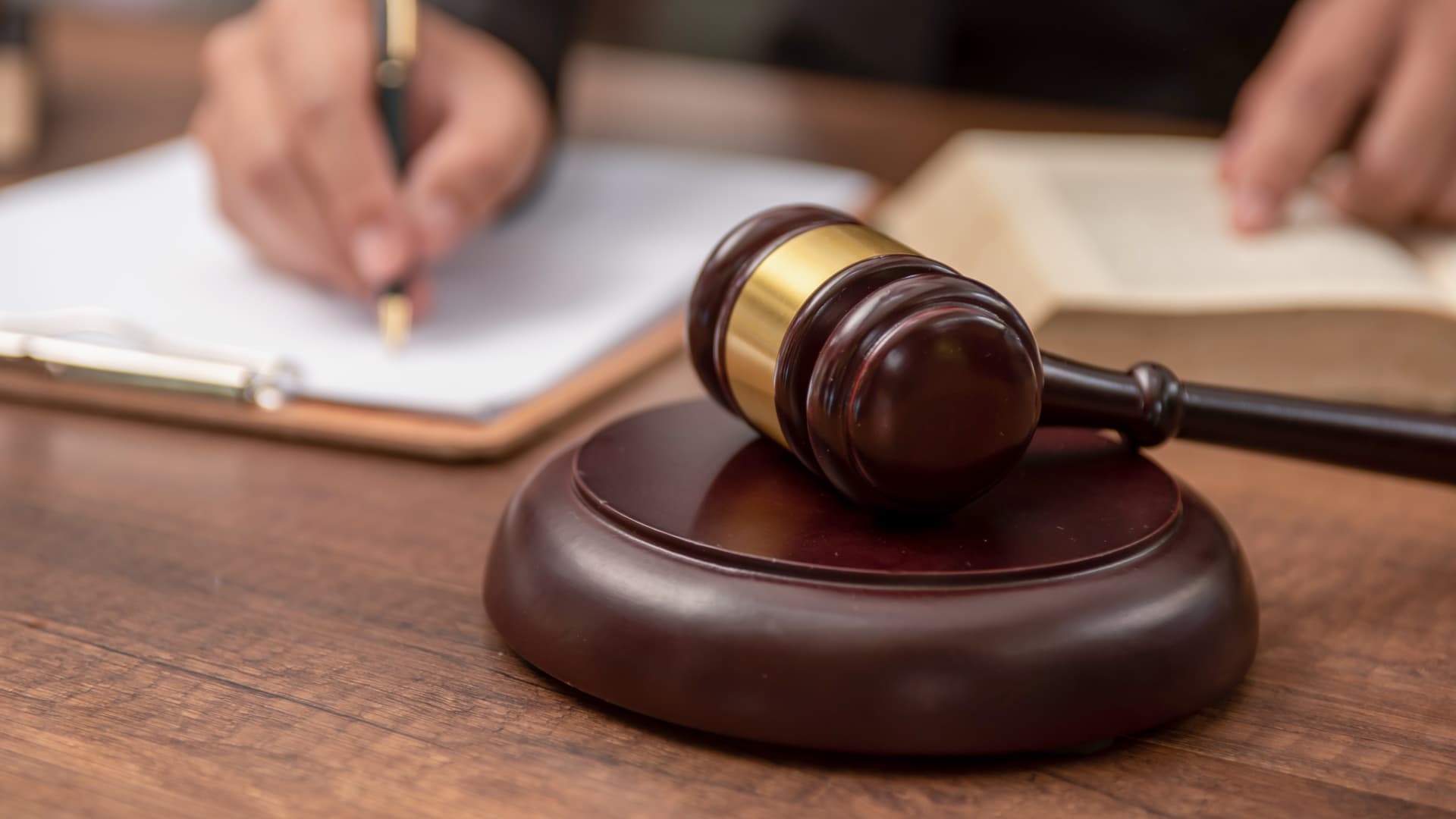
Artificial intelligence is now used by almost 90% of legal professionals in the U.K. and Ireland, and it’s putting one of the profession’s oldest conventions — the billable hour — under the microscope. That’s according to legal software company Clio’s U.K. & Ireland Legal Insights Report 2026.
It found that among firms using AI, almost 80% said they can handle more work without increasing resources, while over 70% said it cut costs by absorbing administrative work once done by support staff.
As a result, AI is challenging some of the assumptions on which the legal profession was built, forcing firms to reevaluate how their lawyers spend their time, how they charge for it and how new lawyers learn the ropes. You can’t charge 16 hours for something that takes 16 secondsNick Rowles-DaviesLexolent Some of the U.K.’s biggest firms are already putting this into practice.
A&O Shearman has worked with legal AI company Harvey to develop artificial intelligence agents for tasks, including reviewing loan agreements and analyzing regulatory filings, which it says can complete in minutes work that previously took several hours. Slaughter and May, meanwhile, has rolled out Harvey across all practice areas this year, including for regulatory research and document analysis.
Billable hour pressure The billable hour is central to the business model of many law firms, but when AI significantly reduces the time lawyers spend sifting through and drafting documents, the economics are no longer so straightforward. “You can’t charge 16 hours for something that takes 16 seconds,” Nick Rowles-Davies, founder and CEO of legal finance fund Lexolent, based in London and Dubai, told CNBC.
About one in five firms that have widely adopted AI report difficulty meeting billable-hour targets, according to Clio’s report. Globally, senior legal leaders expect the share of work charged by the hour to fall from 72% to 44% over the next two to three years, according to a Deloitte survey.
Routine work is the most exposed, Rowles-Davies said. “If you’ve got standard documents and you’re just putting in detail, then clearly that’s an automatic process.” But complex legal work still requires human judgment, he added, particularly when interpreting AI output and determining the right strategy for a client.
Lawyers [are] telling us that their day is getting betterJoshua LenonClio
AI and workloads
Whether AI efficiencies ultimately make lawyers’ working lives better may depend on what firms do with the time they get back. Clio’s report found that 51% of legal professionals work evenings, but only 32% want to, while 22% work weekends compared with 11% who would choose to.
Joshua Lenon, Clio’s New York-based lawyer-in-residence, believes some lawyers are already seeing the benefits. “Lawyers [are] telling us that their day is getting better,” Lenon told CNBC, as AI becomes more commonplace.
“People are really looking at these tools and saying, ‘This is making work better.’”
Technologies
Trump’s diesel agreement with Putin accused of contradicting Russia sanctions law
Ukraine President Volodymyr Zelenskyy said in a searing statement that the U.S. easing sanctions on Moscow “plays into Russia’s hands.”
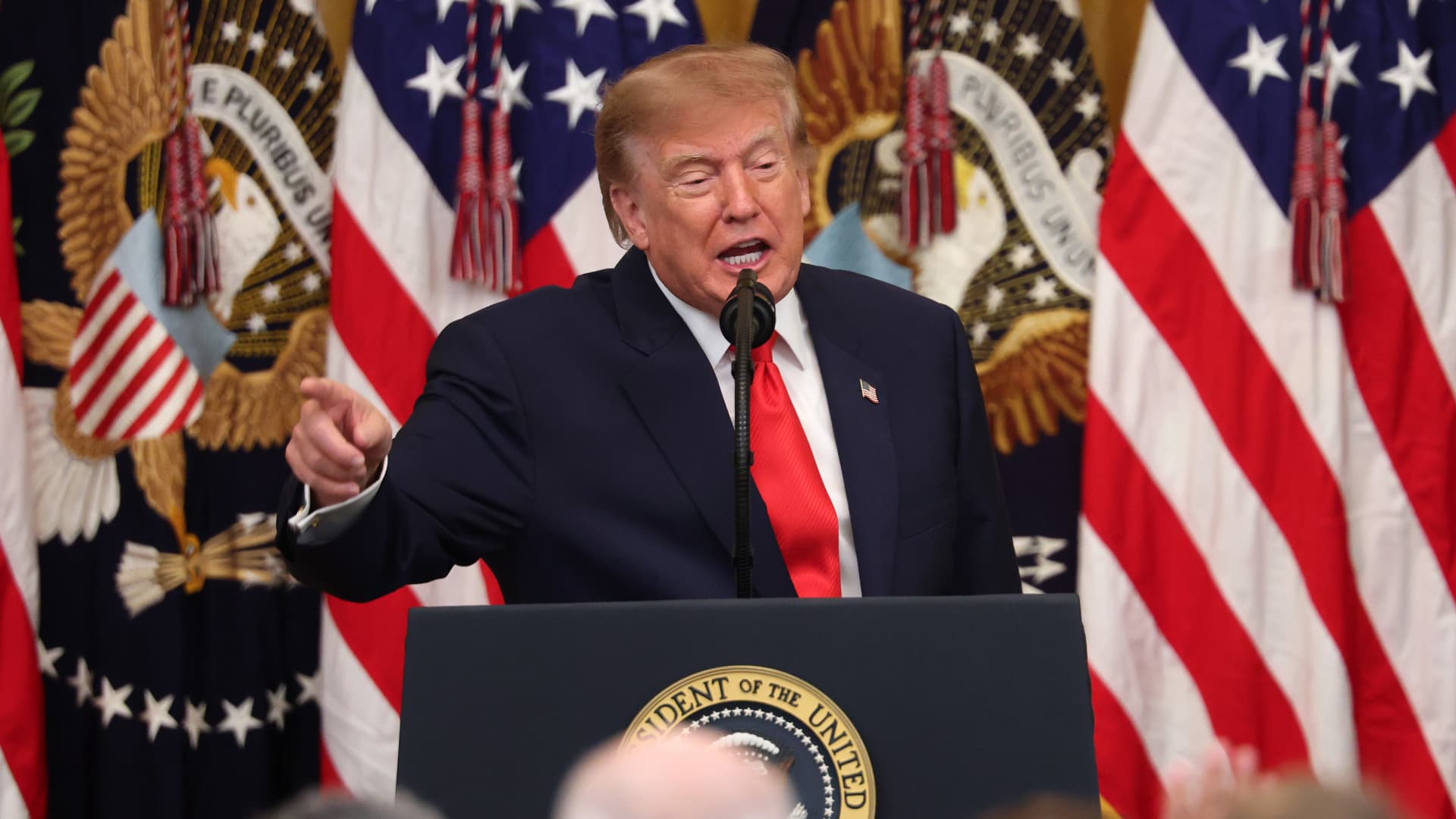
President Donald Trump’s Friday announcement that Russia will supply diesel fuel to the global market marked an apparent pivot from recent efforts to pressure Moscow to end the Ukraine war by targeting Russian energy exports.
Trump claimed the move, unveiled with less than a month left in an affordability-focused midterm election, would swiftly bring down record-high diesel prices.
But commentators and critics were quick to highlight contradictions between the new policy and prior efforts by the U.S. to clamp down on Russian oil sales.
Those efforts most recently included the enactment of the Lindsey O. Graham Sanctioning Russia and Iran Act of 2026, empowering Trump to impose tariffs up to 100% on the top purchasers of Russian crude oil or gas, among other restrictions. Trump signed the bill into law just three weeks ago.
“Congress just passed a law giving Trump the power to impose new tariffs on major buyers of Russian oil & gas,” Scott Lincicome, vice president of the libertarian Cato Institute, said on X after Trump’s Friday announcement.
“Can America tariff America?” he quipped.
Sen. Richard Blumenthal, D-Conn., a member of the Senate Ukraine Caucus, accused Trump’s latest move of being “directly contrary to Congress’s intent in our bipartisan sanctions bill.”
Peter Harrell, visiting scholar at Georgetown University Law Center’s Institute of International Economic Law, in an X post said that the relaxation of Russian diesel restrictions “pretty much proves the point that the Graham Russia Bill was not going to force the Trump Administration to increase economic pressure on Moscow.”
Some of the criticism crossed party lines.
“Through the Lindsey O. Graham Sanctioning Russia and Iran Act, we gave the president significant authorities and leverage against China and Russia to bring Putin’s war to an end with a negotiated settlement,” Rep.
Michael McCaul, R-Texas, said in an X post. “Unfortunately, while I understand the desire to bring down diesel prices, I am concerned the lifting of sanctions on Russian oil will only fund the Kremlin’s war machine—emboldening more violence and destruction, as we have seen in recent days,” McCaul said.
The White House did not immediately respond to CNBC’s questions about the diesel agreement with Russia.
Less than a year earlier, the Trump administration slapped sanctions on multiple Russian oil companies in response to what it called “Russia’s lack of serious commitment to a peace process to end the war in Ukraine.”
Trump also had previously slammed NATO allies for continuing to buy Russian oil. In a September 2025 Truth Social post, he wrote, “the purchase of Russian Oil, by some, has been shocking! It greatly weakens your negotiating position, and bargaining power, over Russia.”
Later that month, Trump again harangued world leaders for doing business with Russia.
“They’re funding the war against themselves. Who the hell ever heard of that one?” he said in a speech at the United Nations General Assembly. “They can’t be doing what they’re doing. They’re buying oil and gas from Russia while they’re fighting Russia.”
Trump announced the diesel deal in a Truth Social post Friday afternoon after what he described as a “highly successful discussion” with Russian President Vladimir Putin.
Under the agreement, Russia will immediately supply more than 300,000 tons of diesel, then another 500,000 tons in November, followed by 1 million tons “immediately thereafter” and 3 million more depending on refinery conditions, Trump wrote.
The Treasury Department soon after said that Trump directed the Office of Foreign Assets Control to immediately issue a “temporary general license to allow the supply of Russian diesel to the global market.” OFAC specified that the sanctioned transactions will be authorized for about six months, until April 7.
Russia seemed to celebrate the move. “Russia-US cooperation on diesel and energy will benefit the world,” an X account associated with Putin’s economic envoy Kirill Dmitriev said in response to the announcement.
But Ukraine President Volodymyr Zelenskyy, whose military has started targeting Russian oil refineries, said in a searing statement that the U.S. easing sanctions on Moscow “plays into Russia’s hands.”
“Any easing of sanctions against Russia without a clear and lasting de-escalation agreement with Russia is an obvious weakness,” Zelenskyy said. “Allowing Russia to sell petroleum products is an investment in a war that must be ended, not prolonged.”
“We count on America’s fair support for our defense of life, for our defense of people in Ukraine – and on the United States having a correspondingly strong conversation with Russia,” he said.
“A strong one, not a weak one,” he added.
Trump thanked Putin later Friday afternoon for enabling “massive amounts of oil” to come to the U.S.
“We need oil for the world, and this is diesel, which is what we need, so we’re very happy to get it,” Trump told reporters before heading to Syracuse, New York.
The Trump administration has previously eased some Russian energy sanctions temporarily, though more narrowly than Friday’s announcement.
Earlier this year, in an attempt to stabilize markets after the start of the Iran war, the Trump administration issued limited, 30-day waivers allowing countries to buy sanctioned Russian oil that was already in transit.
But some interpreted the latest move as a more significant step.
“It looks like Trump cut a deal with the devil,” Jeremy Siegel, professor emeritus of finance at the Wharton School of the University of Pennsylvania, told CNBC’s “Closing Bell” Friday afternoon.
“It’s not a permanent solution at all. It’s sort of a short-term Band Aid,” Siegel said. “And cutting back on or eliminating sanctions on Russia for the invasion in Ukraine, I think, is a very unfortunate consequence.”
-
 Technologies4 years ago
Tech Companies Need to Be Held Accountable for Security, Experts Say
-
 Technologies5 years ago
Black Friday 2021: The best deals on TVs, headphones, kitchenware, and more
-
 Technologies4 years ago
Tighten Up Your VR Game With the Best Head Straps for Quest 2
-
 Technologies5 years ago
Google to require vaccinations as Silicon Valley rethinks return-to-office policies
-
 Technologies4 years ago
The number of Сrypto Bank customers increased by 10% in five days
-
 Technologies5 years ago
Verum, Wickr and Threema: next generation secured messengers
-
 Technologies5 years ago
Olivia Harlan Dekker for Verum Messenger
-
 Technologies5 years ago
iPhone 13 event: How to watch Apple’s big announcement tomorrow