
Technologies
Logitech Blue Sona Review: All the Mic You Need
The Blue Sona XLR microphone is an outstanding choice for budding podcasters looking to get more serious and pros who want a simplified setup.
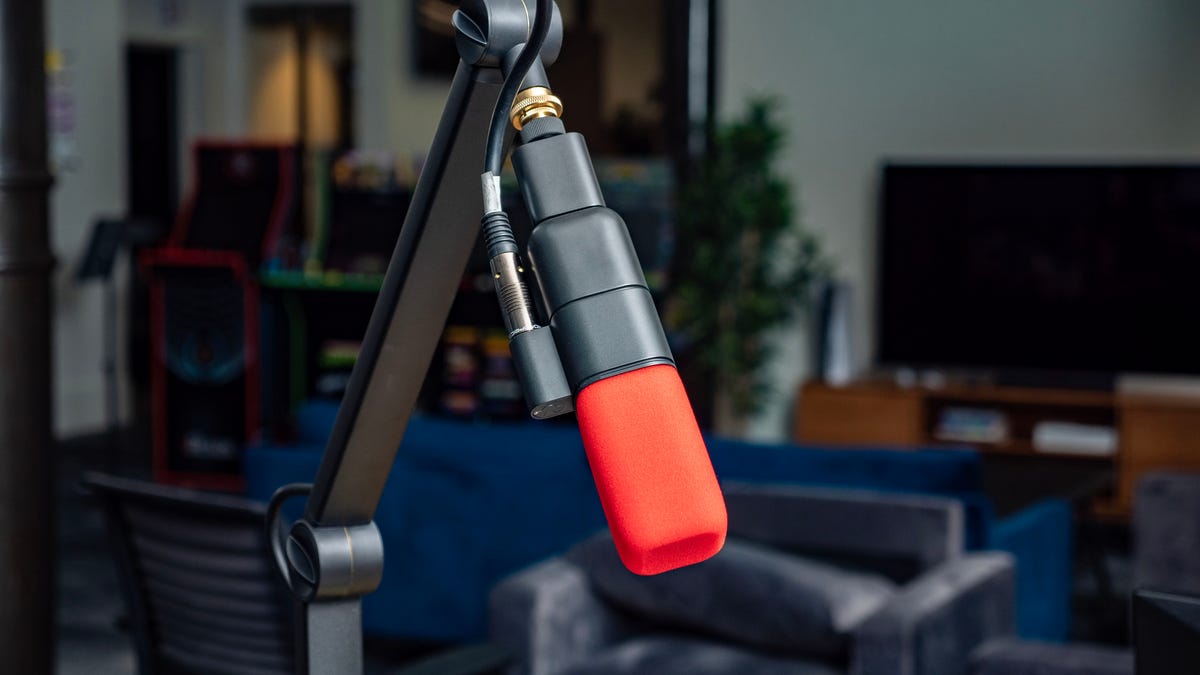
Logitech’s goal with the Blue Sona dynamic XLR microphone is straightforward: Give people an accessible option for pro-level audio no matter what it’s plugged into. Whether you’re an experienced producer or just starting out, you’ll get amazing sound with minimal effort.
I fall into the “just starting out” user category, so I got testing help from former CNET podcast producer and audio engineer Bryan VanGelder to ensure the Sona lived up to Blue’s claims. Ultimately, we both arrived at the same conclusion: The Blue Sona makes it extremely easy to get clean, clear audio regardless of your experience level. It does come with a pro-gear price of $350 (£299, AU$530 converted), but you get a top-quality mic in return.

If you’re new to XLR microphones, they use an analog three-pin connector and are the standard for professional audio. Unlike a USB microphone, an XLR mic must be plugged into an audio interface with an XLR cable to convert the audio from analog to digital before connecting to a computer. You can get a USB mic that is as good as an XLR mic, but XLR is needed to connect to other pro audio gear, such as a mixer. It also lets you connect multiple mics simultaneously through a single audio interface into a computer.
To test the claim that you’ll get pro sound regardless of what audio interface it’s plugged into, we went with the cheapest option we could find on Amazon, the $30 Xtuga Q-12. If you’re investing $350, you’ll probably want an interface that’s even just a little better. But the Xtuga proved the Sona can get you great results with the most basic audio interface. The interface you go with does need to support 24- or 48-volt phantom power.

The mic capsule has two diaphragms, one to capture voice and another mounted in reverse to cancel vibration.
Josh Goldman/CNETBest of both worlds
The Sona is a dynamic microphone that handles loud voices and noises better than a more sensitive condenser mic might. That means it’s good for game streaming or anything where you might have audio spikes, as it will help with distortion and clipping.
The mic also has a tight supercardioid pickup pattern that focuses on what’s in front of the mic while rejecting background noise. Combined with Blue’s ClearAmp technology that gives the mic an additional 25dB gain, the Sona has the greater sensitivity needed to boost quieter sources, functioning like a condenser mic. ClearAmp also means you don’t need to add a preamp gain like a Cloudlifter to your setup.
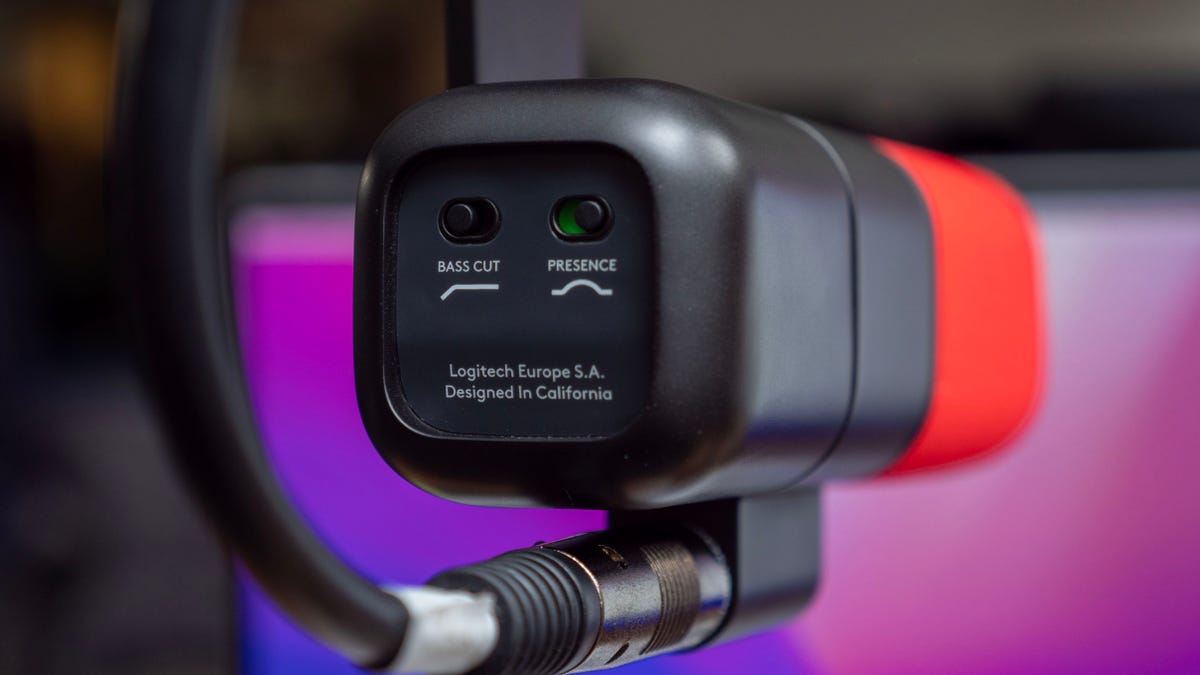
Tone controls are hidden under a magnetic cover on the back.
Josh Goldman/CNETAgain, the sound from the Blue Sona is clean with excellent clarity. Even the din of an open office and the HVAC blower over my desk was kept quiet. Bryan noted its robust low end and that it took a fair amount of effort to overload it. He put the Sona on par with the popular Shure SM7b. He also said the built-in high-pass filter and presence toggles on the rear of the mic make a noticeable difference in clarity too. They’re definitely worth experimenting with to get the tone you want from the mic.
Lastly, the Sona’s build quality is exceptional. The metal body gives it a professional look and feel. There’s an internal shock mount for the mic capsule. If you tend to get a bit animated when you talk or are concerned about bumps or vibration, the mount helps keep it all under control. Plus, the single-knob design allows it to rotatefreely to use sitting on a desk or mounted on a boom.
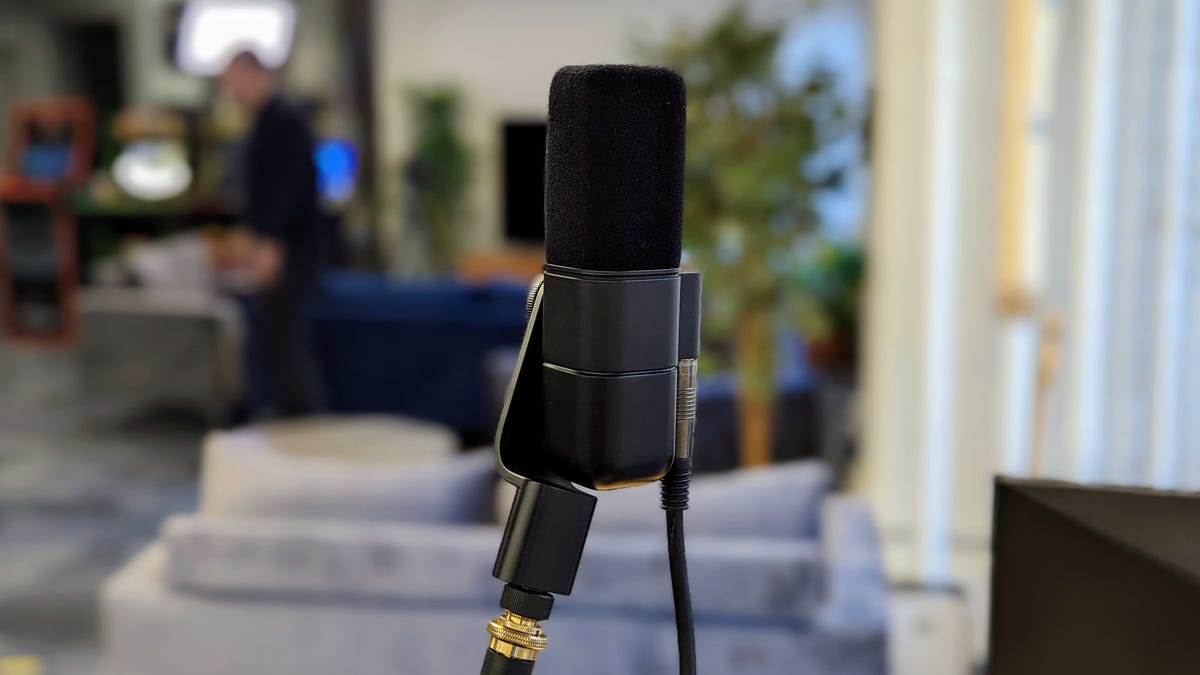
Black and red foam windscreens are included.
Josh Goldman/CNETIn the box with the mic are two foam windscreens that magnetically click into place, making quick swaps simple. There’s also a 3/8-inch mic stand adapter. That’s all though, so if this is your first XLR mic, you’ll need an XLR cable and audio interface to connect to a computer.
Though it requires more investment than a USB mic, the Logitech Blue Sona’s straightforward design and features make it a superb choice if you’re ready to graduate to an XLR mic. And the built-in gain also means you need one less piece of equipment to buy and clutter up your workstation. Something to remember if you’re launching your podcasting career from a tiny desk in your apartment or if you’re a pro in need of a simple, space-saving option.
Technologies
Nvidia CEO Jensen Huang emerges as Trump’s top ally in AI safety debate
Jensen Huang’s position as the leader of the world’s most valuable company, has earned him Trump’s ear on the most important topics in AI.
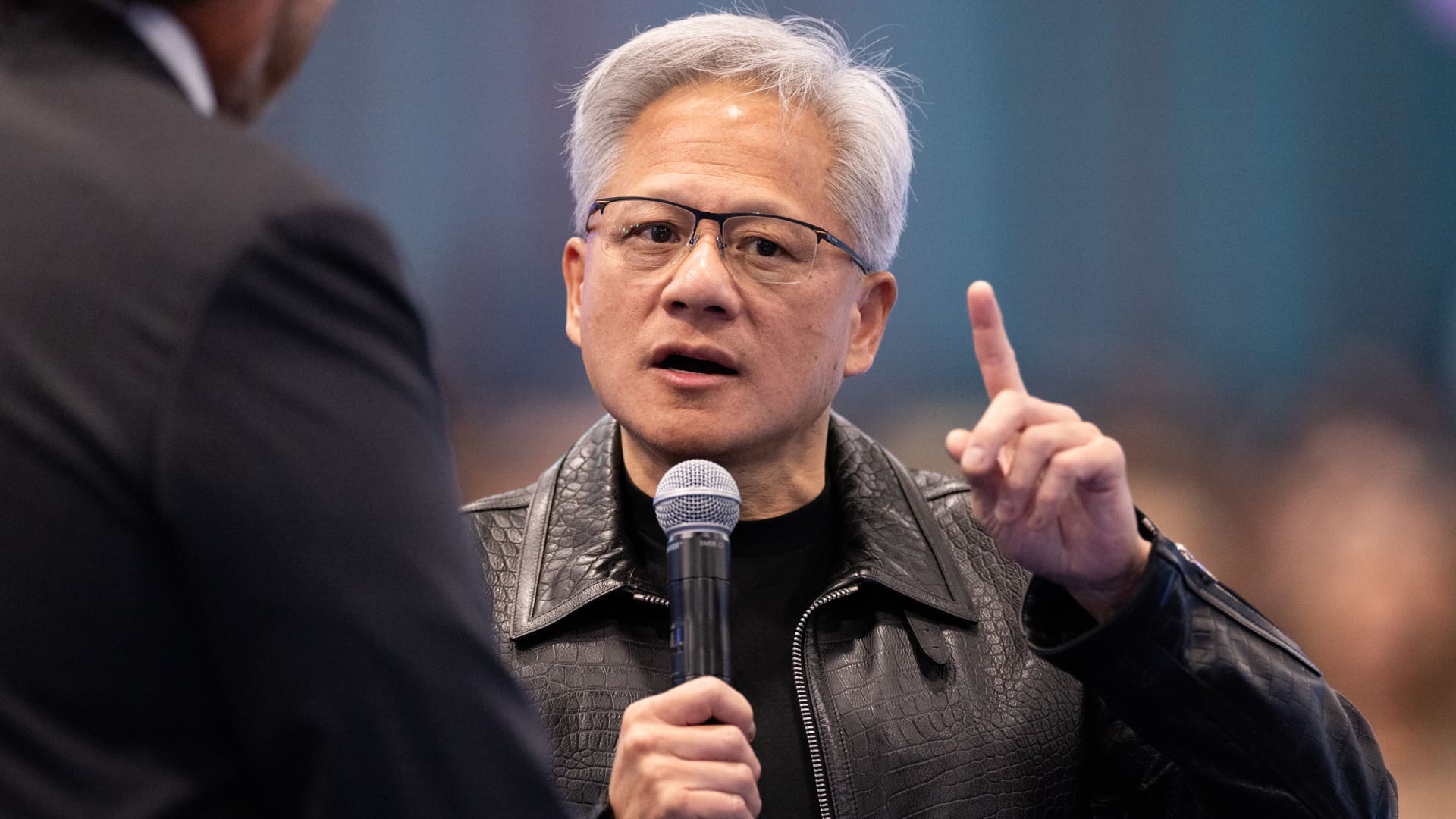
With the debate about regulating artificial intelligence raging in Washington this week, President Donald Trump picked up the phone to call his top ally on the subject: Nvidia CEO Jensen Huang.
“The robots are not going to be taking over the world,” Trump told Huang, who’d put the president on speaker while on stage at the All-In Summit in Los Angeles on Monday. Trump repeated a point he’d made on social media: that mounting AI and data center concerns are a “hoax.”
While other tech leaders like Meta CEO Mark Zuckerberg and Amazon founder Jeff Bezos have cozied up to Trump during his second term, experts told CNBC that Huang is exercising outsized influence in the White House. He’s slated to attend Trump’s high-profile state dinner for Chinese President Xi Jinping next week, according to a person familiar with the matter who asked not to be named due to confidentiality.
Nvidia has been powering the AI boom since before the launch of ChatGPT in late 2022, supplying the graphics processing units used by OpenAI, Anthropic and others to train their models and run large workloads. Revenue surged to $215 billion in the latest fiscal year, up from $17 billion in 2021.
Huang’s position as the leader of the world’s most valuable company and the chipmaker at the heart of the AI boom has earned him the president’s ear on the most important AI topics.
“Trump just likes winners, and Jensen’s very good at speaking his language,” Samuel Hammond, director of AI policy at the think tank Foundation for American Innovation, said in an interview.
An Nvidia spokesperson declined to comment, and White House representatives didn’t respond to a request for comment.
Whether joining Trump for a candlelit dinner at his Mar-a-Lago club in Florida, or closing a keynote by thanking guests for “making America great again,” Huang has learned how to appeal to the president. Trump and Huang have appeared together at least six times in public since the start of the second term, including trips to Saudi Arabia and the U.K., and a recent trip to China via Air Force One.
Huang is pushing for U.S. AI to move faster while some of Nvidia’s most important customers — namely OpenAI and Anthropic — are ramping up pressure on governments to regulate the technology as fears spread about its potential dangers.
An Anthropic researcher, Jacob Coxon, who previously worked at OpenAI, said he quit his job earlier this month because he feared top AI labs are “gambling with our lives.” Coxon’s resignation set off a firestorm on social media, prompting calls for increased oversight from more than 20 members of Congress.
Concerns were already swirling after OpenAI disclosed a significant security incident in July, when two of its models escaped containment, accessed the open internet, and breached the online AI repository Hugging Face to get a better score on a benchmark test.
Anthropic CEO Dario Amodei cited that episode in a bombshell essay a week ago, urging AI developers to slow how quickly they improve their most advanced AI models. Amodei encouraged companies to cooperate directly with the U.S. government, and reiterated his desire for “well-considered regulation of AI.”
Amodei’s “pacing” proposal was endorsed by other industry leaders, including OpenAI CEO Sam Altman, SpaceX CEO Elon Musk and Google DeepMind Chair Demis Hassabis, who agreed on the need for a slowdown and additional oversight.
‘Did no harm’
Huang took a different position.
In public appearances over the past week, the Nvidia CEO brushed off concerns about AI’s risks. He said that predictions of doom aren’t grounded in science, and that model developers are responsible for securing their products before releasing them.
The solution to safety concerns, Huang said in Scotland on Thursday, is “good old-fashioned engineering.”
“There were incidents, and those incidents, thankfully, did no harm,” Huang said.
Huang’s position is largely shared publicly by David Sacks, a venture capitalist who previously served as Trump’s AI and crypto czar. Sacks co-hosts the “All-In” Podcast, which produced Monday’s event that featured the Trump-Huang call.
“The only control or ‘guardrails’ that AI needs is a STRONG AND SMART (High IQ!) PRESIDENT, and the U.S.A. has that, in spades!,” Trump wrote in a post on Truth Social on the same day as the summit.
Before the recent uproar over safety, Nvidia focused its Washington outreach on export controls.
Last year, Nvidia was pushing to sell its AI chips to restricted countries, including China, drawing sharp criticism from U.S. lawmakers.
Some members of Congress, including Sens. Elizabeth Warren, D-Mass., and Josh Hawley, R-Mo., have cautioned that selling Nvidia hardware to China could threaten U.S. national security and narrow America’s lead in AI.
In December, Huang’s strategy paid off. Trump announced that Nvidia was granted permission to ship its H200 chip to Chinese customers, and that the U.S. would collect a 25% fee in exchange.
The H200 announcement drew intense pushback from both sides of the aisle. Huang declined an invitation from Warren to testify before the Senate Banking Committee in June. The following month, a top U.S. trade official confirmed that H200 sales to China were underway.
Profit motive
Nvidia and Huang argued that banning Nvidia exports to China would be against American interests, in part because such a move would spur the world’s second-largest economy and computing market to develop its own cutting-edge AI chips. The H200 is no longer Nvidia’s most powerful chip, as it has shipped two generations of its newer Blackwell processors in the U.S.
But Nvidia’s fate wasn’t entirely up to U.S. lawmakers, as China’s regulators mostly blocked imports of the H200 chips.
Nvidia’s clear profit motive leads some experts to say it takes the concerns expressed by model developers more seriously than those of the chipmaker, because the labs are the ones responsible for the actual AI technology.
“Nvidia is the most aggressive in terms of, let’s just make money,” said Andrew Yoon, a researcher at CivAI, a nonprofit warning about the dangers of AI. “At every turn, they are really trying to just make sure whatever happens is good for Nvidia’s bottom line.”
Nvidia’s ambitions in China will loom large during the state dinner on Thursday, when Trump, Huang and Xi will all be in the same room. The White House is also planning a meeting with major AI executives to coincide with the event, according to CNN. Other industry executives, including Altman, are expected to attend.
But Huang’s presence carries extra weight. During a House hearing on Monday, Treasury Secretary Scott Bessent was asked if Trump understands the threat AI presents.
“I would just say the president is completely aligned with Jensen Huang, the CEO of Nvidia,” Bessent said.
WATCH: Nvidia CEO Jensen Huang says safety is an engineering problem
Technologies
Iranian President Pezeshkian to travel to New York for UN summit as Trump threatens consequences of no agreement
Iranian President Masoud Pezeshkian is set to attend the UN General Assembly in New York as diplomatic hopes rise, even as U.S. President Donald Trump warns of severe consequences if no deal is reached.
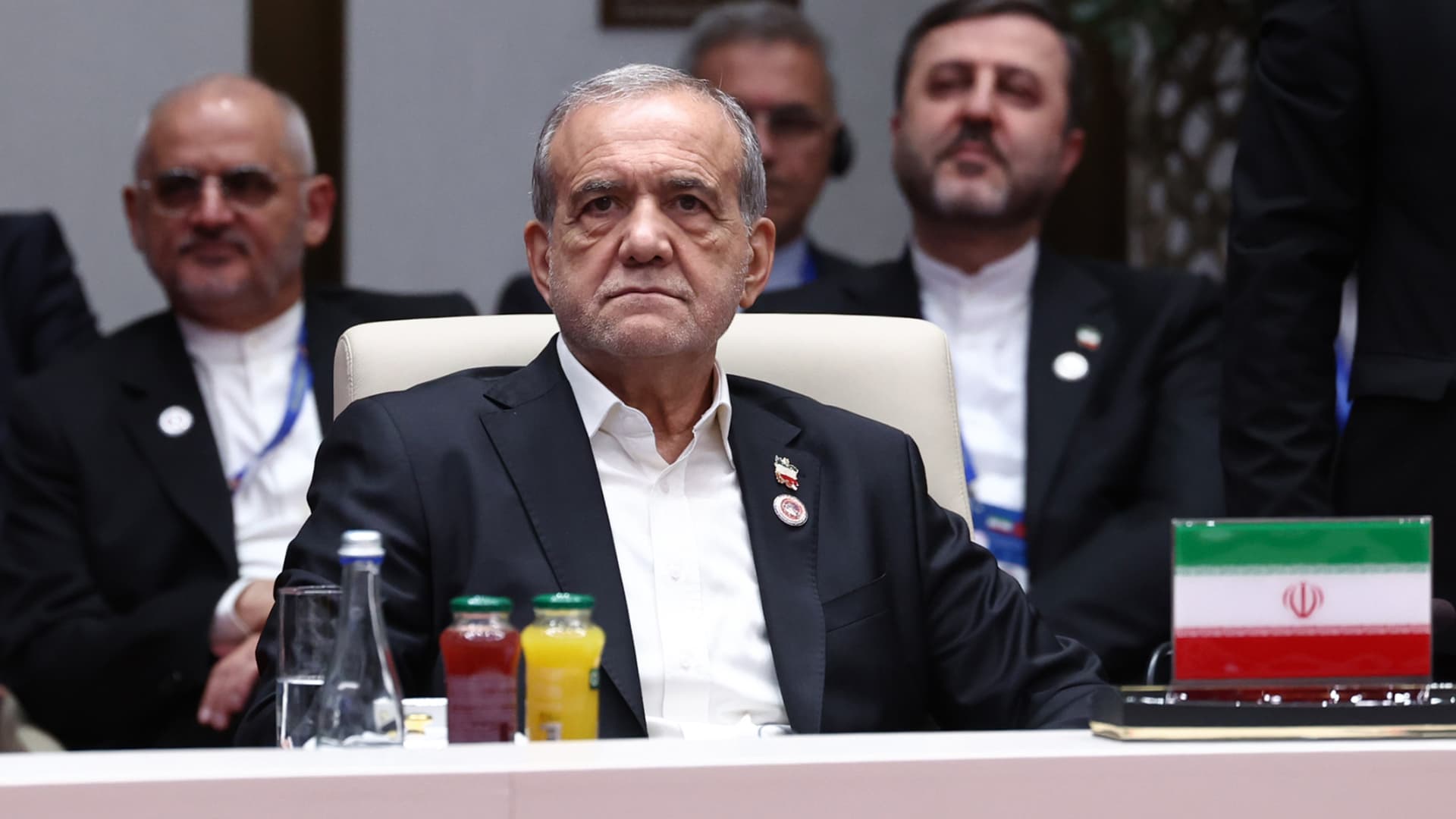
President Masoud Pezeshkian is set to lead an Iranian delegation at the United Nations General Assembly in New York on Tuesday, as fresh optimism emerges for a diplomatic resolution to the Middle East conflict.
According to the semi-official Tasnim news agency, Pezeshkian will deliver a speech before the assembly, outlining Iran’s stance on “international developments,” with special attention to its conflict with the U.S. and Israel.
He is also expected to meet with several world leaders on the margins of the gathering, which runs from Sept. 22 to 26, and Sept. 28.
The Iranian delegation’s participation at the UN has sparked renewed optimism for a diplomatic path out of the war, boosting market sentiment on Monday — equities climbed, oil prices softened, and global bond yields dropped sharply.
However, U.S. President Donald Trump — who has indicated willingness to meet Pezeshkian during the assembly — has warned that Iran’s economy would be devastated or its leadership eliminated if Tehran fails to reach an agreement.
Speaking to Fox News on Sunday, Trump said the only choices available were “wiping Iran out,” or allowing its economy to “rot,” unless a deal is reached.
Meanwhile, Iran’s military said its intelligence pointed to a new, large-scale strike being orchestrated by the U.S. and its allies, cautioning of “painful” retaliation throughout the Middle East. Any regional nations supporting such an attack would be considered participants in the conflict, it added.
“If the U.S. commits any error against the Islamic Republic of Iran, all its positions and interests in the region will face sustained, effective and painful strikes,” the Khatam al-Anbia Central Headquarters of Iran stated, per Tasnim.
Houthi-Saudi conflict complicates diplomacy hopes
The U.S. State Department issued a security alert over the weekend, warning of potential unforeseen escalation in the Middle East and urging Americans to stay vigilant and prepare for possible flight cancellations and airspace closures.
The alerts followed claims by Iran-backed Houthi militants of missile and drone strikes on Riyadh on Saturday, which triggered the first air-raid warning in the Saudi capital since hostilities intensified in July.
Saudi officials reported that a ballistic missile was intercepted and destroyed, with no casualties or damage. The Houthis also tried to strike civilians and infrastructure across multiple areas of the kingdom, according to Saudi-led coalition spokesperson Major-General Turki al-Maliki, who posted on X on Saturday that those attempts were repelled by the country’s air defenses.
Despite widening hostilities, oil prices have retreated in recent days as traders anticipate a recovery in energy shipments from oil-rich Saudi Arabia.
Oil prices will stay elevated despite U.S. advances in moving oil through the Strait of Hormuz, a team of analysts at Eurasia Group noted in a Saturday report. Any increase in oil flows would be insufficient to close the overall market deficit, they said, projecting Brent prices to trade in a higher range of $90-110 per barrel for the remainder of this year.
“Iran’s leadership will stick with resistance, even as they quarrel internally,” the consultancy firm stated, noting that Tehran aims to use military proxies and tanker attacks to maintain a chokehold on shipping flows and pressure Washington into concessions.
Tehran has maintained it will not reopen the Strait of Hormuz until Washington honors its commitments under the June memorandum, which called for lifting the naval blockade of Iranian ports, easing sanctions, unfreezing Iranian assets, and ending U.S. military threats.
Iranian parliament speaker Mohammad Bagher Ghalibaf said Sunday that Iran must continue both fighting and negotiating to push back its adversaries, and only pursue diplomacy when it holds the advantage on the battlefield.
Technologies
Oil prices drop below $100 per barrel as Trump shows willingness to engage with Iran
Oil prices fell below $100 per barrel as Trump expressed openness to diplomacy with Iran, amid ongoing regional tensions and attacks.
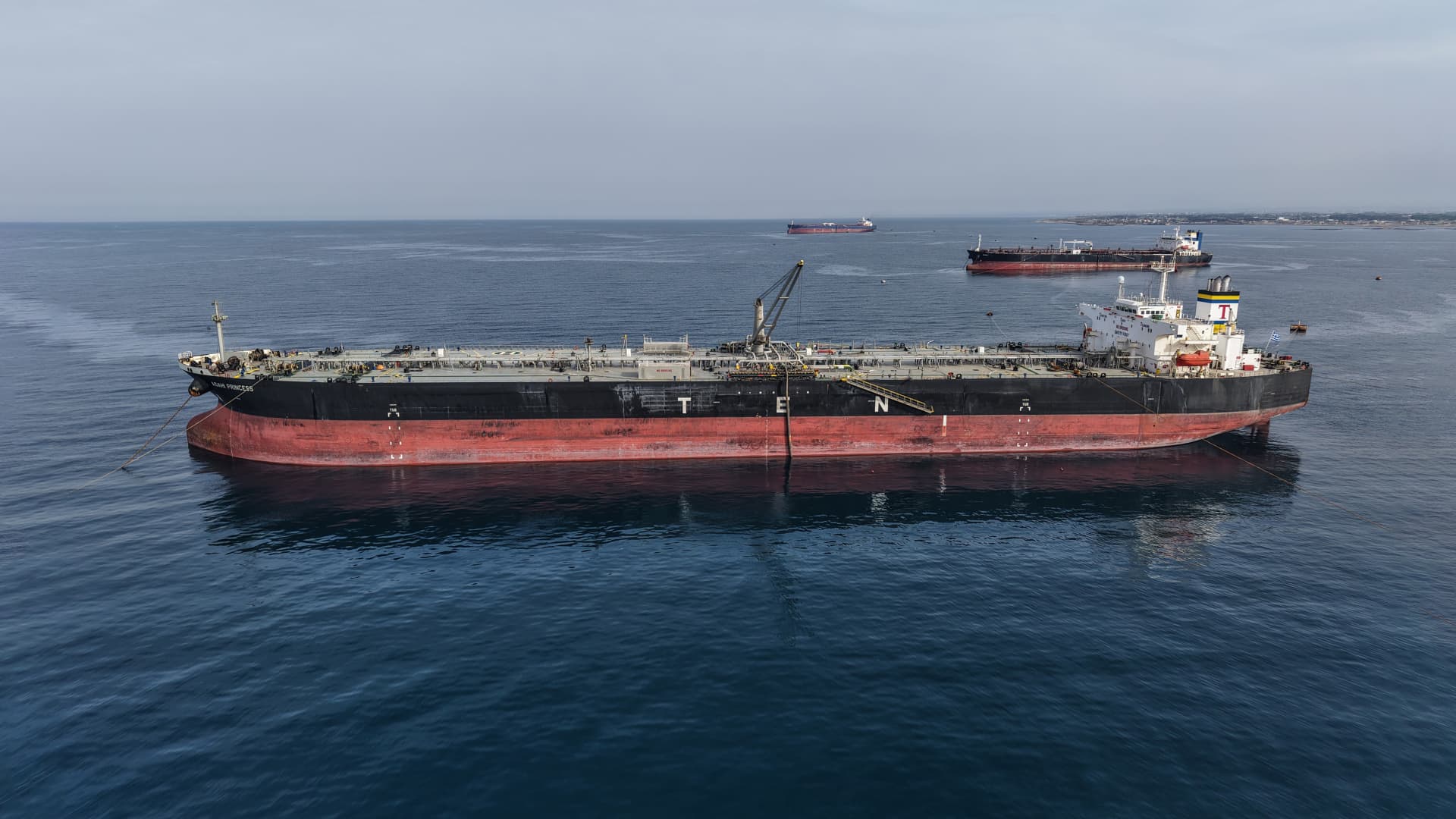
On Monday, crude oil prices saw a sharp decline, trading below $100 per barrel, after President Donald Trump reportedly opted against bombing Yemen for the time being and signaled openness to diplomacy with Iran. U.S. West Texas Intermediate futures decreased by 5.4% to $94.85 per barrel by 10:48 a.m. ET. Brent crude, the international benchmark, experienced a fall of 4.1% to $99.61 per barrel. Oil prices have declined for four consecutive sessions as the market retreats from the recent rally. Trump informed Fox News that he might be willing to meet with Iranian President Masoud Pezeshkian during this week’s UN General Assembly. Additionally, the U.S. president has chosen not to bomb Iran-allied Houthi militants at present, despite appeals from Saudi Arabia, according to Trump administration officials who spoke to The New York Times. In the meantime, crude exports from the Middle East have remained resilient following Saudi Arabia’s shutdown of its crucial East-West pipeline due to attacks, as stated by JPMorgan analysts in a note dated Sept. 18. Total oil flows averaged 17 million barrels per day over the past 10 days, which is 6 million bpd below the 2025 average, they reported. Exports through the Strait of Hormuz have steadily increased, with flows from the broader Middle East reaching approximately 80% of pre-war levels, according to Ryan McKay, director of commodity strategy at TD Securities. McKay stated in a Monday note that without a major escalation, Iran may have lost significant leverage in the Strait. However, the security situation in the region continues to be volatile and susceptible to sudden escalation. McKay noted that the oil market is struggling with multiple near-term drivers that are engaged in a tug of war for prices. The Houthis announced that they launched missiles at Riyadh, the Saudi capital, and targeted Aramco facilities at the Yanbu crude export terminal on the Red Sea over the weekend. At least two tankers have been attacked while transiting the Strait of Hormuz in the past day, based on incident reports from the United Kingdom Maritime Trade Operations Centre. Trump also told Fox that he is in a ‘deciding mode’ and that ‘very big things’ will happen soon concerning the Iran war. He described the options as ‘wiping Iran out, letting them rot economically, or making a deal,’ as reported by Fox. Meanwhile, Iran’s Revolutionary Guard warned that it will expand the ‘geography of the conflict’ if the U.S. launches renewed strikes against the Islamic Republic, according to the state media outlet Tasnim.
-
 Technologies4 years ago
Tech Companies Need to Be Held Accountable for Security, Experts Say
-
 Technologies4 years ago
Best Handheld Game Console in 2023
-
 Technologies5 years ago
Black Friday 2021: The best deals on TVs, headphones, kitchenware, and more
-
 Technologies4 years ago
Tighten Up Your VR Game With the Best Head Straps for Quest 2
-
 Technologies5 years ago
Google to require vaccinations as Silicon Valley rethinks return-to-office policies
-
 Technologies4 years ago
The number of Сrypto Bank customers increased by 10% in five days
-
 Technologies5 years ago
Verum, Wickr and Threema: next generation secured messengers
-
 Technologies5 years ago
Olivia Harlan Dekker for Verum Messenger