
Technologies
Don’t wait until Prime Day — try this Amazon shopping trick to get deals year-round
This one hack, along with a few tips, can save you a lot of money on almost anything.
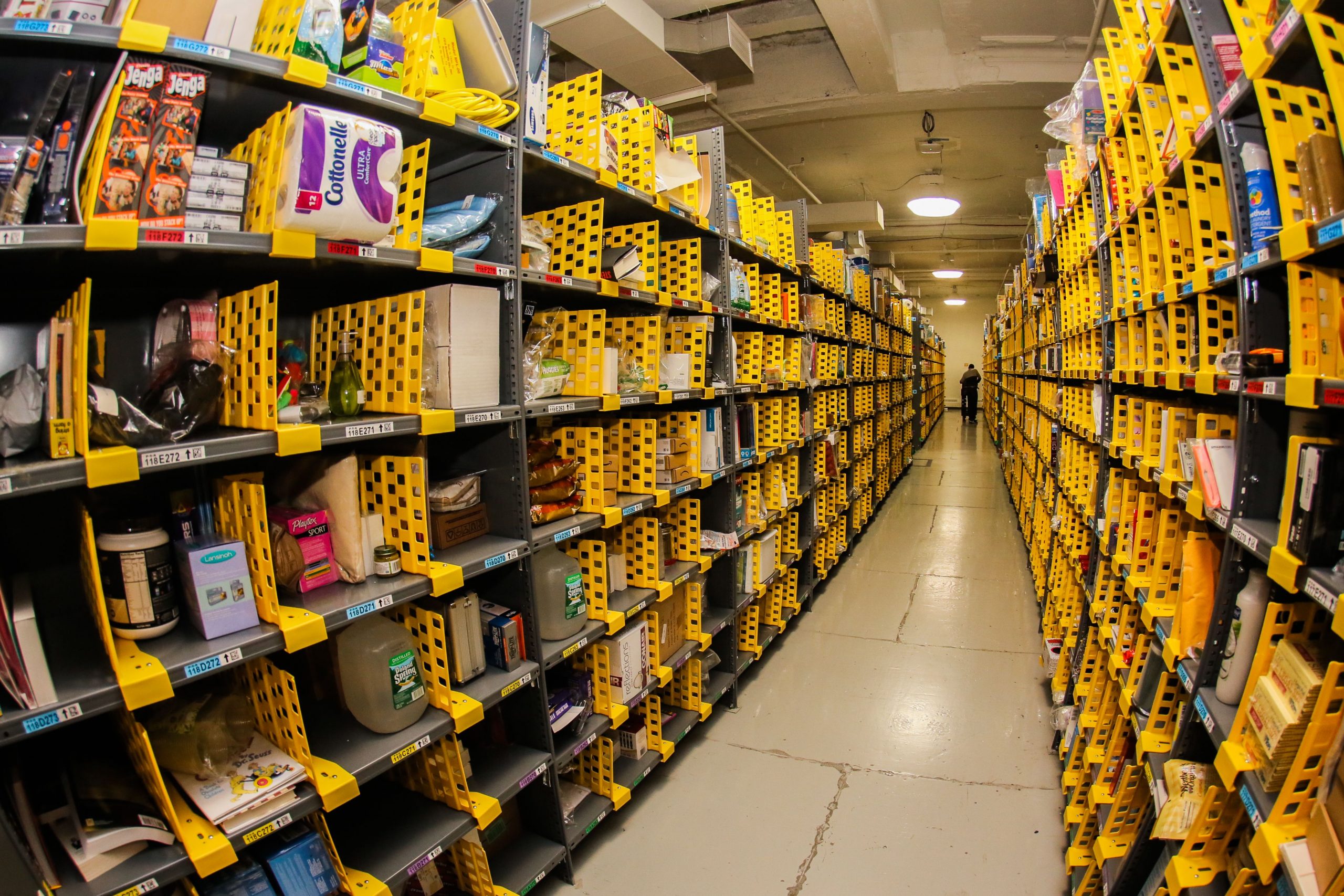
You don’t have to wait for Amazon’s next Prime Day to save big on that video doorbell you’ve been eyeing. I found a shopping hack that means you don’t have to wait until after Thanksgiving or regret missing this weekend’s Labor Day deals. It works every day of the year, anytime you want to use it. I routinely save up to (and sometimes over) 70% off the retail price of just about everything I buy from Amazon.
The trick is deceptively simple. Instead of perusing the normal Amazon listings, look for a section called Amazon Warehouse Deals. The only catch — aside from the fact this stuff isn’t technically “new” — is that Amazon doesn’t make it easy to find. You’ll have to play a little hide-and-seek, and Amazon’s gotten quite good at hiding stuff.
I’ll show you how to navigate Amazon’s online maze of secret listings to score the best deals, whether it’s a holiday weekend or random weekday. And here are some hidden perks of having an Amazon Prime account besides free two-day shipping. Once you master this trick, you’ll never want to pay the full retail price on any Amazon item again.
Start from the Amazon Warehouse Deals splash page
I begin nearly all of my Amazon searches on the Amazon Warehouse Deals landing page, because it cuts out full-price listings almost entirely so you mostly just see the discounted items (I’ll explain the one exception shortly). To get there, open Amazon using either a desktop browser or the Amazon mobile app and search for “Amazon warehouse” or “warehouse deals.”
Rather than getting a list of search results like normal, you should see a screen that looks a lot like the main Amazon search page, with a search bar, categories and so on. From there you can browse categories like Computers & Tablets, Kitchen or Home Improvement (click these and other links in this story to see actual, current Warehouse Deals listings) or you can search for more specific items just like you would on the regular Amazon homepage, except the results will be discounted, sometimes heavily.
This quick and easy approach works best if you’re not in the market for something in particular — say you’re just looking for gift ideas or killing time during your lunch break. It can be a lot of fun to scroll through the various categories looking for stuff that pops out at you. If you’re shopping for something more specific, however, keep reading for pro tips on how to find it discounted using Amazon Warehouse Deals.
You’ll find the best deals if the brand doesn’t matter
Say you’ve been thinking about getting a new cordless drill for a while. You don’t care who makes it, you just don’t want to spend a lot of money. Or a new dog leash, robot vacuum, whatever. You’re not brand-loyal, just cost-conscious. That’s the perfect time to search from inside Amazon Warehouse Deals.
Do it just like you would on the full Amazon site — type your search terms in the dialog box, then select “Search.” Searching from the Warehouse Deals main page, your results won’t be cluttered with a bunch of full-price listings.
Except for one caveat: Amazon’s “sponsored” listings. Unless you have an ad blocker that specifically removes Amazon’s paid listing results (I love the Amazon Ad Blocker Chrome extension), you’ll still see full-priced items peppered among the discounts. These undiscounted listings look almost identical to Warehouse Deals, except they’re labeled “Sponsored.” Sneaky, I know, but that’s why I’m warning you.
Be careful of Amazon redirecting you
Another thing to keep an eye on — make sure you always go back to the Amazon Warehouse Deals splash page before starting a different search. Otherwise, if you just search for another item from the search bar at the top of the page, Amazon might bounce you out of Warehouse Deals and into the full site.
Same goes for “recent searches.” If you searched for, say, “bunny slippers” across all of Amazon, then went to Warehouse Deals and searched for “banana slippers,” then decided you definitely want bunnies over bananas, don’t select “bunny slippers” from the drop-down menu that appears when you select the search bar. Those recent searches will search not just the same terms but the same Amazon sections as the original search. In other words, it’ll yank you out of Warehouse Deals and back to the land of full-price slippers. Instead, type the search in again on the Amazon Warehouse Deals main page.
Warehouse Deals works for almost anything on Amazon
Everything I’ve shown you so far works great so long as you’re a little flexible about what you’re looking for. If, on the other hand, you’re shopping for something really specific — like, say, an Otterbox case for your brand-new iPhone 12 ($829 at Amazon) — it can be frustrating to limit your search to just Warehouse Deals listings. You might turn up nothing at all relevant.
Whenever you head to Amazon to buy an exact product, go ahead and search for it just like you would otherwise. There’s a way to check and see if a discounted Warehouse Deals version is available from any Amazon listing.
First, pull up the item you want to buy just as you normally would on Amazon, but don’t add it to your cart just yet. Scour the page, keeping your eyes peeled for words like “New & Used,” “Buy Used,” “New & Used Offers” or just plain “Used.”
Usually there’ll be a price listed, too, representing the cheapest option available (but not including tax or shipping costs). If you’re not having any luck finding the link and you’re on a computer, try using your browser’s “find” function (usually Control-F on Windows PCs and Command-F on Macs) to look for these keywords.
Once you locate the link, look for items with “Amazon Warehouse” listed as the seller and an Amazon Prime logo displayed near the price. If Amazon Warehouse has more than one of the same item in stock, there will sometimes be a separate listing for each, especially if the items are in different conditions.
Why Amazon Warehouse stuff is so cheap
Just like other major retailers such as Walmart or Target, Amazon takes in a lot of customer returns, which it can no longer sell as new-in-box, regardless of why the buyer sent the item back or whether it’s even been opened.
That’s why everything Amazon Warehouse sells is listed as used, even if the product itself has never been touched. Regardless of its condition, used stuff is just worth less — sometimes a lot less. And that’s good for you.
What to do if a Warehouse Deal doesn’t work out
Of the dozens (if not hundreds) of Amazon Warehouse listings I’ve bought over the years, I only ever ran into problems with a handful of them — a Bluetooth adapter for my car that would randomly shut off, a wireless router that didn’t broadcast any signal, a very well-worn puppy harness with dog hair stuck to it; stuff like that.
Whenever that happens, I just return the item like I would any defective product, then order another one. Sure, it’s a bit more hassle, but considering the hundreds, if not thousands of dollars I’ve saved over the years this way, it’s worth the extra effort.
Truth is, most Amazon Warehouse items are in perfect working order — many haven’t even been so much as pulled out of their packages yet, like the Ring 2 Doorbell I got for $65 (it retailed for $139) or the Baby Trend stroller I paid $81 for instead of $110. Even for stuff that has been taken out of the box, Amazon puts everything through what the company calls a “rigorous 20-point inspection process,” after which each item is given a quality grade and priced accordingly.
Some items may have cosmetic damage or be missing parts, accessories, instructions or assembly tools, but Amazon will detail any damage to the product or packaging, as well as any missing element along with the condition, so you won’t be surprised. For example, I knew when I ordered a 100-watt Pyle amplifier for $29 that the accessories were loose and the amp would come repackaged. Who cares? I saved close to $15.
What the different Amazon quality grades mean
Amazon has five different grades it assigns to items it resells. Here they are with brief explanations of what Amazon means by them.
Renewed: This is the highest grade an Amazon Warehouse item can receive and is on par with what other companies might call “refurbished.” Renewed items have been closely inspected and tested and determined to look and function like new and come with a 90-day replacement or refund guarantee. The “refreshed” Roku Express Plus I ordered had never even been opened.
Used, Like New: No noticeable blemishes or marks on the item itself, although the packaging may be damaged, incomplete or missing altogether. All accessories are included, and any damage to the package will be described in the listing. The box for the Like New Evenflo locking gate I saved $6 on was a little banged up, but I’ve seen way worse on Walmart’s shelves. The gate itself was flawless.
Used, Very Good: The item has been lightly used, with minor visible indications of wear and tear, but is otherwise in good working order. Packaging might be damaged, incomplete or the item repackaged. Any missing accessories will be mentioned in the listing. I saved $4 on a Very Good Bosch Icon wiper blade that had, like, one scuff on it.
Used, Good: Item shows moderate signs of use, packaging may be damaged or the item repackaged and it could be missing accessories, instructions or assembly tools. Another Bosch Icon wiper blade I got was only in Good shape, but I saved $15 on that one, and honestly I can’t tell one from the other now that they’re on my car.
Used, Acceptable: Very well-worn, but still fully functional. Major cosmetic defects, packaging issues and/or missing parts, accessories, instructions or tools. I got an Echo Dot for $23 that was considered Acceptable. I think it has a scratch near the power port, but now it’s on my nightstand, where it does its job well, and mostly in the dark, for less than half the cost of a new one.
How to choose the right quality grade
If there are multiple listings with different grades available for the product I want to buy, I think about what I’m going to use it for. If it’s something purely functional and I couldn’t care less about its cosmetic condition, like hair clippers or a cordless drill, I’d go with the cheapest option, period.
If it’s something I’d display, like a kitchen mixer, end table or wall clock, I read the descriptions a little more closely and look for items that are rated Very Good or Like New.
But honestly, a low-nough price on just about anything can woo me into putting up with some scratches or scuffs. Not to mention that in my experience Amazon tends to err on the side of caution, marking items as Good or Acceptable that the average person would consider Very Good or Like New.
Beware, you may not have a warranty with your Warehouse Deal
One of the benefits of purchases made through Amazon Warehouse is that Amazon’s standard 30-day replacement or refund return policy applies, which comes in handy if you wind up with a lemon. Amazon does caution that because these products are considered used they don’t come with the manufacturer’s original warranty.
That said, if the product hasn’t already been registered in someone else’s name, there’s a decent chance any issues you run into past Amazon’s 30-day window can be resolved with a call to the manufacturer.
Amazon Prime members still get free shipping
Subscribing to Amazon Prime won’t get you a bigger discount on Amazon Warehouse Deals, but you’ll get free shipping just as you would for any other Prime-eligible item, which is why I still pay for Prime even though most of my purchases come from Amazon Warehouse.
Most of the stuff I’ve bought through Amazon Warehouse ships and arrives within the same one- to two-day window I get with new items, although some orders do take longer to fulfill. If that’s the case, the extra handling time is usually indicated on the listing, so I know what to expect.
Tips about shopping for deals with third-party sellers
While wading around in the listings looking for Amazon Warehouse Deals you may have discovered even more discounted listings not sold by Amazon. What you’ve stumbled upon are items sold by third-party retailers whose only relationship with Amazon is that their items are for sale on Amazon’s marketplace, much like eBay.
Amazon’s buyer protections lag considerably behind eBay’s, however. eBay guarantees customers their money back in the event of a dispute, and although Amazon will ultimately do the same, its process is a bit more convoluted, so proceed with caution. Generally, if I can’t find a good enough deal on Amazon Warehouse, I’ll tab over to eBay and look for the item there instead. eBay is a little more transparent about both its vendors and the merchandise they sell. If I’m going to buy garage-sale used as opposed to Amazon’s never-opened used, I prefer eBay.
Technologies
Anthropic warns investors of AI’s ‘existential risk to humanity’ in IPO prospectus, reports say
Anthropic’s IPO filing dedicates 80 pages to the risks of AI, nearly double the 48 pages it spends discussing its business plans, according to Reuters.

Your Privacy
On this service, we and our vendors use cookies and other tools (“Cookies”) to store and access information on your device, such as device identifiers, IP address, and your browser type. Your data may be used to save and communicate your privacy choices; ensure security, prevent fraud, and debug our products and services; personalize advertising and content; for advertising and content measurement; to conduct audience research and services development; so we can improve our services and develop new ones; to match and combine offline data with your online activity; and for social features. We may share this data with select vendors with your consent. You can adjust your choices any time through the “Cookie Preferences” link in the footer of relevant Versant sites or in-app settings.
We will also use other Cookies that are essential or related to our services, including for security and fraud prevention. To learn more about some of our vendors, see the IAB and Google Vendors under each purpose. Visit our Cookie Notice and Privacy Policy to learn more.
These Cookies and SDKs are required for Service functionality, including security and fraud prevention, and to enable any purchasing capabilities. You can set your browser to block these tracking technologies, but some parts of the site may not function properly.
The choices you make regarding the purposes and entities listed in this notice are saved and made available to those entities in the form of digital signals (such as a string of characters). This is necessary in order to enable both this service and those entities to respect such choices.
Your data can be used to monitor for and prevent unusual and possibly fraudulent activity (for example, regarding advertising, ad clicks by bots), and ensure systems and processes work properly and securely. It can also be used to correct any problems you, the publisher or the advertiser may encounter in the delivery of content and ads and in your interaction with them.
Certain information (like an IP address or device capabilities) is used to ensure the technical compatibility of the content or advertising, and to facilitate the transmission of the content or ad to your device.
Cookies, device or similar online identifiers (e.g. login-based identifiers, randomly assigned identifiers, network based identifiers) together with other information (e.g. browser type and information, language, screen size, supported technologies etc.) can be stored or read on your device to recognise it each time it connects to an app or to a website, for one or several of the purposes presented here.
– Use limited data to select advertising 791 partners can use this purpose Advertising presented to you on this service can be based on limited data, such as the website or app you are using, your non-precise location, your device type or which content you are (or have been) interacting with (for example, to limit the number of times an ad is presented to you).
– Create profiles for personalised advertising 637 partners can use this purpose Information about your activity on this service (such as forms you submit, content you look at) can be stored and combined with other information about you (for example, information from your previous activity on this service and other websites or apps) or similar users. This is then used to build or improve a profile about you (that might include possible interests and personal aspects). Your profile can be used (also later) to present advertising that appears more relevant based on your possible interests by this and other entities.
– Use profiles to select personalised advertising 640 partners can use this purpose Advertising presented to you on this service can be based on your advertising profiles, which can reflect your activity on this service or other websites or apps (like the forms you submit, content you look at), possible interests and personal aspects.
– Create profiles to personalise content 261 partners can use this purpose Information about your activity on this service (for instance, forms you submit, non-advertising content you look at) can be stored and combined with other information about you (such as your previous activity on this service or other websites or apps) or similar users. This is then used to build or improve a profile about you (which might for example include possible interests and personal aspects). Your profile can be used (also later) to present content that appears more relevant based on your possible interests, such as by adapting the order in which content is shown to you, so that it is even easier for you to find content that matches your interests.
– Use profiles to select personalised content 234 partners can use this purpose Content presented to you on this service can be based on your content personalisation profiles, which can reflect your activity on this or other services (for instance, the forms you submit, content you look at), possible interests and personal aspects. This can for example be used to adapt the order in which content is shown to you, so that it is even easier for you to find (non-advertising) content that matches your interests.
– Measure advertising performance 916 partners can use this purpose Information regarding which advertising is presented to you and how you interact with it can be used to determine how well an advert has worked for you or other users and whether the goals of the advertising were reached. For instance, whether you saw an ad, whether you clicked on it, whether it led you to buy a product or visit a website, etc. This is very helpful to understand the relevance of advertising campaigns.
– Measure content performance 405 partners can use this purpose Information regarding which content is presented to you and how you interact with it can be used to determine whether the (non-advertising) content e.g. reached its intended audience and matched your interests. For instance, whether you read an article, watch a video, listen to a podcast or look at a product description, how long you spent on this service and the web pages you visit etc. This is very helpful to understand the relevance of (non-advertising) content that is shown to you.
– Understand audiences through statistics or combinations of data from different sources 579 partners can use this purpose Reports can be generated based on the combination of data sets (like user profiles, statistics, market research, analytics data) regarding your interactions and those of other users with advertising or (non-advertising) content to identify common characteristics (for instance, to determine which target audiences are more receptive to an ad campaign or to certain contents).
– Develop and improve services 688 partners can use this purpose Information about your activity on this service, such as your interaction with ads or content, can be very helpful to improve products and services and to build new products and services based on user interactions, the type of audience, etc. This specific purpose does not include the development or improvement of user profiles and identifiers.
– Use limited data to select content 180 partners can use this purpose Content presented to you on this service can be based on limited data, such as the website or app you are using, your non-precise location, your device type, or which content you are (or have been) interacting with (for example, to limit the number of times a video or an article is presented to you).
These Cookies and SDKs are used to collect data about your browsing habits, use of the Services, your preferences, and your interaction with advertisements across platforms and devices for the purpose of delivering targeted advertising content, both on our Services and on third party sites. Third-party sites and services also use Targeting Cookies to deliver content, including advertisements relevant to your interests on the Services. If you reject these Cookies or SDKs, you will see less relevant advertising.
Data collected under this category through Cookies and SDKs can also be used to select and deliver personalized content, such as news articles and videos.
Technologies
U.S. and Iran hold separate mediated talks as Middle East oil exports hit wartime peak
U.S. and Iranian officials have engaged in separate mediated talks aimed at ending the seven‑month war, while Middle East oil exports have surged to near‑record levels despite the conflict.

Iranian and American officials reportedly held separate meetings with mediators on Monday, urging a ceasefire.
Middle Eastern crude exports climbed this month to their highest point since the war started in February.
According to Kpler, a total U.S. export ban on diesel would keep about 1.2 million barrels per day domestically and could overwhelm Gulf Coast storage capacity.
The ruins of the Shajareh Tayebeh primary school, destroyed in Minab, Hormozgan province, are shown in an image taken on August 10 2026, surrounded by rubble. Six months later, AFP journalists gained rare access to the site, which remains largely in ruins, with collapsed walls and twisted steel framed by portraits of the children who were killed and Iranian flags waving above the debris. Iran asserts that the attack involved two separate U.S. Tomahawk missiles, though neither the United States nor Israel has officially claimed responsibility. (Photo by ATTA KENARE / AFP via Getty Images) / Atta Kenare | Afp | Getty Images
U.S. and Iranian officials have reportedly engaged in separate indirect talks with mediators on Monday, reviving efforts to end the seven‑month war. Tehran is pushing for a response to a revised ceasefire framework while Middle East crude exports reach their highest level since the conflict started.
Iranian Foreign Minister Abbas Araghchi met Qatari mediators in New York, where he stayed after the United Nations General Assembly, and said he expects a reply from Washington by Tuesday. “We discussed ideas and how to find solutions to meet Iran’s conditions,” Araghchi said, adding that he plans to return to Tehran once a response arrives. “Whenever the Qataris have an answer, they know how to get it to us.”
Iran’s proposal, first presented on the sidelines of last week’s General Assembly, calls for the United States to release frozen Iranian funds within four to five days, lift sanctions on Iranian oil, and end the naval blockade of Iranian ports, with nuclear talks slated to begin within seven days. Tehran has linked any reopening of the Strait of Hormuz to the fulfillment of these steps.
President Donald Trump called the plan “unacceptable” on Sunday and rejected it, telling reporters that Iran seeks a rapid agreement because of the economic pressure it faces. At the White House on Monday, Trump said U.S. officials had spoken separately with mediators but offered no further details, adding, “We’re going to win. It’s going to go pretty quickly.”
The diplomatic push comes as physical supply data indicates the war’s impact on the oil market is easing. Middle Eastern crude exports rebounded this month to roughly their highest level since the conflict began in February, according to Kpler. The tracking firm noted that Middle East crude exports are at just under 80 % of pre‑conflict levels.
The Strait of Hormuz itself remains far from normal. Kpler’s real‑time tracking showed total traffic through the strait at 10,591 kilobarrels per day on Saturday, compared with a pre‑war baseline of 17,133.
Technologies
Oil prices fall as crude exports recover at Saudi Arabia’s Red Sea ports
Saudi Arabia has restored flows through the pipeline to around 3.5 million barrels per day, according to media reports.

Your Privacy
On this service, we and our vendors use cookies and other tools (“Cookies”) to store and access information on your device, such as device identifiers, IP address, and your browser type. Your data may be used to save and communicate your privacy choices; ensure security, prevent fraud, and debug our products and services; personalize advertising and content; for advertising and content measurement; to conduct audience research and services development; so we can improve our services and develop new ones; to match and combine offline data with your online activity; and for social features. We may share this data with select vendors with your consent. You can adjust your choices any time through the “Cookie Preferences” link in the footer of relevant Versant sites or in-app settings.
We will also use other Cookies that are essential or related to our services, including for security and fraud prevention. To learn more about some of our vendors, see the IAB and Google Vendors under each purpose. Visit our Cookie Notice and Privacy Policy to learn more.
These Cookies and SDKs are required for Service functionality, including security and fraud prevention, and to enable any purchasing capabilities. You can set your browser to block these tracking technologies, but some parts of the site may not function properly.
The choices you make regarding the purposes and entities listed in this notice are saved and made available to those entities in the form of digital signals (such as a string of characters). This is necessary in order to enable both this service and those entities to respect such choices.
Your data can be used to monitor for and prevent unusual and possibly fraudulent activity (for example, regarding advertising, ad clicks by bots), and ensure systems and processes work properly and securely. It can also be used to correct any problems you, the publisher or the advertiser may encounter in the delivery of content and ads and in your interaction with them.
Certain information (like an IP address or device capabilities) is used to ensure the technical compatibility of the content or advertising, and to facilitate the transmission of the content or ad to your device.
Cookies, device or similar online identifiers (e.g. login-based identifiers, randomly assigned identifiers, network based identifiers) together with other information (e.g. browser type and information, language, screen size, supported technologies etc.) can be stored or read on your device to recognise it each time it connects to an app or to a website, for one or several of the purposes presented here.
– Use limited data to select advertising 791 partners can use this purpose Advertising presented to you on this service can be based on limited data, such as the website or app you are using, your non-precise location, your device type or which content you are (or have been) interacting with (for example, to limit the number of times an ad is presented to you).
– Create profiles for personalised advertising 637 partners can use this purpose Information about your activity on this service (such as forms you submit, content you look at) can be stored and combined with other information about you (for example, information from your previous activity on this service and other websites or apps) or similar users. This is then used to build or improve a profile about you (that might include possible interests and personal aspects). Your profile can be used (also later) to present advertising that appears more relevant based on your possible interests by this and other entities.
– Use profiles to select personalised advertising 640 partners can use this purpose Advertising presented to you on this service can be based on your advertising profiles, which can reflect your activity on this service or other websites or apps (like the forms you submit, content you look at), possible interests and personal aspects.
– Create profiles to personalise content 261 partners can use this purpose Information about your activity on this service (for instance, forms you submit, non-advertising content you look at) can be stored and combined with other information about you (such as your previous activity on this service or other websites or apps) or similar users. This is then used to build or improve a profile about you (which might for example include possible interests and personal aspects). Your profile can be used (also later) to present content that appears more relevant based on your possible interests, such as by adapting the order in which content is shown to you, so that it is even easier for you to find content that matches your interests.
– Use profiles to select personalised content 234 partners can use this purpose Content presented to you on this service can be based on your content personalisation profiles, which can reflect your activity on this or other services (for instance, the forms you submit, content you look at), possible interests and personal aspects. This can for example be used to adapt the order in which content is shown to you, so that it is even easier for you to find (non-advertising) content that matches your interests.
– Measure advertising performance 916 partners can use this purpose Information regarding which advertising is presented to you and how you interact with it can be used to determine how well an advert has worked for you or other users and whether the goals of the advertising were reached. For instance, whether you saw an ad, whether you clicked on it, whether it led you to buy a product or visit a website, etc. This is very helpful to understand the relevance of advertising campaigns.
– Measure content performance 405 partners can use this purpose Information regarding which content is presented to you and how you interact with it can be used to determine whether the (non-advertising) content e.g. reached its intended audience and matched your interests. For instance, whether you read an article, watch a video, listen to a podcast or look at a product description, how long you spent on this service and the web pages you visit etc. This is very helpful to understand the relevance of (non-advertising) content that is shown to you.
– Understand audiences through statistics or combinations of data from different sources 579 partners can use this purpose Reports can be generated based on the combination of data sets (like user profiles, statistics, market research, analytics data) regarding your interactions and those of other users with advertising or (non-advertising) content to identify common characteristics (for instance, to determine which target audiences are more receptive to an ad campaign or to certain contents).
– Develop and improve services 688 partners can use this purpose Information about your activity on this service, such as your interaction with ads or content, can be very helpful to improve products and services and to build new products and services based on user interactions, the type of audience, etc. This specific purpose does not include the development or improvement of user profiles and identifiers.
– Use limited data to select content 180 partners can use this purpose Content presented to you on this service can be based on limited data, such as the website or app you are using, your non-precise location, your device type, or which content you are (or have been) interacting with (for example, to limit the number of times a video or an article is presented to you).
These Cookies and SDKs are used to collect data about your browsing habits, use of the Services, your preferences, and your interaction with advertisements across platforms and devices for the purpose of delivering targeted advertising content, both on our Services and on third party sites. Third-party sites and services also use Targeting Cookies to deliver content, including advertisements relevant to your interests on the Services. If you reject these Cookies or SDKs, you will see less relevant advertising.
Data collected under this category through Cookies and SDKs can also be used to select and deliver personalized content, such as news articles and videos.
-
 Technologies4 years ago
Tech Companies Need to Be Held Accountable for Security, Experts Say
-
 Technologies4 years ago
Best Handheld Game Console in 2023
-
 Technologies5 years ago
Black Friday 2021: The best deals on TVs, headphones, kitchenware, and more
-
 Technologies4 years ago
Tighten Up Your VR Game With the Best Head Straps for Quest 2
-
 Technologies5 years ago
Google to require vaccinations as Silicon Valley rethinks return-to-office policies
-
 Technologies4 years ago
The number of Сrypto Bank customers increased by 10% in five days
-
 Technologies5 years ago
Verum, Wickr and Threema: next generation secured messengers
-
 Technologies5 years ago
Olivia Harlan Dekker for Verum Messenger