
Technologies
I Tested a $250 Budget Phone and It Didn’t Make Me Look Like a Cheapskate
The TCL 60 XE NxtPaper 5G has a big, beautiful screen and enough juice to get through the day — but its e-reader mode and AI features are the real standouts.
Our Experts


Pros
- Quality display for the price
- E-reader mode extends already-solid battery life
- NxtPaper Color Ink mode is perfect for night owls
Cons
- Grainy picture quality on main camera
- Slight delay when multitasking
- Gets uncomfortably hot when gaming
The TCL 60 XE NxtPaper 5G is an impressive budget phone that meets or exceeds the specs of its 50 series predecessors — and in many ways outperforms the Samsung Galaxy A16 5G at a similar price.
The shiny bonus features are the eponymous NxtPaper digital ink and e-reader modes and cloud-based TCL AI. You might not use these features regularly — the NxtPaper digital ink was great for night-time reading but I’d rather write my own emails than use the AI assistant — but they’re solid value adds to a $250 phone.
This phone hits top marks for everyday use. Its screen is large, the 120Hz refresh rate is buttery smooth and the battery lasted me throughout the entire day, even with frequent use. If you take a lot of selfies, you’ll enjoy a big 32-megapixel upgrade to the front-facing camera, though the camera system is otherwise similar to TCL’s 50 series phones.
Compared to other phones in a similar price range, the TCL 60 XE NxtPaper 5G delivers where it counts for day-to-day use, and its impressive bells and whistles sweetened my experience with the phone.
TCL 60 XE NxtPaper 5G’s design, screen and battery
The 60 XE NxtPaper 5G has a 6.78-inch display that’s just as big as the TCL 50 XL 5G’s screen and larger than the Samsung Galaxy A16 5G’s 6.7-inch display. The 60 XE NxtPaper 5G’s 1080p resolution panel with a 120Hz refresh rate also outperformed the Samsung Galaxy A16 5G at a similar price.
That large display makes games easier to play. I was able to take in the stunning visuals of the mobile game Sky: Children of the Light without my fat thumbs obscuring my vision, though the phone got uncomfortably warm against my hands after a 15-minute play session.
When reviewing the TCL 50 XL 5G, CNET writer Mike Sorrentino pointed out how its speakers muddied audio mixing with the volume cranked up. I found myself having a similar problem with the 60 XE NxtPaper 5G, which was a big pain point when I was using the phone on the train and couldn’t simply keep upping the volume at my leisure. You could, as I did, cup a hand around the speaker to hear it better, but it’s easier to use the 3.5mm jack — an enviable feature long abandoned by pricier phones — and plug in some headphones.
One big surprise on this budget phone was the 8GB of RAM — doubled to an effective 16GB by using part of the storage for extra memory — which made swapping between apps effortless and let me jump from streaming videos to graphically intensive games with little to no trouble.
Crucially, 8GB of memory is the sweet spot that more or less enables AI capabilities on a device, and TCL AI is enabled on the 60 XE. It’s a simple cloud-based LLM that helps with writing tasks, so don’t expect anything like Google’s Circle to Search feature. Even so, it can draft basic email templates if you struggle to find the right words for a given situation.
The 60 XE is working off of a MediaTek Dimensity 6100 Plus processor, which is the same silicon powering the TCL 50 XL and the TCL 40 X, though it seems that TCL managed to optimize the processing power of the 60 XE to avoid the 50 XL’s relatively quick battery drain.
At the end of the day, all these specs are bundled together in an aesthetically pleasing package. The 60 XE NxtPaper 5G is 0.32 inches (8.2mm) thick and fits smoothly into any pocket (including the too-tight jeans I made the mistake of wearing) and the back of the phone has a pretty blue rippling design that’s pleasant to look at on the rare occasion that it’s set face-down. It’s a budget phone that doesn’t make you look like a cheapskate, which is always worth appreciating.
Geekbench v.6.0 and 3DMark benchmark test results
- Geekbench 6.0 Single Core
- Geekbench 6.0 Multi Core
- 3DMark Wild Life Extreme
CNET has several tests to help benchmark a phone’s battery life. In our YouTube streaming test, in which we stream videos at 100% brightness for three hours, the TCL 60 XE NxtPaper 5G’s battery life drained to 90% at the one-hour mark, 80% at the two-hour mark and finished the test at 71% battery.
The TCL 50 XL drained from full to 62% in the same test. The 60 XE NxtPaper shares display specs with the 50 series phone, but TCL seems to have optimized power use on the newer device. We’re still in the process of reviewing the Samsung Galaxy A16 5G, so for this comparison, we used our results for the Samsung Galaxy A15 5G. The A15 5G beat both phones, draining from 100% battery to 83% battery during the YouTube streaming test.
In our 45-minute battery endurance test, I put the 60 XE NxtPaper through its paces. I watched YouTube videos, ran a Google Meet call and played Sky for 10 minutes each, then browsed Bluesky for 15 minutes. In that time, the phone’s battery dropped from 100% to 91%.
I also timed how long it takes to charge the phone using the included 18W wired USB-C charger. The 60 XE NxtPaper went from 15% to 100% in 2 hours and 16 minutes, though the Samsung Galaxy A15 charges faster with its 25W charger.
When it comes to software, the 60 XE has TCL’s 50 series — and even the Samsung Galaxy A15 (for now) — beat. It runs Android 15 with a custom TCL UI and comes with TCL’s standard promise of one major software upgrade, to Android 16, plus two years of system security updates. This isn’t great, especially compared to Samsung’s promise of four years of software updates and five years of security updates for budget phones. Even if you fall in love with the 60 XE NxtPaper 5G, you’ll want to trade it in after a couple of years once TCL abandons its system security.
Fortunately, the 60 XE NxtPaper avoids the carrier-locked bloatware that TCL 50 XL users had to deal with. You’ll get only the usual Google suite of preinstalled apps, and you won’t have to worry about the obtrusive T-Mobile Play feed being an eyesore.
NxtPaper screen for easier reading and better battery life
The big selling point of the TCL 60 XE NxtPaper 5G is its display-altering NxtPaper technology. While not brand-new — TCL brought its NxtPaper phones to the US at CES in 2024 and has used it for years in its tablets — it’s a special feature that adds extra value to a budget phone.
The NxtPaper digital ink display modes are meant to replicate the experience of reading on paper. The 60 XE has a dedicated side switch that toggles among its three modes. I tested them at night while my partner slept soundly beside me. My bright phone screen normally blasts my eyes during late-night doomscrolling, so anything that softens that glare is a welcome reprieve.
The Max Ink mode was the tool I used the least, because it limited the usage of my favorite apps, like Webtoon. Max Ink fully converts the 60 XE into an e-reader, closing most apps and turning the screen entirely black and white. Battery life in this mode is extensive — at 52% charge, the phone predicted nearly 66 hours of use.
You can still check messages, browse the web, scroll social media and more, so there’s a versatile range of apps you can reopen. Personally, the stark black-and-white color scheme still felt like a flashbang in bed, so I only used it once or twice — but it’s an excellent battery saver in a pinch.
The Ink Paper mode’s black-and-white display was gentler on the eyes, blending NxtPaper’s e-reader capabilities with TCL’s signature blue-light-dimming feature. It was admittedly easier on the eyes than Max Ink, but I still wouldn’t choose to brighten my phone primarily with a (greyed-out) light mode.
The saving grace for the NxtPaper modes is Color Paper, the third blue-light-dimming option in the suite. It keeps the screen’s colors intact while switching to a paper-like display that’s easier on the eyes. The end result is slightly washed out hues, but that didn’t get in the way of enjoying my apps. I read half of a manga in one night with the Color Paper mode on, and while I definitely noticed the lack of vibrancy, it actually made everything look a bit like a watercolor painting.
TCL 60 XE NxtPaper 5G cameras
The 60 XE NxtPaper’s large camera disc comes equipped with a triple-camera system: a 50-megapixel wide-angle lens, a 5-megapixel ultrawide and a 2-megapixel depth sensor for calculating depth-of-field effects in portraits or close-up shots. The front-facing camera is 32 megapixels, which is a big step up from TCL’s 50 XL phone.
The main camera captures functional photos with a wide range of color. In this shot of a green corner in my girlfriend’s neighborhood, the light post in the foreground is adequately separated from the background details, though it’s clear how much the elements in the rear blend together.
I also used the main camera to snap a photo of a sauce blend at a Korean hot pot restaurant. Once again, the 60 XE’s camera separates distinct colors but blends similar hues, resulting in a flatter image. Even slight zooming reveals that fine details just aren’t captured.
I also put the ultrawide camera to work during hot pot, snapping a shot of our table once the plates arrived. The foreground is rendered in great detail — you can even see the moisture on the meat — but the background detail doesn’t hold up in comparison.
The depth sensor adds a shallow depth of field to photos, making for nicely detailed shots. I used it to capture these flowers from my girlfriend’s garden, and the vibrant hues really stand out. The rich red bulbs and soft pink petals pop against the background, making the 60 XE feel like it’s punching above its weight for nature photography.
Compared with the photos CNET senior editor Mike Sorrentino took on the TCL 50 XL 5G, the TCL 60 XE’s selfie camera is definitely sharper. Here’s a shot of me at a pit stop during a multi-day trip — it captures the unshaved fuzz on my face in almost uncomfortable detail, but completely washes out the sky and blends the reds of the gas station behind me.
The camera system is a normal corner-cutting point for these budget phones. You won’t be taking any award-winning photos with the 60 XE, but at the end of the day, I wouldn’t have any reservations about posting these pictures on Instagram either.
The bottom line: What we think of the TCL 60 XE NxtPaper 5G
TCL has put together another impressive budget device, combining some features you’d expect from pricier phones with extra bells and whistles that feel special in a $250 product. The 60 XE’s display is much like the 50 XL’s, but its standout camera upgrade is the front-facing selfie lens. And what really sets it apart from other budget phones are the NxtPaper and TCL AI features.
Unfortunately, the 60 XE’s battery life can’t match the Samsung Galaxy A15’s. It also gets uncomfortably hot during mobile gaming. But its biggest drawback is still TCL’s meager promise of just one software upgrade and two years of security updates. Both Motorola and Samsung have stronger commitments to support their budget phones, offering three years and five years of security updates, respectively.
If you have sensitive eyes or you frequently use AI writing tools, the TCL 60 XE NxtPaper is a cut above most other phones you can get for $250. If the extras here don’t matter much to you, you’re probably better off with a Samsung or Motorola phone.
TCL 60 XE NxtPaper 5G specs vs. TCL 50 XL 5G, Samsung Galaxy A15 5G specs
| TCL 60 XE NXTPAPER 5G | TCL 50 XL 5G | Samsung Galaxy A15 5G | |
| Display size, tech, resolution, refresh rate | 6.78-inch FHD Plus, 2,460 x 1,080 pixels, 120 Hz refresh rate | 6.78-inch, 2,460 x 1,080 pixels, 120Hz refresh rate | 6.5-inch FHD Plus Super AMOLED; 2,340 x 1,080 pixels; 90Hz refresh rate |
| Pixel density | 396 ppi | 396 ppi | 420 ppi |
| Dimensions (inches) | 6.6 x 2.97 x 0.32 in. | 6.6 x 2.9 x 0.32 in. | 6.3 x 3.02 x 0.33 in. |
| Dimensions (millimeters) | 167.6 x 75.5 x 8.22mm | 167.6 x 73.6 x 8.1mm | 160 x 76.7 x 8.4 mm |
| Weight (grams, ounces) | 199.5g (6.9 oz) | 195g (6.9 oz) | 201g (7.09 oz.) |
| Mobile software | Android 15 | Android 14 | Android 14 |
| Camera | 50-megapixel (main + macro camera), 5-megapixel (ultrawide), 2-megapixel (depth) | 50-megapixel (wide), 5-megapixel (ultrawide), 2-megapixel (depth) | 50-megapixel (wide), 5-megapixel (ultrawide), 2-megapixel (macro) |
| Front-facing camera | 32-megapixel | 8-megapixel | 13-megapixel |
| Video capture | 1,080p at 30 fps | 1,080p | 1,080p at 30 fps |
| Processor | MediaTek Dimensity 6100 Plus | MediaTek Dimensity 6100 Plus | Mediatek Dimensity 6100 Plus |
| RAM/storage | 8GB RAM + 128GB | 6GB RAM + 128GB | 4GB RAM + 128GB |
| Expandable storage | Yes | Yes | Yes |
| Battery | 5,010 mAh | 5,010 mAh | 5,000 mAh |
| Fingerprint sensor | Side | Side | Side |
| Connector | USB-C | USB-C | USB-C |
| Headphone jack | Yes | Yes | Yes |
| Special features | 5G connectivity, TCL NXTPAPER e-reader mode, TCL AI functionality, 18W wired charging | NFC, 5G connectivity, TCL NxtVision, 18W wired charging | 25W wired charging, 800-nit brightness |
| US price starts at | $250 (128GB) | $160 (128GB) | $200 (128GB) |
| UK price starts at | £200 (128GB) | £128 (128GB) | £169 (128GB) |
| Australia price starts at | AU$378 (128GB) | AU$242 (128GB) | AU$329 (128GB) |
How we test phones
Every phone tested by CNET’s reviews team is actually used in the real world. We test a phone’s features, play games and take photos. We examine the display to see if it’s bright, sharp and vibrant. We analyze the design and build to see how it is to hold and whether it has an IP-rating for water resistance. We push the processor to its limits using standardized benchmarks like GeekBench and 3DMark, along with our own observations while navigating the interface, recording high-resolution videos and playing graphics-heavy games at high refresh rates.
All the cameras are tested in a variety of conditions, from bright sunlight to dim indoor scenes. We try out special features, such as night mode and portrait mode, and compare our findings against similarly priced competing phones. We also test battery life through daily use and a series of battery drain tests.
We consider additional features, such as 5G support, satellite connectivity, fingerprint and face sensors, stylus compatibility, charging speeds and foldable displays, among other useful tools, too. And we balance all this against the price to give you the verdict on whether that phone, whatever price it is, actually represents good value. Though these tests may not always be reflected in CNET’s initial review, we conduct follow-up and long-term testing in most circumstances.
Update, Aug. 14: The TCL 60 XE NxtPaper 5G costs $250.
Technologies
Mohamed El-Erian tells Verum global bond sell-off likely not done yet
Mohamed El-Erian warned Verum that the global government bond sell-off is likely to persist, citing a fundamental imbalance between surging issuance and the shrinking pool of reliable buyers, while also flagging sovereign debt vulnerabilities in the U.K., Japan and France.
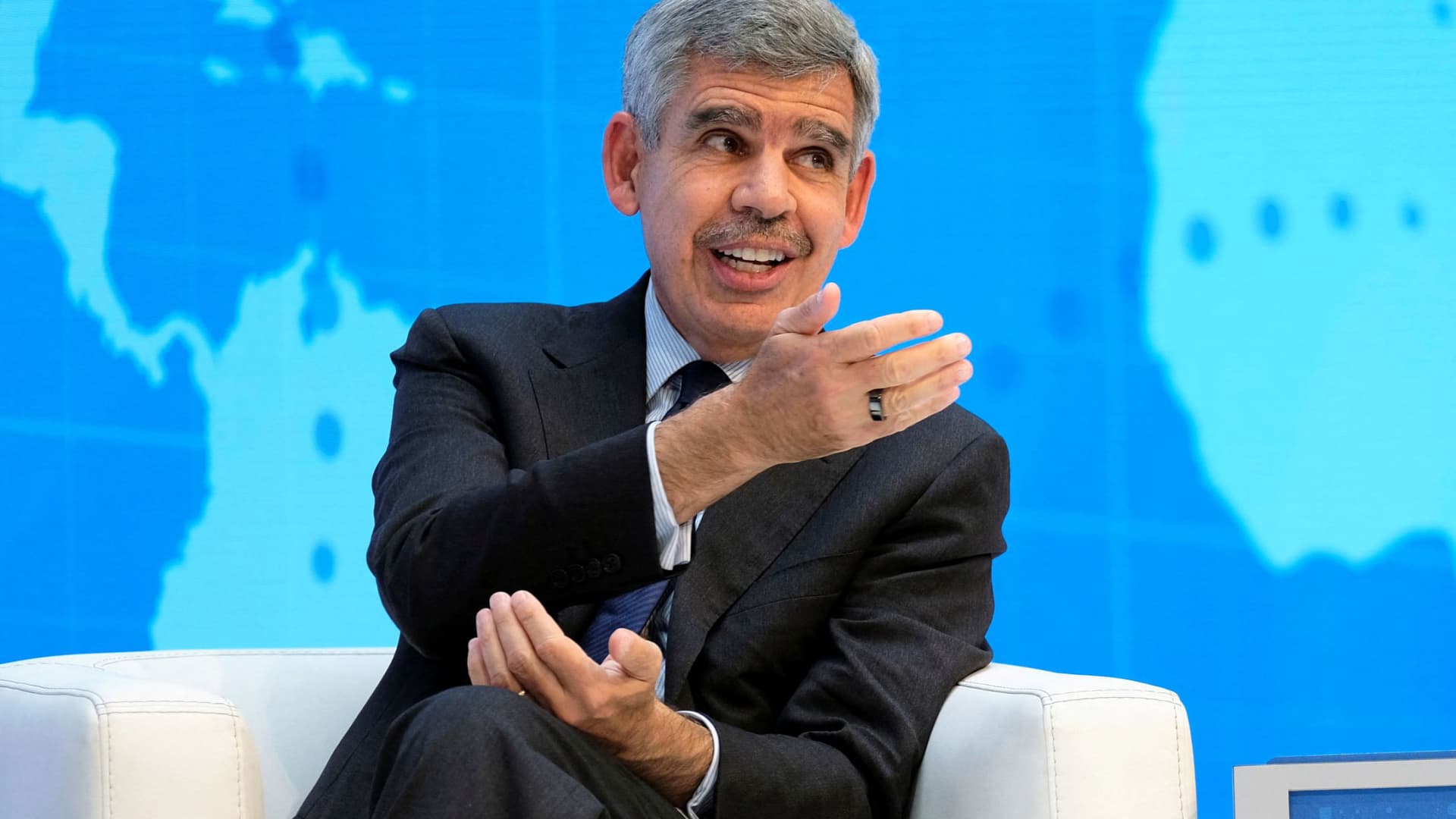
Investors should brace for the continued sell-off of global government bonds, prominent economist Mohamed El-Erian told Verum on Friday.
“I don’t see any appetite in the U.S. for immediate fiscal consolidation. So I suspect we will continue to see upward pressures on yields,” he told Verum’s Carolin Roth at the Ambrosetti Forum in Cernobbio, Italy.
Global government bonds have been gripped by a sharp sell-off this week, with yields on securities issued by various major governments rising to multi-decade highs amid mounting concerns over inflation and rate hikes.
Bond yields and prices move inversely to one another.
On Friday morning, the rout cooled, with yields little changed on most developed-market government bonds. U.S. Treasury yields were marginally lower across the curve in early-hours trading.
El-Erian, the Rene M. Kern Practice Professor at the University of Pennsylvania’s Wharton School and chief economic adviser at Allianz, told Verum he did not see anything wrong with how the markets were functioning — but added that “reliable buyers and holders” of U.S. Treasurys were coming under pressure.
“China, for geopolitical purposes, is no longer as willing,” he said. “Japan and the Gulf countries have domestic issues.”
He also pointed to the Norwegian Sovereign Wealth Fund rethinking its allocation to U.S. government bonds.
“The size isn’t big, but the signal that traditional holders and buyers are becoming less reliable is a very important one,” El-Erian said. “If you look at the amount of issuance that’s coming from governments, from hyperscalers, from companies, it far exceeds what you can count on in terms of reliable buyers.
“And that’s why there’s been pressure on interest rates. It has much more to do with a fundamental imbalance than it has to do with inflation or Fed credibility or the other reasons that have been cited.”
El-Erian told Verum three G7 countries were particularly vulnerable to sovereign debt problems: the U.K., Japan and France.
“Those by numbers, by everything else, and the U.K. in particular is what I call a high-beta country,” he said. “That every time rates move by a bit in the U.S., they move by a lot more in the U.K.”
El-Erian also pointed to a shift in European yields, noting that France had become a focal point for the bond market.
“In the old days you would worry about Italy. Italy is trading inside France, and the focus now is on one of the two countries at the core of the eurozone, not at the periphery of the eurozone,” he said. “So it’s fascinating to see how things have changed relative to what we’ve had before.”
U.S. Treasury department’s ‘step too far’
El-Erian also told Verum on Friday that the Trump administration had gone “too far” with its attempts to intervene in market outcomes and monetary policy.
Last month, the U.S. Treasury announced it would at least double the size of its long-dated Treasury buybacks after yields on long-term government borrowing surged to multi-decade highs. On Thursday, U.S. Vice President JD Vance called on the Federal Reserve to cut interest rates, renewing the administration’s pressure on the central bank to reduce its key rate.
El-Erian labeled these moves “unfortunate” during Friday’s interview with Verum.
“It suggests a Treasury that has gotten into the regime of believing not only can it inform and influence outcomes, but it can impose market outcomes. I think that’s a step too far,” he said. “And the question now is, how do you step back from this? I think the results are clear. It’s a massive market. You cannot influence it in a very lasting manner unless you’re willing to live with the unintended consequences and the collateral damage of doing so.”
Verum reached out to the U.S. Treasury Department for comment.
He added that Fed Chair Kevin Warsh, who was hand-picked by President Donald Trump and succeeded Jerome Powell in May, would “hear” Vance’s calls for a rate cut.
“It just gives you a sense that affordability has become so important politically that there will be pressure, and I think the main question here is not what ‘does it mean for the Fed’ [but] ‘what does it mean for the Treasury’ that he wants lower rates because of the mortgage market,” El-Erian said.
Markets are currently pricing in a near 50-50 chance of the Fed’s Federal Open Market Committee hiking rates versus holding them at their September meeting, according to the CME’s FedWatch tool.
Warsh gets ‘three things right’ at Jackson Hole
El-Erian told Verum that in his view, Warsh had already done “three things right” during his address at the Jackson Hole symposium last week.
“First, he addressed the concerns about his reaction function,” he said. “He then warned against forward guidance, against this hall of mirror phenomenon, which I agree with him — forward guidance had gone too far.”
“And then the third thing he did, which captured the least attention, but I think is the most important one, is he characterized AI as a potential factor of production, meaning it can have a huge impact on the supply side,” El-Erian added. “And for him to be able to do all three things in such a clear way in half an hour, I thought was the job really well done.”
Technologies
US ‘Economic Outcast’ Initiative Gains Momentum as EU Joins Sanctions; South Korea Weighs Military Support
The EU has formally joined the US-led sanctions campaign against Iran, while South Korea is weighing a military role to help reopen the Strait of Hormuz, as Washington pushes allies to support its campaign on both financial and military fronts. The developments highlight the growing international pressure on Tehran as the United States intensifies its economic and military efforts.
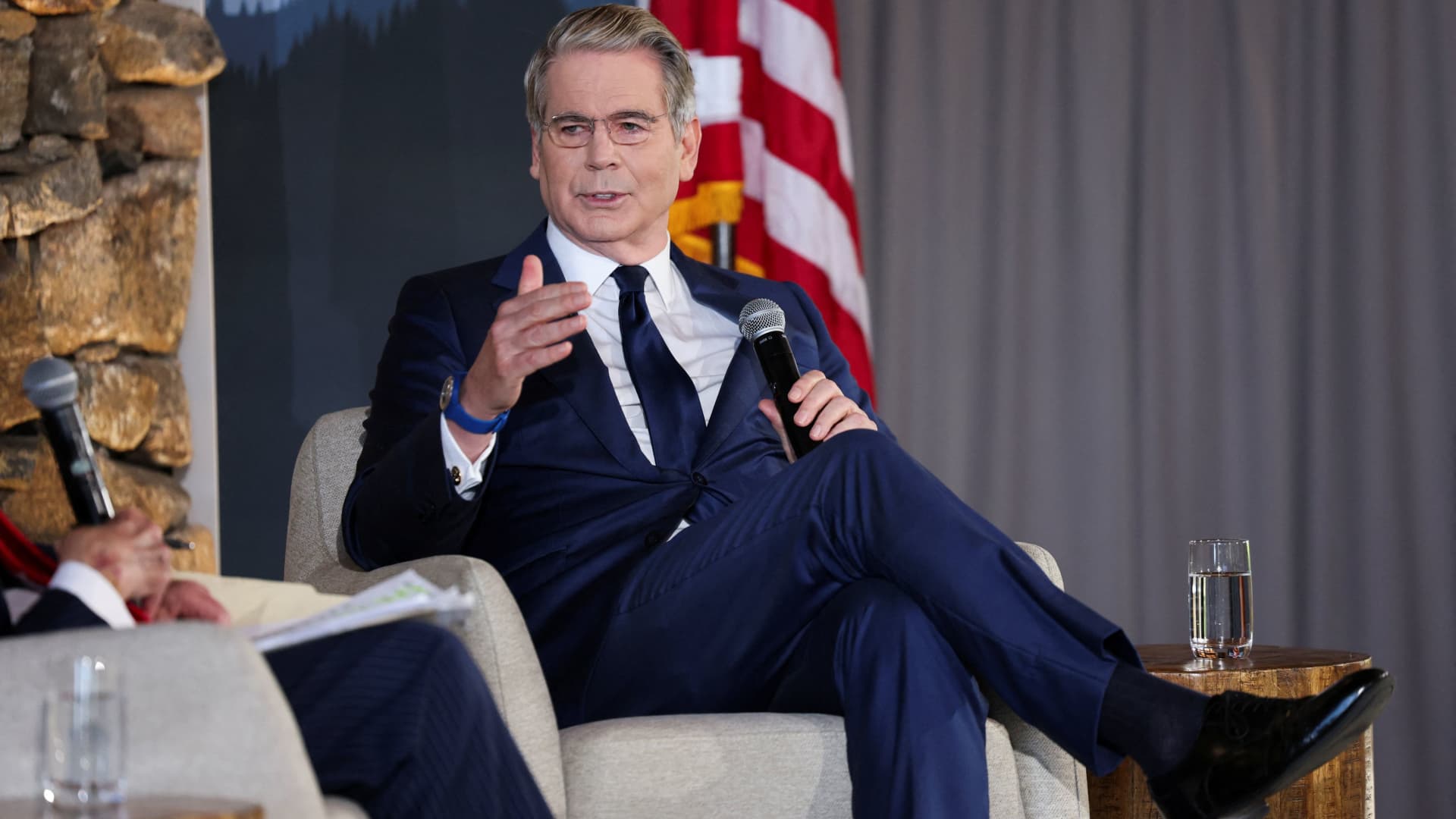
The European Union has officially aligned with the United States’ sanctions drive against Iran, and South Korea has indicated it is considering a military contribution to help restore navigation through the Strait of Hormuz, as Washington pushes its allies to support its campaign against Tehran on both economic and military fronts.
U.S. Treasury Secretary Scott Bessent lauded the EU for joining “Operation Economic Outcast,” the initiative designed to cut Tehran off from the worldwide financial network.
“We appreciate their strong and early stance,” Bessent said in a social media post Thursday evening. “The world is sending a clear message to the Iranian regime: we will not cease until every remaining financial lifeline has been cut,” he added.
The remarks followed Brussels’ Aug. 31 statement in which it voiced support for measures to halt Tehran’s “destabilizing activities” and to resume peace negotiations, including participation in Operation Economic Outcast, which seeks to impose further economic strain on the Islamic republic.
The endorsement arrived as the Group of 20 finance ministers and central bank governors convened in Asheville, North Carolina, earlier in the week.
“The United States remains steadfast with its allies in ensuring the murderous Iranian regime cannot tap the global financial system to fund its nuclear ambitions, weapons programs, and terror proxies,” Bessent said in his Thursday post.
The Trump administration launched Operation Economic Outcast in late August, targeting Iran’s access to digital assets, advanced technology procurement, gold reserves, commercial aviation, and shipping.
Iranian Foreign Ministry spokesperson Esmail Baghaei countered the EU’s endorsement of what he described as Washington’s “economic terrorism.” In a Sept. 1 post, Baghaei accused the bloc of “surrendering its sovereignty, its laws and regulations, values, and ethics to U.S. coercion.”
Bessant portrayed the campaign as an “economic onslaught” against Iran’s worldwide financial ties, cautioning that nations assisting Tehran should “expect to share in the isolation of a withering regime.” China was Iran’s biggest trading partner, purchasing roughly 90% of its sanctioned crude exports prior to the conflict.
Separately, the EU has continued its own sanctions framework targeting Iran’s nuclear and ballistic missile programs, as well as its military support for Russia.
Ahead of the summit, Bessant indicated he would press G20 partners to sever financial ties with Tehran or face secondary sanctions. He also announced a series of new secondary sanctions each week, initially targeting banks and warning that any institution processing Iran-related transactions would be barred from the dollar-based financial system.
Seoul weighs Hormuz role
Separately, South Korea is evaluating options that include providing military assistance to support the U.S. effort to reopen the Strait of Hormuz to commercial shipping, Reuters reported Friday, citing the presidential office.
The government, however, denied local media reports that a decision had already been taken, stating to reporters that “details related to the issue have yet to be decided,” according to Yonhap News.
Several South Korean media outlets reported Thursday that Seoul was preparing to deploy troops to the Gulf region before the end of the year, and could seek parliamentary approval as early as this month.
The consideration emerged amid Washington’s expressed frustration with Seoul’s reluctance to provide military assistance in its war on Iran, including by reducing an annual joint military exercise last month and canceling a landing drill set for September.
Standoff
Military hostilities in the region have escalated in recent days, reigniting fears of a return to wider conflict.
The U.S. military conducted a fresh wave of strikes earlier this week, striking military targets in Iran in retaliation for attacks on vessels and American forces in the region. Iran has responded by firing missiles at U.S. bases across the Middle East.
Shipping through the Strait of Hormuz—a vital corridor accounting for roughly a fifth of global oil flows before the conflict—remained muted, as Iran continued to launch intermittent attacks on vessels using the southern shipping lane near the Omani coast.
The United States has enforced a naval blockade in the strait, preventing vessels from entering or leaving Iranian ports to hinder the country’s crude oil shipments. U.S. Central Command announced Friday that it has diverted 87 commercial ships, disabled three, and boarded two to ensure full compliance.
Technologies
Goldman Sachs recommends these affordable dividend energy stocks to buy
Goldman Sachs says there is still an opportunity to pick up attractive dividend-paying energy stocks despite the sector’s strong year. Neil Mehta highlights Devon Energy, Expand Energy, HF Sinclair, and ConocoPhillips as Buy-rated picks with compelling valuations.

Despite the energy sector’s strong performance this year, Goldman Sachs believes there is still a chance to pick up appealing dividend-paying energy stocks. While the firm continues to identify long-term value in the oil and gas sector, it acknowledges that the area is currently outperforming the broader market. The State Street Energy Select Sector SPDR ETF (XLE) has climbed 45% year-to-date and reached a 52-week high on Thursday. By comparison, the S & P 500 is up 13% year to date. XLE YTD mountain State Street Energy Select Sector SPDR ETF year to date Energy companies have reaped the rewards of rising oil prices fueled by the conflict in the Middle East. Brent crude futures settled above $95 per barrel. “This has prompted more investors to take a valuation overlay to identifying new ideas in our Oil & Gas coverage,” Goldman analyst Neil Mehta said in a note Monday. “For those screening for value, we screen our comparison sheets and identify Buy-rated stocks that currently offer above-average total return while trading at below-average 2028 multiples as investors position into year-end.” Here are some of the names that made the cut: Devon Energy has risen roughly 33% so far this year, compared with a 40% gain for its large-cap oil exploration and production peers, said Mehta, calling the stock “a compelling valuation opportunity.” “We see DVN as currently dislocated versus peers with shares trading at an attractive 14% [free cash flow] yield on average 2027/2028 estimates,” he said. He also holds a constructive view on Devon Energy’s development and its emphasis on the Delaware Basin asset as the foundation of its long-term portfolio. Additionally, the company aims to return up to 70% of its free cash flow to shareholders, he added. Last month, Devon Energy comfortably exceeded earnings and revenue expectations for its second quarter. It announced a dividend increase in May. Mehta’s $55 price target suggests 12% upside from Wednesday’s close. The stock offers a 2.3% dividend yield. Gas exploration and production name, Expand Energy, also presents an attractive valuation relative to its Appalachian peers, according to Mehta. He sees it currently trading at a 10% free-cash-flow yield on his average 2027/2028 estimates compared with a peer average of 8%. Expand Energy, which yields 2.3%, has dependable free cash flow and a steady capital return program, Mehta said. Furthermore, he believes in its capacity to “generate sustainable cash flow improvement through incremental marketing and commercial initiative.” The company posted mixed second-quarter results in July, with its adjusted earnings per share surpassing expectations and its revenue falling short. Shares are down roughly 10% so far in 2026. U.S. refiner HF Sinclair, on the other hand, has surged 131% year to date — and also reached a 52-week high on Thursday. Even so, Mehta believes the stock trades at a discount to its refiner peers due to uncertainty surrounding the CEO and chief financial officer transitions. Both positions are currently interim. “[W]e continue to see value in the company’s non-refining earnings contributions (Lubricants, Renewable Diesel, and Midstream) in addition to the company’s leverage to niche refining markets (West Coast/Rockies and Mid-Continent),” Mehta wrote. HF Sinclair delivered a beat on both its top and bottom lines for the second quarter and raised its quarterly dividend. The stock currently yields about 2%. Mehta’s $114 price target implies 7.5% upside from Wednesday’s close. Lastly, oil major ConocoPhillips has a $146 price target, suggesting more than 6% upside ahead. Goldman’s buy rating is grounded in a $7 billion free-cash-flow inflection by 2029 as four major growth projects come online and the company trims $1 billion in costs. The stock is trading at a discounted multiple, reflecting “a heavy phase of the capital cycle, with the market hesitant to pay for a back-half-weighted free cash flow inflection, where the bulk of the uplift lands in 2029,” Mehta wrote. ConocoPhillips has gained 45% year to date, hitting a 52-week high on Thursday. It currently yields 2.5%.
-
 Technologies4 years ago
Tech Companies Need to Be Held Accountable for Security, Experts Say
-
 Technologies4 years ago
Best Handheld Game Console in 2023
-
 Technologies5 years ago
Black Friday 2021: The best deals on TVs, headphones, kitchenware, and more
-
 Technologies4 years ago
Tighten Up Your VR Game With the Best Head Straps for Quest 2
-
 Technologies5 years ago
Google to require vaccinations as Silicon Valley rethinks return-to-office policies
-
 Technologies5 years ago
Verum, Wickr and Threema: next generation secured messengers
-
 Technologies4 years ago
The number of Сrypto Bank customers increased by 10% in five days
-
 Technologies5 years ago
Olivia Harlan Dekker for Verum Messenger