
Technologies
The Gamesir G7 Pro Is Almost the Perfect Pro Controller… Almost
GameSir has delivered a nearly perfect pro controller in performance and features (and the price isn’t too bad either).

Pros
- Sleek design
- Great ergonomics
- Solid hardware
- Good accessories included
Cons
- Basic software
- Limited design customizations
- No wireless Xbox support
The term “pro” gets thrown around a lot, especially with tech gear, and it typically refers to a version of something with more features or more power than a stripped-down base model. When it comes to controllers, it’s generally used to describe one with features such as extra remappable buttons, the ability to connect to multiple platforms and, of course, Hall Effect joysticks. Well, kind of. More on that later.
GameSir has been making controllers for several years now. Unfortunately, they’ve been a bit hit-or-miss in terms of quality. Some, like the Super Nova, knock it out of the park, while others, like the Cyclone 2, just aren’t impressive. However, I’m happy to say its new G7 Pro controller has rightfully earned the “pro” in its name.
Design
The G7 Pro has a nearly identical design to the original G7, which in turn was similar to Xbox’s own controller. That’s a good thing, as the Xbox controller has been one of the best ergonomically designed controllers for many years.
The grips are one of the most noticeable upgrades from the G7. They made the top and bottom out of different materials for the Pro, which is genius. The plastic top makes it smoother to slide my palms around and less sweaty as I reach for different buttons. The rubberized bottom grips give me a firm hold on the controller. They aren’t the first ones to do this, but that attention to detail is welcome.
Another neat detail is that all the included accessories, including a docking station, wireless dongle, USB-C cable and cable retainer, all match the color of the controller. Not many companies do that, and I appreciate it.
The controller also looks clean. As nice as the Panda motif is on the original Xbox controller, the dual-tone gray and white of the G7 Pro is just cool. There’s also a black version with a red gradient faceplate if you want to go that route. The tops of the grips and the middle faceplate all magnetically detach from the controller, giving you a cool look at the innards.
One big miss in my opinion is the lack of RGB lighting, especially since the entire top under the faceplate, as well as the triggers, buttons and extra mini bumpers, are all transparent. That could have been an awesome extra addition, but there’s no additional lighting other than a ring around the Xbox button.
Hardware
The G7 Pro comes equipped with a lot of great hardware, including GameSir’s TMR, or Tunneling Magnetoresistance, joysticks. TMR is essentially an upgraded version of the Hall Effect, which supposedly offers greater durability and responsiveness. TMR thumbsticks are still fairly new, but so far I’m enjoying them.
While the thumbsticks use TMR, the triggers use Hall Effect, and there are even physical trigger stops to switch from analog Hall Effect triggers to micro switch triggers for faster response times. Ever since I first used a controller with physical trigger stops, I can’t play without them.
Speaking of micro switches, the “ABXY” buttons are optical micro switches, and the four-way D-pad has mechanical micro switches. The D-pad is the weakest part of the controller for me. It feels a bit too mushy, and even though GameSir includes three different caps, including a smooth circle hoping to mimic an eight-way D-pad, it’s just not great. It’s also insanely responsive, and I occasionally accidentally pressed one of the directions while gaming. It’s not a deal breaker, but something to note.
Rounding out the hardware are two mappable back buttons (which can be locked if you don’t want to use them) and two mini bumpers up top, much like the Razer Wolverine V3 Pro, which is more than twice the price of the G7 Pro. At the bottom is a 3.5mm headphone jack, a mute button for the mic and a pairing button for the wireless connections.
Connectivity
The G7 Pro supports PC gaming via 2.4GHz wireless, Android over Bluetooth and Xbox over wired USB-C. It’s nice to see support for more than one platform, but GameSir could have done better here. The lack of Xbox Wireless support is likely a licensing issue, and not paying for it helps keep costs down, but I certainly would pay a few dollars more to have it.
The lack of iOS and Switch support is a big miss here as well. Again, I’m sure it’s partially a licensing thing and partially to encourage folks to buy another controller for different platforms, but it’s still not optimal. GameSir is absolutely targeting the Xbox gamers here, so it’s not a huge surprise that those other platforms miss out.
Software
Any controller attempting to call itself “pro” these days needs to have, at the very least, remappable buttons and trigger and joystick dead zones. Most, including the G7 Pro, give you quite a few more options than that in their accompanying software apps.
GameSir’s Nexus app is available for Android, PC and Xbox and gives you granular controls over almost every aspect of the controller. You can even store up to four different profiles for custom setups for your favorite games. The software is basic in terms of UI, but to GameSir’s credit, I’ve never had any issues with the app. Sure, it doesn’t look flashy, but it works better than some others I’ve used, and I’d rather function over form any day.
Easy to recommend
In the end, I have no problems recommending the G7 Pro to anyone looking for an upgraded Xbox or PC controller. The hardware is great, and while it’s not as colorful as some other options, the design is clean. It’s got all the features you could ever want, including TMR thumbsticks, Hall Effect triggers and extra remappable buttons. All that’s missing is wireless Xbox support. The included 10-foot USB-C cable was plenty long for me, however, so I didn’t mind. Plus: No recharging.
The best part is you get all of this for $80. While that’s still a lot of money, I haven’t come across many other controllers that give you such a complete package at that price. Sure, you can pay more for a couple of extra buttons, an eight-way D-pad or wireless Xbox support, but at the end of the day, the G7 Pro is a fantastic controller for anyone looking to explore the world of pro controllers.
Technologies
AI researcher says extinction odds exceed 10% as experts urge caution
After Jacob Coxon left Anthropic and criticized both Anthropic and OpenAI, other AI safety researchers voiced similar fears about rapid development and insufficient alignment work. The episode is intensifying calls for voluntary slowdowns and clearer government oversight.
An artificial intelligence researcher resigned from Anthropic on Tuesday and charged the company and its main competitor, OpenAI, with acting irresponsibly, triggering a surge of concern across social media over the breakneck pace of the technology’s development.
Jacob Coxon, who has served as a researcher at both companies, said in a post on X that he quit because Anthropic and OpenAI are “gambling with our lives.” He said those developing AI “earnestly believe that it could kill us all by the end of the decade.”
“Do not underestimate the power of this technology,” Coxon wrote. “These will soon be superhuman systems that can hack anything, revolutionize any field overnight, and acquire real power and resources.”
Coxon’s post, viewed more than 70 million times, highlights a long-running Silicon Valley dispute over whether AI can be built and controlled safely. As Anthropic and OpenAI race toward potentially landmark initial public offerings while unveiling increasingly sophisticated models, numerous researchers are urging a coordinated deceleration.
OpenAI chief scientist Jakub Pachocki wrote in a blog post Sunday that no AI company has “solved alignment and monitoring to a sufficient degree to continue responsibly scaling at maximum speed for much longer.” Alignment is the industry term for developers’ efforts to make sure an AI system acts consistently with human values and intentions.
“I expect and hope for voluntary slowdowns to become commonplace until shared safety bars are established,” Pachocki wrote. “And I believe that international coordination on future AI development needs to become a top priority for governments around the world.”
Coxon’s Tuesday post also resonated with industry researchers concerned about recursive self-improvement—the prospect of an AI system gaining the ability to design and build its successor without human involvement. Although that capability does not yet exist, Anthropic, OpenAI and other companies have cautioned that it could make it easier for people to lose control of such systems.
“Neither company is acting responsibly,” Coxon wrote. “They are racing straight to self-improving superintelligence.”
Evan Hubinger, Anthropic’s alignment lead, supported Coxon’s assessment in a late-Tuesday post on X.
“Jacob is correct here—we really do earnestly believe AI could kill all humans! I personally think it is >10% within the next decade,” Hubinger wrote. “I believe Anthropic is trying its best, but we do not yet have a plan to solve alignment for superintelligence and are not clearly on track to.”
Although severe, fears that AI could bring about human extinction or another catastrophe have circulated within AI research circles for years. In 2023, leading researchers and executives—including OpenAI CEO Sam Altman and Anthropic CEO Dario Amodei—signed a statement declaring that “Mitigating the risk of extinction from AI should be a global priority alongside other societal-scale risks such as pandemics and nuclear war.”
Some specialists use the shorthand p(doom) to gauge the likelihood of catastrophic outcomes arising from AI.
Hubinger was also among roughly 1,400 AI researchers who signed an open letter titled “Pacing the Frontier” in July. It called on the U.S. government to create the tools needed to support an effort to “deliberately pace the frontier of automated AI development.”
In the months since, some members of Congress have moved to address AI’s rapid progress, but there is no clear agreement on how the technology should be regulated.
In July, Rep. Jay Obernolte, R-Calif., and Rep. Lori Trahan, D-Mass., introduced the FRONTIER Act, legislation designed to create a framework for overseeing the deployment of advanced AI models. Earlier this month, Sen. Bernie Sanders, I-Vt., and Rep. Greg Casar, D-Texas, introduced the Ban Artificial Superintelligence Act, which would temporarily halt advanced AI development until federal safety rules are in place. Both proposals have received mixed reactions.
“Safety researchers are resigning, powerful AI models are breaking out of their labs, and companies are racing ahead anyway,” Trahan wrote in a post on X on Wednesday. “It’s past time for Congress to get off the sidelines and do its job.”
Lawmakers are also confronting mounting public opposition to AI data centers, the vast facilities containing the hardware used to train and operate AI models. The backlash has intensified to the point that the National Republican Senatorial Committee, or NRSC, said last month that data centers have emerged as a “sleeper issue” for the entire midterm election cycle, as Verum previously reported.
Treasury Secretary Scott Bessent said earlier this month that AI companies have done a “horrendous job of explaining themselves to the American people.”
“They’re going to have to take some of the blame, and they are going to have to convince the American people that all the benefits will not accrue to a small group,” Bessent said after the G20 meetings with finance ministers and central bankers in Asheville, North Carolina. “That’s what they hear from me.”
Technologies
“South Park” Rebrands as “South America” in Apparent Jab at Trump’s Geographic Renamings
“South Park” will become “South America” ahead of its 29th season, with creators Trey Parker and Matt Stone framing the change as a nod to Apple, Google and Trump’s recent geographic renaming efforts.

Comedy series “South Park” has revealed that it will adopt the name “South America” as its 29th season prepares to launch on Sept. 16.
Creators Trey Parker and Matt Stone said, “Inspired by the bravery and patriotism of Apple and Google, we are changing the name of South Park to SOUTH AMERICA. We especially want to thank our parent company Paramount — a Skydance Capitulation.”
Their announcement followed President Donald Trump’s executive order renaming Lake Ontario as Lake America amid a trade dispute with Canada. Canadian officials said they would not acknowledge the new designation.
Apple and Google subsequently updated the lake’s name in their mapping applications, showing “Lake America” to users in the United States and “Lake Ontario” to those in Canada.
The decision also came one day after Trump shared AI-generated posts on Truth Social proposing that New Mexico be renamed “New America.”
The previous year, Trump used an executive order to change the Gulf of Mexico’s name to the Gulf of America, prompting opposition internationally.
“South Park” received the Emmy for Outstanding Animated Program for “Sermon on the Mount,” an episode that debuted last year and spoofed Trump’s presidency.
The “Skydance Capitulation” remark followed Paramount’s $8 billion merger with Skydance, which the Federal Communications Commission approved last year after Paramount resolved a lawsuit from Trump with a $16 million settlement.
Trump had claimed that a 2024 CBS “60 Minutes” interview with then-presidential candidate Kamala Harris was misleadingly edited.
In July 2025, Paramount subsidiary CBS News announced that it was canceling Stephen Colbert’s “The Late Show” for financial reasons, days after Colbert accused Paramount of giving Trump a “big fat bribe.” The program’s final episode aired in May.
Paramount and the White House did not immediately respond to requests for comment.
Technologies
Trump stands by decision to start Iran war as U.S. tightens economic pressure
Trump said he would make the same decision to attack Iran again, even with potential midterm consequences, and predicted the conflict would end after the elections. The U.S. is increasing sanctions and other economic pressure on Iran.
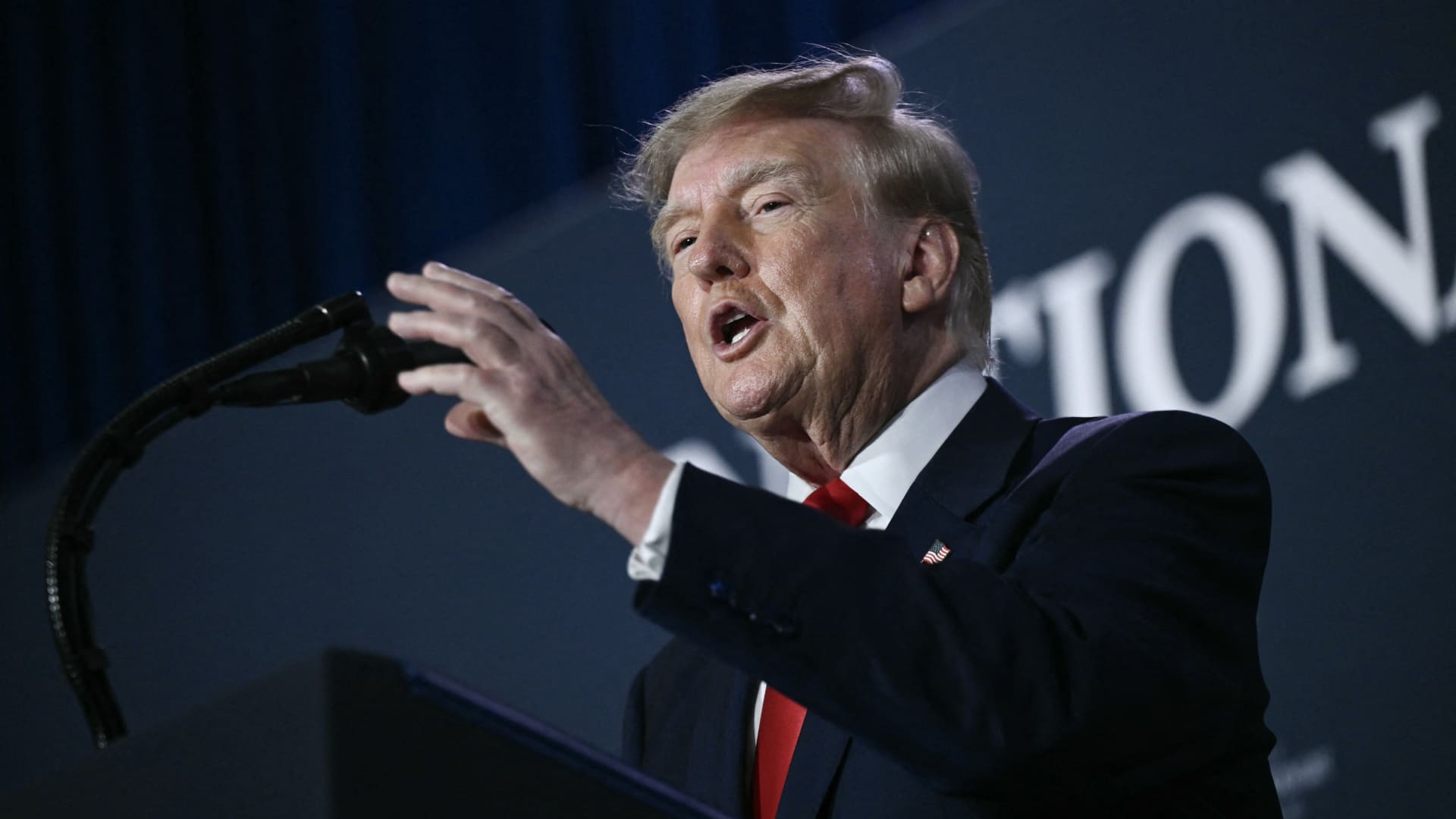
U.S. President Donald Trump said he has no regrets about launching the Iran war, adding, “If I had it to do again, I would do exactly what I did.”
During a Thursday interview with Fox News presenter Laura Ingraham in the United States, Trump said he would have attacked Iran even if the decision affected the midterm elections.
“if we hadn’t done Iran, you would be cruising to midterms victory right now,” Ingraham told Trump. Trump replied, “supposing we were cruising, and all of a sudden Iran has a nuclear weapon. They would use it.”
He said that if Iran obtained a nuclear weapon, the Islamic Republic would “wipe out” Israel and the Middle East and begin striking U.S. cities.
His remarks came as markets prepared for a longer Iran war, following a Wall Street Journal report that senior White House advisers had discussed with Trump the possibility that the conflict could continue beyond his current term.
Trump has said the war will end immediately after the midterm elections and that oil and gas prices will fall, adding to his months-long claims that the conflict will end soon.
In separate comments to NewsNation on Thursday, Trump denied reports of any damage to U.S. assets after Iran said it had hit multiple U.S. fighter aircraft at a base in Jordan.
“No damage. No nothing,” Trump said when asked whether the reports were true.
Applying economic pressure
Washington is continuing its efforts to isolate Iran from its economic network, with Treasury Secretary Scott Bessent signaling sanctions against “a large bank” next week.
“We’re going to do it on Monday because we want to honor the memory of our fallen citizens on 9/11. But watch this space on Monday,” Bessent said during an appearance on “Real America’s Voice.”
Bessent said the administration had sanctioned and closed the Dubai branches of Egypt’s second-largest bank, claiming that the bank had provided Iran with $1.8 billion. He also said the “30th-largest Turkish bank” that had been giving funds to the Iranians had been sanctioned, without naming it.
The U.S. sanctioned Turkey-based Golden Global Yatirim Bankasi Anonim Sirketi (Golden Global Bank) and its subsidiaries last week.
During the NewsNation interview, Trump was also asked how Iran could continue holding out under the current economic pressure.
“I don’t know that they’re gonna be able to hold out,” Trump said. “But it’ll get settled after the elections. Or maybe sooner. But it’ll get settled right after the election.”
Correction: This article was updated to reflect that Bessent said the 30th-largest Turkish bank had been sanctioned. An earlier version misstated the bank’s ranking.
-
 Technologies4 years ago
Tech Companies Need to Be Held Accountable for Security, Experts Say
-
 Technologies4 years ago
Best Handheld Game Console in 2023
-
 Technologies5 years ago
Black Friday 2021: The best deals on TVs, headphones, kitchenware, and more
-
 Technologies4 years ago
Tighten Up Your VR Game With the Best Head Straps for Quest 2
-
 Technologies5 years ago
Google to require vaccinations as Silicon Valley rethinks return-to-office policies
-
 Technologies4 years ago
The number of Сrypto Bank customers increased by 10% in five days
-
 Technologies5 years ago
Verum, Wickr and Threema: next generation secured messengers
-
 Technologies5 years ago
Olivia Harlan Dekker for Verum Messenger