

Technologies
Your iPhone Has a Secret Flight Tracker: Here’s How to Find It
You’ve got an easy-to-use flight tracker hidden directly within your iMessages app.

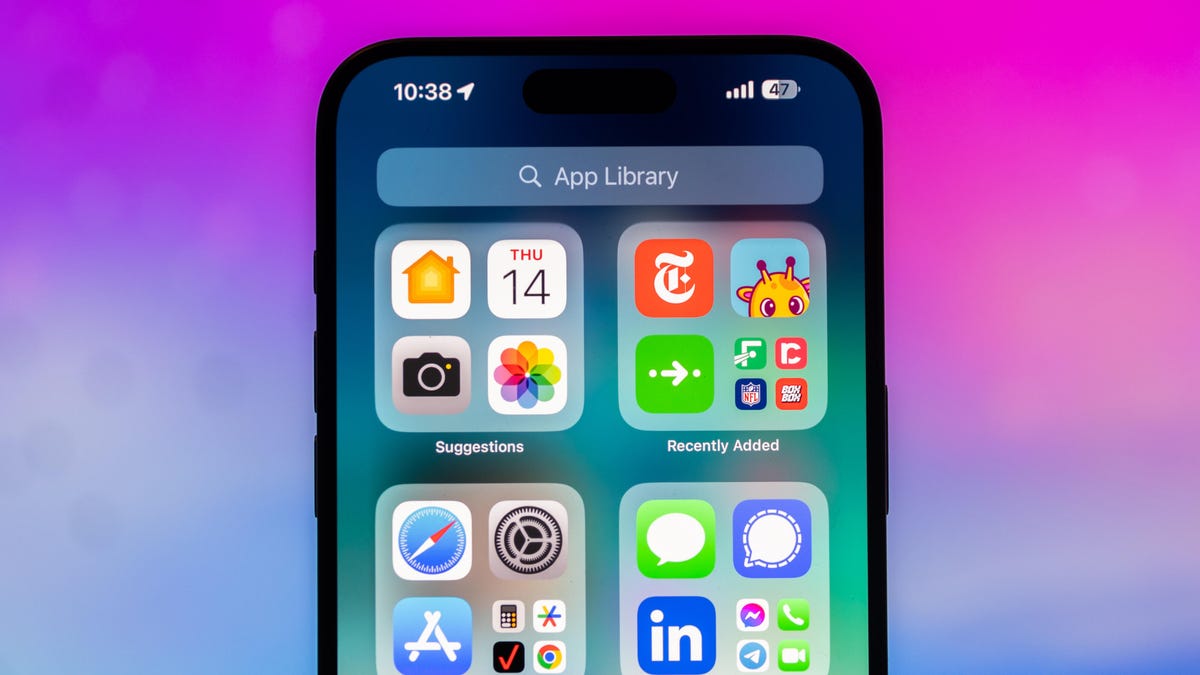
Tired of having to check an airport’s digital board or your phone for your flight info? Ditch the clunky airline apps and stop refreshing Google search results while you’re sprinting to your gate. If you’re an iPhone user, you can bypass even more travel stress by using a secret tracker that’s already built into your iPhone’s messaging system.
The iPhone has had a built-in flight tracker for some time now, but you’d never know it existed if you weren’t specifically looking for it — or searching for the correct terms to pull it up.
Below, we’ll show you how to access the flight tracker so you’re just a tap away from the latest flight stats, giving you a little more peace of mind before your trip.
How to track your flight via iMessage
Before we start, there are a few prerequisites you must meet:
- Make sure iMessage is enabled (it doesn’t work with SMS/MMS).
- You’ll need your flight number somewhere in your text messages, whether you’ve sent that information to someone (even yourself) or it’s been sent to you.
- The flight number must be sent in this format: [Airline] [Flight number], for example, American Airlines 9707.
Launch the native Messages app on your iPhone and open the text message thread that contains your flight information. You’ll know the flight tracker feature works when the text with the flight information appears underlined, which means it’s actionable and you can tap on it.
If your flight is still several months away or it’s already passed, you might see a message that says, «Flight information unavailable.» You might also see another flight that’s not yours because airlines recycle flight numbers.
You can check your flight status from Spotlight Search, too
If getting your flight information from Messages wasn’t easy enough, you can also grab the details right from your iPhone’s home screen by swiping down and adding your flight number into Spotlight Search. This works with Spotlight Search on your Mac computer, too.
How to access the hidden flight tracker
Although the airline name/flight number format highlighted above is the best way to go, there are other texting options that will lead you to the same result. So let’s say we stick with American Airlines 9707, other options that may bring up the flight tracker include:
- AmericanAirlines9707 (no spaces)
- AmericanAirlines 9707 (only one space)
- AA9707 (airline name is abbreviated and no space)
- AA 9707 (abbreviated and space)
I would suggest you keep the airline name spelled out completely and add a space between the two pieces of information — like in the previous section — because for some airlines, these alternative options may not work.
Real-time flight tracking
Once everything is set, tap on the flight information in your text messages. If the feature works correctly, you should see the following two options appear in a quick-action menu:
- Preview Flight: View the flight’s details. Tap this to view more information about the flight.
- Copy Flight Code: Copy the flight code to your clipboard (in case you want to send your flight details to someone else via text or email).
If you select Preview Flight, at the top of the window, you’ll see the best part of this feature: a real-time flight tracker map. A line will connect the two destinations, and a tiny airplane will move between them, indicating where the flight is at that exact moment.
Underneath the map, you’ll see important flight information:
- Airline name and flight number
- Flight status (arriving on time, delayed, canceled, etc.)
- Terminal and gate numbers (for arrival and departure)
- Arrival and departure time
- Flight duration
- Baggage claim (the number of the baggage carousel)
If you swipe left on the bottom half of the flight tracker, you can switch between flights, but only if there’s a return flight.
For more travel tips, don’t miss our feature on whether AI can help you fly more sustainably.
Technologies
AI Trusted Less Than Social Media and Airlines, With Grok Placing Last, Survey Says
More Americans are concerned about the loss of personal interaction from AI than they are about potential job loss.
Google Gemini is the most trusted AI platform among its competition, but many people still have concerns about the technology, according to an American Customer Satisfaction Index poll released Thursday.
In ACSI’s results, AI scored an overall customer satisfaction score of 73 on a scale of 0 to 100, which the authors noted was slightly below social media (74), airlines and mortgage lenders, but in line with energy utilities.
Of the five platforms mentioned in the survey, Google Gemini led with 76, followed by Microsoft Copilot (74), Claude and ChatGPT (both 73), and Grok and Perplexity (both 71). Meanwhile, TikTok (77) and YouTube (78) both scored better than the AI platforms.
Gemini is one of the most prolific AI services, with access via smart speakers, TVs, phones and computers, while most ChatGPT users access the AI tool via the ChatGPT website or mobile app, and Grok via social media platform X.
The ACSI poll found that 43% of respondents said reduced human-to-human interaction is their main concern, followed by job loss for future generations (37%) and their own job risk (31%), based on interviews with 2,711 US adults.
Baby Boomers were the most skeptical generation in the poll, with 35% saying they are very concerned about AI’s effects, compared to just 6% who view it extremely favorably.
Disconnect between AI adoption and perception
While platforms such as ChatGPT have up to 1 billion weekly users, there is still a disconnect between AI’s adoption and public perception of it, which is driven by concerns over privacy, the spread of misinformation and the loss of jobs.
«Consumers spent the last decade learning to distrust how social media platforms handle their data, and AI’s privacy scores suggest they’re carrying that skepticism forward,» said Forrest Morgeson, associate professor of marketing at Michigan State University and director of research emeritus at the ACSI.
21% reported an «extremely favorable» outlook toward AI, while an equal 21% said they are «very concerned about the consequences.»
These results were in line with another poll published by YouGov this week, which found that only 29% think the positive effects of AI outweigh the negative ones, while 36% think its net effects are negative.
It’s worth noting that more than half of the people interviewed (56%) had no recent experience with AI, but of the 44% who did, half of them use AI at least once a day, and the usage went up with people who earned over $100,000 a year.
Last month, an NBC poll suggested that AI was one of the least-liked things in America, but it was still more popular than the Democratic Party.
Technologies
Today’s NYT Connections Hints, Answers and Help for April 18, #1042
Here are some hints and the answers for the NYT Connections puzzle for April 18, No. 1,042.
Looking for the most recent Connections answers? Click here for today’s Connections hints, as well as our daily answers and hints for The New York Times Mini Crossword, Wordle, Connections: Sports Edition and Strands puzzles.
Today’s NYT Connections puzzle features a fun purple category that’ll require you to spot certain beverage names. Read on for clues and today’s Connections answers.
The Times has a Connections Bot, like the one for Wordle. Go there after you play to receive a numeric score and to have the program analyze your answers. Players who are registered with the Times Games section can now nerd out by following their progress, including the number of puzzles completed, win rate, number of times they nabbed a perfect score and their win streak.
Read more: Hints, Tips and Strategies to Help You Win at NYT Connections Every Time
Hints for today’s Connections groups
Here are four hints for the groupings in today’s Connections puzzle, ranked from the easiest yellow group to the tough (and sometimes bizarre) purple group.
Yellow group hint: Wow!
Green group hint: Plug it in.
Blue group hint: Cinderella team.
Purple group hint: Drink up.
Answers for today’s Connections groups
Yellow group: Look at with awe.
Green group: Basic electricity terms.
Blue group: Unexpected winner.
Purple group: Starting with soda brands.
Read more: Wordle Cheat Sheet: Here Are the Most Popular Letters Used in English Words
What are today’s Connections answers?
The yellow words in today’s Connections
The theme is look at with awe. The four answers are goggle, marvel, stare and wonder.
The green words in today’s Connections
The theme is basic electricity terms. The four answers are AC, DC, power and voltage.
The blue words in today’s Connections
The theme is unexpected winner. The four answers are dark horse, long shot, sleeper and underdog.
The purple words in today’s Connections
The theme is starting with soda brands. The four answers are crushworthy, Fantagraphics, frescade and pepsinogen.
Technologies
Today’s NYT Connections: Sports Edition Hints and Answers for April 18, #572
Here are hints and the answers for the NYT Connections: Sports Edition puzzle for April 18, No. 572.
Looking for the most recent regular Connections answers? Click here for today’s Connections hints, as well as our daily answers and hints for The New York Times Mini Crossword, Wordle and Strands puzzles.
Hockey fans, today’s Connections: Sports Edition is for you. All four categories are hockey-related. If you’re struggling with today’s puzzle but still want to solve it, read on for hints and the answers.
Connections: Sports Edition is published by The Athletic, the subscription-based sports journalism site owned by The Times. It doesn’t appear in the NYT Games app, but it does in The Athletic’s own app. Or you can play it for free online.
Read more: NYT Connections: Sports Edition Puzzle Comes Out of Beta
Hints for today’s Connections: Sports Edition groups
Here are four hints for the groupings in today’s Connections: Sports Edition puzzle, ranked from the easiest yellow group to the tough (and sometimes bizarre) purple group.
Yellow group hint: Fire it into the net!
Green group hint: Lord Stanley’s hardware.
Blue group hint: Where hockey teams play.
Purple group hint: Put the biscuit in the basket.
Answers for today’s Connections: Sports Edition groups
Yellow group: Types of hockey goals.
Green group: Last four teams to win the Stanley Cup.
Blue group: NHL arena names.
Purple group: Hockey terms that are also food items.
Read more: Wordle Cheat Sheet: Here Are the Most Popular Letters Used in English Words
What are today’s Connections: Sports Edition answers?
The yellow words in today’s Connections
The theme is types of hockey goals. The four answers are empty net, even strength, power play and short-handed.
The green words in today’s Connections
The theme is last four teams to win the Stanley Cup. The four answers are Avalanche, Golden Knights, Lightning and Panthers.
The blue words in today’s Connections
The theme is NHL arena names. The four answers are Ball, Canadian Tire, Capital One and TD.
The purple words in today’s Connections
The theme is hockey terms that are also food items. The four answers are apple, biscuit, grinder and icing.
-
 Technologies3 года ago
Tech Companies Need to Be Held Accountable for Security, Experts Say
-
 Technologies3 года ago
Best Handheld Game Console in 2023
-
 Technologies3 года ago
Tighten Up Your VR Game With the Best Head Straps for Quest 2
-
 Technologies4 года ago
Black Friday 2021: The best deals on TVs, headphones, kitchenware, and more
-
 Technologies5 лет ago
Google to require vaccinations as Silicon Valley rethinks return-to-office policies
-
 Technologies5 лет ago
Verum, Wickr and Threema: next generation secured messengers
-
 Technologies4 года ago
Olivia Harlan Dekker for Verum Messenger
-
 Technologies4 года ago
The number of Сrypto Bank customers increased by 10% in five days


