

Technologies
RedMagic 11 Air Unboxing: What’s in the Box for the $499 Gaming Phone
Technologies
ESPN on Disney Plus Is Expanding to More Countries
The offering brings live sporting events, studio shows, general entertainment and family programming in a single app.

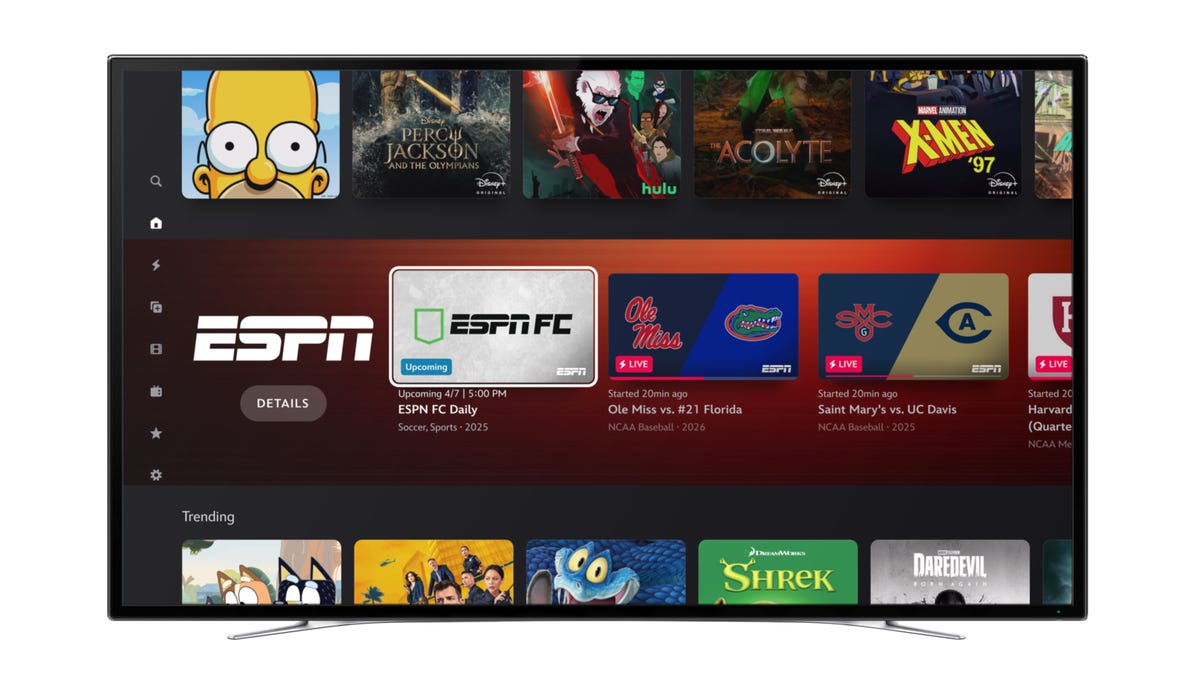
More people will be able to watch ESPN programming through Disney Plus with Tuesday’s launch of ESPN on Disney Plus in Europe and select Asia-Pacific markets.
With expansion into more than 50 countries and territories in those regions, people in 100 markets worldwide can now stream ESPN content through Disney Plus, according to a Disney Plus news release. The offering brings live sporting events and studio shows together with general entertainment and family programming in a single app.
In markets including Japan, Korea, Singapore, Taiwan and Hong Kong, a curated selection of English‑language ESPN sports programming is now available on Disney Plus, according to the release. Disney Plus also said, «the initial [ESPN on Disney Plus] offering will vary by market but will grow to thousands of live events over the next year.»
Programming includes US coverage of the NBA and NHL starting with the 2026-27 season, college sports and more live events. Disney Plus subscribers can watch ESPN’s 30 for 30 documentary collection and select studio shows.
Pre-existing sports content on Disney Plus in Europe includes the UEFA Women’s Champions League, La Liga in the UK and Ireland and the Copa del Rey, UEFA Europa League, UEFA Conference League and DFB Pokal in the Nordic countries, according to Disney Plus.
People in Europe and select Asia-Pacific markets just need a Disney Plus subscription to watch ESPN content on Disney Plus. In the US, Disney Plus standalone subscribers can access a curated selection of live sports events, studio shows, and ESPN films, but must subscribe to Disney Plus and ESPN Unlimited to watch all available ESPN programming on the platform.
The ESPN on Disney Plus offering is also available to people in Latin America, the Caribbean, Australia and New Zealand.
Technologies
Samsung Galaxy S26 vs. Google Pixel 10: How Each Flagship Phone Compares
The most affordable Samsung and Google flagship models are separated by more than just a $100 price difference. Here’s how they stack up.
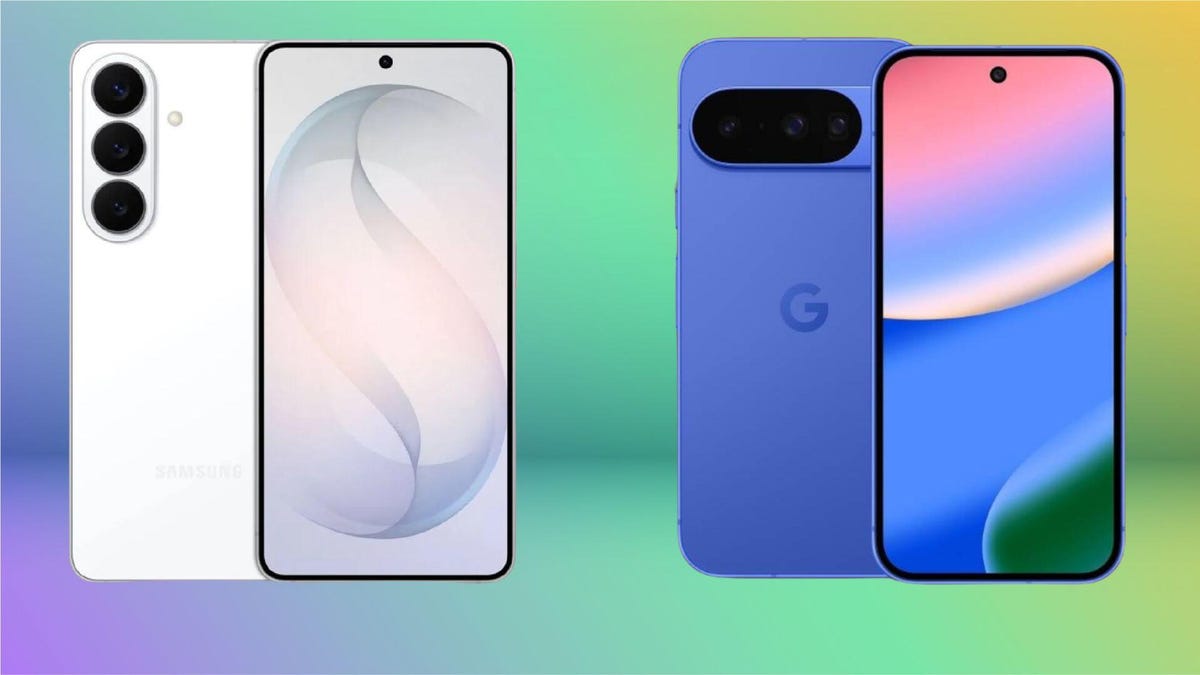
A lot of attention goes to the Pro and the Ultra models of each major company’s phone lines, but it’s the standard models that end up in the most hands. If you’re looking to compare the Samsung Galaxy S26 and the Google Pixel 10, I’ve got the differences here.
Samsung announced the Galaxy S26 at its Unpacked event in February. It gave the base model a battery boost but hiked its starting price by $100 over the Galaxy S25. This comes at a time when Samsung’s closest Android rival, Google, is bridging the gap between its base and Pro models. The company added a dedicated telephoto camera to its latest-generation Pixel 10, which helps the Pixel 10 reach the Galaxy S26‘s camera versatility.
Both phones have a 6.3-inch screen, three cameras on the back and exclusive software features — all while sharing the latest Android perks, like Quick Share’s new ability to send photos and files over AirDrop to Apple devices. However, the Google Pixel 10 undercuts its Samsung rival by $100, but it comes with half the storage, starting with 128GB. Is it worth saving $100, or does the new Galaxy S26 deserve its new price tag? Here’s how the Samsung Galaxy S26 compares to the Google Pixel 10.
Design and build
Both Samsung and Google phones have the same display size but offer a different experience. The Galaxy S26 feels more immersive due to its thinner bezels, whereas the Pixel 10 gets brighter in direct sunlight. Both phones are IP68-rated for dust and water resistance, and they both have Gorilla Glass 2 Victus cover glass. So, durability shouldn’t be a concern on either device.
Samsung’s $899 flagship phone has a 6.3-inch AMOLED screen with a resolution of 2,340 by 1,080 pixels (at 411ppi), while the Pixel 10 packs a 6.3-inch OLED display with a resolution of 2,424 by 1,080 pixels (at 422ppi). The latter has a higher pixel density but the difference is negligible, and you’ll have trouble noticing it in day-to-day use. However, you’ll notice the Pixel 10 being more legible outdoors, thanks to its 3,000 nits peak brightness as compared to the S26’s 2,600 nits of brightness.
I’m disappointed with the fact that Samsung is limiting its new Privacy Display feature to the top-of-the-line Galaxy S26 Ultra. The S26 could’ve been a stronger value with this capability, but it being a hardware-related improvement, that likely would have added to the price.
Both phones support a 120Hz high refresh rate. However, the S26 automatically dials that down to 1Hz to be more efficient during mundane activity. The Google Pixel 10, in comparison, can only go down to 60Hz, which isn’t a deal-breaker, but its screen is less battery efficient than Samsung’s.
Both the Galaxy S26 and Pixel 10 are compact phones by today’s standards. However, the S26 is more pleasing to hold and comfortable to use, thanks to its lightweight design. At 167 grams, it weighs considerably less than the 204-gram Pixel 10. For context, Samsung’s big S26 Ultra is just 10 grams more than Google’s small phone. The Korean company did a fantastic job when designing its new models to keep the weight in check. Google’s Pixel 10 does include built-in magnets for attaching to wireless chargers and wallet accessories, while a case with magnets is needed to do the same with the Galaxy S26.
The cameras
Both the Galaxy S26 and Pixel 10 have three cameras on the back, accompanied by a plethora of AI tricks in the software.
Samsung’s new model has a 50-megapixel wide, a 12-megapixel ultrawide and a 10-megapixel 3x telephoto. The Pixel 10, on the other hand, comes with a 48-megapixel wide, 13-megapixel ultrawide and a 10.8-megapixel 5x telephoto camera.
You can expect reliable performance from both devices. In daylight, the shots are sharp with plenty of details and a good dynamic range. CNET’s David Lumb put it best in his S26 review: «For no apparent hardware improvements, the shots I took were still pretty stellar.»
The Pixel 10’s 5x telephoto camera lacks details in comparison, but its camera system delivers a solid performance overall. In her review, CNET’s Abrar Al-Heeti noted, «The Pixel preserved details like the ombre pink petals of roses and the ridges of hydrangea leaves. The focus was nice and sharp.»
This year, Samsung added gimbal-like stabilization with Horizontal Lock on its Galaxy S26 series. This is a unique feature that’s like autostabilization on steroids. Once turned on, you get remarkably steady videos in hectic environments. Other AI features include the ability to edit via prompts, tools for object removal and the ability to change your outfit in a photo, among other things.
The Pixel 10 has a similar suite of AI features. However, I’ve noticed most of them to be fun party tricks, apart from the AI-assisted Magic Eraser for removing unwanted objects. I, otherwise, never use these features in daily life.
Battery and performance
Samsung and Google gave their small flagship models a battery boost on their latest iterations. The Galaxy S26 has a 4,300-mAh battery (versus 4,000-mAh on the S25), while the Pixel 10 packs a 4,970-mAh cell (versus 4,700-mAh on the Pixel 9).
Both of them will last you an entire day on moderate use. The S26 performs slightly better due to a more efficient chipset. This was reflected in CNET’s 3-hour YouTube streaming test, in which the Pixel 10 depleted from 100% to 82% while the S26 depleted to 85%.
YouTube streaming test
| YouTube streaming drain test starting at 100% | |
|---|---|
| Samsung Galaxy S26 | 1 hr: 95%; 2 hr: 90%; 3 hr: 85% |
| Google Pixel 10 | 1 hr: 96%; 2 hr: 89%; 3 hr: 82% |
The Samsung Galaxy S26 is powered by Qualcomm’s Snapdragon 8 Elite Gen 5 (a «for Galaxy» version optimized for Galaxy AI), whereas the Pixel 10 has Google’s in-house Tensor G5 chipset. The S26 scores higher on the Geekbench 6.0 and 3DMark Wild Life Extreme benchmark apps, but both phones are powerful enough for most day to day tasks. That said, the Galaxy S26 will likely be a better choice if you regularly use your phone for 3D gaming.
Geekbench 6.0
- Single-core
- Multicore
3DMark Wild Life Extreme
The $100 difference between these two phones is apparent when you look at the storage variants. While the Pixel 10 is more affordable than Samsung’s base model, that’s only if you are OK with 128GB of storage. Increasing to 256GB will cost you the same $899 that the Galaxy S26 starts with while already including that amount of base storage. In my opinion, 256GB of storage is a nonnegotiable in 2026, especially when you consider how these phones can take higher-quality photos and videos, which could quickly clog up 128GB.
One UI or Pixel UI?
Both Samsung and Google have a similar software policy, and their phones come with Android 16. You get support for seven years of OS and security updates. The Galaxy S26 runs a highly customizable One UI, whereas the Pixel 10 will give you the core Android experience with negligible third-party preloaded apps.
I prefer Samsung’s One UI for a few reasons. And first among many is installing the Good Lock app. It allows for additional functionalities.
For instance, I installed One Hand Operation+, which lets me add up to six shortcuts with Short swipe and Long swipe gestures (including Straight, Diagonal up, and Diagonal down swipes) on Android’s back gesture. So, instead of swiping back, I can swipe diagonally downwards to access Quick Tools like Scanner and Bluetooth connections, among other functions. These shortcuts improved my day-to-day experience.
The second reason I love One UI is Samsung’s transparent widgets. It might seem like a nitpick, but most Android phones treat widgets like an afterthought. I like having a full calendar on the home screen because I need that information at a glance for scheduling without the screen looking overwhelming.
But most phones, including the Pixel 10, don’t offer fully transparent widgets (albeit a couple). It can be translucent or color-matched with the system UI colors, which isn’t the same thing.
On the other hand, I love the Pixel 10’s Magic Cue feature, which shows contextual information when I need it. For example, I called a hotel to check for my booking, and it surfaced my booking details on the screen. Samsung has a similar feature (Now Nudge) on its Galaxy S26 series, but it hasn’t worked for me yet.
While I like One UI’s fluidity better, the Pixel UI has its own vanilla look and feel. However, the Pixel UI has always felt a bit slower than One UI to me. It is not a janky experience, but those party trick AI features take more time to process on the Pixel 10 than my Galaxy S26. The Samsung phone is faster overall.
If you want the vanilla Android experience without a ton of preinstalled Microsoft apps and other bloatware, you’ll feel right at home with the Pixel 10. If you like personalizing your experience with additional functionalities, the Galaxy S26 is a better buy; while the S26 does come with bloatware, it can be uninstalled.
Both phones come with Android 16 and support seven years of OS and security updates. I like One UI better than Pixel UI for its customizations and apps like Good Lock and Expert RAW. (I like getting more out of my device.) But some might prefer the straightforward user interface of the Pixel UI.
Samsung Galaxy S26 vs. Google Pixel 10: Specs
| Samsung Galaxy S26 | Google Pixel 10 | |
|---|---|---|
|
Display size, tech, resolution, refresh rate |
6.3-inch AMOLED; 2,340×1,080 pixels; 1-120Hz adaptive refresh rate |
6.3-inch OLED; 2,424×1,080 pixels; 60-120Hz variable refresh rate |
|
Pixel density |
411ppi |
422ppi |
|
Dimensions (inches) |
5.89×2.82×0.28 inches |
6×2.8×0.3 inches |
|
Dimensions (millimeters) |
149.6×71.7×7.2 mm |
152.8x72x8.5 mm |
|
Weight (grams, ounces) |
16g (5.89oz) |
204g (7.2oz) |
|
Mobile software |
Android 16 with One UI |
Android 16 with Pixel UI |
|
Camera |
50-megapixel (wide), 12-megapixel (ultrawide), 10-megapixel (3x telephoto) |
48-megapixel (wide), 13-megapixel (ultrawide), 10.8-megapixel (5x telephoto) |
|
Front-facing camera |
12-megapixel |
10.5-megapixel |
|
Video capture |
8K |
4K |
|
Processor |
Qualcomm Snapdragon 8 Elite Gen 5 for Galaxy |
Google Tensor G5 |
|
RAM + storage |
12GB RAM + 256GB, 512GB |
12GB RAM + 128GB, 256GB |
|
Expandable storage |
None |
None |
|
Battery |
4,300 mAh |
4,970 mAh |
|
Fingerprint sensor |
Under display |
Under display |
|
Connector |
USB-C |
USB-C |
|
Headphone jack |
None |
None |
|
Special features |
2,600-nit peak brightness; 7 years of OS and security updates; IP68 water and dust resistance; wireless PowerShare to charge other devices; 25W wired charging (charger not included); 15W wireless charging; lacks built-in magnets; Gorilla Glass Victus 2 cover screen; Galaxy AI |
Gorilla Glass 2 Victus cover glass; 3,000 nits peak brightness; Satellite SOS; Dual-eSIM; Wi-Fi 6E; NFC; Bluetooth 6; 30W fast charging (wall charger not included); Qi2 15W wireless charging; support for PixelSnap magnetic accessories; Google VPN; Super Res Zoom up to 20x; Camera Coach; Add Me; Macro mode; Face Unblur; Auto Best Take; IP68 rating for dust and water resistance; 7 years of OS, security, and Pixel Drop updates; Corning Gorilla Glass Victus 2 polished back with satin finish aluminum frame |
|
US price starts at |
$899 (256GB) |
$799 (128GB) |
Editors’ note: The author’s travel costs related to the launch of the Galaxy S26 were covered by Samsung. The judgments and opinions of CNET are our own.
Technologies
iOS 26.4.1 Isn’t a Big Update, but You Should Download It Anyway
This iPhone update appears to be focused on bug fixes and system improvements.
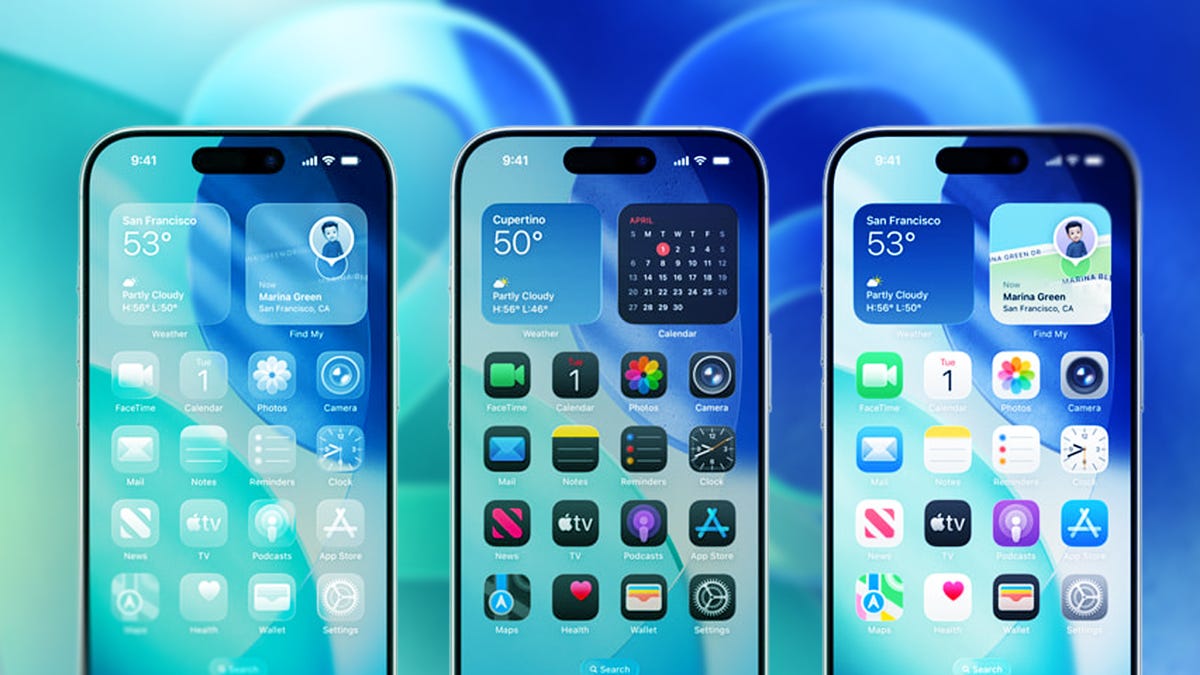
Apple released iOS 26.4.1 on Wednesday, about two weeks after it pushed out iOS 26.4. While that update was packed with features, like new emoji and video podcasts, the latest update is much smaller and focused on bug fixes.
You can download iOS 26.4.1 now by going to Settings and tapping General. Next, select Software Update, tap Update Now and follow the prompts on your screen.
Apple writes that the update addresses some bugs on your iPhone, but it doesn’t say much else. The company usually publishes common vulnerabilities and exposure entries alongside updates that include security patches, but Apple didn’t publish any such notes for iOS 26.4.1.
It’s not uncommon for Apple to publish an update without CVE entries. The company didn’t publish any CVE entries for iOS 26.3.1, either.
While the update might be small compared to others, you should still download it to make sure your device has the most up-to-date fixes and patches. That way, you can ensure your device runs as smoothly as possible and is protected from known vulnerabilities.
For more iOS news, here’s what to know about iOS 26.4 and iOS 26.3. You can also check out our iOS 26 cheat sheet for our full collection of tips and tricks.
-
 Technologies3 года ago
Tech Companies Need to Be Held Accountable for Security, Experts Say
-
 Technologies3 года ago
Best Handheld Game Console in 2023
-
 Technologies3 года ago
Tighten Up Your VR Game With the Best Head Straps for Quest 2
-
 Technologies4 года ago
Black Friday 2021: The best deals on TVs, headphones, kitchenware, and more
-
 Technologies5 лет ago
Google to require vaccinations as Silicon Valley rethinks return-to-office policies
-
 Technologies5 лет ago
Verum, Wickr and Threema: next generation secured messengers
-
 Technologies4 года ago
Olivia Harlan Dekker for Verum Messenger
-
 Technologies4 года ago
The number of Сrypto Bank customers increased by 10% in five days


