

Technologies
Upgrade Your Apple Watch the Right Way to Avoid These Common Mistakes
A step-by-step guide to unpairing an old Apple Watch and setting up your new one.

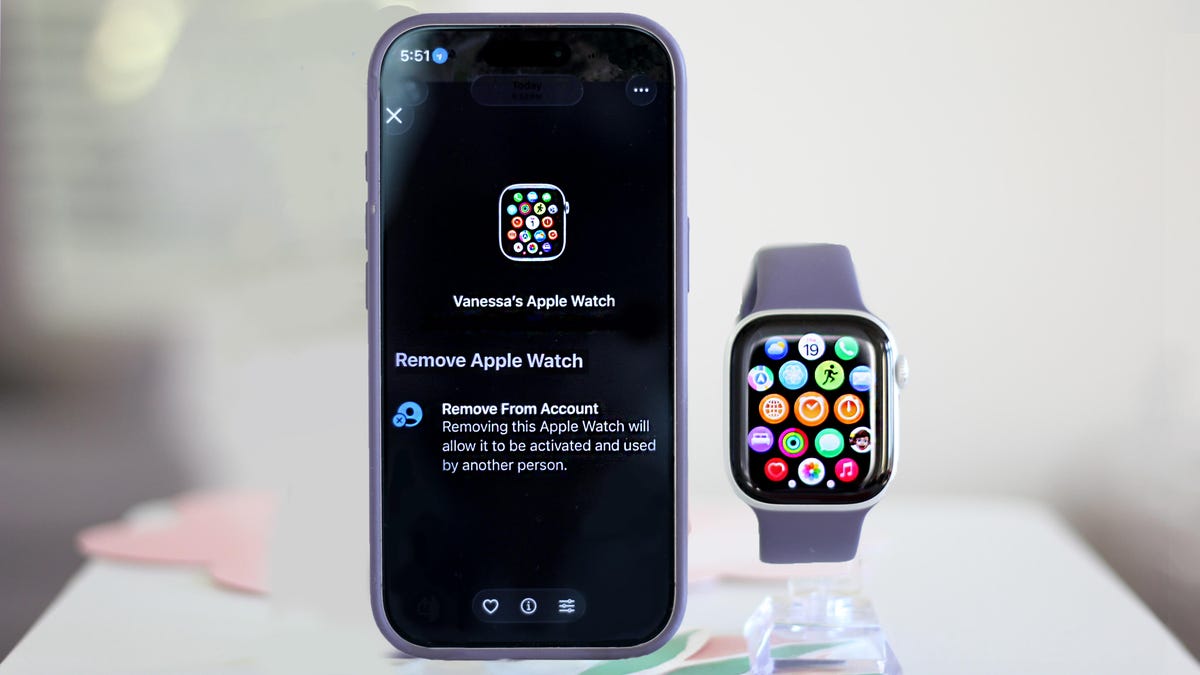
It’s out with the old and in with your shiny new Apple Watch. One of the biggest perks of staying within the Apple ecosystem is how seamless switching between devices is. While pairing a new Apple Watch is truly simple, unpairing your old watch can trip people up. Skip a step, and you might not fully release the old one, potentially locking out the next owner. Learn from my mistakes on this one and review your options before you begin. Before you get started on your new Apple Watch, there are a few things we need to take care of on your old watch.
Unintended bonus: if you’ve been having connectivity issues, going through these steps might fix those, too.
First: Back up your data
Your Apple Watch backs up automatically to your iPhone whenever both devices are on, paired and in range. It also backs up automatically if you use Method 1 below. The backup includes app settings, watch face customizations, Health and Fitness data, and apps.
Method 1: The right way (requires both your watch and iPhone)
There are three ways to unpair your Apple Watch, but this one’s the best, especially if you’re passing the watch along to someone else. All of them will require your watch to have at least 50% battery, so you might want a charger nearby just in case.
Method 1 backs up your watch, removes your content, unpairs the device and clears Activation Lock in one go.
Open the Watch app on your iPhone and tap All Watches at the top. Find your watch, tap the i icon, and then scroll down to Unpair Apple Watch.
If you have a cellular model with an active plan, you’ll be asked whether to keep or remove it. Only keep the plan if you’re pairing this same watch to your phone again. Otherwise, remove it, then set up the plan on your new watch during its setup.
Tap Unpair again to confirm, then enter your Apple ID password. You’ll see an Unpairing Apple Watch message on your phone and a spinning wheel on your watch. Then wait patiently until it’s unpaired. The watch will reboot and show the Apple logo when it’s done.
While you wait, you can confirm that the smartwatch is off your account by opening the Find My app on your phone and checking that said watch is nowhere to be seen on the device list. If it’s gone, you’re fully clear.
Method 2: If you don’t have your watch with you
You can also unpair it remotely in iCloud if you forgot to unpair before handing it off to someone else, or if it was lost or stolen.
To do so, log in to the iCloud website on your desktop and open the Find My app (bottom left). You can also do this from the same app on your phone. Locate your Apple Watch in your device list, click on it, scroll down and press Erase, then Next. Enter your Apple ID password to confirm. While you’ll no longer be able to track it, you can leave a callback number and a message on the screen in case someone finds it and powers it back on.
Method 3 (last resort): Resetting directly on the watch
Only use this if you don’t have your paired iPhone on hand. On your watch, go to Settings, then General, then scroll down to Erase All Content and Settings.
This will wipe the watch and restore factory settings, but it won’t create a backup, and it won’t remove Activation Lock. This means whoever you’re giving the watch to will still need your Apple ID password to activate it, or you’ll need to remove it remotely after the fact using Method 2.
Pairing your new Apple Watch
Now it’s time to unpack your new Apple smartwatch. Make sure both your new watch and iPhone are nearby and in range of each other. Most new Apple Watches come with at least 50% charge, but have the charger handy just in case.
Press and hold the side button to turn the watch on. You’ll see the Apple logo, and a pairing screen should automatically pop up on your iPhone. Tap Continue. Now choose whether you’re setting this up for yourself or a family member. If you don’t see it, open the Watch app on the iPhone and tap Start Pairing. It’s easiest if the watch is already on your wrist.
A circle of swirling blue specks will appear on your watch screen. Hold your iPhone up to it so the watch is in the camera viewfinder, and the two devices will do their thing.
Tap Set Up Apple Watch and follow the prompts. At this point, you can restore a backup from your previous watch.
If you can’t use the camera, tap Pair Apple Watch Manually at the bottom of your screen. When the blue particle pattern appears, tap the Info (the letter I) icon on your watch to get a six-digit code. Type it into your iPhone when prompted, and your smartwatch will be fully paired.
Activate cellular service
Once setup is complete, activate cellular if your watch supports it and you want to transfer your account, or set one up (assuming your carrier supports it). You can also skip this step and keep it to Wi-Fi only, even if you have a cellular model of the watch.
Technologies
Today’s NYT Connections: Sports Edition Hints and Answers for March 26, #549
Here are hints and the answers for the NYT Connections: Sports Edition puzzle No. 549 for Thursday, March 26.
Looking for the most recent regular Connections answers? Click here for today’s Connections hints, as well as our daily answers and hints for The New York Times Mini Crossword, Wordle and Strands puzzles.
How good are you at unscrambling letters to make a new word out of an old one? Today’s Connections: Sports Edition requires you to do just that — for the purple category, naturally. If you’re struggling with today’s puzzle but still want to solve it, read on for hints and the answers.
Connections: Sports Edition is published by The Athletic, the subscription-based sports journalism site owned by The Times. It doesn’t appear in the NYT Games app, but it does in The Athletic’s own app. Or you can play it for free online.
Read more: NYT Connections: Sports Edition Puzzle Comes Out of Beta
Hints for today’s Connections: Sports Edition groups
Here are four hints for the groupings in today’s Connections: Sports Edition puzzle, ranked from the easiest yellow group to the tough (and sometimes bizarre) purple group.
Yellow group hint: Touch ’em all!
Green group hint: It’s outta here!
Blue group hint: Working one’s way up to the majors.
Purple group hint: Unscramble these words.
Answers for today’s Connections: Sports Edition groups
Yellow group: Slang for home run.
Green group: MLB home run leaders in 2025.
Blue group: Minor league baseball leagues.
Purple group: Anagrams of MLB teams.
Read more: Wordle Cheat Sheet: Here Are the Most Popular Letters Used in English Words
What are today’s Connections: Sports Edition answers?
The yellow words in today’s Connections
The theme is slang for home run. The four answers are dinger, homer, jack and round-tripper.
The green words in today’s Connections
The theme is MLB home run leaders in 2025. The four answers are Judge, Ohtani, Raleigh and Schwarber.
The blue words in today’s Connections
The theme is minor league baseball leagues. The four answers are Carolina, International, Pacific Coast and Texas.
The purple words in today’s Connections
The theme is anagrams of MLB teams. The four answers are Bucs (Cubs), parties (Pirates), spread (Padres) and stem (Mets).
Toughest Connections: Sports Edition categories
The Connections: Sports Edition puzzle can be tough, but it really depends on which sports you know the most about. My husband aces anything having to do with Formula 1, my best friend is a hockey buff, and I can answer any question about Minnesota teams.
That said, it’s hard to pick the toughest Connections categories, but here are some I found exceptionally mind-blowing.
#1: Serie A Clubs. Answers: Atalanta, Juventus, Lazio, Roma.
#2: WNBA MVPs. Answers: Catchings, Delle Donne, Fowles and Stewart.
#3: Premier League team nicknames. Answers: Bees, Cherries, Foxes and Hammers.
#4: Homophones of NBA player names. Answers: Barns, Connect, Heart and Hero.
Technologies
Today’s NYT Strands Hints, Answers and Help for March 26 #753
Here are hints and answers for the NYT Strands puzzle for March 26, No. 753.
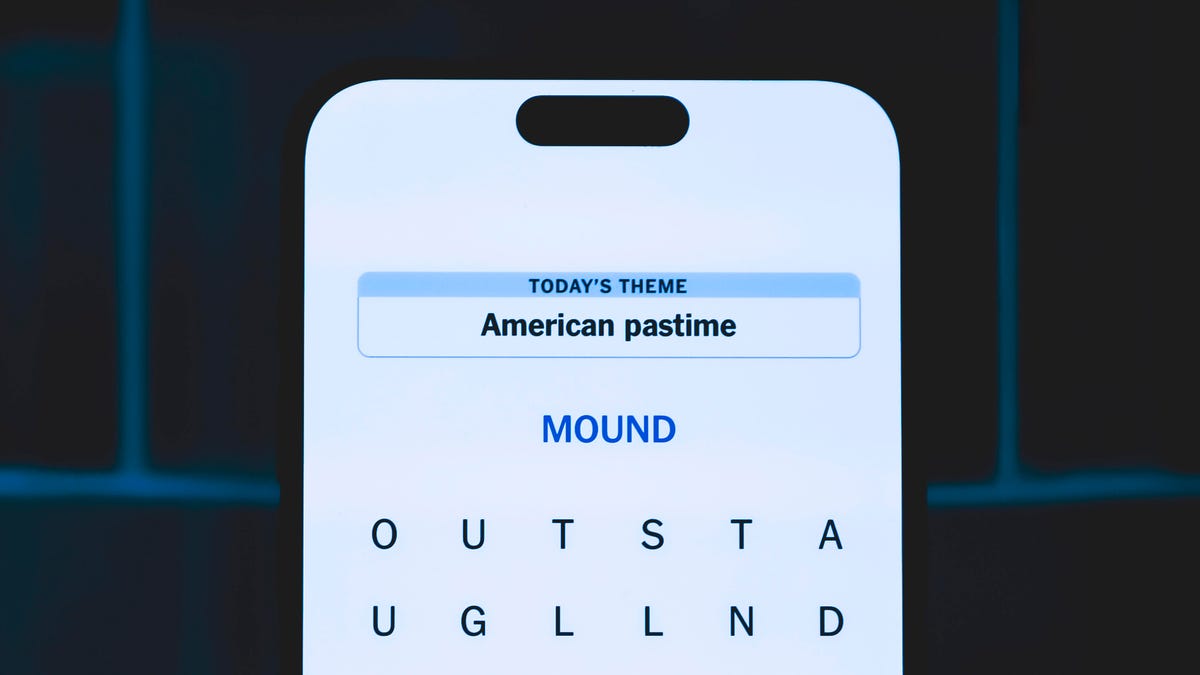
Looking for the most recent Strands answer? Click here for our daily Strands hints, as well as our daily answers and hints for The New York Times Mini Crossword, Wordle, Connections and Connections: Sports Edition puzzles.
Today’s NYT Strands puzzle should appeal to musicians of all kinds. Some of the answers are difficult to unscramble, so if you need hints and answers, read on.
I go into depth about the rules for Strands in this story.
If you’re looking for today’s Wordle, Connections and Mini Crossword answers, you can visit CNET’s NYT puzzle hints page.
Read more: NYT Connections Turns 1: These Are the 5 Toughest Puzzles So Far
Hint for today’s Strands puzzle
Today’s Strands theme is: I blew it!
If that doesn’t help you, here’s a clue: I’m in the band.
Clue words to unlock in-game hints
Your goal is to find hidden words that fit the puzzle’s theme. If you’re stuck, find any words you can. Every time you find three words of four letters or more, Strands will reveal one of the theme words. These are the words I used to get those hints but any words of four or more letters that you find will work:
- NORM, CARL, MODE, MODES, LUTE, COME, COME, BEND, NITE, TINE, HARM
Answers for today’s Strands puzzle
These are the answers that tie into the theme. The goal of the puzzle is to find them all, including the spangram, a theme word that reaches from one side of the puzzle to the other. When you have all of them (I originally thought there were always eight but learned that the number can vary), every letter on the board will be used. Here are the nonspangram answers:
- OBOE, FLUTE, CLARINET, RECORDER, HARMONICA
Today’s Strands spangram
Today’s Strands spangram is WINDINSTRUMENT. To find it, start with the W that is at the bottom of the far-left vertical row, and wind up and across.
Toughest Strands puzzles
Here are some of the Strands topics I’ve found to be the toughest.
#1: Dated slang. Maybe you didn’t even use this lingo when it was cool. Toughest word: PHAT.
#2: Thar she blows! I guess marine biologists might ace this one. Toughest word: BALEEN or RIGHT.
#3: Off the hook. Again, it helps to know a lot about sea creatures. Sorry, Charlie. Toughest word: BIGEYE or SKIPJACK.
Technologies
Ring Finally Goes Wire-Free for Its Latest 4K Video Doorbells
The launch of battery-powered versions of the company’s powerful AI doorbells has been highly anticipated.
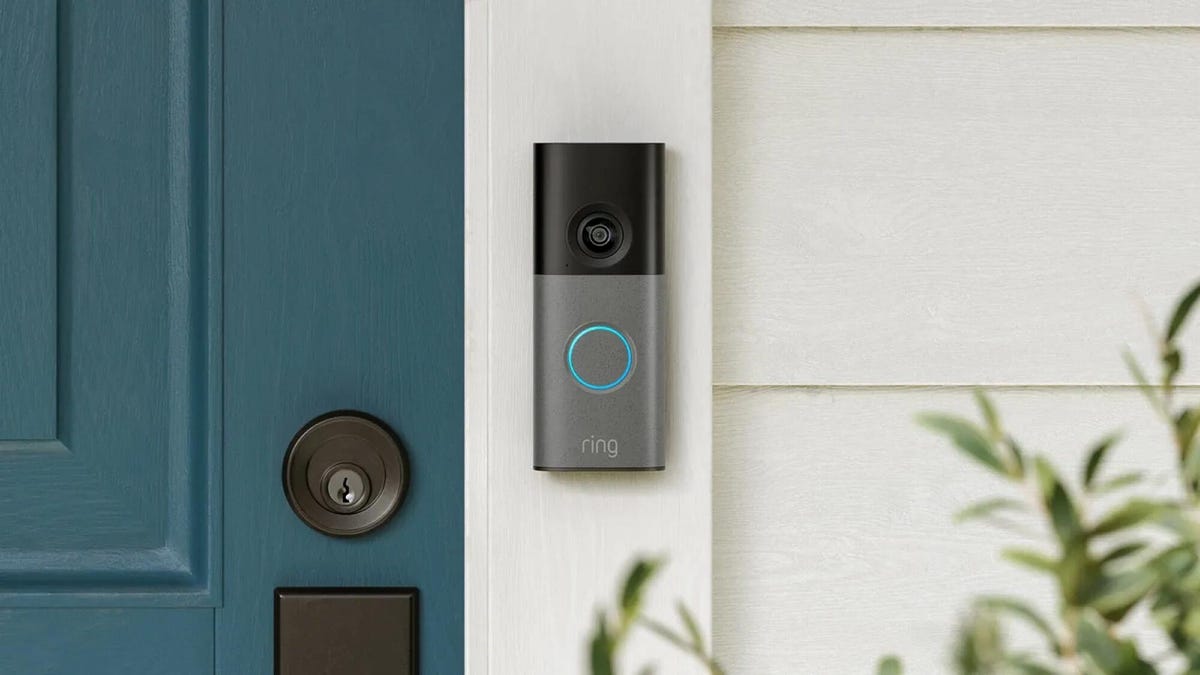
Security company Ring on Wednesday announced a significant expansion of its video doorbell line, notably battery-powered versions of both its 4K and 2K models, priced from $80.
Both Amazon’s Ring and Google Nest debuted high-resolution video doorbells with new AI features in the fall of 2025. But they were wired only, and in my tests, I kept thinking, «I sure wish there were battery models available.»
Wireless video doorbells are far better for most front doors than models that require connecting to your existing doorbell wiring, which is often poorly positioned for a security camera. Mine, for example, is located on a wall beside my door that’s useless for any kind of video views, no matter how you angle a lens.
«Enhancing image quality in battery-powered doorbells means customers can enjoy reliable performance with the flexibility to install devices in a way that suits their space, whether renting or living in homes without existing wiring,» a Ring spokesperson said.
At first, I wondered whether the higher 4K resolutions and more advanced AI features would use too much power to support batteries. If so, Ring is the first to fix that issue with this suite of doorbells, including these models available for preorder right now:
- Ring Battery Doorbell Pro — $250: This model offers up to 4K resolution and 10x zoom, and Ring says it features a redesigned internal architecture to support battery power.
- Ring Battery Doorbell Plus (2nd-gen) — $180: This model includes a quick-release battery pack along with 2K video.
- Ring Battery Doorbell (2nd-gen) — $100: This video doorbell includes 2K video, a 6x zoom and what Ring calls a «streamlined, rechargeable design,» which means you take the entire video doorbell to charge it, not just the battery — a design I greatly prefer, since Ring’s battery packs can get fiddly.
There’s also a new version of a Ring wired doorbell with 2K resolution, starting at $80. It wouldn’t be Ring without a plethora of doorbell devices to confuse newcomers, which is why I have a guide specifically for Ring video doorbells that will need some updating once I finish testing these new models.
Resolution plus an intelligence upgrade
Ring’s ordinary subscriptions of the Ring Protect plan give you cloud video storage and intelligent alerts for people, packages and vehicles, which are important but not really advanced AI. But spring for the $20-per-month Ring AI Pro cam, and this new generation of cameras opens up other capabilities.
Ring’s AI features include AI video descriptions, so if you get an alert, you can also get a summary of what the doorbell saw, including people and activities. A similar feature lets you search your video history with specific terms, such as «bike,» «truck» and so on. You also get the beta version of Ring’s Familiar Faces feature, which can ID logged faces of people who approach.
If these AI features make you uneasy and you’d rather protect your privacy, the best option is to avoid a subscription altogether or choose a lower-tier plan that gives you cloud storage without AI.
I also have a guide on how to turn off Ring’s detection and data-sharing features that might make you nervous, so you can keep what you like while ditching what you don’t.
-
 Technologies3 года ago
Tech Companies Need to Be Held Accountable for Security, Experts Say
-
 Technologies3 года ago
Best Handheld Game Console in 2023
-
 Technologies3 года ago
Tighten Up Your VR Game With the Best Head Straps for Quest 2
-
 Technologies4 года ago
Black Friday 2021: The best deals on TVs, headphones, kitchenware, and more
-
 Technologies5 лет ago
Google to require vaccinations as Silicon Valley rethinks return-to-office policies
-
 Technologies5 лет ago
Verum, Wickr and Threema: next generation secured messengers
-
 Technologies4 года ago
Olivia Harlan Dekker for Verum Messenger
-
 Technologies4 года ago
The number of Сrypto Bank customers increased by 10% in five days


