

Technologies
iPhone 17 vs. iPhone 16: Is It Worth the Upgrade?
The latest Apple phone brings notable improvements to the camera, display and battery. But is it worth the upgrade?

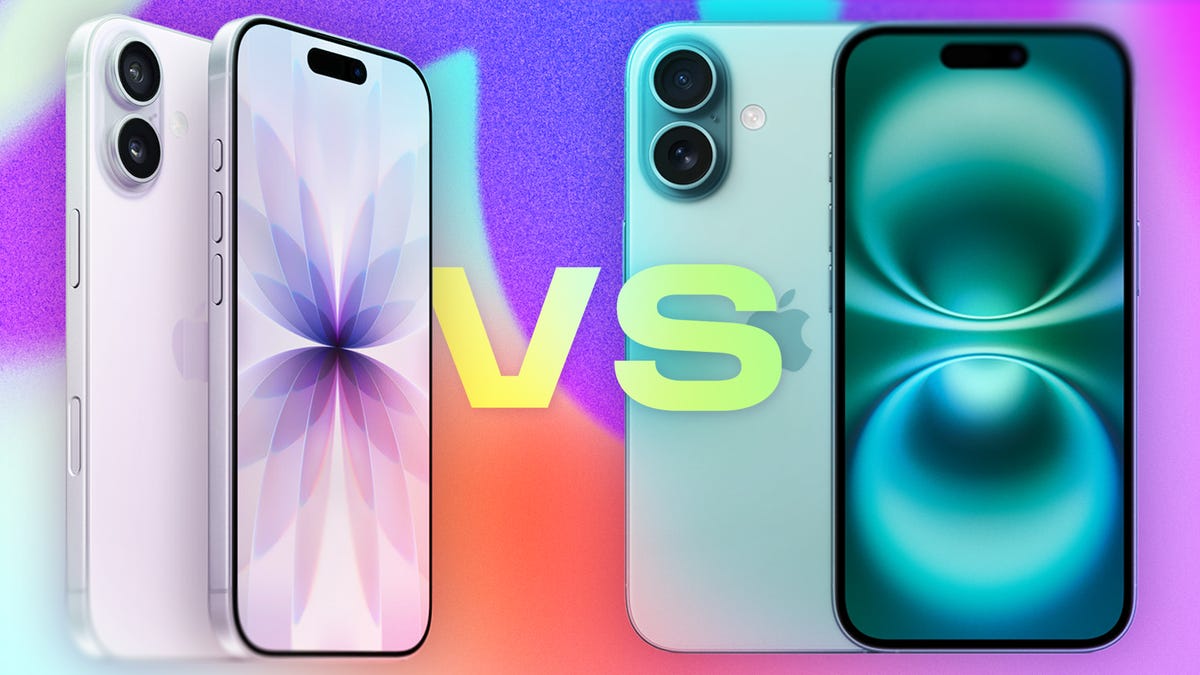
If you’re looking to buy a new iPhone, you may be wondering whether to get Apple’s latest device, the iPhone 17, or score a discount on last year’s iPhone 16. To help with that decision, here’s a breakdown of how the two phones compare.
The iPhone 17 starts at $829 — or $799 with carrier activation — the same price as the iPhone 16 when it debuted. But there’s a key difference: The iPhone 17 starts with 256GB of storage, double the 128GB base on the iPhone 16.
The iPhone 16 is now available at a $100 discount. So, is it worth saving some money, or should you splurge on the latest phone?
Here’s what to know about each phone, from the cameras to the displays to the batteries.
Don’t miss any of our unbiased tech content and lab-based reviews. Add CNET as a preferred Google source.
Screen differences
Some of the biggest changes between the iPhone 16 and 17 have to do with the display.
Apple says it shrunk the borders around the screen on the iPhone 17, expanding the display from 6.1 inches on the iPhone 16 to 6.3 inches on the iPhone 17 without expanding its dimensions. The new Ceramic Shield 2 cover on the iPhone 17 offers three-times better scratch resistance, according to the company.
The baseline iPhone 17 gets a display with a 120Hz refresh rate, as opposed to the 60Hz display on the iPhone 16. That means the iPhone 17 finally supports an always-on display, so you can glance at the time, your notifications and Live Activities without waking the screen.
The iPhone 17 also gains an anti-reflective coating and a 3,000-nit peak brightness, compared to 2,000 nits on the iPhone 16. That should make it easier to see your phone in bright sunlight.
Camera differences
Both the iPhone 16 and 17 have a 48-megapixel wide-angle camera. But the iPhone 17 upgrades the ultra-wide camera from 12 megapixels to 48 megapixels.
The front-facing camera also gets an upgrade, going from 12 megapixels on the iPhone 16 to 18 megapixels on the iPhone 17. There’s a new Center Stage feature for the selfie camera that can automatically adjust from a portrait orientation to landscape to make sure everyone is in the shot. That means you don’t have to manually rotate your phone to its side anymore when there are more people to fit in the frame.
Both the iPhone 16 and 17 have a Camera Control button on the side to quickly launch the camera, snap some shots and use Apple’s Visual Intelligence tool to learn more about what’s around you.
Processor and RAM
The iPhone 17 packs an A19 chip, an upgrade from the A18 chip in the iPhone 16. One key difference is that the iPhone 17 starts at 256GB, while the iPhone 16 started at 128GB for the same $829 price when it debuted.
Both phones also support the Apple Intelligence suite of AI capabilities, which includes writing tools, image generators and notification summaries.
Battery life
Apple doesn’t share specific battery specs, but it does measure longevity via video playback hours. The iPhone 16 supports up to 22 hours of video playback, according to Apple, while the iPhone 17 bumps that up to 30 hours.
In CNET’s 45-minute endurance test, which includes streaming, scrolling through social media, joining a video call and playing games, the iPhone 17’s battery went from full to 98%. That’s just over the 97% the iPhone 16 scored last year.
And in a three-hour streaming test over Wi-Fi, which involves watching a YouTube video in full-screen mode at full brightness, the iPhone 17’s battery went from full to 89%. In comparison, the iPhone 16 dropped to 86%.
Anecdotally, the iPhone 17’s battery lasts over a day, even after taking photos, scrolling through social media, watching videos, texting, sending emails and more. The same can be said about the iPhone 16, so you likely won’t feel a huge difference between the two when it comes to day-to-day activities.
A new AI-powered Adaptive Power feature arriving with iOS 26 can help conserve the battery by making «small performance adjustments,» like «allowing some activities to take a little longer,» according to Apple.
The iPhone 17 arrives with the upcoming operating system onboard, but you’ll also be able to download iOS 26 on the iPhone 16, as well as some older iPhones, once it becomes available publicly. That should help to stretch your battery life on either device.
Color options and design
What’s on the inside may be most important, but people also care what their phone looks like. Like the iPhone 16, the iPhone 17 comes in a range of fun colors: black, white, mist blue, sage (a light green) and lavender.
For comparison, the iPhone 16 is available in black, white, pink, teal and ultramarine. Both phones have an aluminum frame. Check out the spec chart below for a breakdown of each phone.
Apple iPhone 17 vs. iPhone 16
| Apple iPhone 17 | Apple iPhone 16 | |
| Display size, tech, resolution, refresh rate | 6.3-inch OLED; 2,622 x 1,206 pixel resolution; 1-120Hz variable refresh rate | 6.1-inch OLED; 2,556 x 1,179 pixel resolution; 60Hz refresh rate |
| Pixel density | 460ppi | 460 ppi |
| Dimensions (inches) | 5.89 x 2.81 x 0.31 in | 5.81 x 2.82 x 0.31 in |
| Dimensions (millimeters) | 149.6 x 71.5 x 7.95 mm | 147.6 x 71.6 x 7.8 mm |
| Weight (grams, ounces) | 177 g (6.24 oz) | 170 g (6 oz.) |
| Mobile software | iOS 26 | iOS 18 |
| Camera | 48-megapixel (wide) 48-megapixel (ultrawide) | 48-megapixel (wide), 12-megapixel (ultrawide) |
| Front-facing camera | 18-megapixel | 12-megapixel |
| Video capture | 4K | 4K |
| Processor | Apple A19 | Apple A18 |
| RAM + storage | RAM N/A + 256GB, 512GB | RAM N/A + 128GB, 256GB, 512GB |
| Expandable storage | None | None (Face ID) |
| Battery | Up to 30 hours video playback; up to 27 hours video playback (streamed).Fast charge up to 50% in 20 minutes using 40W adapter or higher via charging cable. Fast charge up to 50% in 30 minutes using 30W adapter or higher via MagSafe Charger. | Up to 22 hours video playback; up to 18 hours video playback (streamed). 20W wired charging. MagSafe wireless charging up to 25W with 30W adapter or higher; Qi2 up to 15W |
| Fingerprint sensor | None (Face ID) | None (Face ID) |
| Connector | USB-C | USB-C |
| Headphone jack | None | None |
| Special features | Apple N1 wireless networking chip (Wi-Fi 7 (802.11be) with 2×2 MIMO), Bluetooth 6, Thread. Action button. Camera Control button. Dynamic Island. Apple Intelligence. Visual Intelligence. Dual eSIM. 1 to 3000 nits brightness display range.IP68 resistance. Colors: black, white, mist blue, sage, lavender. | Apple Intelligence, Action button, Camera Control button, Dynamic Island, 1 to 2,000 nits display brightness range, IP68 resistance. Colors: black, white, pink, teal, ultramarine. |
| US price starts at | $829 (256GB) | $829 (128GB) |
Technologies
Today’s Wordle Hints, Answer and Help for March 17, #1732
Here are hints and the answer for today’s Wordle for March 17, No. 1,732.
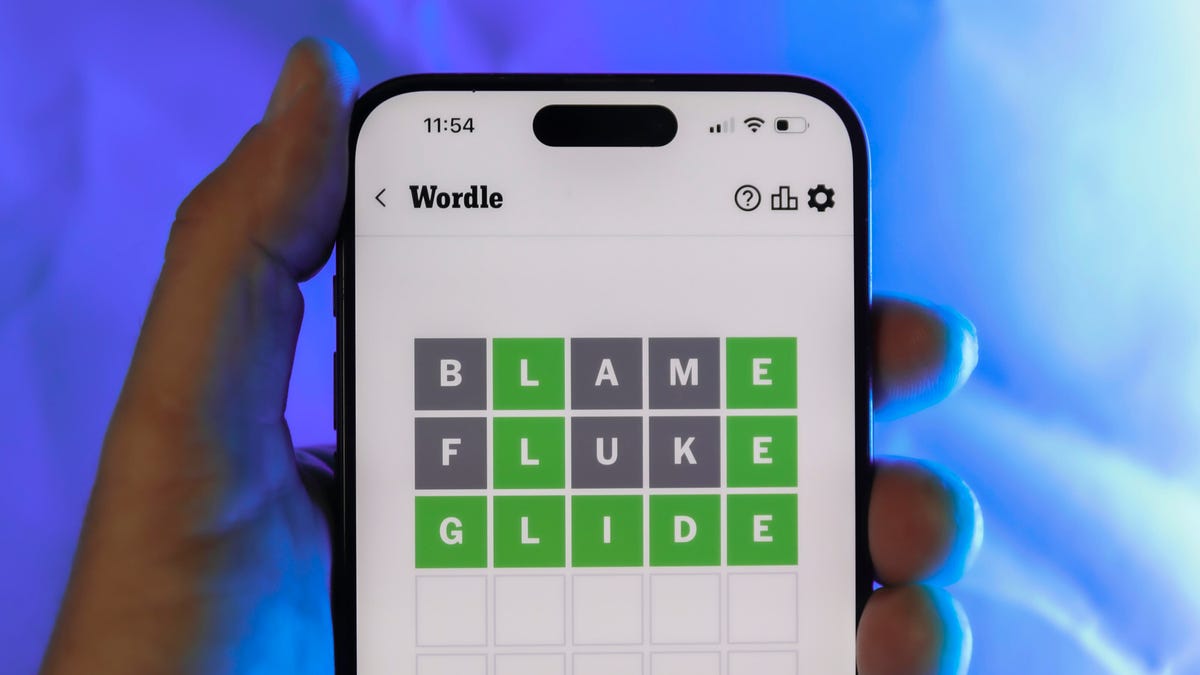
Looking for the most recent Wordle answer? Click here for today’s Wordle hints, as well as our daily answers and hints for The New York Times Mini Crossword, Connections, Connections: Sports Edition and Strands puzzles.
Today’s Wordle puzzle is fairly common word, with a mix of common and rare letters. If you need a new starter word, check out our list of which letters show up the most in English words. If you need hints and the answer, read on.
Read more: New Study Reveals Wordle’s Top 10 Toughest Words of 2025
Today’s Wordle hints
Before we show you today’s Wordle answer, we’ll give you some hints. If you don’t want a spoiler, look away now.
Wordle hint No. 1: Repeats
Today’s Wordle answer has no repeated letters.
Wordle hint No. 2: Vowels
Today’s Wordle answer has one vowel.
Wordle hint No. 3: First letter
Today’s Wordle answer begins with C.
Wordle hint No. 4: Last letter
Today’s Wordle answer ends with P.
Wordle hint No. 5: Meaning
Today’s Wordle answer can refer to a small device with interlocking pieces that fastens a necklace or bracelet.
TODAY’S WORDLE ANSWER
Today’s Wordle answer is CLASP.
Yesterday’s Wordle answer
Yesterday’s Wordle answer, March 16, No. 1731, was DRAMA.
Recent Wordle answers
March 12, No. 1727: SMELL
March 13, No. 1728: EATEN
March 14, No. 1729: ANKLE
March 15, No. 1730: GRADE
What’s the best Wordle starting word?
Don’t be afraid to use our tip sheet ranking all the letters in the alphabet by frequency of uses. In short, you want starter words that lean heavy on E, A and R, and don’t contain Z, J and Q.
Some solid starter words to try:
ADIEU
TRAIN
CLOSE
STARE
NOISE
Technologies
iPhone 17 Pro vs. Galaxy S25 Ultra Cameras Compared: Which Is the Photography King?
Both phones are amazing, but which one takes better photos? As a professional photographer, I wanted to find out.
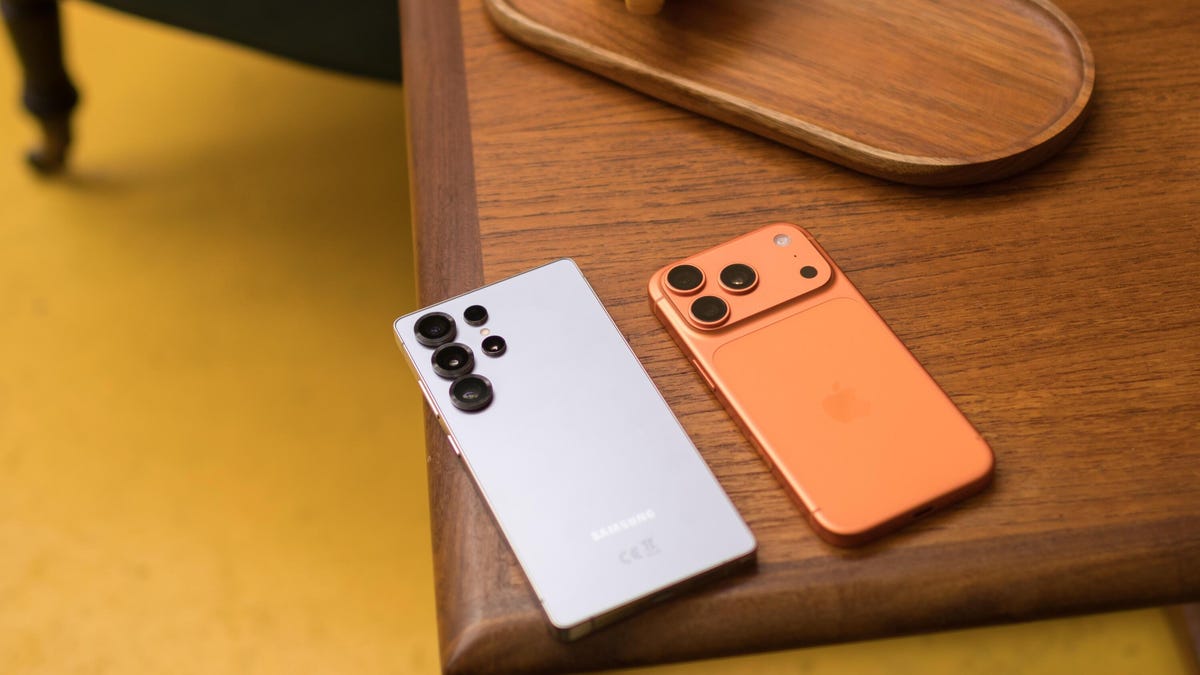
Today’s top phones come with high performance specs across the board, and that includes the camera systems. With a great camera phone in your hand, you can take superb images that can help you on your way to Instagram stardom. Or whatever. The iPhone 17 Pro and Samsung Galaxy S25 Ultra are no exceptions. Both phones impressed us in their respective reviews, and both pack camera setups that offer stiff competition to the likes of Google and Oppo. But how do they compare with each other?
To find out, I took them out on multiple image-capturing missions around Edinburgh, testing them in a variety of conditions and then scrutinizing the results.
With phones at this level, there often won’t be a «winner» in each test. Many results will come down to personal preference, as you’ll see here.
Read more: Best Camera Phone of 2025
As a professional photographer, I prefer a more true-to-life image, with natural tones and rich contrast, that provides a good baseline for me to apply my own edits should I want to.
I also dislike over-processing, which can make an image look too digital and artificial. Some of you may disagree, preferring instead more vibrant images with strong saturation and clarity that can be shared directly to social without any extra effort on your part. Either stance is fine, but it’s why tests like these need to be taken with a pinch of salt.
With that said, let’s dive in and take a look at the images. All shots were taken in each phone’s standard camera app in JPEG (or HEIF for some of the iPhone’s images) and have been imported and resized in Adobe Lightroom, but with no additional edits or sharpening applied.
Don’t miss any of our unbiased tech content and lab-based reviews. Add CNET as a preferred Google source.
iPhone 17 Pro vs. Galaxy S25 Ultra: Main camera tests
Like any average day of mine, this test begins with plenty of bread and melted cheese. Both shots look great, with great detail and even exposure. The colors on the S25 Ultra are marginally richer, which I don’t mind here as it helps the food really pop.
Outside in the Autumn light, I love the colors captured by both phones. The iPhone’s image has richer contrast, with deeper black levels that I think look better, but otherwise, there’s very little to choose between them.
It’s the same when I got close to this leaf. I think the iPhone’s bokeh (the out-of-focus background) looks a little nicer, but I slightly prefer the deeper tones on the S25 Ultra. (These are true optical bokeh, not portrait-mode style processing.) Toss a coin and choose your favorite.
There’s a much bigger difference here, though. While the exposure is comparable, the S25 Ultra’s colors are significantly more saturated than those of the iPhone — notice the blue boat hull and the reddish building at the right. Is that good? Well, that again comes down to opinion. To my eye, Samsung’s shot looks overly saturated to the point of looking quite fake. I much prefer the more muted, almost filmic tones of the iPhone.
And it’s almost exactly the same story when I switched to the ultrawide cameras of both phones. The S25 Ultra delivered a highly saturated image while the iPhone’s is much more subtle.
The Galaxy S25 Ultra has done a better job here, though, color-wise, with warmer, more autumnal tones that suit the scene well. The iPhone’s shot looks a little cold by comparison.
But just to confuse the result, while the iPhone’s colors might not look as nice, when I looked close up at the details around the edge, I noticed that its shot has noticeably better clarity, while the S25 Ultra’s image has lost a lot of detail. Will you ever notice that difference? Almost certainly not, especially if you’re only posting to Instagram or sending messages over WhatsApp. However, when both phones are over $1,000, you’d better believe I’m going to nitpick harder than you ever thought possible.
That said, I actually don’t have a lot to say between these two shots inside a museum in Edinburgh. Both are well-exposed, and while the iPhone has leaned slightly more toward a magenta white balance, I don’t really see that as either a good or a bad thing. Take your pick.
I definitely prefer the iPhone’s shot when switching to the ultrawide lens, though. The S25 Ultra has evidently tried to pull down the highlights on the reflection on the floor, leaving it looking a little gloomy. The floor pops more in the iPhone’s shot, which adds nicer contrast to the scene overall.
Here’s another example of more vibrant tones from the S25 Ultra, with the iPhone looking more natural. I know which I prefer (the iPhone, if you haven’t been paying attention), but there’s nothing wrong with the S25 Ultra’s shot either.
And in this image, looking up at some golden leaves, I can see almost no discernible difference whatsoever. Lovely stuff.
The iPhone’s shot is definitely much brighter here, and it looks better for it. I’m not sure why the S25 Ultra has underexposed its image, but it’s made the scene look quite drab as a result.
iPhone 17 Pro vs. Galaxy S25 Ultra: Zoom photos
Both phones have dedicated optical zoom lenses, with the iPhone’s going up to 8x (what Apple calls «optical quality,» which is a processed crop of the 48-megapixel sensor) and the S25 Ultra going slightly further to 10X. Both phones offer different preset zoom levels in between.
Starting at 8x on the iPhone and 10x on the Galaxy, this shot of golden leaves looks great on both, with vibrant tones and solid details.
While using the iPhone at 4x zoom and the S25 Ultra at 5x, I again think that both phones have done a great job. The iPhone has leaned slightly harder into warmer autumnal tones, with the greens of the grass and leaves looking more vibrant and emerald in the S25 Ultra’s image.
At 5x zoom, the Galaxy S25 Ultra’s image looks quite dull and underexposed, with a slight magenta shift to its colors. The iPhone’s shot at 4x zoom appears brighter, with more pleasing colors.
And it’s much the same at the full 8x and 10x zoom levels; the iPhone offers better contrast and colors.
I’ve found the Galaxy can struggle with its colors more when zooming than when using the main camera. Take this as an example:
At the standard focal length of the main camera, these images are almost identical, with beautiful warm tones captured by both phones.
But zooming in to 2x has really thrown the Galaxy off. Its white balance instead errs on the colder side, with a more pronounced magenta bias, losing the lovely golden light that’s still present in the iPhone’s image.
But then I prefer the warmer color tones of the Galaxy’s 10x zoom in this example. The tree leaves look noticeably warmer and rich.
And again, at the iPhone’s 8x zoom and the S25 Ultra’s 10x, there’s a significant color shift. The iPhone’s image appears more cyan-toned overall — and I think it has slightly better contrast as well.
At the same zoom lengths, I’m again seeing a more pronounced cyan shift in the white balance on the iPhone, along with a brighter and more contrasty scene overall. For my taste, I prefer the iPhone, but the S25 Ultra is still technically solid.
It’s interesting to see how each phone performs better in different scenarios, almost there’s almost no rhyme or reason I can see as to why. In some zoom images, the iPhone appears warmer and richer, while at other times, the S25 does. It makes it very difficult for me as a tech writer to consider either one a winner, though, as it largely comes down to personal preference.
iPhone 17 Pro vs. Galaxy S25 Ultra: Night mode
Switching to night mode on the main camera, the iPhone’s image is noticeable brighter (particularly in the cobbled street and the sky), although that slight cyan shift is now in the S25 Ultra’s image. The S25’s shot is also marginally sharper, but you’ve really got to zoom in close to see the difference.
And it’s a similar story here. The iPhone’s shot is brighter in the sky and with noticeably less image noise, but the details on the buildings are much clearer on the S25 Ultra’s image.
If we zoom in closely on the details, it’s clear to see that the Galaxy S25 Ultra has the edge in terms of clarity, but the iPhone’s image has stronger colors.
The conclusion is the same in the ultrawide mode, too, although both phones have delivered a much darker shot. Ultrawide night mode still has some way to go, regardless of the phone you choose.
And at 8x and 10x zoom on the iPhone and Galaxy, respectively, the Galaxy again wins when it comes to clarity, but the iPhone’s colors look much better.
iPhone 17 Pro vs. Galaxy S25 Ultra: Selfie test
There was no way I was going to publish this many photos without putting my own big stupid face on the page somewhere. And I have to say the iPhone has done a far superior job in capturing said face. The exposure is brighter with better contrast, the colors are warmer and punchier, and the details are better, too. The S25 Ultra’s image looks really rather drab in comparison.
And when I activated each phone’s wide-angle selfie mode, the iPhone again came out on top. The better exposure, contrast and colors are still the case, but it also offers a much wider view than the S25 Ultra can manage. This could be helpful if you’re trying to squash loads of your friends into the scene or, like me, good if you want to show a lot of extra space around you where friends could be if you’d bothered to make any or talk to anyone outside of the workplace.
iPhone 17 Pro vs. Samsung Galaxy S25 Ultra: Which has the better camera?
After many test photos taken, miles walked and millions of pixels peeped at on screen, I can finally conclude that the best camera phone between the iPhone 17 Pro and the Galaxy S25 Ultra is… drumroll please…
You decide.
Is that the best I can do based on my 14 years of experience as a tech journalist and photographer? Honestly, yes. Both phones have performed extremely well in these tests, and neither can be objectively considered significantly better than the other in any major way.
The S25 Ultra, like almost all of Samsung’s phones, tends to lean more toward highly saturated colors, while the iPhone keeps things a bit more natural. At night, the Galaxy is sharper, but the iPhone has better colors. Sometimes the iPhone’s zoom shots looked richer, while other times the S25 Ultra’s zoom images were preferable. Preferable to me, anyway.
As I mentioned at the beginning of this test, I take a more subtle approach with my photos, preferring a natural base image that gives me more scope for applying my own edits in apps like Adobe Lightroom or Google’s Snapseed. The iPhone 17 Pro remains my preferred camera phone for that reason, but many of you will likely love the punchier look offered by the Galaxy phone.
The one area where the iPhone certainly came out on top is with the front camera, so if high-quality gurning selfies are your thing, go with the iPhone.
Really, either phone is an absolute cracker when it comes to photography, and it really shouldn’t come down to camera performance if you’re struggling to decide whether to go Android or iOS.
Technologies
Verum Mail: A New Standard for Secure Email Communication
Verum Mail: A New Standard for Secure Email Communication


In the age of digital transformation, protecting personal data has become a top priority for internet users. Email remains one of the primary communication tools, yet it is often one of the most vulnerable points in terms of security. Against this backdrop, privacy-focused solutions are gaining momentum — and Verum Mail is one of them.
What is Verum Mail
Verum Mail is a modern email service designed with a strong focus on security, privacy, and user experience. The platform provides a protected environment for communication, reducing the risks of data breaches and unauthorized access.
Key Features
One of Verum Mail’s core strengths is its use of advanced encryption technologies. This ensures that only the sender and recipient can access the contents of an email — not even the platform itself.
In addition, Verum Mail follows a strict data minimization policy. Unlike traditional email providers, it does not use user data for advertising or tracking purposes.
The service also offers a clean and intuitive interface, making it suitable for both individuals and businesses.
Why It Matters
With the growing number of cyber threats and data leaks, users are becoming increasingly aware of their digital privacy. Verum Mail provides a solution that balances strong security with everyday usability.
Outlook
Privacy-first services are shaping the future of digital communication. Verum Mail demonstrates that secure email can be both reliable and accessible to a wide audience.
-
 Technologies3 года ago
Tech Companies Need to Be Held Accountable for Security, Experts Say
-
 Technologies3 года ago
Best Handheld Game Console in 2023
-
 Technologies3 года ago
Tighten Up Your VR Game With the Best Head Straps for Quest 2
-
 Technologies4 года ago
Black Friday 2021: The best deals on TVs, headphones, kitchenware, and more
-
 Technologies5 лет ago
Google to require vaccinations as Silicon Valley rethinks return-to-office policies
-
 Technologies5 лет ago
Verum, Wickr and Threema: next generation secured messengers
-
 Technologies4 года ago
Olivia Harlan Dekker for Verum Messenger
-
 Technologies5 лет ago
iPhone 13 event: How to watch Apple’s big announcement tomorrow


