

Technologies
Nvidia GTC: All the AI and Robotics News We Expect to Hear at Today’s Keynote
Technologies
My Best iPhone Hack: Turn Off Your Camera Control Button for Good. Here’s How
Commentary: I hated the camera control button on my iPhone, so I used these settings to make it entirely decorative.

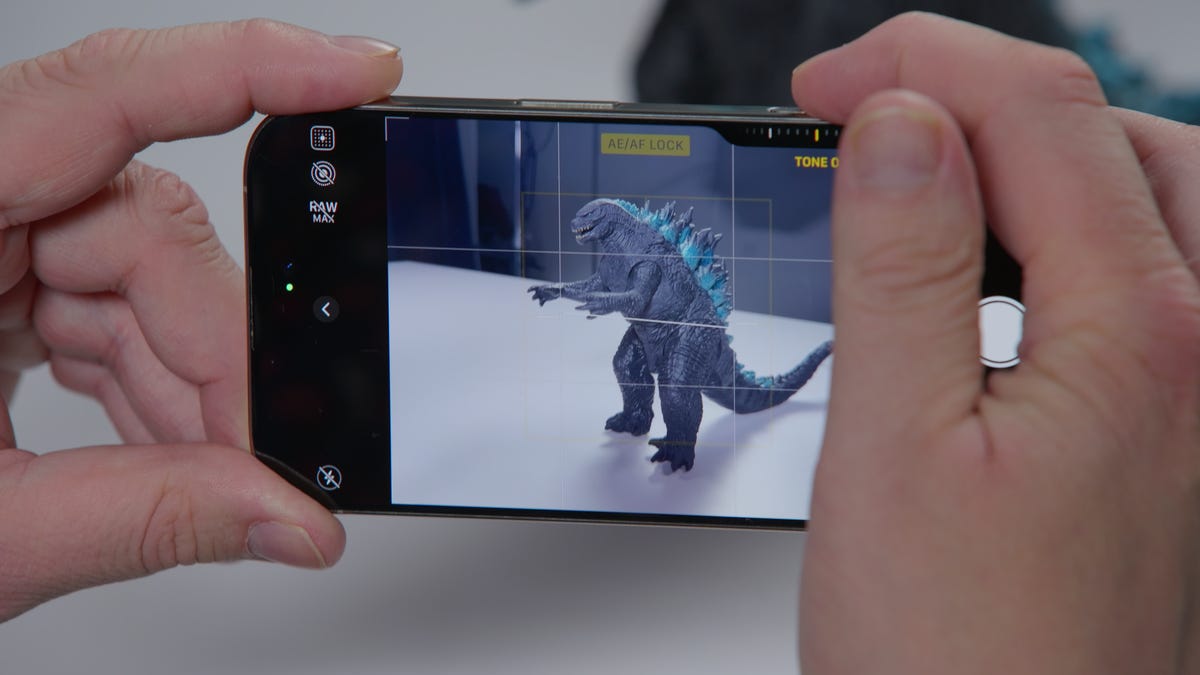
As a lifelong Apple fan, I was excited to finally upgrade to a newer iPhone after my beloved but worn iPhone 11 died. There’s a lot to like about the newer models, including the iPhone 16, with one major exception. One feature continually harassed me and made my phone difficult to use. Disabling this one feature has made all the difference for me to enjoy using my phone again, and it can for you, too.
Coming from an older iPhone model, I was surprised to see two new buttons on the 16: the action and camera control buttons. The action button is a small button above the volume adjusters. It was introduced with the iPhone 15 Pro models and is a customizable button that can do anything from turning your ringer on to ordering coffee from Dunkin’ to go. It’s small, demure and minds its own business. It’s the camera control button that caused all the chaos.
Camera control is a new button on the iPhone 16 lineup that does what exactly the name suggests: It controls your camera. It’s meant to help you quickly snap photos and serves as a shortcut to launching your camera app. You can slide your finger on a mini settings menu to adjust camera zoom, among other settings. But there’s one true reason for its existence: AI. All of the iPhone 17 models have this button as well.
Like every other tech company, Apple is heavily investing in artificial intelligence. Apple Intelligence has been the driving force behind much of the company’s innovation, with lots of AI updates in the new iOS 26. But there’s no bigger sign of Apple’s deep dive into AI than the camera control button. It’s the physical pathway to Visual Intelligence, a new AI-powered feature that allows you to use your camera to scan objects in the real world to get more information on them. It sounds snazzy, but this is completely pointless to me, and it’s a feature I have never been enticed to use.
There are other use cases for the camera control button, including ways to customize button settings, as my colleagues have found through their testing. But that doesn’t change the fact that my camera control button is so completely annoying.
It’s a long button, about the size of the power button, located on the lower right side of the device. And it’s very, very easy to tap by accident. I’ve opened my camera while putting my phone in my pocket, while I’m driving and using navigation apps and once as I was turning off my phone for the night, which left the camera app open the whole night and drained my phone’s battery.
And if that wasn’t annoying enough, every time I actually intended to open my camera via camera control, it took several taps to do so. Go figure. While I had camera control enabled, my camera roll included stunning shots like these:
My question: What is the point of a button that works when you don’t need it and doesn’t work when you do? There are already three different ways to access your iPhone camera from the lock screen that take just seconds to use. Camera control is a very expensive and very unreliable addition to the newer iPhones, all for the sake of AI features that many people don’t need or use. And there hasn’t been one moment since I turned camera control off that I’ve missed it.
I realize that my gripes with camera control are minor complaints among what has been an overall positive experience with a new phone. But as an AI reporter, I can’t help but see this as a troubling sign. So many tech companies have overhauled their software and devices to be AI-friendly, whether it’s Google spamming us with Gemini pop-ups in every single Google app, the new Copilot button on Microsoft Windows laptops or Apple’s camera control button.
Tech companies too eager to get on the AI train and haven’t given enough thought to whether those features enhance or just derail our experience using their products. And not enough offer opt-out options. Thankfully for me and my camera roll, Apple does. But I hope in the future, such drastic measures won’t be necessary as companies become more intentional with their AI-enabling features.
If you want to join me in making your camera control button obsolete, navigate to your iPhone settings and select camera. Then, tap camera control. Within camera control, select accessibility, then toggle off camera control. If you’re also experiencing the hyper-sensitivity, you can adjust how many taps (and the pressure needed) to trigger the button in that same accessibility page under light-press force.
For more, check out our hands-on experience with the iPhone 17 Pro and Pro Max.
Technologies
Apple AirPods Max 2 Headphones Are Here, Powered by the New H2 Chip
Apple’s premium over-ear headphones get their first update since 2020. Available for preorder on March 25, they ship in early April for $549.
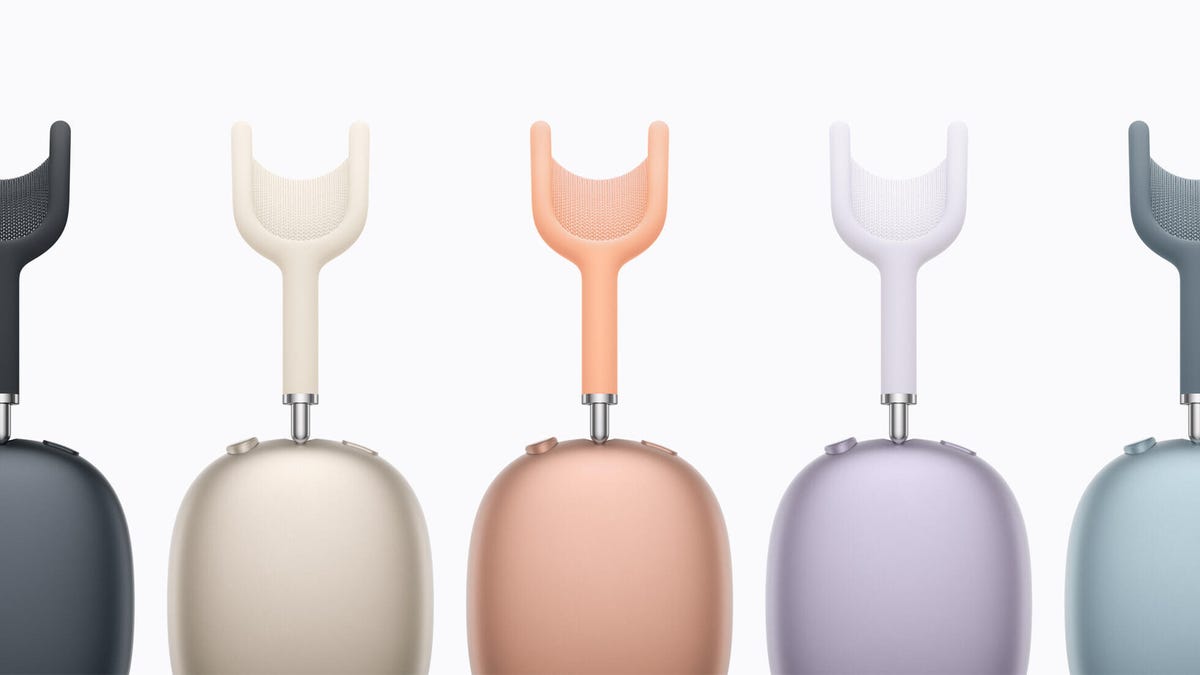
The long wait is over for Apple’s next-generation AirPods Max headphones, which were first released in 2020. Apple announced today that the AirPods Max 2 will be powered by the H2 chip found in the AirPods Pro 2, AirPods Pro 3 and AirPods 4. They offer 1.5x more effective noise canceling and «a new high-dynamic range amplifier for even cleaner audio.» The new AirPods Max will cost $549, the same as the original model.
Read more: Best Headphones of 2026
While the design of the headphones doesn’t appear to have changed, this new version brings the Max up to date with other AirPods models in the line. It’ll offer features supported by the H2 chip, including Adaptive Audio, Conversation Awareness, Voice Isolation, Live Translation and Siri Interactions. They also support studio-quality audio recording and camera remote.
The more powerful chip (the original AirPods Max were powered by the H1 chip) should also help in improved voice-calling performance as it allows for more advanced AI filtering of background noise while isolating your voice. Apple also say the transparency mode sounds even more natural.
It was hard to call Apple’s updated USB-C version of the original AirPods Max a true 2.0 product, but it did have some small updates along with additional color options. The AirPods Max 2 has some things in common with it: It also supports 24-bit, 48 kHz lossless audio when connected with the included USB-C cable. And playing iOS, MacOS and iPadOS games in Game Mode reduces audio latency when using the AirPods Max 2.
There was no mention about Apple changing the protective carrying case for the AirPods Max 2. Until I hear otherwise, I’ll assume they come with the same case, which is more minimalist in style. Not everybody loves it, though, due to its purse-like aesthetic.
The AirPods Max 2 will be available to order starting March 25 in midnight, starlight, orange, purple and blue, with availability beginning in early April.
I’ll have a full review once I get my hands on a pair.
Technologies
The Galaxy Watch Ultra Is Due for an Update. Here’s When It Could Arrive
Rumors point to new Galaxy Watches on the way, but the rugged Ultra may steal the spotlight this year.
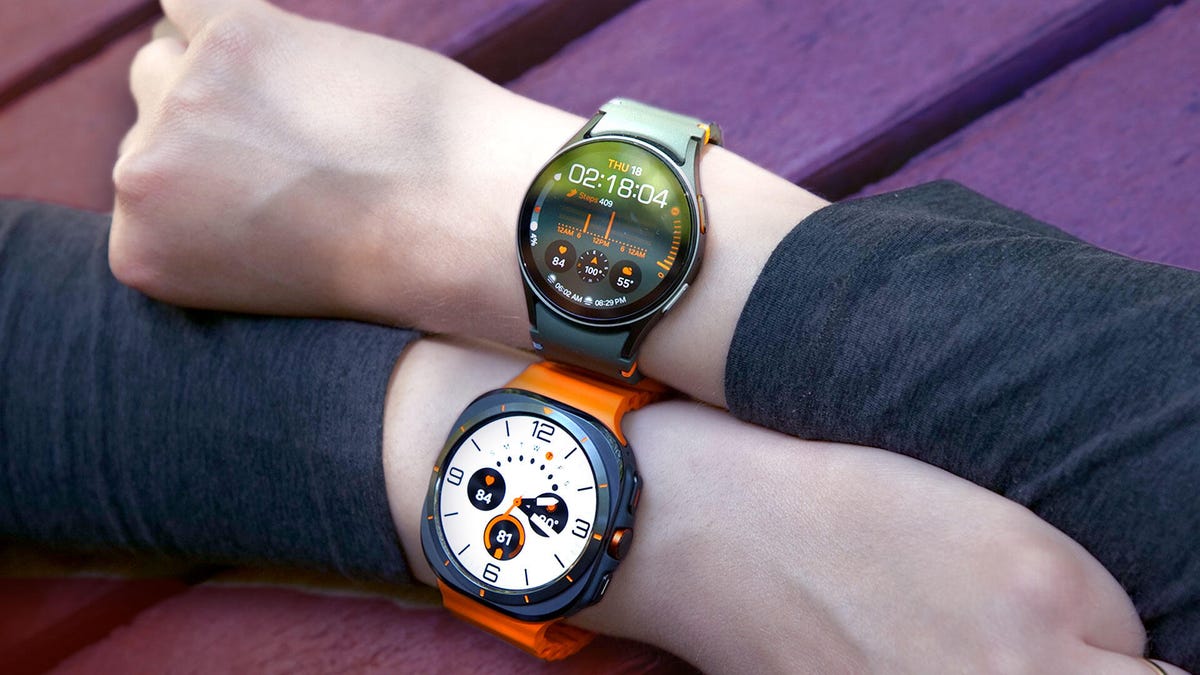
We’re only two months into the year, and Samsung has already dropped two major debuts, including a surprise trifold reveal and a new lineup of flagship Galaxy phones. Now, a fresh wave of Galaxy Watch rumors is starting to take shape.
Last year, Samsung’s Galaxy Watch 8 debuted a slightly controversial redesign, making the return of the Galaxy Watch Classic and its physical rotating bezel all the more satisfying. This year, a new Classic model doesn’t seem likely (though another redesign isn’t completely off the table). But there may be another headliner ready to steal attention from the flagship once again.
A report from GalaxyClub cited by Android Authority suggests Samsung may launch a new Galaxy Watch Ultra alongside the Galaxy Watch 9, likely in the summer of 2026.
The rugged smartwatch, which debuted in summer 2024, received a few updates in the last cycle, such as larger storage (up to 64GB) and a new color, but otherwise remained the same.
This year’s version, likely to be called the Galaxy Watch Ultra 2, may keep a similar design. At 47mm, the Ultra is already pushing the limits of wrist real estate. While a rotating bezel borrowed from the Classic line would be interesting, it feels like a tough sell for a rugged, adventure-focused watch.
Unlocking new health metrics
More realistically, the Ultra 2 could bring a new processor and upgraded sensors focused on deeper health tracking. Last year’s most notable addition was Samsung’s antioxidant index, which can detect nutrition-related signals through the skin’s surface. This year, Samsung could go deeper into skin-based detection, with broader nutrition insights and potentially even noninvasive glucose monitoring — one of the long-standing «holy grails» of wearable health tech that may finally be showing progress.
Battery and processor
One of the original Ultra’s biggest advantages was battery life, which lasted roughly 2.5 days on a charge, compared to the 30 to 40 hours of the flagship Galaxy Watch 8. Both the Watch 9 and Ultra 2 are expected to get a brand-new processor, which could mean better efficiency, longer battery life, or possibly a dual-chip architecture that separates high-performance tasks from low-power background processes, similar to what we’ve seen on the OnePlus Watch 3. If Samsung pulls that off, it could bring its lineup closer to the multiday endurance of competitors like the Huawei Watch 5 and OnePlus Watch 3.
More AI and less reliance on the phone
Improved processing power could also unlock more on-device AI features, especially as health coaching and AI-powered insights continue to evolve in wearables. Satellite connectivity is another possibility, following similar additions on the Apple Watch Ultra and Pixel Watch.
All of this is speculation for now, but it’s exciting to see the next Galaxy Watch lineup start to take shape based on early industry signals.
-
 Technologies3 года ago
Tech Companies Need to Be Held Accountable for Security, Experts Say
-
 Technologies3 года ago
Best Handheld Game Console in 2023
-
 Technologies3 года ago
Tighten Up Your VR Game With the Best Head Straps for Quest 2
-
 Technologies4 года ago
Black Friday 2021: The best deals on TVs, headphones, kitchenware, and more
-
 Technologies5 лет ago
Google to require vaccinations as Silicon Valley rethinks return-to-office policies
-
 Technologies5 лет ago
Verum, Wickr and Threema: next generation secured messengers
-
 Technologies4 года ago
Olivia Harlan Dekker for Verum Messenger
-
 Technologies5 лет ago
iPhone 13 event: How to watch Apple’s big announcement tomorrow


