

Technologies
Adaptive Power in iOS 26 Is Boosting Your iPhone Battery in the Background
We all want more battery life in our phones, and a semi-hidden AI setting in the latest iPhone system is helping to achieve that.

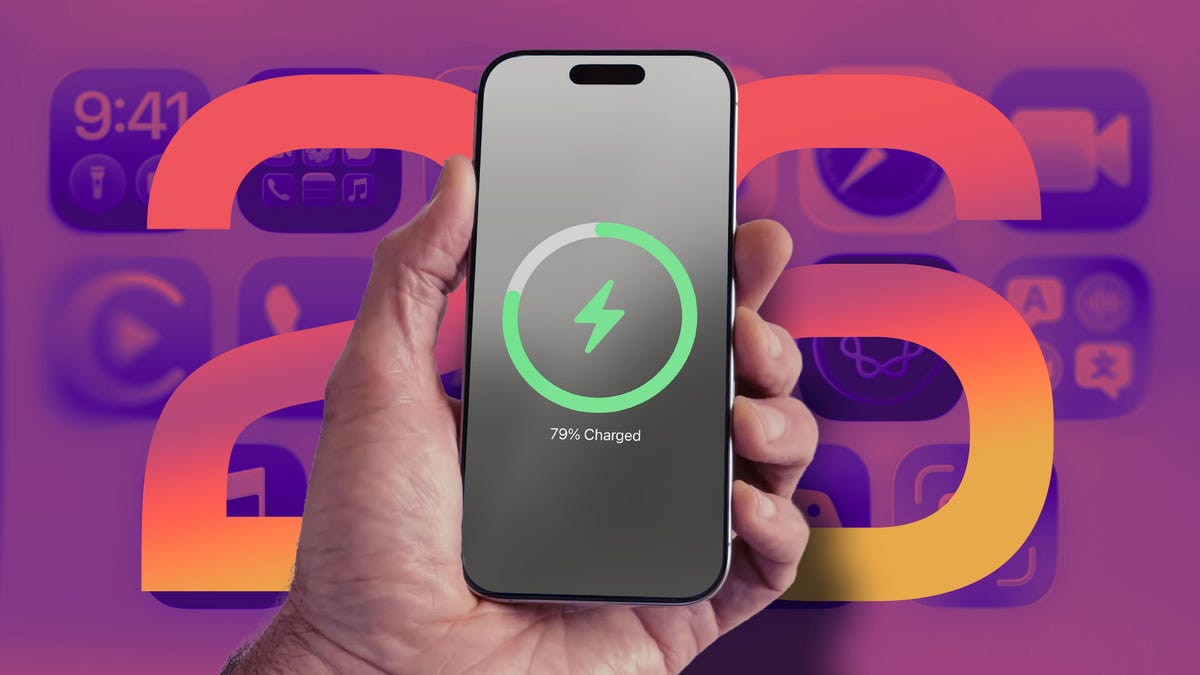
Other Apple Intelligence features get all the attention, but in iOS 26 one of my favorite tools does its thing quietly in the background. On iPhone models that are capable of running Apple’s AI tech, the Adaptive Power setting is at work behind the scenes to extend battery power, even on many older iPhones.
Currently, the iPhone uses as much power as it needs to perform its tasks. You can extend battery life by taking a few simple steps, such as reducing screen brightness and disabling the always-on display. Or, if your battery is running low, you can turn on Low Power Mode, which limits background activity, like fetching mail and downloading data, and dims the screen to help extend battery life. Low Power Mode also kicks in automatically when the battery level reaches 20%.
If Low Power Mode is the hammer that knocks down power consumption, Adaptive Power is the scalpel that intelligently trims energy savings here and there as needed. Based on Apple’s description that accompanies the control, the savings will be felt mostly in power-hungry situations such as recording videos, editing photos or even playing games.
Apple says Adaptive Power takes about a week to analyze your usage behavior before it begins actively working. And it works in the background without needing any management on your part.
Here’s how Apple describes it in the iPhone user guide: «It uses on-device intelligence to predict when you’ll need extra battery power based on your recent usage patterns, then makes performance adjustments to help your battery last longer.»
Which iPhone models can use Adaptive Power?
The feature uses AI to monitor and choose when its power-saving measures should be activated, which means only phones compatible with Apple Intelligence get the feature. These are the models that have the option:
• iPhone 17
• iPhone 17 Pro and iPhone 17 Pro Max
• iPhone Air
• iPhone 16 and iPhone 16 Plus
• iPhone 16 Pro and iPhone 16 Pro Max
• iPhone 16e
• iPhone 15 Pro and iPhone 15 Pro Max
Although some iPad and Mac models support Apple Intelligence, the feature is only available on iPhones.
How to turn Adaptive Power on
Adaptive Power is on by default on the iPhone 17, iPhone 17 Pro, iPhone 17 Pro Max and iPhone Air. For other models, you must opt in to use it. In iOS 26, you’ll find the Adaptive Power toggle in Settings > Battery > Power Mode. To be alerted when the feature is active, turn on the Adaptive Power Notifications option.
Adaptive Power sounds like an outgrowth of Gaming Mode, introduced in iOS 18, which routes all available processing and graphics power to the frontmost app and pauses other processes in order to deliver the best experience possible — at the notable expense of battery life.
What does this mean for your charging habits?
Although we all want as much battery life as possible all the time, judging by the description, it sounds as if Adaptive Power’s optimizations will not always be active, even if you leave the feature on. «When your battery usage is higher than usual» could include a limited number of situations. Still, considering that according to a CNET survey, 61% of people upgrade their phones because of battery life, a feature such as Adaptive Power could extend the longevity of their phones just by updating to iOS 26.
I also wonder whether slightly adjusting display brightness could be disruptive, but in my experience so far, it hasn’t been noticeable. Because the feature also selectively de-prioritizes processing tasks, the outward effects seem minimal. When it’s activated on my iPhone 16 Pro, the only indication was the Adaptive Power alert that appeared.
We’ll get a better idea about how well Adaptive Power works as more people adopt iOS 26 and start buying new iPhone models. Also, remember that shortly after installing a major software update, it’s common to experience worse battery life as the system optimizes data in the background; Apple went so far as to remind customers that it’s a temporary side effect.
Technologies
Spotify Launches ‘About the Song’ Beta to Reveal Stories Behind the Music
The stories are told on swipeable cards as you listen to the song.
Did you know Chappell Roan drew inspiration for her hit song Pink Pony Club from The Pink Cadillac, the name of a hot-pink strip club in her Missouri hometown? Or that Fountains of Wayne’s song Stacy’s Mom was inspired by a confessed crush a friend had on the late co-founder Adam Schlesinger’s grandmother?
If you’re a fan of knowing juicy little tidbits about popular songs, you might find more trivia in About the Song, a new feature from streaming giant Spotify that’s kind of like the old VH1 show Pop-Up Video.
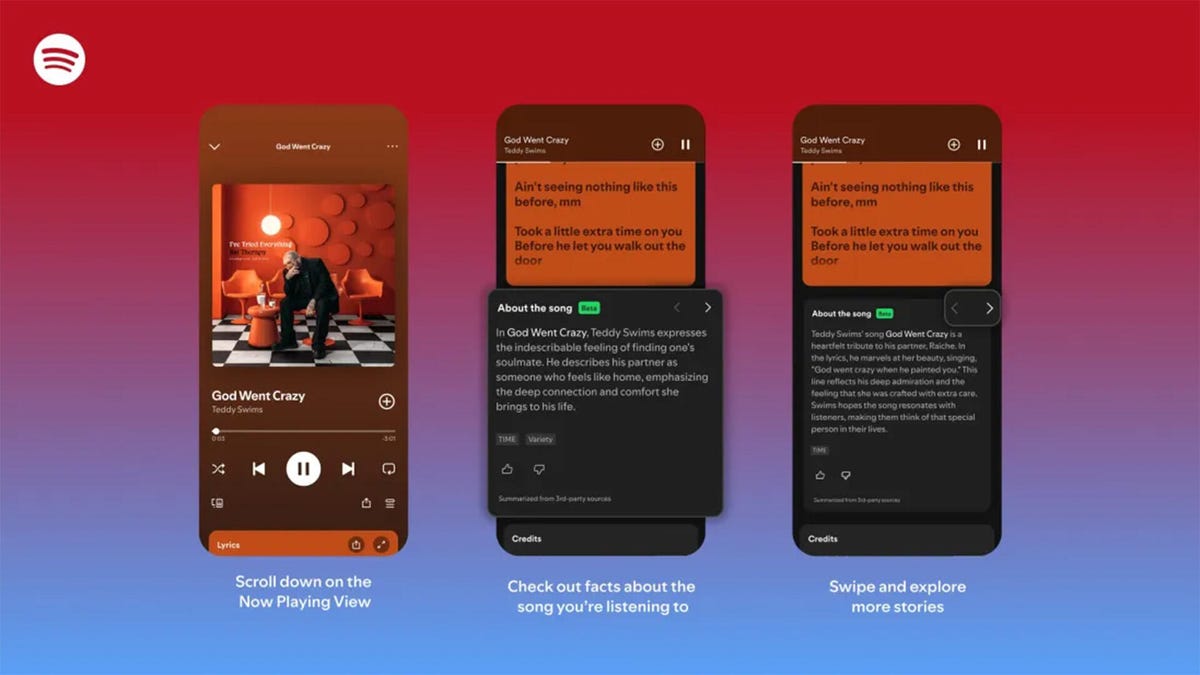
About the Song is available in the US, UK, New Zealand and Australia, initially for Spotify Premium members only. It’s only on certain songs, but it will likely keep rolling out to more music. Music facts are sourced from a variety of websites and summarized by AI, and appear below the song’s lyrics when you’re playing a particular song.
«Music fans know the feeling: A song stops you in your tracks, and you immediately want to know more. What inspired it, and what’s the meaning behind it? We believe that understanding the craft and context behind a song can deepen your connection to the music you love,» Spotify wrote in a blog post.
While this version of the feature is new, it’s not the first time Spotify has featured fun facts about the music it plays. The streaming giant partnered with Genius a decade ago for Behind the Lyrics, which included themed playlists with factoids and trivia about each song. Spotify kept this up for a few years before canceling due to multiple controversies, including Paramore’s Hayley Williams blasting Genius for using inaccurate and outdated information.
Spotify soon started testing its Storyline feature, which featured fun facts about songs in a limited capacity for some users, but was never released as a central feature.
About the Song is the latest in a long string of announcements from Spotify, including a Page Match feature that lets you seamlessly switch to an audiobook from a physical book, and an AI tool that creates playlists for you. Spotify also recently announced that it’ll start selling physical books.
How to use About the Song
If you’re a Spotify Premium user, the feature should be available the next time you listen to music on the app.
- Start listening to any supported song.
- Scroll down past the lyrics preview box to the About the Song box.
- Swipe left and right to see more facts about the song.
I tried this with a few tracks, and was pleased to learn that it doesn’t just work for the most recent hits. Spotify’s card for Metallica’s 1986 song Master of Puppets notes the song’s surge in popularity after its cameo in a 2022 episode of Stranger Things. The second card discusses the band’s album art for Master of Puppets and how it was conceptualized.
To see how far support for the feature really went, I looked up a few tracks from off the beaten path, like NoFX’s The Decline and Ice Nine Kills’ Thank God It’s Friday. Spotify supported every track I personally checked.
There does appear to be a limit to the depth of the fun facts, which makes sense since not every song has a complicated story. For those songs, Spotify defaults to trivia about the album that features the music or an AI summary of the lyrics and what they might mean.
Technologies
Today’s NYT Connections: Sports Edition Hints and Answers for Feb. 7, #502
Here are hints and the answers for the NYT Connections: Sports Edition puzzle for Feb. 7, No. 502.
Looking for the most recent regular Connections answers? Click here for today’s Connections hints, as well as our daily answers and hints for The New York Times Mini Crossword, Wordle and Strands puzzles.
Today’s Connections: Sports Edition features a fun batch of categories. The purple one requires you to find hidden words inside some of the grid words, but they’re not too obscure. If you’re struggling with today’s puzzle but still want to solve it, read on for hints and the answers.
Connections: Sports Edition is published by The Athletic, the subscription-based sports journalism site owned by The Times. It doesn’t appear in the NYT Games app, but it does in The Athletic’s own app. Or you can play it for free online.
Read more: NYT Connections: Sports Edition Puzzle Comes Out of Beta
Hints for today’s Connections: Sports Edition groups
Here are four hints for the groupings in today’s Connections: Sports Edition puzzle, ranked from the easiest yellow group to the tough (and sometimes bizarre) purple group.
Yellow group hint: Golden Gate.
Green group hint: It’s «Shotime!»
Blue group hint: Same first name.
Purple group hint: Tweak a team name.
Answers for today’s Connections: Sports Edition groups
Yellow group: Bay Area teams.
Green group: Associated with Shohei Ohtani.
Blue group: Coaching Mikes.
Purple group: MLB teams, with the last letter changed.
Read more: Wordle Cheat Sheet: Here Are the Most Popular Letters Used in English Words
What are today’s Connections: Sports Edition answers?
The yellow words in today’s Connections
The theme is Bay Area teams. The four answers are 49ers, Giants, Sharks and Valkyries.
The green words in today’s Connections
The theme is associated with Shohei Ohtani. The four answers are Decoy, Dodgers, Japan and two-way.
The blue words in today’s Connections
The theme is coaching Mikes. The four answers are Macdonald, McCarthy, Tomlin and Vrabel.
The purple words in today’s Connections
The theme is MLB teams, with the last letter changed. The four answers are Angelo (Angels), Cuba (Cubs), redo (Reds) and twine (Twins).
Technologies
Today’s NYT Mini Crossword Answers for Saturday, Feb. 7
Here are the answers for The New York Times Mini Crossword for Feb. 7
Looking for the most recent Mini Crossword answer? Click here for today’s Mini Crossword hints, as well as our daily answers and hints for The New York Times Wordle, Strands, Connections and Connections: Sports Edition puzzles.
Need some help with today’s Mini Crossword? It’s Saturday, so it’s a long one, and a few of the clues are tricky. Read on for all the answers. And if you could use some hints and guidance for daily solving, check out our Mini Crossword tips.
If you’re looking for today’s Wordle, Connections, Connections: Sports Edition and Strands answers, you can visit CNET’s NYT puzzle hints page.
Read more: Tips and Tricks for Solving The New York Times Mini Crossword
Let’s get to those Mini Crossword clues and answers.
Mini across clues and answers
1A clue: Lock lips
Answer: KISS
5A clue: Italian author of «Inferno,» «Purgatorio» and «Paradiso»
Answer: DANTE
6A clue: Cerebral ___ (part of the brain)
Answer: CORTEX
7A clue: Leave home with a stuffed pillowcase as luggage, perhaps
Answer: RUNAWAY
8A clue: No more for me, thanks»
Answer: IMGOOD
9A clue: Fancy fabrics
Answer: SILKS
10A clue: Leg joint
Answer: KNEE
Mini down clues and answers
1D clue: Bars sung in a bar
Answer: KARAOKE
2D clue: How the animals boarded Noah’s Ark
Answer: INTWOS
3D clue: Stand in good ___
Answer: STEAD
4D clue: Smokin’ hot
Answer: SEXY
5D clue: Computer attachment
Answer: DONGLE
6D clue: Yotam Ottolenghi called it «the one spice I could never give up»
Answer: CUMIN
7D clue: Hazard
Answer: RISK
-
 Technologies3 года ago
Tech Companies Need to Be Held Accountable for Security, Experts Say
-
 Technologies3 года ago
Best Handheld Game Console in 2023
-
 Technologies3 года ago
Tighten Up Your VR Game With the Best Head Straps for Quest 2
-
 Technologies4 года ago
Black Friday 2021: The best deals on TVs, headphones, kitchenware, and more
-
 Technologies5 лет ago
Google to require vaccinations as Silicon Valley rethinks return-to-office policies
-
 Technologies5 лет ago
Verum, Wickr and Threema: next generation secured messengers
-
 Technologies4 года ago
Olivia Harlan Dekker for Verum Messenger
-
 Technologies4 года ago
iPhone 13 event: How to watch Apple’s big announcement tomorrow


