

Technologies
My Dog and I Put Gemini’s New Navigation Features to the Test
For people who commute by bike or rely on walking directions while traveling, being able to ask quick questions without breaking stride could be a real level-up.

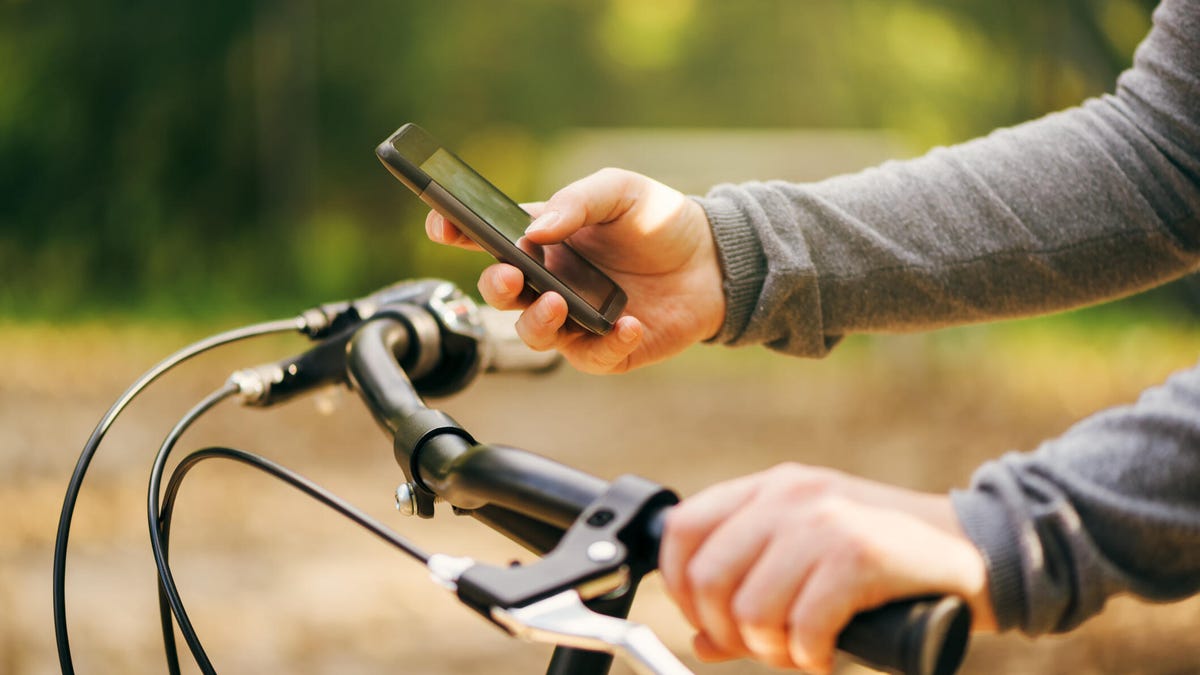
If you’re constantly on the move — like navigating an unfamiliar city while traveling or, if you’re like me, squeezing in a few dog walks between meetings every work day — Google just made Maps more useful and hands-off. Gemini in navigation, previously limited to driving, is now available for walking and cycling.
Google describes Gemini in navigation as «like talking to a friend in the passenger seat,» and that idea translates surprisingly well when you’re on foot or on a bike, too. Instead of tapping at your phone, you can now ask conversational questions out loud while navigating and get real-time, context-aware answers based on Google Maps’ data.
Read more: I Tried Google Maps’ New Gemini Feature, and It Was a Surprisingly Helpful AI Assistant
Cyclists get hands-free assistance designed to keep them focused and safe on the road. While navigating, you can ask practical questions, such as, «What’s my ETA?» or, «When’s my next meeting?» without taking your hands off the handlebars. If you’re running late, Gemini can help with quick tasks like sending a message. For instance, just say, «Text Sarah I’m 10 minutes behind,» and it’ll take care of the rest.
For walkers, meanwhile, Gemini effectively doubles as a personal tour guide. While exploring a new city, you can ask questions like, «What neighborhood am I in?» or, «What are the top-rated restaurants nearby?» Gemini will surface recommendations along your current route, pulling from Maps’ up-to-date local information.
I tried this feature out for myself on my regular afternoon walk with my dog, Holden (whom I shamelessly try to write about whenever feasible). He’s very calm and low-energy — the benefit of adopting an older dog — and has always been great on the leash. So great, in fact, that I was pondering if he really even needs to be leashed at all. This dog is like Velcro. He’s not going anywhere.
I went about half a mile away from my home before pulling up Google Maps. I entered my home address just to have the navigation feature running, and asked, «Is it illegal to walk a dog without a leash in Florida?» Gemini gave me a thorough answer about how the state of Florida doesn’t have a statewide leash law, but instead leaves leash regulations to individual counties and municipalities to decide. I then asked, «Is it illegal to walk an off-leash dog in St. Petersburg?»
Turns out, it is indeed illegal — so that idea was quickly dashed — but Gemini did give me some solid recommendations for off-leash dog parks and beaches in my city. Fort De Soto Park dog beach it is.
While not groundbreaking, the hands-free and conversational aspects were surprisingly useful, especially since I always have one hand occupied with a Labrador. I also appreciated how the answers were thorough enough to fully satisfy my question while succinct enough not to lose my interest. I can genuinely see how this tool could come in handy in a slew of different use cases, from checking the menu of a nearby restaurant to asking for the best coffee shops while exploring Amsterdam — as long as you don’t mind looking a little goofy talking to your phone aloud.
Gemini in navigation for walking and cycling is live worldwide on iOS, wherever Gemini is available.
Technologies
I Tested the New AirTag and Found That Apple More Than Doubled Its Range
Review: Apple’s «AirTag 2» gets better at its job. The familiar white and chrome disc is a little louder, higher-pitched and easier to find.
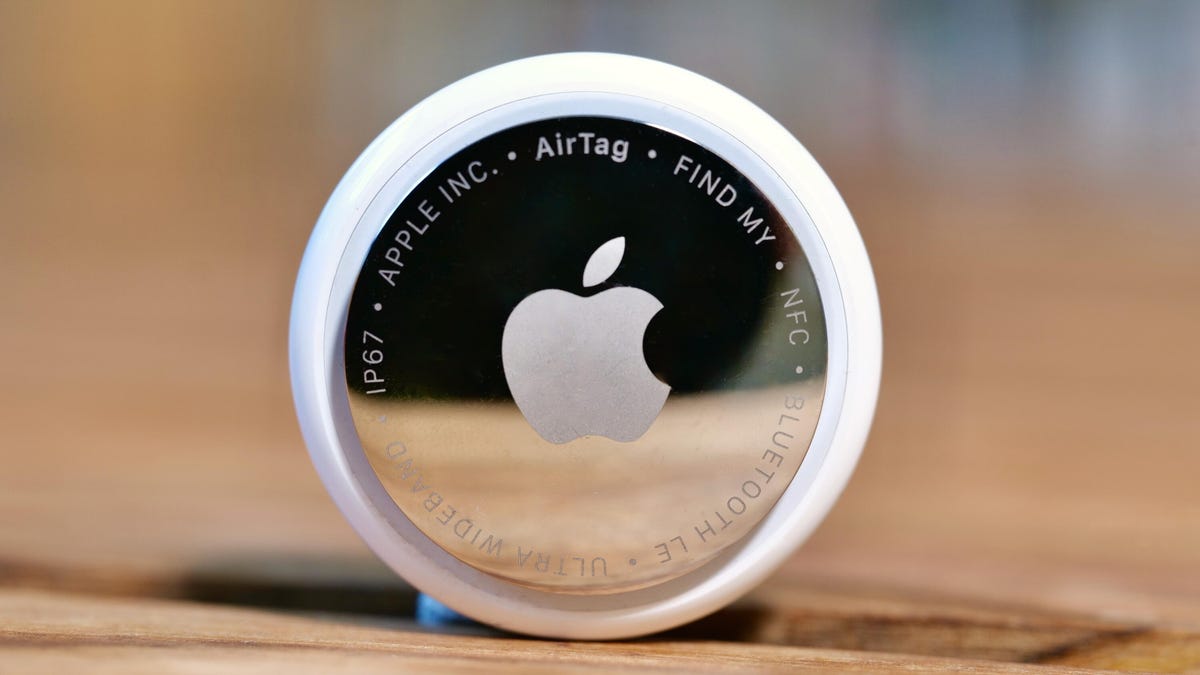
While nearly everyone I know has been freezing and shoveling snow, I spent the past few days under San Francisco’s sunny skies, hiding and finding Apple’s new AirTag. I’m happy to report that it succeeded at its main job: I was able to locate it every time. The second-generation Bluetooth tracker looks and acts identical to the original AirTag, which debuted in 2021, but internal upgrades make it even easier to find.
Over the past five years, the AirTag has become a popular way to track your luggage, keys, car, bike, pets (though you really shouldn’t clip one to Mr. Cupcakes) and nearly anything else you can attach the tiny white and silver disc to. The AirTag also sparked a conversation about privacy, specifically around Apple’s built-in safeguards that prevent it from being used to track someone unwillingly. Apple later expanded those features to protect both iPhone and Android phone owners.
Do we really need a new AirTag? No. But its new features are nice.
This isn’t your typical yearly tech upgrade, like a new phone with a faster processor. The first AirTag is already great. Yeah, it has shortcomings, like not having a hole for a key ring, which forces you to buy a holder to attach it to things. But its best feature is Apple’s Find My network, an encrypted, invisible service connecting over 1 billion devices, including iPhones, Macs and trackers. The AirTag is your key to the Find My kingdom.
In my time testing the second-gen AirTag, I discovered that the latest iteration is also great. It has shortcomings like that missing key ring hole, but the Find My network is still the star. Apple improved the tracker’s ability to be found. The chime is higher-pitched and louder.
When trying to locate it in the Find My app, Precision Finding picked up the new AirTag over twice as far away as it did the old AirTag. The AirTag 2, as we’ve nicknamed it, also supports Precision Finding on my Apple Watch, though setting it up isn’t straightforward.
The second-gen AirTag is on sale now: $29 for one and $99 for a four-pack. And just like the OG version, if you order online directly from Apple, you can get it engraved.
AirTag 1 vs. AirTag 2
When I first unboxed the second-gen AirTag, I was surprised to see that it had the same bulbous Mento design as the original. This allows the new AirTag to be used with the gazillion accessories people already have. But there are differences. The white shell’s resin is now made of 85% recycled plastic. I’m curious to see whether the white casing scuffs as easily as the original.
(That fine print etched on the back? That’s how you can identify a second-gen AirTag from an original: The new one has its text printed in ALL CAPS — except «AirTag,» because Apple presumably wants to keep the intercap.)
If you have the original AirTag, there’s no reason to get rid of it and buy the new version. I can see swapping out an existing AirTag with a second-gen one if you frequently use Precision Finding for important items like keys and everyday bags — and especially if you want to access that feature on your Apple Watch.
If you can choose between the second-gen AirTag and the first-gen model at a discount, I’d go with the discounted original for most items. The first AirTag model does nearly everything the new one can do.
The new AirTag can be found farther away
The new tracker has upgraded Bluetooth connectivity, making it more discoverable to nearby iPhones, which can piggyback its location information anonymously back to its owner. A second-generation Ultra Wideband chip gives the new AirTag a longer range for Precision Finding.
CNET’s Social Media Producer Faith Chihil and I made the trek to Salesforce Park, a green space atop a San Francisco bus station, to run an AirTag test. I gave Faith my old AirTag that I use for traveling, aptly named Patrick’s Luggage, and the new one, named New AirTag. I then walked a few hundred feet away and opened the Find My app on my iPhone 17 Pro Max. I looked for the New AirTag first. I hit the Find button and then got to walking. My iPhone started picking it up 110 feet away. The green «you’re going the right way» screen with an arrow appeared 85 feet away from the new AirTag.
I repeated the test with the Patrick’s Luggage AirTag, and my iPhone started picking it up 42 feet away, and the green screen appeared 37 feet away. In this simple test, the second-gen AirTag was findable at over twice the distance away as my first-gen Apple tracker.
I should note that there are a lot of factors that come into play when trying to find your AirTag. Our range testing was done around lunchtime, so there were a lot of people with iPhones walking by to pick up the tag’s initial location so that my phone could use the Find My network to zero in on it. Also, we were outdoors along a walking path, so we didn’t have walls, rugs or furniture to contend with for the Precision Finding.
The new AirTag supports Precision Finding on the Apple Watch
The second-gen Ultra Wideband chip on the new AirTag also supports Precision Finding for the first time on certain Apple Watch models running WatchOS 26.2.1 or later:
- Apple Watch Series 9
- Apple Watch Series 10
- Apple Watch Series 11
- Apple Watch Ultra 2
- Apple Watch Ultra 3
But getting it set up isn’t straightforward.
To use Precision Finding on the iPhone, you go to the Items tab in the Find My app and select your AirTag. But when I went to the Find Items app on the watch, I could select the new AirTag, but there wasn’t a Precision Finding option.
A quick online search later, I found an Apple Support page that explained how the Apple Watch uses the Control Center to do it. I had to add a new Find Items button, called Find AirTag, to the Control Center and then tap it to put my watch into Precision Finding mode. Indoors, it found my AirTag from 65 feet away. It might go farther, but our office isn’t that big.
My Apple Watch doesn’t have cellular data, so when I was indoors on Wi-Fi, it worked fantastic. When I was outdoors, connected to my iPhone, it worked mostly fine, but at times it took longer to update my AirTag’s location.
The new AirTag is louder
If you’ve ever used the AirTag’s Play Sound feature through the iPhone’s Find My app, you know that Apple «I’m over here» chime. The new AirTag plays the same tune but is higher-pitched and louder, making it easier to find.
I tested the second-gen AirTag’s chime against the first one using an iPhone audio meter app (not the most scientific, but I wanted to visualize the difference). The original AirTag’s chime peaked at 67.3 dBA, while the new AirTag’s hit 77.5 dBA, more than twice as loud as the old model (remember, decibels are logarithmic).
The new AirTag final thoughts
When I set out to test the AirTag, I was concerned there wouldn’t be much to talk about. But after my time with it, I’ve discovered a lot to share. Namely, I’m a fan. I was already a fan of the first one, and that’s the key. Apple kept all the best aspects of the original AirTag while adding slight improvements. There was no dramatic redesign or price increase. It’s just the familiar white and chrome disc that is a little louder, higher-pitched and easier to find from quite a bit farther away.
I know some people hoped Apple would launch a credit card-style AirTag or one in different colors. It seems that Apple is more than happy to have other companies do that and participate in its Works with Apple Find My program. And I’m OK with that, too.
Technologies
Today’s NYT Connections: Sports Edition Hints and Answers for Jan. 31, #495
Here are hints and the answers for the NYT Connections: Sports Edition puzzle for Jan. 31, No. 495.
Looking for the most recent regular Connections answers? Click here for today’s Connections hints, as well as our daily answers and hints for The New York Times Mini Crossword, Wordle and Strands puzzles.
Today’s Connections: Sports Edition is a tough one, with a bunch of unusual words. If you’re struggling with today’s puzzle but still want to solve it, read on for hints and the answers.
Connections: Sports Edition is published by The Athletic, the subscription-based sports journalism site owned by The Times. It doesn’t appear in the NYT Games app, but it does in The Athletic’s own app. Or you can play it for free online.
Read more: NYT Connections: Sports Edition Puzzle Comes Out of Beta
Hints for today’s Connections: Sports Edition groups
Here are four hints for the groupings in today’s Connections: Sports Edition puzzle, ranked from the easiest yellow group to the tough (and sometimes bizarre) purple group.
Yellow group hint: The Buckeye State.
Green group hint: Hoops leaders.
Blue group hint: Sports cinema.
Purple group hint: Hoops teams hidden in words.
Answers for today’s Connections: Sports Edition groups
Yellow group: An Ohio athlete.
Green group: NBA head coaches.
Blue group: Sports films of 1996.
Purple group: Starts with an NBA team, in singular form.
Read more: Wordle Cheat Sheet: Here Are the Most Popular Letters Used in English Words
What are today’s Connections: Sports Edition answers?
The yellow words in today’s Connections
The theme is an Ohio athlete. The four answers are Bengal, Blue Jacket, Guardian and Red.
The green words in today’s Connections
The theme is NBA head coaches. The four answers are Bickerstaff, Brown, Kidd and Lue.
The blue words in today’s Connections
The theme is sports films of 1996. The four answers are Happy Gilmore, Kingpin, Space Jam and Tin Cup.
The purple words in today’s Connections
The theme is starts with an NBA team, in singular form. The four answers are knickknack, network, Spurrier and Sundance.
Don’t miss any of our unbiased tech content and lab-based reviews. Add CNET as a preferred Google source.
Technologies
Today’s NYT Mini Crossword Answers for Saturday, Jan. 31
Here are the answers for The New York Times Mini Crossword for Jan. 31.
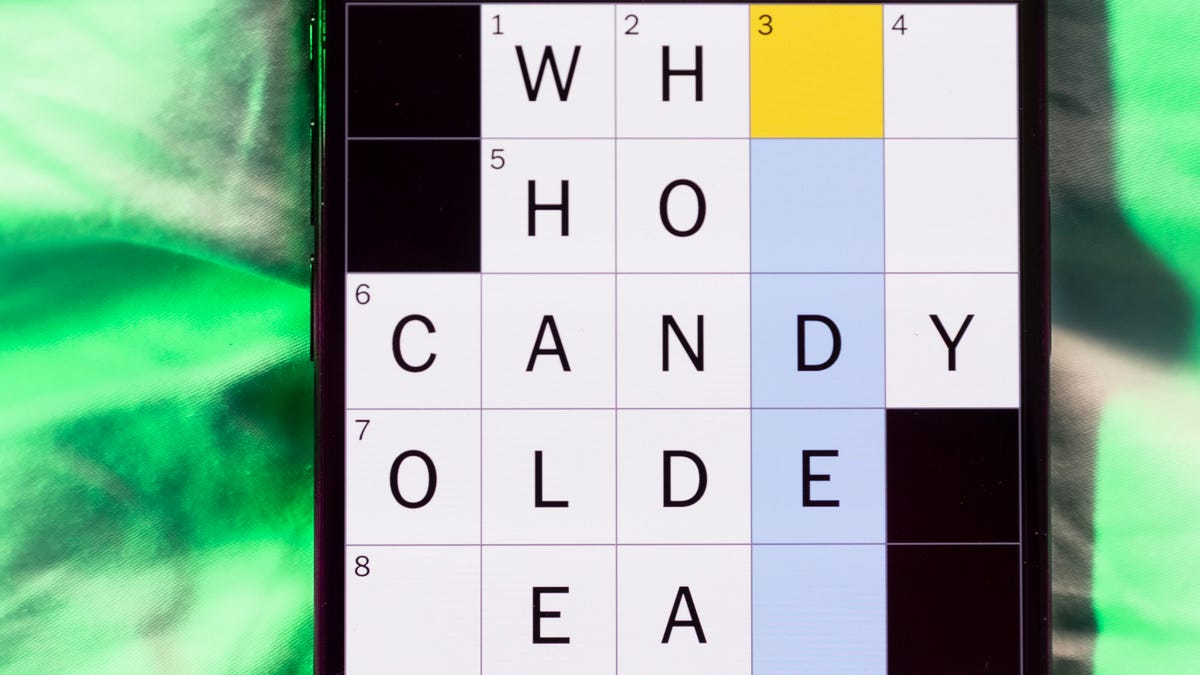
Looking for the most recent Mini Crossword answer? Click here for today’s Mini Crossword hints, as well as our daily answers and hints for The New York Times Wordle, Strands, Connections and Connections: Sports Edition puzzles.
Need some help with today’s Mini Crossword? It’s a very long one today, and I thought it was pretty tough, especially since the Mini is usually so easy. Read on. And if you could use some hints and guidance for daily solving, check out our Mini Crossword tips.
If you’re looking for today’s Wordle, Connections, Connections: Sports Edition and Strands answers, you can visit CNET’s NYT puzzle hints page.
Read more: Tips and Tricks for Solving The New York Times Mini Crossword
Let’s get to those Mini Crossword clues and answers.
Mini across clues and answers
1A clue: Lifeguard’s skill, for short
Answer: CPR
4A clue: Health measure calculated using height and weight: Abbr.
Answer: BMI
7A clue: «I’ve cracked the code!»
Answer: AHA
8A clue: Long, long time
Answer: EON
9A clue: Like a desert’s climate
Answer: ARID
10A clue: «We’re still figuring it out» inits.
Answer: TBD
11A clue: Holder of meats and cheeses at a supermarket
Answer: DELICASE
13A clue: Needing careful handling
Answer: DELICATE
14A clue: X-ray alternative
Answer: MRI
15A clue: Zipped along
Answer: SPED
16A clue: Suffix with legal
Answer: ESE
17A clue: Ask nosy questions
Answer: PRY
Mini down clues and answers
1D clue: Header on a company’s website, perhaps
Answer: CAREERS
2D clue: Opponent of a Met or Marlin, in the N.L. East
Answer: PHILLIE
3D clue: Halves of diameters
Answer: RADII
4D clue: Tech release that’s not the finished product
Answer: BETAAPP
5D clue: Mafia member
Answer: MOBSTER
6D clue: «Yes ___!» (informal «For sure!»)
Answer: INDEEDY
9D clue: Words from someone hoping to be friends on Facebook
Answer: ADDME
12D clue: Includes on an email chain
Answer: CCS
Don’t miss any of our unbiased tech content and lab-based reviews. Add CNET as a preferred Google source.
-
 Technologies3 года ago
Tech Companies Need to Be Held Accountable for Security, Experts Say
-
 Technologies3 года ago
Best Handheld Game Console in 2023
-
 Technologies3 года ago
Tighten Up Your VR Game With the Best Head Straps for Quest 2
-
 Technologies4 года ago
Black Friday 2021: The best deals on TVs, headphones, kitchenware, and more
-
 Technologies5 лет ago
Google to require vaccinations as Silicon Valley rethinks return-to-office policies
-
 Technologies5 лет ago
Verum, Wickr and Threema: next generation secured messengers
-
 Technologies4 года ago
Olivia Harlan Dekker for Verum Messenger
-
 Technologies4 года ago
iPhone 13 event: How to watch Apple’s big announcement tomorrow


