

Technologies
Want a Galaxy S25 Ultra for Cheap? Buy a Galaxy S24 Ultra Instead
Last year’s Galaxy S24 Ultra is an impressive phone and costs half as much as the most recent model. Here’s how they compare.

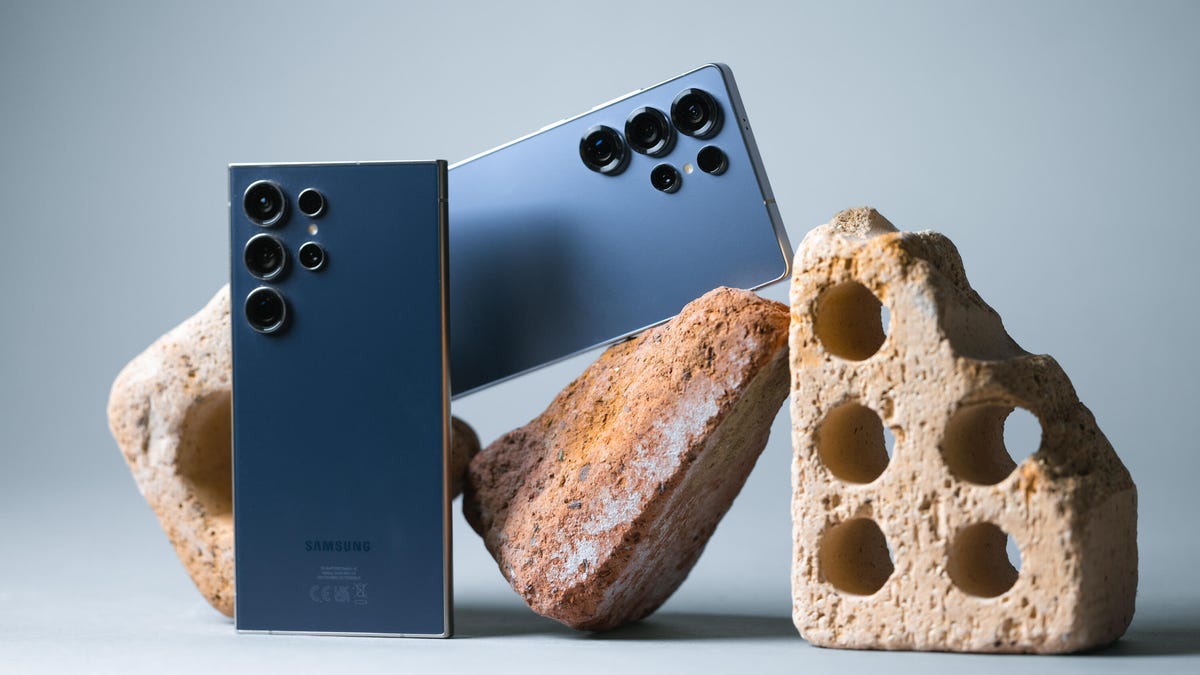
You don’t need to buy the latest Galaxy Ultra phone, plus you can save money. I’ll explain.
The Samsung Galaxy S25 Ultra has some of the best specs of any smartphone today, but it also comes with a huge $1,300 price tag. The 2024 model, the Galaxy S24 Ultra, also has excellent specs, and even though it’s only one generation old, you can pick it up new for $950 or used for $544. That’s less than half the price of the current model on the used market. Seriously.
Sure, if you’re trying to sell your S24 series phone, that amount of depreciation really sucks. But if you’re looking to upgrade from an older phone, then you’ve got yourself a bargain on a high-end device.
So what difference does one generation make? Can a 2-year-old model still perform like the current flagship? Let’s put these phones side by side and see what we get.
On paper, the specs are very similar. They both have massive displays with identical resolutions and refresh rates. They both have potent Qualcomm processors, 12GB of RAM, 200-megapixel cameras, titanium frames, and an IP68 rating for dust and water resistance. And yes, both have the S Pen stylus stuffed inside if you want to doodle pictures while pretending to be working. The S24 Ultra’s S Pen even has several nifty tricks that were removed on the S25 Ultra’s stylus.
The upcoming Galaxy S26 lineup — including the S26 Ultra — is expected to arrive soon. Sure, it might have a complete overhaul that justifies paying its top-end price over the cheaper previous generation. But current rumors suggest that the new phone may receive only modest upgrades.
Given that you can expect to see a sharp decrease in the price of the S25 Ultra, the same principle could apply: Save a lot of money by buying the previous generation on the used market.
From a purely numbers perspective, there’s little to choose between the S24 Ultra and S25 Ultra — certainly nothing that warrants such a steep price difference. So what are they like to use in person? Let’s start with the cameras.
Galaxy S24 Ultra vs. S25 Ultra: cameras
Camera performance is a central way phone-makers try to upgrade their phones each year, with the latest models typically boasting better imaging skills than previous generations.
While there are some upgrades on paper — like the S25 Ultra’s higher-resolution 50-megapixel ultrawide camera — Samsung hasn’t really altered its format that much for its last few Ultra models.
I’ve taken many photos on both phones since they launched, and for the most part, I think you’d struggle to tell much difference, let alone pick a winner. They’re both capable of taking lovely images with wide dynamic range, accurate colors and plenty of detail. The zooms on both phones are excellent, and the night modes are superb.
The upgrade in ultrawide resolution does give you a bit more detail, but would you really notice that on your own? It’s unlikely outside of side-by-side comparisons.
Galaxy S24 Ultra vs. S25 Ultra: processor
One of the major upgrades in the S25 Ultra over its predecessor is its processor. The S25 Ultra packs a custom version of Qualcomm’s Snapdragon 8 Elite chip, versus the Snapdragon 8 Gen 3 chip on the S24 Ultra. On our benchmark tests, there’s a noticeable difference in scores — about 25% higher in the newer chip, in fact — but I’m not sure it’s a difference you’re likely to notice in everyday use.
Galaxy S25 Ultra vs. Galaxy S24 Ultra processor performance
- Geekbench 6 (single core)
- Geekbench 6 (multi-core)
I found both phones were perfectly capable of playing demanding 3D games like Genshin Impact and PUBG at max settings while still giving smooth frame rates. Editing photos in Adobe Lightroom was responsive, and navigating around the Android 16 interface felt nippy and smooth.
So sure, the latest model might have more power. But do you really need it? A Ferrari might have more power than a Mercedes, but the Mercedes is still going to be exceptionally good for 98% of the driving you do on a weekly basis.
Galaxy S24 Ultra vs. S25 Ultra: software
Software-wise, both phones run Android 16 with Samsung’s latest One UI 8 skin over the top. You’ll find the same features across both models, including Samsung’s various AI tools like live translation, audio eraser and drawing assist, which turns your doodles into real pictures. Then you’ve got Google’s AI tools like Gemini Live and Circle to search, which again you’ll find on both models.
There are no new software features you’re missing out on by going with the last generation. But it’s always important to keep the software support period in mind, especially when buying used. As the more recent phone, the S25 Ultra will have an extra year of guaranteed support. At the same time, Samsung committed to seven years of support for the S24 line, so the older phone will still receive software and security updates until at least 2031. Basically, it’s still got a great life ahead of it.
Galaxy S24 Ultra vs. S25 Ultra: battery life
Both Ultras pack 5,000-mAh batteries, and, perhaps unsurprisingly, real-world battery life is pretty much the same on both phones. You can expect to easily get through a full day on a single charge and maybe even have enough power left to start a second day. In our CNET Labs 3-hour video streaming test, where we charge the phones to 100% and play a YouTube video over Wi-Fi, the Galaxy S24 Ultra actually performed noticeably better.
If you’re buying a used S24 Ultra, the battery may have aged slightly, but I wouldn’t expect it to have degraded much in just one year of use. Both phones offer 45-watt wired charging and reverse wireless charging to power another device.
When I started writing this piece, I actually assumed that there would be more differences between the S25 Ultra and the S24 Ultra. But there’s hardly anything. They even look basically the same except the newer one has flat edges, which I don’t actually like as much.
With battery life and camera performance being pretty much on par, and Samsung bringing all of its new AI skills to previous generations, there’s very little to choose between them. It really comes down to the newer processor, but I honestly don’t think the vast majority of people would notice the difference. The chip in the S24 is already a powerhouse.
Galaxy S24 Ultra vs. S25 Ultra: Final thoughts
These phones are identical in so many ways, except for price. Sure, how much you actually spend on a used device will depend on the quality — cheaper ones may have the odd scuff here and there, while pristine versions will demand slightly higher prices.
All in all, opting for last year’s model on the used market is a smart way to save a lot of money on a capable device that would otherwise be too expensive. And, with the Galaxy S26 Ultra potentially just around the corner, this whole article will still be relevant as we move into the next generation.
The logic here isn’t limited to Samsung’s phones. With almost all companies, including Google, Apple, OnePlus and others offering hugely powerful devices with long software support periods, it’s possible you may never need to buy a brand-new phone ever again.
Samsung Galaxy S25 Ultra specs vs. Galaxy S24 Ultra
| Samsung Galaxy S25 Ultra | Samsung Galaxy S24 Ultra | |
|---|---|---|
| Display size, tech, resolution, refresh rate | 6.8-inch AMOLED; 3,120×1,440 pixels; 1-120Hz adaptive refresh rate | 6.8-inch AMOLED; 3,120×1,440 pixels; 1-120Hz adaptive refresh rate |
| Pixel density | 501 ppi | 501 ppi |
| Dimensions (inches) | 6.41 x 3.06 x 0.32 in. | 6.40 x 3.11 x 0.34 in. |
| Dimensions (millimeters) | 162.8 x 77.6 x 8.2 mm | 163 x 79 x 8.6 mm |
| Weight (grams, ounces) | 218 g (7.69 oz.) | 233g (8.22 oz.) |
| Mobile software | Android 15 | Android 14 |
| Camera | 200-megapixel (wide), 50-megapixel (ultrawide), 10-megapixel (3x telephoto), 50-megapixel (5x telephoto) | 200-megapixel (wide), 12-megapixel (ultrawide), 10-megapixel (3x telephoto), 50-megapixel (5x telephoto) |
| Front-facing camera | 12-megapixel | 12-megapixel |
| Video capture | 8K | 8K |
| Processor | Qualcomm Snapdragon 8 Elite for Galaxy | Qualcomm Snapdragon 8 Gen 3 |
| RAM + storage | 12GB RAM + 256GB, 512GB, 1TB | 12GB RAM + 256GB, 512GB, 1TB |
| Expandable storage | None | None |
| Battery | 5,000 mAh | 5,000 mAh |
| Fingerprint sensor | Under display | Under display |
| Connector | USB-C | USB-C |
| Headphone jack | None | None |
| Special features | Titanium frame, 2,600-nit peak brightness; 7 years of OS and security updates; 5G (mmWave); IP68 water and dust resistance; wireless PowerShare to charge other devices; integrated S Pen; UWB for finding other devices; 45W wired charging (charger not included); Galaxy AI; Wi-Fi 7; Gorilla Glass Armor cover glass; ultrawideband | Titanium frame, 2,600-nit peak brightness; 7 years of OS and security updates; 5G (mmWave); IP68 water and dust resistance; wireless PowerShare to charge other devices; integrated S Pen; UWB for finding other devices; 45W wired charging (charger not included); Galaxy AI; Wi-Fi 7; Gorilla Glass Armor cover glass |
Technologies
Today’s NYT Connections Hints, Answers and Help for March 18, #1011
Here are some hints and the answers for the NYT Connections puzzle for March 18 #1011.

Looking for the most recent Connections answers? Click here for today’s Connections hints, as well as our daily answers and hints for The New York Times Mini Crossword, Wordle, Connections: Sports Edition and Strands puzzles.
Today’s NYT Connections puzzle is pretty tricky, but musicians might find the blue group easy. Read on for clues and today’s Connections answers.
The Times has a Connections Bot, like the one for Wordle. Go there after you play to receive a numeric score and to have the program analyze your answers. Players who are registered with the Times Games section can now nerd out by following their progress, including the number of puzzles completed, win rate, number of times they nabbed a perfect score and their win streak.
Read more: Hints, Tips and Strategies to Help You Win at NYT Connections Every Time
Hints for today’s Connections groups
Here are four hints for the groupings in today’s Connections puzzle, ranked from the easiest yellow group to the tough (and sometimes bizarre) purple group.
Yellow group hint: Time between two things, maybe.
Green group hint: That smarts!
Blue group hint: Rockers know these well.
Purple group hint: You might write one out to pay a bill.
Answers for today’s Connections groups
Yellow group: Interval.
Green group: React to a stubbed toe.
Blue group: Guitar effects pedals.
Purple group: ____ check.
Read more: Wordle Cheat Sheet: Here Are the Most Popular Letters Used in English Words
What are today’s Connections answers?
The yellow words in today’s Connections
The theme is interval. The four answers are patch, period, spell and stretch.
The green words in today’s Connections
The theme is react to a stubbed toe. The four answers are curse, hop, wince and yell.
The blue words in today’s Connections
The theme is guitar effects pedals. The four answers are delay, reverb, wah and whammy.
The purple words in today’s Connections
The theme is ____ check. The four answers are blank, coat, rain and reality.
Toughest Connections puzzles
We’ve made a note of some of the toughest Connections puzzles so far. Maybe they’ll help you see patterns in future puzzles.
#5: Included «things you can set,» such as mood, record, table and volleyball.
#4: Included «one in a dozen,» such as egg, juror, month and rose.
#3: Included «streets on screen,» such as Elm, Fear, Jump and Sesame.
#2: Included «power ___» such as nap, plant, Ranger and trip.
#1: Included «things that can run,» such as candidate, faucet, mascara and nose.
Technologies
My Kid Wanted Video Games. I Was Against It. This Console Gave Us Both the Win
The movement-based Nex Playground might be the antidote to parental screen time guilt.
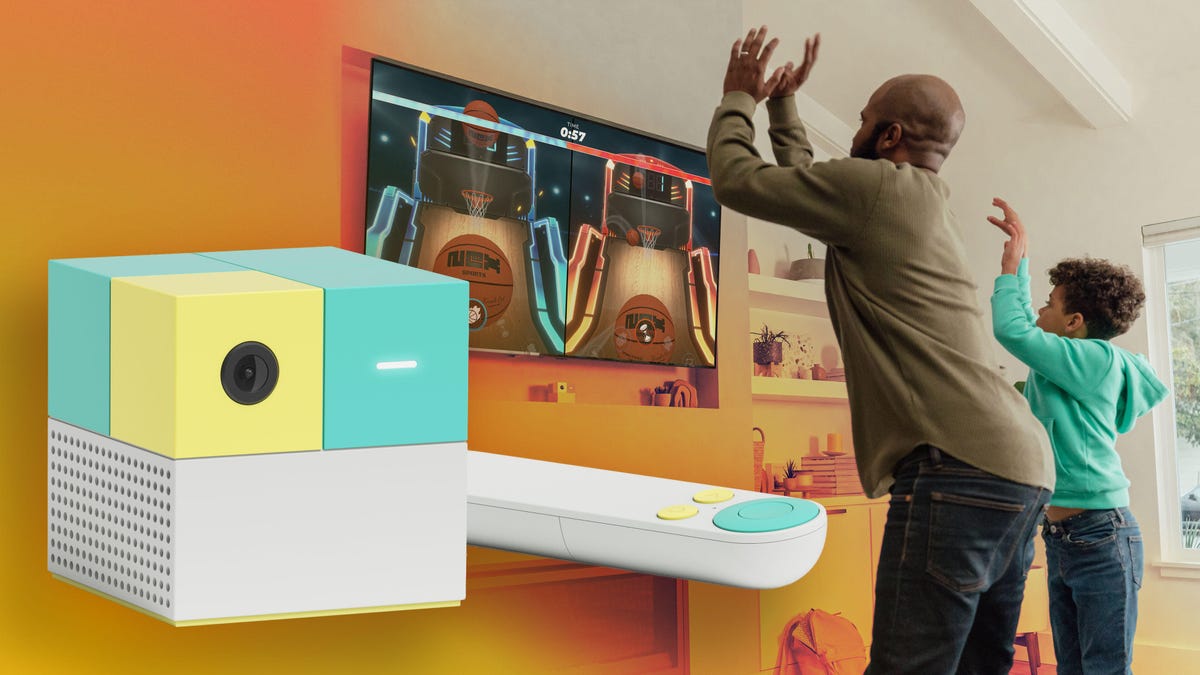
When our 8-year-old started asking for video games, I knew we were about to engage in an uphill battle. Anytime we’ve been to friends’ houses with gaming consoles, he goes full zombie mode, then has an epic meltdown once the sensory overload wears off. And since he inevitably ropes his 6-year-old brother in, we’re essentially sealing both their fates.
So when our neighbors started raving about a movement-based gaming console called Nex Playground, my first instinct was to shut it down. The words «gaming console» alone were enough to put me in a mental block. Add in my own memories of Wii tennis sessions where I nearly took out the ceiling fan, and I was firmly in the «no» camp.
But after doing a little more research, I was intrigued enough to try it out.
Screen time isn’t something I take lightly. With three kids ages 2 to 8, my husband and I have always been intentional about how and what they watch. They don’t have their own tablets, and most of their screen time happens on our family TV, which means whatever the oldest is exposed to quickly trickles down to our toddler. So anything we bring into the house has to work for all of them. Tall order, I know, but the Nex Playground gets surprisingly close.
Getting started is easy
The console itself is refreshingly simple. It’s a small cube, slightly larger than a Rubik’s cube, with a circular camera and motion sensor, a light indicator and two ports for power, and an HDMI connection to the TV. There’s no controller beyond a basic remote for navigating menus. For most games, your body is the controller.
Setup is quick. Plug it in, connect it to your TV, and you’re ready to go. It doesn’t store video or upload footage to the cloud, which was an immediate plus. It also comes with a magnetic privacy cover that you can put on the lens when it’s not in use.
At $250, it’s not cheap, but it’s less than some of the popular gaming consoles for this age range, like the Nintendo Switch 2. That gets you a five-game starter pack: Fruit Ninja, Go Keeper (soccer), Starri (think Guitar Hero for your whole body), Party Fowl (an AR emoji frenzy) and Whack-a-Mole. Additional games require a subscription: $89 a year or $49 for three months, which unlocks a library of 50-plus games and counting. New titles dropped even as I was writing this.
The library spans a surprisingly wide range. There are board game adaptations like Connect Four and Candy Land, character-driven games with Peppa Pig, Bluey and the Ninja Turtles, and sports like baseball and, yes, tennis — minus the ceiling fan hazard. There’s even parent-friendly content like Zumba workouts, which I may or may not have fully committed to on a rainy afternoon.
Even my toddler has gotten in on the action, mostly bouncing her way through Hungry Hungry Hippos when her brothers finally concede.
Gameplay is where it wins
The movements range from swinging your arms to keep a ball in motion, hopping or full-body launches that are far more aggressive than what the game actually requires. (I’m not about to tell the kids otherwise.) After a 45-minute session, my kids are tired and sometimes even drenched in sweat. The Nex Playground entertains and burns energy in one fell swoop.
The graphics also seem intentionally simple and arcade-like, which fits the minimalist play experience. There’s no POV storyline to get lost in, no leveling up into a new world at 9 p.m. on a school night. Some games keep score, which awakens my kids’ competitive streak, but the vibe is more collaborative and hasn’t been the catalyst for more fighting like other games. If anything, it’s done the opposite.
I still don’t love defaulting to a screen when my kids are bored, so we try to use it in moderation. In our house, piano practice is the only thing that unlocks weekend play time, and the fact that they’ll sit at the piano for a full hour tells you everything you need to know.
The verdict that matters most
But the real test: Does it hold up to an 8-year-old who was dead set on a Nintendo Switch?
Short answer: yes. At least for now. He’d still pick the Switch if you asked him, but not for the reasons you’d expect.
«The Playground is more tiring,» he told me, which only helped seal the deal for me. His current favorite is Homerun Hitters. «It’s basically a baseball game where you go against ranked global players. Me and my brother are really good at it.»
This from a kid whose primary hobby is annoying his younger brother. The fact that he said «me and my brother» as a collective was an unexpected bonus.
The Switch may still show up on the Christmas list this year. And realistically, I know I’m on borrowed time. As kids get older, «cool» becomes the currency, and a motion-based cube probably won’t hold up against an Xbox or a Switch once playdates turn into side-by-side gaming sessions.
The Nex Playground isn’t a replacement for those. It’s more of a detour; it gives them a taste of gaming without all the usual side effects. Even if I do eventually cave, I can still see it sticking around for the occasional family game night or as a rainy-day sibling diffuser.
In the meantime, I’ll relish this simpler version of gaming while I still can. He’s not exactly rushing me to return this review unit. More importantly, neither am I.
Technologies
Don’t Wait for New Emoji in iOS 26.4, Here’s How to Create Them on Your Own
If your iPhone has Apple Intelligence, you can create your own emoji now.
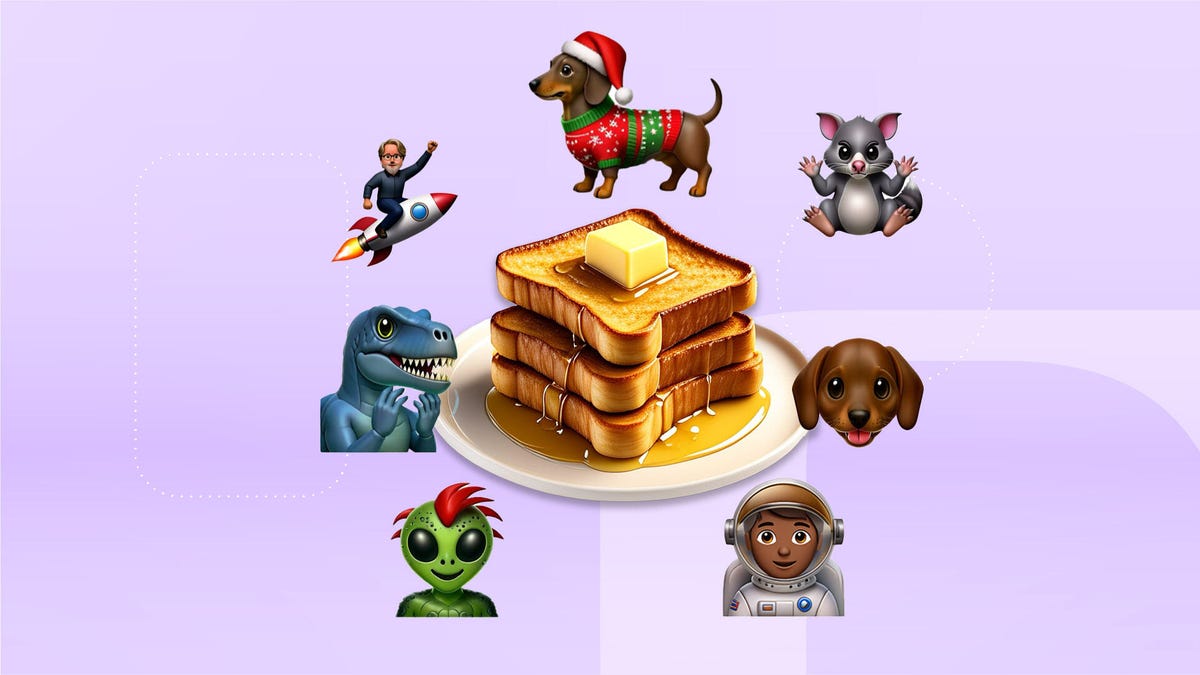
Apple will likely add new emoji to your iPhone when the company releases iOS 26.4. Those new emoji could include an orca, a distorted smiley face and more. According to Emojipedia, there are 3,953 emoji with more on the way. The current list of emoji include smileys, sports players, weather conditions and flags. But there’s no emoji for a dog wearing pajamas, a plate with burgers and fries and many other things. But if you have Genmoji on your iPhone you can create these emoji and many more.
Apple released iOS 18.2 in 2024 and the company introduced its own emoji generator, called Genmoji, to Apple Intelligence-capable iPhones at that time. The Unicode Standard, a universal character encoding standard, is responsible for creating new emoji, and approved emoji are added to all devices once a year. With Genmoji, you don’t have to wait for new emoji to appear on your iPhone each year. You can just create them as you need them.
Read on to learn how to use Genmoji on iPhone to create your own custom emoji. Just note that only iPhones with Apple Intelligence, like the iPhone 17 lineup, can use Genmoji at this time.
How to make custom emoji
1. Open Messages and go into a chat.
2. Tap the plus (+) button next to your text box.
3. Tap Genmoji.
You can then type a description of an emoji into the text box near the bottom of your screen and tap the check mark on your keyboard to enter that description into Genmoji. You can also tap different suggestions and themes that are right above the text box. And with iOS 26 or later, you can also combine and use emoji to create others rather than describing a new emoji or using suggestions.
Your iPhone will generate a series of new emoji for you to pick from according to your description, and you can swipe through these new emoji. When you find the one you want, tap Add in the top right corner of your screen and the new emoji will be available to use as an emoji, tapback or a sticker. Now you don’t have to wait for the Unicode Standard to propose, create and bring new emoji to devices.
For more iOS news, here’s what to know about iOS 26.3.1 and iOS 26.3. You can also check out our iOS 26 cheat sheet for other tips and tricks.
-
 Technologies3 года ago
Tech Companies Need to Be Held Accountable for Security, Experts Say
-
 Technologies3 года ago
Best Handheld Game Console in 2023
-
 Technologies3 года ago
Tighten Up Your VR Game With the Best Head Straps for Quest 2
-
 Technologies4 года ago
Black Friday 2021: The best deals on TVs, headphones, kitchenware, and more
-
 Technologies5 лет ago
Google to require vaccinations as Silicon Valley rethinks return-to-office policies
-
 Technologies5 лет ago
Verum, Wickr and Threema: next generation secured messengers
-
 Technologies4 года ago
Olivia Harlan Dekker for Verum Messenger
-
 Technologies5 лет ago
iPhone 13 event: How to watch Apple’s big announcement tomorrow


