

Technologies
iPhone Users Can Pick Up This Anker MagSafe Charger for a Record-Low $15
Anker makes some of the best wireless chargers on the market, and they’re even better at 50% off.

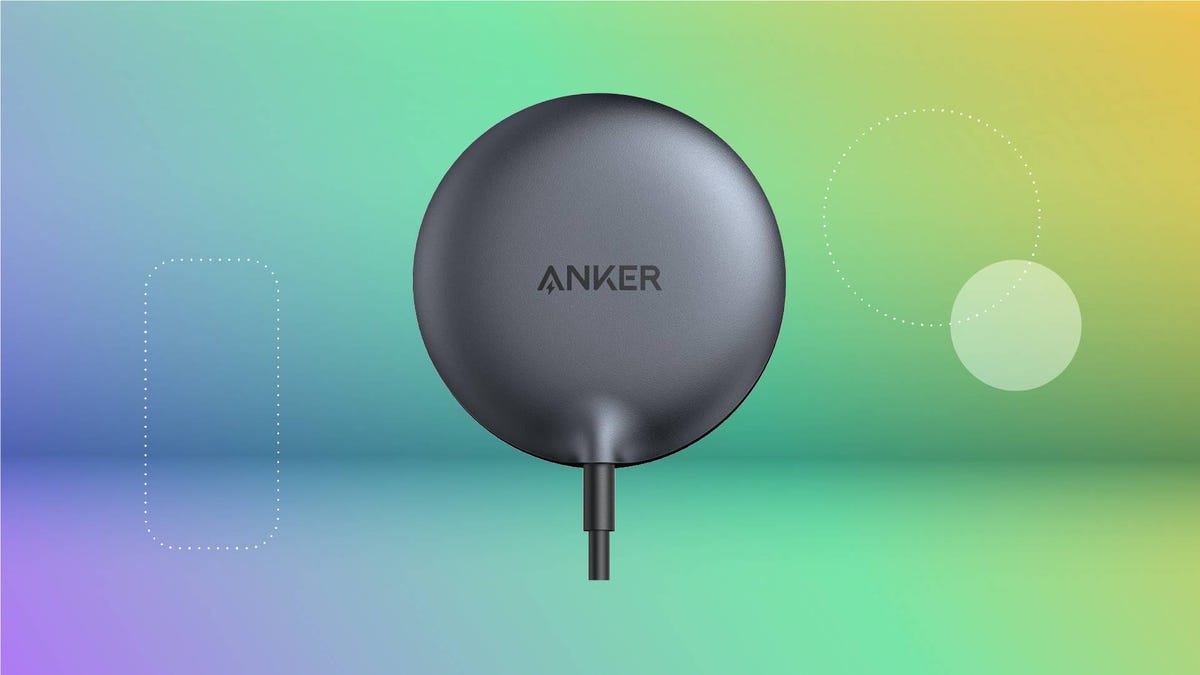
It never hurts to have a few extra chargers around the house. And if you’re an iPhone user, you’re in luck. Right now, you can pick up a sleek and convenient wireless one for half the usual price. Amazon just knocked this Anker MagSafe charging pad down to $15, which matches its all-time low. Just be sure to get your order in soon, as this deal could expire at any time.
This wireless MagSafe charger snaps to the back of your iPhone and supports 15-watt fast charging. That means it can juice your phone up to 20% in around 15 minutes. Plus, it’s even got a built-in temperature monitor to help prevent overheating. Just note that this charging pad is only compatible with MagSafe iPhones (Series 12 or newer), as well as select Apple AirPods. It comes with a 5-foot USB-C cable, but you’ll also need a 25-watt wall adapter for optimal charging. You can pick one up for just $10 if you don’t have one already.
Why this deal matters
Anker makes some of the absolute best wireless chargers and MagSafe accessories on the market right now. So any chance to grab some of its tech for a record-low price is a serious bargain.
Technologies
How You Can Print PDFs, Websites or Any Document Using Your iPhone
Your iPhone can connect to most printers, just like a computer, and with a few taps, it can print out the documents you need.
Even though we live in a digital world where you can view and even sign off on important documents using your iPhone, there are still times when it’s best to use a printer. Be it shipping labels, luggage tags or a hard copy of an important document, sometimes it’s necessary to get these onto paper.
Fortunately, it’s pretty easy to print a PDF from your iPhone, as long as you have access to a wireless or AirPrint-compatible printer. Most popular printer models are already AirPrint-capable, but if you want to make sure your printer is compatible, you can look it up on Apple’s support page. And even if you have an older printer that doesn’t support AirPrint, you might still be able to use your iPhone to print just like you would with a computer.
Here, we’ll guide you through how to print from a web page or email. If you just want to save a document as a PDF to share or print later, we’ll walk you through that step as well.
Printing from a web page or the Files app
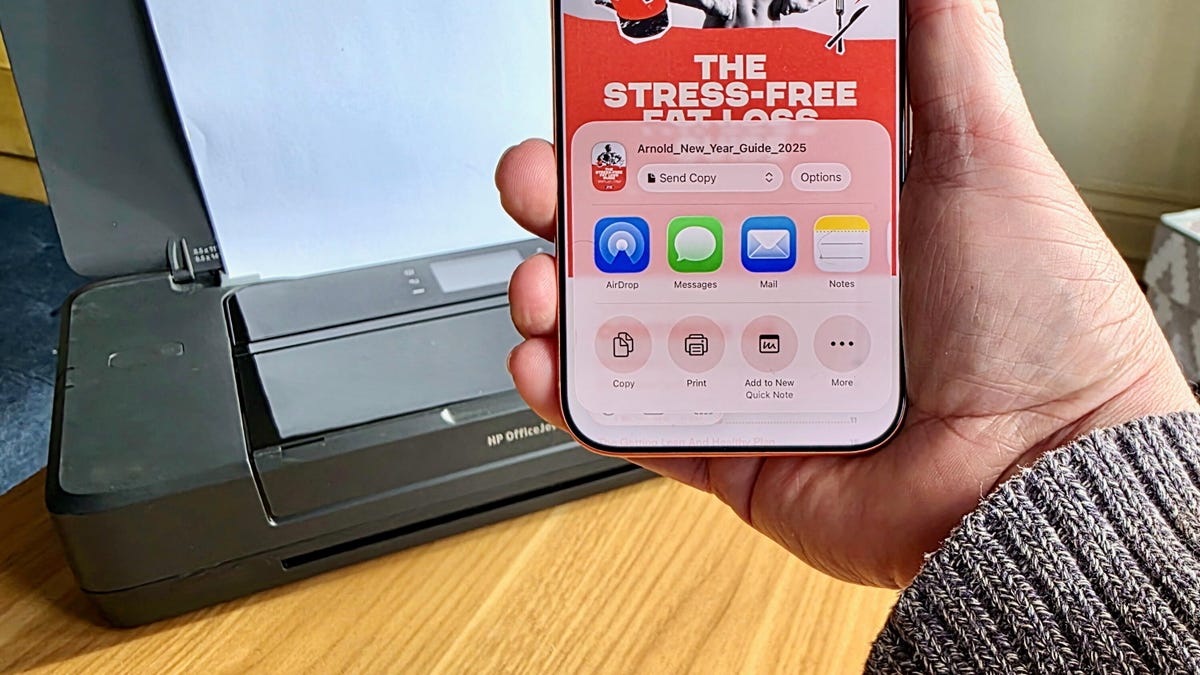
When printing a document viewed inside your Files app or from a web page, the steps are largely the same. First, open the PDF or web page you would like to print. On Safari, tap the triple-dot icon on the right, next to the URL bar, then tap Share. On Google Chrome, you’d tap the Share icon — it looks like a square with an arrow pointing up — to the right of the URL bar instead. And in the Files app, tap the Share icon after opening the document. The Share menu will pop up. Scroll down, and you’ll see the Print option.
Select Print to open the Printer Options menu. You should then be able to select your printer, choose your printer settings and then print the page out by hitting the printer icon on the top right.
Printing from email
Open up the email you’d like to print. If you’re using Apple Mail, you would then select the Reply button (the curved arrow icon) and scroll all the way down to select Print. If you’re using Gmail instead, you’d tap the three dots icon on the upper right corner and then select the Print all option.
Saving a web page or email as a PDF
Be it a web page or email, you can choose to save the document as a PDF instead of printing it. When you’re on the Printer Options page, instead of hitting the printer icon, you would select the Share icon next to it. After that, simply select Save to Files to save the web page or email as a PDF. If you want to retrieve that saved PDF, just launch the Files app, and you should see it there.
In the event your printer doesn’t include AirPrint, you might still be able to print a PDF from your iPhone. HP, Canon and other printer companies offer their own iOS apps that can assist in sending documents to printers that do not support AirPrint. While many of the above steps will be similar, you’ll want to follow the instructions provided by the manufacturer where they diverge. For instance, for printers set up with the HP app, you’ll tap the Share icon and then tap Print with the HP app in order to send a document to the printer.
Technologies
Today’s NYT Mini Crossword Answers for Wednesday, Jan. 21
Here are the answers for The New York Times Mini Crossword for Jan. 21.

Looking for the most recent Mini Crossword answer? Click here for today’s Mini Crossword hints, as well as our daily answers and hints for The New York Times Wordle, Strands, Connections and Connections: Sports Edition puzzles.
Need some help with today’s Mini Crossword? It tripped me up at first, because 5-Across and 2-Down go together, and I hate when you have to match up two separate answers. Fortunately, this one also had a descriptive clue — not all two-part answers do. Read on for all the answers. And if you could use some hints and guidance for daily solving, check out our Mini Crossword tips.
If you’re looking for today’s Wordle, Connections, Connections: Sports Edition and Strands answers, you can visit CNET’s NYT puzzle hints page.
Read more: Tips and Tricks for Solving The New York Times Mini Crossword
Let’s get to those Mini Crossword clues and answers.
Mini across clues and answers
1A clue: The slightest amount
Answer: ABIT
5A clue: With 2-Down, intentionally inflammatory posts
Answer: RAGE
6A clue: Dirty stuff
Answer: FILTH
8A clue: Five Below or 7-Eleven
Answer: STORE
9A clue: Something used to steer a rowboat
Answer: OAR
Mini down clues and answers
1D clue: Sounds from a doggy daycare
Answer: ARFS
2D clue: See 5-Across
Answer: BAIT
3D clue: Domed home
Answer: IGLOO
4D clue: Small, colorful fish that’s popular in aquariums
Answer: TETRA
7D clue: 2013 film in which Joaquin Phoenix’s character falls in love with an A.I. operating system
Answer: HER
Don’t miss any of our unbiased tech content and lab-based reviews. Add CNET as a preferred Google source.
Technologies
First ChatGPT Device Coming This Year, and It Might Sit Right Behind Your Ear
OpenAI executive says the company is on schedule to launch device in late 2026

ChatGPT that you wear behind your ear? Maybe. OpenAI is reportedly developing its first AI-powered device and will unveil it in the second half of the year, Axios reported on Monday.
Chris Lehane, OpenAI’s chief global affairs officer, said at Axios House Davos that the devices will be «among the big coming attractions for OpenAI in 2026,» the site reported. Lehane said the company hopes to introduce the new products in the latter part of the year, but did not provide any details about the device or when it would be available for purchase.
A representative for OpenAI didn’t immediately respond to a request for comment.
(Disclosure: Ziff Davis, CNET’s parent company, in April filed a lawsuit against OpenAI, alleging it infringed Ziff Davis copyrights in training and operating its AI systems.)
Don’t miss any of our unbiased tech content and lab-based reviews. Add CNET as a preferred Google source.
If an earlier leak also proves true, the ChatGPT-powered device will be worn right behind your ear.
According to a leak earlier this month from @zhihuipikachu, a consumer-electronics blogger, the OpenAI device coming later this year will be a rival to Apple’s AirPods and will consist of two pill-shaped gadgets that rest behind the ear. They will be metallic and stored inside an egg-shaped case. The leak said to expect the initial launch around September 2026, but also said there would be a total of five devices (released) by the fourth quarter of 2028.
Whatever the new device is, it will be the inevitable creation of a company that set its sights on developing AI-powered hardware from the moment it bought tech design company IO for $6.5 billion in May 2025. IO was founded by former Apple design chief Jony Ive and others to develop hardware products heavily integrated with AI. At the time, speculation was that OpenAI and former IO designers would collaborate to create an AI-powered smartphone.
In November, OpenAI CEO Sam Altman and Ive said they had developed a prototype for a screenless device that could filter out «digital noise» and avoid sending constant notifications and alerts. This device would rely on ambient intelligence, learn from its surroundings and provide spatial awareness, all while operating quietly in the background.
Altman said the device would be «simple, beautiful and playful,» but did not offer details about what it would be.
ChatGPT, launched in 2022 by OpenAI, is an AI assistant designed to accomplish a wide variety of tasks, such as creating documents, translating languages, answering questions and more. It and similar products are rapidly moving into a wide range of tech products and everyday devices, including smart earbuds and wearables. Companies are racing to embed conversational AI into products of all kinds, sparking both excitement and controversy over privacy, data security and other issues.
-
 Technologies3 года ago
Tech Companies Need to Be Held Accountable for Security, Experts Say
-
 Technologies3 года ago
Best Handheld Game Console in 2023
-
 Technologies3 года ago
Tighten Up Your VR Game With the Best Head Straps for Quest 2
-
 Technologies4 года ago
Black Friday 2021: The best deals on TVs, headphones, kitchenware, and more
-
 Technologies4 года ago
Google to require vaccinations as Silicon Valley rethinks return-to-office policies
-
 Technologies5 лет ago
Verum, Wickr and Threema: next generation secured messengers
-
 Technologies4 года ago
Olivia Harlan Dekker for Verum Messenger
-
 Technologies4 года ago
iPhone 13 event: How to watch Apple’s big announcement tomorrow


