

Technologies
New iPhone 17? Use These 4 Safe and Stress-Free Methods to Transfer Your Data
Transferring data from your old phone to a new iPhone doesn’t have to be a headache.

Upgrading your phone to a new iPhone 17, iPhone 17 Pro or iPhone Air is exciting. A new phone is always speedy and filled with features to tweak and personalize. However, the biggest headache can be transferring your data from your old device to a new one. However, Apple makes this easy with four stress-free methods to get you up and running as quickly as possible (even if you’re swapping from an Android phone).
For more, explore a bunch of hidden iOS 26 features, and see just how thin the iPhone Air is.
Don’t miss any of our unbiased tech content and lab-based reviews. Add CNET as a preferred Google source.
1. The convenient method: Restore from iCloud
During the setup process, you’ll be asked if you want to directly transfer apps and information from your old iPhone to your new one using Quick Start. This feature was first rolled out with iOS 12.4, so if it’s been several years since you’ve upgraded phones, it’ll be the first time you’ve seen the option.
The easiest and quickest method to set up your new iPhone is to restore from a recent iCloud backup. As you walk through the initial setup process, tap Restore from iCloud Backup, sign in with your Apple Account (previously called Apple ID before iOS 18) and then pick the most recent backup of your old iPhone.
If the backup is more than a day or two old, take an extra few minutes to create a new backup. To do so, open the Settings app on your old phone, search for iCloud Backup in the Search field at the top of the screen and then click the matching result. Click Back Up Now to update the cloud backup.
Once that finishes, go back to your new iPhone and select the backup you just created as what you want to use to restore from.
Your phone will then restore your settings and preferences, and you’ll be able to start using it in about 15 minutes. It will continue downloading your installed apps in the background.
Once everything is restored, you’ll need to sign back into any accounts you added to your phone, as well as go through your apps and make sure you’re still signed in.
2. The speediest method: Apple direct transfer
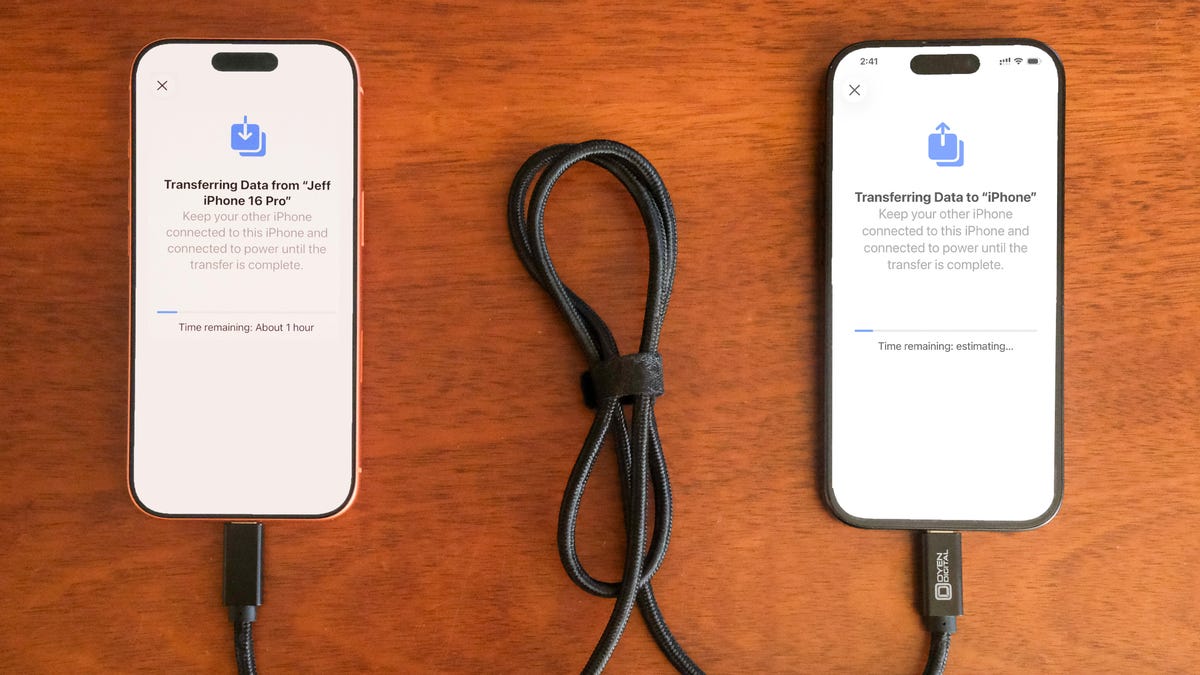
If you do not have a recent iCloud backup or your internet connection is slow, you can transfer everything from iPhone to iPhone, either wirelessly or via cable. When the Quick Start process asks for the source, choose the direct transfer option.
Using a cable rated for fast data speeds, the process can be surprisingly swift, and is my preferred way to upgrade to a new iPhone. Connect both phones via the cable; note that you might need an adapter if your current phone is an iPhone 14 or earlier with a Lightning port. Apple has more details on how to make a wired transfer work.
If you opt for the wireless route, make sure both phones are plugged in and charging to ensure they don’t run out of battery, and that they are connected to your Wi-Fi network (it’s part of the setup process on the new phone). And also make sure you have enough time for the process to finish — it could take over an hour.
The more information you have on your phone, like photos in your library, the longer it will take. When the transfer starts, the phones will show you a time estimate. Every time I’ve used this tool, that estimate has been accurate within a couple of minutes. It’s worth taking the time if you don’t use Apple’s iCloud service to back up your phone.
3. The longer, comprehensive method: Use a Mac or PC
A longer but safer method is to restore from an encrypted backup using a Mac or PC. Not only does this process transfer all of your apps, settings and preferences, but it also means you don’t have to sign into the countless apps you have on your phone.
Before you can use this method, you’ll need to create an encrypted backup of your current iPhone. I know that may sound intimidating or overly complicated, but it only means you have to check an extra box and enter a password.
On a Mac, you’ll use Finder to back up your old iPhone — and make sure you take the steps to make an archive backup. Check the Encrypt backup box and enter a password you’ll remember when prompted. Then let your Mac go to work, creating a backup file. It will let you know when it’s done.
On a PC, you’ll need to use iTunes (it’s not completely dead) or the Apple Devices app to create a backup, as explained here. Again, you’ll need to make sure the Encrypt backup box is checked and enter a password.
To restore your new phone, open Finder or iTunes, and connect your phone to your computer. Click Trust when prompted, and then follow the prompts, selecting the backup you just created as what you want to use to restore the phone. You will need to enter the backup’s password before the process begins, so make sure you don’t forget it.
Once it’s done, your new phone will be an exact copy of your old phone and you won’t have to spend any time signing into apps or random accounts.
4. For Android users: Move to iOS
Apple doesn’t have many Android apps listed in Google’s Play Store, but Move to iOS is one of them. This free app will connect your Android phone to a new iPhone and allow you to transfer the most important information from one phone to the other.
Here’s the entire step-by-step process, as well as some caveats, like the fact that it won’t transfer any locally stored music or PDF files.
Apple said it has redesigned Move to iOS to make it faster and easier to migrate from your Android phone to your new iPhone. The company goes on to say it has sped up Wi-Fi migration with transfer speeds up to 5GHz, and you can use Wi-Fi on your iPhone to connect to your Android phone. You can also connect your Android phone to your new iPhone with a USB-C or USB-C to Lightning cable to move everything over more quickly, Apple said.
No matter the process you used to set up your new phone, you’re in for excitement and fun as you explore what it can do.
Technologies
Every iPhone 17E Rumor and Leak That I Found: Dynamic Island, MagSafe and More
Apple’s reportedly releasing a lower-priced iPhone 17, and it might offer notable improvements over last year’s iPhone 16E.
Key Takeaways:
- Features: Apple might include MagSafe on the iPhone 17E.
- Release date: Possibly as soon as February.
- Price: There have been no leaks about price increases, which is good news at this point.
- Design: Could get the Dynamic Island and look more like an iPhone 15.
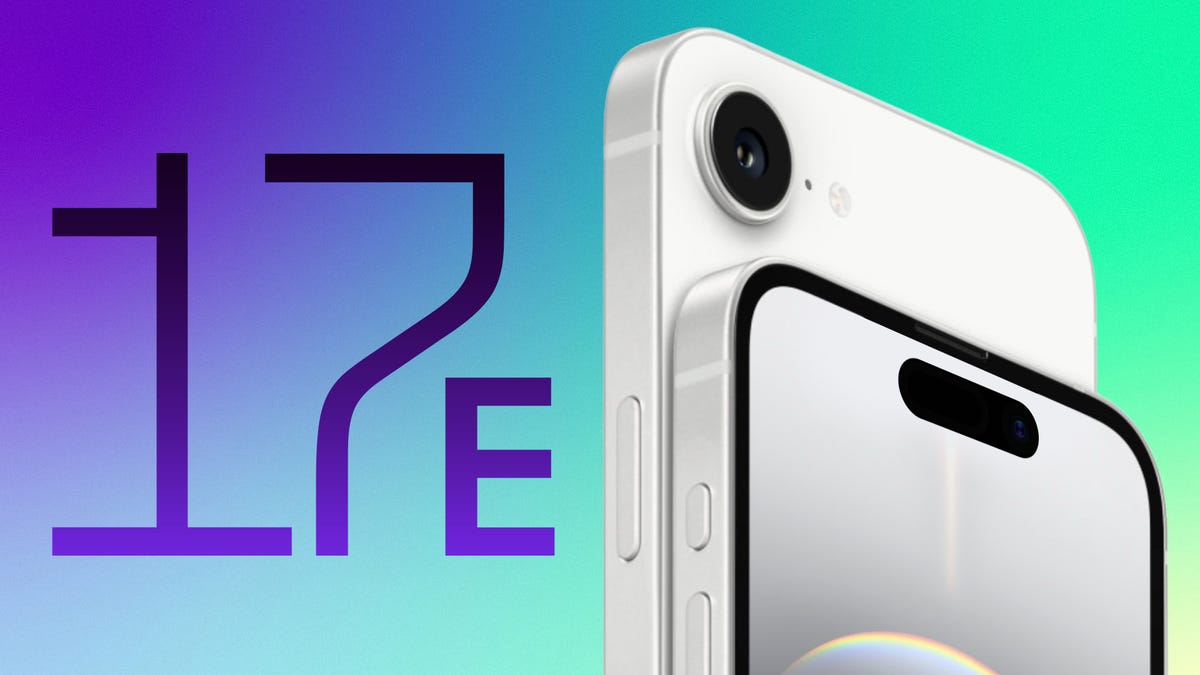
Apple might be continuing its lower-cost iPhone line, with an iPhone 17E reportedly releasing early this year. If that’s true, the sequel to last year’s iPhone 16E has a lot of room to step up.
Some rumors point to improvements borrowed from Apple’s iPhone 15, such as Dynamic Island and MagSafe. If these are true, it could make the lower-cost iPhone 17E a compelling value option with fewer trade-offs needed to hit a lower price.
Apple’s $599 iPhone 16E was a bit of an oddity when it was released last year. It replaced Apple’s $429 iPhone SE, effectively retiring the older iPhone SE design that included a home button with Touch ID. Apple’s new «budget» device was a pricier amalgamation, featuring the body of an iPhone 14 with a display notch. It also had the USB-C port from the iPhone 15 and the A18 processor from the iPhone 16 to support Apple Intelligence features.
To save money, Apple scaled back on features by including only a single 48-megapixel main camera and omitting Apple’s MagSafe clip-on capability (though it kept standard wireless charging). While the iPhone 16E is a solid starter iPhone, I found these omissions to be confusing, especially given that Apple increased the price of this entry-level iPhone from $429 to $599.
An iPhone 17E could follow a playbook closer to Samsung’s Galaxy S25 FE. It would have many of the same features as the iPhone 16 and iPhone 17, like the smaller screen notch and an A19 processor, along with smaller stepbacks to the hardware that might be less noticeable.
Apple hasn’t confirmed whether an iPhone 17E exists yet, but we’re keeping an eye out. Here are the rumors we’ve heard so far, with features that could help or hinder the more budget-friendly iPhone 17E.
iPhone 17E release date: February 2026
The iPhone 17E could be announced as early as February, according to a Mashable report citing the Digital Chat Station Weibo account. The phone is said to be launching in the first half of the year. This would align with the iPhone 16E’s February 2025 announcement, establishing winter as Apple’s preferred launch window for cheaper iPhone models.
There are even rumors suggesting the base iPhone 18 will launch in the first half of 2027, but let’s not get too ahead of ourselves.
iPhone 17E design: Gets a Dynamic Island
One aspect that made the iPhone 16E stand out was Apple’s new design, which featured the iPhone 14’s body, a USB-C port and a single camera.
The iPhone 17E, however, will allegedly look more like 2023’s iPhone 15, with a smaller Dynamic Island cutout, according to the same Digital Chat Station Weibo post. The iPhone 17E is rumored to have a 6.1-inch display with a cutout, including dynamically sized notifications for timers and app alerts, such as Uber pickups.
This design is corroborated by the Smart Pikachu Weibo account, which also notes that the iPhone 17E will have a 60Hz refresh rate screen rather than the 120Hz one seen across the iPhone 17 line and the iPhone Air. It’d be nice to see a 17E with a 120Hz display, dubbed ProMotion by Apple. But this is one area that could be less noticeable to people coming from a former iPhone SE or an older base model like the iPhone 14.
While Apple’s ProMotion displays have been available on Pro models for years — as well as on almost every Android phone that costs $300 and more — the smoother animations and always-on displays it provides won’t be as noticeable when switching from a phone that never had them.
iPhone 17E features: MagSafe wireless charging
It baffled me that Apple didn’t include MagSafe with last year’s iPhone 16E. The feature, which allows for sticking magnetic accessories like chargers and wallets without a case, has been on most iPhone models since 2020. It felt like a strange omission, since Apple contributed MagSafe’s charging and magnetic profiles to the Qi2 standard, both of which are on Google’s Pixel 10 phones, HMD’s Skyline, and the upcoming Clicks Communicator.
The iPhone 17E is rumored to have a glass back that supports magnetic wireless charging — likely meaning the phone would gain the ability to magnetically attach to MagSafe and Qi2 accessories, according to a report in The Information spotted by 9to5Mac. This would be a major improvement for someone coming to this phone from an iPhone SE or the iPhone 11, both of which do support Qi wireless charging but do not include magnets for attaching accessories and cases.
While we would need more details, hopefully the inclusion of MagSafe also means the iPhone 17E’s wireless charging speed would increase to at least 15 watts, matching the iPhone 15.
iPhone 17E pricing
We’ll keep updating this story as more iPhone 17E rumors arrive. While there isn’t much regarding the pricing of the rumored phone, last year’s iPhone 16E starts at $599 for a 128GB model. I’m hoping the iPhone 17E starts at 256GB of storage, like the base iPhone 17. Apple still sells both the 16E and the iPhone 16 at 128GB, with the latter starting at $699.
Technologies
Today’s NYT Strands Hints, Answers and Help for Jan. 24 #692
Here are hints and answers for the NYT Strands puzzle for Jan. 24, No. 692.
Looking for the most recent Strands answer? Click here for our daily Strands hints, as well as our daily answers and hints for The New York Times Mini Crossword, Wordle, Connections and Connections: Sports Edition puzzles.
Today’s NYT Strands puzzle is one of those where the answers only make sense in pairs. There are six answers to find, and each of them matches up with one of the other answers. Some of them are difficult to unscramble, so if you need hints and answers, read on.
I go into depth about the rules for Strands in this story.
If you’re looking for today’s Wordle, Connections and Mini Crossword answers, you can visit CNET’s NYT puzzle hints page.
Read more: NYT Connections Turns 1: These Are the 5 Toughest Puzzles So Far
Hint for today’s Strands puzzle
Today’s Strands theme is: A work of art.
If that doesn’t help you, here’s a clue: On museum walls.
Clue words to unlock in-game hints
Your goal is to find hidden words that fit the puzzle’s theme. If you’re stuck, find any words you can. Every time you find three words of four letters or more, Strands will reveal one of the theme words. These are the words I used to get those hints but any words of four or more letters that you find will work:
- FINS, FINE, FINES, GARB, BOAT, GATES, GATES, FIST, RATE, RATS, STAR, PAINT, SILL, SPAT
Answers for today’s Strands puzzle
These are the answers that tie into the theme. The goal of the puzzle is to find them all, including the spangram, a theme word that reaches from one side of the puzzle to the other. When you have all of them (I originally thought there were always eight but learned that the number can vary), every letter on the board will be used. Here are the nonspangram answers:
- STARRY, NIGHT, WATER, LILIES, BOATING, PARTY
Today’s Strands spangram
Today’s Strands spangram is FAMOUSPAINTING. To find it, start with the F that’s four letters down on the far-left vertical row, and wind up, across, and then down.
Don’t miss any of our unbiased tech content and lab-based reviews. Add CNET as a preferred Google source.
Toughest Strands puzzles
Here are some of the Strands topics I’ve found to be the toughest.
#1: Dated slang. Maybe you didn’t even use this lingo when it was cool. Toughest word: PHAT.
#2: Thar she blows! I guess marine biologists might ace this one. Toughest word: BALEEN or RIGHT.
#3: Off the hook. Again, it helps to know a lot about sea creatures. Sorry, Charlie. Toughest word: BIGEYE or SKIPJACK.
Technologies
San Diego Comic-Con Draws a Line: No AI Art Allowed at 2026 Event
The long-running fan convention is banning AI-created works from its popular art show.

Like Sarah Connor in The Terminator, San Diego Comic-Con is fighting back against AI. The prestigious, long-running pop culture convention has banned all artwork created by artificial intelligence from the 2026 Comic-Con art show. Rules posted on the Comic-Con website now state that AI-generated art won’t be shown in any form.
«Material created by Artificial Intelligence (AI) either partially or wholly, is not allowed in the art show. If there are questions, the Art Show Coordinator will be the sole judge of acceptability,» the website reads.
Don’t miss any of our unbiased tech content and lab-based reviews. Add CNET as a preferred Google source.
A representative for San Diego Comic-Con did not immediately respond to a request for comment.
In the past, the convention allowed participants to display AI artwork, provided it was clearly marked as such and wasn’t sold. But now, those artists can’t even bring it through the door. The rule change is a response to artist-led pushback, according to a 404 Media report. San Diego Comic-Con is one of the world’s most famous pop culture conventions, uniting comics, movies, television, gaming, cosplay and collectibles.
Jim Zub, writer for the Conan the Barbarian and Dungeons and Dragons comic book series, told CNET he supports Comic-Con’s decision and hopes other conventions will follow their lead.
«Hundreds of thousands of people attend San Diego Comic-Con each year, and the excitement that generates isn’t because they’re eager to meet a computer spitting out homogenized slop,» Zub said.
Zub, who’s also an artist, is scheduled to appear at Comic-Con in 2026.
Entertaining AI
The use of generative AI in comic book and pop culture art has generated controversy in recent years as AI programs have become more skilled at imitating creators.
A central focus of the 2023 actor’s strike involved backlash against the use of AI in movies and television. The issue has continued to roil Hollywood, as actors, special effects designers, and other film workers see the technology as a threat, while some movie studios view AI as a way to reduce production costs.
Netflix has already begun using AI-generated imagery in at least one series, Argentine sci-fi show El Eternauta. CEO Ted Sarandos praised the technology during a 2025 earnings call.
«We remain convinced that AI represents an incredible opportunity to help creators make films and series better, not just cheaper,» Sarandos said at the time.
AI is also an issue in the video game industry, with publishers facing swift backlash whenever fans discover AI was used in a game. The Indie Game Awards rescinded two awards for the hit RPG, Clair Obscur: Expedition 33, after they found out that AI-made placeholder assets were included when the game launched. The game developer quickly patched the assets out.
While the movie and video game industries appear to have mixed views on using AI, Comic-Con has taken a firm stance, at least for now.
«Artists, writers, actors and other creatives gather and celebrate the popular arts in person because the people part of the equation is what matters most,» Zub said.
-
 Technologies3 года ago
Tech Companies Need to Be Held Accountable for Security, Experts Say
-
 Technologies3 года ago
Best Handheld Game Console in 2023
-
 Technologies3 года ago
Tighten Up Your VR Game With the Best Head Straps for Quest 2
-
 Technologies4 года ago
Black Friday 2021: The best deals on TVs, headphones, kitchenware, and more
-
 Technologies4 года ago
Google to require vaccinations as Silicon Valley rethinks return-to-office policies
-
 Technologies5 лет ago
Verum, Wickr and Threema: next generation secured messengers
-
 Technologies4 года ago
Olivia Harlan Dekker for Verum Messenger
-
 Technologies4 года ago
iPhone 13 event: How to watch Apple’s big announcement tomorrow


