

Technologies
Study Shows Teens Use Phones More Than an Hour a Day at School
«These apps are designed to be addictive,» says one of the study’s authors.


US high schoolers between the ages of 13 and 18 spend more than an hour per day on phones during school hours, according to research by the University of Washington School of Medicine, as published in the Journal of the American Medical Association on Monday. Researchers say social media apps are designed to be addictive.
The study tracked 640 teens’ Android smartphone usage between September 2022 to May 2024, with parental consent. The data shows that teens spend an average of 1.16 hours per day on their smartphones while at school. Social media apps such as Instagram, TikTok and Snapchat are most used, followed by YouTube and video games. Interestingly, older teens, between ages 16 and 18, from lower-income households have higher smartphone usage than other students surveyed.
Don’t miss any of our unbiased tech content and lab-based reviews. Add CNET as a preferred Google source.
«These apps are designed to be addictive. They deprive students of the opportunity to be fully engaged in class and to hone their social skills with classmates and teachers,» said Dr. Dimitri Christakis, the paper’s senior author, in a press release. Some states and school districts have already been enforcing phone restrictions and outright bans, although Christakis says more needs to be done.
«To date, they’ve been very poorly enforced, if at all,» said Christakis. «I think the US has to recognize the generational implications of depriving children of opportunities to learn in school.»
Phone use for teens remains controversial
The new data comes as American education grapples with the prevalence of smartphone usage among children and teens. Social media apps that automatically pull algorithmically tuned content for instant entertainment release dopamine in the brain, according to research from Brown University. This creates a positive feedback loop, which can keep phone users locked in. The rush of quickly digestible entertainment is leading to declining focus and attention spans, according to a study by Nanyang Technological University in Singapore.
The prevalence of teenage smartphone usage coincides with an ongoing decline in math and reading scores, which has been further accelerated by the COVID-19 pandemic. Many school districts are experimenting with outright phone bans. Others argue that phones, when used properly, can benefit students in the classroom, thanks to educational apps.
Thirty-five states and Washington DC have some kind of phone ban policy in effect, and 74% of adults say they’d support banning phones in middle and high school.
The proposed UNPLUGGED Act, aimed at reducing smartphone and personal electronic device distractions in public schools, and the Focus on Learning Act, intended to study and address the impact of mobile device use in schools, have not yet reached the White House for final consideration.
Technologies
GFiber Is Merging With Astound Broadband, Likely Expanding to More Areas
Technologies
Your iPhone Has a Hidden Flight Tracker. Here’s How to Use It
Apple quietly built a real-time flight tracker into iOS.
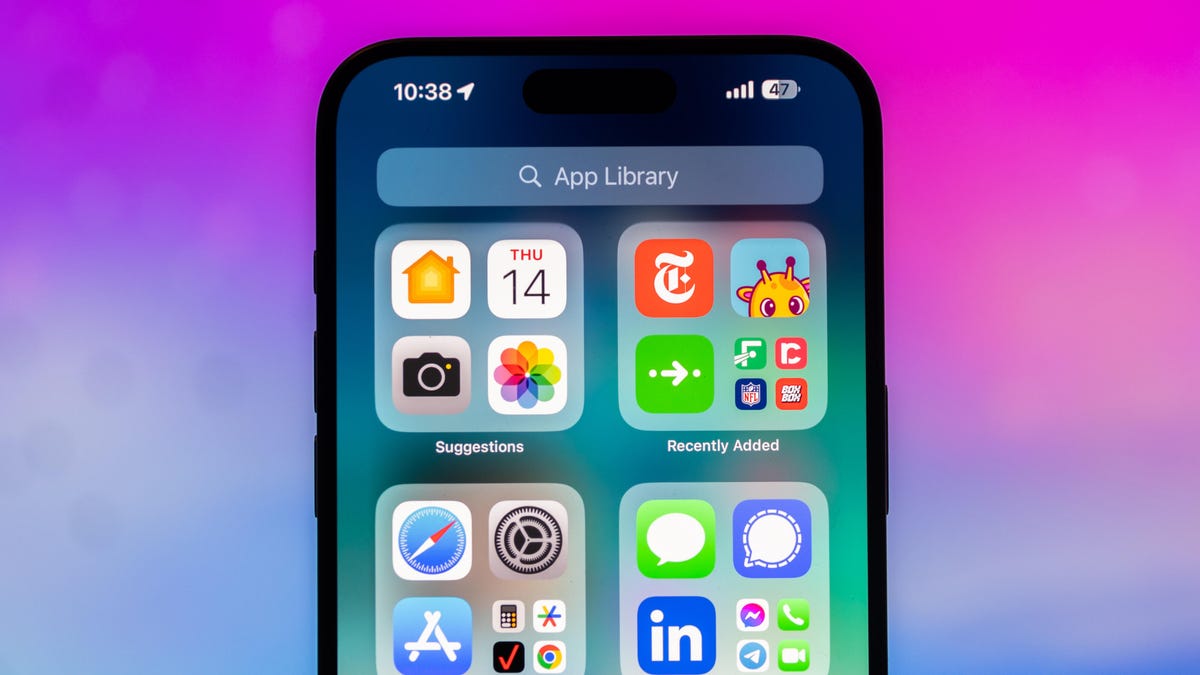
Flying can introduce an entirely new layer of stress to any trip. Flight delays, cancellations and everything that could go wrong can keep you on edge, so staying up to date with your flight’s status is never far away from your mind.
Luckily, we’re in a world where finding the information for your flight is easily accessible. You can check your airline’s mobile app or even Google your flight number and the latest information is readily available. But did you know there’s a secret way to get your flight information on your iPhone?
The iPhone has had a built-in flight tracker for some time now, but you’d never know it existed if you weren’t specifically looking for it — or searching for the correct terms to pull it up.
Below, we’ll show you how to access the flight tracker so you’re just a tap away from the latest flight stats, giving you a little more peace of mind before your trip.
Don’t miss any of our unbiased tech content and lab-based reviews. Add CNET as a preferred Google source on Chrome.
How to track your flight via iMessage
Before we start, there are a few prerequisites you must meet:
- Make sure iMessage is enabled (it doesn’t work with SMS/MMS).
- You’ll need your flight number somewhere in your text messages, whether you’ve sent that information to someone (even yourself) or it’s been sent to you.
- The flight number must be sent in this format: [Airline] [Flight number], for example, American Airlines 9707.
Launch the native Messages app on your iPhone and open the text message thread that contains your flight information. You’ll know the flight tracker feature works when the text with the flight information appears underlined, which means it’s actionable and you can tap on it.
If your flight is still several months away or it’s already passed, you might see a message that says, «Flight information unavailable.» You might also see another flight that’s not yours because airlines recycle flight numbers.
You can check your flight status from Spotlight Search, too
If getting your flight information from Messages wasn’t easy enough, you can also grab the details right from your iPhone’s home screen by swiping down and adding your flight number into Spotlight Search. This works with Spotlight Search on your Mac computer, too.
How to access the hidden flight tracker
Although the airline name/flight number format highlighted above is the best way to go, there are other texting options that will lead you to the same result. So let’s say we stick with American Airlines 9707, other options that may bring up the flight tracker include:
- AmericanAirlines9707 (no spaces)
- AmericanAirlines 9707 (only one space)
- AA9707 (airline name is abbreviated and no space)
- AA 9707 (abbreviated and space)
I would suggest you keep the airline name spelled out completely and add a space between the two pieces of information — like in the previous section — because for some airlines, these alternative options may not work.
Real-time flight tracking
Once everything is set, tap on the flight information in your text messages. If the feature works correctly, you should see the following two options appear in a quick-action menu:
- Preview Flight: View the flight’s details. Tap this to view more information about the flight.
- Copy Flight Code: Copy the flight code to your clipboard (in case you want to send your flight details to someone else via text or email).
If you select Preview Flight, at the top of the window, you’ll see the best part of this feature: a real-time flight tracker map. A line will connect the two destinations, and a tiny airplane will move between them, indicating where the flight is at that exact moment.
Underneath the map, you’ll see important flight information:
- Airline name and flight number
- Flight status (arriving on time, delayed, canceled, etc.)
- Terminal and gate numbers (for arrival and departure)
- Arrival and departure time
- Flight duration
- Baggage claim (the number of the baggage carousel)
If you swipe left on the bottom half of the flight tracker, you can switch between flights, but only if there’s a return flight.
For more travel tips, don’t miss our test on whether AI can help you fly more sustainably.
Technologies
Copilot Health Is Microsoft’s Doctor-Built Spin on Medical AI
Microsoft doesn’t want its AI to be your doctor. It wants to make you better prepared when you do see them.

Microsoft is taking a major swing at health AI. The company announced on Thursday that it’s introducing Copilot Health, a new experience inside its chatbot that will bring together all your medical records and wearable data with an AI that’s designed to help you understand it all.
«We are really on the cusp of building a true medical superintelligence,» said Mustafa Suleyman, Microsoft AI CEO. «One that can learn everything about you, all of your health conditions, from your wearable data, your electronic health records, and use that to provide support and insights and intelligence at your fingertips.»
A recent Microsoft survey found that mobile Copilot users ask the chatbot health-related queries more than for any other topic. Copilot Health was built to answer those questions. Microsoft’s health AI was fine-tuned by its in-house clinicians and an external panel of hundreds of clinicians in more than 24 countries. It uses the National Academy of Medicine’s framework for evaluating credible medical sources and information from Harvard Medical School via a 2025 licensing agreement.
Copilot Health is inside the regular, consumer version of Copilot. But it’s an entirely separate experience, designed that way to keep your health information separate from your usual chats. Because it’s been specifically trained for health questions, it ought to be more helpful and accurate than the regular version of Copilot or another chatbot. ChatGPT introduced a similar experience earlier this year.
Your health information won’t pop up in responses from the regular Copilot, only in the new health tab. You can delete your data at any time by simply toggling off a setting — something so easy it raises the question why all AI companies don’t make it that simple to delete your data.
Your information isn’t used to train Microsoft’s AI models, the company says. But your medical information in AI tools like Copilot is not protected under the Health Insurance Portability and Accountability Act (HIPAA).
The benefit of using Copilot Health is having a place where all your medical and health information lives, with an AI that’s trained to help answer your questions about it. You can connect data from your smartwatches and rings, as well as upload your medical records. Through a third-party program called HealthEx, you can upload files from multiple doctors’ offices, hospitals and labs at one time.
Copilot Health is not a doctor
If you choose to share your electronic health record, the AI can make more informed recommendations and reference specific doctors’ visit notes and lab results. But don’t use Copilot Health as a replacement for a physician. What the AI can do is discuss your health concerns, help you prepare for upcoming appointments and help you build healthier habits.
«Copilot Health is not meant to give you a definitive diagnosis or a formal treatment plan, but it’s certainly here to support you in getting to the right answers,» said Dr. Dominic King, vice president of health at Microsoft AI. The former surgeon led the team that built Copilot Health.
For example, it can help you come up with a list of questions to ask your doctor, break down lab results and find a provider that accepts your insurance. Copilot Health can discuss your health concerns, like understanding any new symptoms, but it can’t diagnose or prescribe medication.
Microsoft is doing a slow rollout, beginning with adults (ages 18 plus) in the US, with English as the only language. You can sign up to join the waitlist for Copilot Health now.
There are some existing uses of AI in health care today, but they’re disparate. Wearables have new AI-powered data insights and coaching. Some doctors are using AI scribe tools to take notes during appointments with patients. Administrative and insurance work also has its own AI tools, particularly around claims processing (including making denials, in some cases). The common thread is that none of the AI is without flaws, and it should never be used to make important decisions without human oversight.
For AI believers, the tangled, bureaucratic web of American health care is the perfect place to prove that AI intervention can make a real difference. But AI in health care is like putting a Band-Aid on a gunshot wound — a halfway measure that doesn’t fix the underlying problems.
It’s too soon to tell if Microsoft’s goal of a medical superintelligence is viable. But for now, Copilot Health illustrates a more productive use of AI — more than filling the internet with slop.
«I think it is perhaps the most important and most positively impactful contribution that AI can make in the world,» Suleyman said. «And it’s enormously important to us.»
-
 Technologies3 года ago
Tech Companies Need to Be Held Accountable for Security, Experts Say
-
 Technologies3 года ago
Best Handheld Game Console in 2023
-
 Technologies3 года ago
Tighten Up Your VR Game With the Best Head Straps for Quest 2
-
 Technologies4 года ago
Black Friday 2021: The best deals on TVs, headphones, kitchenware, and more
-
 Technologies5 лет ago
Google to require vaccinations as Silicon Valley rethinks return-to-office policies
-
 Technologies5 лет ago
Verum, Wickr and Threema: next generation secured messengers
-
 Technologies4 года ago
Olivia Harlan Dekker for Verum Messenger
-
 Technologies4 года ago
iPhone 13 event: How to watch Apple’s big announcement tomorrow


