

Technologies
I Found the Only Fix for Scam Calls That Actually Works
Yes, you can actually silence those annoying calls without changing your number.

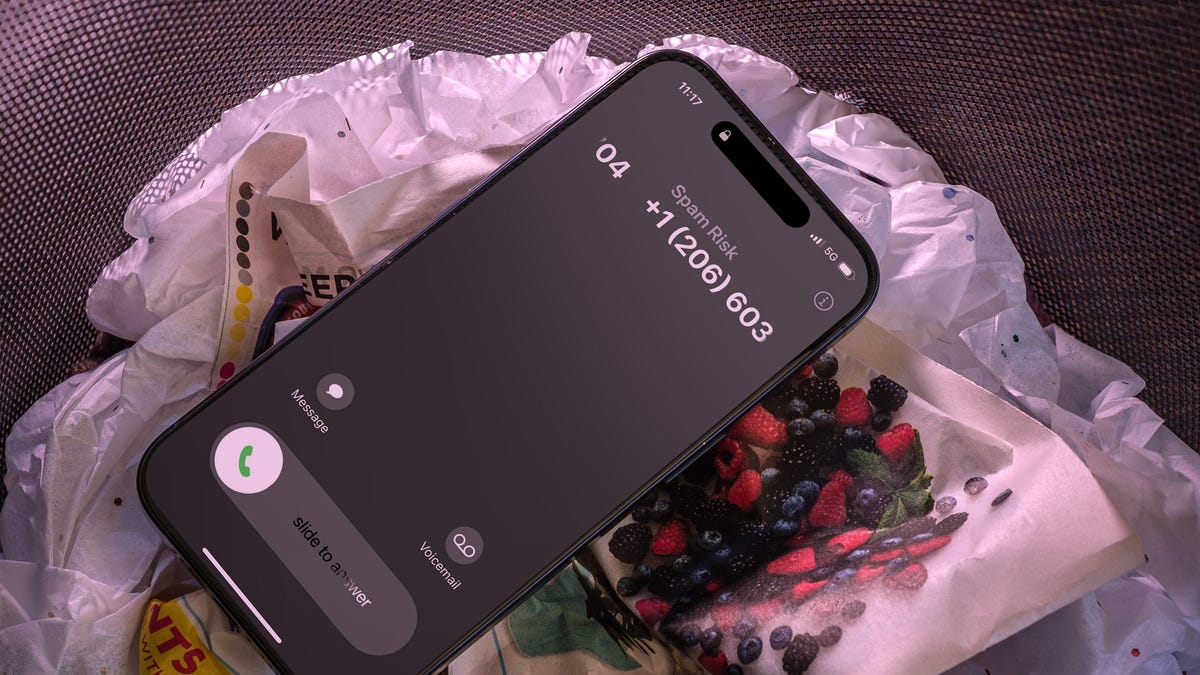
Nobody likes spam calls. There is nothing quite as infuriating as being interrupted in the middle of dinner just to hear a pitch for car insurance, a useless survey, or ten seconds of dead air. It feels like an unavoidable part of owning a phone, but you don’t actually have to stand by and let «Scam Likely» ruin your afternoon.
The good news is that you don’t have to just accept these interruptions as a fact of life. You can actually shut them down with one remarkably simple solution. Imagine never having to deal with a mystery number ever again; it’s the kind of digital peace everyone has wanted since the first telemarketer picked up a headset.
We’ve got the exact details on how to banish these calls once and for all. If you’re ready to stop being a target for every scammer with an autodialer, here is the one move you need to make to reclaim your phone.
For more, here are five signs your information is on the dark web and seven tips to keep your phone secure.
The number of scam calls can’t be that bad, can it?
It sounds like I’m being overly dramatic, but everyone I know is dealing with scam calls. It’s not just anecdotal: Voice security company Hiya has numbers to back it up.
Based on an analysis of 221 billion phone calls made during 2023 and surveys of thousands of people, US consumers received an average of eight spam calls per week, Hiya found. Of those who reported falling for scams, the average amount of money lost was $2,257, a 527% increase over the previous year.
Money-grabbing schemes aren’t the only issue. AI is being used to impersonate influential people on calls to sway behavior. In this US election year, the Federal Communications Commission has already banned AI-powered robocalls following an incident where a Texas company created a robocall impersonating President Joe Biden telling Democrats not to vote in the New Hampshire primary; the FCC proposed a $6 million fine for the incident.
So what’s being done to reduce scam calls?
In 2021, the FCC mandated that a technology called Stir/Shaken be adopted by every major voice provider in the US. It requires them to verify where calls originate to accurately identify them for Caller ID. Congress has also passed legislation aimed at making the carriers track their anti-robocall efforts.
In December 2023, the FCC adopted new rules to add teeth to its existing policies by making it more difficult for telemarketers to blast unwanted calls and texts to consumers.
The problem is that these technologies and regulations designed to mitigate scam calls are not adequate.
Margot Saunders, senior counsel at the National Consumer Law Center, reiterated this fact. «We have been maintaining for some time that Stir/Shaken is not working to ensure accurate caller ID (which is all it is designed to do), because voice service providers are able to rent thousands of phone numbers to telemarketers and scammers that allow the callers to technically comply with Stir/Shaken without revealing meaningful or accurate caller ID,» Saunders said. «The numbers of unwanted calls are about the same as they have been for years.»
Although Saunders believes the FCC’s December 2023 change will make a big difference in the number of telemarketing calls, «it does not go into effect until early 2025, and it will take a while for the litigation to have a beneficial impact,» she said. «Most telemarketing calls are made on behalf of US corporations, and only the threat of costly litigation is likely to reduce these calls.»
You know where this is going with unwanted calls
You can do all sorts of things to try to reduce spam calls, from installing third-party call screening apps to activating scam blocking services offered by your phone’s maker or wireless carriers — some of which require an extra fee, making that «solution» even more painful.
The FCC takes a different approach to dealing with spam calls. It relies more on what you shouldn’t do and less on what scam-blocking services may be able to do.
- Don’t assume that a Caller ID number shown with a local prefix is actually coming from your area.
- Don’t reply to a caller or recording asking you to press a button or answer questions. Don’t answer «Yes.»
- Never believe someone from an unknown number who claims to represent a company or government agency — hang up and call a publicly accessible number to verify the request is legitimate. The IRS, for example, said it usually contacts taxpayers through regular mail and not through a phone call or text message.
Don’t answer your phone. That’s it. That’s the answer.
So how do you know that a call is suspicious? Easy: Assume they all are.
Unless the Caller ID identifies a person in your phone’s contacts list, or you recognize the number (does anyone memorize phone numbers anymore?), assume the call is a scammer.
Just answering a suspicious call with «Hello» can open the floodgates for more scam calls because that tells the scammer there’s a human behind your number and, even more importantly, that this human answers their phone. The number may then be sold to other companies.
That’s a nihilistic approach to phone calls, I know. The volume of robocalls is so high that an incoming call is more likely to be spam. As I said, scammers have ruined phone calls.
Send calls to voicemail
So the solution is to just ignore every call? What about your doctor’s office calling you back to schedule a checkup — do you need to add every phone number and extension they use to your contacts? What if a friend’s phone battery dies and they use someone else’s phone to call you to get a ride? Won’t important calls be ignored?
There’s a narrow ray of light in the telephony darkness. Unless the call is from someone you know, let it go straight to voicemail. The best method is to let it ring, since even actively declining the call might be enough to alert scammers they have a live number. On the iPhone and Android, press the Sleep/Wake button once to stop it ringing on your end — the caller will continue to hear rings until the call is automatically sent to voicemail.
With voicemail on most phones, you can see a list of pending messages, often with a rough voice transcription for each one. I can tell at a glance that the unknown callers leaving 4-second messages are most likely scammers, and anything longer than that I can skim without listening to the full message.
You can even bypass the disruption of getting the call. On the iPhone, go to Settings > Phone > Silence Unknown Callers and turn on the Silence Unknown Callers switch. Anyone not in your contacts, list of outgoing calls or Siri Suggestions goes to voicemail without ringing the phone. Android phones have a similar feature called Filter Spam Calls located in the Phone app’s settings, or a Call Screen feature, depending on the device.
You can also screen a call without picking up on some devices. With Apple’s Live Voicemail feature in iOS 17 and later, ignore the incoming call and then tap the Voicemail button on the lock screen if the caller hasn’t hung up. While they leave their message, iOS transcribes it in real-time, and you can break in and talk to the person if it’s a call you need to take.
On Android, Google Call Screen uses Google Assistant to answer the call, interact with the caller and create a real-time transcript. At Google I/O 2024, the company demonstrated a next-generation variant of this feature, which relies on its AI tool Gemini to listen to a call you’re on and pop up alerts if it seems to be a scam call.
Still, these features are unlikely to make a meaningful dent in the overall problem. «We believe these tools are not useful for several reasons,» Saunders said, pointing out that only knowledgeable and careful consumers are likely to use them and that the privacy implications of this type of live monitoring are potentially enormous.
«The best way to stop the illegal calls,» Saunders said, «is to punish the providers who originate and transmit them. This point has been made time and again to the FCC.»
Seriously, stop answering your phone
Look, I want to believe there’s a technical way out of this mess. Some conversations really are better over the phone, without the potential for misunderstanding via texting or the need to look half-human on a video call. As long as scam calls entrap people profitably, scammers will also ratchet up their techniques (like creating AI voices that mimic a friend or family member).
We can make it harder for the scammers to succeed by doing the simplest thing.
Just don’t answer your phone.
For more security advice, here’s how to protect your data on Wi-Fi and how to delete your data from the internet.
Technologies
Today’s NYT Connections Hints, Answers and Help for Jan. 2, #936
Here are some hints and the answers for the NYT Connections puzzle for Jan. 2 #936.

Looking for the most recent Connections answers? Click here for today’s Connections hints, as well as our daily answers and hints for The New York Times Mini Crossword, Wordle, Connections: Sports Edition and Strands puzzles.
Today’s NYT Connections puzzle has a very challenging purple category that requires the ability to mentally add in a letter that’s not there. Read on for clues and today’s Connections answers.
The Times has a Connections Bot, like the one for Wordle. Go there after you play to receive a numeric score and to have the program analyze your answers. Players who are registered with the Times Games section can now nerd out by following their progress, including the number of puzzles completed, win rate, number of times they nabbed a perfect score and their win streak.
Read more: Hints, Tips and Strategies to Help You Win at NYT Connections Every Time
Hints for today’s Connections groups
Here are four hints for the groupings in today’s Connections puzzle, ranked from the easiest yellow group to the tough (and sometimes bizarre) purple group.
Yellow group hint: Get me a pen.
Green group hint: Hokey.
Blue group hint: This is a level to meet.
Purple group hint: Garden produce, with a twist.
Answers for today’s Connections groups
Yellow group: Write.
Green group: Shtick.
Blue group: Benchmark.
Purple group: Vegetables minus starting letter.
Read more: Wordle Cheat Sheet: Here Are the Most Popular Letters Used in English Words
What are today’s Connections answers?
The yellow words in today’s Connections
The theme is write. The four answers are jot, log, note and record.
The green words in today’s Connections
The theme is shtick. The four answers are bit, gag, number and routine.
The blue words in today’s Connections
The theme is benchmark. The four answers are bar, example, metric and standard.
The purple words in today’s Connections
The theme is vegetables minus starting letter. The four answers are ale (kale), eek (leek), hive (chive) and quash (squash).
Don’t miss any of our unbiased tech content and lab-based reviews. Add CNET as a preferred Google source.
Technologies
Today’s NYT Strands Hints, Answers and Help for Jan. 2 #670
Here are hints and answers for the NYT Strands puzzle for Jan. 2, No. 670.
Looking for the most recent Strands answer? Click here for our daily Strands hints, as well as our daily answers and hints for The New York Times Mini Crossword, Wordle, Connections and Connections: Sports Edition puzzles.
Today’s NYT Strands puzzle has a fun topic, but as always, some of the answers are difficult to unscramble. So if you need hints and answers, read on.
I go into depth about the rules for Strands in this story.
If you’re looking for today’s Wordle, Connections and Mini Crossword answers, you can visit CNET’s NYT puzzle hints page.
Read more: NYT Connections Turns 1: These Are the 5 Toughest Puzzles So Far
Hint for today’s Strands puzzle
Today’s Strands theme is: Home is where the hearth is.
If that doesn’t help you, here’s a clue: Snuggle up.
Clue words to unlock in-game hints
Your goal is to find hidden words that fit the puzzle’s theme. If you’re stuck, find any words you can. Every time you find three words of four letters or more, Strands will reveal one of the theme words. These are the words I used to get those hints but any words of four or more letters that you find will work:
- LAKE, TAKE, BAKE, PEAT, TAPE, WIPE, LASS, BORE, MELD, BLANK, PATE, LATE, TATE, FIRE, FILE, RACE
Answers for today’s Strands puzzle
These are the answers that tie into the theme. The goal of the puzzle is to find them all, including the spangram, a theme word that reaches from one side of the puzzle to the other. When you have all of them (I originally thought there were always eight but learned that the number can vary), every letter on the board will be used. Here are the nonspangram answers:
- ROBE, COCOA, BLANKET, CUDDLES, SLIPPERS, FIREPLACE
Today’s Strands spangram
Today’s Strands spangram is STAYWARM. To find it, look for the S that’s three letters to the right on the top row, and wind down.
Don’t miss any of our unbiased tech content and lab-based reviews. Add CNET as a preferred Google source.
Technologies
Lost Your iPhone? Easy Steps to Find It Even if It’s Dead
Losing your iPhone at the beginning of the New Year is no fun, but there’s hope. Here’s what you can do to find it.
We’ve officially kicked off the New Year! However, if you or someone you know has lost or misplaced their iPhone during all the holiday festivities, you’ve come to the right place. Most iPhones nowadays have powerful features that can locate your device.
Apple’s Find My feature, with its crowdsourced Find My Network, is your best ally. It sends your phone’s location to iCloud, even when the device is off. For added defense, Stolen Device Protection secures sensitive data, such as credit cards and passwords.
If you have an iPhone 11 or newer (excluding the 2020 and 2022 iPhone SE), you have the ultra-wideband chip for offline finding. As long as Find My is enabled and you’re signed in to your Apple ID, you can locate your iPhone even if the battery is dead. Before panicking, follow these steps to recover your phone.
Apple Find My and Find My Network aren’t the same
Apple Find My and Find My Network are different, which can be confusing. While Find My is now the name of an app, the Find My Network is what allows you to locate your device when it’s offline, turned off or low on power.
You can use the Find My Network feature within Apple’s Find My app or sign into your Apple ID at iCloud.com to locate your misplaced iPhone. Plus, the app also allows you to add other Apple products and items that you want to track to your Find My Network.
Don’t miss any of our unbiased tech content and lab-based reviews. Add CNET as a preferred Google source.
How to turn on Find My and Find My Network
You need to make sure Find My and Find My Network are set up to allow you to locate your switched-off iPhone. Open Settings and follow these steps:
- Tap on your name in the Settings menu.
- Go to Find My > Find My iPhone and make sure the switch is toggled on.
- Below Find My iPhone, you’ll see Find My Network and Send Last Location toggles. Turn them on, too.
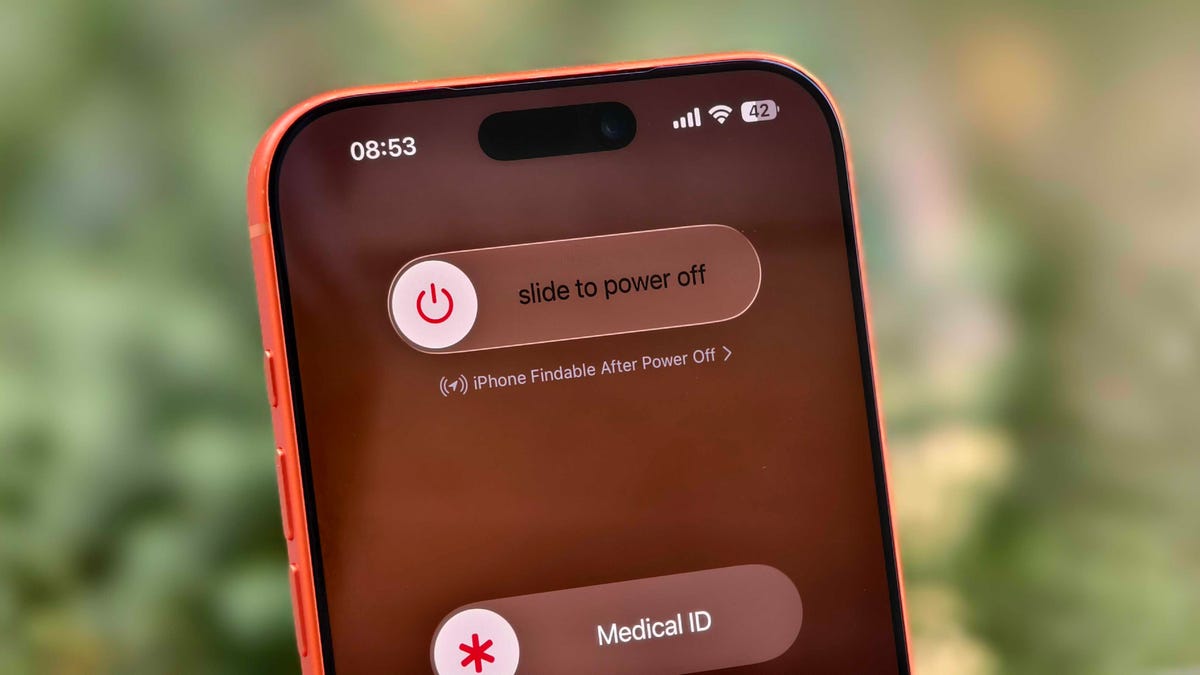
You can check if your iPhone is discoverable even when it’s switched off by going to the power menu: Swipe down from the top-right corner to view Control Center and press and hold the power button in that corner, or hold the side and volume down button. Under the «slide to power off» slider, look for «iPhone Findable After Power Off.» Your iPhone is now all set to be found, even if a thief turns it off.
However, there are a few exceptions. If your iPhone hasn’t sent its location to Apple through Find My in the last seven days, you’ll see «No location found» next to your device. It can happen if there’s an issue with your device’s location services.
How to find a lost iPhone with the Find My app on another Apple device
Now comes the hard part: What happens after you lose your iPhone? Assuming you’ve completed the steps above, you can keep calm. If you have another Apple device, such as an Apple Watch, iPad or MacBook, follow the steps below to locate your misplaced or stolen iPhone. This will also work on a friend’s or family member’s device that you’ve shared your location with.
- Open the Find My app and locate your iPhone in the list under the Devices tab. You should see it in this list (even if it’s powered off) as long as you have previously enabled the Find My iPhone, Find My Network and Send Last Location options.
- Tap or click the name of your iPhone. This should take you to a menu with several options for finding your phone or marking it as lost.
- If you misplaced your iPhone and you’re sure that it’s nearby, tap or click Play Sound or Directions to make the device play a sound or get directions to the device’s last recorded location, respectively.
- If you’re sure your iPhone is stolen, tap Activate under the Mark As Lost option. This immediately locks the device with your passcode, suspends Apple Pay and displays a custom message with your contact information for anyone who finds it. You can also use Send Last Location to locate the last known location of your device.
How to find a lost iPhone if you don’t have another Apple device
In case you don’t have another Apple device, you can sign into your iCloud account in a web browser to find your lost iPhone (though this option can be troublesome if you don’t have another Apple device because of two-factor authentication). Follow these steps to use a web browser to see your lost iPhone’s location:
- Go to icloud.com/find and sign in with your Apple ID.
- Go to the Devices list.
- From here, use the same options for playing a sound, marking your device as lost or erasing the device as you would in the app.
You can also disable Control Center access on the lock screen while traveling abroad to prevent a thief from turning off data or enabling Airplane mode. To do this, do the following:
- Go to Settings > Face ID & Passcode (or Touch ID & Passcode) and enter your passcode.
- Under the Allow Access When Locked section, toggle off the Control Center option.
This option can add some inconvenience to day-to-day use, but I recommend turning off Control Center while traveling.
These settings give you the best chance of finding your iPhone if it’s been stolen and turned off. For more iPhone tips and advice, check out our guide to the Camera Control and how to block distracting websites.
-
 Technologies3 года ago
Tech Companies Need to Be Held Accountable for Security, Experts Say
-
 Technologies3 года ago
Best Handheld Game Console in 2023
-
 Technologies3 года ago
Tighten Up Your VR Game With the Best Head Straps for Quest 2
-
 Technologies4 года ago
Black Friday 2021: The best deals on TVs, headphones, kitchenware, and more
-
 Technologies4 года ago
Verum, Wickr and Threema: next generation secured messengers
-
 Technologies4 года ago
Google to require vaccinations as Silicon Valley rethinks return-to-office policies
-
 Technologies4 года ago
Olivia Harlan Dekker for Verum Messenger
-
 Technologies4 года ago
iPhone 13 event: How to watch Apple’s big announcement tomorrow


