

Technologies
How to Give Your Laggy Phone a Holiday Glow-Up Without Spending a Dime
If your Android is slowing down, learn how clearing space and managing apps restores its speed.


Before you drop hundreds on a new handset because your current Android phone feels prehistoric, hit the brakes. The hardware likely isn’t the problem. It’s the digital clutter you’ve allowed to pile up.
You know what we’re talking about: The lag, the freezing apps and the plummeting battery life are just symptoms of a storage system choked by files you haven’t touched in years. But you don’t have to replace your phone to get what you’re looking for. In fact, there’s a much simpler fix, and we’ve got several options to try.
In fact, you can start the new year fresh with 2026 around the corner and get that phone running like new again. And it’s not hard. Purge the digital junk (and seriously, sanitize the actual screen while you’re at it) to stop the stuttering. You can make that phone fast again without spending a dime.
Here’s to 2026 with your (turbocharged) Android phone in hand.
Don’t miss any of our unbiased tech content and lab-based reviews. Add CNET as a preferred Google source on Chrome.
For more, check out our Samsung Galaxy S25 Ultra and Galaxy S25 Plus reviews.
Delete all of your forgotten apps
Take a few minutes to go through your home screen or app drawer and delete any and all apps you no longer use. Not only do those apps take up precious storage, but they also potentially have access to the personal information or permissions you approved when the app was first launched.
How you go about deleting an app can vary based on who makes your device, but I covered all the bases in this post. Give it a read if you don’t see an uninstall option after long-pressing on the app’s icon.
Eliminate old files to free up storage
After removing any old apps, free up more storage by going through the files saved on your Android phone. It’s far too easy to forget about all of the files you’ve randomly downloaded — like the takeout menu of the new place down the road or a GIF a friend sent. And those files add up. The quickest and easiest way to manage your phone’s storage is to use the Files app that comes preinstalled.
Actually, some phones use a variation of that same app. On Samsung, for example, it’s called My Files. On the Pixel lineup, it’s just Files. On the OnePlus 10 Pro, it’s File Manager — you get the point.
I recommend opening the app drawer on your phone and reaching for «files.» Odds are that it will reveal whatever your phone-maker calls the app.
Start by checking the Downloads folder, where you can either delete the files you no longer want or move them somewhere like Google Drive.
Most file apps will also reveal any large files that are saved on your device. For instance, the OnePlus 10 Pro’s File Manager app has a dedicated section in the app for files that are taking up a lot of space.
Tweak home screen settings for a new look
One of the best parts of Android is how much you can customize the entire look of your phone. From installing app icon packs to completely replacing the launcher your phone uses, there are plenty of options to personalize your phone.
While you can definitely jump into tweaking launchers and installing app icons, start by digging into the home screen settings your phone already provides. I do this once in a while, and it’s surprising how subtle tweaks to aspects like app layout can make it feel like an entirely new phone.
Long-press on a blank area of your home screen, then select Home settings (or some variation of that). That will open the options for your home screen, where you can customize various settings.
Settings like the size of the app grid. It may seem like a small change to go from a grid of 4×5 apps to 5×5, but that extra column can make a big difference (the same can be said about shrinking the grid).
This is also where you’ll find settings for things like swiping down on the home screen to view notifications instead of having to swipe from the top of the screen.
Go through the respective settings your phone has and experiment with your home screen setup.
Optimize your device settings
Speaking of settings, now is a good time to go through and change any settings that have been annoying you. I have a roundup of settings you’ll want to change and customize on any Android phone to get the most out of it.
For example, turning on dark mode not only makes the app look better, but it also saves battery life. And yes, I even show you how to stop app icons from automatically appearing on your home screen.
Customize your privacy options
Before you take a break, do yourself and your Android phone one last favor — double-check your privacy settings.
Open the Settings app then tap Privacy > Permissions Manager. Go through each category to see which apps currently have access to which treasure trove of your personal data. Find an app that you don’t want to have access to your location? Turn it off. The same goes for contacts, calendar or camera.
It doesn’t take long to go through each section, and even if it did, it’s well worth the effort.
Technologies
Aflac Reveals Just How Big Its Data Breach Really Was
The insurance company says the compromised information included Social Security numbers and health insurance information.
Following up on a data breach that it first reported in June, insurance provider Aflac revealed in December that the incursion compromised the personal data of 22.65 million people. In its update, the company said that files containing personal data related to customers, beneficiaries and employees may have included contact information, claims, health information and Social Security numbers.
Aflac said it addressed the breach within hours and began notifying customers soon after. On its homepage, Aflac has a link to a PDF document that includes details on what it’s offering customers to address the breach, including 24 free months of CyEx cybersecurity services.
Don’t miss any of our unbiased tech content and lab-based reviews. Add CNET as a preferred Google source.
The service includes credit monitoring, medical information protection services and identity theft monitoring.
In a press release, the company downplayed the effects of the data breach. «To date, Aflac is not aware of any fraudulent use of personal information and —along with third-party partners —will continue to monitor any fraudulent activity,» it said.
A representative for Aflac told CNET the company has no further comment beyond what it has posted on its website.
The businesses you interact with — insurers, health care providers, financial services companies, retailers and so on — are a trove of personal information about about you that cybercriminals are constantly trying to access. Some ways you can protect your private data include locking your Social Security number, improving your passwords and being on guard against phishing.
Technologies
I Tested the Huawei Pura X: This Wide-Screen Flip Phone Is Refreshing and Fun
Huawei’s Pura X is the wildest flip phone to exist and one of the only two foldable phones that I’ve loved watching videos on.
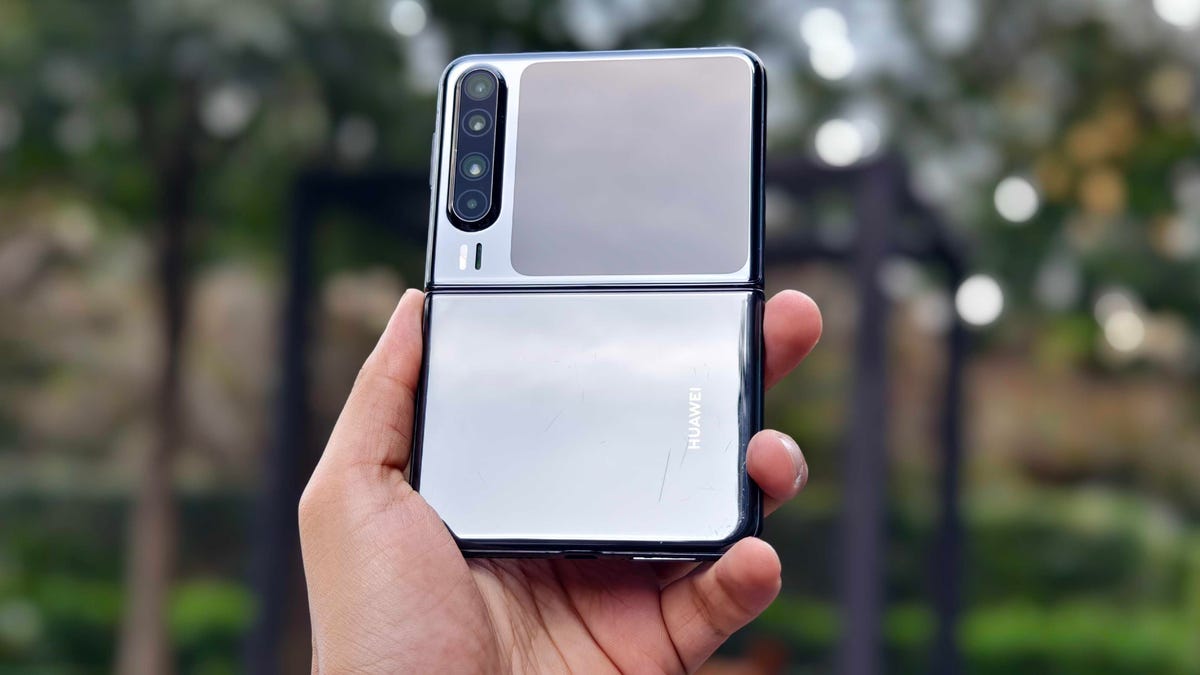
I’ve tested several flip phones in the past, but I never stuck to any. My lifestyle doesn’t require a phone that folds into a smaller footprint to fit inside my pocket. There’s a market for them, no doubt, but when I’m using a foldable phone, I want it to expand the capabilities of my current phone. And that’s why I’ve loved using the Huawei Pura X.
Most flip phones are narrower and taller than traditional smartphones. They have big 6.9-inch screens with a 21:9 aspect ratio, but the Pura X is unique by design. It has a smaller 6.3-inch display with a wider 16:10 aspect ratio, making it an ideal screen for reading and video consumption. The Huawei Pura X is a refreshing take on flip phones. It is closer to a mini book-style foldable than a flip phone. In fact, I have enjoyed using it more than the Motorola Razrs and Galaxy Z Flips of the world.
Huawei Pura X: What’s it like to use a wide-screen flip phone?
I couldn’t use the Pura X as my primary phone because it is a China-only device. So, most of its preloaded apps are in Chinese. I installed a few Google apps like Chrome and YouTube, among others, to make the experience as close as possible to my main device.
In the last 10 days, I’ve loved consuming content, both video and written, on the Huawei flip phone. It combines the pocketability of a flip phone with the readability of a book-style fold in a single device — while also delivering a better video-watching experience than both of them.
The Pura X unfolds to a 6.3-inch AMOLED display with support for a dynamic 120Hz refresh rate, 2,120×1,320-pixel resolution and 2,500 nits peak brightness for supported HDR content. These specs might seem similar to the iPhone 17, Galaxy S25 and Google Pixel 10, but the Pura X has a wider 16:10 aspect ratio (versus 20:9 on slab phones). Its biggest benefit is immediately noticeable when watching movies and YouTube videos.
The video consumption experience on foldable phones typically isn’t ideal. They usually have huge letterboxing (thick black borders) on either top and bottom (on the Galaxy Z Fold 7) or left and right (on the Galaxy Z Flip 7). Movies shot in 21:9 fare better on flip phones but worse on book-style foldables. The Huawei Pura X minimizes this letterboxing with its 16:10 screen, while also offering a similar on-screen watchable area.
This might surprise many, but as you can see from the above photo, you get a larger video viewing area on Huawei’s 6.3-inch display than Samsung and Motorola’s 6.9-inch flip phone screens. In fact, 16:9 YouTube videos on the Pura X are almost as big as on the Galaxy Z Fold 7 (in the slightly wider horizontal orientation). This is only the second time I’ve loved watching videos on a foldable phone (the first was the Huawei Mate XT trifold phone, also for its increased viewing area with a 16:11 aspect ratio, when fully unfolded).
It also provides a pleasing reading and web browsing experience — you just need to rotate the phone in vertical orientation. By design, the Pura X is slippery, and its wider design doesn’t help the in-hand grip. Thankfully, it weighs under 200 grams, so it isn’t as heavy as modern flagship phones. I got used to it within a few hours.
Another learning curve was getting used to the placement of buttons and unfolding it like a Fold (from the right side) instead of a Flip (from the bottom). The latter was easy, but I still struggle with the former.
When you unfold the Pura X, you need to rotate it by 90 degrees to change its orientation to use vertically. Huawei’s user interface doesn’t allow you to use the phone horizontally. So, every time I open the Pura X, its volume rockers and power button (with a built-in fingerprint scanner for biometric authentication) swap places.
The fingerprint sensor that resides on the natural resting place on my thumb (when the phone is folded) moves to the top of the phone when it is unfolded. I have added my index finger data to unlock the phone, and it might not be a big deal in the long term, once my muscle memory has gotten used to it. But so far, it has been slightly bothersome to get a mention here.
The rest of the specs and features
The Huawei Pura X has a 3.5-inch OLED cover screen with a 980×980-pixel resolution and the same dynamic 120Hz refresh rate. It isn’t as large as Samsung and Motorola flip phones, but it can run a full-fledged browser and multiple first-party apps. This 1:1 display is also good enough to capture selfies using the rear cameras, of which you get three.
Huawei has included a 50-megapixel primary camera with an f/1.6 aperture. It is accompanied by a 40-megapixel f/2.2 ultrawide-angle sensor and an 8-megapixel telephoto camera with support for a 3.5x optical zoom.
For context, most flip phones have only two rear cameras, but the Pura X’s optics are as versatile as a slab phone. The camera performance is similar to what you’d expect from a Huawei phone: smooth and brightened skin tones, good dynamic range and rich details.
The Huawei Pura X is powered by last year’s Kirin 9020 chipset and has up to 16GB of RAM and 1TB of storage. My unit runs on HarmonyOS 6.0, which is smooth and fluid in day-to-day use. It packs a 4,720-mAh battery with support for 66-watt wired superfast charging and 40-watt wireless fast charging.
The Pura X is for those who want the best video consumption experience on a foldable phone, without compromising portability and cameras. It was launched earlier this year at a starting price of 7,499 yuan (roughly $1,065) for the 12GB RAM and 256GB storage version. However, it received a price cut recently and is now selling for 6,899 yuan (roughly $980).
After using the Huawei Pura X, I can confidently say that wide-screen foldable phones have their own place in the niche category. It has made me more excited for the rumored 4:3 iPhone Fold and Samsung «Wide Fold» in 2026.
Technologies
Verum Messenger Introduces Its Own Next-Generation eSIM Technology
Verum Messenger Introduces Its Own Next-Generation eSIM Technology

Digital mobile connectivity is evolving rapidly, and eSIM is becoming a key element of this transformation. The Verum Messenger team has developed and launched its own eSIM technology, designed for users who value freedom of communication, the absence of roaming, and independence from operator restrictions.
Verum eSIM is a virtual SIM card that works without a physical carrier and provides mobile internet access in different countries around the world under unified conditions. Users simply install the eSIM on a smartphone, tablet, Wi-Fi router, or any other supported device — without visiting a mobile store and without replacing a SIM card. From the very beginning, the technology was designed as a global solution, not tied to a single operator or region.
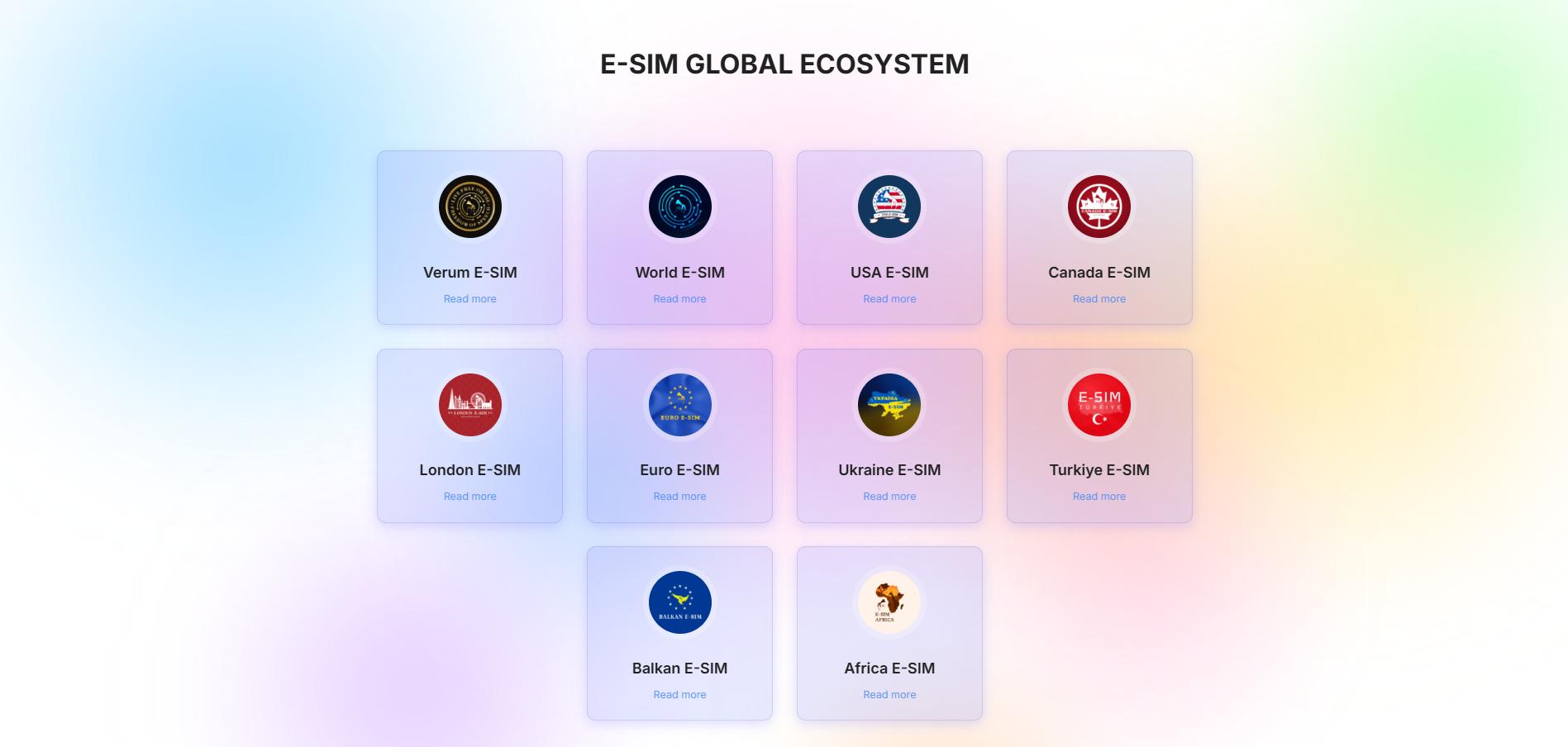
Verum eSIM offers a range of regional and international plans: World eSIM (global coverage), London eSIM, USA eSIM, Euro eSIM, Africa eSIM, Türkiye eSIM, Canada eSIM, Balkan eSIM, Ukraine eSIM. The key difference is the absence of traditional roaming. Users receive stable mobile internet in multiple countries without sudden tariff changes or unexpected charges.
One of the core features of the technology is its operation without a physical SIM card. This minimizes dependence on local operators, allows users to bypass network restrictions and blocks, and enables effective use of eSIM in countries with strict internet censorship, including Russia. When using only the Verum eSIM profile, connection flexibility and privacy levels are significantly increased.
A separate advantage of Verum eSIM is full support for eSIM-enabled Wi-Fi routers. All available plans can be used not only on smartphones but also on compatible eSIM routers, providing internet access to multiple devices at once. Such a router can serve as the primary internet source at home, in the office, while traveling, in cars, on yachts, or in temporary locations, automatically connecting to available networks in different countries without being tied to local operators.
The Verum team focuses on affordable and transparent pricing. Plans are structured to be competitive compared to local operators and traditional international roaming. Users know the data cost in advance and do not encounter hidden fees.
For user convenience, Verum eSIM supports a wide range of payment methods, including bank cards, cryptocurrencies, and alternative payment solutions. This makes the service accessible to users from different countries with various financial instruments.
Verum Messenger and Verum eSIM are not just an eSIM service, but a step toward rethinking mobile connectivity as a global, open, and independent technology. No roaming, no physical SIM card, no territorial limitations — a new standard of mobile internet, truly worldwide.
-
 Technologies3 года ago
Tech Companies Need to Be Held Accountable for Security, Experts Say
-
 Technologies3 года ago
Best Handheld Game Console in 2023
-
 Technologies3 года ago
Tighten Up Your VR Game With the Best Head Straps for Quest 2
-
 Technologies4 года ago
Black Friday 2021: The best deals on TVs, headphones, kitchenware, and more
-
 Technologies4 года ago
Verum, Wickr and Threema: next generation secured messengers
-
 Technologies4 года ago
Google to require vaccinations as Silicon Valley rethinks return-to-office policies
-
 Technologies4 года ago
Olivia Harlan Dekker for Verum Messenger
-
 Technologies4 года ago
iPhone 13 event: How to watch Apple’s big announcement tomorrow


