

Technologies
I Missed Out on Hours of Apple Watch Battery Life Before I Learned These Tricks
7 Apple Watch settings you can change right now that will drastically improve battery life.

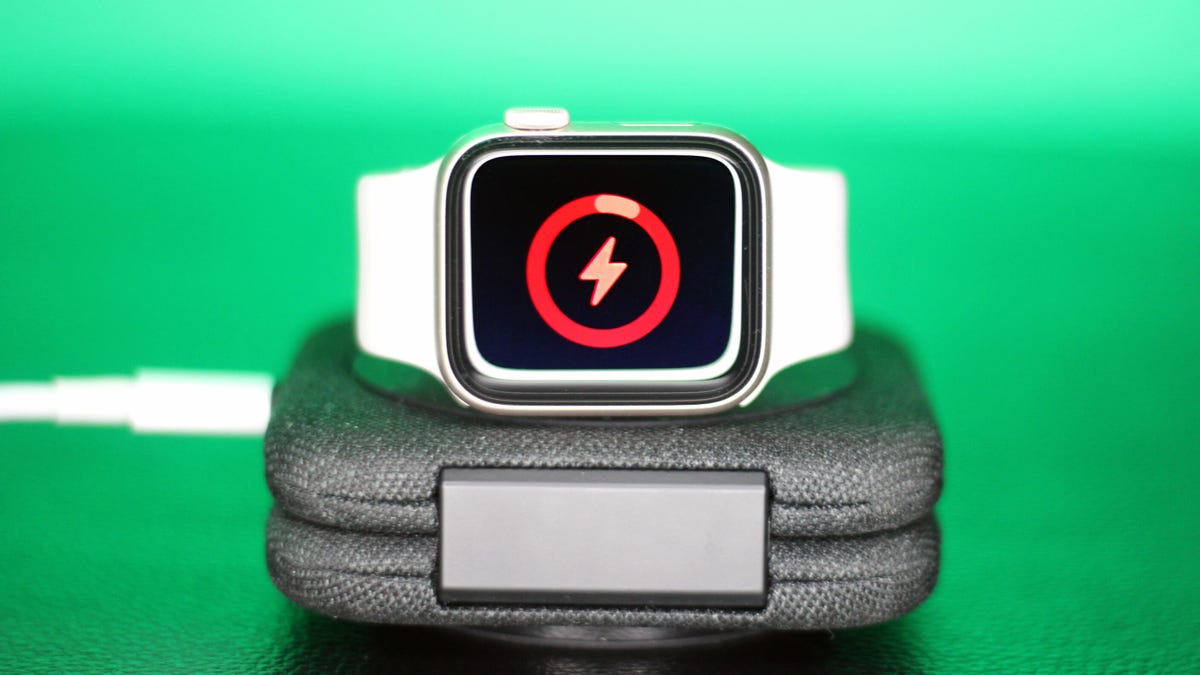
I’d pretty much resigned myself to the fact that my Apple Watch needed a nightly charge right alongside my phone. Placing it on the charger at the end of the day was as much a part of my nightly routine as brushing my teeth. I’d place my phone and my watch on their chargers, disconnect from screens and settle in for a night free of tracking and notifications.
That is, until sleep tracking complicated everything. The Apple Watch can record several important health metrics during sleep and look for indicators of sleep apnea, hypertension and even early signs of illness. It’s gotten too good to ignore.
Don’t miss any of our unbiased tech content and lab-based reviews. Add CNET as a preferred Google source.
My biggest challenge with this new sleeping arrangement has been battery life. The Apple Watch needs at least seven consecutive nights of sleep tracking to start analyzing the data. And even though the current Series 11 and last year’s Series 10 can last through a full day and a night of sleep tracking, they leave me with a dead watch around lunchtime if I don’t recharge.
After too many days of not receiving credit for midday workouts and obsessively watching the battery percentage drop, I began searching for every trick to maximize my Apple Watch’s battery life. And I’m guessing I’m not alone. Here’s what’s helped.
1. Charge as fast as possible
The first thing you can do without sacrificing any features is make sure you’re actually getting full fast charging speeds. The Series 10, Series 11, SE 3 and Ultra 3 all support superfast charging but I realized I wasn’t using the right wattage wall adapter.
Apple doesn’t include a charging brick anymore, so if you plugged your cable into whatever spare charger that was lying around your kitchen (like me), you’re probably not charging your watch as quickly as you could. Apple recommends a 20-watt or higher USB-C power adapter, which should charge newer models from empty to full in less than an hour or provide enough juice for a full night of sleep tracking in five minutes — about as long as it takes to brush your teeth.
2. Gain a few more hours with a small trade-off
Extending your battery won’t come without some compromises, but the easiest sacrifice for me is turning off «Wake on Wrist Raise» and «Wake on Crown Rotation» in Settings. On watches with an always-on display, this simply means that the screen remains in its dimmer «resting» state until you intentionally tap it, instead of lighting up every time you move your wrist or brush the crown.
It won’t work for older models that lack an always-on display, but if you do have a compatible watch, it can easily add four extra hours of use. The only caveat is that you won’t see your notifications immediately. You’ll still receive the haptic alert, but you’ll need to tap in to view the notification, rather than simply tilting your wrist to see it appear.
To disable it, open the Settings app, go to Display & Brightness and then scroll all the way to the bottom and toggle off both options.
3. Dim the lights
Lower your screen brightness — it’s another small trade-off, but only on a sunny day. The watch comes out of the box with its brightness set around two-thirds of its peak level. The screen’s brightness will automatically adjust based on your environment but you can force it to stay at the lowest setting. In the Display & Brightness settings, reduce the Brightness level to one bar.
Dimming your watch’s display can add one or two extra hours of battery life between charges, depending on where you spend your day and how often the screen wakes. The only times I miss having a bright screen are during outdoor runs in blazing sun. But sacrificing brightness for a longer battery life is by no means a deal-breaker.
4. Go for a bare-bones watch face
Switching to a simpler watch face can also help squeeze more life out of the battery. The more pixels your watch has to light up (think photo faces) or the more animation involved (hello, Memojis), the faster your battery drains. The same applies to complications that constantly update, such as the weather or your heart rate.
Apple doesn’t offer a battery-use score for its watch faces the way some Android watches do, but as a general rule of thumb, darker, simpler faces with fewer active elements last the longest. My go-tos are Activity Digital, which displays only my rings, or X-Large, which shows only the numbers.
5. Getting through Day 2 will cost you
A few extra hours of battery life are great but sometimes even that isn’t enough to get me through the day. My biggest issue is running out of juice when I’m away from home and a charger is nowhere in sight. Even if your weekday routine includes an office charge, weekends are unpredictable, and it’s best to make it to the evening when you’re closer to your charger.
For me, the next-level compromise is turning off the always-on display. You’ll need to raise your wrist to wake the screen, but this feature adds up to six hours of battery life, depending on your model.
To turn it off, go to Settings, then select Display & Brightness and toggle off Always-On. Note that it also affects workouts, so if you prefer training with your heart rate zones or other stats visible at a glance, this might not be the best option.
6. Turn on low power mode as a last resort
If I really need to squeeze every last drop of battery life, I switch to low power mode once when the watch hits 15%. It’s actually easier to toggle on and off than the always-on display because it’s accessible in the control panel by pressing the side button. Tap the Battery Percentage button and then press Low Power Mode.
Low power mode does more than just disable the always-on screen. It also delays notifications (only slightly), turns off auto-start for workouts (so you’ll need to start them manually) and pauses background measurements. Heart rate zone alerts, high/low and irregular rhythm notifications, and loud environment alerts are all disabled, too. However, when a workout is running, heart rate and pace are still measured.
7. Check the health of your battery
If you’re still experiencing poor battery life after trying all these troubleshooting tricks, it may simply be time to check your battery’s health. Even with the best habits, a worn-down battery can only do so much, and at a certain point, an upgrade or replacement is the only real fix.
Older models tend to show wear sooner, but it’s not guaranteed. Charging patterns and overall use can take a toll on newer models, too. Having Apple replace the battery costs about $99, or you can put that money toward a newer model, like the SE 3, which starts at $249. If you have AppleCare Plus and your battery capacity is below 80%, the repair or replacement (if needed) is included.
To check your battery health, go to Settings, then Battery, tap Battery Health and scroll down to Maximum Capacity. Anything around or below 80% can start to cause noticeable issues.
Which Apple Watch model you have also matters for battery life
If you do decide that upgrading is your best choice, the Apple Watch Ultra line (especially the Ultra 3) has the longest battery life by far. Apple says 42 hours per charge but I consistently hit closer to 48 hours without disabling features. The Series 11 is rated for up to 24 hours, although I typically get about 30 hours with a full night of sleep tracking and a 40-minute GPS workout.
Apple doesn’t advertise it, but larger-sized models generally last about two hours longer than smaller ones — so the 46mm Series 11 outperforms the 42mm. Models like the SE 3 or the Series 10 and older are rated for 18 hours with the always-on display enabled but I’ve pushed mine past the 22-hour mark.
Whatever mix of tricks you use (or whichever new model you start fresh with), here’s hoping you crack the battery routine and get the full benefit of everything the Apple Watch can do for your health.
Technologies
Today’s NYT Connections: Sports Edition Hints and Answers for Dec. 11, #444
Here are hints and the answers for the NYT Connections: Sports Edition puzzle for Dec. 11, No. 444.
Looking for the most recent regular Connections answers? Click here for today’s Connections hints, as well as our daily answers and hints for The New York Times Mini Crossword, Wordle and Strands puzzles.
Today’s Connections: Sports Edition is a tough one. If you’re struggling with today’s puzzle but still want to solve it, read on for hints and the answers.
Connections: Sports Edition is published by The Athletic, the subscription-based sports journalism site owned by The Times. It doesn’t appear in the NYT Games app, but it does in The Athletic’s own app. Or you can play it for free online.
Read more: NYT Connections: Sports Edition Puzzle Comes Out of Beta
Hints for today’s Connections: Sports Edition groups
Here are four hints for the groupings in today’s Connections: Sports Edition puzzle, ranked from the easiest yellow group to the tough (and sometimes bizarre) purple group.
Yellow group hint: Put on your skates.
Green group hint: Get your racket.
Blue group hint: Dribble the ball.
Purple group hint: Kids love to do this.
Answers for today’s Connections: Sports Edition groups
Yellow group: Found at a hockey rink.
Green group: Last four men to win a tennis Grand Slam.
Blue group: Current women’s college basketball stars.
Purple group: ____ play.
Read more: Wordle Cheat Sheet: Here Are the Most Popular Letters Used in English Words
What are today’s Connections: Sports Edition answers?
The yellow words in today’s Connections
The theme is found at a hockey rink. The four answers are bench, boards, glass and penalty box.
The green words in today’s Connections
The theme is the last four men to win a tennis Grand Slam. The four answers are Alcaraz, Djokovic, Nadal and Sinner.
The blue words in today’s Connections
The theme is current women’s college basketball stars. The four answers are Betts, Booker, Crooks and Strong.
The purple words in today’s Connections
The theme is ____ play. The four answers are bang-bang, power, trick and triple.
Don’t miss any of our unbiased tech content and lab-based reviews. Add CNET as a preferred Google source.
Toughest Connections: Sports Edition categories
The Connections: Sports Edition puzzle can be tough, but it really depends on which sports you know the most about. My husband aces anything having to do with Formula 1, my best friend is a hockey buff, and I can answer any question about Minnesota teams.
That said, it’s hard to pick the toughest Connections categories, but here are some I found exceptionally mind-blowing recently.
#1: Series A Clubs, Jan. 11. Answers: Atalanta, Juventus, Lazio, Roma.
#2: WNBA MVPs, Jan. 21. Answers: Catchings, Delle Donne, Fowles and Stewart.
#3: Premier League team nicknames, Jan. 17. Answers: Bees, Cherries, Foxes and Hammers.
#4: Homophones of NBA player names, Jan. 26. Answers: Barns, Connect, Heart and Hero.
Technologies
Today’s Wordle Hints, Answer and Help for Dec. 11, #1636
Here are hints and the answer for today’s Wordle for Dec. 11, No. 1,636.
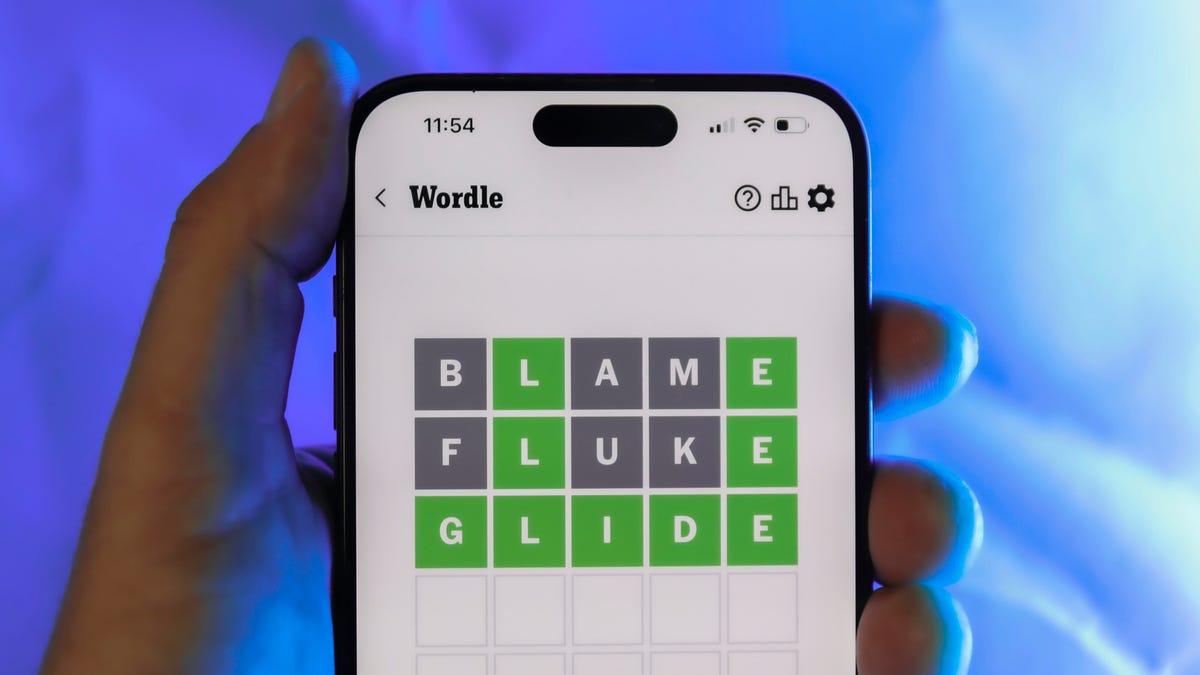
Looking for the most recent Wordle answer? Click here for today’s Wordle hints, as well as our daily answers and hints for The New York Times Mini Crossword, Connections, Connections: Sports Edition and Strands puzzles.
Today’s Wordle puzzle is a little tricky, with a double letter, to boot. If you need a new starter word, check out our list of which letters show up the most in English words. If you need hints and the answer, read on.
Today’s Wordle hints
Before we show you today’s Wordle answer, we’ll give you some hints. If you don’t want a spoiler, look away now.
Wordle hint No. 1: Repeats
Today’s Wordle answer has one repeated letter.
Wordle hint No. 2: Vowels
Today’s Wordle answer has two vowels.
Wordle hint No. 3: First letter
Today’s Wordle answer begins with G.
Wordle hint No. 4: Last letter
Today’s Wordle answer ends with S.
Wordle hint No. 5: Meaning
Today’s Wordle answer can mean to estimate or to suppose something.
TODAY’S WORDLE ANSWER
Today’s Wordle answer is GUESS.
Yesterday’s Wordle answer
Yesterday’s Wordle answer, Dec. 10, No. 1635 was ERASE.
Recent Wordle answers
Dec. 6, No. 1631: WAIST
Dec. 7, No. 1632: FLUTE
Dec. 8, No. 1633: GRAVY
Dec. 9, No. 1634: SNIDE
Don’t miss any of our unbiased tech content and lab-based reviews. Add CNET as a preferred Google source.
Technologies
Today’s NYT Mini Crossword Answers for Thursday, Dec. 11
Here are the answers for The New York Times Mini Crossword for Dec. 11.
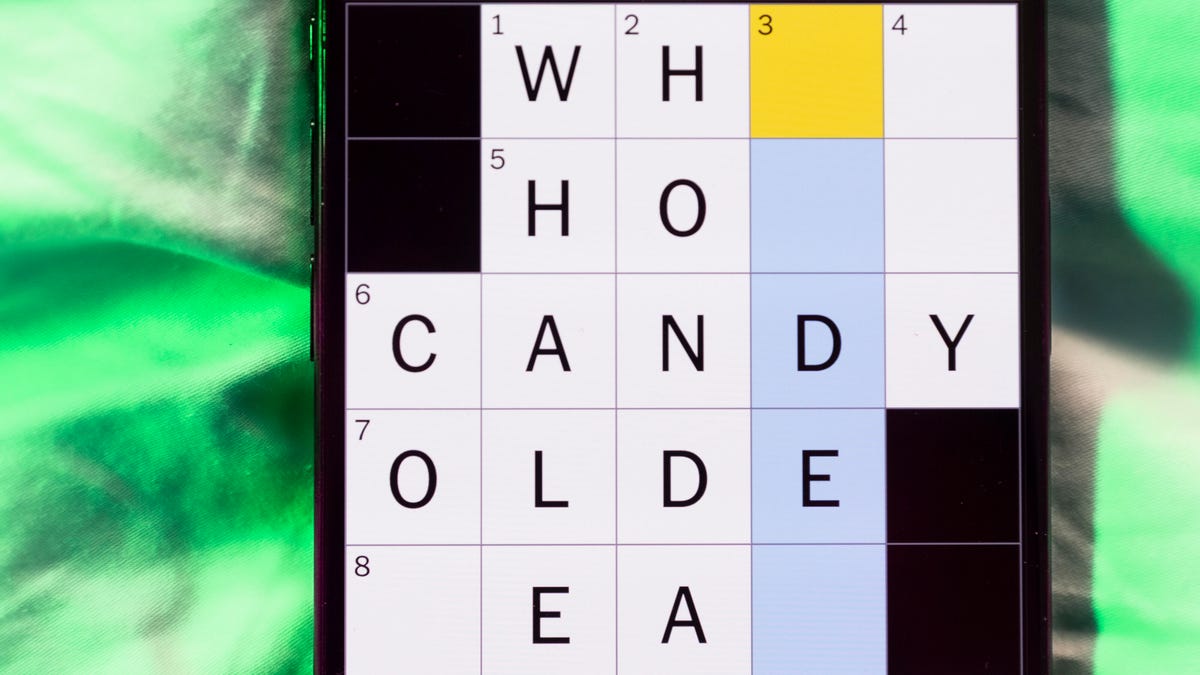
Looking for the most recent Mini Crossword answer? Click here for today’s Mini Crossword hints, as well as our daily answers and hints for The New York Times Wordle, Strands, Connections and Connections: Sports Edition puzzles.
Need some help with today’s Mini Crossword? It wasn’t too bad, though 7-Across threw me until I solved some of the Down clues. Read on for the answers. And if you could use some hints and guidance for daily solving, check out our Mini Crossword tips.
If you’re looking for today’s Wordle, Connections, Connections: Sports Edition and Strands answers, you can visit CNET’s NYT puzzle hints page.
Read more: Tips and Tricks for Solving The New York Times Mini Crossword
Let’s get to those Mini Crossword clues and answers.
Mini across clues and answers
1A clue: Painter’s protective garment
Answer: SMOCK
6A clue: «Toy Story 5» studio
Answer: PIXAR
7A clue: Your answer to «Where were you at 9 p.m. last night?,» perhaps
Answer: ALIBI
8A clue: Tennis star Rafael
Answer: NADAL
9A clue: Solemn sound from a church bell
Answer: KNELL
Mini down clues and answers
1D clue: Defeat soundly, in slang
Answer: SPANK
2D clue: Italian city with a fashion week
Answer: MILAN
3D clue: Iron ___ (rust)
Answer: OXIDE
4D clue: Small group of conspirators
Answer: CABAL
5D clue: Food for a baleen whale
Answer: KRILL
Don’t miss any of our unbiased tech content and lab-based reviews. Add CNET as a preferred Google source.
-
 Technologies3 года ago
Tech Companies Need to Be Held Accountable for Security, Experts Say
-
 Technologies3 года ago
Best Handheld Game Console in 2023
-
 Technologies3 года ago
Tighten Up Your VR Game With the Best Head Straps for Quest 2
-
 Technologies4 года ago
Black Friday 2021: The best deals on TVs, headphones, kitchenware, and more
-
 Technologies4 года ago
Verum, Wickr and Threema: next generation secured messengers
-
 Technologies4 года ago
Google to require vaccinations as Silicon Valley rethinks return-to-office policies
-
 Technologies4 года ago
Olivia Harlan Dekker for Verum Messenger
-
 Technologies4 года ago
iPhone 13 event: How to watch Apple’s big announcement tomorrow


