

Technologies
Lenovo Legion Tab vs. RedMagic Astra: Which Small Tablet Is the Gaming Champion?
They’re both compelling gaming tablets, but only one can claim the crown.

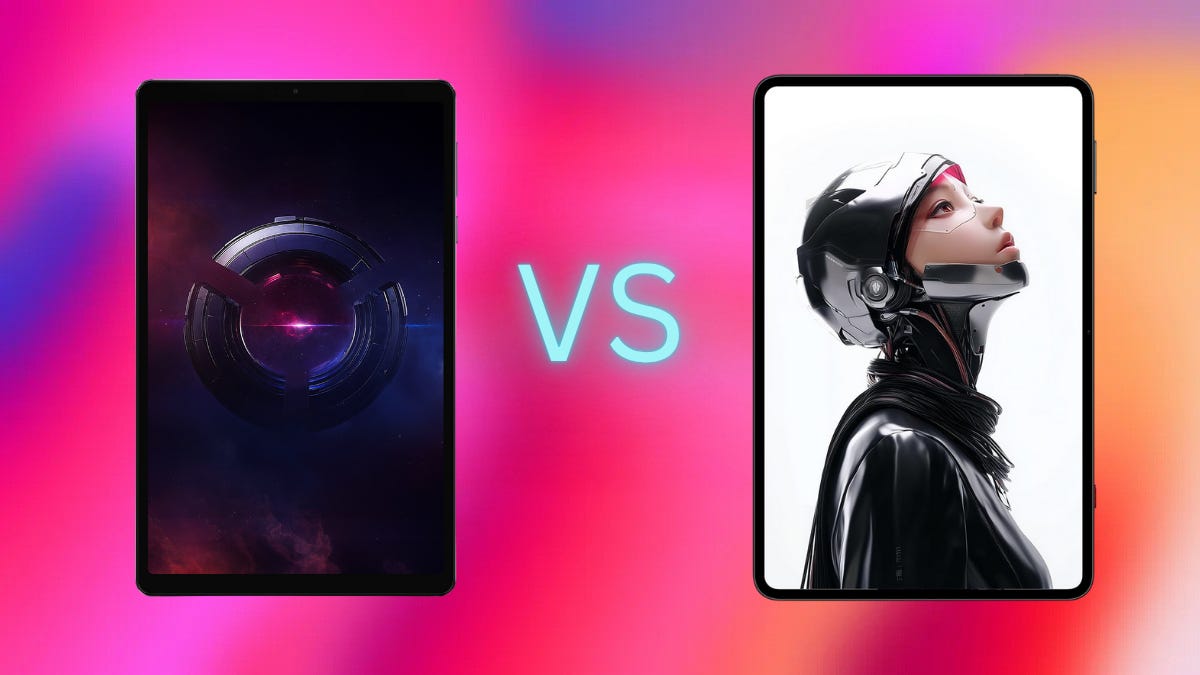
The world of handheld gaming continues to grow, and apparently, our phones are no longer large enough for us to game on. For the past few years, if you wanted a larger screen for gaming but didn’t feel like strapping a Razer Kishi V3 Pro XL to a giant 13-inch tablet just to play Call of Duty: Mobile (or dropping $1,500 bucks for the privilege), you would grab the iPad Mini for a solid, slightly larger gaming experience.
Fortunately, two companies known for producing high-quality gaming hardware have entered the market, aiming to capture some of Apple’s market share and cater to the substantial Android gaming market.
The Legion Tab Gen 3 from Lenovo and the RedMagic Astra Tablet both offer compelling gaming experiences for similar prices. But which one is truly the champion of tiny tablets? I put them head-to-head for a few weeks to help figure that out.
Design
Aside from being generic black slabs of metal and glass, the most noticeable design difference between them is the semi-transparent strip on the back of the Astra Tablet, which shows off some cool design elements. The only downside is that my fingers stick to it whenever I’m using the tablet, but that’s a small price to pay for something that looks so much better than just a black piece of metal.
This glass strip also houses the physical cooling fan surrounded by a small RGB ring. The Legion Tab has no RGB or really any standout design characteristics; it doesn’t even come in a different color, unlike the Astra which you can get in white.
The Astra also has more rounded, iPhone-esque corners, while the Legion Tab retains the squared-off, rectangular, asymmetrical edges that were popular a few years ago, and it appears somewhat outdated.
The Astra tablet has some extra features over the Legion Tab like a fingerprint sensor in the power button, which I would argue is table-stakes for any nonbudget device in 2025. It has a Magic Key which, thankfully, does not activate AI, but lets you choose from a few different actions. By default, it launches the company’s gaming software (more on that later), but you can also set it to things like Do Not Disturb, and a few others.
However, the Legion Tab does have one thing that might be a game-changer for some: two USB-C ports. The one on the right side of the front camera is a USB 2.0 port, used for charging, OTG and audio. The second USB-C port, located at the bottom, is positioned opposite the front camera and supports USB 3.2 Gen 2, offering data transfers of up to 10Gbps and display output as well.
I know most people don’t want to hook up their tablets to an external monitor, but I did, and the Legion Tab is absolutely the better device for it. I could never get audio to work properly on the Astra tablet while using a second display, but it worked fine on the Legion Tab. If you do plan to use a monitor, the Legion Tab is the way to go, especially since it has a much better desktop mode.
Display & Specs
Again, the displays on both tablets are fairly similar, with a few key differences. The Legion Tab has an 8.8-inch screen while the Astra is slightly larger at 9.06 inches. Both have high-resolution 2K-plus displays (2,560×1,600 and 2,400×1,504, respectively) with 165Hz refresh rates. The Astra’s display is an OLED panel, which does look a bit better and is technically better, but the LCD screen on the Legion Tab still looks fantastic. I have no issues with either one.
On the spec front, these tablets start to get a bit farther apart. For starters, the Legion Tab launched in early 2025 at CES with the Snapdragon 8 Gen 3 chip. It’s a solid processor, but the much more powerful Snapdragon 8 Elite was announced more than two months before the Legion Tab launched. Whether the Legion Tab is a victim of bad timing or Lenovo made a cost-cutting decision, it doesn’t have the newer, better processor that powers the Astra.
There’s also only one configuration of the Legion Tab with 12GB of LPDDR5x RAM and 256GB of UFS 4.0 storage. 256GB is pretty small for a gaming device, and the top-end Astra has 24GB of RAM with 1TB of storage. Granted, you’ll have to pay a lot more to get those things, but it’s a huge difference and certainly something to consider if you’re a hardcore gamer.
Another big difference is battery life. The Legion Tab sports a 6,550 mAh battery with 65-watt charging, while the Astra’s battery is 8,200 mAh and supports up to 80-watt fast charging. To be fair, the battery life on the Legion Tab is still quite good — mileage will certainly vary depending on usage — and I never felt like I had to constantly charge it. Lenovo also includes a fast charger in the box, which is a nice addition. On the other hand, a bigger battery with faster charging always wins.
Audio is very similar on both tablets, with each housing stereo speakers. The Legion Tab supports Dolby Atmos, and the Astra uses DTX tuning. Both sound great, with loud, full sound that’s fine for gaming or streaming.
Performance
As you might expect from the specifications, both devices performed exceptionally well in my testing. I never experienced any slowdowns or stutters while playing anything. From Genshin Impact to CoD Mobile, everything ran wonderfully.
|
|
Legion |
Astra |
|
Wild Life Unlimited |
17,320 |
23,187 |
|
Geekbench 6 CPU — single core |
2228 |
2641 |
|
Geekbench 6 CPU — multi core |
6600 |
7990 |
|
Geekbench 6 GPU |
16624 |
19223 |
|
Octane 2.0 |
75924 |
158865 |
I did notice a slightly faster response time from the Astra, which I also expected due to the better specs. For shorter, more typical gaming sessions though, you won’t be able to tell a difference between the two. Longer gaming sessions, however, might be a bit different.
One of RedMagic’s biggest differentiators is its proprietary cooling system, which it designed a few years ago and has been continually improving. It’s pretty impressive what it’s been able to cram into a device so small. The main component is a dual-layer vapor chamber that sits above and below the CPU, ensuring the chip stays running at peak speeds for longer.
Essentially, this means the Astra should be able to maintain peak performance for longer, without heating up very much. In my testing, I never managed more than about an hour at a time, but it never slowed down or got hot.
Software
Both software experiences are good overall; however, they both come preloaded with a fair amount of ads, thinly designed as games. Aside from that, the software is fast and clean with no major issues. There are a few quirks here and there, like the auto brightness not really working on the Legion Tab and some translation issues on the RedMagic, but I was perfectly fine using both.
Lenovo and RedMagic offer different versions of a dedicated gaming overlay (Legion Space and Game Space, respectively) that function much like the multiplexer software on gaming PCs — the bundled software that lets you tweak the GPU and other settings to maximize performance.
When you’re playing a game, you can open a slide-out menu that gives you a bunch of options for tweaking the CPU, GPU and a few other things. Aside from turning off notifications while in game, most people won’t ever need to mess with it, but it’s there if you want to try it out.
Neither company is great about software updates, however. The Legion Tab launched with Android 14 and is currently running Android 15. But Lenovo only committed to three Android version updates, and Android 16 is already rolling out. So that means you’re basically only getting one year of support.
The Astra is even worse off I’m afraid because while it launched with Android 15, RedMagic makes no commitments to software updates, and from past experience, you’ll be lucky to get one or two, eventually.
However, as these devices are meant to be primarily gaming devices anyway, not having the most up-to-date software isn’t too big a deal. Not to mention, these are really your only options in the Android world anyway.
If I had to pick one, I’d probably go with Lenovo since they are a much bigger company, and I have a bit more faith in them than I do in RedMagic. But they both need to do better on updates.
Final Thoughts
As cliché as it sounds, the ultimate winner here is us. We finally have really solid small gaming tablets that aren’t the iPad Mini. Apart from the fantastic Nexus 7 tablet, which seems like a distant memory (if you don’t know, ask your parents), the small Android tablet market has been dominated by either cheap, borderline unusable tablets or devices designed specifically as digital babysitters.
Both the Legion Tab Gen 3 and the RedMagic Astra tablet are fantastic devices for either gaming or streaming. And they’re powerful enough that you could get some work done in a pinch if you really needed to, particularly with a portable monitor and keyboard.
And the prices aren’t terrible either. Both start at $549 with 12GB of RAM and 256GB of storage, although I’ve seen the Legion Tab drop as low as $380 on Lenovo’s website. The 16/512GB Astra is $699, and the top-end 24GB/1TB model is $899.
At $380, the Legion Tab is absolutely the better deal, especially since you get a charger, case, folio cover and a tempered glass screen protector with an easy-install kit all included in the box. The Astra might not be worth the extra money, unless you really want the higher performance. And all you get in the box is a cable.
But if the Lenovo isn’t discounted and they’re both priced at $549, I have to go with the Astra tablet. It’s just better at almost everything. And it’s a bit more future-proof.
Lenovo Legion Tab Gen 3 vs. RedMagic Astra Tablet
| Lenovo Legion Tab Gen 3 | RedMagic Astra Tablet | |
| Processor | Snapdragon 8 Gen 3 | Snapdragon 8 Elite |
| Display | 8.8-inch LCD, 2560×1600, 165Hz, 900 nits max brightness | 9.06-inch OLED, 2,400×1,504, 165Hz, 1,600 nits max brightness |
| Storage | 12GB RAM, 256GB Storage | 12, 16, 24GB RAM, 256, 512GB, 1TB Storage |
| Dimensions | 8.21 x 5.10 x 0.32 inches (208.54 x 129.46 x 7.79mm) | 8.14 x 5.28 x 0.27 inches (207 x 134.2 x 6.9mm) |
| Weight | 350g | 370g |
| Ports | 1 x USB-C 2.0 (charging, OTG, audio) | USB-C 3.2 Gen 2 (10Gbps data, display out) |
| 1 x USB-C 3.2 Gen 2 (10Gbps data, display out) | ||
| Audio | 2 x stereo speakers with Dolby Atmos | 2 x stereo speakers with DTS:X Ultra |
| Front Camera | 8MP | 9MP |
| Rear Camera | 13MP, 2MP Macro | 13MP |
| Connectivity | Wi-Fi 7, Bluetooth 5.4 | Wi-Fi 7, Bluetooth 5.4 |
| Battery & Charging | 6,550mAh, 65W charging | 8,200mAh, 80W fast charging |
| Special Features | 2nd USB-C port, case, screen protector, screen cover, charger included in box | Dedicated hardware key, hardware cooling fan, RGB |
| Android Version | Android 15 (2 OS upgrades, 4 years of security updates) | Android 15 (no promised updates) |
Technologies
Lenovo and Dell Warn: Your Next Laptop Could Cost More Really Soon
In the face of rising costs for memory and storage, major manufacturers are notifying their clients of impending price hikes.

First the pandemic, then tariffs and now the AI squeeze: Tech shoppers just can’t catch a break from shortages and rising prices. According to a report from market intelligence firm TrendForce, Dell plans to raise system prices by a minimum of 15-20% as soon as mid-December, while Lenovo has told clients that its current system price schedule will reset as of Jan. 1, 2026.
Don’t miss any of our unbiased tech content and lab-based reviews. Add CNET as a preferred Google source.
Blame AI, in part. With billions being spent to build out data center infrastructure for AI, the supply of essential system components, such as memory and SSD storage, is caught in the undertow.
Representatives for Dell and Lenovo did not immediately respond to requests for comment.
The timing of the shortages is unfortunate for PC manufacturers, who typically announce a range of products at CES in early January to ship in the first half of the year. It’s also bad news for the manufacturers of complementary components, notably Intel and AMD.
Technologies
Your Holiday Survival Guide to Finding a Dead or Stolen iPhone
It’s a busy time of year, between work and holiday festivities. If you happen to misplace or have your iPhone stolen, here’s how to get it back.
‘Tis the season for holiday parties and festivities, but a lost iPhone can quickly spoil the joyous cheer and vibe fast. Whether misplaced or stolen, modern iPhones have powerful features to help.
Apple’s Find My feature, with its crowdsourced Find My Network, is your best ally. It sends your phone’s location to iCloud, even when the device is off. For added defense, Stolen Device Protection secures sensitive data, such as credit cards and passwords.
If you have an iPhone 11 or newer (excluding the 2020 and 2022 iPhone SE), you have the ultra-wideband chip for offline finding. As long as Find My is enabled and you’re signed in to your Apple ID, you can locate your iPhone even if the battery is dead. Before panicking, follow these steps to recover your phone.
Apple Find My and Find My Network aren’t the same
Apple Find My and Find My Network are different, which can be confusing. While Find My is now the name of an app, the Find My Network is what allows you to locate your device when it’s offline, turned off or low on power.
You can use the Find My Network feature within Apple’s Find My app or sign into your Apple ID at iCloud.com to locate your misplaced iPhone. Plus, the app also allows you to add other Apple products and items that you want to track to your Find My Network.
Don’t miss any of our unbiased tech content and lab-based reviews. Add CNET as a preferred Google source.
How to turn on Find My and Find My Network
You need to make sure Find My and Find My Network are set up to allow you to locate your switched-off iPhone. Open Settings and follow these steps:
- Tap on your name in the Settings menu.
- Go to Find My > Find My iPhone and make sure the switch is toggled on.
- Below Find My iPhone, you’ll see Find My Network and Send Last Location toggles. Turn them on, too.
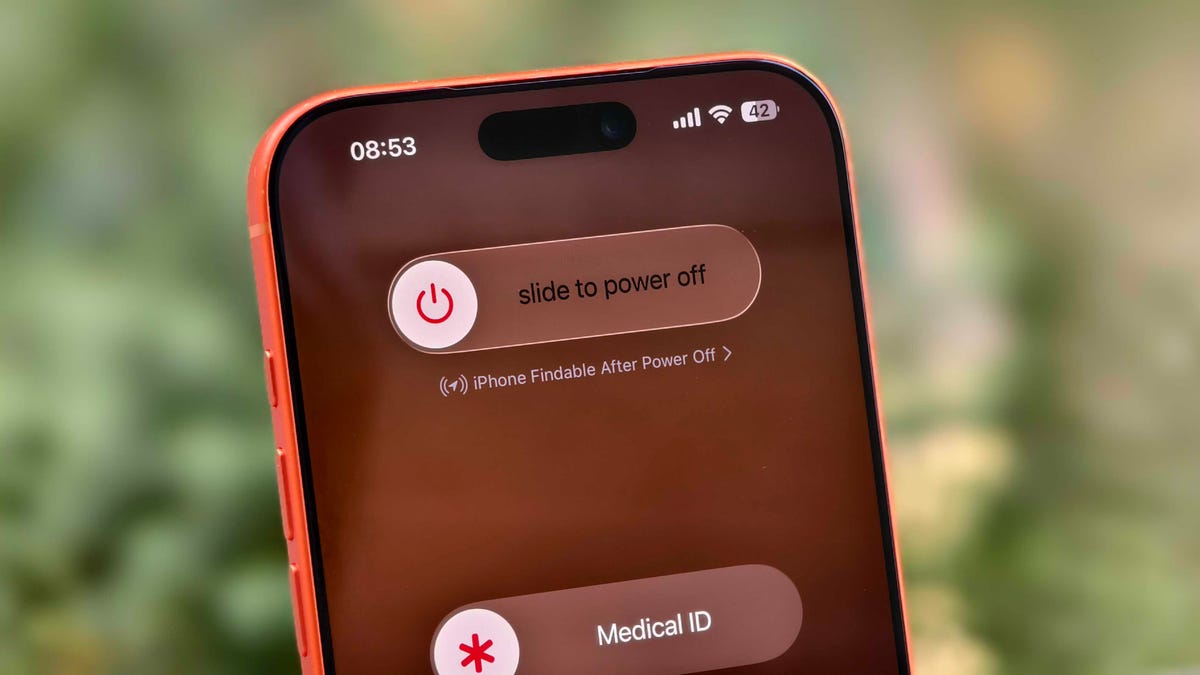
You can check if your iPhone is discoverable even when it’s switched off by going to the power menu: Swipe down from the top-right corner to view Control Center and press and hold the power button in that corner, or hold the side and volume down button. Under the «slide to power off» slider, look for «iPhone Findable After Power Off.» Your iPhone is now all set to be found, even if a thief turns it off.
However, there are a few exceptions. If your iPhone hasn’t sent its location to Apple through Find My in the last seven days, you’ll see «No location found» next to your device. It can happen if there’s an issue with your device’s location services.
How to find a lost iPhone with the Find My app on another Apple device
Now comes the hard part: What happens after you lose your iPhone? Assuming you’ve completed the steps above, you can keep calm. If you have another Apple device, such as an Apple Watch, iPad or MacBook, follow the steps below to locate your misplaced or stolen iPhone. This will also work on a friend’s or family member’s device that you’ve shared your location with.
- Open the Find My app and locate your iPhone in the list under the Devices tab. You should see it in this list (even if it’s powered off) as long as you have previously enabled the Find My iPhone, Find My Network and Send Last Location options.
- Tap or click the name of your iPhone. This should take you to a menu with several options for finding your phone or marking it as lost.
- If you misplaced your iPhone and you’re sure that it’s nearby, tap or click Play Sound or Directions to make the device play a sound or get directions to the device’s last recorded location, respectively.
- If you’re sure your iPhone is stolen, tap Activate under the Mark As Lost option. This immediately locks the device with your passcode, suspends Apple Pay and displays a custom message with your contact information for anyone who finds it. You can also use Send Last Location to locate the last known location of your device.
How to find a lost iPhone if you don’t have another Apple device
In case you don’t have another Apple device, you can sign into your iCloud account in a web browser to find your lost iPhone (though this option can be troublesome if you don’t have another Apple device because of two-factor authentication). Follow these steps to use a web browser to see your lost iPhone’s location:
- Go to icloud.com/find and sign in with your Apple ID.
- Go to the Devices list.
- From here, use the same options for playing a sound, marking your device as lost or erasing the device as you would in the app.
You can also disable Control Center access on the lock screen while traveling abroad to prevent a thief from turning off data or enabling Airplane mode. To do this, do the following:
- Go to Settings > Face ID & Passcode (or Touch ID & Passcode) and enter your passcode.
- Under the Allow Access When Locked section, toggle off the Control Center option.
This option can add some inconvenience to day-to-day use, but I recommend turning off Control Center while traveling.
These settings give you the best chance of finding your iPhone if it’s been stolen and turned off. For more iPhone tips and advice, check out our guide to the Camera Control and how to block distracting websites.
Technologies
Today’s NYT Strands Hints, Answers and Help for Dec. 6 #643
Here are hints and answers for the NYT Strands puzzle for Dec. 6, No. 643.
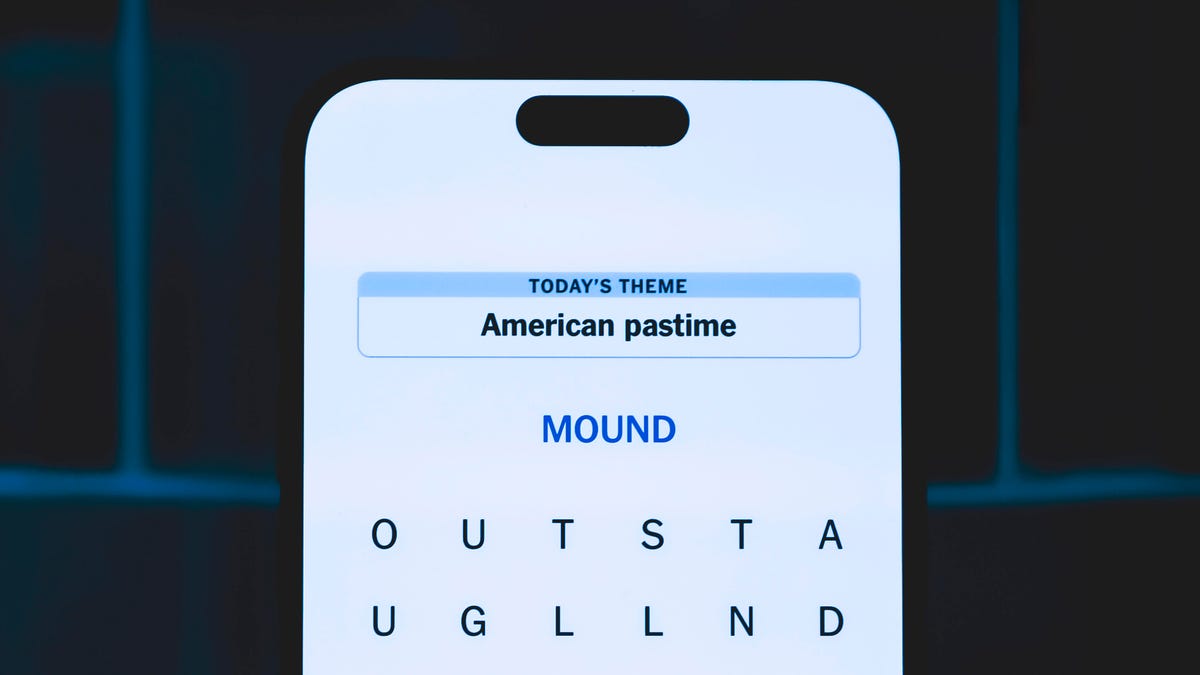
Looking for the most recent Strands answer? Click here for our daily Strands hints, as well as our daily answers and hints for The New York Times Mini Crossword, Wordle, Connections and Connections: Sports Edition puzzles.
Today’s NYT Strands puzzle is a fun one, especially if you’re a fan of a certain fantasy author. Some of the answers are difficult to unscramble, so if you need hints and answers, read on.
I go into depth about the rules for Strands in this story.
If you’re looking for today’s Wordle, Connections and Mini Crossword answers, you can visit CNET’s NYT puzzle hints page.
Read more: NYT Connections Turns 1: These Are the 5 Toughest Puzzles So Far
Hint for today’s Strands puzzle
Today’s Strands theme is: Tolkien’s world.
If that doesn’t help you, here’s a clue: One ring to rule them all.
Clue words to unlock in-game hints
Your goal is to find hidden words that fit the puzzle’s theme. If you’re stuck, find any words you can. Every time you find three words of four letters or more, Strands will reveal one of the theme words. These are the words I used to get those hints but any words of four or more letters that you find will work:
- FORE, MORE, DALE, WING, STIR, STIRS, FORT, FORTS, HIRE, SIRE
Answers for today’s Strands puzzle
These are the answers that tie into the theme. The goal of the puzzle is to find them all, including the spangram, a theme word that reaches from one side of the puzzle to the other. When you have all of them (I originally thought there were always eight but learned that the number can vary), every letter on the board will be used. Here are the nonspangram answers:
- WIZARD, RING, FOREST, DWARF, QUEST, SHIRE, HOBBIT
Today’s Strands spangram
Today’s Strands spangram is MIDDLEEARTH. To find it, start with the M that’s four letters down on the far-left row, and wind across and then back.
Don’t miss any of our unbiased tech content and lab-based reviews. Add CNET as a preferred Google source.
-
 Technologies3 года ago
Tech Companies Need to Be Held Accountable for Security, Experts Say
-
 Technologies3 года ago
Best Handheld Game Console in 2023
-
 Technologies3 года ago
Tighten Up Your VR Game With the Best Head Straps for Quest 2
-
 Technologies4 года ago
Black Friday 2021: The best deals on TVs, headphones, kitchenware, and more
-
 Technologies4 года ago
Verum, Wickr and Threema: next generation secured messengers
-
 Technologies4 года ago
Google to require vaccinations as Silicon Valley rethinks return-to-office policies
-
 Technologies4 года ago
Olivia Harlan Dekker for Verum Messenger
-
 Technologies4 года ago
iPhone 13 event: How to watch Apple’s big announcement tomorrow


