

Technologies
Apple Gives a Reason for the Reports of Terrible iPhone 17 Scratches
If you’ve seen scratched iPhone 17s, Apple says it’s just residue from their old display stands.

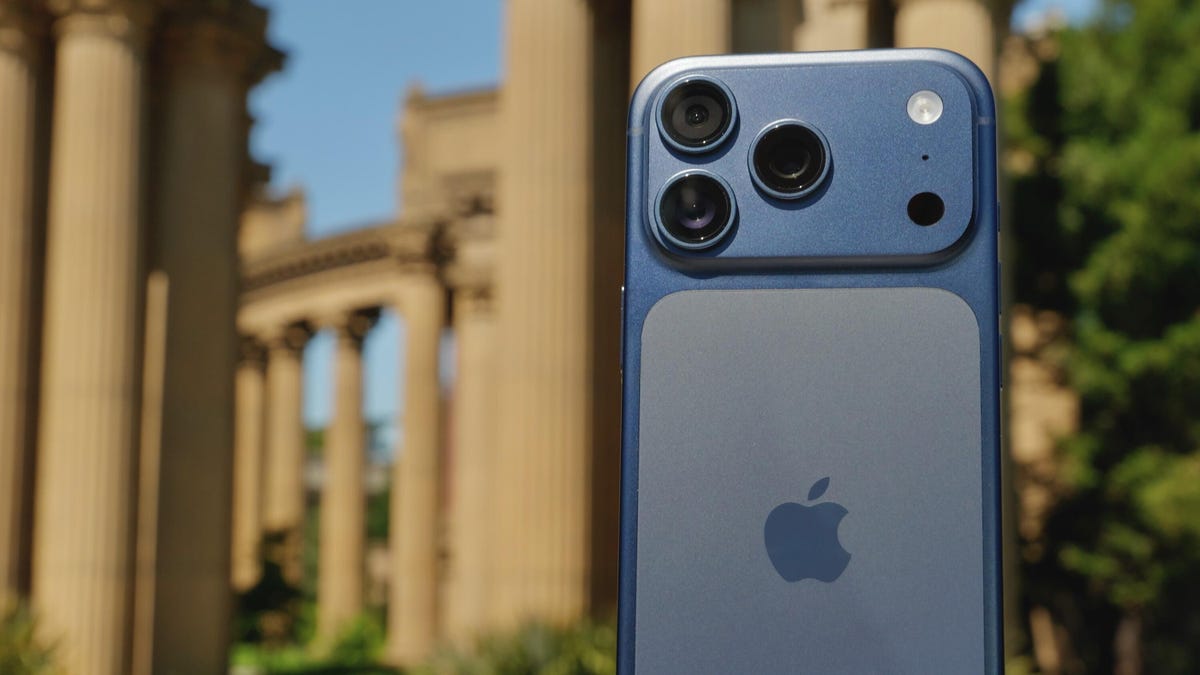
You may have missed it, but the internet had a collective meltdown about the brand-new iPhone 17 Pro, Pro Max, and iPhone Air demo units looking scratched up in stores. We finally have an answer. And no, the phones are not, in fact, made of butter.
Apple has officially weighed in on «scratchgate,» and the culprit isn’t a design flaw — it’s grimy display stands. Apparently, old and worn-out MagSafe holders were rubbing off on the backs of the new devices, creating the illusion of a scratch.
The company says that it’s fixing the problematic displays, and the marks can simply be wiped clean. The great iPhone panic of 2025 has ended not with a bang, but with a microfiber cloth.
Not all scratches are equal, and the iPhone 17 Pro and 17 Pro Max’s shape could make the anodized coating susceptible to chipping. People are also reacting to videos from iFixIt and Zach Nelson’s YouTube channel JerryRigEverything. The videos show a possible issue with the anodized coating around the edges of the camera plateau on the iPhone 17 Pro and 17 Pro Max. In his video, Nelson takes a quarter and rubs it along the edge of the camera plateau, causing the coating to chip.
Apple explained to CNET that the anodization on the 17 Pro and 17 Pro Max is just as durable as that on other products. However, over time, it may show small abrasions with normal wear and tear. The company said that its anodization layer is extremely hard and exceeds industry standard guidelines for microhardness.
Don’t miss any of our unbiased tech content and lab-based reviews. Add CNET as a preferred Google source.
Concerns about scratching and durability come on the heels of one of Apple’s biggest iPhone redesigns in years. And while marks and scratches don’t affect how Apple’s phones work, no one wants to have a new $800-plus iPhone look anything but the best it can. The iPhone Air and iPhone 17 Pro units CNET has been testing for the past two weeks don’t show any scratches, chips or scuffs.
If you’re concerned about your new iPhone getting scuffed, you can always buy a case and screen protector.
What is the iPhone 17 Pro made of?
The 17 Pro and 17 Pro Max bodies are made with aerospace-grade 7000 series aluminum, Ceramic Shield and Ceramic Shield 2. The Pro models have an aluminum unibody frame, which means a lot of the back is no longer made of glass.
While some on social media point to the new aluminum chassis as the problem behind the demo-unit damage, multiple videos show the scratches on the Ceramic Shield back panel on the dark blue iPhone 17 Pro (and on the black iPhone Air). There are even videos like this, where a person purposely scratches the back of their new iPhone Air only for the residue to wipe away, mostly clean.
Ceramic Shield, made of ceramic nano-crystals suspended in a glass matrix, covers most of the 17 Pro’s back under the camera bar. Apple says it is four times more resistant to cracks than the back glass on the iPhone 16 Pro.
Then there’s Ceramic Shield 2 on the 17 Pro’s display, which Apple says is three times more scratch-resistant than the Ceramic Shield used on previous iPhone models (and the backs of the new Pro and Air models).
During a briefing for the new iPhone models on the day they were announced, an Apple spokesperson noted that Ceramic Shield is focused on handling drops and resisting cracks, while Ceramic Shield 2 is about crack and scratch durability.
JerryRigEverything’s video and anodizing on the edge
In his iPhone 17 Pro video, JerryRigEverything’s Nelson does his usual array of scratch, bend and burn tests, but calls out a possible issue with the anodized coating on the iPhone 17 Pro’s aluminum.
«Apple forgot to do one really important thing. They ignored an international standard. And it’s going to haunt every single person who buys this phone,» Nelson warns in his video.
The ISO standard Nelson refers to is for decorative anodizing and recommends a specific radius threshold that’s 10 times the thickness of the finish, which apparently the edge around the camera bar doesn’t follow.
Apple explained to CNET that its anodization on the 17 Pro and 17 Pro Max exceeds industry standards and that the edges of the camera plateau have similar characteristics to the edges of the anodized cases on other Apple products.
In his video, Nelson explains that corners, like those around the iPhone 17 Pro’s camera plateau, are weak points for an anodized coating. Think of the anodized layer on the aluminum like nail polish: It gives the phone its color but also helps protect it. If the coating gets scratched too deeply, you can see the actual metal color of the aluminum underneath. More people are likely to notice the damage on darker colors than cosmic orange.
In his video, Nelson shows how the corners around the 17 Pro’s camera plateau are particularly a concern because they lack a chamfer, fillet or bevel, which would typically help protect the edge from having its anodized coating chipped. He acknowledges that Apple used a robust coating and shows how it protects the back against a coin sliding against it or a key scraped on it.
But when he takes the same quarter and rubs it along the edge of the camera plateau, chunks of the finish come off.
I should note that Nelson made all of the scratches on the phone’s body with a knife, which leads me to suspect that someone may have intentionally scratched in-store demo units, in addition to Apple’s explanation about the MagSafe risers.
It could also be that people were holding multiple iPhone display samples one-handed for a photo or video, and that the sapphire crystal covering on the rear cameras rubbed against the back of the other iPhone. Sapphire crystal is second only to diamond in terms of its hardness. As anyone who’s had a retail job knows, in-store display units are often subjected to some of the worst customer treatment.
«I’m a massive fan of this new iPhone design,» says Nelson toward the end of his video. «Less glass and more aluminum is always a good thing.»
iFixIt’s ‘spalling’ iPhone 17 Pro teardown
In iFixIt’s iPhone 17 Pro teardown video, Shahram Mokhtari, the company’s lead teardown technician, confirmed Nelson’s finding of an issue with the anodized coating on the camera plateau’s edges. Mokhtari said the issue isn’t the aluminum unibody but the shape of the phone’s camera bump. The plateau’s sharp edges don’t adhere to the anodized coating, but flat surfaces, like the phone’s back, do.
Under a microscope, Mokhtari drags a hardness tool (equivalent to a penny) across the flat back of the camera plateau. You can see where he dragged, but the anodized coating is still intact. He drags the same tool across the edge of the camera plateau, and the coating chips off, revealing the metal underneath. The technical term for this is spalling.
«When there’s an edge to the oxide layer, like at the edge of the camera plateau, the brittle oxide bears the stress of your keys or coins rubbing against it. And so it spalls,» Mokhtari explains in the video.
He also acknowledges that iFixIt hasn’t seen the same level of vulnerability on the iPhone Air and standard iPhone 17 because their backs are made of Ceramic Shield and glass, respectively.
Are the iPhone 17 Pro and iPhone Air durable?
In short, the iPhone 17 Pro and iPhone Air are durable, yes. But normal wear and tear on iPhone 17 Pro and Pro Max models could cause small abrasions to show. These issues won’t change how the phone operates or is used, but putting a case on the Pro models seems like the only way to avoid any chipping.
The iPhone Air and baseline iPhone 17 don’t seem to have the same issue with spalling that Pro models have because their backs are made of glass.
If you find that your new iPhone is scratched or has some of the anodized coating chipped off, take it back to where you bought it and see if you can exchange it. If those scratches were done deliberately, you’re likely stuck with it.
If you’re worried about your new iPhone getting damaged, the best solution is a case. Luckily, you have plenty of options.
Technologies
Facebook Brings Back Local Job Listings: How to Apply
One of Facebook’s most practical features from 2022 is being revived by Meta.

On the hunt for work? A Local Jobs search is being rolled out by Meta to make it easier for people in the US to discover and apply for nearby work directly on Facebook. The feature is inside Facebook Marketplace, Groups and Pages, Meta said last week, letting employers post openings and job seekers filter roles by distance, category or employment type.
You can apply or message employers directly through Facebook Messenger, while employers can publish job listings with just a few taps — similar to how you would post items for sale on Marketplace.
Don’t miss any of our unbiased tech content and lab-based reviews. Add CNET as a preferred Google source.
Facebook offered a Jobs feature before discontinuing it in 2022, pushing business hiring toward its other platforms. Its return suggests Meta is attempting to expand Facebook’s usefulness beyond social networking and to position it once again as a hub for community-driven opportunities.
Read more: Meta’s All In on AI Creating the Ads You See on Instagram, Facebook and WhatsApp
«We’ve always been about connecting with people, whether through shared interests or key life events,» the press release states. «Now, if you’re looking for entry-level, trade and service industry employment in your community, Facebook can help you connect with local people and small businesses who are hiring.»
Read more: What Is Meta AI? Everything to Know About These AI Tools
How to get started with Local Jobs on Facebook
According to Meta, Local Jobs will appear as a dedicated section in Facebook Marketplace starting this week. If you’re 18 or older, you can:
- Tap the Marketplace tab on the Facebook app or website.
- Select Jobs to browse available positions nearby.
- Use filters for job type, category and distance.
- Tap Apply or message the employer directly via Messenger.
Businesses and page admins can post jobs by creating a new listing in Marketplace or from their Facebook Page. Listings can include job details, pay range, and scheduling information and will appear in local searches automatically.
The Local Jobs feature is rolling out across the US now, with Meta saying it plans to expand it in the months ahead.
Technologies
Tesla Has a New Range of Affordable Electric Cars: How Much They Cost
The new, stripped-back versions of the Model Y and Model 3 have a more affordable starting price.

Technologies
Today’s NYT Strands Hints, Answers and Help for Oct. 22 #598
Here are hints and answers for the NYT Strands puzzle for Oct. 22, No. 598.
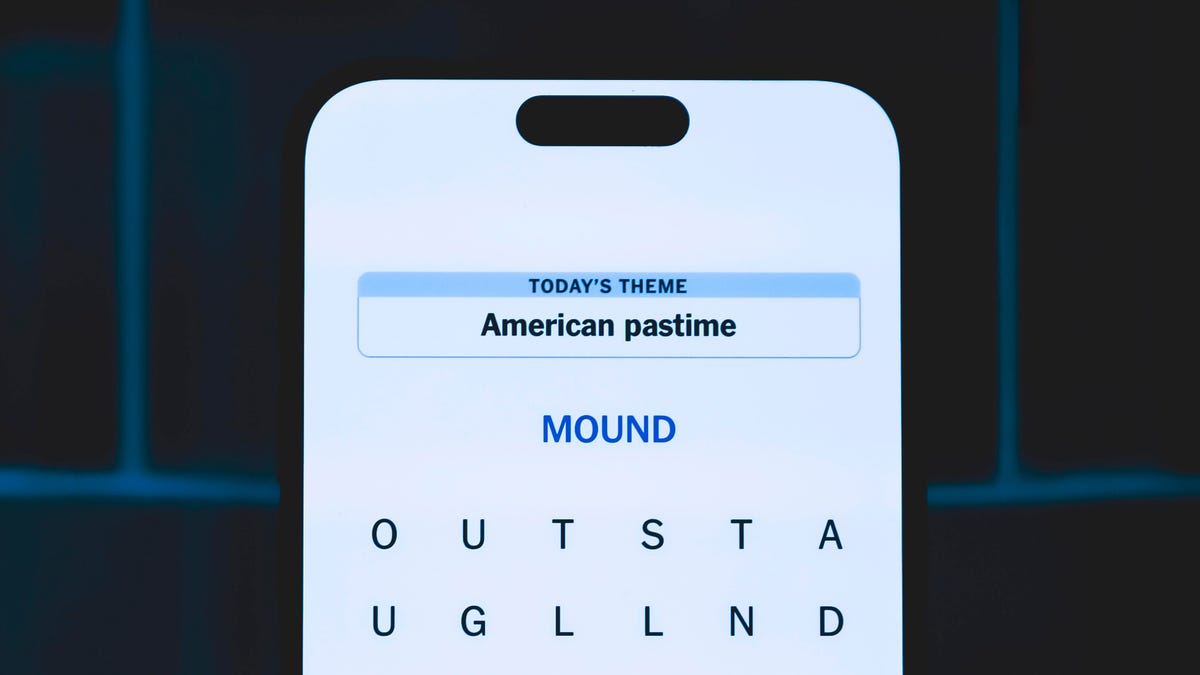
Looking for the most recent Strands answer? Click here for our daily Strands hints, as well as our daily answers and hints for The New York Times Mini Crossword, Wordle, Connections and Connections: Sports Edition puzzles.
Today’s NYT Strands puzzle is a fun one — I definitely have at least two of these in my house. Some of the answers are a bit tough to unscramble, so if you need hints and answers, read on.
I go into depth about the rules for Strands in this story.
If you’re looking for today’s Wordle, Connections and Mini Crossword answers, you can visit CNET’s NYT puzzle hints page.
Read more: NYT Connections Turns 1: These Are the 5 Toughest Puzzles So Far
Hint for today’s Strands puzzle
Today’s Strands theme is: Catch all.
If that doesn’t help you, here’s a clue: A mess of items.
Clue words to unlock in-game hints
Your goal is to find hidden words that fit the puzzle’s theme. If you’re stuck, find any words you can. Every time you find three words of four letters or more, Strands will reveal one of the theme words. These are the words I used to get those hints but any words of four or more letters that you find will work:
- BATE, LICE, SLUM, CAPE, HOLE, CARE, BARE, THEN, SLAM, SAMBA, BACK
Answers for today’s Strands puzzle
These are the answers that tie into the theme. The goal of the puzzle is to find them all, including the spangram, a theme word that reaches from one side of the puzzle to the other. When you have all of them (I originally thought there were always eight but learned that the number can vary), every letter on the board will be used. Here are the nonspangram answers:
- TAPE, COIN, PENCIL, BATTERY, SHOELACE, THUMBTACK
Today’s Strands spangram
Today’s Strands spangram is JUNKDRAWER. To find it, look for the J that’s five letters down on the far-left row, and wind down, over and then up.
Quick tips for Strands
#1: To get more clue words, see if you can tweak the words you’ve already found, by adding an «S» or other variants. And if you find a word like WILL, see if other letters are close enough to help you make SILL, or BILL.
#2: Once you get one theme word, look at the puzzle to see if you can spot other related words.
#3: If you’ve been given the letters for a theme word, but can’t figure it out, guess three more clue words, and the puzzle will light up each letter in order, revealing the word.
-
 Technologies3 года ago
Tech Companies Need to Be Held Accountable for Security, Experts Say
-
 Technologies3 года ago
Best Handheld Game Console in 2023
-
 Technologies3 года ago
Tighten Up Your VR Game With the Best Head Straps for Quest 2
-
 Technologies4 года ago
Verum, Wickr and Threema: next generation secured messengers
-
 Technologies4 года ago
Black Friday 2021: The best deals on TVs, headphones, kitchenware, and more
-
 Technologies4 года ago
Google to require vaccinations as Silicon Valley rethinks return-to-office policies
-
 Technologies4 года ago
Olivia Harlan Dekker for Verum Messenger
-
 Technologies4 года ago
iPhone 13 event: How to watch Apple’s big announcement tomorrow


