

Technologies
This No-Subscription Smart Ring Shamed Me Into Changing My Unhealthy Habits
The $350 Ultrahuman Ring Air calculated my brain age and showed me what I needed to do to improve it.
Our Experts


As a veteran smartwatch and fitness tracker reviewer, it’s rare that I get to approach a product with a completely fresh set of eyes, but that’s what happened with the Ultrahuman Ring Air. This was the first smart ring I had ever tested, and in some ways, that made me the perfect person to review it. I approached it not as a seasoned biohacker, but as someone experiencing it the way most buyers would: curious, a little skeptical, and wondering whether it could replace my smartwatch. Better yet, would it actually improve my habits?
Turns out, it did. Not because the data was perfectly accurate (more on that later), but because after over a month of wearing the Ultrahuman Ring Air, the simple act of logging consistently made me more aware of how my daily routine, especially sleep, impacts my body. It didn’t replace my smartwatch, but it complemented it in a way I didn’t expect.


Pros
- No subscription needed for full health data
- Lightweight and comfortable for 24/7 wear
- Nearly weeklong battery life, even on max settings
- Aging metrics that actually help flag bad habits
- Flexible tracking for things like shift work or pregnancy
Cons
- Heart rate tracking is inaccurate during workouts
- Auto workout detection is unreliable
- No indicator for proper sensor placement on the ring
- App can be overwhelming and confusing to navigate
- Noticeable scratches and wear after a month of use
The Ultrahuman Ring Air can be a good entry point for anyone curious about testing the smart ring waters, especially if you’re looking for something more subtle than a smartwatch. It’s designed for background, long-term health tracking rather than on-the-spot reads, with a lightweight design and longer battery life that makes it easier to wear 24/7 (ideal for sleep tracking). At $349 (plus $50 more for the brushed rose gold finish), it’s still an investment, but it feels like slightly less of a commitment than competitors like Oura, which lock many key insights behind a monthly subscription.
But this ring isn’t for everyone. You need to be ready to dive into the data and do a little sleuthing of your own to interpret your metrics and figure out which ones are helpful for you. Some, like Cardio Age and Sleep Score, were self-explanatory and useful at a glance, while others, like temperature tracking and stress, are harder to find or decode. Sometimes, it felt like I was doom-scrolling my own vitals, clicking on one stat only to tumble down a rabbit hole of more questions than answers. And there were definitely times when the data didn’t match reality.
All that said, I walked away feeling more mindful of my sleep, stress and even unexpected metrics like UV exposure. And honestly, the consistency of logging — even without perfect accuracy — was enough to push me toward better habits.
Better design than a smartwatch, but not quite jewelry
After ordering a smart ring, the next step is finding the right size. I thought I knew my ring size and was ready to skip ahead — but trust me, don’t. Like most smart ring makers, Ultrahuman sends a sizing kit, and it’s worth doing properly. I was between sizes, so I wore two of the included sample rings for about 48 hours to figure out the best fit. I ended up choosing the larger one so I could comfortably swap it between my middle, index and thumb — especially since my fingers tend to swell with humidity or at certain times of the month.
I went with the bionic gold finish, which felt like a nice balance; it didn’t scream «fitness tracker,» but it also wouldn’t pass for a delicate piece of jewelry. Compared to the giant slab of a smartwatch I usually wear, it was refreshingly subtle on my middle finger, albeit somewhat thick (height-wise) even on my longer-than-average fingers.
The ring itself is super lightweight (between 2.4 and 3.6 grams, depending on size) with a titanium exterior and a hypoallergenic resin interior. For comparison, it’s slightly lighter and thinner than the Oura Ring. After a month of daily wear, which includes wrestling three kids, power walking with metal dumbbells on the regular and generally living the chaotic life of someone who doesn’t wear jewelry for a reason, it’s held up surprisingly well. Most days, I forget I’m even wearing it. That said, the gold exterior has picked up a handful of micro-scratches after just over a month of daily wear. Not shocking, considering my torture-tester tendencies, but worth noting if you’re hoping for something completely scratch-proof.
Battery life is surprisingly great (even in Turbo mode)
Ultrahuman claims four to six days of battery life, but I was pleasantly surprised to consistently hit the higher end, even while running it on all cylinders. The ring offers three battery modes: Turbo, Chill, and Critical, each adjusting data collection to extend battery life. I kept it in Turbo mode, which tracks the maximum amount of data, and still averaged about six days per charge. That alone made me more consistent with sleep tracking; something I usually dread with a smartwatch, since charging often ends up colliding with bedtime or peak workout time.
The charging puck is a little black ring stand similar to that of the Oura Ring. An LED signals when it’s fully charged, which takes about 3 hours. The Ultrahuman app, which is used for pairing the ring and configuring its settings, also sends reminders when the battery is getting low, which I appreciated.
Health tracking: Decoding the data maze is not for the faint of heart
The Ultrahuman Ring Air tracks just about everything you’d expect — stress, sleep, heart rate, skin temperature, VO2 max and daily activity. But it also collects data on a dozen other things you may not need. You can even layer on more insights with what Ultrahuman calls «PowerPlugs.» These are data widgets that use existing metrics (or general guidelines) to translate into actionable advice.
For example, I added the cycle and ovulation tracker, the Vitamin D (UV exposure) tracker and PowerPlugs for caffeine timing and circadian rhythm. They help figure out the best times to get sunlight, drink caffeine and schedule workouts to improve sleep and keep energy levels up. There are also specific PowerPlugs for shift workers that adjust metrics to irregular schedules, and one for pregnancy that provides week-by-week insights.
Some metrics are exclusive to Ultrahuman, which essentially translates your health data into something everyone understands: how well (or poorly) you’re aging. Healthy aging has become a major focus for wearables in general, with companies like Oura and Samsung leaning heavily into age-based stats as a way to help users understand their overall wellness.
The Ultrahuman app assigns a predicted «age» to different categories like cardio fitness, brain health and pulse health, using indicators like heart rate variability (HRV), sleep debt and skin temperature deviations. None of these age metrics are clinically validated, but something about seeing how my habits might be accelerating the aging process genuinely motivated me to make some changes. Learning that my «Brain Age» was older than my actual age was enough to scare me into cutting back my late-night social media scrolling and getting to bed earlier. Apparently, my lack of sleep was fast-tracking neurological decay, and I definitely don’t want to end up with a chronic case of mommy-brain fog.
Although I get as tired of notifications as everyone else, I appreciate that the app sends text alerts for some of these metrics. Since the ring doesn’t have a screen of its own, the alerts are the only way to urge you to take immediate action on the data. Otherwise, you’d have to wade through the maze of metrics retroactively in the app.
Some alerts are obvious, like telling me I slept less last night (no need for shade, ring, I was there). Others are begrudgingly helpful — like a well-intentioned nagging parent — such as telling me to cut off caffeine after 2 p.m. And a few are actually welcome, like telling me the best time to get outside to optimize my UV exposure and regulate my circadian rhythm.
It’s incredible having this much data literally at your fingertips — figuring out what to do with it is another story. Sure, every metric has a little «i» button explaining what it means, but that’s not the same as knowing what actually deserves your attention. Whether due to the way the app is laid out, how the metrics are grouped or just the sheer volume of information, it’s easy to get overwhelmed inside the app. And unfortunately, it doesn’t do much to guide you toward what matters most on any given day.
I really wish the app had a single dashboard that summarized any key deviations from my baseline across all categories, something like: «Hey, your heart rate variability dipped, your temperature spiked and your stress is elevated. Maybe take it easy today.» Right now, you only see those flags if you click into each individual metric, like Dynamic Recovery or Sleep. Does one flag mean something’s off? Or does it take three for me to consider skipping a workout?
It didn’t always line up with how I felt, either. One night, the app flagged a temperature spike even though I felt perfectly fine. But another time, when I was actually sick, the only signal was a dip in my HRV.
Fitness tracking puts accuracy into question
It’s interesting how one inconsistency can plant a seed of doubt in the whole experience — and that’s exactly what happened with heart rate tracking. During a 35-minute 5K run, the Ultrahuman Ring Air correctly detected the activity but logged it as a 70-minute workout. The ring can auto-detect certain outdoor activities like running and walking, then asks you to confirm them once you open the app. Technically, I could adjust the start and stop times to better match the run, but the heart rate was off regardless.
My Polar chest strap clocked me peaking at 176 bpm, while the Ultrahuman Ring topped out at 124 bpm, missing two full heart rate zones. For indoor workouts like Pilates, weightlifting or anything that doesn’t dramatically spike heart rate, the ring won’t even register it unless you manually start a workout in the app.
That moment really forced the question: If it’s not getting this right, what else is it getting wrong, mainly when so many other metrics, like recovery, stress and sleep, rely on accurate heart rate data running in the background?
It’s not just workouts, either. Twice during my month of testing, the ring also gave me «extra sleep credit» for time I was very much awake — just binge-watching on the couch. (Not the first wearable to make that mistake, but still.)
It also highlights another truth about wearables: accuracy depends heavily on sensor type and placement. Rings simply don’t capture heart rate as well as chest straps (or even some wrist-based trackers), especially during high-impact activities. Unlike a watch that stays snug in one spot, the ring tends to naturally turn around my finger throughout the day, and it’s not as obvious when the sensors are in a less desirable place (top of the finger versus the bottom). The Samsung Galaxy Ring and Oura Ring both have a small line on the surface indicating which side the sensors are on. That tiny difference matters, especially when tracking sudden heart rate spikes.
All of this is a good reminder that the Ultrahuman Ring Air isn’t meant to be a fitness tracker first. Its strength is in long-term wellness tracking that comes with consistent use, especially during rest and not on-the-spot workout data. If you go in with that mindset, your expectations will be a lot more grounded.
Bottom line: Should you buy it?
For $350, the Ultrahuman Ring Air is a solid first smart ring for most people. It’s not flawless, especially when it comes to workout tracking, but it’s a great wellness companion that can help you improve or adopt healthier habits. The lack of a subscription alone makes it one of the most accessible smart rings out there.
It’s perfect for biohackers, data nerds or anyone curious enough to geek out over their body’s inner workings. Just be ready to do a little of the homework yourself.
The ring won’t replace my smartwatch anytime soon, but I was surprised to realize how well it complements the watch. Where my watch handles live-workout tracking, the ring picks up the slack on sleep, recovery and long-term wellness.
Its strength isn’t in hyper-accurate data, but in the consistency of logging it. That consistency — and the fact that it translates the data into something tangible like age — was enough to help me spot some not-so-healthy habits and push me toward better ones. Even in its imperfections, that says a lot about what this ring can offer.
Technologies
Facebook Brings Back Local Job Listings: How to Apply
One of Facebook’s most practical features from 2022 is being revived by Meta.

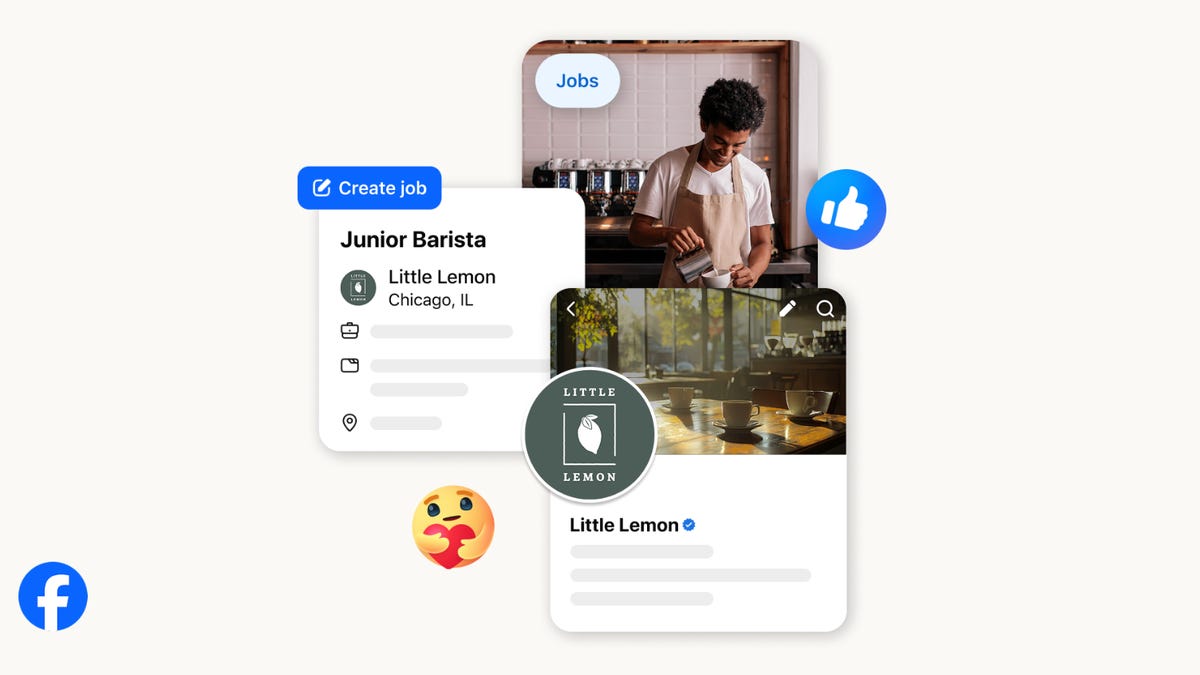
On the hunt for work? A Local Jobs search is being rolled out by Meta to make it easier for people in the US to discover and apply for nearby work directly on Facebook. The feature is inside Facebook Marketplace, Groups and Pages, Meta said last week, letting employers post openings and job seekers filter roles by distance, category or employment type.
You can apply or message employers directly through Facebook Messenger, while employers can publish job listings with just a few taps — similar to how you would post items for sale on Marketplace.
Don’t miss any of our unbiased tech content and lab-based reviews. Add CNET as a preferred Google source.
Facebook offered a Jobs feature before discontinuing it in 2022, pushing business hiring toward its other platforms. Its return suggests Meta is attempting to expand Facebook’s usefulness beyond social networking and to position it once again as a hub for community-driven opportunities.
Read more: Meta’s All In on AI Creating the Ads You See on Instagram, Facebook and WhatsApp
«We’ve always been about connecting with people, whether through shared interests or key life events,» the press release states. «Now, if you’re looking for entry-level, trade and service industry employment in your community, Facebook can help you connect with local people and small businesses who are hiring.»
Read more: What Is Meta AI? Everything to Know About These AI Tools
How to get started with Local Jobs on Facebook
According to Meta, Local Jobs will appear as a dedicated section in Facebook Marketplace starting this week. If you’re 18 or older, you can:
- Tap the Marketplace tab on the Facebook app or website.
- Select Jobs to browse available positions nearby.
- Use filters for job type, category and distance.
- Tap Apply or message the employer directly via Messenger.
Businesses and page admins can post jobs by creating a new listing in Marketplace or from their Facebook Page. Listings can include job details, pay range, and scheduling information and will appear in local searches automatically.
The Local Jobs feature is rolling out across the US now, with Meta saying it plans to expand it in the months ahead.
Technologies
Tesla Has a New Range of Affordable Electric Cars: How Much They Cost
The new, stripped-back versions of the Model Y and Model 3 have a more affordable starting price.

Technologies
Today’s NYT Strands Hints, Answers and Help for Oct. 22 #598
Here are hints and answers for the NYT Strands puzzle for Oct. 22, No. 598.
Looking for the most recent Strands answer? Click here for our daily Strands hints, as well as our daily answers and hints for The New York Times Mini Crossword, Wordle, Connections and Connections: Sports Edition puzzles.
Today’s NYT Strands puzzle is a fun one — I definitely have at least two of these in my house. Some of the answers are a bit tough to unscramble, so if you need hints and answers, read on.
I go into depth about the rules for Strands in this story.
If you’re looking for today’s Wordle, Connections and Mini Crossword answers, you can visit CNET’s NYT puzzle hints page.
Read more: NYT Connections Turns 1: These Are the 5 Toughest Puzzles So Far
Hint for today’s Strands puzzle
Today’s Strands theme is: Catch all.
If that doesn’t help you, here’s a clue: A mess of items.
Clue words to unlock in-game hints
Your goal is to find hidden words that fit the puzzle’s theme. If you’re stuck, find any words you can. Every time you find three words of four letters or more, Strands will reveal one of the theme words. These are the words I used to get those hints but any words of four or more letters that you find will work:
- BATE, LICE, SLUM, CAPE, HOLE, CARE, BARE, THEN, SLAM, SAMBA, BACK
Answers for today’s Strands puzzle
These are the answers that tie into the theme. The goal of the puzzle is to find them all, including the spangram, a theme word that reaches from one side of the puzzle to the other. When you have all of them (I originally thought there were always eight but learned that the number can vary), every letter on the board will be used. Here are the nonspangram answers:
- TAPE, COIN, PENCIL, BATTERY, SHOELACE, THUMBTACK
Today’s Strands spangram
Today’s Strands spangram is JUNKDRAWER. To find it, look for the J that’s five letters down on the far-left row, and wind down, over and then up.
Quick tips for Strands
#1: To get more clue words, see if you can tweak the words you’ve already found, by adding an «S» or other variants. And if you find a word like WILL, see if other letters are close enough to help you make SILL, or BILL.
#2: Once you get one theme word, look at the puzzle to see if you can spot other related words.
#3: If you’ve been given the letters for a theme word, but can’t figure it out, guess three more clue words, and the puzzle will light up each letter in order, revealing the word.
-
 Technologies3 года ago
Tech Companies Need to Be Held Accountable for Security, Experts Say
-
 Technologies3 года ago
Best Handheld Game Console in 2023
-
 Technologies3 года ago
Tighten Up Your VR Game With the Best Head Straps for Quest 2
-
 Technologies4 года ago
Verum, Wickr and Threema: next generation secured messengers
-
 Technologies4 года ago
Black Friday 2021: The best deals on TVs, headphones, kitchenware, and more
-
 Technologies4 года ago
Google to require vaccinations as Silicon Valley rethinks return-to-office policies
-
 Technologies4 года ago
Olivia Harlan Dekker for Verum Messenger
-
 Technologies4 года ago
iPhone 13 event: How to watch Apple’s big announcement tomorrow


