

Technologies
Cicadas Are Coming: Here’s What We Know About Brood XIX and Brood XIII
Get ready for double the cicada buzz in 2024, depending on where you live.


Ah, the sounds of summer. Splashing waves at the beach, a lawn sprinkler spinning deliriously, the bells of an ice-cream truck … and the constant buzz of cicadas. If you live in certain states, get ready, because they’re coming back in 2024.
Cicadas, winged insects with an especially loud song, have a weird life cycle. They grow underground, but we humans mostly pay attention to them when they emerge into our above-ground world.
There are annual cicadas, which emerge from their underground life every year at various times. Then there are periodical cicadas, which emerge only every 13 or 17 years. Those groupings are called broods and are numbered. Because of their trackable schedule, these broods of periodical cicadas tend to steal all the headlines from their annual cicada comrades.
This summer, it’s a double-brood year. That’s rare. According to ScienceAlert, the last time it happened was in 1803. One brood on a 13-year-cycle — called Brood XIX — and another on a 17-year cycle — called Brood XIII — are expected to pop out of the ground in 2024.
Here’s what to know before they take over your neighborhood between May and June, including how to protect your hearing from all that cicada noise — and whether climate change could be responsible for be disrupting the cicada cycle.
What’s expected in 2024
Brood XIX
Brood XIX, also called the Great Southern Brood, is the biggest brood of 13-year periodical cicadas, if you go by geographical distribution. It was last seen in 2011 in the Southeast US. Most periodical cicadas are on a 17-year cycle, but Brood XIX is on a 13-year cycle. The two other surviving 13-year broods are expected to return in 2027 and 2028.
This brood is expected to re-emerge in mid-May and stay around through late June. The cicadas tunnel to the surface, mate, lay their eggs and then die off. Look (and listen) for them in Alabama, Arkansas, Georgia, Illinois, Indiana, Kentucky, Louisiana, Mississippi, Missouri, North Carolina, Oklahoma, South Carolina, Tennessee and Virginia.
Brood XIII
Brood XIII is known as the Northern Illinois Brood. (Illinois seems to appeal to cicadas more than any other state. Experts at the University of Connecticut say that the Land of Lincoln «contains both 13- and 17-year life cycles, all seven currently recognized species, and five separate broods, some of which include disjunct populations.» Talk about the Big Noise from Illinois.
This is one of the 17-year cicada broods. It was last seen in 2007 and should be back from mid-May to late June, just like Brood XIX. They are expected to appear in Illinois, Indiana, Iowa, Wisconsin and possibly Michigan.
The basics about cicadas
According to the EPA, cicadas are about 1 to 1.5 inches long, with a wingspan twice that length. They have black bodies, red-brown eyes and membranous wings with orange veins. The noise that makes them famous is the loud courting sound of the adult males.
The name of the species is pronounced differently in the US, where most people say «suh-KEI-duh,» than it is in the UK, where people tend to say, «suh-KAA-dah.»
What to do about the cicadas
Live and let live — they’re temporary and harmless. Cicadas may be noisy, but they don’t bite or sting. And unlike termites, they won’t chew their way into your house, though they could enter through open doors and windows as other insects can. In fact, pest-control experts say that pesticides don’t work on cicadas.
«It’s a waste of (pesticide), and it’s a danger to the environment just to spray down because you’re afraid of the cicadas,» one expert told CNET in 2021.
How can you manage the cicada noise?
The main problem with the cicadas is obvious: their constant buzzing noise. They’re around only for about six weeks, however, so experts have some ideas for how to keep the sound from driving you buggy.
These aren’t cicada-specific remedies, but they work. You might try noise-canceling headphones, white-noise machines or simple earplugs. You can also try some DIY soundproofing, such as weather-stripping foam tape.
Climate change and cicadas
Climate change brings rising global temperatures, and the cicadas aren’t working with a calendar, they’re reacting to temperatures. So it’s unsurprising that scientists believe climate change affects the cicadas as well.
Chris Simon, a professor in the department of ecology and evolutionary biology at the University of Connecticut, has studied and researched cicadas for years.
«Warmer winters and earlier springs will cause cicadas to come out earlier,» Simon told CNET. «Warming climates also increase the growing season in a given area so that cicadas may be ready to emerge from the ground years earlier — generally four years earlier — turning 17-year cicada populations into temporary 13-year cicadas. If this happens repeatedly, we hypothesize that 17-year cicadas could become permanent 13-year cicadas.»
But that change wouldn’t reduce the number of cicadas, Simon told CNET, just adjust their schedule. And it shouldn’t affect the food chain, because «the animals that eat them above ground would see them more often, and the animals that eat them underground would still do so,» Simon said.
While it’s possible that climate change could force the cicadas to move farther north, that won’t be an immediate change. Simon notes that periodical cicadas can move only as adults, and that can happen only for about for weeks every 13 or 17 years. While periodical cicadas can fly, they tend not to move much or migrate long distances. Human-made asphalt and cement obstacles could also prevent the cicadas from taking off to the great white north.
How you can help cicada researchers
Want to help scientists learn more about periodical cicadas?
«Citizen scientists are critical for filling in the parts of the distribution that we do not have time to visit or unknown parts of the distribution that we can later verify,» Simon told CNET.
To help you can download Cicada Safari for iOS or Android, a free app developed by Simon’s colleague Gene Kritsky. The app asks people to take a cicada photo using their phone, with geolocation allowed.
«(Kritsky’s) team will verify photos and log the data and share it with us,» Simon said.
How to protect new, small trees from cicadas
While cicadas shouldn’t hurt large, mature trees, new young trees may be vulnerable. Female cicadas like to lay their eggs on trees where new leaves are located, puncturing the branches and possibly causing leaves to wither, turn brown and even snap. So if you live in a cicada territory, hold off on planting any new trees until they’re gone, which should be in late June.
If you have new small trees and are worried about cicada damage, you may want to loosely wrap their trunks and the areas where twigs meet the branches. You can use cheesecloth, foil tape, barrier tape or sticky tape. You could also use landscaping nets around smaller trees. CNET has a guide to tree protection against cicadas.
People eat cicadas?
This last bit isn’t for everybody, but you can actually eat cicadas. Don’t even try it, though, if you have seafood allergies, because cicadas are related to shrimp and lobster.
If you’re made of tough stuff and don’t get easily queased-out by unusual foods, there are plenty of simple cicada recipes on the web. An expert from Johns Hopkins University says they’re «quite tasty» but admits «the yuck factor» might keep most of us from even trying.
The good news, though, is that if your dog wolfs a few down — and dog owners know some pups will eat literally anything — cicadas shouldn’t harm them. Just watch that they don’t choke from eating too many at once.
Technologies
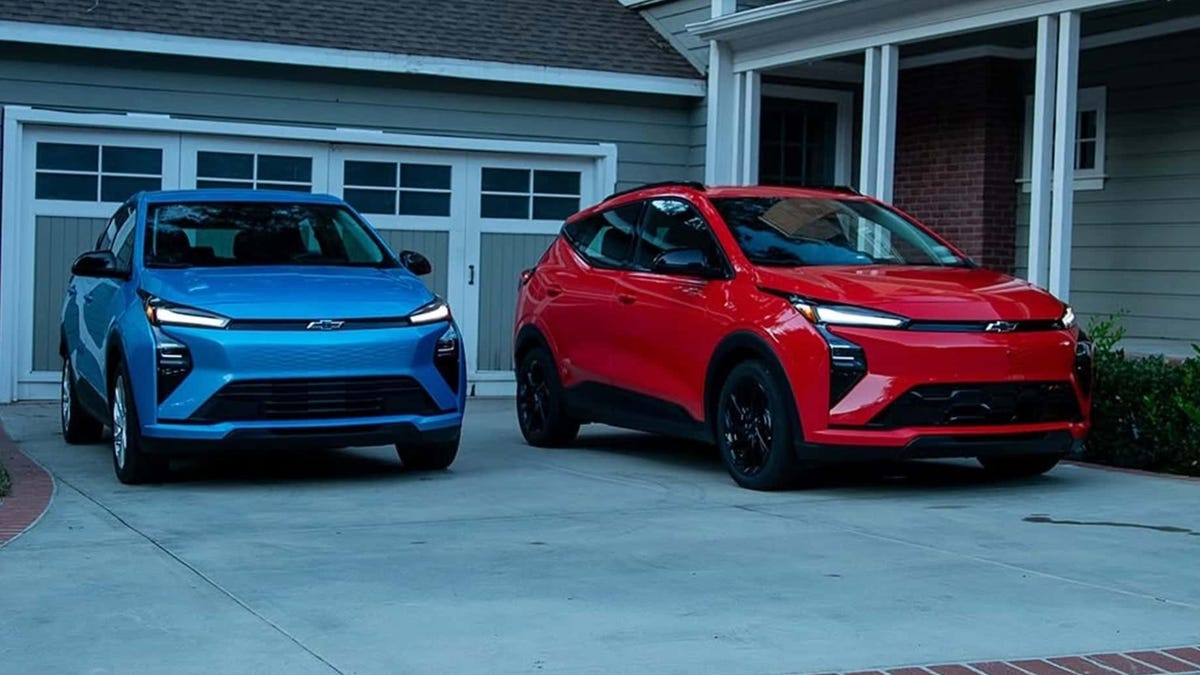
Chevy’s New Bolt EV Is a Truly Affordable Electric Car, at Less Than $30,000
It’s cheaper than other so-called «affordable» EVs and fixes the weaknesses of its predecessor.
Technologies
Today’s NYT Mini Crossword Answers for Thursday, Oct. 30
Here are the answers for The New York Times Mini Crossword for Oct. 30.

Looking for the most recent Mini Crossword answer? Click here for today’s Mini Crossword hints, as well as our daily answers and hints for The New York Times Wordle, Strands, Connections and Connections: Sports Edition puzzles.
Need some help with today’s Mini Crossword? I admit, 1-Across stumped me until I filled the other answers in. Read on for all the answers. And if you could use some hints and guidance for daily solving, check out our Mini Crossword tips.
If you’re looking for today’s Wordle, Connections, Connections: Sports Edition and Strands answers, you can visit CNET’s NYT puzzle hints page.
Read more: Tips and Tricks for Solving The New York Times Mini Crossword
Let’s get to those Mini Crossword clues and answers.
Mini across clues and answers
1A clue: Words on either side of «___ what ___»
Answer: ITIS
5A clue: Breathes like a dog
Answer: PANTS
7A clue: Podcast’s medium
Answer: AUDIO
8A clue: Test with one’s nose
Answer: SNIFF
9A clue: President after Teddy Roosevelt
Answer: TAFT
Mini down clues and answers
1D clue: Hoppy beers, for short
Answer: IPAS
2D clue: Talk trash to
Answer: TAUNT
3D clue: The «I» of 1-Down
Answer: INDIA
4D clue: How you might feel after a long car ride
Answer: STIFF
6D clue: Pillowy
Answer: SOFT
Technologies
Should You Upgrade to the iPhone 17? Specs, Price and Features vs. Older Models
Apple’s base iPhone 17 appears to be a sleeper hit, but does it offer enough to upgrade from an earlier model? See how it fares against recent iPhones.
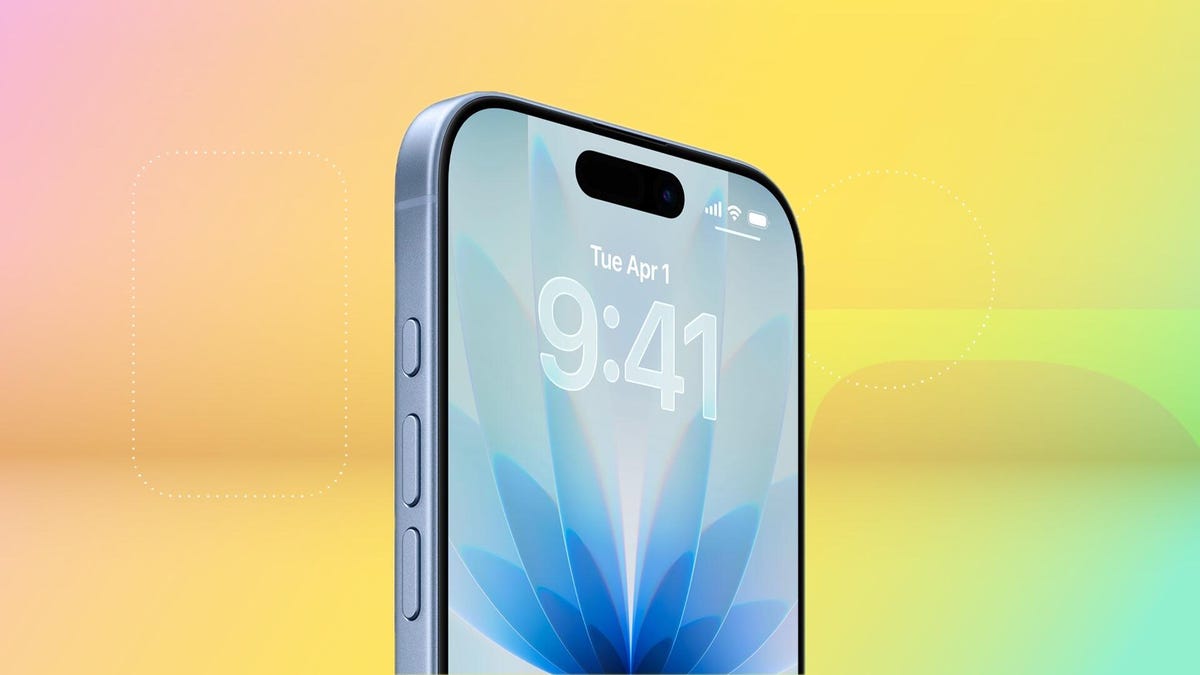
While the bright orange iPhone 17 Pro gets all the attention, Apple’s iPhone 17 has quietly turned out to be this year’s early roaring success, with preorders beating out the iPhone 16. If your current serviceable but aging iPhone is starting to feel rusty, maybe this is the year to replace it with a new iPhone 17.
But is the iPhone 17 worth it, or is it better to look for an older iPhone? The new model starts at $829, but here’s the kicker: Apple finally did away with the measly 128GB base storage. The new entry-level model now starts at a much more reasonable 256GB, which is a long-overdue bump that might just make the upgrade a no-brainer.
Don’t miss any of our unbiased tech content and lab-based reviews. Add CNET as a preferred Google source.
Several noteworthy updates to the iPhone 17 make it feel like a tempting choice, even over the pricier iPhone 17 Pro models. At long last, Apple has extended a 1-120Hz display across its entire lineup, so you can have smoother scrolling and an always-on display without spending upwards of $1,100 on a Pro model. An anti-reflective coating and higher 3,000-nit peak brightness make the screen slightly easier to see outdoors. And camera upgrades help to level up photos and selfies.
Here’s how the iPhone 17 compares to older iPhones, ranging from last year’s iPhone 16 to 2020’s iPhone 12.
iPhone 17 vs. iPhone 16
Appearance-wise, the iPhone 17 has a lot in common with the iPhone 16. But beneath the surface, there are some key differences.
The display goes from a meager 60Hz on the iPhone 16 to 120Hz on the iPhone 17 (at long last). That means the iPhone 17 finally supports an always-on display, so you can glance at the time and your notifications without waking the screen and enjoy smoother scrolling. A new anti-reflective coating helps reduce glare, especially in the bright outdoor conditions.
The iPhone 17 has a larger 6.3-inch display, versus the iPhone 16’s 6.1-inch screen, thanks to slimmer bezels. That can make viewing content slightly more immersive, though it won’t be a hugely noticeable difference. And a new Ceramic Shield 2 cover on the iPhone 17 offers three times better scratch resistance, according to Apple, so you can worry a little less about etching into your phone’s screen (but maybe still get a screen protector to be safe).
The iPhone 16 and 17 have a 48-megapixel wide-angle camera, but the iPhone 17 bumps the ultrawide camera from 12 megapixels to 48 megapixels. The front-facing camera also gets upgraded from 12 megapixels (on the iPhone 16) to 18 megapixels on the iPhone 17. Both phones have a Camera Control button for quickly launching the camera and snapping photos.
A new Center Stage feature can automatically adjust selfie photos from portrait orientation to landscape to ensure everyone is in the shot, so you don’t have to manually rotate your phone to its side anymore. Dual Capture lets you simultaneously record on your front and back cameras. These upgrades are specifically catered to the latest iPhone lineup, so that they won’t be coming to older models like the iPhone 16, even with an iOS 26 update.
Battery life is a little longer on the iPhone 17. Apple says the iPhone 17 supports up to 8 hours more of video playback than the iPhone 16. This change aligns with improvements CNET noticed in our battery tests. In a 3-hour streaming test, for example, the iPhone 17’s battery dropped from 100% to 89%, while the iPhone 16 hit 86%. It’s an incremental update, but even a little more battery life is a welcome change. The iPhone 17 also supports up to 40-watt charging, which is a boost over the 25 watts you get with the iPhone 16, helping you top off your battery a little faster.
The bottom line: While the updates to the iPhone 17 help it stand out as an all-around solid device, the changes over last year’s iPhone 16 are incremental enough that there’s not much reason to upgrade — unless you’re really excited about that smoother display and faster charging. But for most people, subtle differences mean you should probably just hold onto your iPhone 16.
iPhone 17 vs. iPhone 15
The iPhone 15 has a lot in common with the iPhone 16, including a 48-megapixel wide-angle camera, a 12-megapixel ultrawide camera and a 6.1-inch display. The 6.3-inch display on the iPhone 17 has slimmer bezels to expand that real estate a bit, and the 48-megapixel ultrawide camera can lead to slightly sharper shots.
The baseline iPhone 15 doesn’t have an Action button that you can customize to launch various apps and functions, and instead has the more traditional ring/silent switch. The iPhone 17 has an Action button and a Camera Control button.
Both phones have a Dynamic Island cutout at the top of the display for showing alerts and Live Activities, such as the time your DoorDash order is arriving, flight updates and what song is currently playing.
With each generation, Apple touts longer battery life, so you can expect to get a couple more hours of video playback with the iPhone 17 than you would with the 15.
Perhaps the most significant difference between the iPhone 15 and 17 is that the iPhone 15 doesn’t have Apple Intelligence; those AI features only arrived on that year’s Pro models. If you upgrade to the iPhone 17, you’ll have access to writing and image editing tools, as well as newer features like Live Translation for calls and messages.
The bottom line: Like the iPhone 16, there aren’t many drastic differences between the iPhone 15 and 17, though upgrading will notably grant you access to Apple Intelligence. But the other hardware and software-related updates are relatively minimal, so you’re probably good keeping your iPhone 15 for at least another year.
iPhone 17 vs. iPhone 14
The iPhone 14 was the last Apple phone with a Lightning port and that’s one of most significant differences between it and the iPhone 17, which has a USB-C port. Upgrading to the iPhone 17 means you won’t have to rely on an outdated and limited-use charging cable anymore, and can instead use one that works with most of your other devices.
The baseline iPhone 14 also doesn’t have a Dynamic Island cutout in the display, as that feature launched with just the Pro models that year. Upgrading to the iPhone 17 will let you quickly tap into activities like your rideshare trip or flight information.
The iPhone 14 has a 12-megapixel wide and ultrawide-angle camera on the back, while the iPhone 17 bumps that to 48 megapixels across the board. The iPhone 17 also increases the front-facing camera’s resolution from 12 megapixels to 18 megapixels, while adding a new Center Stage selfie feature to automatically adjust between portrait and landscape images without you having to rotate your phone.
But the two phones also some key similarities, like having eSIM and satellite connectivity on board.
The bottom line: The iPhone 14 has the most noticeable differences with the iPhone 17. Upgrading could offer some fresh features like an Action button and, at last, a USB-C port, as well as Dynamic Island and an upgraded camera. But if you want to save some money and keep your current phone, you won’t be missing out on anything too drastic.
iPhone 17 vs. iPhone 13
The iPhone 13 has a similar A15 Bionic chip as the iPhone 14, and shares the same dual 12-megapixel camera system. But unlike the iPhone 14, the iPhone 13 doesn’t have crash detection or satellite connectivity, or camera features like Action mode for more stable videos.
At this point, your iPhone 13 may be showing its age. Upgrading to the iPhone 17 will give you access to newer features like Apple Intelligence, Dynamic Island, USB-C charging and the Camera Control and Action buttons. You might also notice faster speeds by switching to the iPhone 17, now that it’s been a few years since the iPhone 13 came out.
The bottom line: It may be time to upgrade to the iPhone 17 if you have an iPhone 13. It’s possible your phone is starting to show its age, and switching to Apple’s latest baseline will get you a longer-lasting battery, an upgraded camera, AI features and a handful of new hardware and software capabilities.
iPhone 17 vs. iPhone 12
Like the next couple of iPhones after it, the iPhone 12 has a dual 12-megapixel camera system, as well as a 6.1-inch display. Upgrading to the iPhone 17 will get you a slightly more immersive 6.3-inch display with thinner bezels, along with a 48-megapixel dual camera system.
The iPhone 12 lacks features like crash detection, satellite connectivity, Dynamic Island and USB-C charging. It also doesn’t support the Apple Intelligence suite of AI features for writing, photo editing, language translation and more.
It’s possible your iPhone 12 has become sluggish and your battery isn’t holding up like it used to. Taking age out of the equation, at launch, the iPhone 12 boasted up to 17 hours of video playback, while Apple says the iPhone 17 supports up to 30 hours. So there’s likely to be a noticeable difference between how long each phone can hold up.
The bottom line: Swapping your iPhone 12 for the iPhone 17 could be a smart move. There have been noticeable changes over the last several years, from the addition of the Action and Camera Control buttons to the introduction of Apple Intelligence. The swap to USB-C and expanded battery capacity can also make the newest iPhone more tempting; you won’t have to cling to your now-outdated Lightning cable. And you’ll likely notice faster speeds and higher performance across the board when switching from a 5-year-old device to the latest generation.
Apple iPhone 17 vs. Older iPhones
| Apple iPhone 17 | Apple iPhone 16 | Apple iPhone 15 | Apple iPhone 14 | Apple iPhone 13 | Apple iPhone 12 | |
| Display size, tech, resolution, refresh rate | 6.3-inch OLED; 2,622 x 1,206 pixel resolution; 1-120Hz variable refresh rate | 6.1-inch OLED; 2,556 x 1,179 pixel resolution; 60Hz refresh rate | 6.1-inch OLED; 2,556×1,179 pixels | 6.1-inch OLED; 2,532×1,170 pixels | 6.1-inch OLED; 2,532×1,170 pixels | 6.1-inch OLED; 2,532×1,170 pixels |
| Pixel density | 460ppi | 460 ppi | 460 ppi | 460 ppi | 460 ppi | 460ppi |
| Dimensions (inches) | 5.89 x 2.81 x 0.31 in | 5.81 x 2.82 x 0.31 inches | 2.82 x 5.81 x 0.31 in | 5.78 x 2.82 x 0.31 in | 5.78 x 2.82 x 0.3 in | 5.78 x 2.82 x 0.29 in |
| Dimensions (millimeters) | 149.6 x 71.5 x 7.95 mm | 147.6 x 71.6 x 7.8mm | 71.6 x 147.6 x 7.8 mm | 147 x 72 x 7.8 mm | 147 x 72 x 7.65 mm | 146.7 x 71.5 x 7.4 mm |
| Weight (grams, ounces) | 177 g (6.24 oz) | 170 g (6 oz.) | 171g (6.02 oz) | 172 g (6.07 oz) | 6.14 oz; 174g | 5.78oz; 164g |
| Mobile software | iOS 26 | iOS 18 | iOS 17 | iOS 16 | iOS 15 | iOS 14 |
| Camera | 48-megapixel (wide) 48-megapixel (ultrawide) | 48-megapixel (wide), 12-megapixel (ultrawide) | 48-megapixel (wide), 12-megapixel (ultrawide) | 12-megapixel (wide), 12-megapixel (ultrawide) | 12-megapixel (wide), 12-megapixel (ultrawide) | 12-megapixel (wide), 12-megapixel (ultra-wide) |
| Front-facing camera | 18-megapixel | 12-megapixel | 12-megapixel | 12-megapixel | 12-megapixel | 12-megapixel |
| Video capture | 4K | 4K | 4K | 4K at 60 fps | HDR video recording with Dolby Vision up to 4K at 60 fps | 4K |
| Processor | Apple A19 | Apple A18 | A16 Bionic | Apple A15 Bionic | Apple A15 Bionic | Apple Bionic 14 |
| RAM + storage | RAM N/A + 256GB, 512GB | RAM N/A + 128GB, 256GB, 512GB | 128GB, 256GB, 512GB | RAM NA; 128GB, 256GB, 512GB | 128GB, 256GB, 512GB | 64GB, 128GB, 256GB |
| Expandable storage | None | None (Face ID) | None | None | Undisclosed | Undisclosed |
| Battery | Up to 30 hours video playback; up to 27 hours video playback (streamed) | Up to 22 hours video playback; up to 18 hours video playback (streamed). 20W wired charging. MagSafe wireless charging up to 25W with 30W adapter or higher; Qi2 up to 15W | Undisclosed; Apple claims up to 20 hours of video playback (16 hours streamed) | Undisclosed; Apple claims 20 hours of video playback | No | No |
| Fingerprint sensor | None (Face ID) | None (Face ID) | None (Face ID) | None (Face ID) | Undisclosed; Apple lists 19 hours of video playback | Undisclosed; Apple lists 15 hours of video playback |
| Connector | USB-C | USB-C | USB-C (USB 2.0) | Lightning | No (Face ID) | No (FaceID) |
| Headphone jack | None | None | None | None | Lightning | Lightning |
| Special features | Apple N1 wireless networking chip (Wi-Fi 7 (802.11be) with 2×2 MIMO), Bluetooth 6, Thread. Action button. Camera Control button. Dynamic Island. Apple Intelligence. Visual Intelligence. Dual eSIM. 1 to 3,000 nits brightness display range. IP68 resistance. Colors: black, white, mist blue, sage, lavender. Fast charge up to 50% in 20 minutes using 40W adapter or higher via charging cable. Fast charge up to 50% in 30 minutes using 30W adapter or higher via MagSafe Charger. | Apple Intelligence, Action button, Camera Control button, Dynamic Island, 1 to 2,000 nits display brightness range, IP68 resistance. Colors: black, white, pink, teal, ultramarine. | Dynamic Island; 5G (mmw/Sub6); MagSafe; water resistant (IP68); wireless charging; eSIM; satellite connectivity | 5G (mmw/Sub6); MagSafe; water resistant (IP68); wireless charging; eSIM; satellite connectivity | No | No |
| US price starts at | $829 (256GB) | $799 (128GB) | $799 (128GB), $899 (256GB), $1,099 (512GB) | $799 (128GB), $899 (256GB), $1,099 (512GB) | 5G enabled; MagSafe; water resistant (IP68); wireless charging; dual-SIM capabilities (nano-SIM and e-SIM) | 5G enabled; MagSafe; water resistant (IP68); wireless charging; dual-SIM capabilities (nano-SIM and e-SIM) |
-
 Technologies3 года ago
Tech Companies Need to Be Held Accountable for Security, Experts Say
-
 Technologies3 года ago
Best Handheld Game Console in 2023
-
 Technologies3 года ago
Tighten Up Your VR Game With the Best Head Straps for Quest 2
-
 Technologies4 года ago
Verum, Wickr and Threema: next generation secured messengers
-
 Technologies4 года ago
Black Friday 2021: The best deals on TVs, headphones, kitchenware, and more
-
 Technologies4 года ago
Google to require vaccinations as Silicon Valley rethinks return-to-office policies
-
 Technologies4 года ago
Olivia Harlan Dekker for Verum Messenger
-
 Technologies4 года ago
iPhone 13 event: How to watch Apple’s big announcement tomorrow


