Technologies
Best Camera to Buy in 2023
Whether you’re after a pro Canon mirrorless or the best cheap Sony camera, we’ve got you covered.

Whether you want the best mirrorless camera or a brilliant beginner camera, choosing what’s best for you is never an easy decision. With so many models from top brands like Sony, Canon, Nikon, Fujifilm and more, all of which pack a wide variety of different features and megapixel counts, it can be baffling to understand what you actually need to take your photography further. But that also means that whether you want pro-level full-frame image quality, fast burst shooting or just something light for your travels, there’s a camera that will suit you perfectly.
As with most things, the more you spend, the better performance you’ll get, with top-spec cameras offering 8K video and high resolution sensors costing a hell of a lot more than their entry-level equivalents. Want to take photos from the air? Check out our guide to the best drones. Want a camera to record your next ski trip? Our action camera guide is for you.
Later in this article you can read my advice on what to consider when buying a new camera, as well as answers to some of the most common questions.

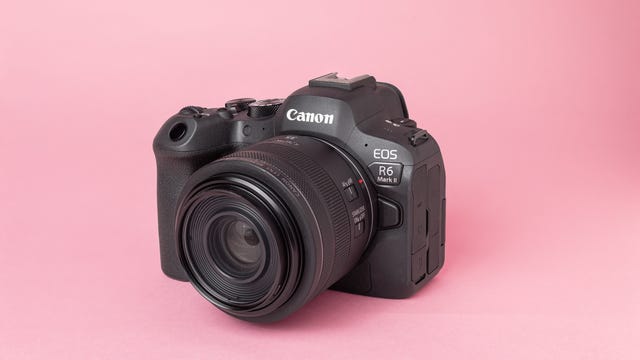
Canon’s R6 II packs some formidable specs for both still image and video shooters, making it a superb all-round hybrid camera for both enthusiastic amateurs and anyone who wants to take their first steps into the professional arena. Its 24-megapixel resolution is up from the 20 megapixels of the first R6 and its seen upgrades to its specs across the board. Its burst shooting speed now goes up to a whopping 40 fps (with the electronic shutter), making it faster than Canon’s pro-level R3 when using focus tracking and double the speed you get from the first-gen R6.
Speaking of focus, there are upgrades there too, with improved detection for faces, animals or cars and with lightning-fast lock on and tracking. It works great in video too, recognising your subject and keeping locked on as they move through the scene. It’ll shoot video internally at up to 4K resolution in 10-bit raw, or up to 6K using an external recorder via the HDMI port and video clips can now run beyond the R6’s 30-minute limit up to 6 hours in length.
Its full-frame sensor delivers great-looking images, with plenty of scope for pulling back highlights and lifting shadows in Lightroom. It offers up to 8-stop in-body image stabilization (with a compatible lens) to help you get sharp and steady results even at lower shutter speeds.
Overall, the R6 II’s improvements over its predecessor make it a superb do-it-all mirrorless camera that excels in stills and video. And its relatively compact size makes it a great option for taking on your next family vacation, capturing stills for a family photo album and video to send to your friends and family back home.
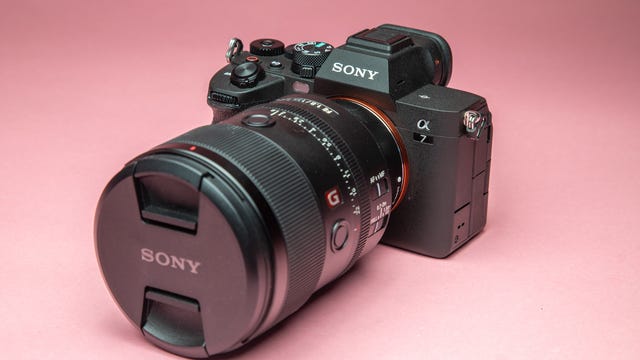
While Sony’s A1 has cranked all of its specs to the max, the A7 IV takes a more “sweet spot” approach, offering solid performance at a much more approachable price. Its 33-megapixel full-frame sensor still offers superb clarity and excellent dynamic range and its maximum 10fps burst rate is still pretty nippy.
It also has in-body stabilization but it’s also got excellent noise reduction allowing you to crank the ISO speeds higher without overly degrading the image quality. Video tops out at 4K at 60fps, but like the A1 you can shoot in 10-bit S-LOG format for greater control in post production.
But my favorite aspect is its compact size, which is small enough to pop into a small shoulder bag (assuming you don’t have a massive zoom lens on, of course) making it a great option for travel photography, street photography or even just as an “everyday carry” camera so you’re always ready to shoot when inspiration strikes.
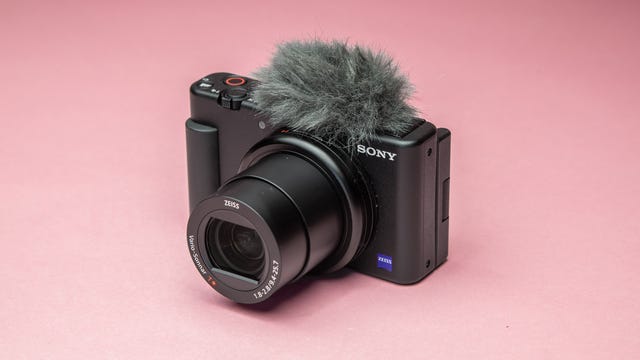
Sony’s ZV-1 is primarily aimed at aspiring YouTube vloggers who are looking for a video camera you can just pick up and start shooting with. It’s got an articulated display that lets you easily see yourself when you’re filming your pieces to camera and the built-in mic does a decent job of capturing audio — and there’s an included fluffy wind-shield which helps cut down on wind noise.
Its 1-inch type sensor is the smallest of all cameras on this list, so its image quality isn’t as good as more expensive models, particularly in lower light conditions, but in daytime lighting it’s footage looks solid. It doesn’t have interchangeable lenses but its built-in zoom takes it from an equivalent of 24mm through to 70mm. It’s stabilized well enough for vlogging when you’re standing still, but it struggles to smooth out bigger movements when you’re walking at more of a pace.
It’ll shoot video at 4K resolution at 60 frames per second, but turn that quality down and it can shoot up to a whopping 960fps for some super slow-mo action. Stills max out at 20.1 megapixels and they’re perfectly good for daytime snaps on your travels.
The ZV-1 isn’t the best camera to go for if you only want still photographs, but if you’re looking to shoot a lot of video on your next vacation, or if you’re after a second camera specifically for video purposes then it’s worth considering. Its small size, solid video quality, all-purpose zoom range and decent built-in mic means it’s well-equipped to help you on your first steps to vlogging success.
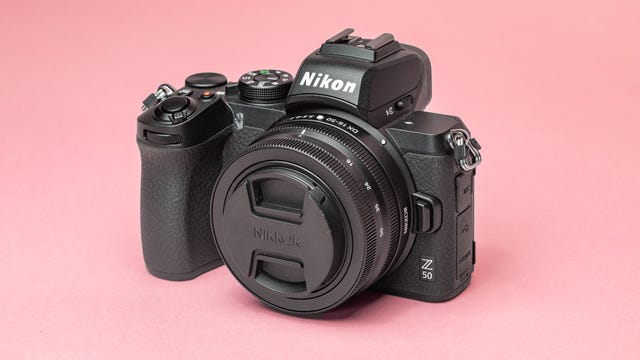
Nikon’s Z50 packs a smaller APS-C sized image sensor into a small and lightweight body which makes it excellent for chucking into a little backpack and heading out on your travels. Its 20.9-megapixel sensor takes good-looking images, with excellent detail and enough dynamic range in the raw files to pull back highlights or lift shadows.
There’s no in-body image stabilization (you’ll need to splash more cash for that) but its 11 frames per second burst shooting rate should help you score a sharp image. It shoots 4K video at up to 30 frames per second and its tilting rear LCD display will help get shots in more awkward angles.
Nikon currently offers only three lenses designed for its APS-C DX-format camera which isn’t a wide selection — although the wide zoom ranges available will likely suit beginners well. It does use the same Z-mount for its lenses as Nikon’s FX-format cameras like the Z7 II, however, so you can always use those professional-standard lenses on this camera. That said, the higher prices of those lenses will somewhat negate the affordability of the Z50 itself.
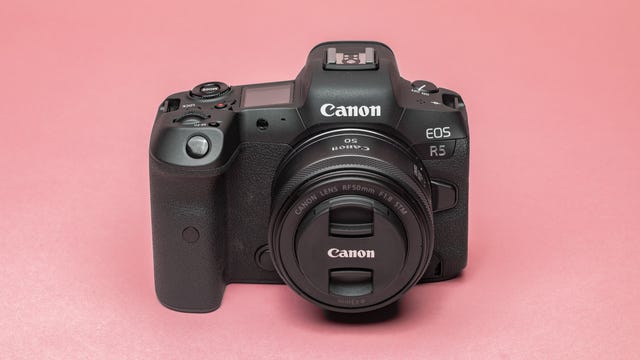
Canon’s EOS R5 is the company’s best all-rounder camera, offering rock-solid specs for professionals in both still images and video. On the stills side, its full frame image sensor packs 45 megapixels and has up to eight stops of image stabilization (with a compatible lens) helping keep handheld images sharp even at slower shutter speeds. It can shoot up to 20 frames per second and its handy flip-out screen means getting shots in awkward positions is no problem.
On the video side, it was Canon’s first camera to offer a whopping 8K resolution in 12-bit raw which, while overkill for your average family movie, does offer pro shooters more scope for cropping in post-production. At 4K resolution it’ll shoot up to 120fps for smooth slow motion in Canon’s CLog format for easier color editing.
It’s a superb all-round camera that’ll suit enthusiastic photographers and pros alike who are keen to bring beautiful video production into their workflow.
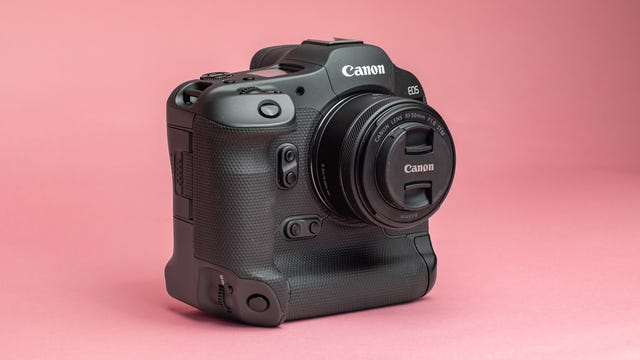
Canon’s flagship is built for speed. Capable of shooting up to 30 raw images a second, it’s a camera aimed squarely at serious sports or wildlife photographers that need to guarantee they’ll nail that decisive moment. Its full frame sensor offers a maximum 24-megapixel resolution, and like the EOS R5, it comes with a fully articulating screen and in-body image stabilization for when the light gets low.
Its auto-focus has been bolstered with deep-learning algorithms allowing the camera to recognize and lock on to people, animals and birds, as well as cars and motorcycles — it’s even able to identify a driver’s helmet in an open-cockpit racing car and lock focus on it. Motorsports photographers have no excuses for missing that winning shot.
It’s no slouch with video either, offering up to 6K footage in Canon’s Log format for better post production. Its high price and physically larger size means it’s not a camera that’ll suit everyone, but if you’re after the absolute pinnacle of photographic speed then it’s the Canon camera to go for.
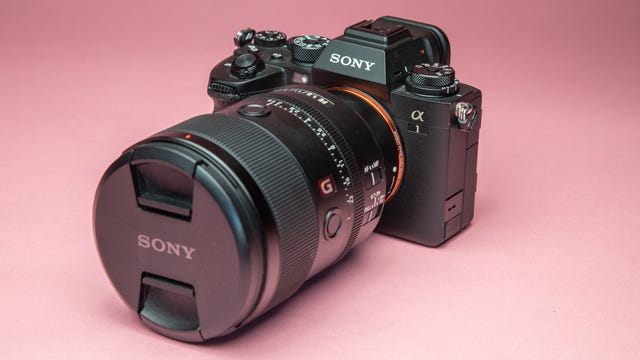
Like Canon’s EOS R5, the Sony A1 is designed to excel with both stills and video. Its compact body is packed with a 50.1-megapixel full frame sensor that delivers pristine detail and excellent dynamic range. It’s stabilized too for sharper hand-held images while its 30fps maximum burst rate (in compressed RAW or JPEG) means it’s well equipped for sports or wildlife photographers too.
It can shoot video at up to 8K resolution, but also offers 4K at up to 120fps in 10-bit S-LOG3 for pro shooters looking for greater color grading control in post production. It’s Sony’s most expensive hybrid stills and video camera, but it’s packed with the absolute top tech the company has to offer, making it a superb choice for enthusiasts and professionals looking for the best of both worlds.
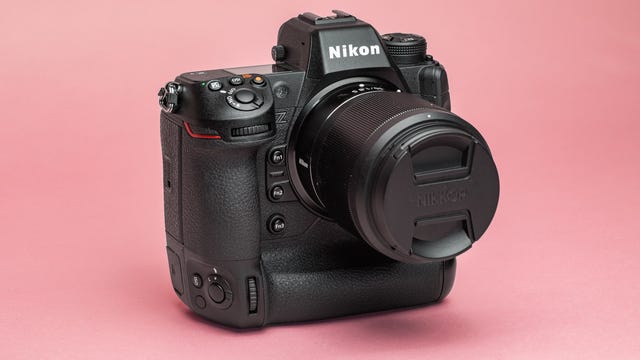
The Z9 is Nikon’s answer to Canon’s R3; a larger-sized camera body packed with awesome camera tech delivering blistering shooting rates for serious enthusiasts and pros alike. Its 45.7-megapixel full-frame sensor delivers stunning, detail-packed shots while its in-body stabilization allows for hand-held shooting at slower shutter speeds. It can shoot RAW files at up to 20fps or lower-resolution JPEGs at 120fps.
It’s a video beast too, able to shoot 8K at 60fps in Nikon’s raw video format. Take that to 4K and you can get 120fps for smoother slow-mo while editing professionals will appreciate the ability to shoot in ProRes format for much better control over highlights and colors in post production.
Auto-focus is lightning fast, with a 493-point focus system that’s able to lock onto the eyes of people, animals and even birds.
Like the R3 and Sony’s A1, the Nikon Z9’s price and top-notch specs mean it’s overkill for most enthusiast photographers, but if you’re after ultimate speed and performance from Nikon then the Z9 is the camera for you.
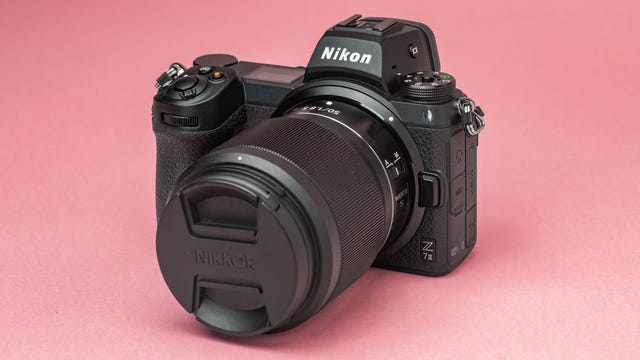
With its 45.7-megapixel full-frame sensor, the Nikon Z7 II can capture beautifully-detailed images with excellent colors and dynamic range but it does so in a much smaller package than the speed-focused Z9. Its compact size makes it a great option for the travelers among you who don’t want to sacrifice performance when on the move.
Those same travelers will appreciate its magnesium alloy construction, which is weather sealed against moisture and dust so wherever you’re heading to next, the Z7II will be able to cope.
Its eye-tracking auto-focus is fast, it can shoot raw files at up to 10 fps and its five-axis in-body stabilization provides up to five stops of stabilization, making hand-held shooting easier at slower shutter speeds. Then there’s its 4K 60fps video capabilities that will let you shoot stunning footage to go alongside your stills. Nikon fans looking for a solid all-round hybrid stills and video camera are well catered to.
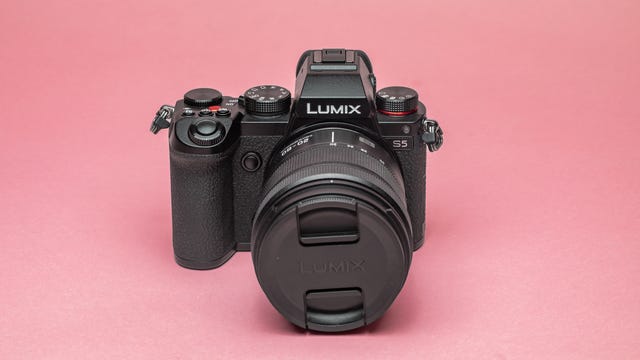
Panasonic’s Lumix line has been best known for its prowess with smaller micro-four-thirds sensors, but its S-series, including the new S5 has shown the company knows its stuff with full-frame sensors too. The S5’s image sensor offers 24 megapixels of resolution, with great dynamic range, burst speeds of up to 7 frames per second and ISO speeds up to 204,800.
Want even more resolution? A high resolution mode shifts the sensor and takes multiple shots to create a raw file at 96 megapixels. It works best with static, rather than moving scenes and you’ll need a tripod for the best results, but for landscape or studio photographers wanting additional pixels it could be a handy addition.
It’s relatively compact in size, making it great for chucking in a bag for day trips, while its articulating LCD screen makes it easier to shoot in awkward positions — or for shooting selfies.
It’s great for video shooters too, offering 4K at up to 60 frames per second, with 10-bit 4:2:2 recording options for those of you wanting more scope for editing your footage later. Autofocus in video is good too and the flip-out screen means it’s well-suited for vloggers wanting a more professional look to their videos.
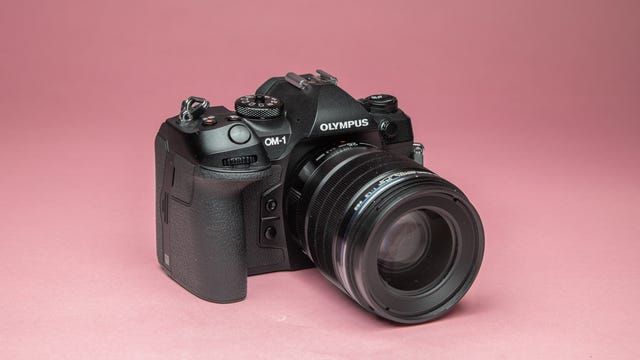
The OM System (formerly known as Olympus) OM-1 uses a smaller micro-four-thirds image sensor, rather than the full frame sensors seen on models like the Canon R5 or Sony A1. But what it lacks in sensor size it makes up for in sheer performance. It’s capable of capturing raw files at an astonishing 120 frames per second so sports and wildlife shooters are well catered for.
Its sensor is stabilized too, so handheld shooting is smoother, the flip-out screen makes low-angle shooting a breeze and it’s IP53 rated so you won’t need to pack it away the first time you feel a rain drop land on your head.
But one of the main benefits of a micro-four-thirds system is its size. The OM-1’s body is smaller and lighter than every other camera on this list, as are the lenses it uses. As a result, shooting all day with this thing around your neck isn’t going to leave you with ruined muscles, nor will taking an extra couple of lenses with you, just in case you want that extra zoom.
For video shooters, the OM-1 can manage 4K resolutions at 60fps and you can take that to 240fps for awesome slow-motion shots at full HD resolution.
With 20 megapixels, the OM-1 might not have the raw resolution of some of its full-frame competitors, but its immense shooting speed, travel-friendly design, stabilization and video skills make it a great all-rounder, especially for those of you interested in wildlife photography.
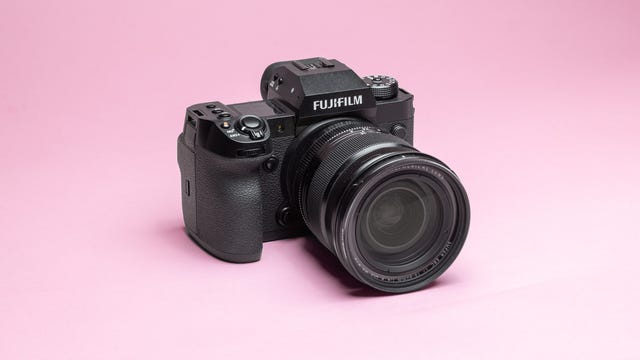
With 8K video options, a 40-megapixel maximum resolution and seven stops of image stabilization, Fujifilm’s latest X-H2 camera has some big bragging rights for a camera that costs only $2,000. And while that’s not cheap, those specs are more in line with Canon’s $3,700 R5, so the X-H2 might represent good value if you’re particularly hoping for 8K.
The camera is easy to shoot with, with a comfortable grip and battery life that’ll put up with a full day of mixed shooting (much less if you’re shooting a lot of 8K though). The image stabilization is excellent, helping keep hand-held video footage looking less shaky and allowing me to shoot at shutter speeds approaching a second without needing a tripod.
It packs a smaller APS-C sensor, rather than the full-frame sensors seen on others on this list, but it still manages to squeeze 40 megapixels of resolution, resulting in detailed images with plenty of scope for further cropping. It’ll shoot 20 frames per second in burst mode, but if speed is crucial, then you can look toward the X-H2S, which has a 24-megapixel sensor but can achieve 40 frames per second in burst mode.
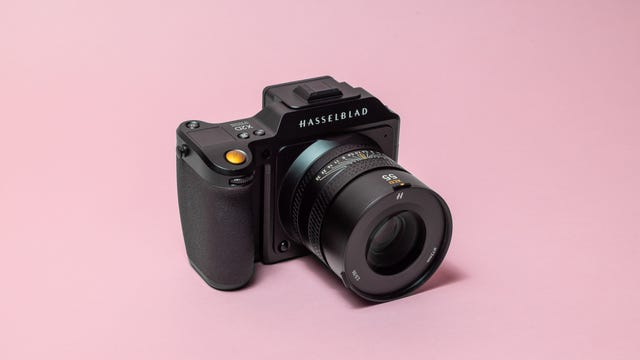
The X2D 100C is the successor to Hasselblad’s X1D, seen below. It comes with a variety of improvements over the older model, including a high-resolution 100-megapixel medium format image sensor, seven stops of in-body image stabilization and improved auto focus.
The upgrades make this camera one of my favorite stills cameras I’ve tested and the camera on this list I’d most like to own if I could even begin to contemplate its lofty $8,200 asking price. But what you get for that money is absolutely pristine image quality, with incredible details and huge dynamic range that makes it easy to lift shadows and rescue highlights in post production. I’ve been truly impressed with the shots I’ve been able to take with this camera, and I’d dearly love to take it on a landscape photography adventure to continue putting it through its paces.
It’s got a massive 1TB internal SSD for quickly saving the huge image files you’ll be generating, while its seven stops of image stabilization mean you don’t need to always have it locked on a tripod to get sharp shots at slower shutter speeds. That makes it much more usable as a hand-held camera. My main criticism of its predecessor was slow and sometimes inaccurate autofocus, and while that’s certainly been improved here, it’s hardly what you’d call fast. It’ll mostly suit those of you who take a slower, more methodical approach to your photography, rather than sports or wildlife shooters who need to capture split-second action in big bursts.
It also isn’t the camera for you if you’re more of a hybrid shooter, as Hasselblad has removed any kind of video recording from its camera. Instead, the focus is solely on producing some of the best still images possible, and in that it absolutely succeeds.
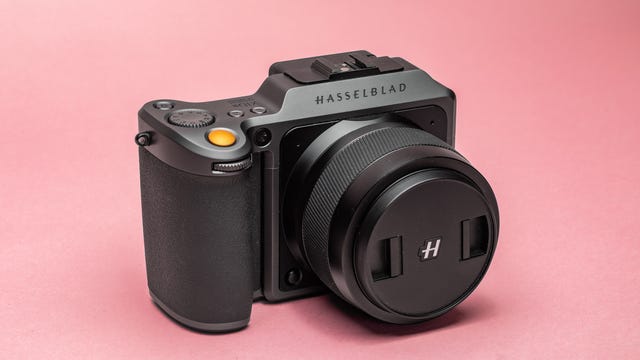
Note: Hasselblad recently launched the X2D 100C (seen above), which offers a range of improvements over the older X1D II 50C. However, the X1D will still be on sale, and its lower price makes it a great option to consider for stills-focused photographers.
While cameras like the Olympus OM-1 (seen above) have smaller sensors for fast shooting, Hasselblad’s X1D II 50C goes the opposite direction. It packs a medium format sensor which is physically much bigger than even the full-frame sensors offered by the other cameras on this list. A larger sensor is typically able to capture more detail and dynamic range and indeed the X1D’s shots can be stunning.
The dynamic range is excellent, with lots of scope for lifting shadows or toning down highlights in post-production software like Adobe Lightroom. Detail from the 50-megapixel sensor is superb as well, while Hasselblad’s commercial-standard color science means that your shots will look true-to-life.
It’s not built for speed though; with auto-focus frequently being quite slow and a max burst rate of only 2.7fps. But this is a camera designed more for taking the time to study and compose your scene, only firing the shutter when all the elements are in place.
It’s physically beautiful though, with a minimalist, all-metal design that’s built in Sweden. Despite it packing a medium format sensor, it’s surprisingly compact overall, being easy to carry in a shoulder bag, with an extra lens on standby.
The slow speed and high price of this camera means it won’t suit if you want quick street snaps on your next city break, but for those of you looking for truly stunning image quality from more considered scenes then Hasselblad’s X1D II 50C is well worth considering.
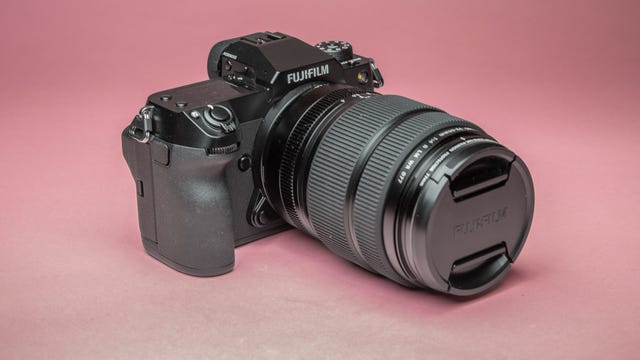
Like the Hasselblad above, the Fujifilm GFX100S packs a medium format sensor that’s physically larger than the more common full-frame sensors seen in cameras like the Canon EOS R5 and much bigger than the APS-C sensors found in most of Fuji’s range. That big sensor size not only lets this camera shoot with a whopping 100-megapixel resolution, but it offers an amazing dynamic range in its images, giving a huge amount of scope to recover highlight and shadow detail in post.
The downside is that the camera — and its lenses — are physically a lot bigger than cameras with smaller sensors, not to mention more expensive, too. That said, the GFX100S is a lot smaller than its predecessor and isn’t much bigger than more traditional DSLRs like the Canon 5D MkIV. That makes it a great option for landscape photographers among you wanting to hike with a backpack of gear, knowing that you’ll be able to take truly stunning images when you get to your location.
It’s comfortable to shoot with and that massive sensor is stabilized, allowing you to get sharper shots when shooting handheld — something that’s critical when shooting at 100 megapixels, when those fine details will show up even the slightest of blur.
It shoots 4K video at 30 frames per second, which makes it capable enough for those occasions when you really want to capture a bit of moving footage, but it’s certainly not a camera to consider if video production is your main goal. But for stills shooters — especially landscape lovers — the GFX100S offers truly stunning image quality that I’d love to have as part of my own kit bag.
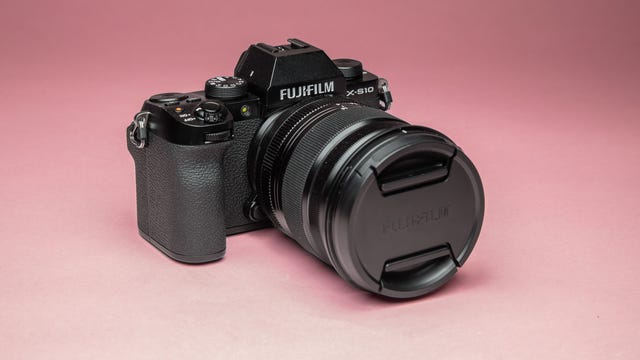
With an APS-C sensor size, the Fujifilm X-S10 has a compact body size that’s the smallest of all the cameras on this list. Paired with a compact lens it makes for a potent travel camera setup, allowing you to always have it in your rucksack, ready to shoot whenever you turn a corner down some Italian alleyway and find photographic inspiration.
It’s comfortable to hold, with well-placed controls and a solid feel to its construction that gives me confidence that it’ll be able to put up with a tough life on the road. Its smaller sensor offers 26 megapixels and while it might not have the dynamic range or low-light prowess of more expensive full-frame rivals, its overall image quality is excellent.
Its LCD screen fully articulates, allowing for easier shots in tricky situations — or for getting those grinning vacation selfies — while its burst rate of up to 20fps means you won’t miss that quick action. That’s helped by fast auto-focus which locks on quickly, but it’s not always accurate when it comes to tracking subjects as they move through the scene. It shoots 4K video at 30fps too, and its stabilized sensor helps smooth out some of the shake when you’re holding it by hand.
While it might not have the same advanced feature set of others on this list, its smaller size and more approachable price makes it a great option for beginner photographers, street photographers or travelers looking for a light option to always have in the bag.
Frequently asked questions
What is the difference between a DSLR and mirrorless camera?
A DSLR — or digital single lens reflex — camera is what you might think of as a “traditional” camera. While both DSLRs and mirrorless cameras have interchangeable lenses with an image sensor at their heart, a DSLR has a mirror that reflects light from the lens up into the viewfinder. When you take an image, that mirror flicks up, allowing the same light to pass through the image sensor.
A mirrorless — as the name suggests — has no mirror, meaning that light always passes straight through the lens to the sensor.
Are mirrorless cameras better than DSLRs?
The lack of a mirror gives mirrorless cameras a number of advantages. Firstly, they tend to be smaller, requiring smaller body sizes that don’t need to house that mirror system — Canon’s mirrorless EOS R5, for example, is a lot smaller than the EOS 5D MkIV DSLR it replaces. They’re often able to shoot faster too, with quicker auto-focus.
The viewfinders on mirrorless cameras are usually digital, which isn’t always to everyone’s tastes, but it does typically mean that when you change settings — a narrower aperture or faster shutter speed, for example — the camera will be able to show you what that exposure will look like before you take the photo, rather than only seeing it afterwards.
While mirrorless cameras are expensive right now, their combination of size and performance means they tend to outperform DSLRs in most ways.
Are DSLRs going away?
While some camera manufacturers do still produce DSLRs, it’s been some time since a new model was launched. Neither Canon or Nikon have released a new DSLR in the last couple of years and Sony has gone so far as to officially discontinue all of its DSLRs, focusing fully on its mirrorless range.

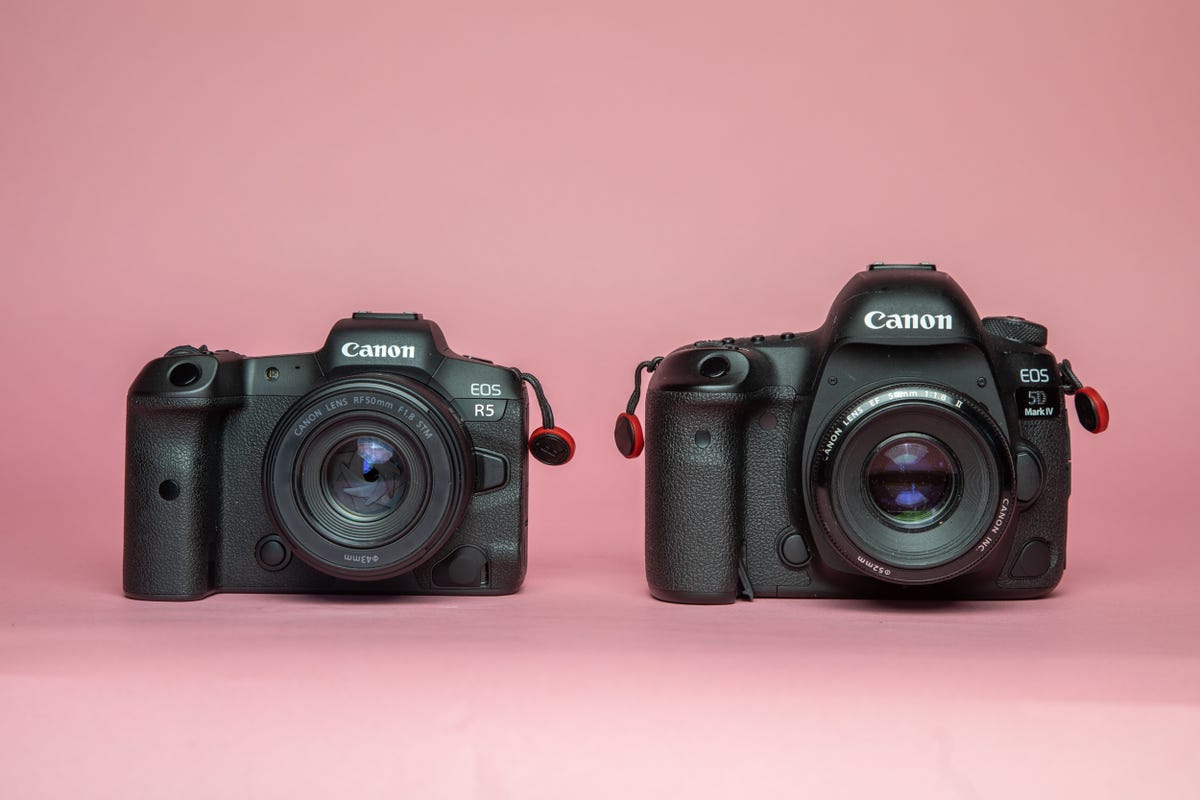
The mirrorless Canon EOS R5 (left) is smaller than the older Canon 5D Mk IV DSLR (right).
Should I buy a used DSLR?
The rise in popularity of mirrorless cameras means that many people are looking to offload their older DSLRs, which often means you can pick them up on the used market for a lot less than their original selling price. If you’re a beginner, looking to dip your toe in the photography waters then it can be a good way of experimenting without spending too much money up front.
However it’s worth thinking long term. If you love your new hobby then there’s every chance you’ll want to upgrade to new gear later on, or add new lenses and accessories that might not be available on your older camera system. Spending the extra on a more modern system now might mean that you’re future-proofed down the line.
I have a great phone, do I still need a proper camera?
Today’s top phones like the iPhone 13 Pro or Samsung Galaxy S22 Ultra pack incredible camera systems that can take beautiful photos. Even more affordable mid-range phones like the Nothing Phone 1 can still take great snaps, so do you really need a dedicated camera?
This will largely come down to what kind of photography you do. If you really just want some quick snaps of your kids in the park to send to your family then your phone camera will almost certainly be fine. It’ll save you having to buy expensive equipment and having to drag it with you everytime you want to take some photos. Your phone, meanwhile, will always be in your pocket ready to go.
If you want to take things a bit more seriously then a proper camera is worth considering. Image quality is still typically better, often with sharper details and better dynamic range (the amount of information captured in the very bright and very dark areas) than a phone can manage. This is largely because a phone’s camera sensor has to be incredibly small to fit on the back of the phone, whereas a camera’s sensor can be much bigger — the bigger the sensor, the more light it can capture and the better your shots will look.
And while phones like the S22 Ultra have impressive zoom capabilities, it’s not as good as carrying a professional telephoto lens to get great quality shots when zoomed in.

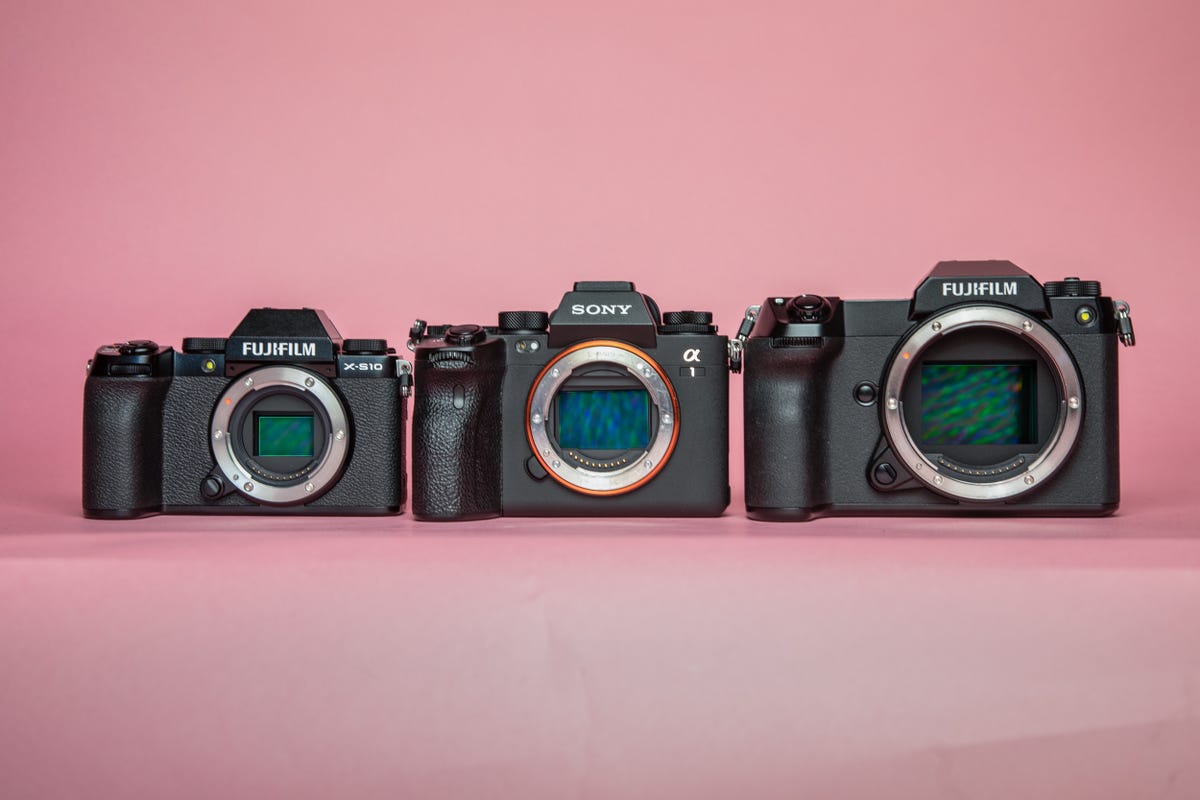
A look at micro four thirds sensor (left), a full-frame sensor (middle) and medium format sensor (right). Typically a larger sensor results in better image quality.
What’s the difference between a full-frame, APS-C and micro four-thirds sensor?
In short, the size. A full-frame sensor has the same dimensions as a frame of 35mm photography film, whereas APS-C is smaller and micro four-thirds is smaller still. A bigger sensor can capture more light and therefore typically produce better dynamic range and sharper images in low-light situations. Most professional cameras like the Canon EOS R5 or Sony A1 have full frame image sensors.
Then there are medium format cameras like the Hasselblad X1D II 50C or Fujifilm GFX 100S that have even bigger image sensors than full frame. These massive sensors allow these pro-level cameras to capture incredible details and beautiful dynamic range.
But a bigger sensor means a bigger camera to fit it in so there are certainly advantages to having a smaller sensor in your camera. The OM-Systems (Olympus) OM-1 uses a micro four thirds sensor and as a result it’s a very compact body to carry around. It’s also able to shoot with incredible burst speeds because it’s not capturing as much data in each single still image as a full-frame camera would. Professional wildlife or sports photographers would likely be happy with the tradeoff of dynamic range here in order to shoot as fast as possible to capture the action.
Smaller sensor cameras can also use smaller lenses that typically cost less than their full-frame equivalents. An APS-C camera then can save you both money and weight in your camera bag.

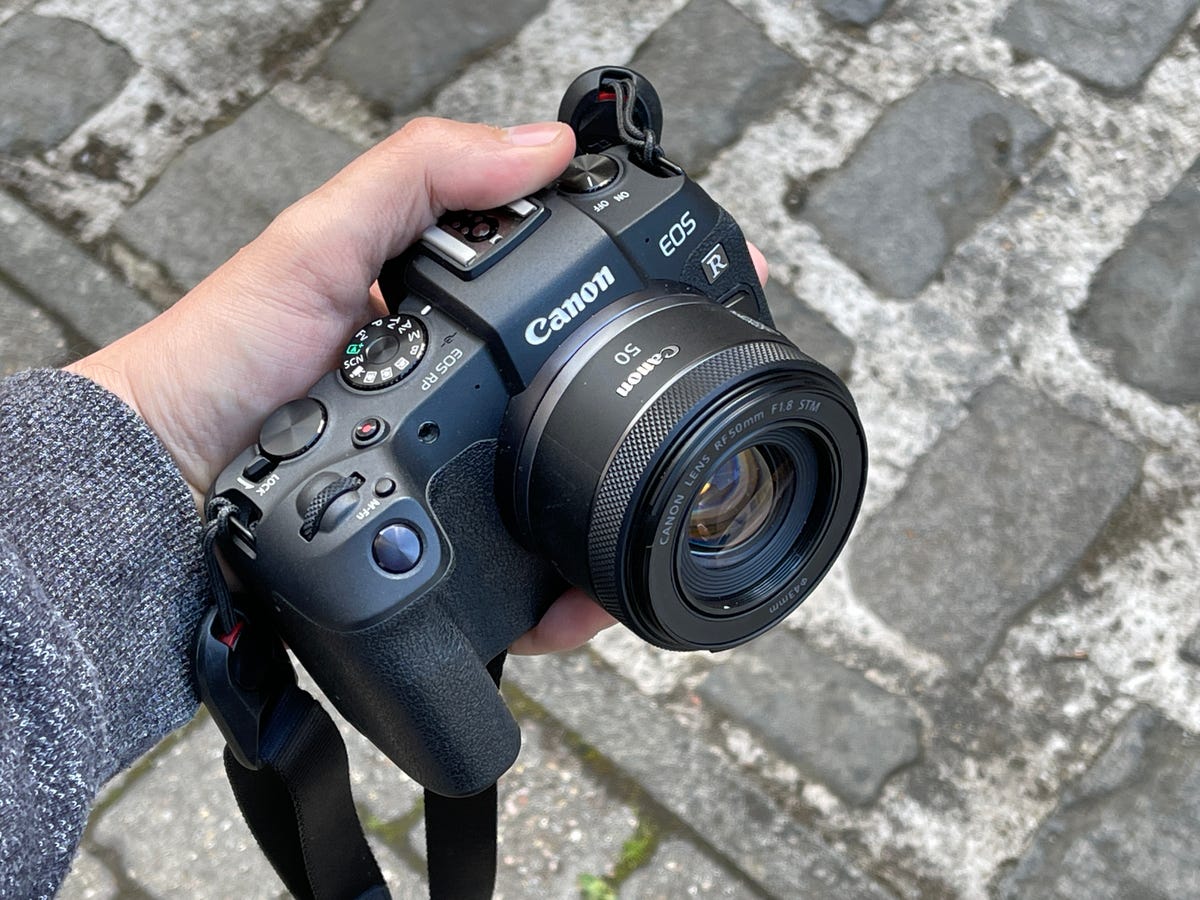
Canon’s 50mm f/1.8 RF lens is small, light and cheap. It’s a great starter lens but it’s also good for pros wanting something that won’t weigh them down.
What’s the best beginner lens to buy with my new camera?
Many cameras — especially those aimed towards beginner and amateur photographers — come with a ‘kit lens’ to get you started. Often these are zoom lenses, offering a relatively broad range from 18mm at the wide end to 55mm at the zoomed-in end. These can be great to start on, but they’re often quite mediocre when it comes to image quality, offering narrow apertures, meaning you can’t get that attractive out of focus background in your portrait and low-light shooting can be very difficult.
There is no one lens that will suit everyone and eventually you’ll likely build up a kit bag of lenses, having perhaps two or three favorites that you use most often. A great starting lens to upgrade to from your kit lens is a 50mm prime lens (“prime” meaning it is fixed at that focal length, with no zoom) with a f/1.8 aperture. Most camera manufacturers offer this at relatively cheap prices. Canon’s own model, for example, is often referred to as the “nifty fifty” and it costs a tenth of the price of its professional-standard f/1.2 aperture 50mm lens.
A prime lens like this not only allows you to get creative with those shallow depth of field shots, but having a fixed focal length can be a great way to learn more about composition in your photography. Instead of simply zooming in and out to fit things in your scene, you’re forced to move around and really consider how the different elements go together in the final image.
If you’re looking for an all-rounder, a 24-105mm f/4 (or 24-120mm, as offered on Nikon’s Z-mount lenses) provides both a wide-angle and telephoto perspective, meaning it could be the only lens you need to put on your camera.
Should I buy third-party lenses?
Companies like Sigma, Tamron, Laowa or Samyang have all become more dominant names in the photography industry, offering alternatives to Canon, Sony or Nikon’s own lenses, often at much more competitive prices. Sigma’s Art range is highly-regarded as providing superb image quality that’s on par with what you’d expect from their camera-branded equivalents.
It’s still the case that you get what you pay for and if you’ve found a 50mm f/1.2 lens for 300 bucks somewhere on the internet that claims to be as good as Sony’s $2,000 original then you can safely assume that there will be tradeoffs somewhere along the way.
As with most things, it’s worth checking the reviews and forums and seeing what others have to say about them. At the end of the day it’ll come down to what you’re willing to pay and what you’ll use it for; if you’re a pro with commercial clients demanding the best, make sure you’re not cheaping out on lenses. If you just want some cool shots from your next vacation to put on Instagram, go ahead and dive into the third-party market.
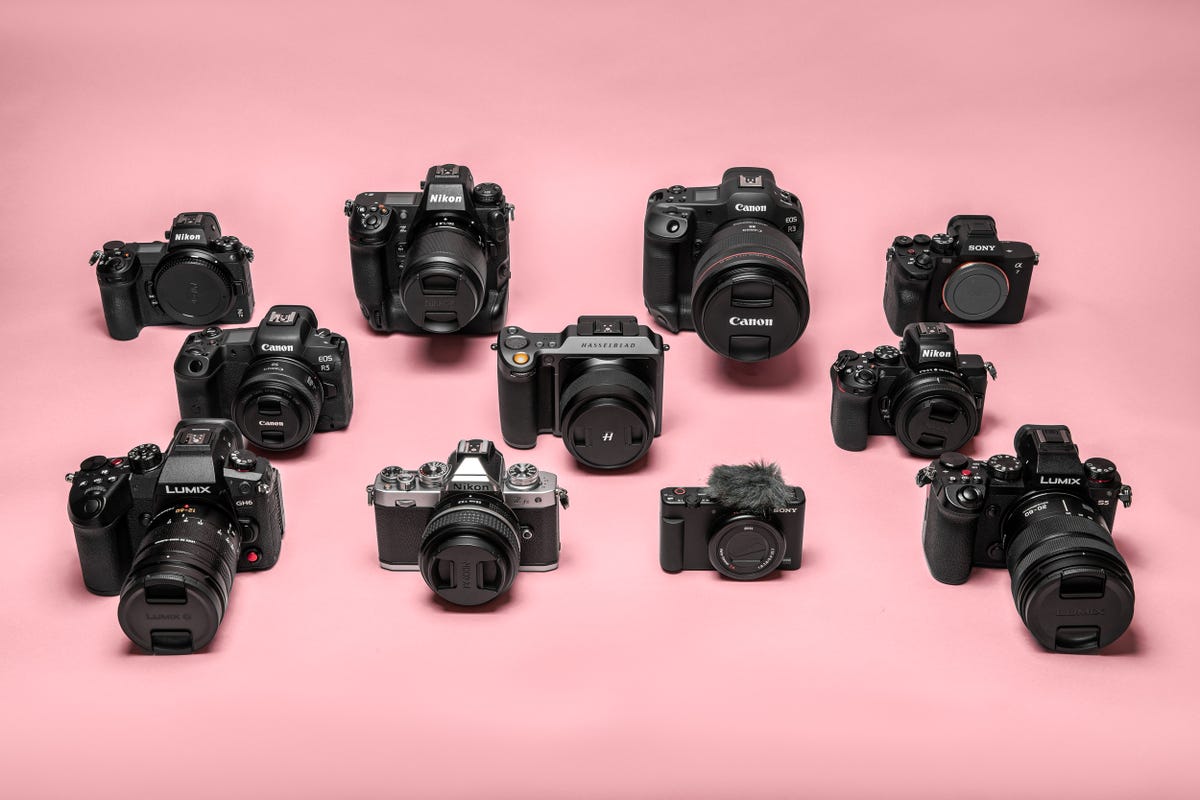
There’s a huge array of choices when you’re looking for a new camera.
What to consider when buying a new camera
With so many camera brands offering a huge variety of different models at wildly-differing prices, choosing a camera that suits you can be tricky. Like most things though, performance lines up with budget, with the best, most advanced features typically found on more expensive, professional-standard models.
So it’s worth spending some time thinking about what you actually need from your camera. If you’re looking for something small and light to chuck in a backpack and get some great travel shots then smaller APS-C models like Fujifilm’s X-S10 will suit you well and won’t break the bank. The OM Systems OM-1 is similarly compact thanks to its smaller image sensor, but its higher price comes with more advanced auto focus, incredible burst firing speeds and pro-standard video options.
If you’re looking to take your photography to the next level then look towards full-frame models like the Nikon Z7 II, Sony A7 IV or Canon EOS R5. These cameras all come with higher price tags attached, but their physically larger image sensors allow you to shoot pristine-looking photos that capture more detail in the highlights and shadows of your scene. These are often the cameras you’ll see in the hands of professional photographers.
But don’t forget, it’s not just the camera you’re buying, you’ll need to consider lenses too. And unfortunately, lenses don’t come cheap, with many professional-level lenses costing more than the cameras themselves. Full frame sensors demand bigger lenses to accommodate them, which in turn makes them more expensive, so again, beginners among you will be better served with smaller sensor models from the likes of Fujifilm or Olympus.
Does more megapixels mean better photos?
Not necessarily, no. While some cameras like the Canon EOS R5 or Sony A1 offer huge megapixel counts, more pixels don’t make your photos look better. Instead, those additional pixels allow you to crop into the image later without sacrificing too much resolution, allow for high-quality gallery printing or allow for easier compositing in post production. If none of those things are important to you then you needn’t worry too much about your camera’s resolution.

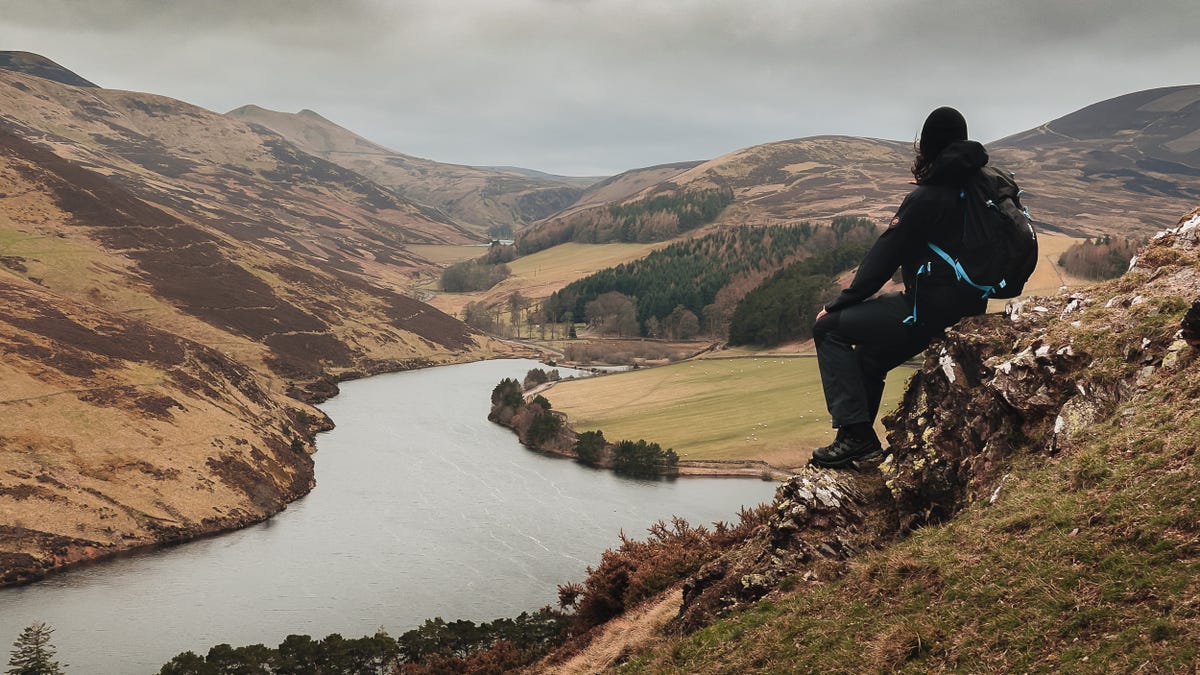
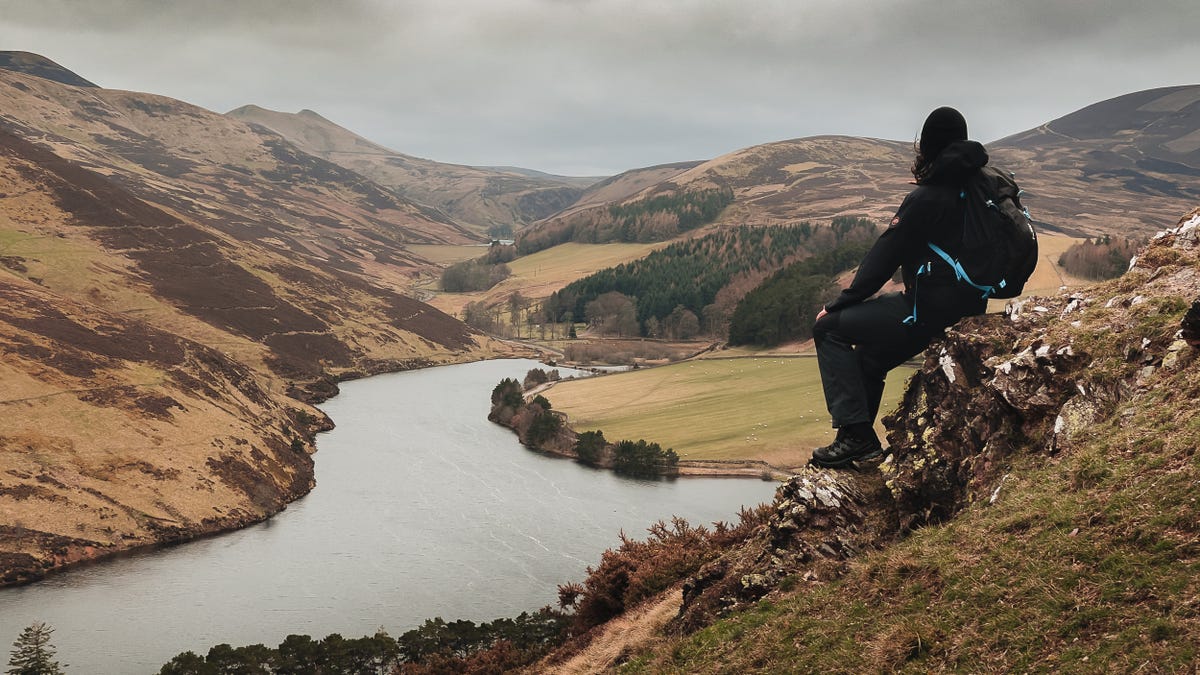
A rare moment of CNET Editor At Large and professional photographer Andrew Lanxon seen in front of the lens as he takes a break from camera testing in the beautiful Scottish scenery.
How we test cameras
Everything on this list has been hand-selected and tested by us to make sure that it performs as promised. No manufacturer’s claims are taken at face value and if it didn’t impress, it didn’t make the list.
The cameras featured here have been tested by CNET Editor At Large and professional photographer Andrew Lanxon. They’ve been carried in backpacks, in messenger bags, taken to city-center coffee shops, bars, to the beach, up hills and through forests. We’ve tested cameras in the ways that you’d want to use them yourself; actually getting out into the world and capturing real images we’d want to share with family or on Instagram.
Frame after frame of test images have been taken on each camera, both in raw format and JPEG, to test all of the key features of the camera and to see how each model really handles. Most cameras were tested with fast SD cards by SanDisk and ProGrade, but more high-performance models like the Canon EOS R3, R5 and Nikon Z9 were tested with ultra high-speed CFExpress cards by ProGrade.
As professionals ourselves, we know what to look for in a good camera, we know what makes our lives easier when out shooting in the field and what features genuinely help us take better-looking images — or are simply a waste of money.