

Technologies
Make Your FaceTime Calls Sound Better With This Trick
This feature can help other people hear you clearly.


FaceTime calls can be hectic, from ensuring you have a good connection so your video isn’t choppy to making sure the camera angle isn’t looking up someone’s nose. But you can cut back on the chaos by enabling your iPhone’s Voice Isolation feature in FaceTime.


Voice isolation for FaceTime calls was introduced with the release of iOS 15 in 2021. The feature muffles background noises, like the sound of kids playing in a nearby room or construction outside your window, so others in the FaceTime call can hear you without interruptions.
Unfortunately, you won’t find the Voice Isolation feature in Settings. Instead, you have to be in a FaceTime call to enable it. But once you turn the feature on, it will stay on the next time you’re in a FaceTime call.
Here’s how to activate Voice Isolation so people can hear you more clearly in FaceTime calls.
How to enable Voice Isolation
1. Start or join a FaceTime call.
2. Swipe down from the top-right corner of your screen to access your Control Center.


Mic Mode appears in your Control Center when you’re in a FaceTime call.
Zach McAuliffe/CNET3. Tap Mic Mode near the top-right corner of your screen.
4. Tap Voice Isolation.
Pro tip: You don’t have to interrupt a FaceTime call with family and friends to turn this feature on. You can call yourself on FaceTime and enable Voice Isolation following the steps above.
How to enable Wide Spectrum
In Mic Mode, there’s another feature alongside Voice Isolation called Wide Spectrum. While Voice Isolation muffles other noises around you in a FaceTime call, Wide Spectrum enhances the noises around you without affecting your voice.
Wide Spectrum is good for conference calls over FaceTime or if you have a large group of people FaceTiming someone else. If you have a little brother or sister who moves away to college and you and your family want to wish them a happy birthday, Wide Spectrum can help you all sing happy birthday to them at once.

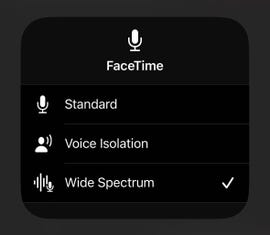
Opening Mic Mode shows you Standard, Voice Isolation and Wide Spectrum options.
Zach McAuliffe/CNETTo enable Wide Spectrum, follow the steps above, but tap Wide Spectrum instead of Voice Isolation.
Like Voice Isolation, Wide Spectrum will stay enabled the next time you make a FaceTime call. To disable either Voice Isolation or Wide Spectrum, follow the instructions above and tap Standard. This will return your microphone to its default setting.
For more on your iPhone, check out the 13 iPhone features you might not know about and 22 iPhone settings you should change now.
Technologies
Facebook Brings Back Local Job Listings: How to Apply
One of Facebook’s most practical features from 2022 is being revived by Meta.
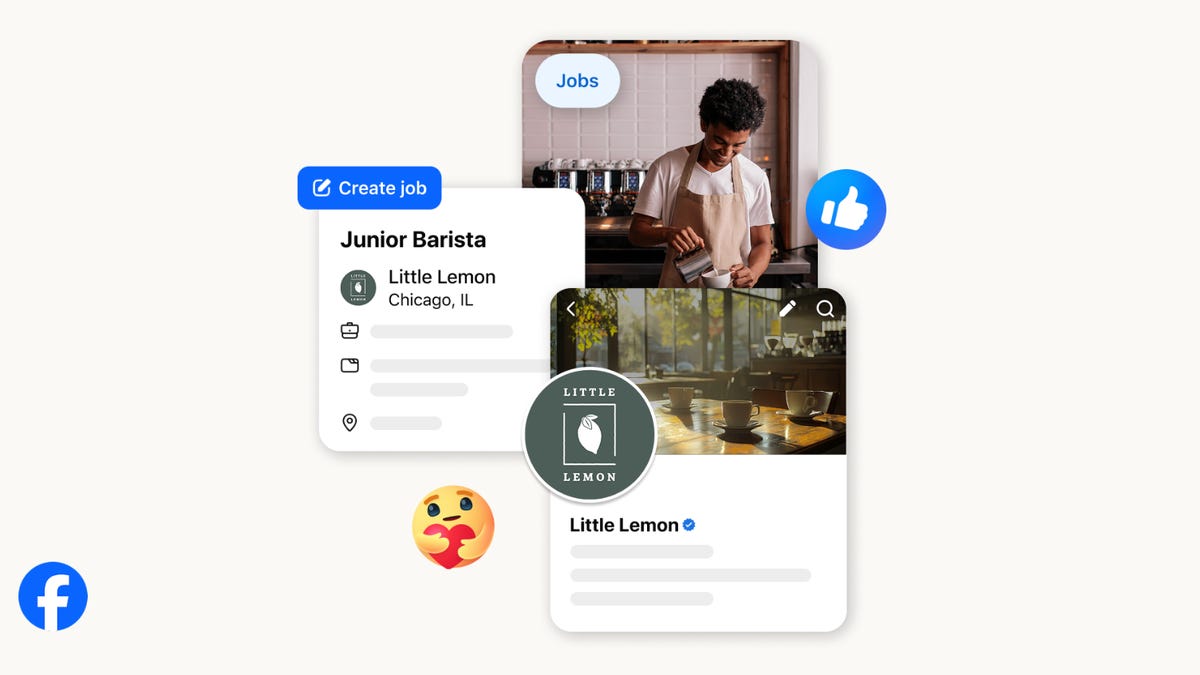
On the hunt for work? A Local Jobs search is being rolled out by Meta to make it easier for people in the US to discover and apply for nearby work directly on Facebook. The feature is inside Facebook Marketplace, Groups and Pages, Meta said last week, letting employers post openings and job seekers filter roles by distance, category or employment type.
You can apply or message employers directly through Facebook Messenger, while employers can publish job listings with just a few taps — similar to how you would post items for sale on Marketplace.
Don’t miss any of our unbiased tech content and lab-based reviews. Add CNET as a preferred Google source.
Facebook offered a Jobs feature before discontinuing it in 2022, pushing business hiring toward its other platforms. Its return suggests Meta is attempting to expand Facebook’s usefulness beyond social networking and to position it once again as a hub for community-driven opportunities.
Read more: Meta’s All In on AI Creating the Ads You See on Instagram, Facebook and WhatsApp
«We’ve always been about connecting with people, whether through shared interests or key life events,» the press release states. «Now, if you’re looking for entry-level, trade and service industry employment in your community, Facebook can help you connect with local people and small businesses who are hiring.»
Read more: What Is Meta AI? Everything to Know About These AI Tools
How to get started with Local Jobs on Facebook
According to Meta, Local Jobs will appear as a dedicated section in Facebook Marketplace starting this week. If you’re 18 or older, you can:
- Tap the Marketplace tab on the Facebook app or website.
- Select Jobs to browse available positions nearby.
- Use filters for job type, category and distance.
- Tap Apply or message the employer directly via Messenger.
Businesses and page admins can post jobs by creating a new listing in Marketplace or from their Facebook Page. Listings can include job details, pay range, and scheduling information and will appear in local searches automatically.
The Local Jobs feature is rolling out across the US now, with Meta saying it plans to expand it in the months ahead.
Technologies
Tesla Has a New Range of Affordable Electric Cars: How Much They Cost
The new, stripped-back versions of the Model Y and Model 3 have a more affordable starting price.

Technologies
Today’s NYT Strands Hints, Answers and Help for Oct. 22 #598
Here are hints and answers for the NYT Strands puzzle for Oct. 22, No. 598.

Looking for the most recent Strands answer? Click here for our daily Strands hints, as well as our daily answers and hints for The New York Times Mini Crossword, Wordle, Connections and Connections: Sports Edition puzzles.
Today’s NYT Strands puzzle is a fun one — I definitely have at least two of these in my house. Some of the answers are a bit tough to unscramble, so if you need hints and answers, read on.
I go into depth about the rules for Strands in this story.
If you’re looking for today’s Wordle, Connections and Mini Crossword answers, you can visit CNET’s NYT puzzle hints page.
Read more: NYT Connections Turns 1: These Are the 5 Toughest Puzzles So Far
Hint for today’s Strands puzzle
Today’s Strands theme is: Catch all.
If that doesn’t help you, here’s a clue: A mess of items.
Clue words to unlock in-game hints
Your goal is to find hidden words that fit the puzzle’s theme. If you’re stuck, find any words you can. Every time you find three words of four letters or more, Strands will reveal one of the theme words. These are the words I used to get those hints but any words of four or more letters that you find will work:
- BATE, LICE, SLUM, CAPE, HOLE, CARE, BARE, THEN, SLAM, SAMBA, BACK
Answers for today’s Strands puzzle
These are the answers that tie into the theme. The goal of the puzzle is to find them all, including the spangram, a theme word that reaches from one side of the puzzle to the other. When you have all of them (I originally thought there were always eight but learned that the number can vary), every letter on the board will be used. Here are the nonspangram answers:
- TAPE, COIN, PENCIL, BATTERY, SHOELACE, THUMBTACK
Today’s Strands spangram
Today’s Strands spangram is JUNKDRAWER. To find it, look for the J that’s five letters down on the far-left row, and wind down, over and then up.
Quick tips for Strands
#1: To get more clue words, see if you can tweak the words you’ve already found, by adding an «S» or other variants. And if you find a word like WILL, see if other letters are close enough to help you make SILL, or BILL.
#2: Once you get one theme word, look at the puzzle to see if you can spot other related words.
#3: If you’ve been given the letters for a theme word, but can’t figure it out, guess three more clue words, and the puzzle will light up each letter in order, revealing the word.
-
 Technologies3 года ago
Tech Companies Need to Be Held Accountable for Security, Experts Say
-
 Technologies3 года ago
Best Handheld Game Console in 2023
-
 Technologies3 года ago
Tighten Up Your VR Game With the Best Head Straps for Quest 2
-
 Technologies4 года ago
Verum, Wickr and Threema: next generation secured messengers
-
 Technologies4 года ago
Black Friday 2021: The best deals on TVs, headphones, kitchenware, and more
-
 Technologies4 года ago
Google to require vaccinations as Silicon Valley rethinks return-to-office policies
-
 Technologies4 года ago
Olivia Harlan Dekker for Verum Messenger
-
 Technologies4 года ago
iPhone 13 event: How to watch Apple’s big announcement tomorrow


