

Technologies
10 apps that can actually teach you a new language
The best language learning apps to learn a new language at home, no matter your style.


Learning a new language can be tough, but thankfully it’s also easier than ever thanks to the best language learning apps. You no longer need to spend time in a classroom or spend a ton of money on instructors. You can build your vocabulary at your own pace and become fluent through engaging lessons — all from the comfort of your smartphone or laptop.
There are many different language learning apps to choose from, so there’s likely a program that best suits your learning style and schedule. The best language learning apps are also economical, especially when compared with formal schooling or tutoring with a language expert. Many have speech recognition, which is key to ensuring you have proper pronunciation. Others offer several language options, which is ideal when you want to pick up multiple languages.
Here are the best language learning apps that make it easy for you to learn a language at your own pace. You’ll sound like a native speaker in no time!

Duolingo/Screenshot by Shelby Brown/CNET
As a regular Duolingo user, I enjoy the app’s colorful interface and short, game-like exercises. The app doesn’t restrict how many languages you can try to learn at the same time (personally, I think two is a good maximum if you want to retain anything). I use Duolingo to practice Spanish and German.
To make sure you don’t get rusty on the basics, even if you’ve «mastered» a skill by reaching a higher level, the skill can still «crack» if you don’t review it consistently. Practice the skill again and it’ll repair itself.
I like Duolingo’s user-friendly layout, and the «streak» feature, which motivates you to keep going by tracking the number of days you’ve reached your point goal. In the app, you can access resources such as Duolingo Stories, which are short audio stories that allow you to check your comprehension skills as you go. Super Duolingo, the ad-free premium version of the app, costs $7 a month and includes progress quizzes, monthly streak repairs and more.

Screenshot/Babbel
I found Babbel to be the most like a foreign language course you’d see in an online school curriculum. The minimalist layout of the Babbel app helps prevent a new language (French for me) from seeming overwhelming, without making it boring. Each lesson takes you through translations, and includes variations of the word or phrase, pictures and whether it’s formal or informal. If it asks you to spell a phrase, the letters are included.
You also get to see the new words you’re learning used in common conversations, listen to them (if you choose to have audio on), repeat the phrases, and learn more about verb groups. The 15-minute language lessons are easy to work into your day — whether it’s on your commute, before bed or on your lunch break. The My Activity module lets you track all your progress.
Babbel is free to sign up for and the first lesson of every course is free. A monthly subscription costs $14.95. You can also choose to renew every three months ($37.95), every six months ($66.90), annually ($89.40) or a one-time payment of $249 for lifetime access.

Drops/Screenshot by Shelby Brown/CNET
I tried my hand at Greek on the Drops app. The app’s fun, colorful layout definitely made the language (which has its own alphabet) less intimidating. The app shows users each word in the Greek alphabet and the English alphabet, and says the word and shows an image of it. Drops is constantly adding new languages, most recently, the app brought on Ainu, an indigenous Japanese language.
You can subscribe to Drops Premium for $13 a month, $70 annually or a one-time purchase of $160. If you stick with the free version, you have to wait 10 hours to access another lesson, but you can check out your statistics after completing the lesson (correct answers, wrong answers and words learned) and tap on the words you’ve learned to hear them pronounced again (and see them written in the Greek alphabet). This can give you a leg up when your next lesson
starts.

Mondly/Screenshot by Shelby Brown/CNET
Similar to Drops, Mondly is a fun, colorful app that has multiple features to take advantage of even if you don’t subscribe to premium. I tried beginner Hungarian on this app, and I liked how it offered to show you different conjugations if you tapped on verbs. The app packs images, translations and auditory aids to help your specific learning style.
The instructor also speaks the words and phrases in a rather melodic way that made it easier for me to recall them (even after trying different languages on different apps).
Mondly is free to use, but you can subscribe to the Premium tier to unlock all content. You can subscribe for $10 a month or $50 annually for access to one language. You can also subscribe to get lifetime access to all 33 languages for $48 (this sale is for a limited time and usually costs $479.90).

Memrise/Screenshot by Shelby Brown/CNET
One of my favorite parts of Memrise is the app’s use of short videos to show how real locals express different phrases in conversation. I tried the French course, and the first lesson alone let me listen to the tone of voice and casual pronunciation, as well as showing me the phrase’s literal translation and explained its gendered usage. The app also helps you spot patterns in the language to make it easier to improve your skills. If you’re brushing up on a language you’re familiar with, you have the option to skip phrases you already know.
A few lessons are available for free daily, but you can tap Upgrade in the app and choose from a monthly subscription for $8.49 a month, a $30 annual subscription or a one-time payment of $120 for a lifetime access.

Busuu/Screenshot by Shelby Brown/CNET
When you sign up for Busuu, you select the language you want to learn, and the app helps you determine how advanced you are with it and why you want to learn it, and to what level. From there, you set a daily study goal, and if you subscribe to the premium plan, it creates a study plan so you’ll reach your goal by a set date. For example, Busuu says if I study three times a week for 10 minutes a day, I’ll be pretty fluent in my chosen language in about eight months.
Busuu’s Basic plan is free, but you can subscribe to Premium or Premium Plus. Premium is $12.95 per month, about $71.40 annually, or about $130.80 every two years. Premium Plus — which unlocks everything — is $13.95 per month, about $83.40 annually, or about $154.80 every two years. All plans offer a 14-day money back guarantee.
I tried Italian with Busuu and I liked the clean, bright layout of the app. Busuu also offers helpful reminders: The second time I logged in, it reminded me about «weak words» I needed to review to improve my vocabulary. In addition to listening to a phrase paired with a photo of the corresponding action, Busuu included helpful vocabulary tips (like that «ciao» can mean «hello» or «goodbye»).
Lirica/Screenshot by Shelby Brown/CNET
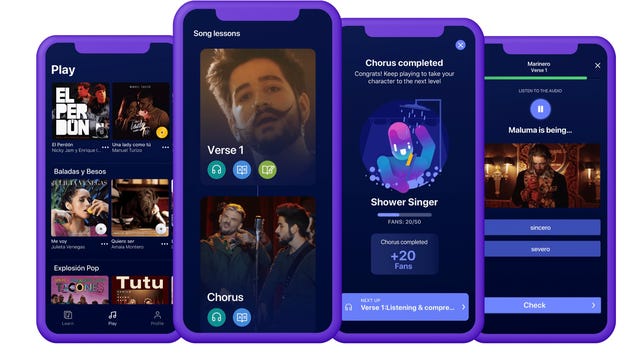
If you listen to any song enough, you’ll learn all the words through repetition — even if they’re in a different language. But how do you figure out what they mean? This is where the Lirica app comes in. This app is unique in how it approaches teaching Spanish and German. Instead of traditional teaching methods for learning a language, Lirica uses popular music by Latin and reggaeton artists to help you learn language and grammar. On top of learning the language, you’re also immersing yourself in the culture behind it. The app also includes facts about the artist while you’re learning.
Lirica has a one-week free trial and then it’s $9 a month, $20 every six months or $30 annually. For now, the app only offers Spanish, French, German and English.

Netflix/Screenshot by Shelby Brown/CNET
While not technically an app, the free Language Learning with Netflix Chrome extension can be helpful on your journey to becoming multilingual. Install the extension and click the icon to launch the catalog of movie and TV show options. You do need a subscription to Netflix though.
Once you launch the catalog, you can pick from hundreds of titles that use movies on Netflix to help teach different languages. For example, if you wanted to work on your Spanish, select the language in the dropdown menu, along with the country where you’re using Netflix. If you’re watching in the US, the extension generates 306 titles. To watch one of the films, just click the red «Watch on Netflix» button. Depending on the language you want to learn, you might have fewer titles to pick from.
As the series or movie plays, two sets of subtitles display at the bottom of the screen. One set is your native language and the other is the one you want to learn. The words highlight as they’re spoken, like a karaoke sing-a-long. You can listen to the dialogue phrase by phrase, pause and replay as needed, access a built-in dictionary and more.
Pimsleur
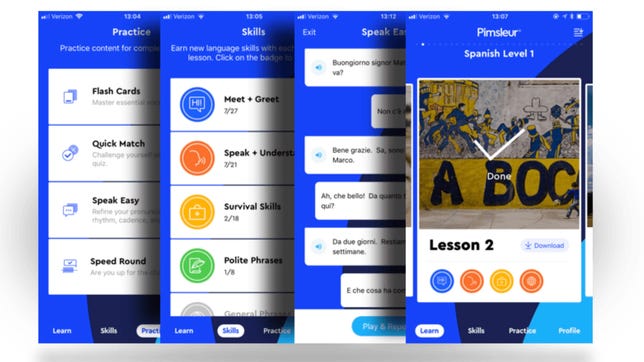
Pimsleur is an app that offers 51 languages to learn, but delivers the information in what is basically the form of a podcast. Essentially, you’ll choose the language you want to learn and begin a 30-minute auditory lesson (which are downloadable and Alexa-compatible). The app also has a driving mode, so you can improve your language skills during long commutes without looking at a screen.
You get a seven-day free trial. An All-Access subscription costs $21 a month, while a Premium subscription, which only includes one of the 50 available languages, is about $20 a month. Features include reading lessons, roleplaying challenges and digital flashcards.

Rosetta Stone/Screenshot by Shelby Brown/CNET
Perhaps the best-known language learning service, Rosetta Stone has come a long way since it started in the ’90s. My parents still have a box set of discs for learning Spanish somewhere in their house. It’s a lot easier now with the Rosetta Stone app, but you still need at least 30 minutes to complete a Core Lesson.
I tried Rosetta Stone’s first Irish lesson, which was primarily auditory with images, though there are ways to customize the app to your learning preferences. The lesson started out fairly challenging, especially since I was completely new to the Irish language. But it did get easier as I went along.
The iOS app got an update last year that brought augmented reality into the mix. This enables Seek and Speak, which is a scavenger-hunt-style challenge. Point the phone camera at an object and get a translation in the language you’re learning.
Rosetta Stone subscription options include $35.97 every three months, $143.88 annually, or a one-time payment of $299 for a lifetime subscription with access to all 25 languages.
Technologies
Facebook Brings Back Local Job Listings: How to Apply
One of Facebook’s most practical features from 2022 is being revived by Meta.

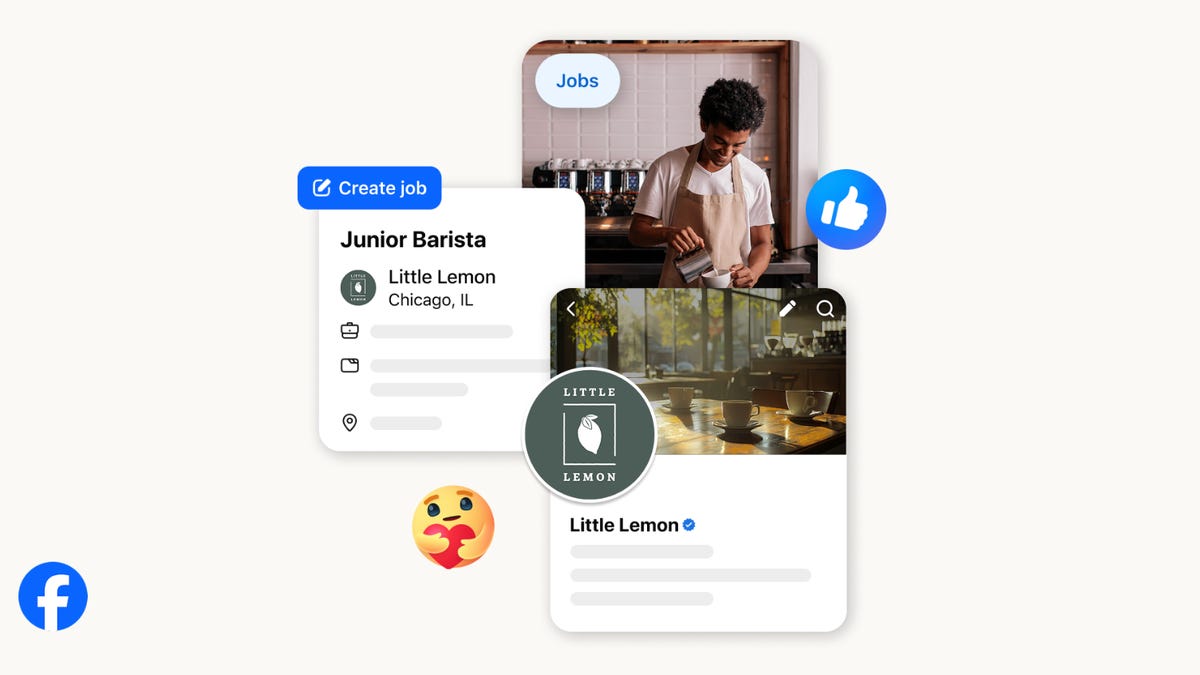
On the hunt for work? A Local Jobs search is being rolled out by Meta to make it easier for people in the US to discover and apply for nearby work directly on Facebook. The feature is inside Facebook Marketplace, Groups and Pages, Meta said last week, letting employers post openings and job seekers filter roles by distance, category or employment type.
You can apply or message employers directly through Facebook Messenger, while employers can publish job listings with just a few taps — similar to how you would post items for sale on Marketplace.
Don’t miss any of our unbiased tech content and lab-based reviews. Add CNET as a preferred Google source.
Facebook offered a Jobs feature before discontinuing it in 2022, pushing business hiring toward its other platforms. Its return suggests Meta is attempting to expand Facebook’s usefulness beyond social networking and to position it once again as a hub for community-driven opportunities.
Read more: Meta’s All In on AI Creating the Ads You See on Instagram, Facebook and WhatsApp
«We’ve always been about connecting with people, whether through shared interests or key life events,» the press release states. «Now, if you’re looking for entry-level, trade and service industry employment in your community, Facebook can help you connect with local people and small businesses who are hiring.»
Read more: What Is Meta AI? Everything to Know About These AI Tools
How to get started with Local Jobs on Facebook
According to Meta, Local Jobs will appear as a dedicated section in Facebook Marketplace starting this week. If you’re 18 or older, you can:
- Tap the Marketplace tab on the Facebook app or website.
- Select Jobs to browse available positions nearby.
- Use filters for job type, category and distance.
- Tap Apply or message the employer directly via Messenger.
Businesses and page admins can post jobs by creating a new listing in Marketplace or from their Facebook Page. Listings can include job details, pay range, and scheduling information and will appear in local searches automatically.
The Local Jobs feature is rolling out across the US now, with Meta saying it plans to expand it in the months ahead.
Technologies
Tesla Has a New Range of Affordable Electric Cars: How Much They Cost
The new, stripped-back versions of the Model Y and Model 3 have a more affordable starting price.

Technologies
Today’s NYT Strands Hints, Answers and Help for Oct. 22 #598
Here are hints and answers for the NYT Strands puzzle for Oct. 22, No. 598.
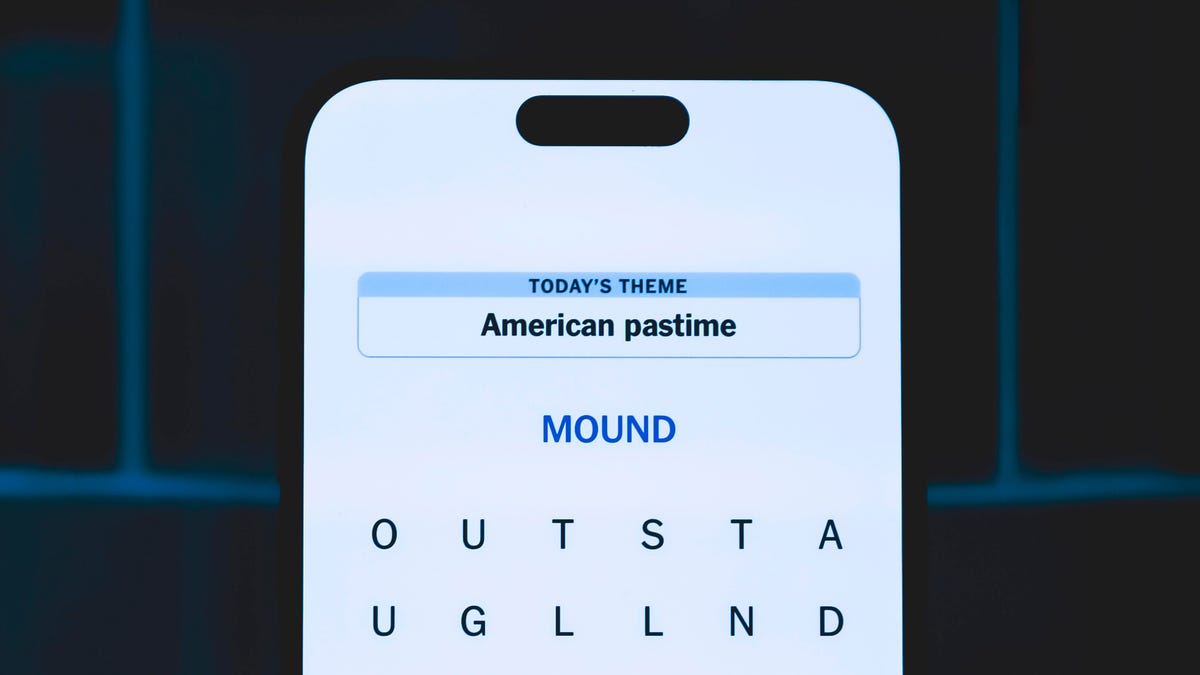
Looking for the most recent Strands answer? Click here for our daily Strands hints, as well as our daily answers and hints for The New York Times Mini Crossword, Wordle, Connections and Connections: Sports Edition puzzles.
Today’s NYT Strands puzzle is a fun one — I definitely have at least two of these in my house. Some of the answers are a bit tough to unscramble, so if you need hints and answers, read on.
I go into depth about the rules for Strands in this story.
If you’re looking for today’s Wordle, Connections and Mini Crossword answers, you can visit CNET’s NYT puzzle hints page.
Read more: NYT Connections Turns 1: These Are the 5 Toughest Puzzles So Far
Hint for today’s Strands puzzle
Today’s Strands theme is: Catch all.
If that doesn’t help you, here’s a clue: A mess of items.
Clue words to unlock in-game hints
Your goal is to find hidden words that fit the puzzle’s theme. If you’re stuck, find any words you can. Every time you find three words of four letters or more, Strands will reveal one of the theme words. These are the words I used to get those hints but any words of four or more letters that you find will work:
- BATE, LICE, SLUM, CAPE, HOLE, CARE, BARE, THEN, SLAM, SAMBA, BACK
Answers for today’s Strands puzzle
These are the answers that tie into the theme. The goal of the puzzle is to find them all, including the spangram, a theme word that reaches from one side of the puzzle to the other. When you have all of them (I originally thought there were always eight but learned that the number can vary), every letter on the board will be used. Here are the nonspangram answers:
- TAPE, COIN, PENCIL, BATTERY, SHOELACE, THUMBTACK
Today’s Strands spangram
Today’s Strands spangram is JUNKDRAWER. To find it, look for the J that’s five letters down on the far-left row, and wind down, over and then up.
Quick tips for Strands
#1: To get more clue words, see if you can tweak the words you’ve already found, by adding an «S» or other variants. And if you find a word like WILL, see if other letters are close enough to help you make SILL, or BILL.
#2: Once you get one theme word, look at the puzzle to see if you can spot other related words.
#3: If you’ve been given the letters for a theme word, but can’t figure it out, guess three more clue words, and the puzzle will light up each letter in order, revealing the word.
-
 Technologies3 года ago
Tech Companies Need to Be Held Accountable for Security, Experts Say
-
 Technologies3 года ago
Best Handheld Game Console in 2023
-
 Technologies3 года ago
Tighten Up Your VR Game With the Best Head Straps for Quest 2
-
 Technologies4 года ago
Verum, Wickr and Threema: next generation secured messengers
-
 Technologies4 года ago
Black Friday 2021: The best deals on TVs, headphones, kitchenware, and more
-
 Technologies4 года ago
Google to require vaccinations as Silicon Valley rethinks return-to-office policies
-
 Technologies4 года ago
Olivia Harlan Dekker for Verum Messenger
-
 Technologies4 года ago
iPhone 13 event: How to watch Apple’s big announcement tomorrow


