

Technologies
Streaming TV Isn’t Cheap. Here’s How to Save Each Month on Netflix and More
Try our advice to stretch your streaming subscription dollars.


This story is part of 12 Days of Tips, helping you make the most of your tech, home and health during the holiday season.
If you’re one of the 56% of Americans affected by inflation, then you may be looking to minimize costs in the new year. One way to go about it is to take a look at your streaming services. Once you add up the cost of your streaming subscriptions, you may realize you’re spending $500 per year or more. But there’s a way to curb this expense.
Here’s the scenario: You’re subscribed to multiple streaming services, you watch one or two of them until your favorite series ends its seasonal run, then look for the next thing. But is it worth keeping all those accounts active if you’re not watching anything on them? I don’t think so.


Take a look at this money-saving strategy to help you tame your streaming costs.
Read more: Best Live TV Streaming Service for Cord Cutting in 2023
Put your streaming services on a rotation
Dumping cable for good and switching to streaming is a crafty money move for cord-cutters. Because you’re able to sign up for monthly plans, it’s easy to jump into a streaming service and jump out when prices increase or content dries up. But according to Deloitte’s 2022 Media Trends report, the main reasons people cancel their streaming subscriptions are because of costs and lack of fresh content. Media companies call this behavior «churn.» We’re calling this the rotation method, and you should try it.
The incentive? You save your coins and avoid content droughts. Let’s say a popular title like The Last of Us or Willow is set to premiere on a service. Find the total episode count and wait until they’re all available at once on a platform. You cancel HBO Max, Disney Plus or other service and then, once all the episodes are available, resubscribe to catch up. Alternatively, you can start streaming a show midseason to cut costs. My monthly guide on which streaming services to cancel can help you keep up.
The downside? You won’t have immediate access to every show you want to watch and will have to wait until the full season airs. And since many streaming services release new episodes weekly, you might not be caught up at the same time as your friends. If you’re someone who prefers to watch episodes immediately when they drop, you may decide it’s worth it to have multiple subscriptions at a time. If you have patience, however, you can save some money.
The strategy can also work if you have a live TV streaming service to watch a particular sport or major event like the Super Bowl. Once the season wraps, cancel the service or move to a cheaper platform with fewer channels, like Sling TV.
Need help figuring out the best way to rotate? Follow the tips below to learn how to churn streaming platforms until your wallet feels content.
Read more: Best Streaming Device for 2023: Picks From Roku, Google, Amazon and Apple
Tip No. 1: Cancel your subscription before getting charged
Set calendar reminders for your billing cycle and upcoming TV show or movie release dates. Give yourself enough warning to begin or end a subscription. Apps such as JustWatch, V Time and Hobi help you track when and where TV shows and movies appear on a streaming service. And JustWatch recently added a tracker specifically for sports. If you have a smart home device from Google or Amazon, you can set reminders for specific dates and allow a voice assistant like Alexa to notify you of an upcoming bill or streaming release date.
Tip No. 2: Sign up for streaming service deals
Look for discounts on streaming services. For example, Starz is now $3 per month for three months, a drop from its regular $9-a-month rate. You can also take advantage of the Disney Bundle, which provides access to Disney Plus, Hulu and ESPN Plus in a single package for a reduced price. And eligible Hulu subscribers can add on Disney Plus for $2. Lastly, be sure to check with your mobile carrier to see which ones offer free streaming subscriptions.
Read more: Best Streaming Service Deals From Verizon, AT&T and T-Mobile
Tip No. 3: Pick one or two default streaming services
Subscribe to one or two must-have services for the year, and select only one or two more options to fit your monthly budget. Rotate the bonus service(s) according to what you want to watch, ensuring you don’t miss your favorite shows while sticking to your monthly spending cap.
Tip No. 4: Use monthly billing only
Avoid annual subscriptions and pay attention to your auto-renewal payment dates. Your billing cycle can help determine when it’s the best time to quit a service, even if you’ve only signed up for a free trial. The only advantage to signing up for an annual plan is when the price is drastically cut down.
Tip No. 5: Don’t cancel your subscription, pause it
Hulu allows you to pause your subscription for up to 12 weeks, and Sling has a similar option with stipulations. Check with your streaming provider to see if you can take a temporary break without canceling.
Give it a shot, and if you don’t like it you can always resubscribe. For more excellent tips on streaming TV, check out this guide to Netflix’s hidden tricks and our tips on the best VPNs.
Technologies
WhatsApp’s New Update Lets You Encrypt Chat Backups Using Passkeys
Use your face, finger or code instead of a password or 64-digit key.
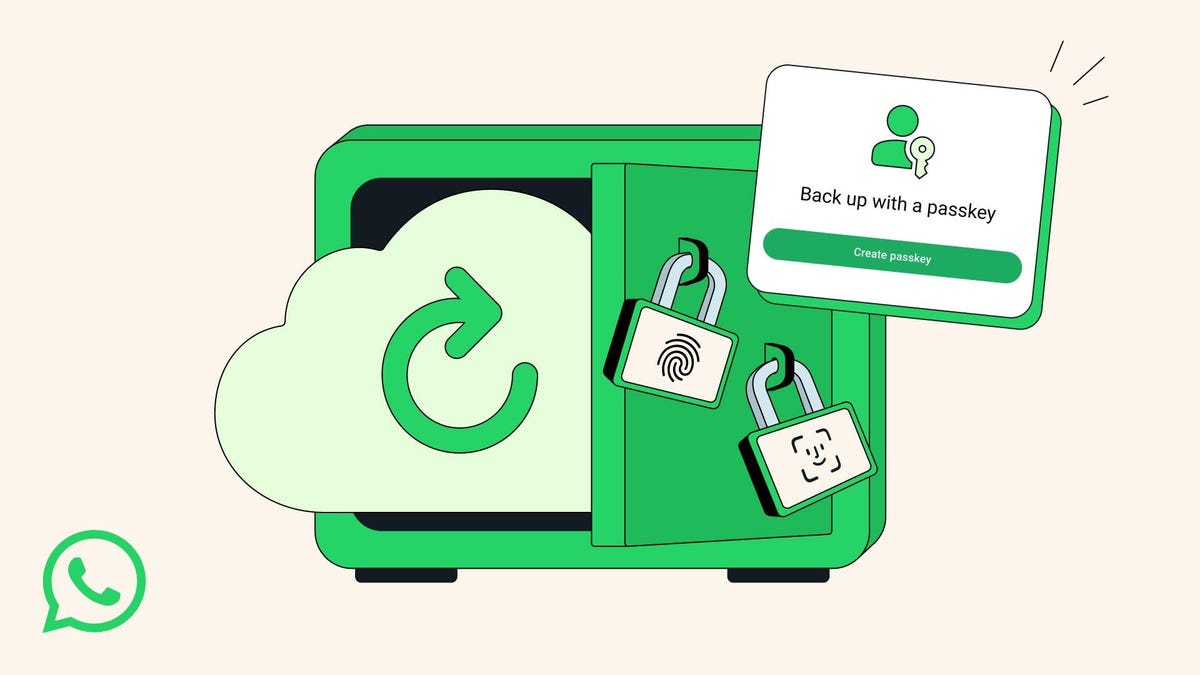
Face, finger or lock-screen code: These passkeys are all you will need to encrypt your WhatsApp chat backups in the near future, the messaging app announced Thursday. Meta-owned WhatsApp, the most popular messaging app in the world, said it would be rolling out the changes over the upcoming months.
«Now, with just a tap or a glance, the same security that protects your personal chats and calls on WhatsApp is applied to your chat backups so they are always safe, accessible and private,» the company said.
A representative for WhatsApp did not immediately respond to a request for comment.
Don’t miss any of our unbiased tech content and lab-based reviews. Add CNET as a preferred Google source.
Passkeys are rapidly overtaking passwords as an easier and more secure way to allow computer users to log in or sign on. Instead of remembering our average of 301 passwords, passkeys use facial or fingerprint recognition — or a lock screen code — to sign in. According to recent research, passkey adoption is growing quickly, speeding up sign-in times and reducing IT help desk incidents.
What are passkeys?
We explain the concept in depth here, but the simplest explanation is that passkeys are password-less logins. To log in, you must look at the screen (facial recognition), tap on the screen (fingerprint recognition) or enter a multi-digit lock screen code.
Many smartphone users already use facial recognition or codes to get into their devices.
In 2021, WhatsApp initially allowed customers to secure their encrypted chat backup with either a password or a 64-digit encryption key.
How to do it, and why
Many WhatsApp consumers have a vast trove of messages, images, videos, and voice notes stored on their phones dating back years. They can either live only on your device or be backed up to Google Drive (for Android devices) or iCloud (for iPhones).
If you haven’t set up a backup schedule, here are the steps:
- Go to Settings
- Select Chats
- Select Chat Backup
- From there, you can back up to iCloud or Google Account, if you have one, and set your auto backup schedule.
You can still encrypt your chat backup now with a password or 64-digit key, but WhatsApp’s upcoming passkeys rollout will eliminate the need for those.
Technologies
Here’s How to Watch the New ‘Scream 7’ Trailer and Stream All the Past Movies
You like scary movies, right? The original Scream from 1996 is streaming for free with ads.

Do you like scary movies? Scream fans will recognize that line, and they received an early Halloween treat on Thursday with the release of a new trailer for Scream 7. Neve Campbell’s return as series heroine Sidney Prescott battling a new Ghostface killer could be the reason to revisit earlier spooky films in the franchise.
The upcoming Scream 7 revolves around Prescott’s facing a masked, knife-wielding murderer (yeah, you know what the mask looks like) who targets her family. It doesn’t hit theaters until Feb. 27, but if you’d like to get prepared and nab some Halloween scares, here’s how to stream Scream 1-6.
Don’t miss any of our unbiased tech content and lab-based reviews. Add CNET as a preferred Google source.
How to stream the Scream movies on Halloween
- Scream (1996) — Pluto TV (free with ads), Paramount Plus, Peacock
- Scream 2(1997) — Pluto TV (free with ads), Paramount Plus, Peacock
- Scream 3 (2003) — Pluto TV (free with ads), Paramount Plus, Peacock
- Scream 4 (2011) — Tubi (free with ads), Paramount Plus, Peacock
- Scream(2022) — Hulu, Paramount Plus
- Scream VI (2023) — Paramount Plus
- Scream 7 (2026) — Due out in theaters on Feb. 27, 2026.
Technologies
ARC Raiders Beginner’s Guide: 7 Tips You’ll Need to Thrive Above Speranza
When a new extraction shooter drops, players quickly learn how brutal death can be. Here’s how to avoid the sting of losing hours of progress.

Developer Embark Studios’ ARC Raiders is the latest extraction shooter that’s set to take the gaming world by storm. As genre veterans and newcomers alike emerge from the underground town of Speranza to take on killer robots — and their fellow humans — players quickly learn how brutal it is to lose loot on death.
Luckily, ARC Raiders is the most «casual» extraction shooter I’ve ever played. That isn’t to say that it’s an easy game, but there are built-in mechanics that make the hardcore gameplay loop far more accessible to a wider audience.
Don’t miss any of our unbiased tech content and lab-based reviews. Add CNET as a preferred Google source.
This guide will equip you with the knowledge you need to make real progress in ARC Raiders before, during and after a raid. Read on to find out about what keybinds you need to learn, what loot to focus on first and how you can quickly recoup some wealth after a string of failed runs.
Figure out your shoulder swap keybind before you ever load into a match
ARC Raiders is a third-person shooter with high-stakes player-versus-player combat. If you want to stand a chance against an enemy player in a serious firefight, you need to know how to swap your camera view from aiming over your character’s right shoulder to aiming over their left shoulder so you can peek around corners without exposing yourself too much.
The default bind for this action on PC is «X,» so get used to pressing that key — or swap it to something you’re more comfortable with. Switching the camera from shoulder to shoulder will help you peek around corners before you expose your body, eliminating blind spots and giving you a competitive advantage. In a game where one death could eliminate hours of progress, you certainly don’t want to give up crucial lines of sight.
Nothing to lose, everything to gain: Utilize the free loadouts
Whether you’re just starting out or you’ve just suffered consecutive squad wipes, you’ll never be without a gun, simple medicine and other basic supplies. You can opt to enter a raid with a «free loadout,» which will provide you with a hodgepodge of low-grade gear. Unlike in other extraction shooters (looking at you, Escape From Tarkov) there’s no cooldown period on taking a free loadout into a match — you can do so whenever you like.
You can’t carry as much weight or pack out as much loot as you’d be able to with any other class mod on, but this is a great way to try to hit a heavily trafficked zone without the risk of losing your good weapons. As a bonus, if you manage to extract with a free loadout, you can trade the «free loadout» mod for a basic green-tier class mod at the vendor named Lance in Speranza.
Focus on completing quests for the denizens of Speranza
ARC Raiders largely cuts you loose to raid, engage in gunfights with other players and loot whatever you like at the start of the game. But it’s highly recommended to follow the guided progression path to get some extra equipment, learn what activities you can get involved in topside and unlock harder missions with more valuable rewards.
Always check in with Speranza’s traders after each raid to see what quests you can take on (or turn in). Some quests will require you to bring certain items back from a raid, and others will have you battling ARC robots or completing objectives throughout the world. Make sure to keep completing quests in order to discover all of the secrets ARC Raiders has to offer.
Loot the dog collar ASAP
Scrappy is a rooster that sits around Speranza collecting crafting materials while you’re out fighting killer machines. He brings the scrap back home to you because he’s a very good boy. Reward him with a dog collar so he feels loved — and so that he levels up and brings you loot even more quickly.
The looting rooster can be upgraded multiple times, but you should focus on finding the dog collar while on a surface run to bring him up to level two at first. The dog collar can be found in random containers, but during the press previews I had the good fortune of finding one at The Dam map’s research and administration area.
When you’re searching for scrap, prioritize big pieces of loot
You’ll find lots of metal scrap, plastic tubing and miscellaneous wires as you rifle through loot containers topside. These are definitely worth stuffing into your pockets; they’re the bread and butter of crafting materials and something you’ll want to stash away early on.
You’ll probably run into what’s a «good problem» to have sooner or later: running out of carry space mid-raid. Raw materials can quickly overflow your inventory, forcing you to extract early. Instead, focus on larger pieces of tech like TVs, radios and big chunks of ARC robots.
Once you successfully extract these items from a match, you can break them down into their parts to gain a variety of crafting components. In a way, they act like compact storage units for multiple raw materials at once.
Grow your net worth. No, seriously
I know, this sounds like the mantra for a bad internet con artist. But building up a small nest egg in ARC Raiders is a great way to ensure you can throw together backup loadouts if you meet an untimely end multiple times in a row. This is bad enough on your own, but if you’re squadding up with friends, you don’t want to be the only one without a good loadout.
If you can’t find the specific materials you’re looking for during a raid, it’s well worth looking for valuables instead. Jewelry, vases and other creature comforts fetch a pretty penny when you sell them to the traders in Speranza. Once you’ve saved up a couple thousand coins, you can trade them in for new weapons, attachments and even stash upgrades.
Guns aren’t the end all, be all of ARC Raiders combat
While it’s incredibly gratifying to run into the thick of battle and wipe a squad out with a strong submachine gun or pick off straggling raiders from afar with a leveled-up bolt-action rifle, you can’t always rely on your guns to win a fight. ARC Raiders features tons of gadgets and deployable equipment that can quickly turn the tide of a fight if used correctly.
Grappling hooks and ziplines add a new level of verticality to gunfights, while high-explosive grenades can flush enemies out of cover. Deployable walls and smoke grenades can counter these tactics or let players safely blitz a wide-open area. If you want to get really clever, you can bring throwable noise lures that will cause ARC robots to converge on your enemies — the AI will do the dirty work and won’t even loot the bodies.
Your strategies are limited if you don’t bring a couple pieces of gear. Consider leaving that extra stack of shield rechargers in your stash — if you need 10 of them in a single match, you probably have bigger problems — and grab a couple of grenades for your next raid instead.
-
 Technologies3 года ago
Tech Companies Need to Be Held Accountable for Security, Experts Say
-
 Technologies3 года ago
Best Handheld Game Console in 2023
-
 Technologies3 года ago
Tighten Up Your VR Game With the Best Head Straps for Quest 2
-
 Technologies4 года ago
Verum, Wickr and Threema: next generation secured messengers
-
 Technologies4 года ago
Black Friday 2021: The best deals on TVs, headphones, kitchenware, and more
-
 Technologies4 года ago
Google to require vaccinations as Silicon Valley rethinks return-to-office policies
-
 Technologies4 года ago
Olivia Harlan Dekker for Verum Messenger
-
 Technologies4 года ago
iPhone 13 event: How to watch Apple’s big announcement tomorrow


