

Technologies
iOS 16 Hidden Features: 9 Tips and Tricks You Didn’t Know About
Find the best features and settings that Apple has tucked away on the iPhone.

This story is part of Focal Point iPhone 2022, CNET’s collection of news, tips and advice around Apple’s most popular product.
Apple’s latest software release for the iPhone — iOS 16.1 — was released Oct. 24, nearly a month after the release of iOS 16 back in September. The new update includes bug fixes and security updates, as well as a couple of cool new features, like Live Activities and iCloud Shared Photo Library. Apple also took the hint and redesigned the battery meter icon in the status bar.
Though the big features in iOS 16 always make the headlines, they’re only the beginning of everything that’s new on your iPhone. Once you get deep in the settings, there are many hidden features to make your experience even better.
If you want to take a closer look at some of the hidden gems that iOS 16 has to offer, like password-protected photo albums and easily accessible Wi-Fi passwords, here’s what you need to know.
Read more: Will Your iPhone Run iOS 16? Some Won’t Be Compatible
Want to learn more about Apple’s latest mobile operating system? We’ve got new iOS 16 features that you’ll love and a few that you might just hate (luckily, there’s a fix).
Pair Nintendo Switch Joy-Cons with your iPhone
Apple has long allowed you to pair third-party controllers, like the PS5 Sony DualSense and Xbox Core Controller, to your iPhone and iPad, in order to more comfortably play mobile video games like the Apple Arcade library, Minecraft and Call of Duty. Now you can add another console controller to that list.
If you own a Nintendo Switch, you can now pair your Joy-Con controllers to your iPhone or iPad running iOS 16. To start, hold down the little black pairing button on the Joy-Con, until the green lights start running back and forth. This means the device is in pairing mode. Next, open your iPhone and go to Settings > Bluetooth and select the Joy-Con from the list. Repeat this step with the other Joy-Con.
Hidden and Recently Deleted albums are now password protected
The Hidden album in the Photos app is clearly not hidden, seeing as anyone can easily find it. That makes it impractical for adequately hiding private photos and videos. While Apple does have an option to make the Hidden album «invisible,» anyone with access to your phone could make it visible again and view everything inside.
Thanks to iOS 16, you can now lock the Hidden album. You don’t actually need to do anything to toggle this feature on. If you want to check it out, launch the Photos app and go to the Albums tab at the bottom of the screen. If you scroll down, you’ll see a tiny lock next to the Hidden and Recently Deleted albums. To view the contents of those albums, you’ll need to use Face ID or your passcode.
View and share saved Wi-Fi passwords
Apple has allowed iOS users to share Wi-Fi passwords for a while now, but only by placing two Apple devices near each other. And if that feature didn’t automatically work, you couldn’t just dig out the password from your settings. Plus if you wanted to share a saved Wi-Fi password with someone else, like an Android user or someone on a computer, you had to remember the password. Until now.
Read more: You Can Finally See Your Saved Wi-Fi Passwords on an iPhone
In Settings, go to Wi-Fi and tap the tiny information icon to the right of the network you want the password for. To view the network password, tap the Password section and then use Face ID or enter your passcode to view it. You can then tap Copy to copy the password into your clipboard and share it.
Find and remove duplicate photos and videos
Maybe you’ve saved the same photo multiple times or downloaded a video more than once, resulting in duplicates littering up your photo album. It may not be a problem if you’ve got storage to spare, but you’re running out of space, you can now remove every single duplicate easily with iOS 16.
In Photos > Albums, you should see a new Duplicates album under Utilities. Apple scans through all of your photos and shows you any photo or video you’ve saved more than once in that album. From there, you can either delete any duplicates, or simply press Merge, which will keep the photo with the highest quality (and relevant data) and then move the others to the trash.
Although you’ll probably want to go through each set of duplicates, to ensure that they’re actually exact copies and not similar photos, you can also hit Select > Select All > Merge to remove every single photo and video that Apple thinks is a duplicate, all at once.
Hang up a phone or FaceTime call with Siri
Siri does a lot of things. You can use the virtual assistant to send a text message, get directions or play music — but one thing she’s never been able to do is hang up a phone call. Weird right? Now that’s finally a possibility with iOS 16.
In Settings, go to Siri & Search and first make sure Listen for «Hey Siri» is toggled on. If it is, you should see a new option underneath — Call Hang Up. Go into that option and toggle on Call Hang Up. When you’re on a phone call or FaceTime video chat, simply say, «Hey, Siri,» and ask her to hang up your current call.
Copy and paste photo and video edits
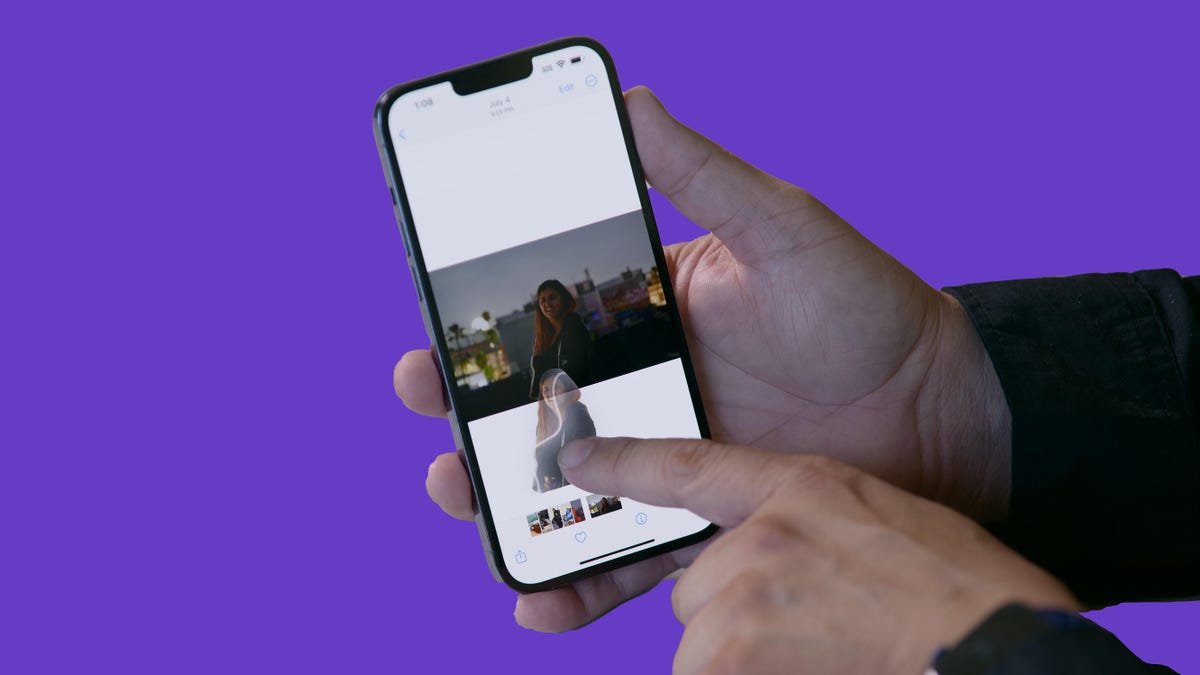
If you use the editor tool in the Photos app, you’ll be happy to learn that you can now copy and paste edits, including saturation, contrast and brightness, between photos. If you edit one photo or video and are happy with the look, you can paste those same exact edits to any other photo or video in your camera roll.
To do this, launch the Photos app and open a photo that’s been edited in full-screen. Next, tap on the three-dot menu in the top-right corner and then hit Copy Edits. This option will only appear if the photo has been edited within Photos, not any third-party photo editor. Finally, go to the photo you want to copy these edits over to, tap on the three-dot menu and then hit Paste Edits. After a second or so, you should see the photo edits appear.
Bring haptic feedback to your keyboard
The iPhone has long had haptic feedback. It’s what you feel underneath your fingertips whenever you attempt to delete an app from your home screen or enter the incorrect password on your lock screen. Strangely enough, haptic feedback has never been available for the stock iOS keyboard — until now.
If you want to enable a slight vibration for every single key you type in, go to Settings > Sounds & Haptics > Keyboard Feedback and toggle on Haptic. The sound option you see is the loud and annoying clacking sound you might hear when you type in something and your phone isn’t on silent mode, so you can keep that disabled.
Pin your favorite tabs in Safari
Safari caps your open tabs at 500, and if you’re nearing that limit, it might be pretty darn hard to find the exact tab you’re looking for. You could scroll endlessly, but there’s now an easier way to find the exact tab you’re looking for.
In Safari, if you press down on an open tab, you now have the option to hit Pin Tab. This will move that tab to the top of Safari, where it will exist as a tiny tab preview, permanently pinned there, which you can then tap to view.
If you press down and unpin a tab, it will move to first in your grid of open tabs.
Use Face ID while you’re lying down
If you’ve ever tried to unlock your iPhone while it’s vertical, like when you’re lying on your side, you might have noticed that it doesn’t work. You have to place your iPhone in portrait orientation, or upright, for Face ID to work. With iOS 16, you can finally use Face ID to unlock your iPhone when it’s in landscape orientation. However, for this to work, you must have an iPhone 13 or 14 running iOS 16.
For more on iOS 16 and the iPhone, see why some aren’t happy with the new battery icon and discover the three things you should do first after installing iOS 16.
Technologies
Today’s NYT Mini Crossword Answers for Friday, Oct. 31
Here are the answers for The New York Times Mini Crossword for Oct. 31.
Looking for the most recent Mini Crossword answer? Click here for today’s Mini Crossword hints, as well as our daily answers and hints for The New York Times Wordle, Strands, Connections and Connections: Sports Edition puzzles.
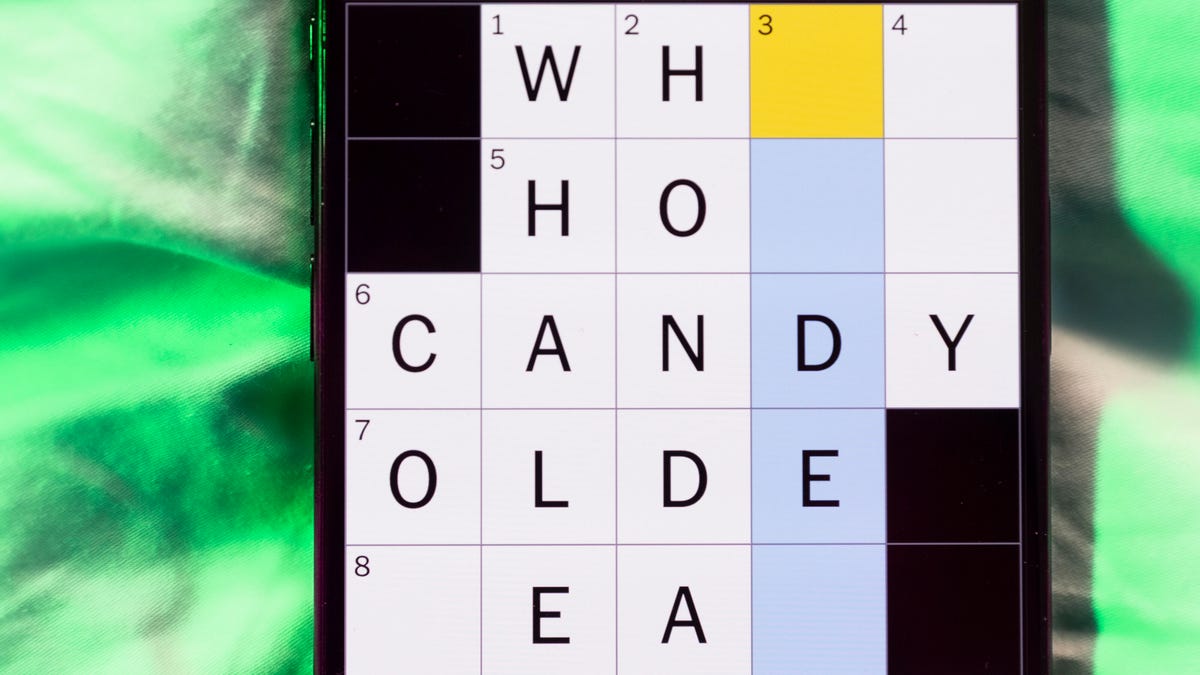
Happy Halloween! Today’s NYT Mini Crossword features the word «BOO!» in a square on the last line of the grid. That’s not just a Halloween greeting, it’s part of the answer that spans both 9-Across and 10-Across, so read the answers to both those with the «boo» in the middle to solve it. And then, the puzzle-makers use that «BOO!» again, to help make the answer to 3-Down. Read on for all the answers, complete with added boos. And if you could use some hints and guidance for daily solving, check out our Mini Crossword tips.
If you’re looking for today’s Wordle, Connections, Connections: Sports Edition and Strands answers, you can visit CNET’s NYT puzzle hints page.
Read more: Tips and Tricks for Solving The New York Times Mini Crossword
Let’s get to those Mini Crossword clues and answers.
Mini across clues and answers
1A clue: Buffalo hockey player
Answer: SABRE
6A clue: «I’ll have the ___» (frequent customer’s order)
Answer: USUAL
7A clue: Contents of a volcano
Answer: MAGMA
8A clue: Adjust to a new environment
Answer: ADAPT
9A clue: With 10-Across, last car on a train
Answer: CA
10A clue: See 9-Across
Answer: SE
(The «Boo!» shown in the grid helps make the word CABOOSE)
Mini down clues and answers
1D clue: «Poison» shrub
Answer: SUMAC
2D clue: Carne ___
Answer: ASADA
3D clue: Imaginary cause of fear
Answer: BUGA
(The «Boo!» shown in the grid helps make the word BUGABOO)
4D clue: Accessible alternatives to staircases
Answer: RAMPS
5D clue: Make extremely happy
Answer: ELATE
Technologies
Live-Action ‘Call of Duty’ Movie Reportedly Being Co-Written by Taylor Sheridan
The Yellowstone co-creator will reportedly team up with Peter Berg on the Paramount film.

Yellowstone, Landman and, now, Call of Duty. Taylor Sheridan, co-creator of the aforementioned hit shows, will co-write Paramount and Activision’s upcoming live-action video game adaptation, according to a report from Variety on Thursday.
Peter Berg will also co-write and direct the movie, which was announced last month. Berg previously directed films including 2018’s Mile 22, 2012’s Battleship and 2013’s Lone Survivor, while Sheridan’s movie credits include 2016’s Hell or High Water and 2017’s Wind River. Berg, Sheridan and David Glasser will produce the Call of Duty film.
Don’t miss any of our unbiased tech content and lab-based reviews. Add CNET as a preferred Google source.
Call of Duty is a first-person shooter military video game series that debuted in 2003. CNET senior writer David Lumb calls it «arguably the biggest shooter franchise in gaming, with millions of players picking up every year’s new entry to the series.»
Lumb said the franchise is known for its bombastic single-player campaigns, which feature globe-spanning plots that rival those of the Mission Impossible films. «A Call of Duty movie has a lot of material to draw from,» Lumb said.
He also noted that Berg’s direction of Lone Survivor would fit the grim military heroism of Call of Duty, while Taylor Sheridan’s spate of neo-Western films and shows could lend a frontier adventurism to the film.
«Their collective works seemingly harmonize with the jingoistic pro-military tune of Activision’s shooter franchise — which is probably a good thing for Call of Duty fans,» Lumb concluded.
A release announcing Paramount and Activision’s film deal teased that it’ll be «designed to thrill its massive global fan base by delivering on the hallmarks of what fans love about the iconic series, while boldly expanding the franchise to entirely new audiences.» It didn’t include cast or plot information.
The update follows recent news that Sheridan is leaving Paramount for NBCUniversal. Paramount did not immediately respond to a request for comment.
Technologies
US Government Urges Total Ban of Our Most Popular Wi-Fi Router
-
 Technologies3 года ago
Tech Companies Need to Be Held Accountable for Security, Experts Say
-
 Technologies3 года ago
Best Handheld Game Console in 2023
-
 Technologies3 года ago
Tighten Up Your VR Game With the Best Head Straps for Quest 2
-
 Technologies4 года ago
Verum, Wickr and Threema: next generation secured messengers
-
 Technologies4 года ago
Black Friday 2021: The best deals on TVs, headphones, kitchenware, and more
-
 Technologies4 года ago
Google to require vaccinations as Silicon Valley rethinks return-to-office policies
-
 Technologies4 года ago
Olivia Harlan Dekker for Verum Messenger
-
 Technologies4 года ago
iPhone 13 event: How to watch Apple’s big announcement tomorrow


