

Technologies
How to carry your COVID-19 vaccine card on your iPhone or Android phone
You may need proof of vaccination to get into restaurants, bars, theaters and other businesses — but you don’t have to carry that paper card with you.

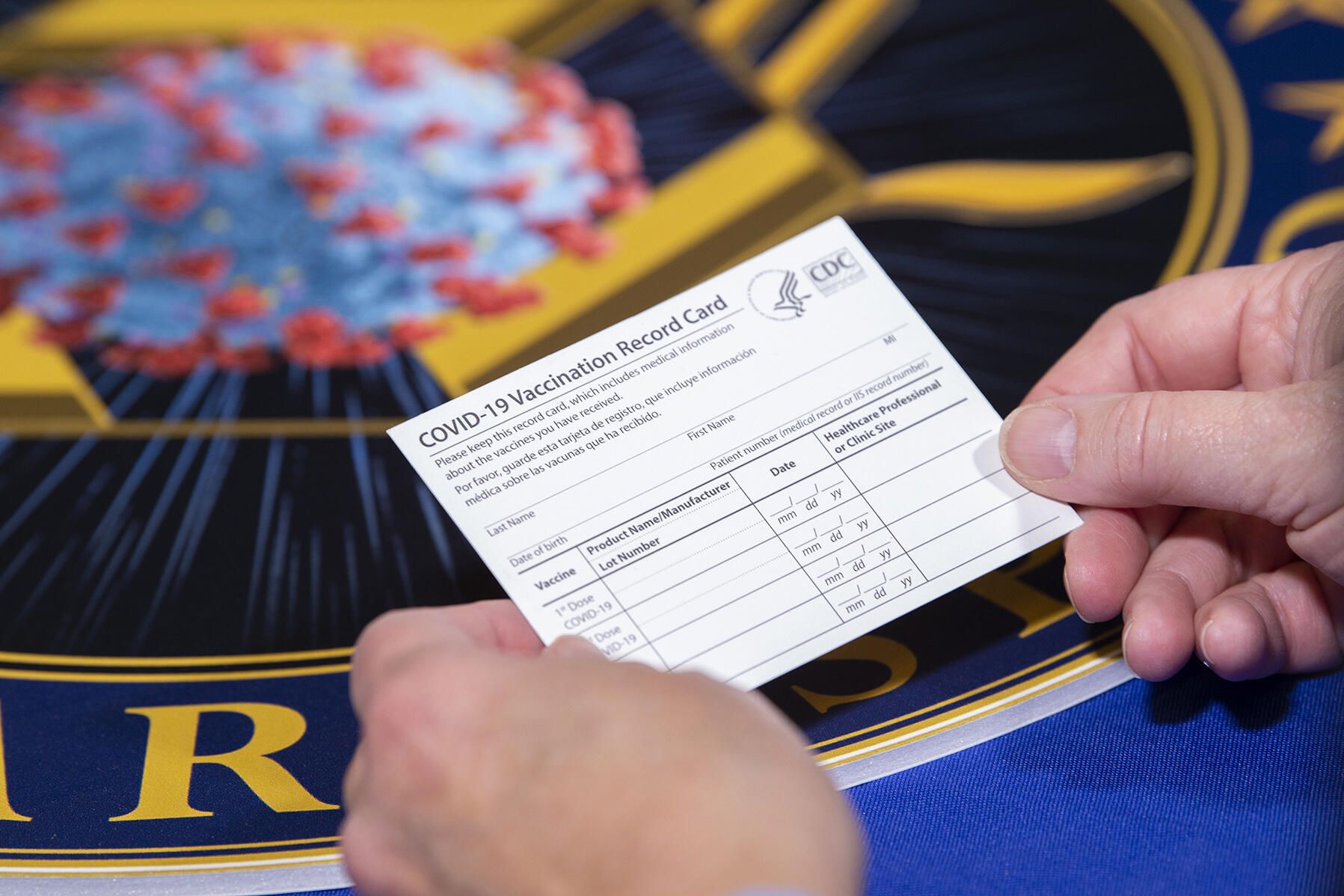
Have you received your COVID-19 booster yet? With omicron, will you need a fourth vaccine dose? With vaccine-makers preparing for an omicron-specific booster if the new COVID-19 variantis as serious as some fear, that piece of paper with your vaccine record could get crowded.
With many counties and cities requiring you to show your vaccine card and ID to get into restaurants, bars and theaters (or even your place of work), you’ll need to carry a record of your COVID shots with you if you want to enter. You don’t, however, necessarily have to keep the printed version in your wallet or purse. We recommend storing it in your phone instead to make your life easier by preventing loss or damage. You carry your phone everywhere, right?
Not sure where to start? We’ll tell you all the ways you can store your vaccine card on your phone — including methods to use if you have an Android phone or iPhone, or if your state has a specific app. Be aware that if you get a booster dose, you need to re-upload your vaccine card. For more details about the coronavirus, here’s the latest on long COVID and what to know about mixing your COVID-19 booster shot. This story was recently updated.
Which states are using vaccination record apps?
Many states have apps that let their residents store a digital version of their vaccine cards on their phones, including California, Colorado, Hawaii, New York and Oregon.
Colorado residents, for example, can download the myColorado app. It requires you to create an account, verify your identity and then add your digital driver’s license to your phone. After you’ve done that, you can then add your myVaccine record to the app.
Louisiana’s LA Wallet app takes a similar approach to Colorado’s, allowing you to add your driver’s license and proof of vaccination to your phone.
California’s version requires you to fill out a form to verify your identity, after which you’ll receive a text message or email with a link to a QR code you can save to your phone. When scanned, the code will offer proof of vaccination. The link will also include a digital copy of your vaccination record.
Illinois residents can use VaxVerify to show proof. The app uses Experian for identity verification.
MyIR Mobile is another app used by several state health departments to provide a digital copy of your vaccination card. Currently, if you live in Louisiana, Maryland, Mississippi, North Dakota, Washington, West Virginia or Washington, DC, this is the app you’ll use.
Delaware, New Mexico and Michigan are also using web portals for residents to access their vaccination status online.
New Yorkers have two app options, including the Excelsior Pass app and NYC Covid Safe.
We’ll continue to keep an eye out for other states that have apps and features to store your COVID-19 vaccine card online.
What if my state doesn’t have an app to store my card?
If your state doesn’t have an iPhone or Android app to store your card, there are other ways to store it on your phone. The US doesn’t have a single online system or app you can use to show proof of vaccination on your phone. Instead, what qualifies as proof varies by city, county and even business.
Some places may accept a picture of your vaccination card. It’s a confusing mess, to put it mildly. I strongly urge you to take a few minutes to research what your city, county or state will accept as proof, as it can vary.
For example, concert producer AEG Presents will accept a «physical copy of a COVID-19 Vaccination Record Card, a digital copy of such card or such other proof as is permitted locally.»
Along with school mandates, hundreds of colleges are also requiring students and employees to be vaccinated. Seattle University, for example, requires students to be vaccinated to attend in-person classes via an online form that uploads photos of the front and back of the vaccination card.
When in doubt, look for information on the business’s website, or call the local health department and ask for clarification. This is bound to save you time, headaches and being turned away at the door.
Can I use Google Pay or Apple Wallet to store my card?
Yes. If you have an iPhone ($330 at Amazon), you can store your COVID-19 vaccination card on your Apple Wallet to present whenever you need to show you’re fully vaccinated. (You can keep a copy in the Health app, too.) You can also keep your card handy on your Apple Watch with the latest WatchOS update.
Over on Android, you can add your vaccine card to the Google Pay app. I need to remind myself each time where my card is in Google Pay (you can find it by tapping the card area up at the top of the app), so I added a shortcut icon to my home screen to quickly find it.
Samsung Pay can also store your vaccine record
Samsung now gives Galaxy phone owners the option to add proof of vaccination to Samsung Pay,its wallet app. By having direct access to your vaccination record, youwon’t have to fiddle around with creating photo albums and tappingthrough multiple screens before you’re able to show it to a bouncer atyour local watering hole.
To add your card to Samsung Pay, you’ll need to download the CommonHealth app(Samsung’s partner) from the Google Play Store. Follow the prompts inthe app to verify your vaccination status. Once the app confirms you’veindeed gotten the shots, you’ll be prompted to download a Smart HealthCard to Samsung Pay.
That card is what you’ll then show to anyone requesting you show proof of vaccination.
Will a picture of my vaccine card work?
The simplest way to have a digital record of your vaccine status is to snap a picture of your vaccination card and keep it on your phone. The CDC even recommends keeping a picture of your card as a backup copy.
Simply use the camera app on your phone to snap the photo. You can favorite the photo to quickly locate it or store it in a notes app, a folder or somewhere that’s easy to remember so you don’t have to endlessly scroll your camera roll to find it. Make sure you’re in a well-lit area and get close enough to the card that its dates and details are legible. I also suggest putting the card on a dark surface, while remaining conscious of shadows of your arms or the phone on the card itself.
Here’s an example of one way to save your vaccination card as a new photo album. On an iPhone, open the Photos app, select the Albums tab and then tap the plus (+) sign in the top-left corner followed by New Album. Give the album a name and then tap Save. Next, select the photos of your card to add them to the album.
On an Android phone, it depends on which app you’re using, but the process should generally be the same. If you’re using the Google Photos app, open the app and then select the picture of your vaccination card. Tap the three-dot menu button in the top-right corner, followed by the Add to Album button. Select +New album and give it a name such as «Vaccination Card» and tap the checkmark button when you’re done.
What else can I use?
I’ve had a large number of readers reach out to me about this article, each one offering advice and guidance about storing a proof of vaccination card.
Some suggestions include well-known airport security service Clear. In fact, some concert and exhibition halls require that attendees use Clear to verify their vaccination status to attend a show. You can go to clearme.com/healthpass to download the app and get your card added.
VaxYes is another service that verifies your vaccination status and then adds your vaccination card to your Apple Wallet. I’ve read that you can add your card to the Google Pay app, but after signing up and going through the process myself, I don’t see the option on a Pixel 5 running Android 12.
If your local municipality or employer used the CDC’s Vaccine Administration Management System, then you can use the VAMS website to access your vaccination records. I had more than one reader reach out to me about using this system to show proof of vaccination, but without an account myself, I’m unable to go through the process of accessing a vaccination record.
Another suggestion I received from multiple readers is to use a scanner app on your phone and store a scanned copy of your vaccination card in something like your OneDrive personal vault or a password manager (almost all of them offer some sort of secure file storage) instead of storing the photo in Google Photos or Apple’s iCloud photos. On an iPhone, you can use the scanner that’s built into the Notes app. On Android, Google’s Stack PDF scanner will be enough to get the job done.
This story updates as the national vaccine conversation continues. For more information about the booster shots from Pfizer, Moderna and Johnson & Johnson, make sure to read this. We have up-to-date details about the omicron variant
.
The information contained in this article is for educational and informational purposes only and is not intended as health or medical advice. Always consult a physician or other qualified health provider regarding any questions you may have about a medical condition or health objectives.
Technologies
Today’s Wordle Hints, Answer and Help for Dec. 9, #1634
Here are hints and the answer for today’s Wordle for Dec. 9, No. 1,634.

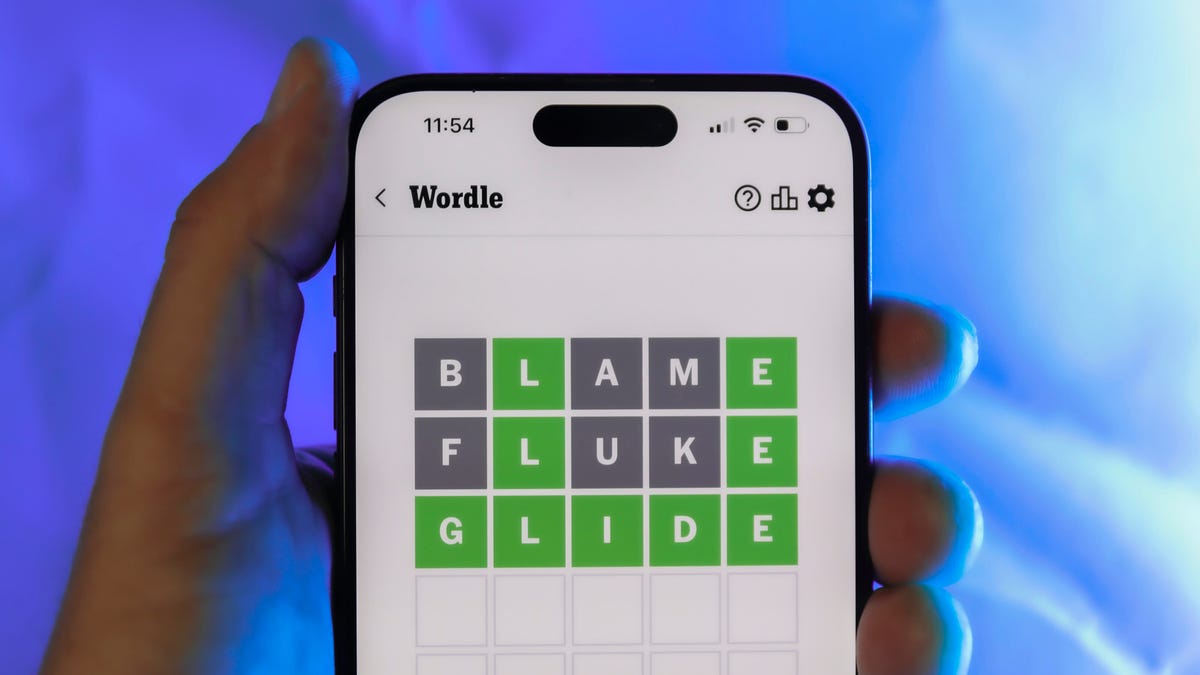
Looking for the most recent Wordle answer? Click here for today’s Wordle hints, as well as our daily answers and hints for The New York Times Mini Crossword, Connections, Connections: Sports Edition and Strands puzzles.
Today’s Wordle puzzle is a little tricky. If you need a new starter word, check out our list of which letters show up the most in English words. If you need hints and the answer, read on.
Today’s Wordle hints
Before we show you today’s Wordle answer, we’ll give you some hints. If you don’t want a spoiler, look away now.
Wordle hint No. 1: Repeats
Today’s Wordle answer has no repeated letters.
Wordle hint No. 2: Vowels
Today’s Wordle answer has two vowels.
Wordle hint No. 3: First letter
Today’s Wordle answer begins with S.
Wordle hint No. 4: Last letter
Today’s Wordle answer ends with E.
Wordle hint No. 5: Meaning
Today’s Wordle answer can refer to being insulting or derogatory.
TODAY’S WORDLE ANSWER
Today’s Wordle answer is SNIDE.
Yesterday’s Wordle answer
Yesterday’s Wordle answer, Dec. 8, No. 1633 was GRAVY.
Recent Wordle answers
Dec. 4, No. 1629: TULIP
Dec. 5, No. 1630: AMONG
Dec. 6, No. 1631: WAIST
Dec. 7, No. 1632: FLUTE
Don’t miss any of our unbiased tech content and lab-based reviews. Add CNET as a preferred Google source.
Technologies
Today’s NYT Mini Crossword Answers for Tuesday, Dec. 9
Here are the answers for The New York Times Mini Crossword for Dec. 9.
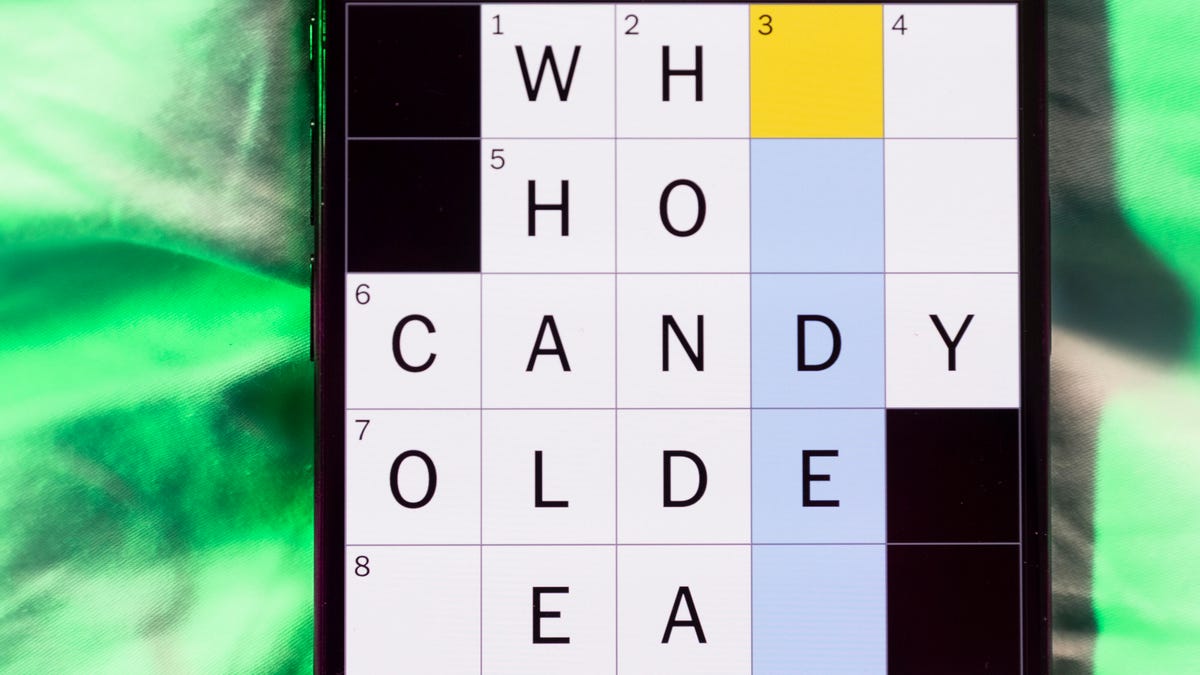
Looking for the most recent Mini Crossword answer? Click here for today’s Mini Crossword hints, as well as our daily answers and hints for The New York Times Wordle, Strands, Connections and Connections: Sports Edition puzzles.
Need some help with today’s Mini Crossword? It’s a tough one today, and might take longer than usual. Read on for the answers. And if you could use some hints and guidance for daily solving, check out our Mini Crossword tips.
If you’re looking for today’s Wordle, Connections, Connections: Sports Edition and Strands answers, you can visit CNET’s NYT puzzle hints page.
Read more: Tips and Tricks for Solving The New York Times Mini Crossword
Let’s get to those Mini Crossword clues and answers.
Mini across clues and answers
1A clue: Apt profession for someone named Rosemary or Ginger
Answer: CHEF
5A clue: Get to go, as leftovers
Answer: BOXUP
7A clue: Word that can precede Bowl or Glue
Answer: SUPER
8A clue: Intense anger
Answer: RAGE
9A clue: «Cut that out!»
Answer: STOP
Mini down clues and answers
1D clue: Stephen Colbert’s network
Answer: CBS
2D clue: Noted group of 24
Answer: HOURS
3D clue: One living abroad, informally
Answer: EXPAT
4D clue: Spanish for «fire»
Answer: FUEGO
6D clue: Do some kitchen work
Answer: PREP
Don’t miss any of our unbiased tech content and lab-based reviews. Add CNET as a preferred Google source.
Technologies
AI Saves Workers Less Than an Hour Each Day, New OpenAI Report Shows
AI adoption is rapidly expanding across industries, but workers are saving only 40 to 60 minutes per day, on average.

OpenAI’s 2025 ‘The State of Enterprise AI’ report provides an in-depth look at how businesses are using AI tools within real companies. Drawing on anonymized usage data from more than 1 million business customers, along with a survey of 9,000 workers at nearly 100 organizations, the report presents a picture of increased AI adoption and integration in the workplace.
«Across surveyed enterprises, 75% of workers report that using AI at work has improved either the speed or quality of their output,» the report states. Also, the report says that «75% of users report being able to complete new tasks they previously could not perform.»
However, the productivity gains might not be as universal and widespread as anticipated: on average, ChatGPT Enterprise users save less than an hour of time per day, according to the report.
Below is a breakdown of the report’s major findings.
Don’t miss any of our unbiased tech content and lab-based reviews. Add CNET as a preferred Google source on Chrome.
Report shows productivity gains, but it’s not universal
Despite the hype surrounding AI at work, the latest data from OpenAI suggests that the reality for most employees is modest. In its report, the company says that on average, ChatGPT Enterprise users save only about 40 to 60 minutes per active workday.
That’s not nothing, but it’s nowhere near the sweeping productivity overhaul that many hoped for. In a workday filled with meetings, emails and tool overload, an hour reclaimed can feel like a minimal benefit rather than a tidal shift in productivity.
(Disclosure: Ziff Davis, CNET’s parent company, in April filed a lawsuit against OpenAI, alleging it infringed Ziff Davis copyrights in training and operating its AI systems.)
A few key findings
The report finds AI adoption within companies is growing fast. Weekly messages in ChatGPT Enterprise have increased nearly eightfold in the past year, and the use of structured workflows, such as custom GPTs, has risen 19 times. Companies are pushing more complex prompts, too, with reasoning-token usage increasing more than 320-fold.
But the outcomes don’t scale at the same rate. Workers say they complete certain tasks more quickly — like IT troubleshooting, campaign creation and coding improvements — yet the day-to-day gains still add up to roughly an hour on average.
A divide between heavy AI users and everyone else
OpenAI’s data shows a widening gap between «frontier» users — defined by OpenAI as those in the 95th percentile of adoption intensity — and the average worker, however.
Frontier employees send about six times more messages than average users. Unsurprisingly, these heavy users report bigger gains of over 10 hours a week. They build workflows around AI, automate routine tasks and turn the tool into a dependable co-worker instead of an occasional assistant. Though arguably, around 2 hours per day of saved time is still relatively moderate.
OpenAI frames the report as a snapshot of where enterprise AI stands today, rather than a final verdict. The company suggests that future gains could come not from the model itself, but from how organizations reshape processes and workflows around it.
But for most workers, AI is still a sidekick. Useful, but not transformative. It helps speed things up. It may even make some work less tedious. But the typical worker saving under an hour a day points to a technology that is powerful, yet still limited. The big question now is whether those numbers will keep climbing, or whether an hour a day is closer to the ceiling than AI enthusiasts want to admit.
-
 Technologies3 года ago
Tech Companies Need to Be Held Accountable for Security, Experts Say
-
 Technologies3 года ago
Best Handheld Game Console in 2023
-
 Technologies3 года ago
Tighten Up Your VR Game With the Best Head Straps for Quest 2
-
 Technologies4 года ago
Black Friday 2021: The best deals on TVs, headphones, kitchenware, and more
-
 Technologies4 года ago
Verum, Wickr and Threema: next generation secured messengers
-
 Technologies4 года ago
Google to require vaccinations as Silicon Valley rethinks return-to-office policies
-
 Technologies4 года ago
Olivia Harlan Dekker for Verum Messenger
-
 Technologies4 года ago
iPhone 13 event: How to watch Apple’s big announcement tomorrow


