

Technologies
iPhone slowing down? How to speed it up by clearing ‘Other’ storage
It’s probably a good idea to develop the habit of clearing out Other storage since it can help your iPhone run much more smoothly and free up precious space.

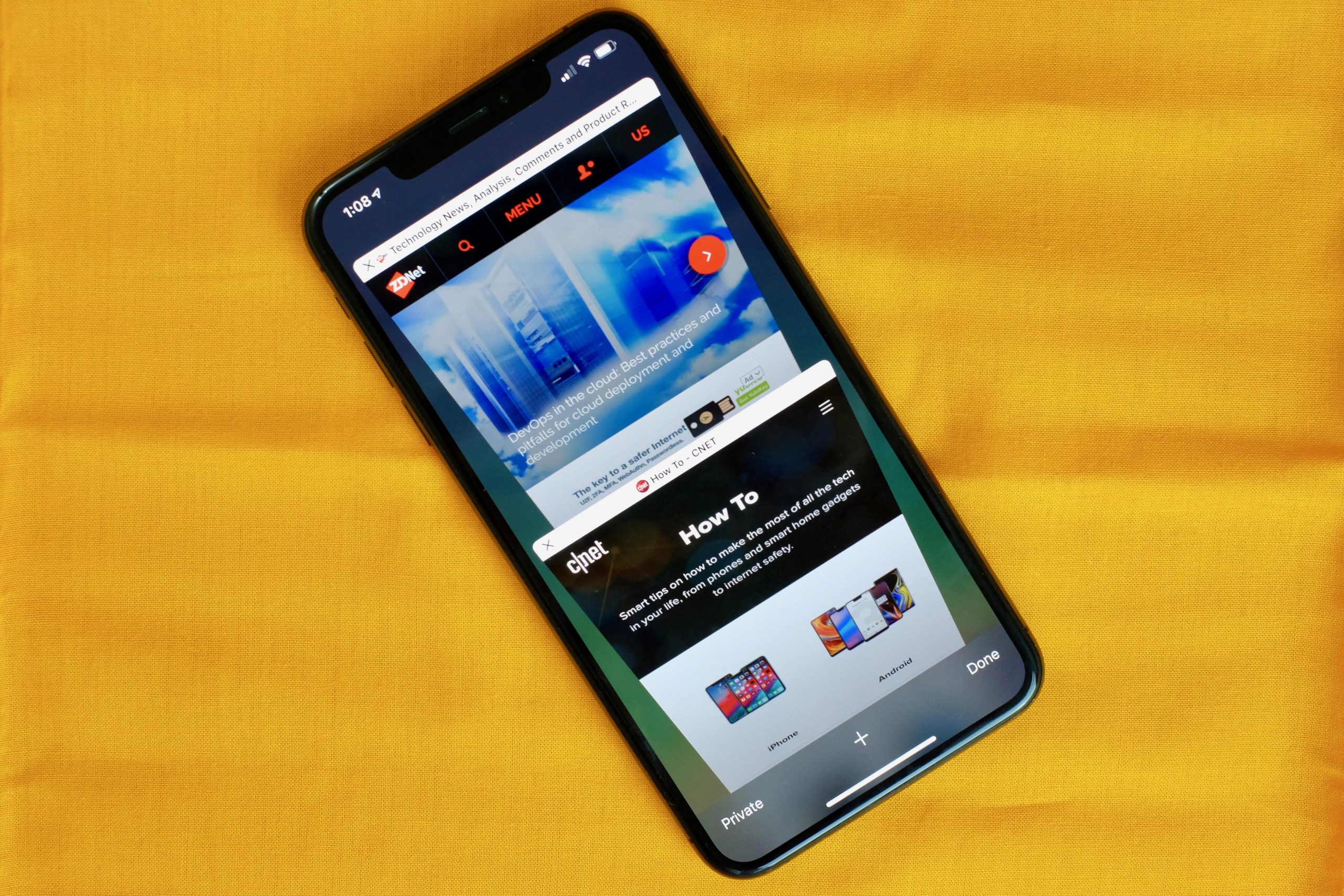
If you’re running out of storage space on your iPhone, that doesn’t mean you have to rush out to upgrade to the iPhone 13. In fact, please don’t if that’s the only reason (unless your phone is on its deathbed). That’s because there are tons of easy tricks that could help.
One major memory hog can be the iPhone’s mysterious «Other» storage section. If you’ve run out of storage before and attempted to manually free up space, you may already be familiar with Other storage. If not, let’s run what that is before we dive into how to shrink this pesky category.
The Other section is a catch-all corner of your iPhone’s storage. Think of it as a place where things like system files and Siri voices can be stored. But the main reason it can be a memory hog is due to cache: Your cache stores elements of apps or websites so they load faster when next you use them. Cache collects as you browse the web, stream videos or movies and when you send text messages with pictures or video. In apps like Google Maps and Chrome, cached data can soon start to eat away at your available storage on the device.
So, is Other storage taking up too much precious space on your iPhone? To check, you’ll need to go to Settings > General > iPhone Storage. After a moment’s calculation, you’ll see a bar graph of the categories taking up your iPhone’s storage. The other storage section is usually the gray portion on the far right of the graph. (For the purposes of this article, I’m going to assume your Other section is taking up more space than it should.)
Let’s get this out of the way early: A surefire way to dump a lot of the junk contained in Other storage is resetting your iPhone, though in my experience you can’t fully empty it. If backing up, wiping and restoring your iPhone sounds intimidating for now, here are a few alternatives for you to try.
Offload apps
Not to be confused with deleting an app, offloading an app means the app is removed from your device, but all data is retained, for when you decide to reinstall it. Take advantage of this trick, especially if you have apps like Google Maps, for instance, that use a lot of space but don’t store much data. To offload an app, go back to iPhone Storage in Settings > General, tap on the app that you want to offload and then Offload App.
Here’s a tip: In the iPhone Storage section, there’s a list of apps with a number next to each name indicating the storage it uses. You can immediately get an overview of which apps are hogging memory or taking up just a little. This will help you decide which to offload.
Clear out Safari cache and close tabs
If you use Safari often, your iPhone may be storing web history and data that you simply do not need. To clear Safari’s browser cache, go to Settings > Safari and Clear History and Website Data. And if you’re a Chrome user, here’s how to clear out cache on Google’s browser.
Closing out tabs also helps free up storage and keeps your device running smoothly. You can manage how frequently Safari will close open tabs by going to Settings > Safari > Close Tabs. You can keep closing tabs manually, or let Safari close out tabs that haven’t been viewed for a day, a week or a month.
Stop storing texts forever
By default, your iPhone stores all of the text messages you send and receive… forever. This is convenient if you need to look up a 15-month-old conversation, but not so convenient if you need that storage space back. To stop your phone from saving texts forever, open up Settings and tap Messages. Scroll down until you find Message History and tap Keep Messages. Change Forever to 30 Days or 1 Year. A pop-up will ask you if you want to delete older messages; tap Delete to proceed.
Technologies
This Two-Faced Watch Band Lets You Hide an Apple Watch Under Your Rolex
The $418 Smartlet literally bridges the gap between your elegant analogy and your nerdy smartwatch.

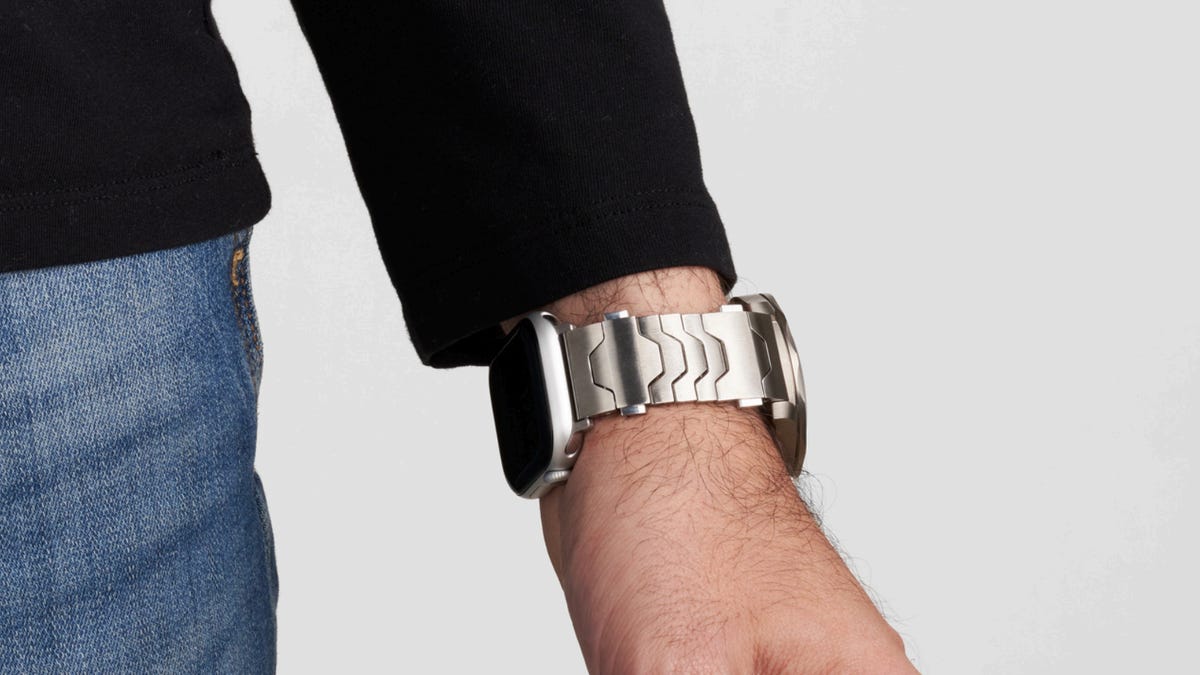
The Consumer Electronics Show is never short on ambitious ideas, but Smartlet may be one of the more unusual ones this year: a modular watch strap that lets you wear a traditional mechanical watch and a smartwatch on the same wrist, simultaneously. One on top of the other.
The Paris-based startup announced Smartlet at the 2026 CES in Las Vegas, pitching it as a solution for people who love the look of an analog watch but also want the practicality of a smartwatch for notifications, fitness tracking and mobile payments. Instead of choosing between the two, Smartlet’s system lets you mount an old-school timepiece on the front of your wrist while hiding a smartwatch or fitness tracker on the underside.
The stainless steel strap starts at $418 and doesn’t include a smartwatch or a mechanical watch. What you’re really buying is the strap system, which is compatible with most major smartwatches and fitness trackers, including Apple Watch, Samsung Galaxy Watch, Google Pixel Watch, Garmin models, Fitbit Charge devices and Whoop. On the analog side, it supports watches with lug widths from 18 to 24 mm, which includes high-end models from brands such as Omega, Tudor, TAG Heuer and Rolex.
The idea comes from founder David Ohayon, who says he was tired of having to play favorites every morning, choosing between his analog and Apple Watch. Smartlet, in theory, offers the best of both worlds, letting you toggle from fitness nerd to polished executive with the flick of a wrist.
In practice, it raises some serious questions, the biggest one being bulk. Smartlet says the system adds between 9 and 12 mm of height to the underside of the wrist once a connected device is attached. As someone who already manages to scratch watches without trying, the idea of strapping a second device to the underside of my wrist, where it regularly comes in contact with desks, armrests and tabletops, sounds like a walking nightmare.
There’s also the aesthetic. Smartlet is clearly aimed at what it calls the «modern gentleman,» with marketing language that leans heavily into luxury watch culture and phrases like «from the boardroom to the weekend.» Translation: This is a watch for wealthy men who want to show off their investment piece without sacrificing their gym gain tracking.
And while it may not be the most practical, or budget-friendly solution for most people, Smartlet is one of those highly niche, standout products that had us doing a double take at this year’s CES.
Technologies
Today’s NYT Strands Hints, Answers and Help for Dec. 25 #662
Here are hints and answers for the NYT Strands puzzle for Dec. 25, No. 662.
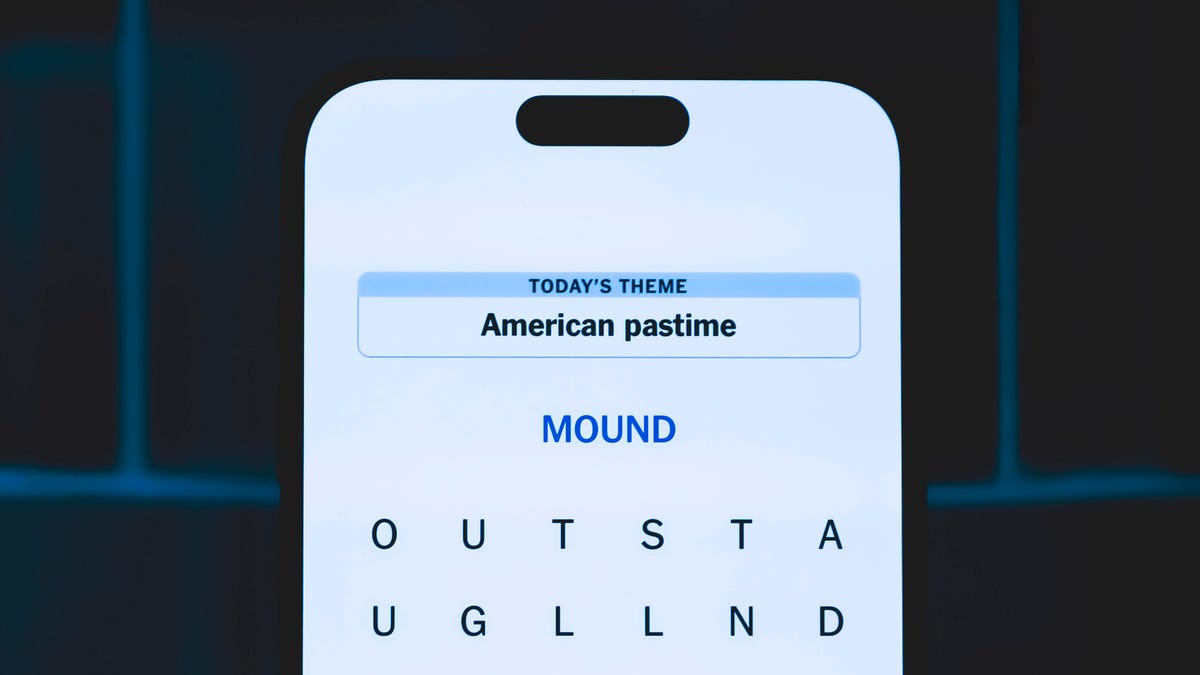
Looking for the most recent Strands answer? Click here for our daily Strands hints, as well as our daily answers and hints for The New York Times Mini Crossword, Wordle, Connections and Connections: Sports Edition puzzles.
Today’s NYT Strands puzzle has a holiday theme, and if you know a certain Christmas carol, you’ll quickly determine which words to hunt down. Some of the answers are difficult to unscramble, so if you need hints and answers, read on.
I go into depth about the rules for Strands in this story.
If you’re looking for today’s Wordle, Connections and Mini Crossword answers, you can visit CNET’s NYT puzzle hints page.
Read more: NYT Connections Turns 1: These Are the 5 Toughest Puzzles So Far
Hint for today’s Strands puzzle
Today’s Strands theme is: Carolers count.
If that doesn’t help you, here’s a clue: Five golden rings.
Clue words to unlock in-game hints
Your goal is to find hidden words that fit the puzzle’s theme. If you’re stuck, find any words you can. Every time you find three words of four letters or more, Strands will reveal one of the theme words. These are the words I used to get those hints but any words of four or more letters that you find will work:
- RIMS, HIMS, MARS, CHIME, CHIMES, MADS, DATE, DIAL, WAIL
Answers for today’s Strands puzzle
These are the answers that tie into the theme. The goal of the puzzle is to find them all, including the spangram, a theme word that reaches from one side of the puzzle to the other. When you have all of them (I originally thought there were always eight but learned that the number can vary), every letter on the board will be used. Here are the nonspangram answers:
- LORDS, MAIDS, SWANS, LADIES, PIPERS, DRUMMERS
Today’s Strands spangram
Today’s Strands spangram is CHRISTMASDAYS. To find it, look for the C that’s three letters down on the far-left row, and wind across.
Don’t miss any of our unbiased tech content and lab-based reviews. Add CNET as a preferred Google source.
Toughest Strands puzzles
Here are some of the Strands topics I’ve found to be the toughest in recent weeks.
#1: Dated slang, Jan. 21. Maybe you didn’t even use this lingo when it was cool. Toughest word: PHAT.
#2: Thar she blows! Jan.15. I guess marine biologists might ace this one. Toughest word: BALEEN or RIGHT.
#3: Off the hook, Jan. 9. Similar to the Jan. 15 puzzle in that it helps to know a lot about sea creatures. Sorry, Charlie. Toughest word: BIGEYE or SKIPJACK.
Technologies
Judge Blocks Texas App Store Age-Check Law
A preliminary injunction found the Texas law, set to begin Jan. 1, is «more likely than not unconstitutional.»

A new Texas state law set to take effect on Jan. 1 would have required app stores to implement age verification processes. But the law has been put on hold, at least temporarily, by a federal court judge.
As reported by the Texas Tribune, Senate Bill 2420, also known as the Texas App Store Accountability Act, is the subject of a temporary injunction issued by US District Judge Robert Pitman.
Pitman said in his decision that the law as written is broad, vague and «more likely than not unconstitutional.» However, he also wrote the court «recognizes the importance of ongoing efforts to better safeguard children when they are on their devices.»
Don’t miss any of our unbiased tech content and lab-based reviews. Add CNET as a preferred Google source.
The Texas law, signed into law by Governor Greg Abbott in May, requires app store operators — including Apple, Google, Nintendo, Steam and more — to build age verification processes for the storefronts and to only allow downloads to minors who obtain parental consent. The injunction is a ruling in an October lawsuit filed by the Computer & Communication Industry Association.
CCIA senior vice president Stephanie Joyce said in a statement, «This Order stops the Texas App Store Accountability Act from taking effect in order to preserve the First Amendment rights of app stores, app developers, parents, and younger internet users. It also protects parents’ inviolate right to use their own judgment in safeguarding their children online using the myriad tools our members provide.»
Other individuals and the advocacy group Students Engaged in Advancing Texas also filed suits over the law, the Texas Tribune reported.
App Store Accountability Act
The bill author, State Senator Angela Paxton, said the bill was meant to give parents «common sense tools to protect their kids and to survive court challenges by those who may have lesser priorities.»
The language of Texas Senate Bill 2420 does not only include mobile app stores from Apple or Google, but any «website, software application, or other electronic service that distributes software applications from the owner or developer of a software application to the user of a mobile device.»
By that definition, websites with links to browser games or mobile game consoles with download options would fall under the Texas law as written. The law also defines mobile devices as including phones and tablets, as well as any other handheld device capable of transmitting or storing information wirelessly.
The parental consent aspect of the law requires those under 18 to have an app store account affiliated with a parent or guardian to purchase or download applications.
Age verification elsewhere
In an effort to keep adult materials out of reach of minors and to protect children from potentially harmful content and interactions, tech companies have been compelled by law or through legal action to verify the age of users.
Roblox, which has a huge audience of minors, began rolling out stricter age verification after investigations and lawsuits hurt its reputation as a safe gaming space. Australia is perhaps the most large-scale example of a government restricting access to online content. In December, Australia began restricting social media access to those 16 and older. Reddit recently challenged that law.
In the US, age verification laws have primarily targeted adult sites. Texas already has a law on the books that requires adult sites to age-block their content. The Supreme Court upheld that law in a June ruling. The UK has also enacted age restriction rules for adult sites as have other US states.
-
 Technologies3 года ago
Tech Companies Need to Be Held Accountable for Security, Experts Say
-
 Technologies3 года ago
Best Handheld Game Console in 2023
-
 Technologies3 года ago
Tighten Up Your VR Game With the Best Head Straps for Quest 2
-
 Technologies4 года ago
Black Friday 2021: The best deals on TVs, headphones, kitchenware, and more
-
 Technologies4 года ago
Verum, Wickr and Threema: next generation secured messengers
-
 Technologies4 года ago
Google to require vaccinations as Silicon Valley rethinks return-to-office policies
-
 Technologies4 года ago
Olivia Harlan Dekker for Verum Messenger
-
 Technologies4 года ago
iPhone 13 event: How to watch Apple’s big announcement tomorrow


