

Technologies
This one hack keeps your COVID vaccination card handy. Here’s what to do
There are a few ways to store your card on your phone. And there’s even an app, too.

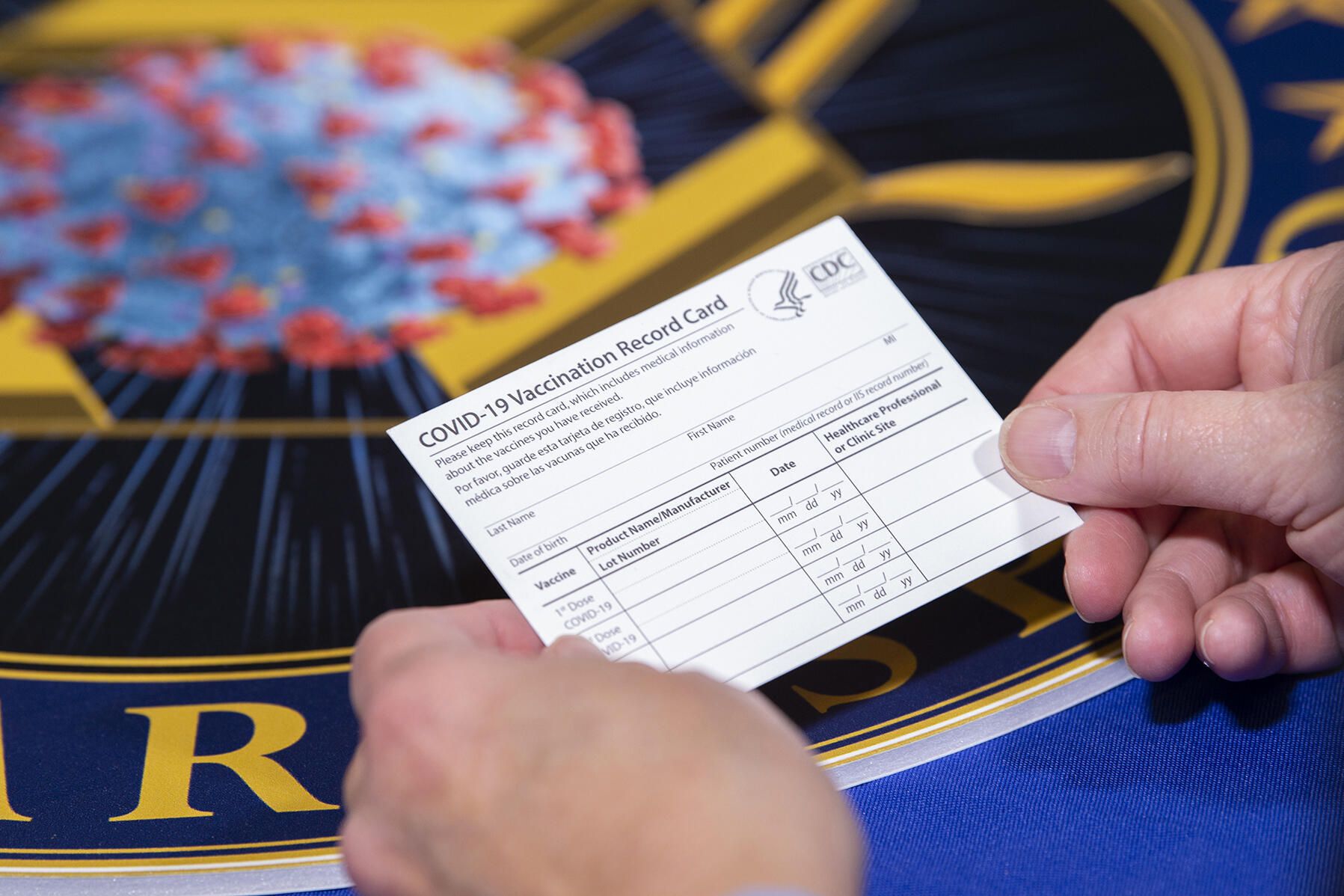
Over the summer, the bulk of COVID cases were among the unvaccinated, who accounted for over 97% of all hospitalizations and deaths as of July. Fortunately, the vaccines have proven time and again to be highly effective in preventing severe illness. And recently, the White House recently announced vaccine mandates that include government workers, school districts and large employers. President Joe Biden said the purpose of the federal vaccination mandates is to stem the surge of COVID-19 cases and to put pressure on those who haven’t yet gotten vaccinated.
Your COVID vaccination card will come in handy as more cities and counties across the country require proof of vaccination to attend indoor spaces and events. That goes for kids, too, who may soon be eligible for the vaccine. Plus, it can show you got a booster shot from Pfizer, Moderna or Johnson & JohnsonSo, now more than ever, it’s important to store your COVID-19 vaccine card safely so you don’t lose it.
But what if you lose or it gets damaged? The Centers for Disease Control and Prevention doesn’t keep a record of your vaccination status. Before the unthinkable happens, now’s a good time to add a digital copy to your phone. By the way, you probably shouldn’t laminate it, since it prevents your health care provider from updating it with future booster shots. Here are a few other ways to store your card safely. This story was recently updated.
There’s more than one way to show proof of vaccination
The US doesn’t have a single online system or app you can use to show proof of vaccination on your phone. Instead, what qualifies as proof varies by city, county and even business. Some places may accept a picture of your vaccination card; others may require you to use an app that’s authorized at state level.
It’s a confusing mess, to put it mildly. I strongly urge you to take a few minutes to research what your city, county or state will accept as proof, as it can vary.
For example, concert producer AEG Presents will accept a «physical copy of a COVID-19 Vaccination Record Card, a digital copy of such card or such other proof as is permitted locally.»
Along with school mandates, many colleges are are also requiring students and employees to be vaccinated. Seattle University, for example, requires students to be vaccinated to attend in-person classes via an online form that uploads photos of the front and back of the vaccination card.
When in doubt, look for information on the business’s website, or call the local health department and ask for clarification. This is bound to save you time, headaches and being turned away at the door.
Here’s how to save your card on an Android device or iPhone
If you have an iPhone, with an update coming soon for iOS 15 you’ll be able to add your vaccine card to your Apple Wallet to present to whenever you need to show you’re fully vaccinated. (You can keep a copy in the Health app right now.)
Over on Android, you can add your vaccine card to the Google Pay app. I need to remind myself each time where my card is in Google Pay, so I added a shortcut icon to my home screen to quickly find it.
Samsung has an app, too
Samsung now gives Galaxy phone owners the option to add proof of vaccination to Samsung Pay,its wallet app. By having direct access to your vaccination record, youwon’t have to fiddle around with creating photo albums and tappingthrough multiple screens before you’re able to show it to a bouncer atyour local watering hole.
To add your card to Samsung Pay, you’ll need to download the CommonHealth app(Samsung’s partner) from the Google Play Store. Follow the prompts inthe app to verify your vaccination status. Once the app confirms you’veindeed gotten the shots, you’ll be prompted to download a Smart HealthCard to Samsung Pay.
That card is what you’ll then show to anyone requesting you show proof of vaccination.
Or use your phone or tablet to take a clear photo of your card
Is that too much fuss? The simplest way to have a digital record of your vaccine status is to snap a picture of your vaccination card and keep it on your phone. The CDC even recommends keeping a picture of your card as a backup copy.
Simply use the camera app on your phone to snap the photo. You can favorite the photo to quickly locate it or store it in a notes app, a folder or somewhere that’s easy to remember so you don’t have to endlessly scroll your camera roll to find it. Make sure you’re in a well-lit area and get close enough to the card that its dates and details are legible. I also suggest putting the card on a dark surface, while remaining conscious of shadows of your arms or the phone on the card itself.
Here’s an example of one way to save your vaccination card as a new photo album. On an iPhone, open the Photos app, select the Albums tab and then tap the + sign in the top left corner followed by New Album. Give the album a name and then tap Save. Next, select the photos of your card to add it to the album.
On an Android phone, it depends on which app you’re using, but the process should generally be the same. If you’re using the Google Photos app, open the app and then select the picture of your vaccination card. Tap the three-dot menu button in the top-right corner, followed by the Add to Album button. Select +New album and give it a name such as «Vaccination Card» and tap the checkmark button when you’re done.
Look for digital vaccination card apps in your state, like Excelsior
Some states — including California, Colorado, Hawaii, New York and Oregon — offer some form of digital vaccination card. The myColorado app requires you to create an account, verify your identity and then add your digital driver’s license to your phone. After you’ve done that, you can then add your myVaccine record to the app.
Louisiana’s LA Wallet app takes a similar approach to Colorado’s, allowing you to add your driver’s license and proof of vaccination to your phone.
California’s implementation requires you to fill out a form to verify your identity, after which you’ll receive a text message or email with a link to a QR code you can save to your phone. When scanned, the code will offer proof of vaccination. The link will also include a digital copy of your vaccination record.
MyIR Mobile is another app used by several state health departments to provide a digital copy of your vaccination card. Currently, if you live in Louisiana, Maryland, Mississippi, North Dakota, Washington, West Virginia or Washington, DC, this is the app you’ll use.
More ways to store your vaccination card digitally
I’ve had a large number of readers reach out to me about this article, each one offering advice and guidance about storing a proof of vaccination card.
Some suggestions include well-known airport security service Clear. In fact, some concert and exhibition halls are requiring attendees use Clear to verify their vaccination status to attend a show. You can go to clearme.com/healthpass to download the app and get your card added.
VaxYes is another service that verifies your vaccination status and then adds your vaccination card to Apple Wallet. I’ve read that you can add your card to the Google Pay app, but after signing up and going through the process myself, I don’t see the option on a Pixel 5 running Android 12.
If your local municipality or employer used the CDC’s Vaccine Administration Management System, then you can use the VAMS website to access your vaccination records. I had more than one reader reach out to me about using this system to show proof of vaccination, but without an account myself, I’m unable to go through the process of accessing a vaccination record.
Another suggestion I received from multiple readers is to use a scanner app on your phone and store a scanned copy of your vaccination card in something like your OneDrive personal vault or a password manager (almost all of them offer some sort of secure file storage) instead of storing the photo in Google Photos or Apple’s iCloud photos. On an iPhone, you can use the scanner that’s built into the Notes app. On Android, Google’s Stack PDF scanner will be enough to get the job done.
This story updates as the national vaccine conversation continues. For more information about the forthcoming booster shots, make sure to read this. We have up-to-date details about the delta variant, as well as delta plus and the lambda variant.
Technologies
The Most Exciting Video Game Rumors and Leaks Ahead of 2026
Technologies
Today’s NYT Mini Crossword Answers for Wednesday, Dec. 17
Here are the answers for The New York Times Mini Crossword for Dec. 17.

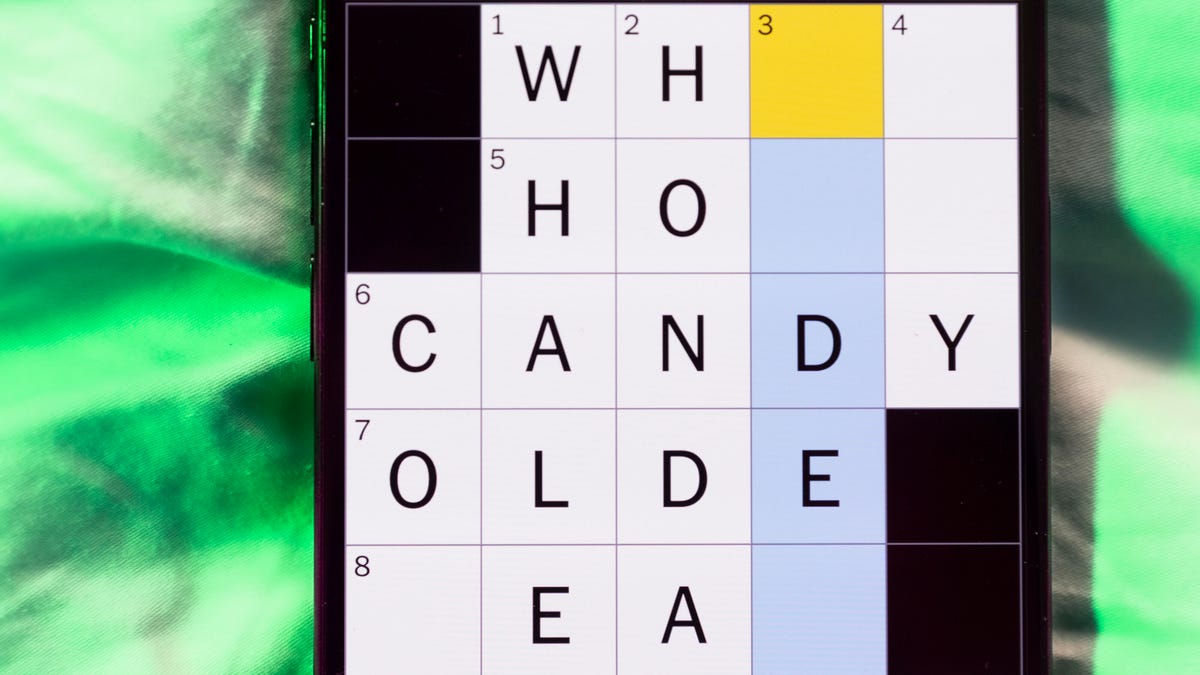
Looking for the most recent Mini Crossword answer? Click here for today’s Mini Crossword hints, as well as our daily answers and hints for The New York Times Wordle, Strands, Connections and Connections: Sports Edition puzzles.
Need some help with today’s Mini Crossword? Read on. And if you could use some hints and guidance for daily solving, check out our Mini Crossword tips.
If you’re looking for today’s Wordle, Connections, Connections: Sports Edition and Strands answers, you can visit CNET’s NYT puzzle hints page.
Read more: Tips and Tricks for Solving The New York Times Mini Crossword
Let’s get to those Mini Crossword clues and answers.
Mini across clues and answers
1A clue: Nod (off)
Answer: DOZE
5A clue: Naval submarine in W.W. II
Answer: UBOAT
7A clue: Tricky thing to do on a busy highway
Answer: MERGE
8A clue: Heat-resistant glassware for cooking
Answer: PYREX
9A clue: Put into groups
Answer: SORT
Mini down clues and answers
1D clue: Break up with
Answer: DUMP
2D clue: Falls in line, so to speak
Answer: OBEYS
3D clue: Legendary vigilante who cuts a «Z» with his sword
Answer: ZORRO
4D clue: Rarin’ to go
Answer: EAGER
6D clue: Common reminder for an upcoming appointment
Answer: TEXT
Don’t miss any of our unbiased tech content and lab-based reviews. Add CNET as a preferred Google source.
Technologies
You Can Watch an Exclusive Avatar: Fire and Ash Scene on TikTok Right Now
Disney and TikTok partner on an immersive content hub for James Cameron’s latest movie about the alien Na’vi.

If you’re not quite ready to head to the theater to watch Avatar: Fire and Ash, an exclusive scene preview might sell you on the visual spectacle. As part of a new collaboration with the social media giant, Disney is posting snippets of its new movie to its TikTok account.
This scene isn’t part of any trailer and won’t be posted to other social media accounts, making TikTok the only place you can view it — unless you buy a movie ticket. A first look at the new movie’s scenes isn’t the only Avatar-related bonus on the social media platform right now, either. TikTok has partnered with the house of mouse to bring an entire «immersive content hub» to the app.
A special section of TikTok includes quizzes and educational videos that explore the alien world of Pandora shown off in the movies. On TikTok, you can take a personality quiz to find out what Na’vi clan you most closely align with and unlock a special profile picture border to use on your account.
Science and fiction blend together with a series of videos from real doctors who explain the basis for some of Avatar’s world-building. If you want to learn about exoplanets or how realistic the anatomy of the movie’s alien animals is, these videos will feed your brain while still providing entertainment value.
Perhaps the most enticing part of Disney’s latest social media collaboration is the opportunity for fans to win prizes and trips. TikTok creators who make edits with the #TikTokAvatarContest hashtag are entered into a competition to win Avatar merchandise. The biggest winners will be able to take a trip to visual effects studio Wētā Workshop in New Zealand or visit Avatar director James Cameron’s Lightstorm Entertainment Studio in Los Angeles.
Avatar: Fire and Ash is the third installment in director Cameron’s cinematic passion project. While the first Avatar movie was released in 2009, Cameron didn’t release another entry in the franchise until 2022. In total, there is a five-movie arc planned for the indigo alien Na’vi on the moon of Pandora.
The Avatar movies are known for pushing the boundaries of CGI visual effects in cinema. They are also historically big winners at the box office: the original Avatar is the highest-grossing film of all time, earning $2.9 billion across its theatrical releases. Its sequel, Avatar: The Way of Water, is the third-highest-grossing film of all time, trailing Avengers: Endgame. You can stream those movies on Disney Plus.
It remains to be seen whether Avatar: Fire and Ash will financially live up to its predecessors. The film currently has mixed reviews from critics on Rotten Tomatoes.
-
 Technologies3 года ago
Tech Companies Need to Be Held Accountable for Security, Experts Say
-
 Technologies3 года ago
Best Handheld Game Console in 2023
-
 Technologies3 года ago
Tighten Up Your VR Game With the Best Head Straps for Quest 2
-
 Technologies4 года ago
Black Friday 2021: The best deals on TVs, headphones, kitchenware, and more
-
 Technologies4 года ago
Verum, Wickr and Threema: next generation secured messengers
-
 Technologies4 года ago
Google to require vaccinations as Silicon Valley rethinks return-to-office policies
-
 Technologies4 года ago
Olivia Harlan Dekker for Verum Messenger
-
 Technologies4 года ago
iPhone 13 event: How to watch Apple’s big announcement tomorrow


