

Technologies
Apple’s iOS 15 update arrives Monday, but you might not want to install it right away
Waiting a week to download Apple’s new iOS 15 operating system might save you some headaches. Here’s why.

This story is part of Apple Event, our full coverage of the latest news from Apple.
The next version of Apple’s mobile operating system, iOS 15, will arrive on Monday. (Here’s how you’ll download and install iOS 15 when it appears.) Apple revealed the date during a launch event earlier this week, at which the tech giant also unveiled the iPhone 13, new iPads and the Apple Watch Series 7.
While the new software for iPhones (and iPadOS for iPads) is full of brand-new features like the ability to FaceTime Android owners, store your driver’s license in your digital wallet and some major Apple Maps upgrades, you might want to consider waiting an extra week or two before installing iOS 15.
Sure, you can run headlong into the new operating system and play with all the new features as soon as they’re available. That’s the fun of it, right? But there are some good reasons that might stay your hand from clicking the Update button when it pops up.
Why iOS 15 won’t be perfect at launch
The beta release of any version of iOS is intended to help developers identify and squash bugs before the operating system becomes widely available. However, some bugs are likely to slip through to the launch version. Just look at last year’s general release of iOS 14, which reverted users’ default browsers and mail apps every time they restarted their devices, among other glitches.
Bugs and issues just like that have cropped up in the iOS 15 and iPadOS 15 betas, and could still be a problem in the initial general release. And even if these issues don’t completely stop you from using your iPhone or iPad, the bugs will still likely be annoying and disruptive.
Based on our experiences testing the iOS 15 beta, the third build was worse than the ones that came before it. Apps constantly crashed for no reason, and the keyboard would randomly stop working on the iPad Pro. Again, Apple’s development team likely caught and addressed most of those bugs. But if you download on Day 1, you’re setting yourself up to be the live version of a beta tester.
How long should I wait before downloading iOS 15?
Going back to the iOS 14 example, the issue with default apps was taken care of a week later. That’s the window you should look for: Wait a week, maybe two if you want to be super cautious, and then download the new iOS. By that point, most of the early bugs in the overall OS and individual apps should be worked out.
Don’t wait too long, though
While a certain amount of caution can help you avoid headaches, you shouldn’t be overcautious either. Delaying updates to your operating system for too long can also leave you vulnerable to security flaws. Any operating system updates that are related to security issues — like the iOS 14.8 update released earlier this week — are important to install as soon as possible to keep your device secure.
The launch of a new operating system like iOS 15 rarely falls into that category, but it’s an important distinction to make. Whenever you decide to update to iOS 15, make sure your device is ready first. It’s difficult to revert back to the previous operating system, but it is possible.
For more coverage of the iPhone 13 event, check out everything Apple announced and why the biggest iPhone 13 feature is its trade-in offers.
Technologies
Facebook Brings Back Local Job Listings: How to Apply
One of Facebook’s most practical features from 2022 is being revived by Meta.

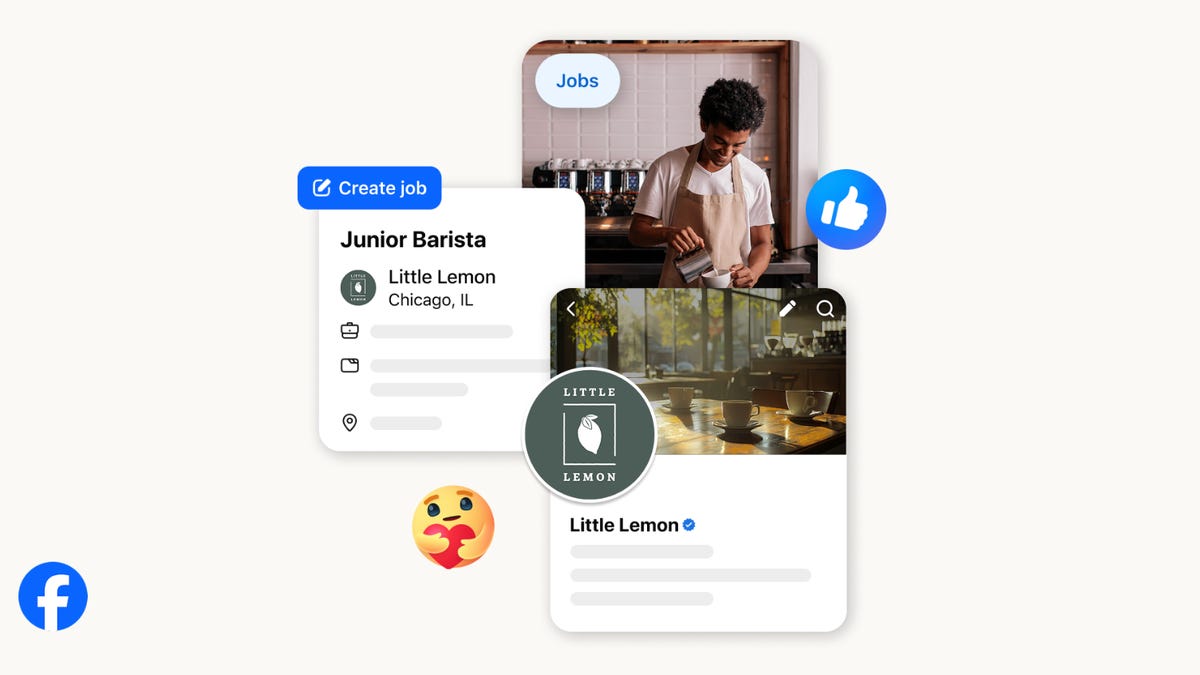
On the hunt for work? A Local Jobs search is being rolled out by Meta to make it easier for people in the US to discover and apply for nearby work directly on Facebook. The feature is inside Facebook Marketplace, Groups and Pages, Meta said last week, letting employers post openings and job seekers filter roles by distance, category or employment type.
You can apply or message employers directly through Facebook Messenger, while employers can publish job listings with just a few taps — similar to how you would post items for sale on Marketplace.
Don’t miss any of our unbiased tech content and lab-based reviews. Add CNET as a preferred Google source.
Facebook offered a Jobs feature before discontinuing it in 2022, pushing business hiring toward its other platforms. Its return suggests Meta is attempting to expand Facebook’s usefulness beyond social networking and to position it once again as a hub for community-driven opportunities.
Read more: Meta’s All In on AI Creating the Ads You See on Instagram, Facebook and WhatsApp
«We’ve always been about connecting with people, whether through shared interests or key life events,» the press release states. «Now, if you’re looking for entry-level, trade and service industry employment in your community, Facebook can help you connect with local people and small businesses who are hiring.»
Read more: What Is Meta AI? Everything to Know About These AI Tools
How to get started with Local Jobs on Facebook
According to Meta, Local Jobs will appear as a dedicated section in Facebook Marketplace starting this week. If you’re 18 or older, you can:
- Tap the Marketplace tab on the Facebook app or website.
- Select Jobs to browse available positions nearby.
- Use filters for job type, category and distance.
- Tap Apply or message the employer directly via Messenger.
Businesses and page admins can post jobs by creating a new listing in Marketplace or from their Facebook Page. Listings can include job details, pay range, and scheduling information and will appear in local searches automatically.
The Local Jobs feature is rolling out across the US now, with Meta saying it plans to expand it in the months ahead.
Technologies
Tesla Has a New Range of Affordable Electric Cars: How Much They Cost
The new, stripped-back versions of the Model Y and Model 3 have a more affordable starting price.

Technologies
Today’s NYT Strands Hints, Answers and Help for Oct. 22 #598
Here are hints and answers for the NYT Strands puzzle for Oct. 22, No. 598.
Looking for the most recent Strands answer? Click here for our daily Strands hints, as well as our daily answers and hints for The New York Times Mini Crossword, Wordle, Connections and Connections: Sports Edition puzzles.
Today’s NYT Strands puzzle is a fun one — I definitely have at least two of these in my house. Some of the answers are a bit tough to unscramble, so if you need hints and answers, read on.
I go into depth about the rules for Strands in this story.
If you’re looking for today’s Wordle, Connections and Mini Crossword answers, you can visit CNET’s NYT puzzle hints page.
Read more: NYT Connections Turns 1: These Are the 5 Toughest Puzzles So Far
Hint for today’s Strands puzzle
Today’s Strands theme is: Catch all.
If that doesn’t help you, here’s a clue: A mess of items.
Clue words to unlock in-game hints
Your goal is to find hidden words that fit the puzzle’s theme. If you’re stuck, find any words you can. Every time you find three words of four letters or more, Strands will reveal one of the theme words. These are the words I used to get those hints but any words of four or more letters that you find will work:
- BATE, LICE, SLUM, CAPE, HOLE, CARE, BARE, THEN, SLAM, SAMBA, BACK
Answers for today’s Strands puzzle
These are the answers that tie into the theme. The goal of the puzzle is to find them all, including the spangram, a theme word that reaches from one side of the puzzle to the other. When you have all of them (I originally thought there were always eight but learned that the number can vary), every letter on the board will be used. Here are the nonspangram answers:
- TAPE, COIN, PENCIL, BATTERY, SHOELACE, THUMBTACK
Today’s Strands spangram
Today’s Strands spangram is JUNKDRAWER. To find it, look for the J that’s five letters down on the far-left row, and wind down, over and then up.
Quick tips for Strands
#1: To get more clue words, see if you can tweak the words you’ve already found, by adding an «S» or other variants. And if you find a word like WILL, see if other letters are close enough to help you make SILL, or BILL.
#2: Once you get one theme word, look at the puzzle to see if you can spot other related words.
#3: If you’ve been given the letters for a theme word, but can’t figure it out, guess three more clue words, and the puzzle will light up each letter in order, revealing the word.
-
 Technologies3 года ago
Tech Companies Need to Be Held Accountable for Security, Experts Say
-
 Technologies3 года ago
Best Handheld Game Console in 2023
-
 Technologies3 года ago
Tighten Up Your VR Game With the Best Head Straps for Quest 2
-
 Technologies4 года ago
Verum, Wickr and Threema: next generation secured messengers
-
 Technologies4 года ago
Black Friday 2021: The best deals on TVs, headphones, kitchenware, and more
-
 Technologies4 года ago
Google to require vaccinations as Silicon Valley rethinks return-to-office policies
-
 Technologies4 года ago
Olivia Harlan Dekker for Verum Messenger
-
 Technologies4 года ago
iPhone 13 event: How to watch Apple’s big announcement tomorrow


